
README
Real8 Explorer
A PICO-8 explorer and emulator front-end for multiple platforms.
Real8 Explorer is the comfort layer around the Real8 VM + Shell: a native host UI for windowing, menus, input, and tooling, so you can browse, launch, and debug carts with less friction.
Not affiliated with Lexaloffle Games, PICO-8, Nintendo, or RetroArch/Libretro.

Quick links:
- Release notes (v1.1.0)
- Demo cart:
demos/pico_extended.p8
Highlights (v1.1.0)
- Publishing workflow: GUI exporters for standalone homebrew on GBA (.gba), 3DS (.3dsx/.cia), and Switch (.nro).
- Real8 expandability: extended framebuffer modes, stereo depth pipeline, and motion sensors.
- Performance and stability improvements across supported targets.
- VM goal: PICO-8 compatibility by default, with optional enhancements when you want them.
Platforms
| Target | Host / Integration | Details |
|---|---|---|
| Windows | SDL host + native menus/tooling | Windows README |
| Nintendo Switch | libnx host integration | Switch README |
| Nintendo 3DS | citro2d / citro3d | 3DS README |
| Nintendo GBA | devkitARM / GBA SDK | GBA README |
| Libretro | Libretro API core | Libretro README |
Features
Core
- Cart loading from disk (
.p8/.png), drag-and-drop on desktop - Library browsing with local folders, genre grouping, and remote repositories
- Save states
- Custom wallpaper support (on/off)
- Video options: fullscreen, stretch modes, interpolation, optional CRT scanlines
- Audio: music and SFX toggles, queued-audio sync
- Input: keyboard and controller support, HID remapping UI, per-player configs (up to 8)
- Modding: boot games with mods created through the Windows version
Real8 expandability
- Multiple framebuffer modes (fullscreen behavior depends on platform)
- Stereo depth pipeline: stereo on 3DS or red/cyan on other platforms, per-sprite depth buckets
- Motion sensors: accelerometer and gyroscope on 3DS and Switch
- Demo: PICO EXTENDED
Framebuffer Modes
| Target | Mode | Host | Screen | Resolution | Scale | V-Mapping | Display |
|---|---|---|---|---|---|---|---|
| 0 | 0 | Windows | Main | 128×128 | x4 | normal | Window |
| 1 | 0 | GBA | Main | 128×128 | x1 | normal | Borders |
| 1 | 1 | GBA | Main | 240×160 | x1 | normal | Full Screen |
| 2 | 0 | 3DS | Top | 128×128 | x1 | normal | Borders |
| 2 | 1 | 3DS | Top | 128×128 | x2 | special | Left/Right Borders |
| 2 | 2 | 3DS | Top | 200×120 | x2 | normal | Full Screen |
| 2 | 3 | 3DS | Top | 400×240 | x1 | normal | Full Screen |
| 2 | 0 | 3DS | Bottom | 128×128 | x1 | normal | Borders |
| 2 | 1 | 3DS | Bottom | 128×128 | x2 | special | Left/Right Borders |
| 2 | 2 | 3DS | Bottom | 160×120 | x2 | normal | Full Screen |
| 2 | 3 | 3DS | Bottom | 320×240 | x1 | normal | Full Screen |
| 3 | 0 | Switch | Main | 128×128 | x1 | normal | Borders |
| 3 | 1 | Switch | Main | 256×144 | x5 | normal | Full Screen |
| 3 | 2 | Switch | Main | 640×640 | x5 | normal | Borders |
| 3 | 3 | Switch | Main | 1280×720 | x5 | normal | Full Screen |
By default, the PICO-8 128x128 resolution applies unless you overide it:
First you target a platform e.g. poke(0x5f85,2) for 3DS, and second you set a platform resolution e.g. poke(0x5fe1,3) for 400x240.
Publishing workflow
Publish your PICO-8 cart as a standalone homebrew game using the GUI exporters:
- Pico2GBA: publish a
.gbafile (optional 240x160 native resolution) - PicoTo3DS: publish
.3dsxor.cia(optional stereo depth, gyro, and 320x240 native resolution) - Pico2Switch: publish a
.nrofile (optional gyro and 1280z720 native resolution)
Developer and power-user tools
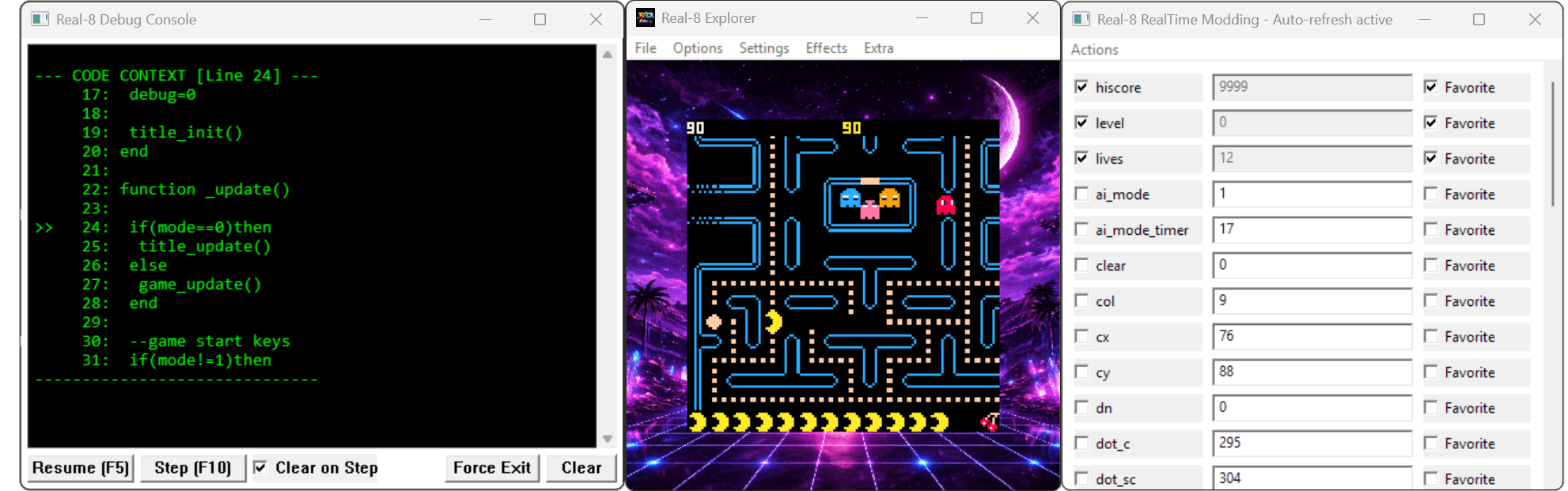
- Debug console: logging, pause/resume, step, breakpoints, memory tools
- Real-time modding: live variable editing, favorites, command prompt
- Live LUA injection: PEEK/POKE with console feedback
- Export tools: GFX, MAP, and music tracks to a chosen folder
- Crash handling (Windows): exception logging to
logs.txt+ a Windows dialog
Supported cart formats
| Format | Notes |
|---|---|
.p8 | Text cart source |
.png | Image/cart container |
Usage
Load a cart (Windows)
- File -> Open and select a cart
- Or drag a
.p8/.pngfile onto the window
Load a cart (Switch)
- Local Games: place games in the
Switch/Real8/folder - Local Repo JSON: place gameslist.json in
Switch/Real8/Config - Remote Games: point to a remote JSON in
gamesrepo.txt
Save / load state
- Windows: use the menu or the Shell menu
- Switch: use the Shell menu
- RetroArch: use the default RetroArch save system
Compatibility and known issues
- Supports about 80-90% of PICO-8 games
- Switch builds target FW 21.1.0 | AMS 1.10.1
- 3DS is optimized, but some carts run slower
- Sound engine in some games may not emulate correctly
- Save state reliability varies by game (some carts may load corrupted state)
- Compatibility is good, but difficult titles (Poom, R-Type, etc.) still need work
GBA implementation
The GBA target packages a single .p8.png cart into a standalone GBA ROM and boots it directly (no shell).
It renders a 128x128 framebuffer centered in Mode 4 and leans on IWRAM/EWRAM optimizations to hit speed.
This implementation is optimized to run on real GBA hardware.
See GBA README for build steps, memory layout, and tuning tips.
Screenshots
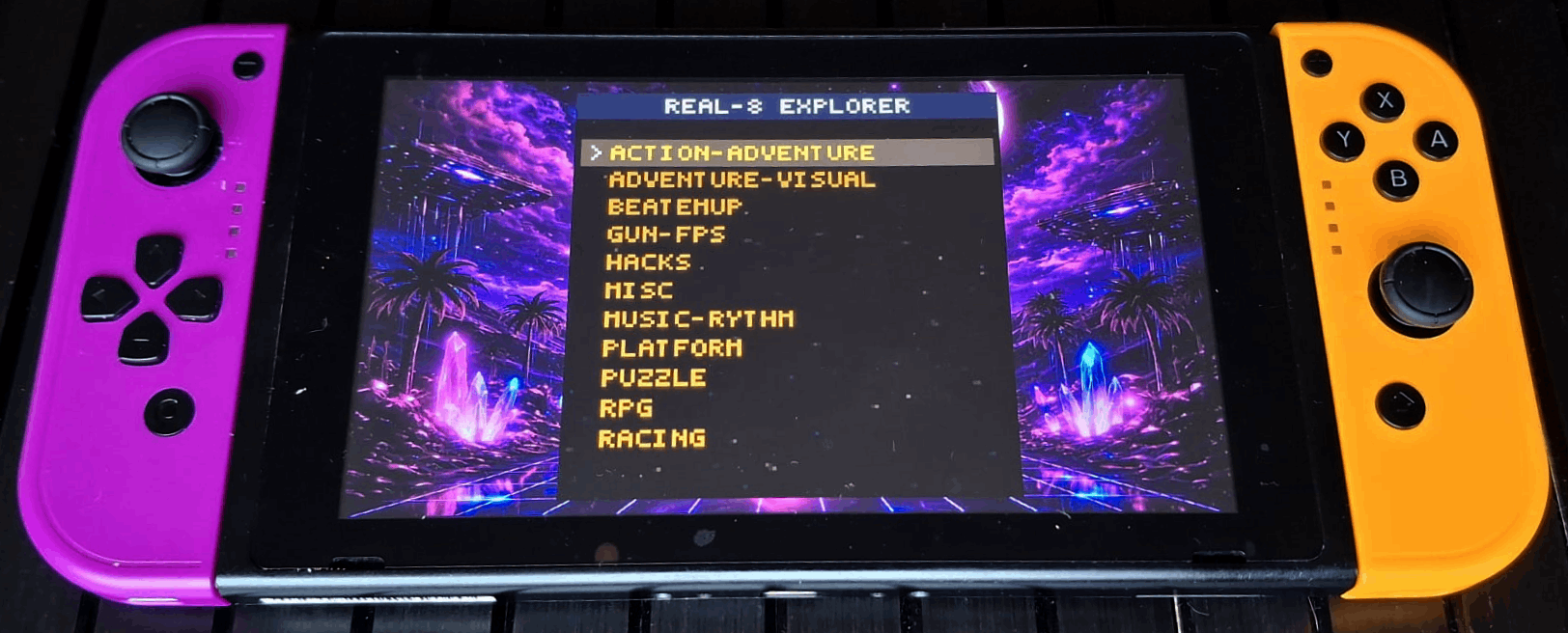 | 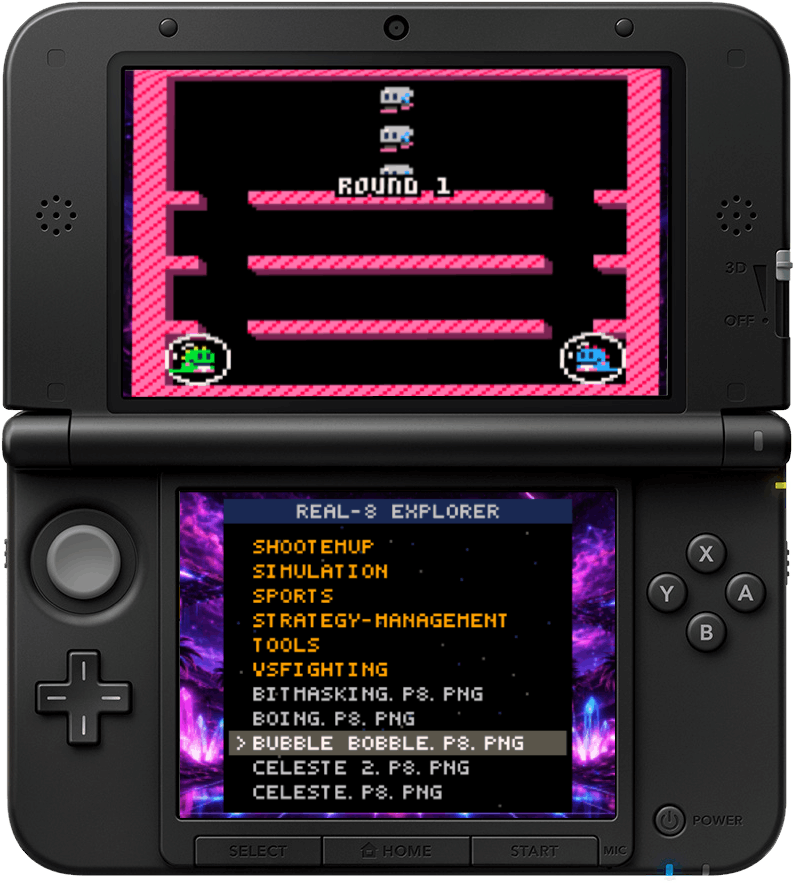 |
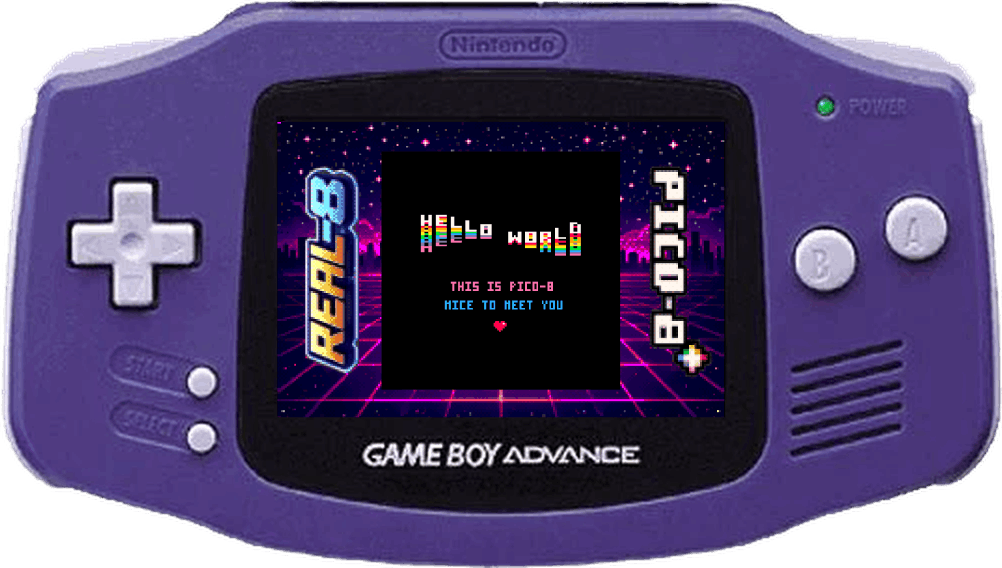 | 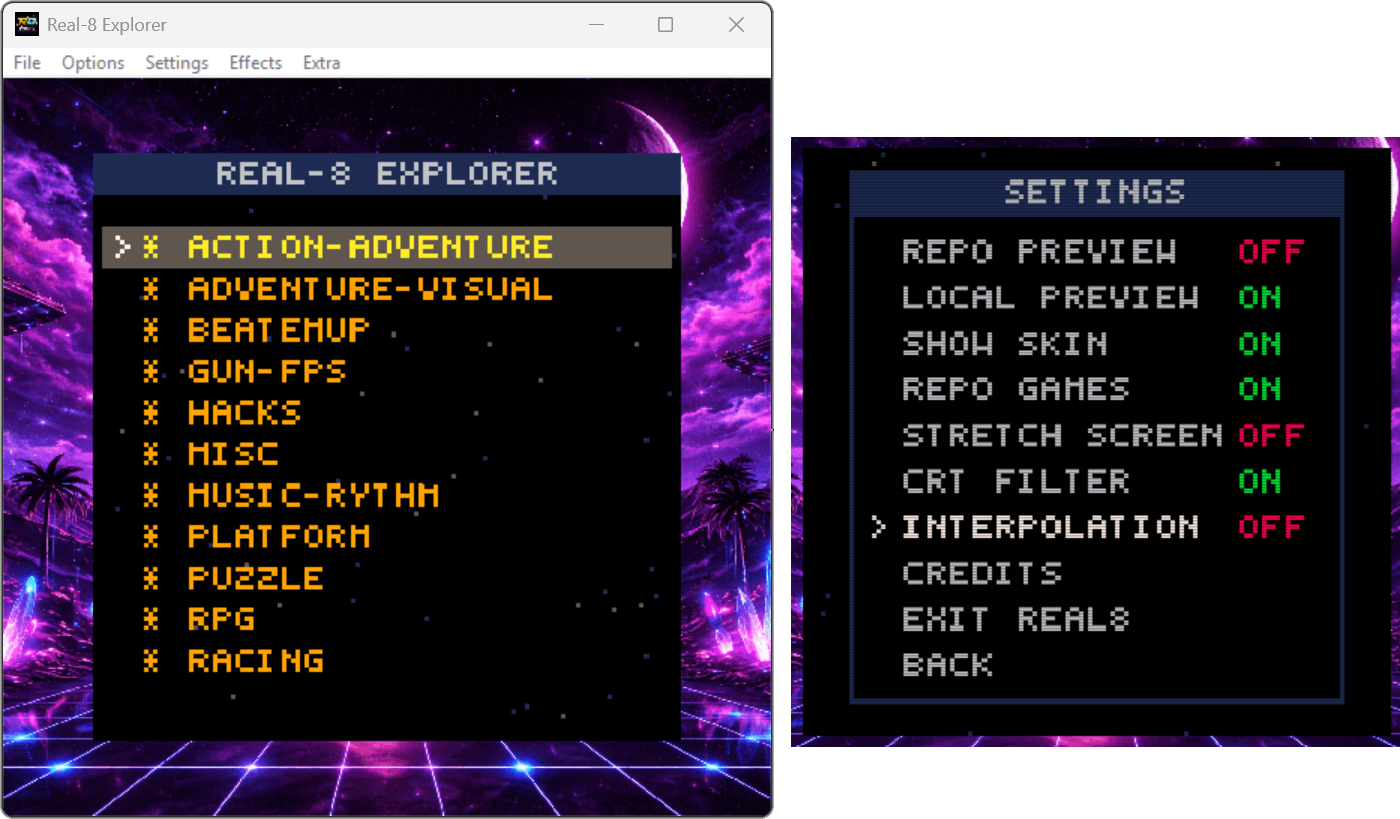 |
 |
Toolchains
Windows (SDL)
- Toolchain: MinGW
- Dependencies: SDL2
Nintendo Switch (libnx)
- Toolchain: devkitPro + libnx 4.10.0
- Works with FW 21.1.0 | AMS 1.10.1
Nintendo 3DS (citro2d/citro3d)
- devkitPro + 3ds-dev + 3dstools
- 3dstool (for packing assets)
- Curl (for online fetching)
Nintendo GBA (devkitARM / GBA SDK)
- devkitPro / devkitARM + GBA SDK
- Pico2GBA GUI packer/converter
Libretro
- Libretro toolchain / RetroArch environment
Contributing
When reporting bugs, please include:
- Target (Windows / Switch / 3DS / GBA / Libretro)
- Cart format (
.p8/.png) and a repro case - Logs (for example,
logs.txton Windows) if available
License
This project is licensed under GPL-3.0 (see LICENSE).
Real8 started as a backronym ("Real-Time Emulation Analog Layer"), but it stuck.
Contributors

59 commits
See what people are saying
Hacker News (1)
Similar repos


Languages
C++
83.1%
C
14.7%
Makefile
1.8%
README
Real8 Explorer
A PICO-8 explorer and emulator front-end for multiple platforms.
Real8 Explorer is the comfort layer around the Real8 VM + Shell: a native host UI for windowing, menus, input, and tooling, so you can browse, launch, and debug carts with less friction.
Not affiliated with Lexaloffle Games, PICO-8, Nintendo, or RetroArch/Libretro.
Quick links:
- Release notes (v1.1.0)
- Demo cart:
demos/pico_extended.p8
Highlights (v1.1.0)
- Publishing workflow: GUI exporters for standalone homebrew on GBA (.gba), 3DS (.3dsx/.cia), and Switch (.nro).
- Real8 expandability: extended framebuffer modes, stereo depth pipeline, and motion sensors.
- Performance and stability improvements across supported targets.
- VM goal: PICO-8 compatibility by default, with optional enhancements when you want them.
Platforms
| Target | Host / Integration | Details |
|---|---|---|
| Windows | SDL host + native menus/tooling | Windows README |
| Nintendo Switch | libnx host integration | Switch README |
| Nintendo 3DS | citro2d / citro3d | 3DS README |
| Nintendo GBA | devkitARM / GBA SDK | GBA README |
| Libretro | Libretro API core | Libretro README |
Features
Core
- Cart loading from disk (
.p8/.png), drag-and-drop on desktop - Library browsing with local folders, genre grouping, and remote repositories
- Save states
- Custom wallpaper support (on/off)
- Video options: fullscreen, stretch modes, interpolation, optional CRT scanlines
- Audio: music and SFX toggles, queued-audio sync
- Input: keyboard and controller support, HID remapping UI, per-player configs (up to 8)
- Modding: boot games with mods created through the Windows version
Real8 expandability
- Multiple framebuffer modes (fullscreen behavior depends on platform)
- Stereo depth pipeline: stereo on 3DS or red/cyan on other platforms, per-sprite depth buckets
- Motion sensors: accelerometer and gyroscope on 3DS and Switch
- Demo: PICO EXTENDED
Framebuffer Modes
| Target | Mode | Host | Screen | Resolution | Scale | V-Mapping | Display |
|---|---|---|---|---|---|---|---|
| 0 | 0 | Windows | Main | 128×128 | x4 | normal | Window |
| 1 | 0 | GBA | Main | 128×128 | x1 | normal | Borders |
| 1 | 1 | GBA | Main | 240×160 | x1 | normal | Full Screen |
| 2 | 0 | 3DS | Top | 128×128 | x1 | normal | Borders |
| 2 | 1 | 3DS | Top | 128×128 | x2 | special | Left/Right Borders |
| 2 | 2 | 3DS | Top | 200×120 | x2 | normal | Full Screen |
| 2 | 3 | 3DS | Top | 400×240 | x1 | normal | Full Screen |
| 2 | 0 | 3DS | Bottom | 128×128 | x1 | normal | Borders |
| 2 | 1 | 3DS | Bottom | 128×128 | x2 | special | Left/Right Borders |
| 2 | 2 | 3DS | Bottom | 160×120 | x2 | normal | Full Screen |
| 2 | 3 | 3DS | Bottom | 320×240 | x1 | normal | Full Screen |
| 3 | 0 | Switch | Main | 128×128 | x1 | normal | Borders |
| 3 | 1 | Switch | Main | 256×144 | x5 | normal | Full Screen |
| 3 | 2 | Switch | Main | 640×640 | x5 | normal | Borders |
| 3 | 3 | Switch | Main | 1280×720 | x5 | normal | Full Screen |
By default, the PICO-8 128x128 resolution applies unless you overide it:
First you target a platform e.g. poke(0x5f85,2) for 3DS, and second you set a platform resolution e.g. poke(0x5fe1,3) for 400x240.
Publishing workflow
Publish your PICO-8 cart as a standalone homebrew game using the GUI exporters:
- Pico2GBA: publish a
.gbafile (optional 240x160 native resolution) - PicoTo3DS: publish
.3dsxor.cia(optional stereo depth, gyro, and 320x240 native resolution) - Pico2Switch: publish a
.nrofile (optional gyro and 1280z720 native resolution)
Developer and power-user tools
- Debug console: logging, pause/resume, step, breakpoints, memory tools
- Real-time modding: live variable editing, favorites, command prompt
- Live LUA injection: PEEK/POKE with console feedback
- Export tools: GFX, MAP, and music tracks to a chosen folder
- Crash handling (Windows): exception logging to
logs.txt+ a Windows dialog
Supported cart formats
| Format | Notes |
|---|---|
.p8 | Text cart source |
.png | Image/cart container |
Usage
Load a cart (Windows)
- File -> Open and select a cart
- Or drag a
.p8/.pngfile onto the window
Load a cart (Switch)
- Local Games: place games in the
Switch/Real8/folder - Local Repo JSON: place gameslist.json in
Switch/Real8/Config - Remote Games: point to a remote JSON in
gamesrepo.txt
Save / load state
- Windows: use the menu or the Shell menu
- Switch: use the Shell menu
- RetroArch: use the default RetroArch save system
Compatibility and known issues
- Supports about 80-90% of PICO-8 games
- Switch builds target FW 21.1.0 | AMS 1.10.1
- 3DS is optimized, but some carts run slower
- Sound engine in some games may not emulate correctly
- Save state reliability varies by game (some carts may load corrupted state)
- Compatibility is good, but difficult titles (Poom, R-Type, etc.) still need work
GBA implementation
The GBA target packages a single .p8.png cart into a standalone GBA ROM and boots it directly (no shell).
It renders a 128x128 framebuffer centered in Mode 4 and leans on IWRAM/EWRAM optimizations to hit speed.
This implementation is optimized to run on real GBA hardware.
See GBA README for build steps, memory layout, and tuning tips.
Screenshots
| |
| |
|
Toolchains
Windows (SDL)
- Toolchain: MinGW
- Dependencies: SDL2
Nintendo Switch (libnx)
- Toolchain: devkitPro + libnx 4.10.0
- Works with FW 21.1.0 | AMS 1.10.1
Nintendo 3DS (citro2d/citro3d)
- devkitPro + 3ds-dev + 3dstools
- 3dstool (for packing assets)
- Curl (for online fetching)
Nintendo GBA (devkitARM / GBA SDK)
- devkitPro / devkitARM + GBA SDK
- Pico2GBA GUI packer/converter
Libretro
- Libretro toolchain / RetroArch environment
Contributing
When reporting bugs, please include:
- Target (Windows / Switch / 3DS / GBA / Libretro)
- Cart format (
.p8/.png) and a repro case - Logs (for example,
logs.txton Windows) if available
License
This project is licensed under GPL-3.0 (see LICENSE).
Real8 started as a backronym ("Real-Time Emulation Analog Layer"), but it stuck.
See what people are saying
Hacker News (1)
Similar repos
Contributors
59 commits
Languages
C++
83.1%
C
14.7%
Makefile
1.8%