
See what people are saying
README
nanowave
nanowave is planned as a DIY portable audio player developed in Rust / Slint. It is currently a proof-of-concept learning project, that has no "release", but some demos, what it should look like.
In general the project is cross-platform / cross-arch, but currently targeted for Linux / Buildroot on x64 and RISC-V 64bit musl.
Here are some pictures of the current state...
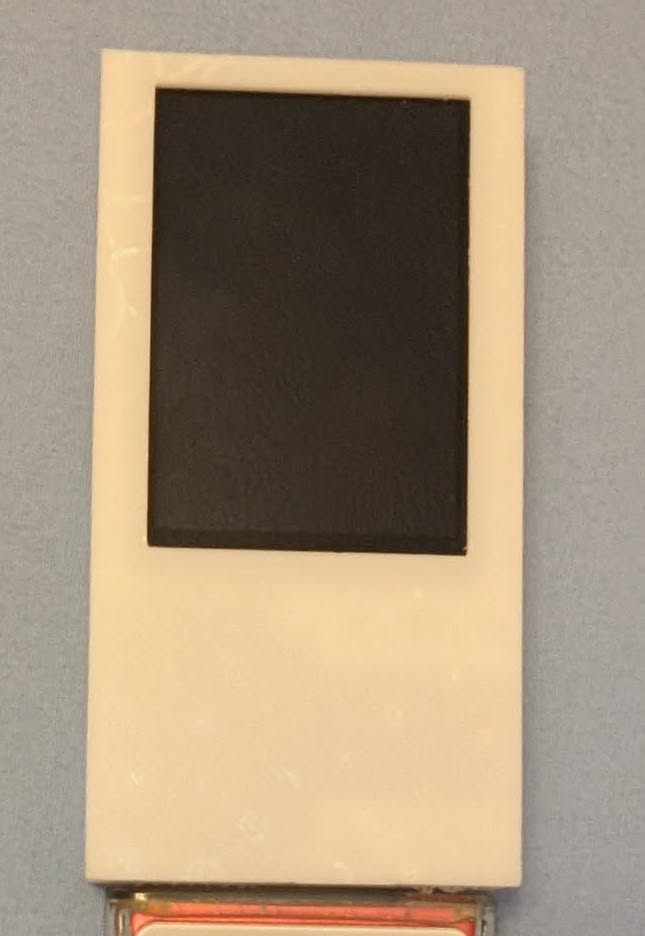
3D printed case Prototype
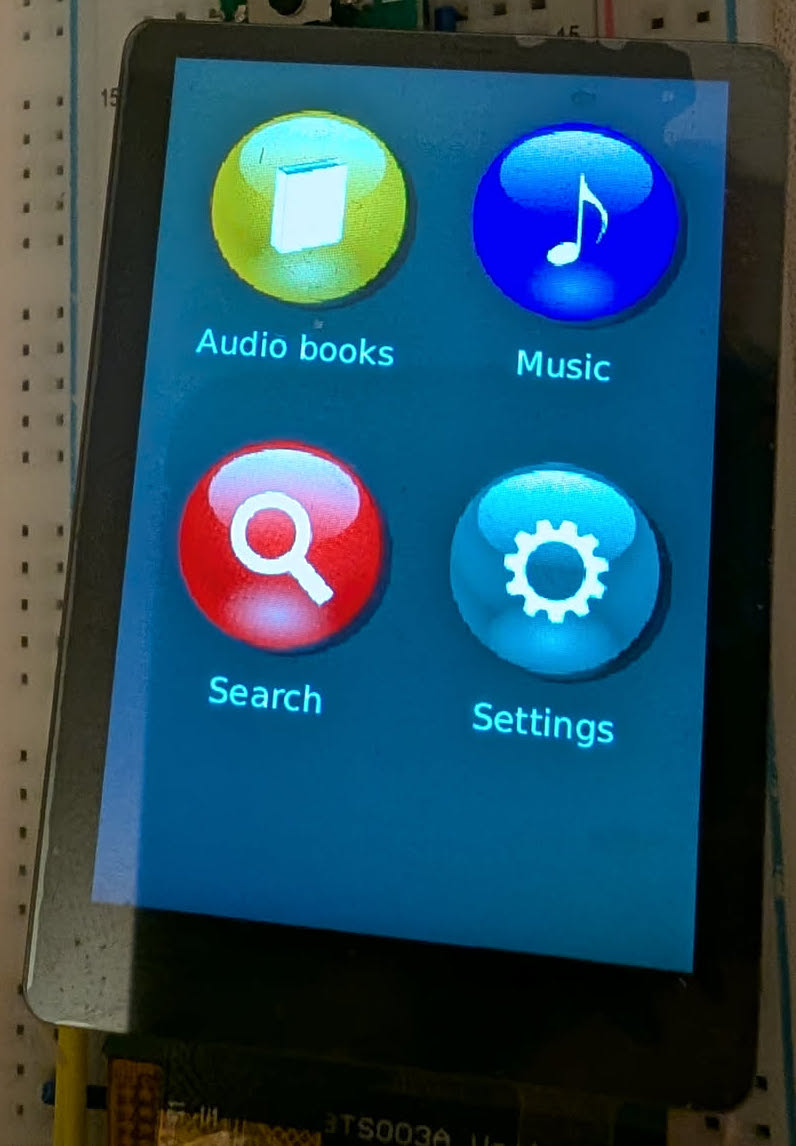
Feature overview
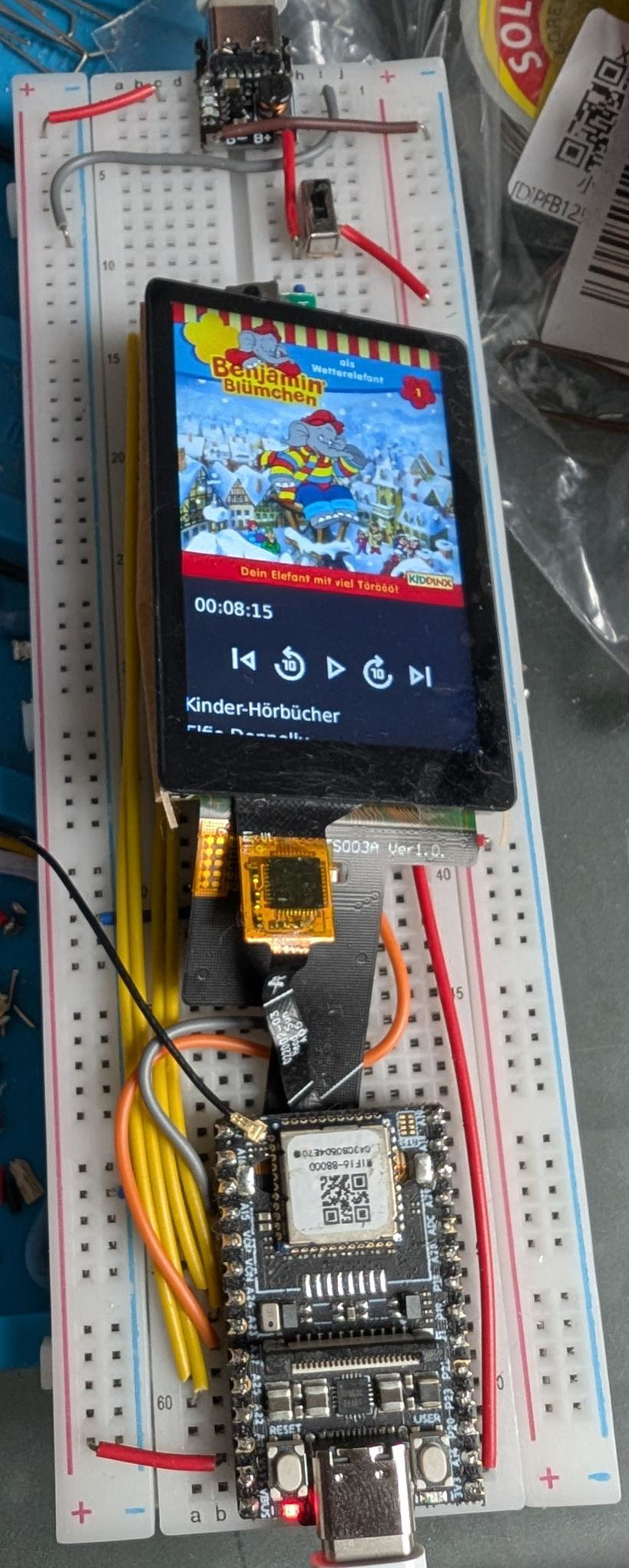
Development Breadboard
Audio playback demo video (audio unfortunately shifted, thanks YouTube): https://www.youtube.com/watch?v=vRbHiqdaSFk
Hardware
Required
- Board: LicheeRV Nano Wifi (~22$)
- Variant:
Bundle: RV NANO-W - AliExpress
- Variant:
- Display: IPS 2.28" ST7701S Touch Display LHCM228TS003A (~12$)
- Variant
Screen with Touch - AliExpress)
- Variant
- Audio: USB-C to Audio Jack Adapter, used for audio output (~10$)
- e.g. Apple
- Others might work, but only some have been tested
- Storage / OS:
- Any micro sd card > 4GB
- Power:
- For getting started, you can use USB-C
- As soon as you need USB-C for Audio, you can add a stable 5 V power source to the PINs
VSYS / GND, either by soldering cables or using clamps - You could also use a microcontroller with battery support: ESP32 C6
Power supply considerations Currently I'm in contact with PN Labs to test their promising and very efficient Battery Pal module, because cheaper modules like TP4057 5V and LX-LCBST were producing constant and very annoying noise while listening to audio. Battery Pal seems to have fixed this and other issues, but the tests are still ongoing...
Optional / Work-in-progress
- Battery gauge, e.g.
MAX17043(~5$)- Planned for showing the battery percentage - optional
Howto
Below is a small set of shell instructions to prepare a micro sd card for deploying
the nanowave project on a LicheeRV Nano.
Best practice
For a good introduction into the LicheeRV Hardware, you can take a look at this: https://github.com/scpcom/LicheeSG-Nano-Build/blob/develop/best-practice.md
Prepare the LicheeRV
# please change this to your liking
DEVICE="/dev/sdXX"
BOOT_MOUNTPOINT="/tmp/lichee-boot"
WIFI_SSID="<your-wifi-ssid>"
WIFI_PASS="<your-wifi-password>"

# NO CHANGES FROM HERE

# become root
sudo -s

# change to tmp
cd /tmp/

# download forked lichee rv nano image
wget https://github.com/scpcom/LicheeSG-Nano-Build/releases/download/v2.3.4-54/licheervnano-e_sd.img.xz

# flash image onto device
xzcat licheervnano-e_sd.img.xz | sudo dd of=$DEVICE bs=100M status=progress conv=fsync

# mount boot partition of the image
mkdir -p "$BOOT_MOUNTPOINT"
mount "${DEVICE}1" "$BOOT_MOUNTPOINT"

# enable display support
echo "panel=st7701_lhcm228ts003a" > "$BOOT_MOUNTPOINT/uEnv.txt"

# enable framebuffer
touch "$BOOT_MOUNTPOINT/fb"

# switch usb port from USB OTG (device emulation) to host mode (devices can be connected)
rm "$BOOT_MOUNTPOINT/usb.dev" && touch "$BOOT_MOUNTPOINT/usb.host"

# enable check for audioplayer autorun
touch "$BOOT_MOUNTPOINT/audioplayer"


cat <<EOF >> "$BOOT_MOUNTPOINT/wpa_supplicant.conf"
ctrl_interface=/var/run/wpa_supplicant
ap_scan=1
network={
    ssid="$WIFI_SSID"
    psk="$WIFI_PASS"
}
EOF
Build and deploying nanowave player
You need:
- Linux
- Docker (a custom docker image is required to deploy for RISC-V 64bit musl)
- Rust
Building the binaries:
./build-cross.sh
Copying the binaries to the prepared LicheeRV (lichee is the hostname, so adjust this if required, e.g. to the ip address of the LicheeRV):
scp ./target/riscv64gc-unknown-linux-musl/release/nanowave-ui lichee2:/root/nanowave
scp ./scripts/* lichee:/root/
Preparing media
By default nanowave will look for a directory ./media containing ./media/audiobooks (music is not working atm).
To provide some audio files, it is recommended to copy a valid audio book file to /root/media/audiobooks/testing.m4b
so that nanowave can show and play some content.
Running the player
First you need to ssh into the LicheeRV:
ssh -l root lichee
After you are logged in you can do the following:
# start the audio player manually
/root/audioplayer

# stop the audio player (display keeps on showing the ui)
/root/kill-audioplayer

# enable autorun for audioplayer on boot
grep -q '/boot/audioplayer' /etc/rc.local || cat <<EOF >> "/etc/rc.local"

# nanowave-ui autorun
if [ -e /boot/audioplayer ]
then
        /root/audioplayer
fi
EOF
Contributors

61 commits
Similar repos


Languages
Rust
86.3%
Slint
13.1%
See what people are saying
README
nanowave
nanowave is planned as a DIY portable audio player developed in Rust / Slint. It is currently a proof-of-concept learning project, that has no "release", but some demos, what it should look like.
In general the project is cross-platform / cross-arch, but currently targeted for Linux / Buildroot on x64 and RISC-V 64bit musl.
Here are some pictures of the current state...
3D printed case Prototype
Feature overview
Development Breadboard
Audio playback demo video (audio unfortunately shifted, thanks YouTube): https://www.youtube.com/watch?v=vRbHiqdaSFk
Hardware
Required
- Board: LicheeRV Nano Wifi (~22$)
- Variant:
Bundle: RV NANO-W - AliExpress
- Variant:
- Display: IPS 2.28" ST7701S Touch Display LHCM228TS003A (~12$)
- Variant
Screen with Touch - AliExpress)
- Variant
- Audio: USB-C to Audio Jack Adapter, used for audio output (~10$)
- e.g. Apple
- Others might work, but only some have been tested
- Storage / OS:
- Any micro sd card > 4GB
- Power:
- For getting started, you can use USB-C
- As soon as you need USB-C for Audio, you can add a stable 5 V power source to the PINs
VSYS / GND, either by soldering cables or using clamps - You could also use a microcontroller with battery support: ESP32 C6
Power supply considerations Currently I'm in contact with PN Labs to test their promising and very efficient Battery Pal module, because cheaper modules like TP4057 5V and LX-LCBST were producing constant and very annoying noise while listening to audio. Battery Pal seems to have fixed this and other issues, but the tests are still ongoing...
Optional / Work-in-progress
- Battery gauge, e.g.
MAX17043(~5$)- Planned for showing the battery percentage - optional
Howto
Below is a small set of shell instructions to prepare a micro sd card for deploying
the nanowave project on a LicheeRV Nano.
Best practice
For a good introduction into the LicheeRV Hardware, you can take a look at this: https://github.com/scpcom/LicheeSG-Nano-Build/blob/develop/best-practice.md
Prepare the LicheeRV
# please change this to your liking
DEVICE="/dev/sdXX"
BOOT_MOUNTPOINT="/tmp/lichee-boot"
WIFI_SSID="<your-wifi-ssid>"
WIFI_PASS="<your-wifi-password>"

# NO CHANGES FROM HERE

# become root
sudo -s

# change to tmp
cd /tmp/

# download forked lichee rv nano image
wget https://github.com/scpcom/LicheeSG-Nano-Build/releases/download/v2.3.4-54/licheervnano-e_sd.img.xz

# flash image onto device
xzcat licheervnano-e_sd.img.xz | sudo dd of=$DEVICE bs=100M status=progress conv=fsync

# mount boot partition of the image
mkdir -p "$BOOT_MOUNTPOINT"
mount "${DEVICE}1" "$BOOT_MOUNTPOINT"

# enable display support
echo "panel=st7701_lhcm228ts003a" > "$BOOT_MOUNTPOINT/uEnv.txt"

# enable framebuffer
touch "$BOOT_MOUNTPOINT/fb"

# switch usb port from USB OTG (device emulation) to host mode (devices can be connected)
rm "$BOOT_MOUNTPOINT/usb.dev" && touch "$BOOT_MOUNTPOINT/usb.host"

# enable check for audioplayer autorun
touch "$BOOT_MOUNTPOINT/audioplayer"


cat <<EOF >> "$BOOT_MOUNTPOINT/wpa_supplicant.conf"
ctrl_interface=/var/run/wpa_supplicant
ap_scan=1
network={
    ssid="$WIFI_SSID"
    psk="$WIFI_PASS"
}
EOF
Build and deploying nanowave player
You need:
- Linux
- Docker (a custom docker image is required to deploy for RISC-V 64bit musl)
- Rust
Building the binaries:
./build-cross.sh
Copying the binaries to the prepared LicheeRV (lichee is the hostname, so adjust this if required, e.g. to the ip address of the LicheeRV):
scp ./target/riscv64gc-unknown-linux-musl/release/nanowave-ui lichee2:/root/nanowave
scp ./scripts/* lichee:/root/
Preparing media
By default nanowave will look for a directory ./media containing ./media/audiobooks (music is not working atm).
To provide some audio files, it is recommended to copy a valid audio book file to /root/media/audiobooks/testing.m4b
so that nanowave can show and play some content.
Running the player
First you need to ssh into the LicheeRV:
ssh -l root lichee
After you are logged in you can do the following:
# start the audio player manually
/root/audioplayer

# stop the audio player (display keeps on showing the ui)
/root/kill-audioplayer

# enable autorun for audioplayer on boot
grep -q '/boot/audioplayer' /etc/rc.local || cat <<EOF >> "/etc/rc.local"

# nanowave-ui autorun
if [ -e /boot/audioplayer ]
then
        /root/audioplayer
fi
EOF
Similar repos
Contributors
61 commits
Languages
Rust
86.3%
Slint
13.1%