
Total Annihilation engine reimplementation in Go.
See the codeSee what people are saying
README
Nanolathe
Nanolathe is an independent, open-source 2.5D real-time strategy engine in Go. Its current focus is a clean-room reimplementation of Total Annihilation for single-player skirmish and campaign play, with documented game formats and an experimental GPU renderer. It is under active development, with incomplete behavior and compatibility gaps.
Official website · Get started · Documentation · Contributors and AI agents
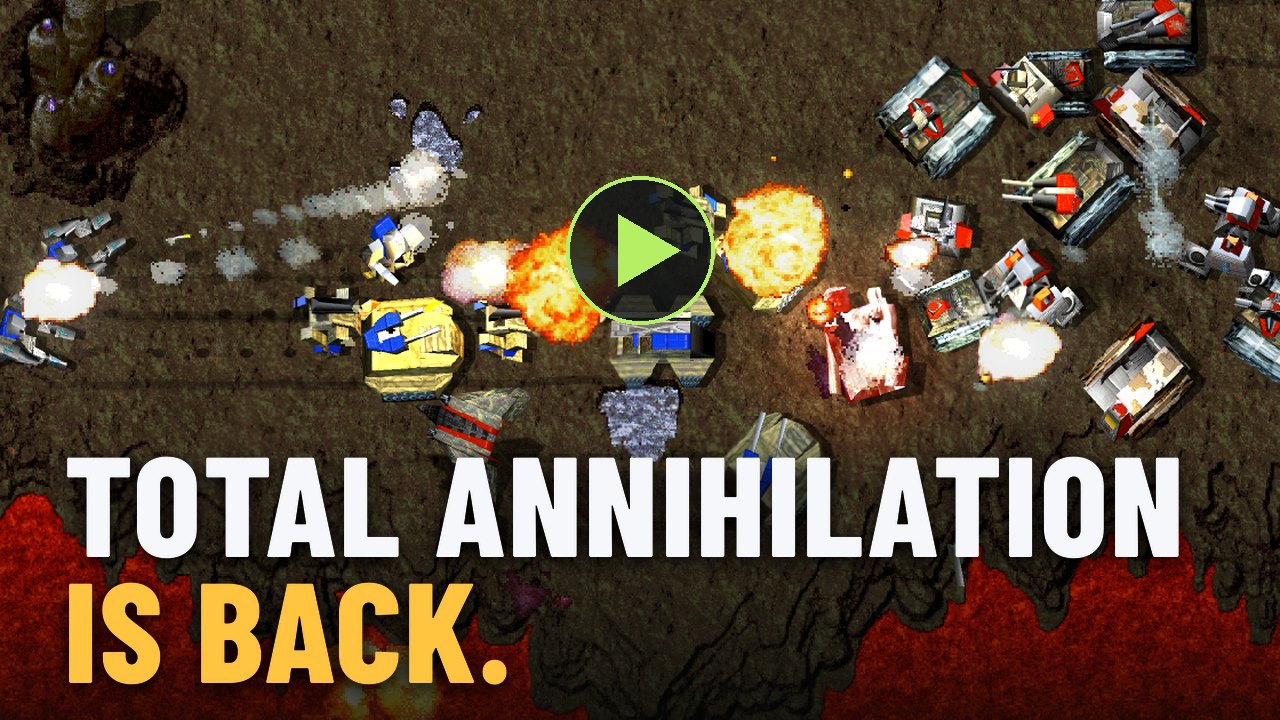
Engine footage captured offline with --film from films/announce.json. Opens on YouTube.
The engine reads content from your own local Total Annihilation installation. Nanolathe's original code is MIT licensed; the license does not grant rights to the original game or retail-derived artwork. Retail-derived remaster exports are excluded from this curated copy. See the publication review for the history policy and remaining provenance questions.
Run
The one-command installer downloads a private Go toolchain, builds the current tested source release, and creates a shortcut. It remembers one selected Total Annihilation installation and stores new saves separately. See the installer guide for updates, paths, and platform limitations.
To build manually, install Go 1.27.1 or newer and provide a local retail installation. Ebitengine 2.10 builds on desktop platforms with Go alone; macOS requires version 13 or newer. Linux still needs a graphical desktop and graphics/audio runtime libraries.
git clone https://github.com/nanolathe-gg/nanolathe.git
cd nanolathe
go build -o nanolathe ./cmd/nanolathe
./nanolathe
With no --root, Nanolathe searches registered and standard installation
locations first, including GOG, Steam libraries, and Wine installations. It also
checks nearby game folders and finally ~/TotalAnnihilation (a convenient
location for manually placed data on macOS and Linux).
It mounts only the first installation found in that order; detected
installations are never overlaid. A build installed by the source installer
and started directly uses the game folder its launcher remembered instead.
A custom installation can be selected explicitly:
./nanolathe --root "/path/to/Total Annihilation"
The installed launcher selects one root explicitly and supplies its own
--save-dir. Manual launches preserve the root policy above and save beside
the game installation unless --save-dir "/path/to/saves" is supplied.
Skirmishes default to 1000 units per player under Strict 3.1 and to the
gameplay feature table's limit otherwise (1500 in Modern and Community 3.9,
or whatever a mod's table names). Override with
./nanolathe --unit-limit 2000, or set the top-level "unitLimit": 2000
value in ~/.config/nanolathe/settings.json (or
$XDG_CONFIG_HOME/nanolathe/settings.json; NANOLATHE_SETTINGS overrides the
full path). Accepted limits are 20..3276. Either override beats the feature
table, and CLI takes precedence over the saved value. The CLI value is not
saved, and the settings file only records a unitLimit you wrote yourself.
Earlier builds wrote a unitLimit into the settings file on their own
(usually 1000, sometimes a one-off --unit-limit or a loaded save's limit),
and it now counts as your choice: remove that line to get the table's limit
back. This also
works with direct --map, --headless, and nanolathe-headless. Campaign
missions retain their authored unit limits.
Downloaded mods live in $XDG_DATA_HOME/nanolathe/mods (default
~/.local/share/nanolathe/mods). Automatically remastered map tiles and feature
sprites live in $XDG_CACHE_HOME/nanolathe/upscale/1 (default
~/.cache/nanolathe/upscale/1).
Mods can live in separate directories. Repeat --root in load order:
./nanolathe --root "$HOME/TotalAnnihilation" --root "$HOME/TA-Mods/MyMod"
For ProTA 4.8, see the ProTA setup and support notes. For Escalation Gold 10.2.0, see the Escalation support notes. For TA Zero Alpha 5, see the TA Zero setup and support notes.
Every later root overrides earlier roots, even when a later totala1.hpi
provides a file already supplied by an earlier .ccx, .gp3, or loose file.
Within each root, the existing loose-file and archive precedence is unchanged.
This extra precedence layer is a deliberate departure from retail only when
multiple roots are used. A mod root may contain only its overrides; it does
not need its own base archives. Retail's content rules still apply, including
packing unit and weapon definitions into archives.
Explicit roots replace automatic discovery. With no --root,
NANOLATHE_TA_ROOT selects one root instead of discovery. Saves use the first
root; --remaster overrides the entire root list. Both desktop and headless
commands support these rules. See startup root policy
for discovery details and limits.
The default launches the front end with the modern GPU renderer and a 60 FPS
cap. Options → Nanolathe selects Classic / Modern and 30 / 60 / 120 FPS; OK saves
the choices for future runs. F10 switches renderers during a match and saves
that choice. Classic retains its 30 FPS presentation cadence. Use ./nanolathe --help for map,
rendering, and diagnostic options. The separate cmd/nanolathe-headless
command supports displayless simulation runs; see
architecture and verification.
Desktop fullscreen is available with --fullscreen; Alt+Enter toggles it
from menus or battle and saves the preference. Use --fullscreen=false to
start windowed regardless of the saved preference. The selected display size
applies to the window throughout menus, loading, battle and results; menu art
scales proportionally from its authored 640×480 canvas. The resolution slider
also offers 1280×720, 1600×900, and 1920×1080. Resolution changes apply when
you confirm Options with OK; dragging the slider leaves the window stable. Fullscreen scales to
the desktop without changing the monitor resolution. On macOS, fullscreen
entered through the green window button must be exited through that native
control.
For music, copy the GOG installation's music folder into the same retail
root. Nanolathe plays its MP3 soundtrack on Windows, Linux and macOS; no
conversion is needed. Music starts when a battle begins. Options → Music
controls volume, playback mode and track selection. The main menu retains its
retail ambient loop.
Multiplayer is designed and not yet built: see docs/DESIGN_MULTIPLAYER.md. For implemented contracts and known gaps, read the design document for the relevant engine area.
Contributors and AI agents
Read AGENTS.md before making changes; it is the authoritative contribution guide for people and coding agents. Work in an isolated worktree, preserve concurrent work, and follow its verification and landing rules.
Start with the architecture, invariants, and the design document for the area you are changing. Follow their research citations before implementing behavior; record unanswered questions explicitly instead of guessing.
The repository keeps each kind of guidance in one place:
AGENTS.md— contribution rules, clean-room discipline, worktrees, dispatch, review, and landing.docs/ARCHITECTURE.md— package map, dependency graph, the authoritative tick, what runs today, verification, and the citation routing every token in the tree resolves through.- The eleven design documents, one per engine area — how it is built in Go, its
contracts, and which research owns each behavior:
DESIGN_RUNTIME_DETERMINISM,DESIGN_CONTENT_VFS,DESIGN_WORLD_VISIBILITY,DESIGN_UNITS_ORDERS_COB,DESIGN_MOVEMENT_PATH,DESIGN_ECONOMY_CONSTRUCTION,DESIGN_WEAPONS_PROJECTILES,DESIGN_INTERFACE_HUD_INPUT,DESIGN_SESSIONS_AI_SAVE,DESIGN_PRESENTATION_CLIENT,DESIGN_GPU_RENDERER. docs/INVARIANTS.md— cross-cutting implementation rules every change must preserve.docs/SPEC_CONFLICTS.md— audited cases where a retail install corrected an older written contract.research/retail-executable-spec/README.md— research reading order, category index, evidence language, deciders, writing rules, citation convention, and gap disposition.research/formats/README.md— file-format reference. Format documents own byte layout; the executable specification owns runtime behavior.
A design document is a description of the build, not a checklist: it states the contracts the packages implement and, in its last section, what is not implemented and what is still open. Research states what retail does; the design documents state how this tree does it.
Current boundary
The runtime has one Ebitengine window path. internal/session owns the
authoritative tick and publishes bounded unit/order, projectile, effect,
economy, construction, HUD, and fog state directly into the committed
internal/frame.Buffer; internal/client reads that current committed frame
and never writes simulation state. Classic presentation samples the committed
tick as published, with no interpolation [03 §2.4] [I6]. The experimental modern
renderer has its own presentation policy, including
interpolation that leaves authoritative simulation unchanged.
Save/load uses the retail HAPIBANK account format, including in-battle restoration. This is still a compatibility work in progress; the session design describes the implemented accounts and remaining gaps.
Exact-retail gaps remain explicit as TODO(T23), TODO(T25), or
TODO(question) at their implementation site and under the relevant research
document's Unknown section. Do not replace them with plausible defaults.
Build and check
With neither NANOLATHE_RETAIL_ASSETS nor NANOLATHE_TA_ROOT set, these
checks use authored fixtures and skip tests that require retail assets. Desktop
packages require the native build prerequisites above.
go build ./...
go vet ./...
go test ./...
./tools/check runs the same checks plus formatting and explicitly disables
retail tests, even if your shell has asset variables set.
For the separate asset-backed integration gate, including retail-tagged tests:
NANOLATHE_RETAIL_ASSETS="$HOME/TotalAnnihilation" ./tools/check-retail
Use an isolated writable GOCACHE when the host environment requires it.
Report whether an asset-backed run actually executed when sharing test results.
Clean-room contribution rule
Committed prose describes what retail does in plain technical language with a
confidence level and a document/section citation. Executable addresses,
decompiler output, generated names, register narration, and raw analysis stay
outside the repository in $HOME/ta-decompile. See AGENTS.md before changing
research or authoritative behavior.
About this history
This repository presents curated integration snapshots of the original private development history. Adjacent changes have been combined in ancestry order; development-only artifacts and raw-analysis material were removed. Intermediate snapshots represent work in progress, not individually verified releases. The final source was checked separately. See the publication review for scope and limitations.
Similar repos


Total Annihilation engine reimplementation in Go.
See the codeSee what people are saying
README
Nanolathe
Nanolathe is an independent, open-source 2.5D real-time strategy engine in Go. Its current focus is a clean-room reimplementation of Total Annihilation for single-player skirmish and campaign play, with documented game formats and an experimental GPU renderer. It is under active development, with incomplete behavior and compatibility gaps.
Official website · Get started · Documentation · Contributors and AI agents
Engine footage captured offline with --film from films/announce.json. Opens on YouTube.
The engine reads content from your own local Total Annihilation installation. Nanolathe's original code is MIT licensed; the license does not grant rights to the original game or retail-derived artwork. Retail-derived remaster exports are excluded from this curated copy. See the publication review for the history policy and remaining provenance questions.
Run
The one-command installer downloads a private Go toolchain, builds the current tested source release, and creates a shortcut. It remembers one selected Total Annihilation installation and stores new saves separately. See the installer guide for updates, paths, and platform limitations.
To build manually, install Go 1.27.1 or newer and provide a local retail installation. Ebitengine 2.10 builds on desktop platforms with Go alone; macOS requires version 13 or newer. Linux still needs a graphical desktop and graphics/audio runtime libraries.
git clone https://github.com/nanolathe-gg/nanolathe.git
cd nanolathe
go build -o nanolathe ./cmd/nanolathe
./nanolathe
With no --root, Nanolathe searches registered and standard installation
locations first, including GOG, Steam libraries, and Wine installations. It also
checks nearby game folders and finally ~/TotalAnnihilation (a convenient
location for manually placed data on macOS and Linux).
It mounts only the first installation found in that order; detected
installations are never overlaid. A build installed by the source installer
and started directly uses the game folder its launcher remembered instead.
A custom installation can be selected explicitly:
./nanolathe --root "/path/to/Total Annihilation"
The installed launcher selects one root explicitly and supplies its own
--save-dir. Manual launches preserve the root policy above and save beside
the game installation unless --save-dir "/path/to/saves" is supplied.
Skirmishes default to 1000 units per player under Strict 3.1 and to the
gameplay feature table's limit otherwise (1500 in Modern and Community 3.9,
or whatever a mod's table names). Override with
./nanolathe --unit-limit 2000, or set the top-level "unitLimit": 2000
value in ~/.config/nanolathe/settings.json (or
$XDG_CONFIG_HOME/nanolathe/settings.json; NANOLATHE_SETTINGS overrides the
full path). Accepted limits are 20..3276. Either override beats the feature
table, and CLI takes precedence over the saved value. The CLI value is not
saved, and the settings file only records a unitLimit you wrote yourself.
Earlier builds wrote a unitLimit into the settings file on their own
(usually 1000, sometimes a one-off --unit-limit or a loaded save's limit),
and it now counts as your choice: remove that line to get the table's limit
back. This also
works with direct --map, --headless, and nanolathe-headless. Campaign
missions retain their authored unit limits.
Downloaded mods live in $XDG_DATA_HOME/nanolathe/mods (default
~/.local/share/nanolathe/mods). Automatically remastered map tiles and feature
sprites live in $XDG_CACHE_HOME/nanolathe/upscale/1 (default
~/.cache/nanolathe/upscale/1).
Mods can live in separate directories. Repeat --root in load order:
./nanolathe --root "$HOME/TotalAnnihilation" --root "$HOME/TA-Mods/MyMod"
For ProTA 4.8, see the ProTA setup and support notes. For Escalation Gold 10.2.0, see the Escalation support notes. For TA Zero Alpha 5, see the TA Zero setup and support notes.
Every later root overrides earlier roots, even when a later totala1.hpi
provides a file already supplied by an earlier .ccx, .gp3, or loose file.
Within each root, the existing loose-file and archive precedence is unchanged.
This extra precedence layer is a deliberate departure from retail only when
multiple roots are used. A mod root may contain only its overrides; it does
not need its own base archives. Retail's content rules still apply, including
packing unit and weapon definitions into archives.
Explicit roots replace automatic discovery. With no --root,
NANOLATHE_TA_ROOT selects one root instead of discovery. Saves use the first
root; --remaster overrides the entire root list. Both desktop and headless
commands support these rules. See startup root policy
for discovery details and limits.
The default launches the front end with the modern GPU renderer and a 60 FPS
cap. Options → Nanolathe selects Classic / Modern and 30 / 60 / 120 FPS; OK saves
the choices for future runs. F10 switches renderers during a match and saves
that choice. Classic retains its 30 FPS presentation cadence. Use ./nanolathe --help for map,
rendering, and diagnostic options. The separate cmd/nanolathe-headless
command supports displayless simulation runs; see
architecture and verification.
Desktop fullscreen is available with --fullscreen; Alt+Enter toggles it
from menus or battle and saves the preference. Use --fullscreen=false to
start windowed regardless of the saved preference. The selected display size
applies to the window throughout menus, loading, battle and results; menu art
scales proportionally from its authored 640×480 canvas. The resolution slider
also offers 1280×720, 1600×900, and 1920×1080. Resolution changes apply when
you confirm Options with OK; dragging the slider leaves the window stable. Fullscreen scales to
the desktop without changing the monitor resolution. On macOS, fullscreen
entered through the green window button must be exited through that native
control.
For music, copy the GOG installation's music folder into the same retail
root. Nanolathe plays its MP3 soundtrack on Windows, Linux and macOS; no
conversion is needed. Music starts when a battle begins. Options → Music
controls volume, playback mode and track selection. The main menu retains its
retail ambient loop.
Multiplayer is designed and not yet built: see docs/DESIGN_MULTIPLAYER.md. For implemented contracts and known gaps, read the design document for the relevant engine area.
Contributors and AI agents
Read AGENTS.md before making changes; it is the authoritative contribution guide for people and coding agents. Work in an isolated worktree, preserve concurrent work, and follow its verification and landing rules.
Start with the architecture, invariants, and the design document for the area you are changing. Follow their research citations before implementing behavior; record unanswered questions explicitly instead of guessing.
The repository keeps each kind of guidance in one place:
AGENTS.md— contribution rules, clean-room discipline, worktrees, dispatch, review, and landing.docs/ARCHITECTURE.md— package map, dependency graph, the authoritative tick, what runs today, verification, and the citation routing every token in the tree resolves through.- The eleven design documents, one per engine area — how it is built in Go, its
contracts, and which research owns each behavior:
DESIGN_RUNTIME_DETERMINISM,DESIGN_CONTENT_VFS,DESIGN_WORLD_VISIBILITY,DESIGN_UNITS_ORDERS_COB,DESIGN_MOVEMENT_PATH,DESIGN_ECONOMY_CONSTRUCTION,DESIGN_WEAPONS_PROJECTILES,DESIGN_INTERFACE_HUD_INPUT,DESIGN_SESSIONS_AI_SAVE,DESIGN_PRESENTATION_CLIENT,DESIGN_GPU_RENDERER. docs/INVARIANTS.md— cross-cutting implementation rules every change must preserve.docs/SPEC_CONFLICTS.md— audited cases where a retail install corrected an older written contract.research/retail-executable-spec/README.md— research reading order, category index, evidence language, deciders, writing rules, citation convention, and gap disposition.research/formats/README.md— file-format reference. Format documents own byte layout; the executable specification owns runtime behavior.
A design document is a description of the build, not a checklist: it states the contracts the packages implement and, in its last section, what is not implemented and what is still open. Research states what retail does; the design documents state how this tree does it.
Current boundary
The runtime has one Ebitengine window path. internal/session owns the
authoritative tick and publishes bounded unit/order, projectile, effect,
economy, construction, HUD, and fog state directly into the committed
internal/frame.Buffer; internal/client reads that current committed frame
and never writes simulation state. Classic presentation samples the committed
tick as published, with no interpolation [03 §2.4] [I6]. The experimental modern
renderer has its own presentation policy, including
interpolation that leaves authoritative simulation unchanged.
Save/load uses the retail HAPIBANK account format, including in-battle restoration. This is still a compatibility work in progress; the session design describes the implemented accounts and remaining gaps.
Exact-retail gaps remain explicit as TODO(T23), TODO(T25), or
TODO(question) at their implementation site and under the relevant research
document's Unknown section. Do not replace them with plausible defaults.
Build and check
With neither NANOLATHE_RETAIL_ASSETS nor NANOLATHE_TA_ROOT set, these
checks use authored fixtures and skip tests that require retail assets. Desktop
packages require the native build prerequisites above.
go build ./...
go vet ./...
go test ./...
./tools/check runs the same checks plus formatting and explicitly disables
retail tests, even if your shell has asset variables set.
For the separate asset-backed integration gate, including retail-tagged tests:
NANOLATHE_RETAIL_ASSETS="$HOME/TotalAnnihilation" ./tools/check-retail
Use an isolated writable GOCACHE when the host environment requires it.
Report whether an asset-backed run actually executed when sharing test results.
Clean-room contribution rule
Committed prose describes what retail does in plain technical language with a
confidence level and a document/section citation. Executable addresses,
decompiler output, generated names, register narration, and raw analysis stay
outside the repository in $HOME/ta-decompile. See AGENTS.md before changing
research or authoritative behavior.
About this history
This repository presents curated integration snapshots of the original private development history. Adjacent changes have been combined in ancestry order; development-only artifacts and raw-analysis material were removed. Intermediate snapshots represent work in progress, not individually verified releases. The final source was checked separately. See the publication review for scope and limitations.