
A crypto wallet you'll actually enjoy.
See the codeREADME
My Wallet · mywallet.io
All you need to enjoy crypto. A safe, self-custodial multichain wallet for 11 blockchains, including Ethereum, Solana, Hyperliquid, TON, TRON, Base, and more — native mobile (iOS & Android), desktop, web, and Telegram Mini App. One account, any device.
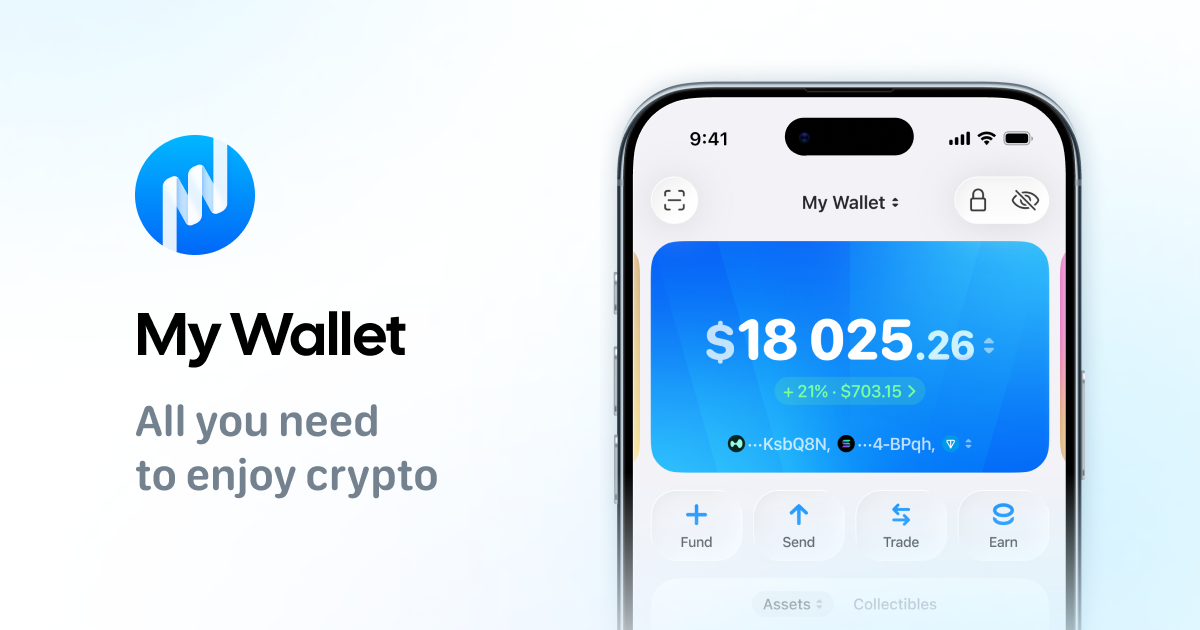
You keep full control: we do not have access to your funds, keys, or data. My Wallet is built for speed and reliability, with a minimal dependency footprint for maximum safety.
Why My Wallet?
🌐 One wallet for everything
Keep Ethereum, Solana, Hyperliquid, TON, TRON, Base, BNB Chain, Polygon, Avalanche, Arbitrum, and Monad in one place. You can send, receive, and swap across chains without jumping between different apps.
📱 Use it wherever you are
My Wallet works as a native mobile app, desktop app, web app, Telegram Mini App, and browser extension for all major browsers, so your wallet is always within reach.
⚡ Instant transfers
Transfers and swaps feel almost instant across supported chains, so you can send crypto and other assets in less than a second in typical conditions.
🤖 Built-in smart Agent
Talk to Agent in natural language to send assets, swap, stake, open Explore, and jump to token pages. It is non-custodial by design: you always review and confirm every action.
🪙 Gasless transfers
Send supported tokens on TON and Solana without holding native gas tokens, with fees covered from the transferred token where available.
💳 Easy on-ramp and off-ramp
Buy crypto with a bank card and withdraw back to card where supported, via providers like MoonPay.
🔄 Smart swaps
Swap inside the app with an aggregator that finds efficient routes across supported chains.
📊 Portfolio tracking
Follow your portfolio and net worth over time in the base fiat currency you choose.
💰 High-yield staking
Stake TON and other supported assets, including options like USDe, directly in the wallet.
🛡️ Industry-leading security
My Wallet uses advanced security practices audited by CertiK. We also run a bug bounty on CertiK SkyShield with $100K in reserved funds and rewards of up to $5,000. The program has been live since March 23, 2024, and no vulnerabilities have been found to date.
🧰 Hundreds of handy features
Connect Ledger hardware wallets, hide balances, personalize interface, send multiple transfers at once, view other wallets, use AI plugins for OpenClaw, ChatGPT, and Claude, and much more.
⭐ Trusted by millions
My Wallet has a 4.8 rating on Trustpilot, strong App Store and Google Play rankings, and 9M+ users worldwide.
🔗 Links
- 📲 Get the app: get.mywallet.io
- 📚 Help Center: help.mywallet.io
- 🛟 24/7 Support: t.me/mysupport
- 💬 Telegram: t.me/mytonwalleten
- 🐦 X (Twitter): x.com/mytonwallet_io
- 📰 Blog & updates: mywallet.io
🛠️ For developers
📑 Table of contents
- ⚙️ Requirements
- 🧩 Local Setup
- 🚀 Dev Mode
- 🐧 Linux
- 🖥️ Electron
- 🔐 Verifying GPG Signatures
- ❤️ Support Us
Requirements
Ready to build on macOS and Linux.
To build on Windows, you will also need:
- Any terminal emulator with bash (Git Bash, MinGW, Cygwin)
- A zip utility (for several commands)
Local Setup
NPM Local Setup
cp .env.example .env

npm ci
Dev Mode
npm run dev
Agent V2 local cycle
Agent V2 is bundled in Classic but normal builds force Agent V1 for the current release. AGENT_OVERRIDE=v2 enables
V2 explicitly for development, while AGENT_OVERRIDE=no_override follows the backend config and falls back to V1 when
it is absent. On the regular Web app, ?agent=v2 enables V2 for the browser profile and ?agent=v1 switches it back
when AGENT_OVERRIDE=no_override is set; both parameters are removed from the URL after the choice is saved. Native iOS
uses the same override from the embedded SDK configuration and also defaults to V1 for the current release. To validate
the common SDK and Classic integration against two local Agent replicas, keep the agent repository next to this
repository and run:
npm run test:agent:v2
npm run smoke:agent:v2:local
The smoke uses PostgreSQL, the Agent scripted provider and synthetic wallet data. It does not call an external LLM, wallet backend, Portfolio API or Market API. It validates the shared SDK and Classic integration through the production decoders and client-side wallet tool paths. Native iOS uses the same SDK through the WalletCore bridge; Android Air continues to use Agent V1.
For interactive Classic testing, start the backend from the sibling agent
repository. The backend owns its PostgreSQL lifecycle, migrations, provider
selection, credentials and .env.agent-v2.local:
cd ../agent
npm run dev:v2:codex
Then start Classic from this repository:
npm run dev:agent:v2
The frontend command only checks that http://127.0.0.1:3001/ready reports a
compatible ready Agent V2 runtime, then points the frontend at its /api
endpoint. It never reads sibling env files, starts PostgreSQL, applies backend
migrations, selects a provider, or starts and stops backend processes.
For native Air testing, use the corresponding iOS launcher. The first command keeps the deterministic scripted provider; the second selects the owner's Codex subscription with the same Anthropic fallback configuration:
npm run dev:agent:v2:ios
npm run dev:agent:v2:ios:codex
Both commands rebuild the embedded Air SDK and the MyTonWallet_AirOnly application, install it into an iPhone
Simulator and launch it. If no iPhone is booted, the launcher reopens the last-used available device (or the first
available iPhone). Stop an existing iOS launcher before switching providers. Set AGENT_V2_IOS_SIMULATOR_UDID
when a specific destination is required; a shutdown destination is booted automatically.
In the launched iOS app, open the Agent tab and accept consent. The scripted local profile enables wallet tools without
reading Codex or Anthropic credentials. The development-only Search TON across wallets hint exercises the typed
Global Search entry point. Receive and Portfolio are available through the server
starter hints. The scripted Send success case expects the exact text Send 1.5 TON to Mom, a current TON account with
a TON holding and a saved address named Mom; otherwise the flow safely ends with a clarification.
Linux Desktop Troubleshooting
If the app does not start after click:
Install the FUSE 2 library.
If the app does not appear in the system menu or does not process ton:// and TON Connect deeplinks:
Install AppImageLauncher and install the AppImage file through it.
sudo add-apt-repository ppa:appimagelauncher-team/stable
sudo apt-get update
sudo apt-get install appimagelauncher
If the app does not connect to Ledger:
Copy the udev rules from the official repository and run the file add_udev_rules.sh with root rights.
git clone https://github.com/LedgerHQ/udev-rules
cd udev-rules
sudo bash ./add_udev_rules.sh
Support Us
If you like what we do, feel free to contribute by creating a pull request, or just support us using this TON wallet: EQAIsixsrb93f9kDyplo_bK5OdgW5r0WCcIJZdGOUG1B282S. We appreciate it a lot!
License
The published code is intended only for analyzing the code, making sure it matches the published My Wallet and Gram Wallet applications, and creating pull requests to this repository. Do not deploy the application to your server or publish builds derived from it. See more details in LICENSE.
Contributors


Similar repos


Languages
Swift
31.2%
TypeScript
29.3%
Kotlin
27.0%
C++
4.5%
Java
3.8%
SCSS
2.0%
A crypto wallet you'll actually enjoy.
See the codeREADME
My Wallet · mywallet.io
All you need to enjoy crypto. A safe, self-custodial multichain wallet for 11 blockchains, including Ethereum, Solana, Hyperliquid, TON, TRON, Base, and more — native mobile (iOS & Android), desktop, web, and Telegram Mini App. One account, any device.
You keep full control: we do not have access to your funds, keys, or data. My Wallet is built for speed and reliability, with a minimal dependency footprint for maximum safety.
Why My Wallet?
🌐 One wallet for everything
Keep Ethereum, Solana, Hyperliquid, TON, TRON, Base, BNB Chain, Polygon, Avalanche, Arbitrum, and Monad in one place. You can send, receive, and swap across chains without jumping between different apps.
📱 Use it wherever you are
My Wallet works as a native mobile app, desktop app, web app, Telegram Mini App, and browser extension for all major browsers, so your wallet is always within reach.
⚡ Instant transfers
Transfers and swaps feel almost instant across supported chains, so you can send crypto and other assets in less than a second in typical conditions.
🤖 Built-in smart Agent
Talk to Agent in natural language to send assets, swap, stake, open Explore, and jump to token pages. It is non-custodial by design: you always review and confirm every action.
🪙 Gasless transfers
Send supported tokens on TON and Solana without holding native gas tokens, with fees covered from the transferred token where available.
💳 Easy on-ramp and off-ramp
Buy crypto with a bank card and withdraw back to card where supported, via providers like MoonPay.
🔄 Smart swaps
Swap inside the app with an aggregator that finds efficient routes across supported chains.
📊 Portfolio tracking
Follow your portfolio and net worth over time in the base fiat currency you choose.
💰 High-yield staking
Stake TON and other supported assets, including options like USDe, directly in the wallet.
🛡️ Industry-leading security
My Wallet uses advanced security practices audited by CertiK. We also run a bug bounty on CertiK SkyShield with $100K in reserved funds and rewards of up to $5,000. The program has been live since March 23, 2024, and no vulnerabilities have been found to date.
🧰 Hundreds of handy features
Connect Ledger hardware wallets, hide balances, personalize interface, send multiple transfers at once, view other wallets, use AI plugins for OpenClaw, ChatGPT, and Claude, and much more.
⭐ Trusted by millions
My Wallet has a 4.8 rating on Trustpilot, strong App Store and Google Play rankings, and 9M+ users worldwide.
🔗 Links
- 📲 Get the app: get.mywallet.io
- 📚 Help Center: help.mywallet.io
- 🛟 24/7 Support: t.me/mysupport
- 💬 Telegram: t.me/mytonwalleten
- 🐦 X (Twitter): x.com/mytonwallet_io
- 📰 Blog & updates: mywallet.io
🛠️ For developers
📑 Table of contents
- ⚙️ Requirements
- 🧩 Local Setup
- 🚀 Dev Mode
- 🐧 Linux
- 🖥️ Electron
- 🔐 Verifying GPG Signatures
- ❤️ Support Us
Requirements
Ready to build on macOS and Linux.
To build on Windows, you will also need:
- Any terminal emulator with bash (Git Bash, MinGW, Cygwin)
- A zip utility (for several commands)
Local Setup
NPM Local Setup
cp .env.example .env

npm ci
Dev Mode
npm run dev
Agent V2 local cycle
Agent V2 is bundled in Classic but normal builds force Agent V1 for the current release. AGENT_OVERRIDE=v2 enables
V2 explicitly for development, while AGENT_OVERRIDE=no_override follows the backend config and falls back to V1 when
it is absent. On the regular Web app, ?agent=v2 enables V2 for the browser profile and ?agent=v1 switches it back
when AGENT_OVERRIDE=no_override is set; both parameters are removed from the URL after the choice is saved. Native iOS
uses the same override from the embedded SDK configuration and also defaults to V1 for the current release. To validate
the common SDK and Classic integration against two local Agent replicas, keep the agent repository next to this
repository and run:
npm run test:agent:v2
npm run smoke:agent:v2:local
The smoke uses PostgreSQL, the Agent scripted provider and synthetic wallet data. It does not call an external LLM, wallet backend, Portfolio API or Market API. It validates the shared SDK and Classic integration through the production decoders and client-side wallet tool paths. Native iOS uses the same SDK through the WalletCore bridge; Android Air continues to use Agent V1.
For interactive Classic testing, start the backend from the sibling agent
repository. The backend owns its PostgreSQL lifecycle, migrations, provider
selection, credentials and .env.agent-v2.local:
cd ../agent
npm run dev:v2:codex
Then start Classic from this repository:
npm run dev:agent:v2
The frontend command only checks that http://127.0.0.1:3001/ready reports a
compatible ready Agent V2 runtime, then points the frontend at its /api
endpoint. It never reads sibling env files, starts PostgreSQL, applies backend
migrations, selects a provider, or starts and stops backend processes.
For native Air testing, use the corresponding iOS launcher. The first command keeps the deterministic scripted provider; the second selects the owner's Codex subscription with the same Anthropic fallback configuration:
npm run dev:agent:v2:ios
npm run dev:agent:v2:ios:codex
Both commands rebuild the embedded Air SDK and the MyTonWallet_AirOnly application, install it into an iPhone
Simulator and launch it. If no iPhone is booted, the launcher reopens the last-used available device (or the first
available iPhone). Stop an existing iOS launcher before switching providers. Set AGENT_V2_IOS_SIMULATOR_UDID
when a specific destination is required; a shutdown destination is booted automatically.
In the launched iOS app, open the Agent tab and accept consent. The scripted local profile enables wallet tools without
reading Codex or Anthropic credentials. The development-only Search TON across wallets hint exercises the typed
Global Search entry point. Receive and Portfolio are available through the server
starter hints. The scripted Send success case expects the exact text Send 1.5 TON to Mom, a current TON account with
a TON holding and a saved address named Mom; otherwise the flow safely ends with a clarification.
Linux Desktop Troubleshooting
If the app does not start after click:
Install the FUSE 2 library.
If the app does not appear in the system menu or does not process ton:// and TON Connect deeplinks:
Install AppImageLauncher and install the AppImage file through it.
sudo add-apt-repository ppa:appimagelauncher-team/stable
sudo apt-get update
sudo apt-get install appimagelauncher
If the app does not connect to Ledger:
Copy the udev rules from the official repository and run the file add_udev_rules.sh with root rights.
git clone https://github.com/LedgerHQ/udev-rules
cd udev-rules
sudo bash ./add_udev_rules.sh
Support Us
If you like what we do, feel free to contribute by creating a pull request, or just support us using this TON wallet: EQAIsixsrb93f9kDyplo_bK5OdgW5r0WCcIJZdGOUG1B282S. We appreciate it a lot!
License
The published code is intended only for analyzing the code, making sure it matches the published My Wallet and Gram Wallet applications, and creating pull requests to this repository. Do not deploy the application to your server or publish builds derived from it. See more details in LICENSE.
Similar repos
Contributors
Languages
Swift
31.2%
TypeScript
29.3%
Kotlin
27.0%
C++
4.5%
Java
3.8%
SCSS
2.0%