Lightweight, single-binary log analytics interface for ClickHouse, focused on high-performance querying and visualization
See the code

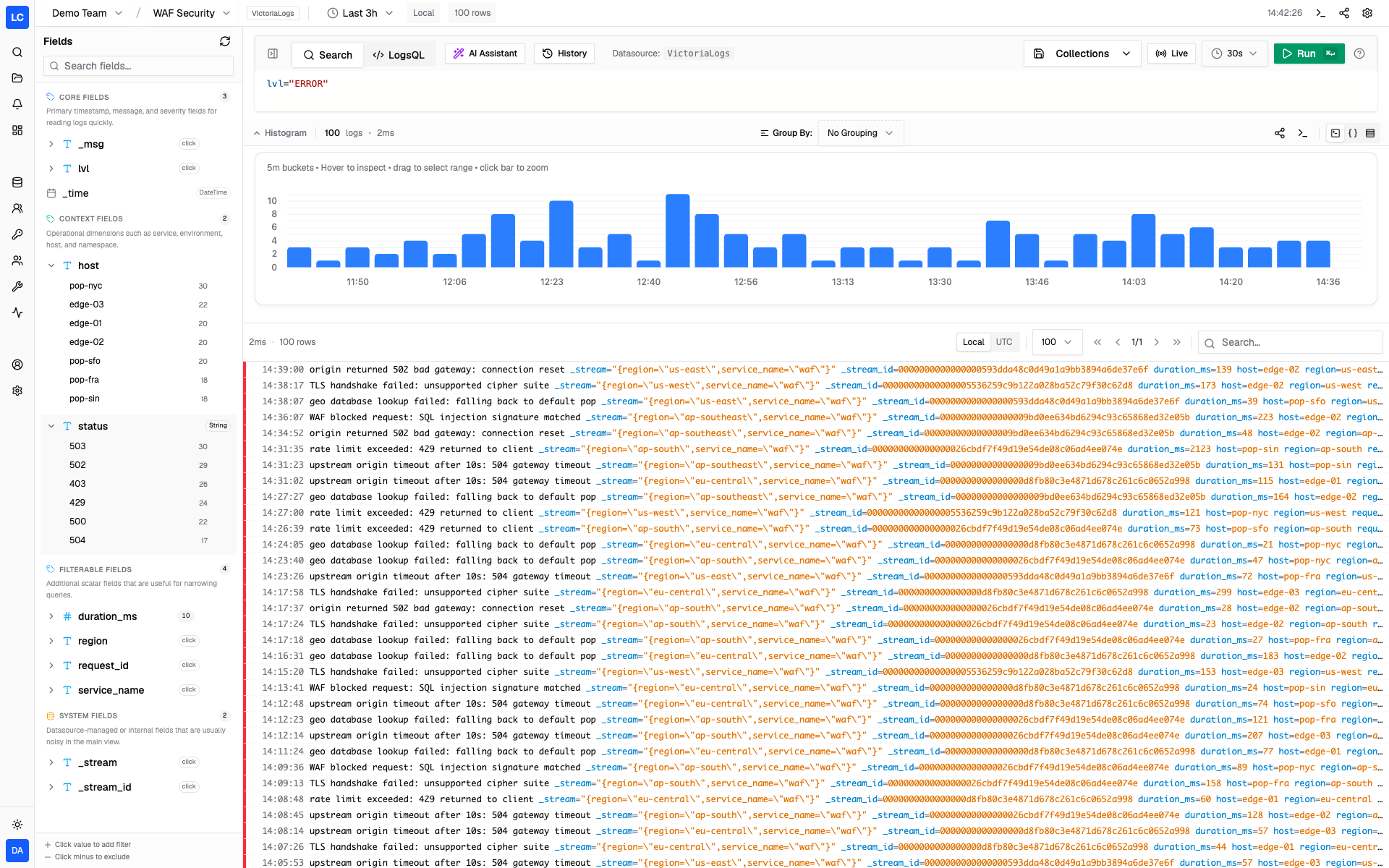
The open-source log workspace for ClickHouse and VictoriaLogs.
Search, live tail, dashboards, alerts, and access control in one self-hosted binary.
Try Demo · Read Documentation · What's new in v2.0
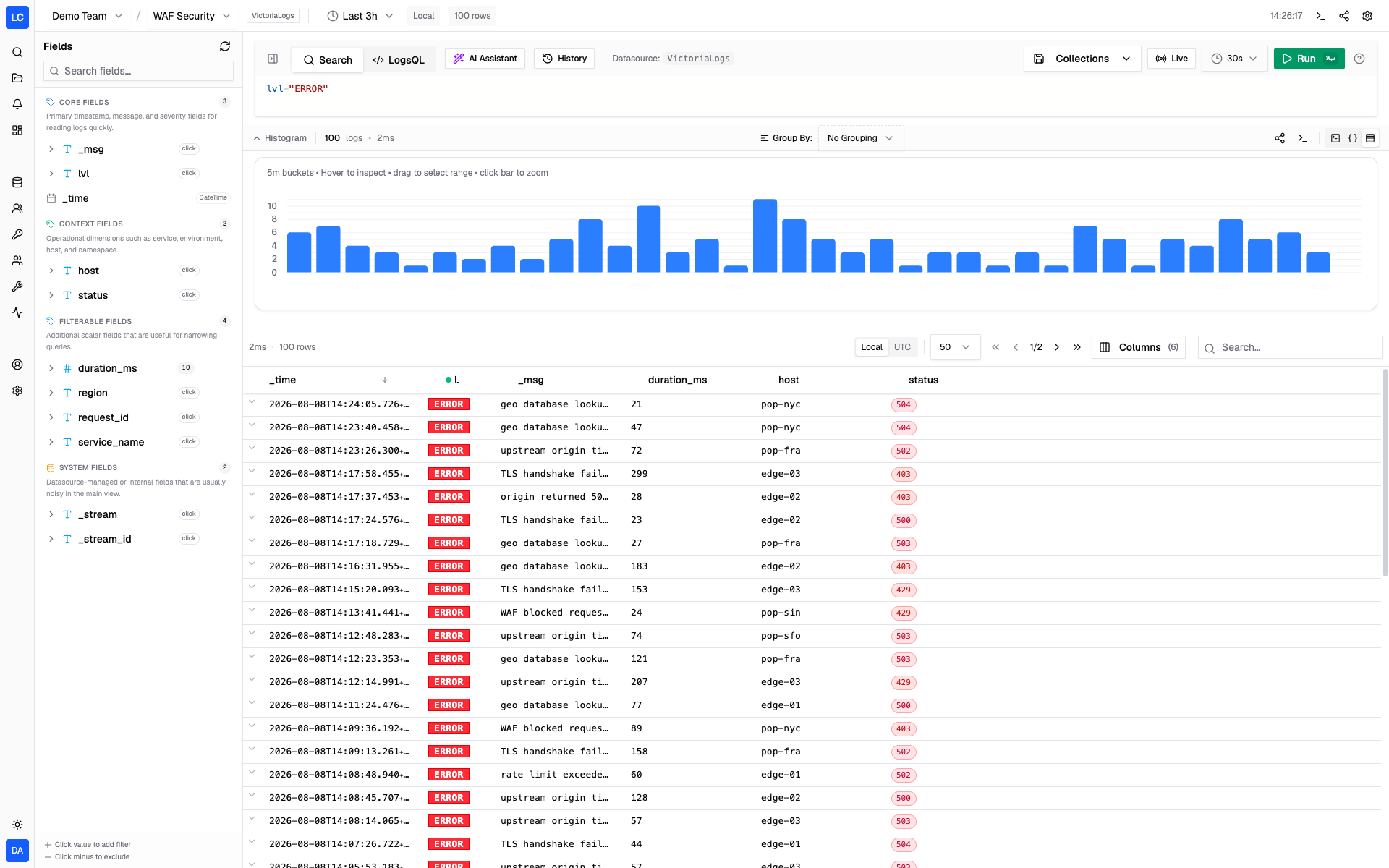
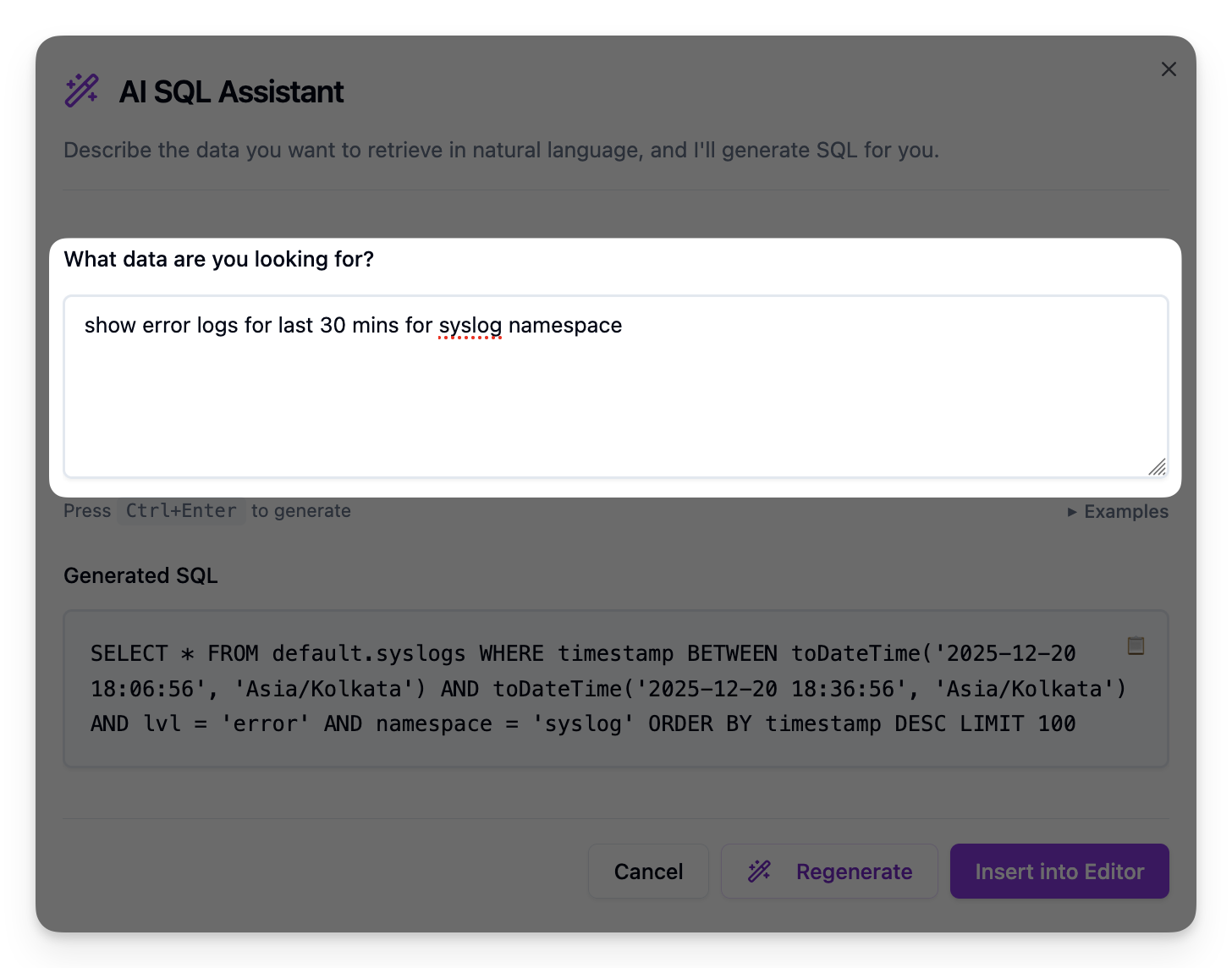
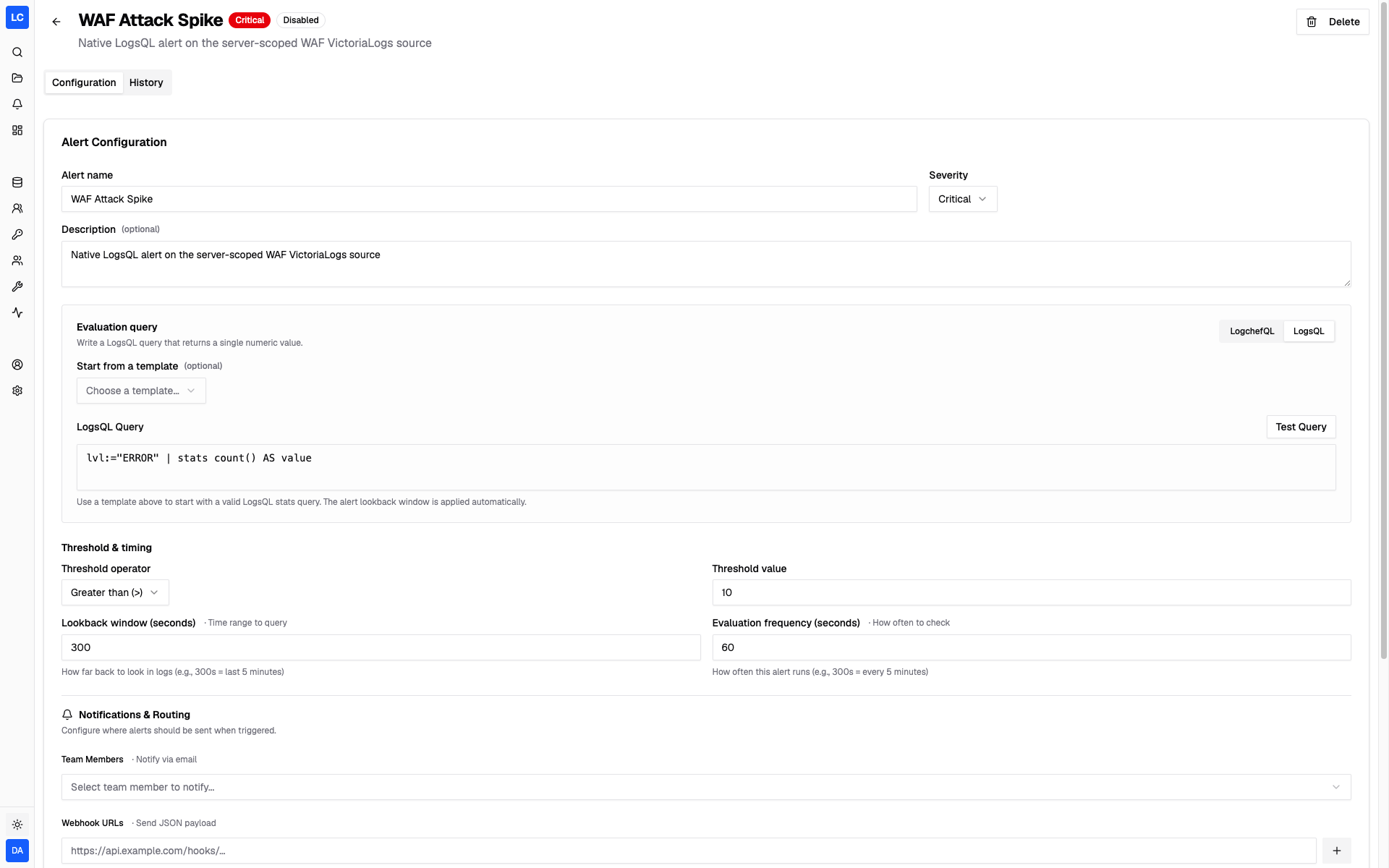
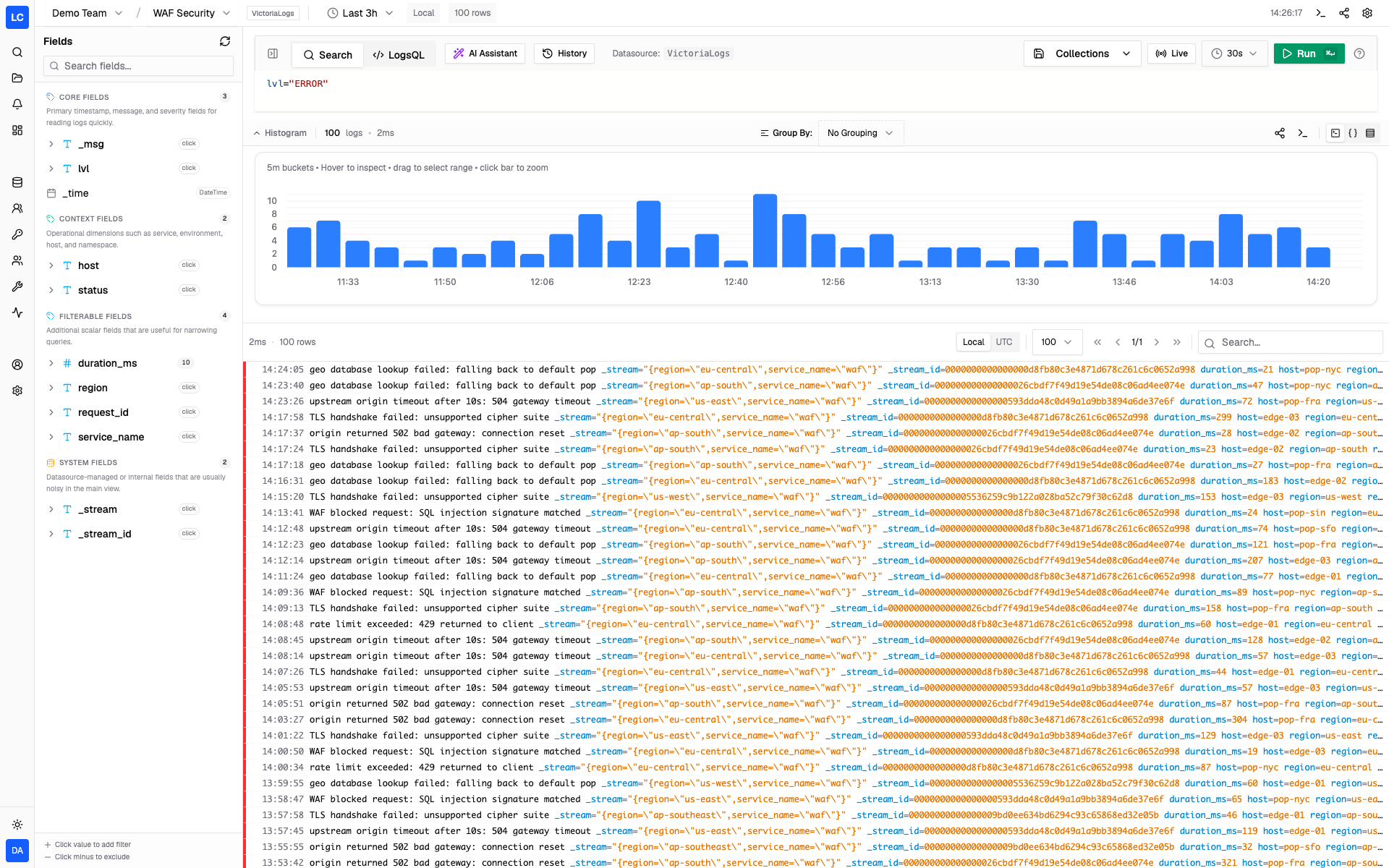
Logchef is a lightweight, self-hosted log analytics and observability platform for teams that want a strong query and control plane on top of the log backends they already run. Connect ClickHouse, VictoriaLogs, or both. Logchef gives them one workflow for exploration, dashboards, saved queries, alerting, and access control — without moving or reshaping your data.
If you are evaluating VictoriaLogs specifically, start with the VictoriaLogs guide.
Version 2.0 is a major expansion of what Logchef can sit in front of and what teams can do once it is there:
Read the v2.0 release notes or try the live demo.
# Download the Docker Compose file
curl -LO https://raw.githubusercontent.com/mr-karan/logchef/refs/heads/main/deployment/docker/docker-compose.yml

# Start the services
docker compose up -d
Access the Logchef interface at http://localhost:8125.
A chart for Kubernetes (Logchef, Dex, and ClickHouse via the Altinity operator) lives in deployment/helm:
helm install logchef ./deployment/helm --namespace logchef --create-namespace
See deployment/helm/values.yaml for options and requirements.
Logchef includes a cross-platform CLI for querying and investigating logs directly from your terminal.
Find the latest CLI version on the releases page, then set CLI_VERSION and download the build for your platform:
# Set to the latest cli-v* version from the releases page
CLI_VERSION="0.2.1"
BASE=https://github.com/mr-karan/logchef/releases/download/cli-v${CLI_VERSION}

# macOS (Apple Silicon)
curl -LO $BASE/logchef-cli_${CLI_VERSION}_macos-aarch64.tar.gz

# macOS (Intel)
curl -LO $BASE/logchef-cli_${CLI_VERSION}_macos-x86_64.tar.gz

# Linux (x86_64)
curl -LO $BASE/logchef-cli_${CLI_VERSION}_linux-x86_64-musl.tar.gz

# Linux (ARM64)
curl -LO $BASE/logchef-cli_${CLI_VERSION}_linux-aarch64-musl.tar.gz

# Extract and install
tar -xzf logchef-cli_*.tar.gz
sudo mv logchef /usr/local/bin/
# Authenticate with your Logchef server
logchef auth --server https://logs.example.com

# Query logs with LogchefQL
logchef query 'level="error"' --since 1h

# See the generated SQL/LogsQL without running it
logchef explain 'level="error"'

# Counts over time (terminal bar chart)
logchef histogram 'level="error"' --since 1h

# Diagnose your setup (config, auth, server, defaults)
logchef doctor

# Execute a raw native query (SQL for ClickHouse, LogsQL for VictoriaLogs)
logchef sql "SELECT * FROM logs.app WHERE level='error' LIMIT 10"
logchef sql 'level:="error" | fields _time, _msg, service'
For full documentation, see the CLI Guide.
For comprehensive documentation, including setup guides, configuration options, and API references, please visit logchef.app.
We welcome contributions! To get started:
Development Setup: See our Development Setup Guide:
just sqlc-generate
just dev-docker
just build
Read the Guidelines: Check CONTRIBUTING.md for detailed contribution guidelines
Find an Issue: Look for issues labeled good first issue or help wanted
Make Your Changes: Follow our coding standards and run just check before submitting
For questions or help, open an issue or start a discussion on GitHub.
Logchef is distributed under the terms of the AGPLv3 License.
The Logchef logo was designed by Namisha Katira.
(top 24 of 37)
2,324 followers · starred Apr 2025
3,934 followers · starred Apr 2025
1,291 followers · starred Dec 2025
14,064 followers · starred Apr 2025
Lightweight, single-binary log analytics interface for ClickHouse, focused on high-performance querying and visualization
See the code
The open-source log workspace for ClickHouse and VictoriaLogs.
Search, live tail, dashboards, alerts, and access control in one self-hosted binary.
Try Demo · Read Documentation · What's new in v2.0
Logchef is a lightweight, self-hosted log analytics and observability platform for teams that want a strong query and control plane on top of the log backends they already run. Connect ClickHouse, VictoriaLogs, or both. Logchef gives them one workflow for exploration, dashboards, saved queries, alerting, and access control — without moving or reshaping your data.
If you are evaluating VictoriaLogs specifically, start with the VictoriaLogs guide.
Version 2.0 is a major expansion of what Logchef can sit in front of and what teams can do once it is there:
Read the v2.0 release notes or try the live demo.
# Download the Docker Compose file
curl -LO https://raw.githubusercontent.com/mr-karan/logchef/refs/heads/main/deployment/docker/docker-compose.yml

# Start the services
docker compose up -d
Access the Logchef interface at http://localhost:8125.
A chart for Kubernetes (Logchef, Dex, and ClickHouse via the Altinity operator) lives in deployment/helm:
helm install logchef ./deployment/helm --namespace logchef --create-namespace
See deployment/helm/values.yaml for options and requirements.
Logchef includes a cross-platform CLI for querying and investigating logs directly from your terminal.
Find the latest CLI version on the releases page, then set CLI_VERSION and download the build for your platform:
# Set to the latest cli-v* version from the releases page
CLI_VERSION="0.2.1"
BASE=https://github.com/mr-karan/logchef/releases/download/cli-v${CLI_VERSION}

# macOS (Apple Silicon)
curl -LO $BASE/logchef-cli_${CLI_VERSION}_macos-aarch64.tar.gz

# macOS (Intel)
curl -LO $BASE/logchef-cli_${CLI_VERSION}_macos-x86_64.tar.gz

# Linux (x86_64)
curl -LO $BASE/logchef-cli_${CLI_VERSION}_linux-x86_64-musl.tar.gz

# Linux (ARM64)
curl -LO $BASE/logchef-cli_${CLI_VERSION}_linux-aarch64-musl.tar.gz

# Extract and install
tar -xzf logchef-cli_*.tar.gz
sudo mv logchef /usr/local/bin/
# Authenticate with your Logchef server
logchef auth --server https://logs.example.com

# Query logs with LogchefQL
logchef query 'level="error"' --since 1h

# See the generated SQL/LogsQL without running it
logchef explain 'level="error"'

# Counts over time (terminal bar chart)
logchef histogram 'level="error"' --since 1h

# Diagnose your setup (config, auth, server, defaults)
logchef doctor

# Execute a raw native query (SQL for ClickHouse, LogsQL for VictoriaLogs)
logchef sql "SELECT * FROM logs.app WHERE level='error' LIMIT 10"
logchef sql 'level:="error" | fields _time, _msg, service'
For full documentation, see the CLI Guide.
For comprehensive documentation, including setup guides, configuration options, and API references, please visit logchef.app.
We welcome contributions! To get started:
Development Setup: See our Development Setup Guide:
just sqlc-generate
just dev-docker
just build
Read the Guidelines: Check CONTRIBUTING.md for detailed contribution guidelines
Find an Issue: Look for issues labeled good first issue or help wanted
Make Your Changes: Follow our coding standards and run just check before submitting
For questions or help, open an issue or start a discussion on GitHub.
Logchef is distributed under the terms of the AGPLv3 License.
The Logchef logo was designed by Namisha Katira.
(top 24 of 37)
2,324 followers · starred Apr 2025
3,934 followers · starred Apr 2025
1,291 followers · starred Dec 2025
14,064 followers · starred Apr 2025



