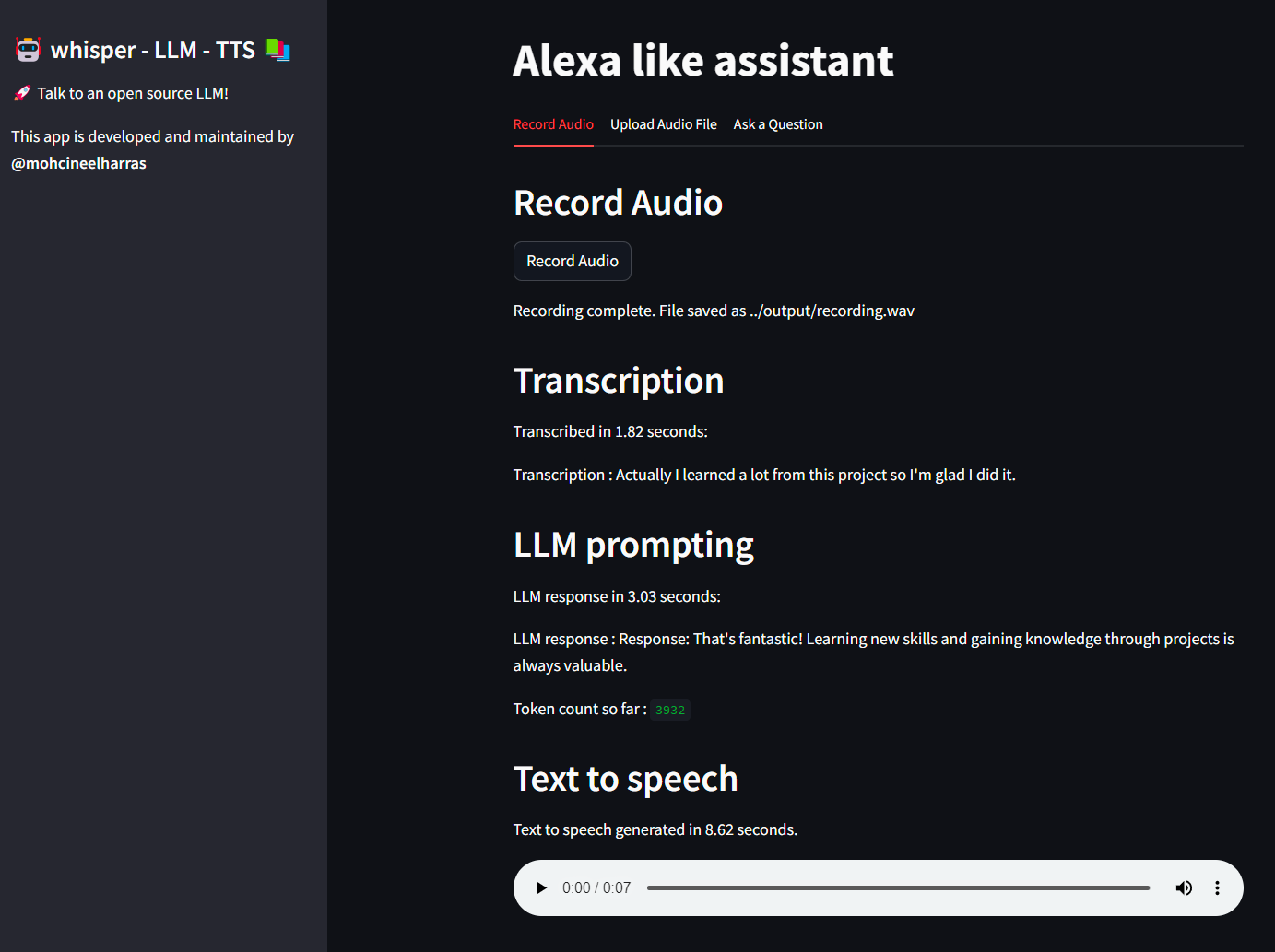
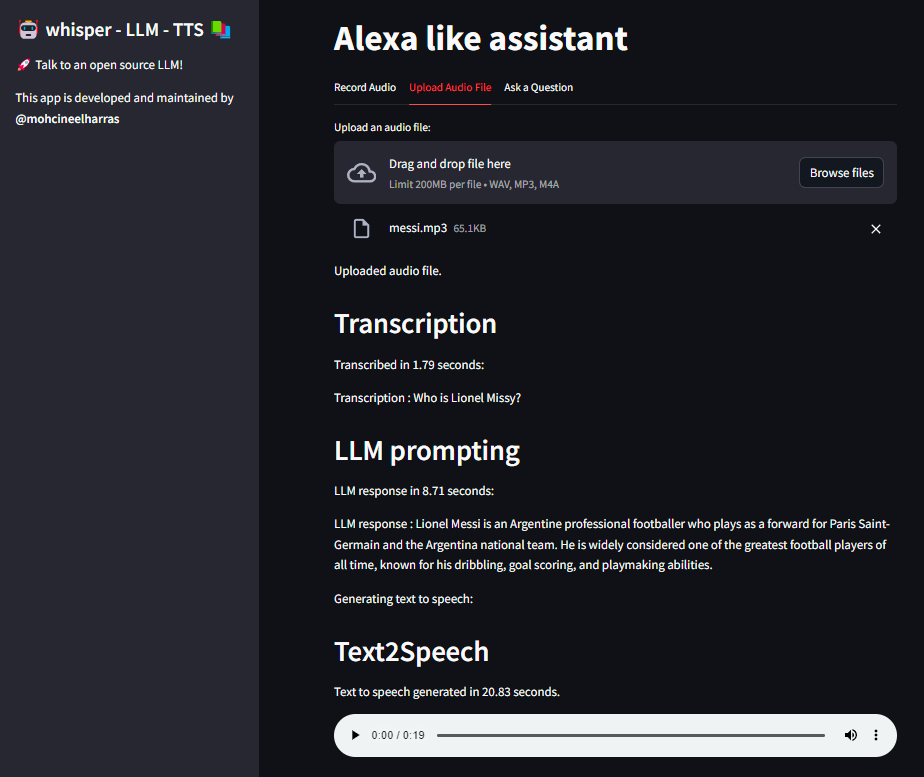
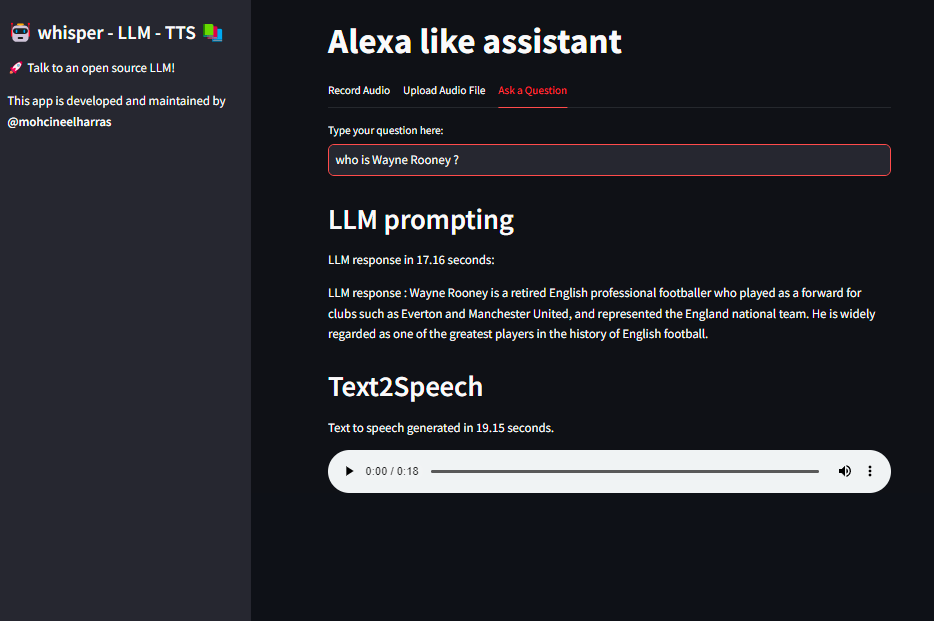
VoiceAI integrates the power of Text-to-Speech (TTS), Speech-to-Text (STT), and Local Language Model (LLM) technologies. This advanced AI application enables seamless conversion of text to speech, transcription of audio to text, and interaction with a local language model through an intuitive interface.
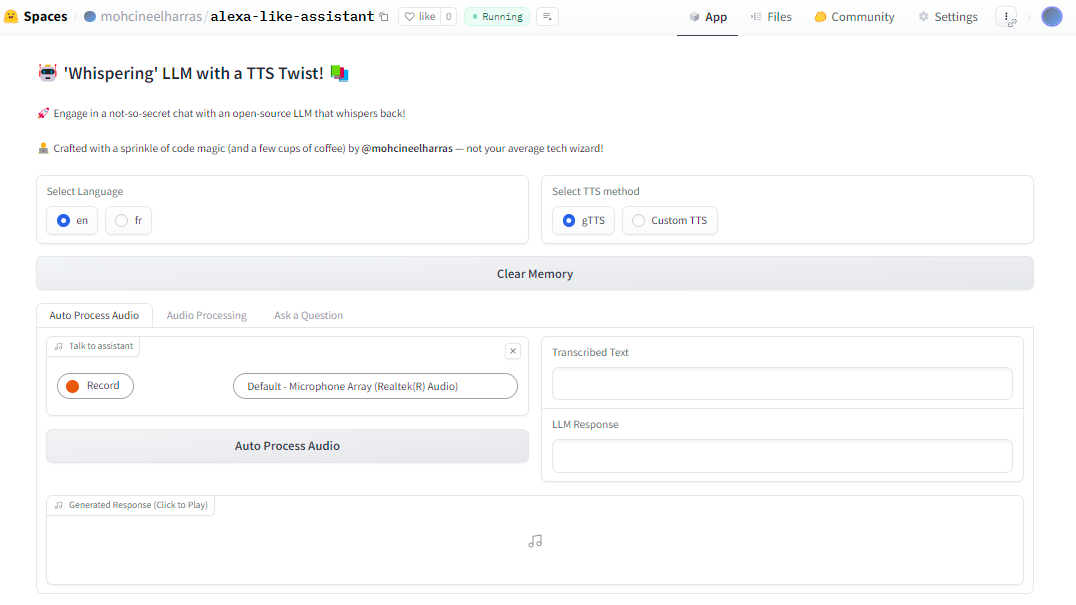
The demo was done in gradio app to facilitate use of audio in HF spaces.
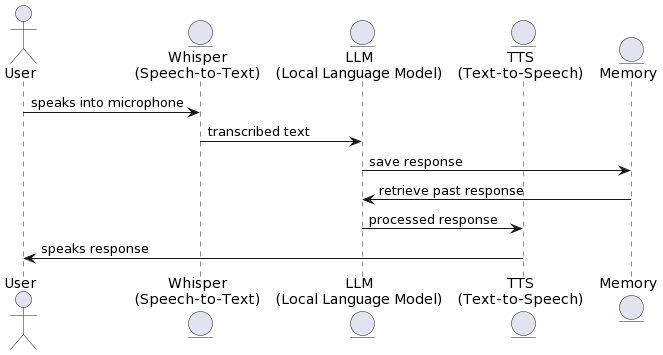
@startuml
actor User
entity "Whisper\n(Speech-to-Text)" as Whisper
entity "LLM\n(Local Language Model)" as LLM
entity "TTS\n(Text-to-Speech)" as TTS
entity "Memory" as Memory

User -> Whisper : speaks into microphone
Whisper -> LLM : transcribed text
LLM -> Memory : save response
Memory -> LLM : retrieve past response
LLM -> TTS : processed response
TTS -> User : speaks response
@enduml
Clone the project repository:
git clone [email protected]:mohcineelharras/whisper-llm-gtts.git
cd whisper-llm-gtts
Install dependencies:
install ffmpeg
sudo apt-get install ffmpeg
pip install -r requirements_merged.txt
CMAKE_ARGS="-DLLAMA_CUBLAS=on" pip install llama-cpp-python --force-reinstall --upgrade --no-cache-dir
If you encounter issues with GPU acceleration, try installing the CUDA toolkit:
conda install -c "nvidia/label/cuda-12.1.1" cuda-toolkit
Set up the environment using the .envtemplate provided, then rename it to .env.
To automate the creation of a conda environment called audio and install dependencies, run:
./install.sh
If you don't have conda, use the following script to set it up:
./install_conda.sh
Create a models folder in the root directory, download the desired LLM model, place it in the models folder, and adjust the .env file accordingly.
To try the Gradio demo:
python app.py
To use whisper-llm-gtts, open two terminals:
In the first terminal, activate the audio environment and launch FastAPI:
conda activate audio
cd fastapi
python fastapi/api_server.py
In the second terminal, activate the audio environment and start the Streamlit frontend:
conda activate audio
cd streamlit_app
streamlit run streamlit_app/run app.py
To run in the terminal:
bash run_continious.sh
# or
./run_continious.sh
Before building the Docker image, ensure the Docker section in the .env file is uncommented. Create a models folder and download the model you wish to use.
Build and start the containers using Docker Compose:
docker-compose up --build
VoiceAI whisper-llm-gtts employs various technologies and showcases multiple skills:
475 followers · starred Nov 2023
VoiceAI integrates the power of Text-to-Speech (TTS), Speech-to-Text (STT), and Local Language Model (LLM) technologies. This advanced AI application enables seamless conversion of text to speech, transcription of audio to text, and interaction with a local language model through an intuitive interface.
The demo was done in gradio app to facilitate use of audio in HF spaces.
@startuml
actor User
entity "Whisper\n(Speech-to-Text)" as Whisper
entity "LLM\n(Local Language Model)" as LLM
entity "TTS\n(Text-to-Speech)" as TTS
entity "Memory" as Memory

User -> Whisper : speaks into microphone
Whisper -> LLM : transcribed text
LLM -> Memory : save response
Memory -> LLM : retrieve past response
LLM -> TTS : processed response
TTS -> User : speaks response
@enduml
Clone the project repository:
git clone [email protected]:mohcineelharras/whisper-llm-gtts.git
cd whisper-llm-gtts
Install dependencies:
install ffmpeg
sudo apt-get install ffmpeg
pip install -r requirements_merged.txt
CMAKE_ARGS="-DLLAMA_CUBLAS=on" pip install llama-cpp-python --force-reinstall --upgrade --no-cache-dir
If you encounter issues with GPU acceleration, try installing the CUDA toolkit:
conda install -c "nvidia/label/cuda-12.1.1" cuda-toolkit
Set up the environment using the .envtemplate provided, then rename it to .env.
To automate the creation of a conda environment called audio and install dependencies, run:
./install.sh
If you don't have conda, use the following script to set it up:
./install_conda.sh
Create a models folder in the root directory, download the desired LLM model, place it in the models folder, and adjust the .env file accordingly.
To try the Gradio demo:
python app.py
To use whisper-llm-gtts, open two terminals:
In the first terminal, activate the audio environment and launch FastAPI:
conda activate audio
cd fastapi
python fastapi/api_server.py
In the second terminal, activate the audio environment and start the Streamlit frontend:
conda activate audio
cd streamlit_app
streamlit run streamlit_app/run app.py
To run in the terminal:
bash run_continious.sh
# or
./run_continious.sh
Before building the Docker image, ensure the Docker section in the .env file is uncommented. Create a models folder and download the model you wish to use.
Build and start the containers using Docker Compose:
docker-compose up --build
VoiceAI whisper-llm-gtts employs various technologies and showcases multiple skills:
475 followers · starred Nov 2023



