
See what people are saying (1)
README
sqlite-modal
Distributed SQLite on Modal. Local SQL against a
file; push / pull to a Server in your workspace. A Volume holds the
remote file on exit. Sync uses the Turso SDK.
You create named DBs in your Modal workspace. This is not a managed multi-tenant service.
local file  --push/pull-->  SyncServer
                                |
                         exit → Volume /data
Local SQL stays on your machine. Sync is an explicit hop to a warm Server in eu-west.
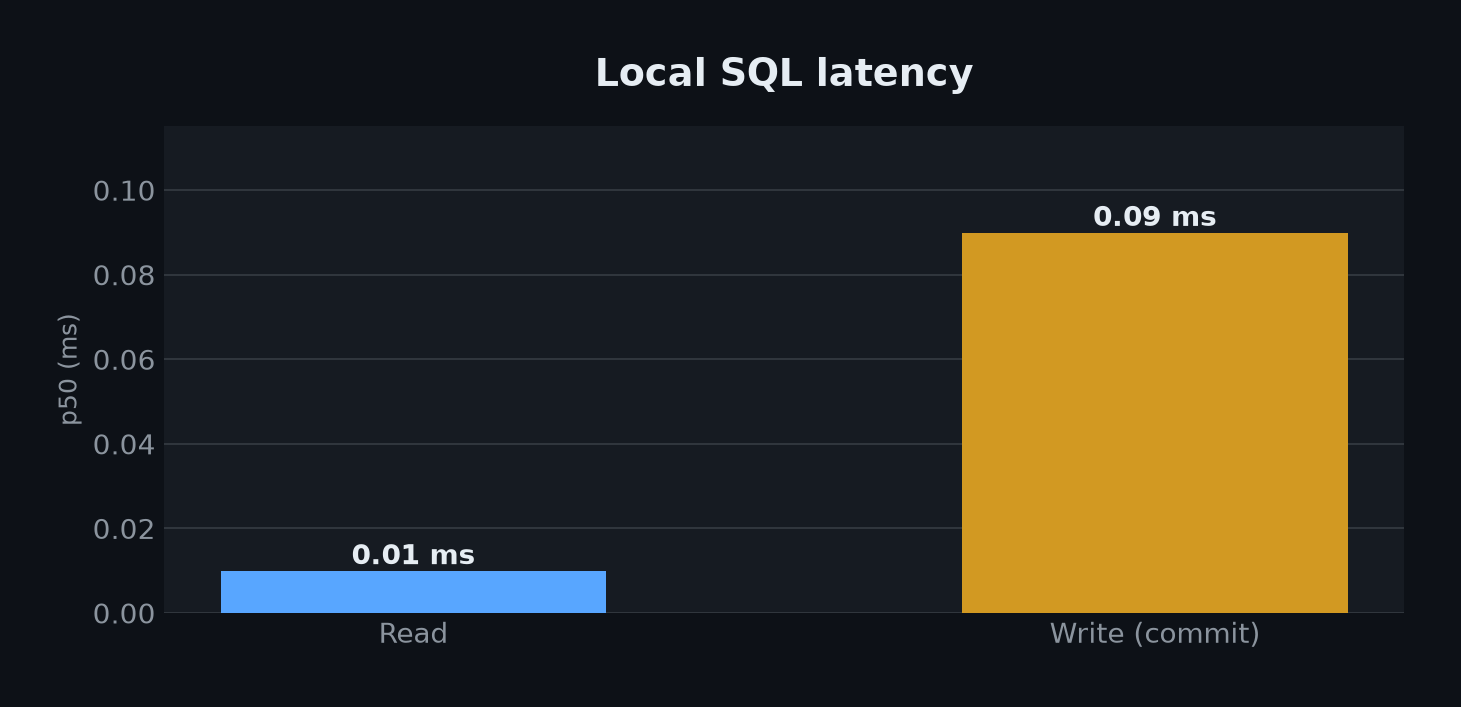
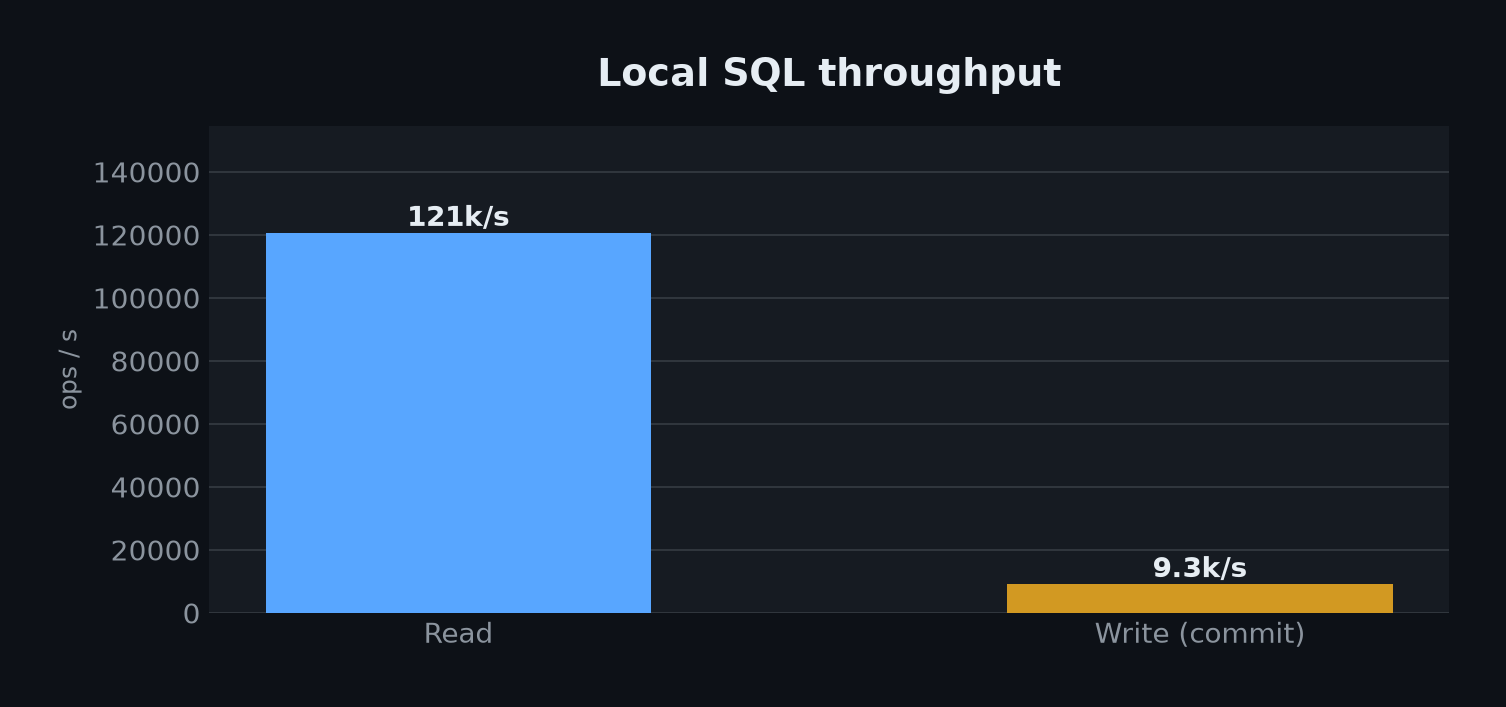
Reads are about 0.01 ms and 121k/s. A local commit is about 0.09 ms.
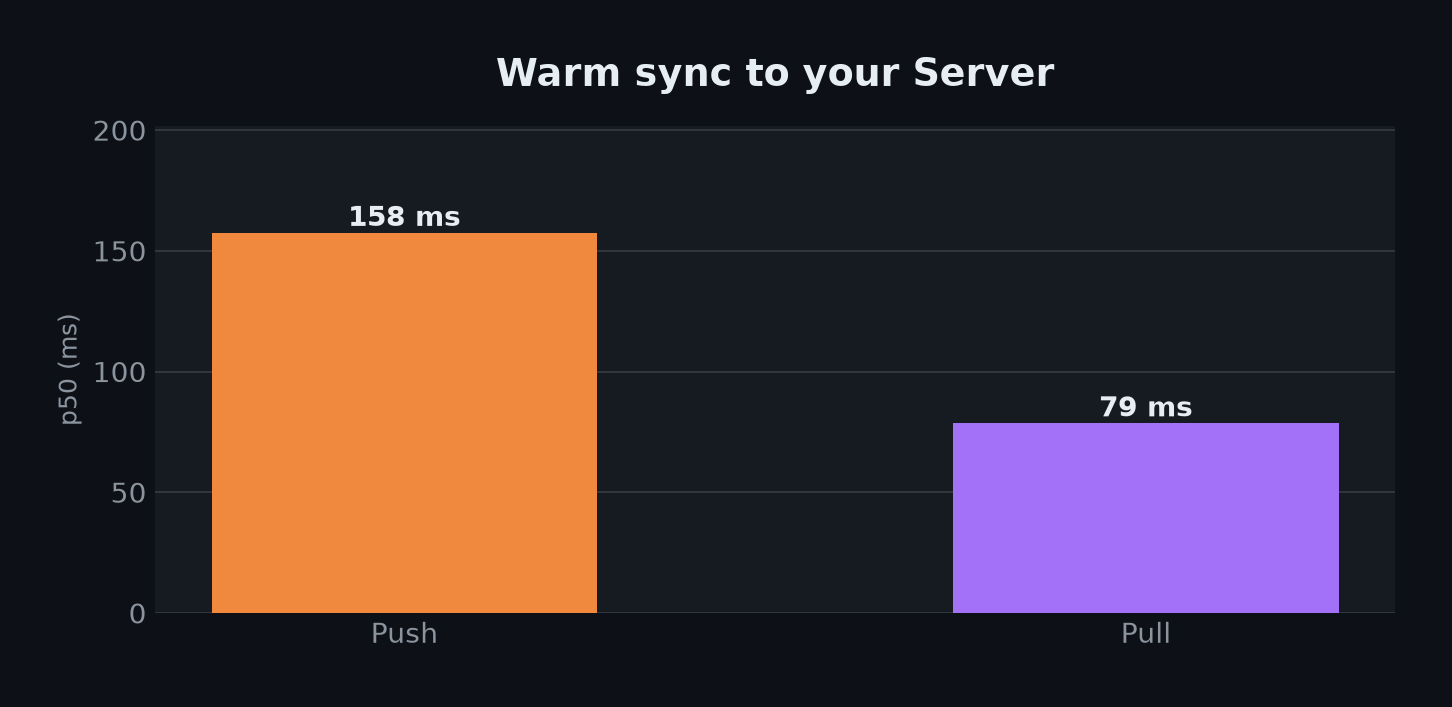
Warm push / pull is about 158 ms / 79 ms. Conflicts are last-push-wins.
Install
Python >= 3.12 and a Modal account (modal setup).
uv add git+https://github.com/modal-projects/sqlite-modal.git
Deploy from a checkout (or editable install) so Image builds can
add_local_python_source("sqlite_modal"). PyPI is not set up yet.
uv sync
uv sync --group dev    # tests / lint
uv sync --group bench  # charts
Usage
from sqlite_modal import Sqlite

db = Sqlite.from_name("orders", create_if_missing=True)
conn = db.connect("./orders.db")
with conn:
    conn.execute("CREATE TABLE IF NOT EXISTS t (v TEXT)")
    conn.execute("INSERT INTO t VALUES (?)", ("a",))
    conn.commit()
    conn.push()
    conn.pull()
from_namecreates or looks up Appsqlite-modal-{name}(create_options→@app.server)- One SyncServer container per name.
max_containersis fixed at 1. connect(path)opens a local connection and waits until the Server is up- Sync is explicit (
push/pull). Conflicts are last-push-wins. - Use
min_containers=1if you don't want cold starts. - The sync URL is unauthenticated. Anyone who has it can
push/pull. - Volume persist runs when the Server exits.
Examples
uv run python examples/notes/app.py
uv run python examples/multi/app.py
| Kit | When |
|---|---|
examples/notes/ | One named DB |
examples/multi/ | Two Apps, two names |
Development
uv run pytest
uv run ruff check sqlite_modal examples benchmarks tests
uv run ty check sqlite_modal examples benchmarks tests

uv run python benchmarks/app.py --create-remotes  # once
uv run python benchmarks/app.py
uv run python benchmarks/app.py --cold            # optional
Details: benchmarks/README.md.
CI is GitHub Actions on ubuntu-latest.
License
Contributors

4 commits
Similar repos


Languages
Python
100.0%
See what people are saying (1)
README
sqlite-modal
Distributed SQLite on Modal. Local SQL against a
file; push / pull to a Server in your workspace. A Volume holds the
remote file on exit. Sync uses the Turso SDK.
You create named DBs in your Modal workspace. This is not a managed multi-tenant service.
local file  --push/pull-->  SyncServer
                                |
                         exit → Volume /data
Local SQL stays on your machine. Sync is an explicit hop to a warm Server in eu-west.
Reads are about 0.01 ms and 121k/s. A local commit is about 0.09 ms.
Warm push / pull is about 158 ms / 79 ms. Conflicts are last-push-wins.
Install
Python >= 3.12 and a Modal account (modal setup).
uv add git+https://github.com/modal-projects/sqlite-modal.git
Deploy from a checkout (or editable install) so Image builds can
add_local_python_source("sqlite_modal"). PyPI is not set up yet.
uv sync
uv sync --group dev    # tests / lint
uv sync --group bench  # charts
Usage
from sqlite_modal import Sqlite

db = Sqlite.from_name("orders", create_if_missing=True)
conn = db.connect("./orders.db")
with conn:
    conn.execute("CREATE TABLE IF NOT EXISTS t (v TEXT)")
    conn.execute("INSERT INTO t VALUES (?)", ("a",))
    conn.commit()
    conn.push()
    conn.pull()
from_namecreates or looks up Appsqlite-modal-{name}(create_options→@app.server)- One SyncServer container per name.
max_containersis fixed at 1. connect(path)opens a local connection and waits until the Server is up- Sync is explicit (
push/pull). Conflicts are last-push-wins. - Use
min_containers=1if you don't want cold starts. - The sync URL is unauthenticated. Anyone who has it can
push/pull. - Volume persist runs when the Server exits.
Examples
uv run python examples/notes/app.py
uv run python examples/multi/app.py
| Kit | When |
|---|---|
examples/notes/ | One named DB |
examples/multi/ | Two Apps, two names |
Development
uv run pytest
uv run ruff check sqlite_modal examples benchmarks tests
uv run ty check sqlite_modal examples benchmarks tests

uv run python benchmarks/app.py --create-remotes  # once
uv run python benchmarks/app.py
uv run python benchmarks/app.py --cold            # optional
Details: benchmarks/README.md.
CI is GitHub Actions on ubuntu-latest.
License
Similar repos
Contributors
4 commits
Languages
Python
100.0%