
New stumbler application for contributing data to geolocation services
See the codeREADME








NeoStumbler
NeoStumbler is an Android application designed for mapping wireless infrastructure for geolocation purposes. It allows users to collect locations of cell towers, Wi-Fi access points and Bluetooth beacons and contribute them to Ichnaea-compatible (i.e. Mozilla Location Services) geolocation services – such as beaconDB.
Features
- Modern application: Clean Material 3 UI, support for latest Android versions (10+)
- Comprehensive data collection: Collect locations of cell towers, Wi-Fi access points and Bluetooth beacons
- Battery-friendly: Collect data with minimal battery impact with features such as:
- Passive mode – collect data requested by other apps
- Motion sensor – pause GPS and network scanning when the device is not moving
- Privacy: Support for reducing sensitive metadata in the collected data
- Interactive map: Visualize collected data on a map and find gaps in the data coverage
- Export: Collected data can be exported into CSV or SQLite formats
Downloads
[!TIP] See the user guide for more details on how to use NeoStumbler
There are three variants available:
- fullDefault - includes all features
- fullGplay - includes all features (except automatic scanning) and complies with Google Play store policies
- fdroidDefault - does not include closed components (i.e. Google Play Services)
- Features missing:
- Fused location provider
- Automatic scanning based on activity recognition
- Cronet HTTP engine
- Features missing:
You can install NeoStumbler either from an app store or by downloading an APK from Releases page. Versions marked as pre-release are betas or release candidates for the next version of NeoStumbler. These versions should generally be usable, but might have some bugs, UI / UX issues and missing translations.
If you install NeoStumbler directly from an APK, you need to check for updates manually or use a tool such as Obtainium.
App stores
The fdroid variant is available from F-Droid or alternatively from IzzyOnDroid. Reproducible builds are used for building NeoStumbler on F-Droid, which means that it's possible to upgrade an existing installation to a newer version from an alternative source.
The full variant is available from Accrescent. The advantage of using Accrescent is that only the assets needed for your device are downloaded.
A modified version of the full variant is also available on Google Play. This version does not include the automatic scanning feature and contains some minor quirks to comply with Google Play policies.
Development
The application has three product flavors:
fdroidDefault- no closed components, features dependent on closed-source components (i.e. Google Play Services) are not includedfullDefault- includes closed components, no features missingfullGplay- based onfullDefault, but has some minor differences to make it compliant with Google Play requirements
Building
- Compile all code, including tests:
./gradlew assembleAll - Build debug APK:
./gradlew :app:assembleFullDefaultDebugor./gradlew :app:assembleFdroidDefaultDebug - Build release APK:
./gradlew :app:assembleFullDefaultReleaseor./gradlew :app:assembleFdroidDefaultRelease- Note that by default this will build a signed APK
- This needs a Java keystore file named
keystore.jksin the project root directory and setting values for environment variables (seeapp/build.gradle.kts) - Alternatively, to build an unsigned APK, remove
signingConfigsblock fromapp/build.gradle.kts
- This needs a Java keystore file named
- Note that by default this will build a signed APK
Tests and quality checks
- Run all unit tests:
./gradlew unitTest - Run all instrumented tests:
./gradlew androidTest - Check code formatting:
./gradlew ktfmtCheck - Static analysis:
./gradlew detekt - Android lint checks:
./gradlew lintAll
Contributing
Contributions from the community are welcome and encouraged!
Easiest ways to contribute are to create and update translations and to create bug reports. Requests for new features are welcome as well. If you want to implement a new feature, please create an issue first if there's some design or planning needed
Translations
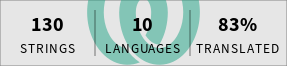
Weblate is used for translations. If you want to add translations for your language or to update existing translations, you can do that easily from Weblate. If you prefer, you can also update translations via a PR
Note that once you've finished translating a new language, it needs to be enabled in the build configuration. See this commit for an example
Contributors
(top 30 of 66)


Similar repos


Languages
Kotlin
99.5%
New stumbler application for contributing data to geolocation services
See the codeREADME
NeoStumbler
NeoStumbler is an Android application designed for mapping wireless infrastructure for geolocation purposes. It allows users to collect locations of cell towers, Wi-Fi access points and Bluetooth beacons and contribute them to Ichnaea-compatible (i.e. Mozilla Location Services) geolocation services – such as beaconDB.
Features
- Modern application: Clean Material 3 UI, support for latest Android versions (10+)
- Comprehensive data collection: Collect locations of cell towers, Wi-Fi access points and Bluetooth beacons
- Battery-friendly: Collect data with minimal battery impact with features such as:
- Passive mode – collect data requested by other apps
- Motion sensor – pause GPS and network scanning when the device is not moving
- Privacy: Support for reducing sensitive metadata in the collected data
- Interactive map: Visualize collected data on a map and find gaps in the data coverage
- Export: Collected data can be exported into CSV or SQLite formats
Downloads
[!TIP] See the user guide for more details on how to use NeoStumbler
There are three variants available:
- fullDefault - includes all features
- fullGplay - includes all features (except automatic scanning) and complies with Google Play store policies
- fdroidDefault - does not include closed components (i.e. Google Play Services)
- Features missing:
- Fused location provider
- Automatic scanning based on activity recognition
- Cronet HTTP engine
- Features missing:
You can install NeoStumbler either from an app store or by downloading an APK from Releases page. Versions marked as pre-release are betas or release candidates for the next version of NeoStumbler. These versions should generally be usable, but might have some bugs, UI / UX issues and missing translations.
If you install NeoStumbler directly from an APK, you need to check for updates manually or use a tool such as Obtainium.
App stores
The fdroid variant is available from F-Droid or alternatively from IzzyOnDroid. Reproducible builds are used for building NeoStumbler on F-Droid, which means that it's possible to upgrade an existing installation to a newer version from an alternative source.
The full variant is available from Accrescent. The advantage of using Accrescent is that only the assets needed for your device are downloaded.
A modified version of the full variant is also available on Google Play. This version does not include the automatic scanning feature and contains some minor quirks to comply with Google Play policies.
Development
The application has three product flavors:
fdroidDefault- no closed components, features dependent on closed-source components (i.e. Google Play Services) are not includedfullDefault- includes closed components, no features missingfullGplay- based onfullDefault, but has some minor differences to make it compliant with Google Play requirements
Building
- Compile all code, including tests:
./gradlew assembleAll - Build debug APK:
./gradlew :app:assembleFullDefaultDebugor./gradlew :app:assembleFdroidDefaultDebug - Build release APK:
./gradlew :app:assembleFullDefaultReleaseor./gradlew :app:assembleFdroidDefaultRelease- Note that by default this will build a signed APK
- This needs a Java keystore file named
keystore.jksin the project root directory and setting values for environment variables (seeapp/build.gradle.kts) - Alternatively, to build an unsigned APK, remove
signingConfigsblock fromapp/build.gradle.kts
- This needs a Java keystore file named
- Note that by default this will build a signed APK
Tests and quality checks
- Run all unit tests:
./gradlew unitTest - Run all instrumented tests:
./gradlew androidTest - Check code formatting:
./gradlew ktfmtCheck - Static analysis:
./gradlew detekt - Android lint checks:
./gradlew lintAll
Contributing
Contributions from the community are welcome and encouraged!
Easiest ways to contribute are to create and update translations and to create bug reports. Requests for new features are welcome as well. If you want to implement a new feature, please create an issue first if there's some design or planning needed
Translations
Weblate is used for translations. If you want to add translations for your language or to update existing translations, you can do that easily from Weblate. If you prefer, you can also update translations via a PR
Note that once you've finished translating a new language, it needs to be enabled in the build configuration. See this commit for an example
Similar repos
Contributors
(top 30 of 66)
Languages
Kotlin
99.5%