MCP server for Apple Developer Documentation: API reference, Human Interface Guidelines, App Store Connect Help, sample code and 1,700 WWDC sessions with transcripts and code. A fork of Apple Docs MCP.
TypeScript
15
6 commits
updated Oct 13, 2026
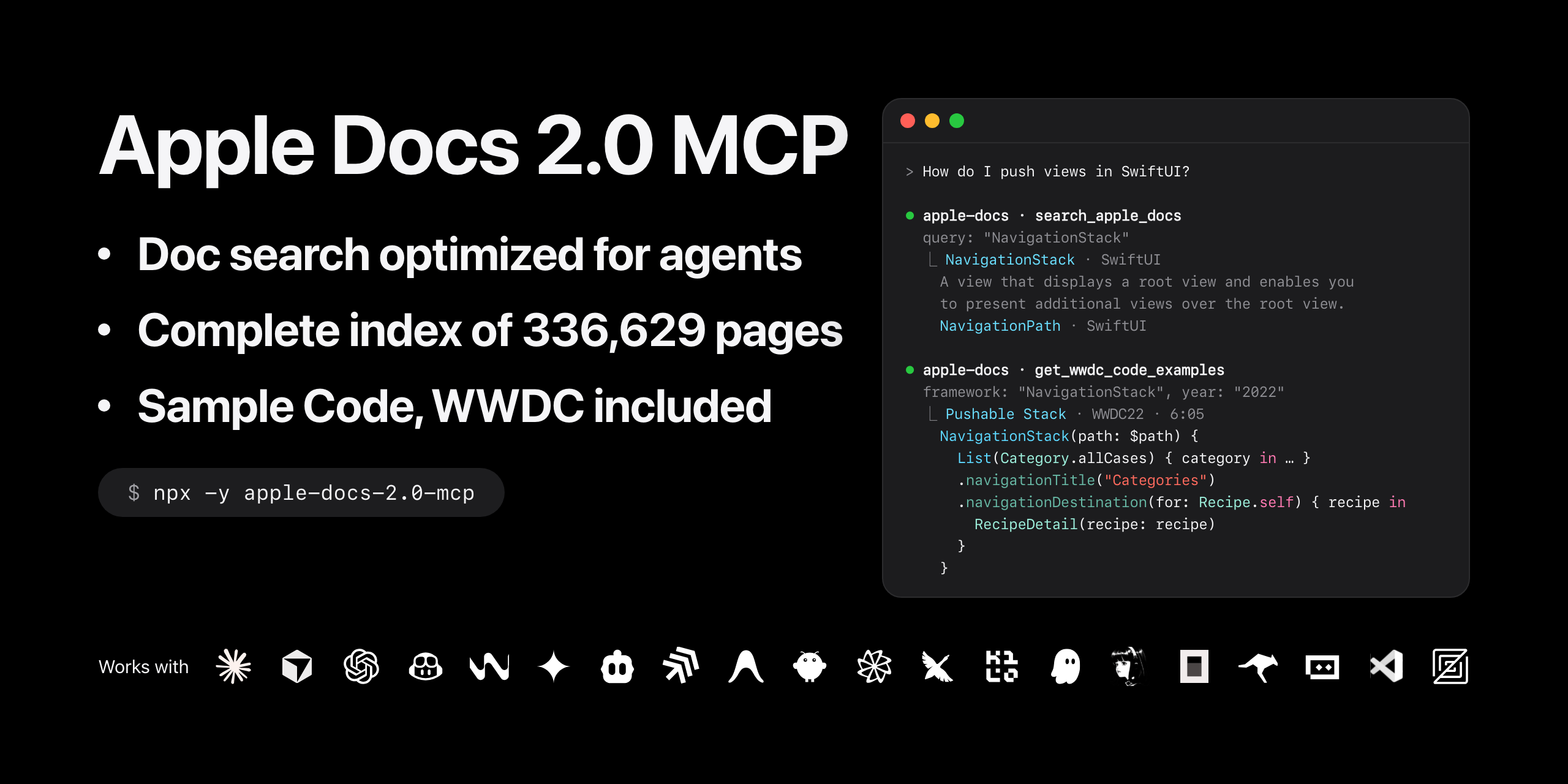


Apple Developer Documentation for AI assistants, through the Model Context Protocol: API reference, articles, sample code, tutorials, the Human Interface Guidelines, App Store Connect Help, the web-service APIs (App Store Connect API, App Store Server API and others) and 1,700 WWDC sessions with their transcripts and code, in Claude, Cursor, VS Code or any MCP client.
Apple Docs 2.0 MCP is a fork of Apple Docs MCP by kimsungwhee, improved with additions, fixes and a new tool.
Apple Docs 2.0 MCP keeps every tool of Apple Docs MCP 1.0.26 and fixes what stopped working or came back incomplete, so your assistant answers from Apple's own documentation instead of guessing.
search_apple_docs is fixed: it now uses the same search service Apple's website uses, so your assistant gets the
results you would see on developer.apple.com: API reference, articles, sample code, design guidelines, App Store Connect
Help and WWDC videos. In the original, searches come back empty since Apple changed its search page.
Ask about an API, a design guideline or an App Store process, and the assistant searches first, then reads the pages it finds.
A new tool, search_docs_map, finds any of 336,629 pages by name, or part of one, offline:
Use it when you already know a name, from code or an error message, to open its page directly.
Pages come through whole, as on Apple's site: every method and property with its full signature
(var view: UIView!, not just view), what a type inherits from and conforms to, related APIs, and the OS versions
that support it. 2.0 also reads the Human Interface Guidelines, tutorials, App Store Connect Help, and App Store
Connect API endpoints with their parameters and responses.
Ask about any API, guideline or App Store Connect topic, and the assistant reads the full page before it answers or writes code.
1,700 sessions are built in, WWDC26 included, and work offline: transcripts for 1,416 of them and code samples for 715, each sample with the time it appears in the video. Sessions are filed under the same topics as on Apple's website.
Ask how a new API works, and the assistant can quote the WWDC session that introduced it, with its code.
The original's technology list stopped after 200 entries, so whole categories (Graphics and Games, Media, System, Web) never appeared, and its symbol search mixed in headings with broken links. 2.0 lists everything, marks frameworks in beta, and finds frameworks by subject: "Machine learning" returns Core ML, Create ML, Foundation Models, Vision and more.
Ask which frameworks fit a task, such as machine learning or audio, and the assistant compares the full list.
Up-to-date dependencies, requests that look like a normal browser's and wait their turn (Apple returns empty searches when they come too fast), automatic retries when a request fails, and 255 automated tests. All 63 usage examples in the original's README run without errors.
Nothing to set up: no API key or account.
Add this to your Claude Desktop configuration:
macOS: ~/Library/Application Support/Claude/claude_desktop_config.json
Windows: %APPDATA%\Claude\claude_desktop_config.json
{
  "mcpServers": {
    "apple-docs": {
      "command": "npx",
      "args": ["-y", "apple-docs-2.0-mcp"]
    }
  }
}
Note: If you encounter issues with an old version being used, add
@latestto force the latest version:"args": ["-y", "apple-docs-2.0-mcp@latest"]
Restart Claude Desktop and start asking about Apple APIs!
claude mcp add apple-docs -- npx -y apple-docs-2.0-mcp
Add to ~/.cursor/mcp.json:
{
  "mcpServers": {
    "apple-docs": {
      "command": "npx",
      "args": ["-y", "apple-docs-2.0-mcp"]
    }
  }
}
Add to .mcp.json at the root of your workspace, VS Code's portable format:
{
  "mcpServers": {
    "apple-docs": {
      "command": "npx",
      "args": ["-y", "apple-docs-2.0-mcp"]
    }
  }
}
Add to your Zed settings.json:
{
  "context_servers": {
    "apple-docs": {
      "command": "npx",
      "args": ["-y", "apple-docs-2.0-mcp"],
      "env": {}
    }
  }
}
"Search for SwiftUI animations"
"Find withAnimation API documentation"
"Search the Human Interface Guidelines for tab bars"
"Search App Store Connect Help for TestFlight external testers"
"Find sample code for Core Data"
"Find the page for accessibilityInputLabels"
"Which SwiftUI pages have gauge in their title?"
"Find the App Store Connect API endpoint to create an auto-renewable subscription"
"Get detailed information about the SwiftUI framework"
"Show me withAnimation API with related APIs"
"Show me NSManagedObjectContext documentation"
"Read the Human Interface Guidelines page on tab bars"
"Show the steps of the SwiftUI tutorial"
"Show me SwiftUI views"
"List all UIKit delegate protocols"
"Get WeatherKit API hierarchy"
"Explore Core ML model loading APIs"
"Find APIs related to UIViewController"
"Discover alternatives to UIAlertView"
"Get all references from SwiftData documentation"
"Get platform compatibility for SwiftData"
"What machine learning frameworks are available?"
"Which technologies are in beta?"
"What's new in SwiftUI?"
"Show me release notes for Xcode"
"Get data management technology overviews"
"Show SwiftUI sample code projects"
"Find sample code for machine learning"
"Get the Food Truck sample"
"Search WWDC videos about SwiftUI"
"Find WWDC sessions on machine learning"
"Show me WWDC 2026 videos"
"Search WWDC transcripts for async/await"
"Show me the transcript for WWDC23 Meet SwiftData"
"Get code examples from WWDC sessions that use SwiftData"
"Find sessions related to WWDC23 Meet SwiftData"
"List all WWDC topics"
| Tool | Returns |
|---|---|
search_apple_docs | Apple's search results as links, each with its title, framework, type and one-line summary, grouped into documentation, design, sample code, App Store Connect Help and WWDC sessions |
search_docs_map 🆕 | The pages whose title contains the text, in any case, shortest titles first and optionally within given technologies, each with its kind, technology and link |
get_apple_doc_content | One documentation page as Markdown, rendered from its JSON: summary, declaration, overview, code, Topics with each member's declaration and summary, Relationships, See Also and availability; a web-service endpoint with its URL, parameters, body and responses; a tutorial with each step's code and its project files; a sample's Download; an App Store Connect Help article |
search_framework_symbols | The symbols of one framework whose names match a wildcard, each with its kind and link |
get_related_apis | What one API inherits from and conforms to, plus its See Also and the first APIs of each Topics group, each with a summary |
find_similar_apis | Alternatives to one API, led for a deprecated one by the replacements its deprecation note names, then its See Also and Topics |
resolve_references_batch | The pages one documentation page links to, each with its title, kind, summary and, for a symbol, its declaration |
get_platform_compatibility | The OS versions in which one API was introduced and deprecated on each platform, with Apple's deprecation note |
list_technologies | Every Apple framework and technology with its link, by category, beta ones marked |
get_documentation_updates | Links to Apple's release notes, framework updates pages and WWDC "What's new" pages, each with its summary |
get_technology_overviews | Links to Apple's Technology Overviews guides, grouped by collection with each collection's summary |
get_sample_code | Apple's sample-code projects, each with its link and one-line summary, grouped by framework |
list_wwdc_videos | The WWDC sessions of a year, topic or title word, each with its link, topics and whether it has a transcript and code |
search_wwdc_content | The WWDC sessions whose transcripts or code contain the words, each with up to three matching passages |
get_wwdc_video | One WWDC session with its links and downloads, full transcript, timed code examples and related sessions |
get_wwdc_code_examples | WWDC code examples whose code mentions a type or framework, each with its session and the time it appears |
browse_wwdc_topics | The WWDC topics with their session counts, or the sessions of one topic |
find_related_wwdc_videos | The sessions related to one WWDC session, Apple's own picks first, then sessions that share its topics |
list_wwdc_years | The WWDC years with their session counts |
The documentation tools fetch developer.apple.com; the WWDC tools read the bundled data and search_docs_map reads the
docs map, both without a network request.
Apple-Docs-2.0-MCP/
├── src/
│   ├── index.ts                    # MCP server and its search guide
│   ├── tools/
│   │   ├── handlers.ts             # Tool registration
│   │   ├── search-api.ts           # Apple's search API
│   │   ├── search-docs-map.ts      # Docs map search
│   │   ├── doc-fetcher.ts          # Pages from Swift-DocC JSON
│   │   ├── doc-formatter.ts        # Markdown rendering
│   │   ├── help-pages.ts           # App Store Connect Help (jsdom, turndown)
│   │   ├── list-technologies.ts    # Technology catalog
│   │   ├── search-framework-symbols.ts
│   │   ├── get-related-apis.ts, find-similar-apis.ts, resolve-references-batch.ts, get-platform-compatibility.ts
│   │   ├── get-documentation-updates.ts, get-technology-overviews.ts, get-sample-code.ts
│   │   └── wwdc/                   # WWDC tools and the session, topic and year extractors
│   ├── types/                      # Generated from Swift-DocC's specs and captured responses
│   └── utils/                      # HTTP client, caches, constants, URL conversion
├── scripts/
│   ├── add-wwdc-year.ts            # Adds or refreshes a WWDC year in data/wwdc
│   ├── build-docs-map.ts           # Builds api-map/apple-docs-map.tsv
│   └── capture-responses.ts        # Captures responses to type them
├── data/wwdc/                      # The bundled WWDC sessions
├── api-map/                        # The docs map, Apple's search API (OpenAPI) and captured responses
└── tests/                          # Vitest
Every request goes through one HTTP client: fetch with a Safari's headers, at most 100 requests a minute, and
searches one at a time, 15 seconds apart, as Apple answers quicker ones with no results. Each attempt has a 2-minute
timeout, with up to 3 retries and backoff on network errors, timeouts and 5xx answers.
| Content | Cached for |
|---|---|
| Documentation pages | 30 minutes |
| Framework indexes | 1 hour |
| Technologies, sample code, technology overviews | 2 hours |
| Documentation updates | 30 minutes |
| Searches | not cached |
The WWDC sessions are bundled in data/wwdc/, so the WWDC tools work offline and without rate limits:
npx tsx scripts/add-wwdc-year.ts <year> adds a year, or refreshes it, from Apple's pages; a session Apple no longer
lists keeps its stored data.
api-map/apple-docs-map.tsv lists 336,629 pages (URL, title, kind, technology, group and tree) from Apple's navigator
indexes, the Human Interface Guidelines and App Store Connect Help's navigation. search_docs_map reads it on each
call. npx tsx scripts/build-docs-map.ts api-map/apple-docs-map.tsv rebuilds it in about 10 minutes.
git clone https://github.com/mishafyi/Apple-Docs-2.0-MCP.git
cd Apple-Docs-2.0-MCP
npx pnpm@10 install
npx pnpm@10 run build          # tsc into dist/, then the WWDC data into dist/data/

# Run your build in Claude Code in place of the npm package
claude mcp add apple-docs -- node "$PWD/dist/index.js"

# Checks: types (server and scripts), lint and tests
npx tsc --noEmit && npx tsc -p scripts && npx eslint src scripts && npx vitest run

# Call the built server without an MCP client
npx -y @modelcontextprotocol/inspector --cli node dist/index.js --method tools/call \
  --tool-name search_apple_docs --tool-args-json '{"query":"tab bars","type":"design"}'

# Regenerate the types of Apple's JSON
npm run types:docc             # from Swift-DocC's RenderNode and RenderIndex specs
npm run types:captured         # from captured responses (quicktype)
After a build, restart or reconnect the server in your MCP client.
Apple Docs 2.0 MCP builds on Apple Docs MCP by kimsungwhee, whose tools, WWDC data and structure it started from.
Contributions are welcome:
git checkout -b feature/amazing-featuregit commit -m 'Add amazing feature'git push origin feature/amazing-featureMIT License, as the original project: see LICENSE.
This project is not affiliated with or endorsed by Apple Inc. It reads Apple's publicly available developer documentation for educational and development purposes.
MCP server for Apple Developer Documentation: API reference, Human Interface Guidelines, App Store Connect Help, sample code and 1,700 WWDC sessions with transcripts and code. A fork of Apple Docs MCP.
TypeScript
15
6 commits
updated Oct 13, 2026
Apple Developer Documentation for AI assistants, through the Model Context Protocol: API reference, articles, sample code, tutorials, the Human Interface Guidelines, App Store Connect Help, the web-service APIs (App Store Connect API, App Store Server API and others) and 1,700 WWDC sessions with their transcripts and code, in Claude, Cursor, VS Code or any MCP client.
Apple Docs 2.0 MCP is a fork of Apple Docs MCP by kimsungwhee, improved with additions, fixes and a new tool.
Apple Docs 2.0 MCP keeps every tool of Apple Docs MCP 1.0.26 and fixes what stopped working or came back incomplete, so your assistant answers from Apple's own documentation instead of guessing.
search_apple_docs is fixed: it now uses the same search service Apple's website uses, so your assistant gets the
results you would see on developer.apple.com: API reference, articles, sample code, design guidelines, App Store Connect
Help and WWDC videos. In the original, searches come back empty since Apple changed its search page.
Ask about an API, a design guideline or an App Store process, and the assistant searches first, then reads the pages it finds.
A new tool, search_docs_map, finds any of 336,629 pages by name, or part of one, offline:
Use it when you already know a name, from code or an error message, to open its page directly.
Pages come through whole, as on Apple's site: every method and property with its full signature
(var view: UIView!, not just view), what a type inherits from and conforms to, related APIs, and the OS versions
that support it. 2.0 also reads the Human Interface Guidelines, tutorials, App Store Connect Help, and App Store
Connect API endpoints with their parameters and responses.
Ask about any API, guideline or App Store Connect topic, and the assistant reads the full page before it answers or writes code.
1,700 sessions are built in, WWDC26 included, and work offline: transcripts for 1,416 of them and code samples for 715, each sample with the time it appears in the video. Sessions are filed under the same topics as on Apple's website.
Ask how a new API works, and the assistant can quote the WWDC session that introduced it, with its code.
The original's technology list stopped after 200 entries, so whole categories (Graphics and Games, Media, System, Web) never appeared, and its symbol search mixed in headings with broken links. 2.0 lists everything, marks frameworks in beta, and finds frameworks by subject: "Machine learning" returns Core ML, Create ML, Foundation Models, Vision and more.
Ask which frameworks fit a task, such as machine learning or audio, and the assistant compares the full list.
Up-to-date dependencies, requests that look like a normal browser's and wait their turn (Apple returns empty searches when they come too fast), automatic retries when a request fails, and 255 automated tests. All 63 usage examples in the original's README run without errors.
Nothing to set up: no API key or account.
Add this to your Claude Desktop configuration:
macOS: ~/Library/Application Support/Claude/claude_desktop_config.json
Windows: %APPDATA%\Claude\claude_desktop_config.json
{
  "mcpServers": {
    "apple-docs": {
      "command": "npx",
      "args": ["-y", "apple-docs-2.0-mcp"]
    }
  }
}
Note: If you encounter issues with an old version being used, add
@latestto force the latest version:"args": ["-y", "apple-docs-2.0-mcp@latest"]
Restart Claude Desktop and start asking about Apple APIs!
claude mcp add apple-docs -- npx -y apple-docs-2.0-mcp
Add to ~/.cursor/mcp.json:
{
  "mcpServers": {
    "apple-docs": {
      "command": "npx",
      "args": ["-y", "apple-docs-2.0-mcp"]
    }
  }
}
Add to .mcp.json at the root of your workspace, VS Code's portable format:
{
  "mcpServers": {
    "apple-docs": {
      "command": "npx",
      "args": ["-y", "apple-docs-2.0-mcp"]
    }
  }
}
Add to your Zed settings.json:
{
  "context_servers": {
    "apple-docs": {
      "command": "npx",
      "args": ["-y", "apple-docs-2.0-mcp"],
      "env": {}
    }
  }
}
"Search for SwiftUI animations"
"Find withAnimation API documentation"
"Search the Human Interface Guidelines for tab bars"
"Search App Store Connect Help for TestFlight external testers"
"Find sample code for Core Data"
"Find the page for accessibilityInputLabels"
"Which SwiftUI pages have gauge in their title?"
"Find the App Store Connect API endpoint to create an auto-renewable subscription"
"Get detailed information about the SwiftUI framework"
"Show me withAnimation API with related APIs"
"Show me NSManagedObjectContext documentation"
"Read the Human Interface Guidelines page on tab bars"
"Show the steps of the SwiftUI tutorial"
"Show me SwiftUI views"
"List all UIKit delegate protocols"
"Get WeatherKit API hierarchy"
"Explore Core ML model loading APIs"
"Find APIs related to UIViewController"
"Discover alternatives to UIAlertView"
"Get all references from SwiftData documentation"
"Get platform compatibility for SwiftData"
"What machine learning frameworks are available?"
"Which technologies are in beta?"
"What's new in SwiftUI?"
"Show me release notes for Xcode"
"Get data management technology overviews"
"Show SwiftUI sample code projects"
"Find sample code for machine learning"
"Get the Food Truck sample"
"Search WWDC videos about SwiftUI"
"Find WWDC sessions on machine learning"
"Show me WWDC 2026 videos"
"Search WWDC transcripts for async/await"
"Show me the transcript for WWDC23 Meet SwiftData"
"Get code examples from WWDC sessions that use SwiftData"
"Find sessions related to WWDC23 Meet SwiftData"
"List all WWDC topics"
| Tool | Returns |
|---|---|
search_apple_docs | Apple's search results as links, each with its title, framework, type and one-line summary, grouped into documentation, design, sample code, App Store Connect Help and WWDC sessions |
search_docs_map 🆕 | The pages whose title contains the text, in any case, shortest titles first and optionally within given technologies, each with its kind, technology and link |
get_apple_doc_content | One documentation page as Markdown, rendered from its JSON: summary, declaration, overview, code, Topics with each member's declaration and summary, Relationships, See Also and availability; a web-service endpoint with its URL, parameters, body and responses; a tutorial with each step's code and its project files; a sample's Download; an App Store Connect Help article |
search_framework_symbols | The symbols of one framework whose names match a wildcard, each with its kind and link |
get_related_apis | What one API inherits from and conforms to, plus its See Also and the first APIs of each Topics group, each with a summary |
find_similar_apis | Alternatives to one API, led for a deprecated one by the replacements its deprecation note names, then its See Also and Topics |
resolve_references_batch | The pages one documentation page links to, each with its title, kind, summary and, for a symbol, its declaration |
get_platform_compatibility | The OS versions in which one API was introduced and deprecated on each platform, with Apple's deprecation note |
list_technologies | Every Apple framework and technology with its link, by category, beta ones marked |
get_documentation_updates | Links to Apple's release notes, framework updates pages and WWDC "What's new" pages, each with its summary |
get_technology_overviews | Links to Apple's Technology Overviews guides, grouped by collection with each collection's summary |
get_sample_code | Apple's sample-code projects, each with its link and one-line summary, grouped by framework |
list_wwdc_videos | The WWDC sessions of a year, topic or title word, each with its link, topics and whether it has a transcript and code |
search_wwdc_content | The WWDC sessions whose transcripts or code contain the words, each with up to three matching passages |
get_wwdc_video | One WWDC session with its links and downloads, full transcript, timed code examples and related sessions |
get_wwdc_code_examples | WWDC code examples whose code mentions a type or framework, each with its session and the time it appears |
browse_wwdc_topics | The WWDC topics with their session counts, or the sessions of one topic |
find_related_wwdc_videos | The sessions related to one WWDC session, Apple's own picks first, then sessions that share its topics |
list_wwdc_years | The WWDC years with their session counts |
The documentation tools fetch developer.apple.com; the WWDC tools read the bundled data and search_docs_map reads the
docs map, both without a network request.
Apple-Docs-2.0-MCP/
├── src/
│   ├── index.ts                    # MCP server and its search guide
│   ├── tools/
│   │   ├── handlers.ts             # Tool registration
│   │   ├── search-api.ts           # Apple's search API
│   │   ├── search-docs-map.ts      # Docs map search
│   │   ├── doc-fetcher.ts          # Pages from Swift-DocC JSON
│   │   ├── doc-formatter.ts        # Markdown rendering
│   │   ├── help-pages.ts           # App Store Connect Help (jsdom, turndown)
│   │   ├── list-technologies.ts    # Technology catalog
│   │   ├── search-framework-symbols.ts
│   │   ├── get-related-apis.ts, find-similar-apis.ts, resolve-references-batch.ts, get-platform-compatibility.ts
│   │   ├── get-documentation-updates.ts, get-technology-overviews.ts, get-sample-code.ts
│   │   └── wwdc/                   # WWDC tools and the session, topic and year extractors
│   ├── types/                      # Generated from Swift-DocC's specs and captured responses
│   └── utils/                      # HTTP client, caches, constants, URL conversion
├── scripts/
│   ├── add-wwdc-year.ts            # Adds or refreshes a WWDC year in data/wwdc
│   ├── build-docs-map.ts           # Builds api-map/apple-docs-map.tsv
│   └── capture-responses.ts        # Captures responses to type them
├── data/wwdc/                      # The bundled WWDC sessions
├── api-map/                        # The docs map, Apple's search API (OpenAPI) and captured responses
└── tests/                          # Vitest
Every request goes through one HTTP client: fetch with a Safari's headers, at most 100 requests a minute, and
searches one at a time, 15 seconds apart, as Apple answers quicker ones with no results. Each attempt has a 2-minute
timeout, with up to 3 retries and backoff on network errors, timeouts and 5xx answers.
| Content | Cached for |
|---|---|
| Documentation pages | 30 minutes |
| Framework indexes | 1 hour |
| Technologies, sample code, technology overviews | 2 hours |
| Documentation updates | 30 minutes |
| Searches | not cached |
The WWDC sessions are bundled in data/wwdc/, so the WWDC tools work offline and without rate limits:
npx tsx scripts/add-wwdc-year.ts <year> adds a year, or refreshes it, from Apple's pages; a session Apple no longer
lists keeps its stored data.
api-map/apple-docs-map.tsv lists 336,629 pages (URL, title, kind, technology, group and tree) from Apple's navigator
indexes, the Human Interface Guidelines and App Store Connect Help's navigation. search_docs_map reads it on each
call. npx tsx scripts/build-docs-map.ts api-map/apple-docs-map.tsv rebuilds it in about 10 minutes.
git clone https://github.com/mishafyi/Apple-Docs-2.0-MCP.git
cd Apple-Docs-2.0-MCP
npx pnpm@10 install
npx pnpm@10 run build          # tsc into dist/, then the WWDC data into dist/data/

# Run your build in Claude Code in place of the npm package
claude mcp add apple-docs -- node "$PWD/dist/index.js"

# Checks: types (server and scripts), lint and tests
npx tsc --noEmit && npx tsc -p scripts && npx eslint src scripts && npx vitest run

# Call the built server without an MCP client
npx -y @modelcontextprotocol/inspector --cli node dist/index.js --method tools/call \
  --tool-name search_apple_docs --tool-args-json '{"query":"tab bars","type":"design"}'

# Regenerate the types of Apple's JSON
npm run types:docc             # from Swift-DocC's RenderNode and RenderIndex specs
npm run types:captured         # from captured responses (quicktype)
After a build, restart or reconnect the server in your MCP client.
Apple Docs 2.0 MCP builds on Apple Docs MCP by kimsungwhee, whose tools, WWDC data and structure it started from.
Contributions are welcome:
git checkout -b feature/amazing-featuregit commit -m 'Add amazing feature'git push origin feature/amazing-featureMIT License, as the original project: see LICENSE.
This project is not affiliated with or endorsed by Apple Inc. It reads Apple's publicly available developer documentation for educational and development purposes.





