
Structural overview of a repository: every non-ignored file as a read-only panel on a zoomable canvas
See the codeSee what people are saying
README

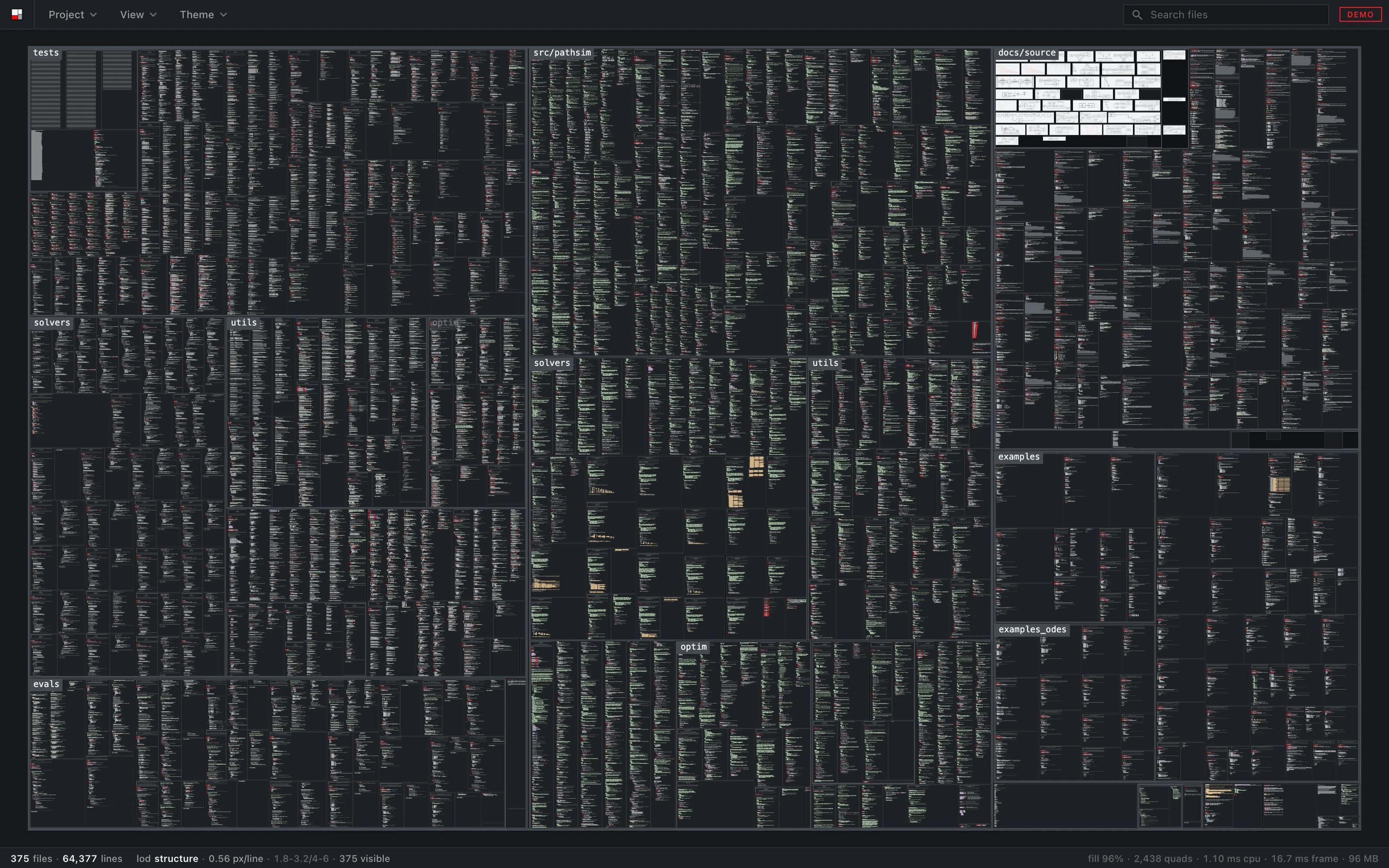
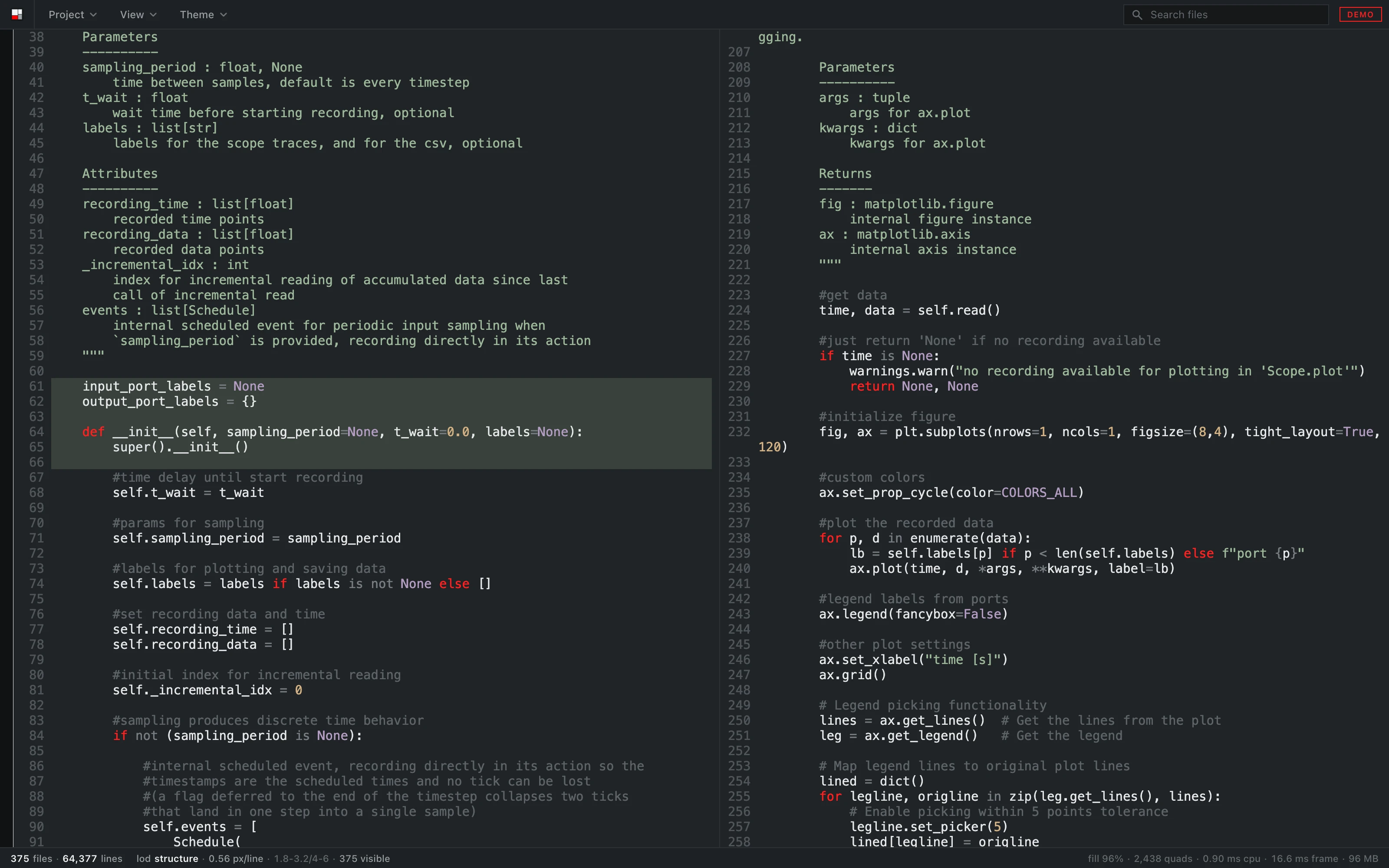
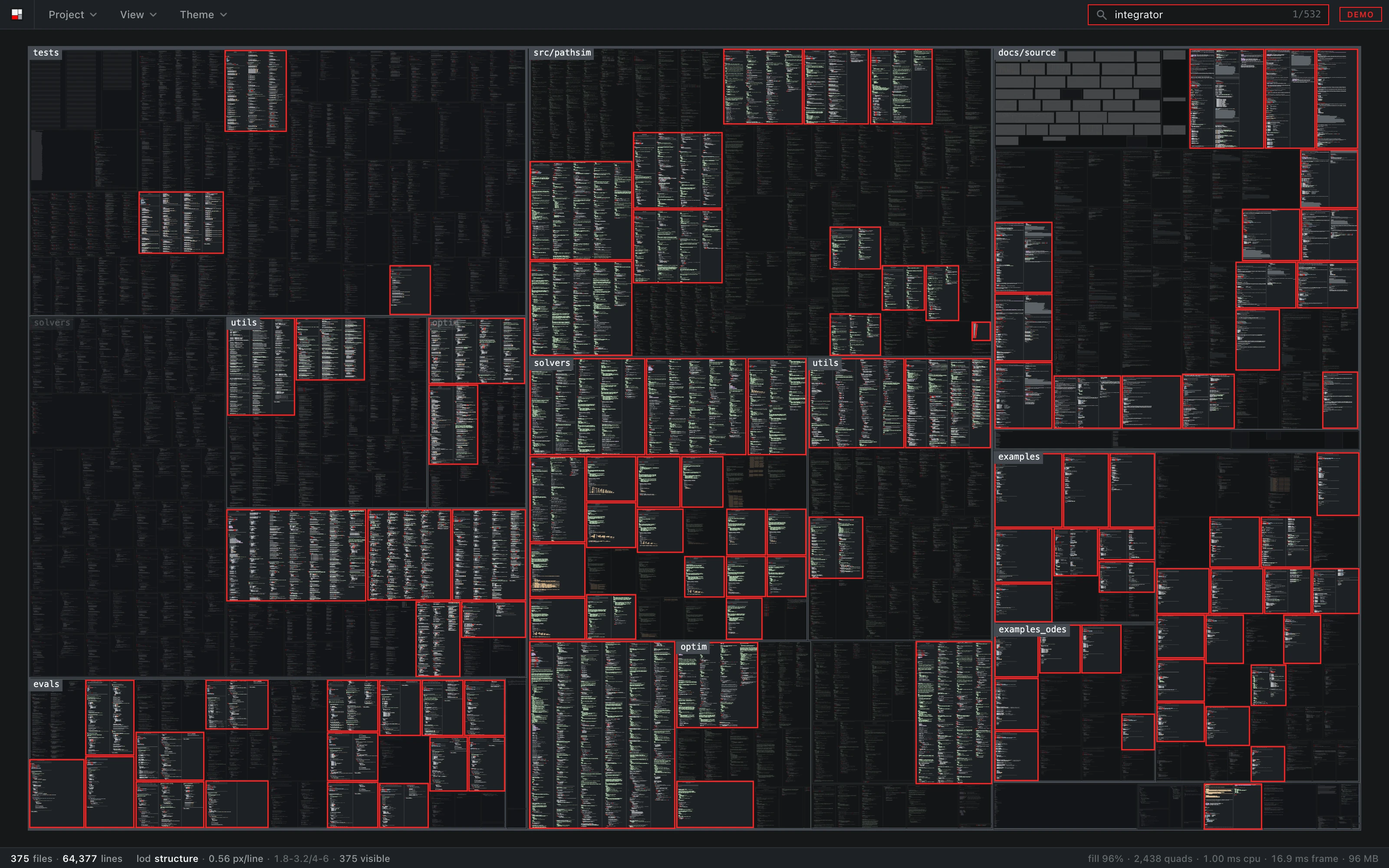
sanity opens a folder and shows every file in it at once, as read-only panels on one zoomable canvas, grouped by directory. Zoomed out you see the structure of the project, zoomed in you read the code. When a file changes on disk, its panel flashes and the changed lines are marked.
It is a monitor. It runs next to the agent interface while coding agents work in a repository, so you can see which files they touch, where those sit in the tree, and zoom in to read what changed. It also plays the repository's git history the same way, one commit at a time.
Try it in the browser with a few public repositories, no install: sanity.milanrother.com
Install
Releases have a .dmg for
macOS (Intel and Apple Silicon) and an installer for Windows. The builds are
not signed yet. On macOS, right click the app and choose Open the first time.
On Windows, click More info, then Run anyway.
Usage
sanity /path/to/repo
Or open a folder from the Project menu.
- Space or
ffits the whole project, a double click fits a panel. /jumps to search, over file names and contents. Enter goes to the next hit, Escape clears.- The left and right arrow keys, or
[and], step through the git history. - Clicking a panel header opens the file in
$SANITY_EDITOR,$VISUAL,$EDITORor the system default. - Right click exports the view or the whole project as a 4K PNG.
- The Files menu sets which file types are shown and whether files ignored by git are listed. The View menu sets whether files are coloured by language, whether directories are named over the canvas, whether documents show all their pages, and whether each step through the history fits the whole project. The Theme menu has eight themes.
Watching changes
The folder is watched while it is open. When a file is saved, its panel flashes, the lines that were removed flash red and disappear, and the lines that were added come in green. A new file fades in where the layout puts it, and a deleted one fades out in red. When several files change at once, a commit, a formatter or a save of all open files, they start one after another across the canvas, so you can follow where it went.
The bands are drawn at every zoom level, so even with the whole project on
screen you can see where in a file the change was. A file that is rewritten
with the same content, by touch or a formatter with nothing to do, does not
flash. Moving or renaming a directory is picked up as its files moving.
History
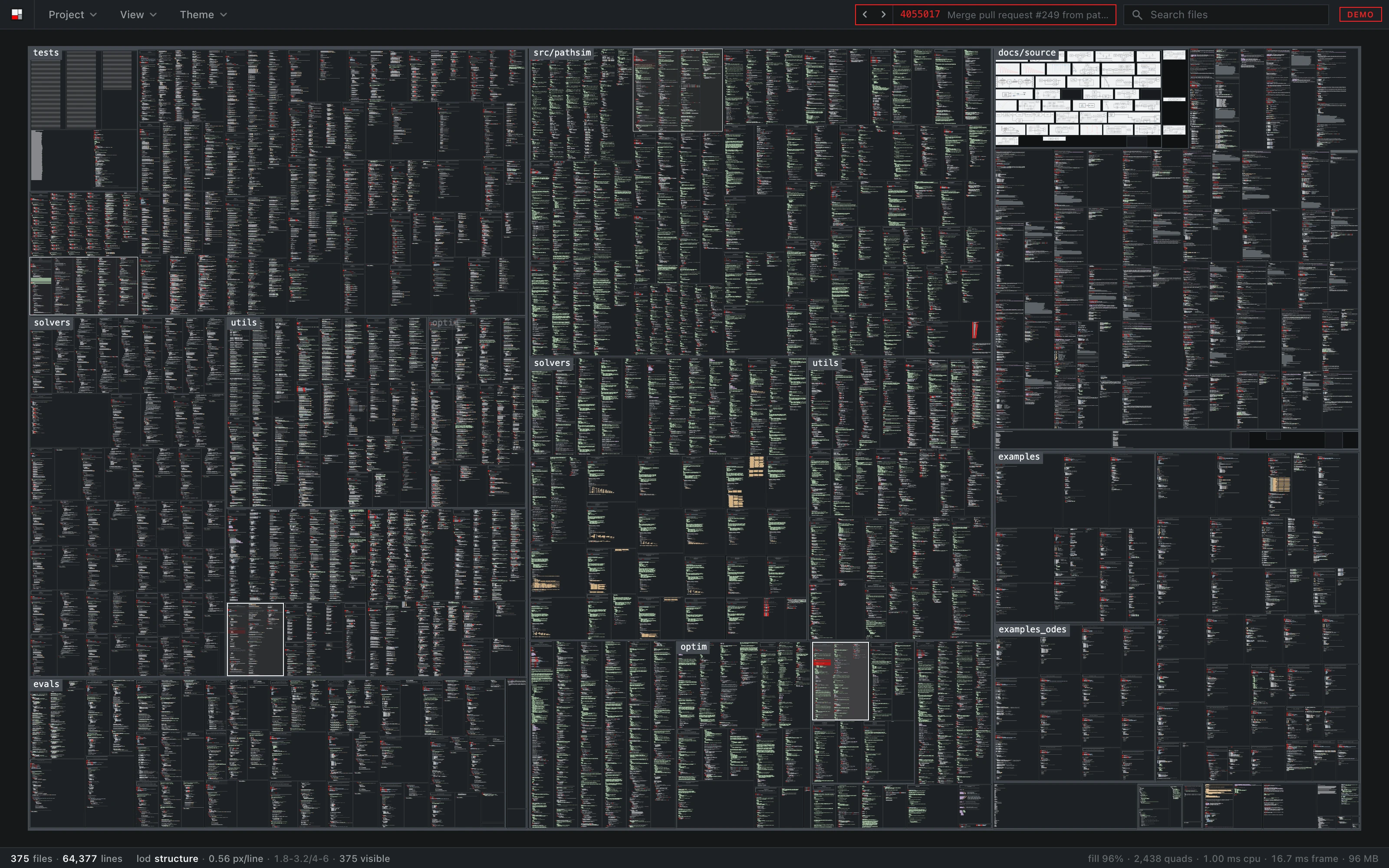
In a git repository a ticker appears next to the search field. Its arrows, the
arrow keys, or [ and ], step through the commits, newest first. Each step is played like
a save: the lines the commit removed flash red, the ones it added flash green,
files it deleted fade out and files it created fade in. Stepping back plays
the same commit in reverse. Clicking the commit id returns to the present.
Right click, Export history, renders the replay to an MP4: from the oldest commit to the newest in the length you set, several commits a step when there are more than fit, with each commit's date, id and subject along the bottom.
Each commit is laid out for the files it has, so there are no empty places for files that come later or went earlier. When a step adds or removes files, the panels slide to their new places, and by default the view fits the whole project again. The working tree is never touched; the contents come out of git's object store, and the watcher keeps running in the background, so returning to the present shows the folder as it is.
What it shows
- Source files with syntax highlighting for 16 languages (tree-sitter), plus Verilog-A and SPICE.
- Jupyter notebooks as their cells rather than as JSON.
- Images, SVGs and PDFs as panels in their own proportions. A PDF shows its first page, or all of its pages with Show every page in the View menu, rendered the same way on every platform.
- Files ignored by git are left out, or listed as placeholders if you switch them on.
It draws only when something changes, so it uses no CPU while idle, and it stays usable up to around 100,000 files.
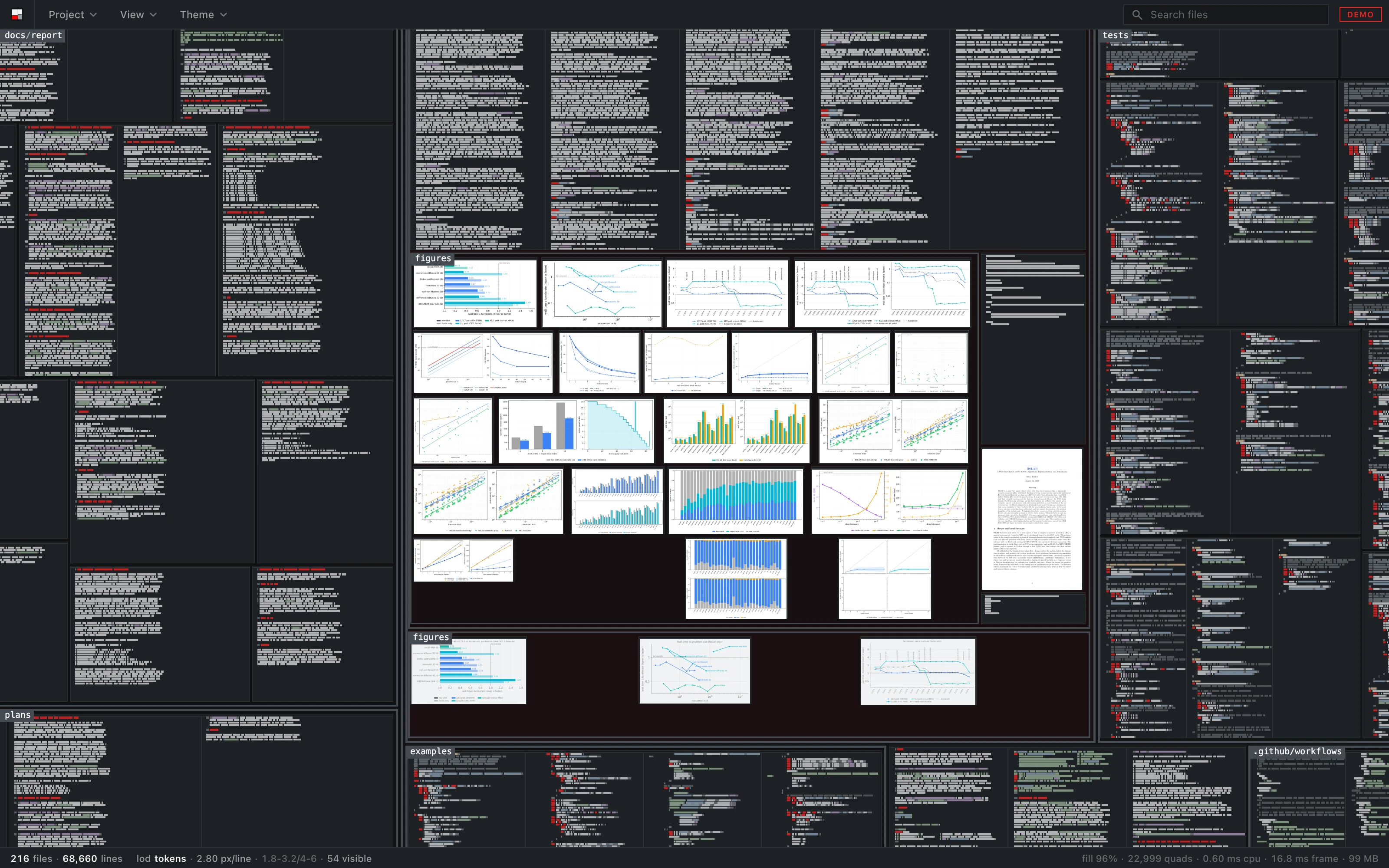
Search covers file names and the text of every file. Matching panels stay lit, the rest dims, matching lines are banded, and Enter walks through the hits.
Building
npm ci && npm ci --prefix web
npm run app            # development build
npm run app:build      # release bundle
The web demo is the same app reading pre-built dumps of public repositories over HTTP:
npm run demo           # clone and dump the demo repositories
npm run dev            # http://localhost:5183
The pictures in this README are made by npm run readme-shots, against the
dev server.
Checks
npm run check-all
Type checks, clippy, the TypeScript and Rust tests, and a set of scripts in
web/scripts that open the app in a real browser and check what it draws:
layout, text, pictures, change cues, performance, themes and more.
Repository
crates/sanity-core     scanning, tokenising, git history, the wire format
crates/sanity-watch    watching the folder, debounced into batches
src-tauri              the desktop shell
web/src/lib/canvas     layout and the WebGL2 renderer
web/src/lib/ui         interface components
web/scripts            browser checks and the README pictures
Design decisions and measurements are in the issues.
Licence
MIT, see LICENSE.
Contributors

184 commits
Similar repos


Languages
TypeScript
49.4%
JavaScript
21.2%
Rust
21.1%
Svelte
6.0%
CSS
1.8%
Structural overview of a repository: every non-ignored file as a read-only panel on a zoomable canvas
See the codeSee what people are saying
README
sanity opens a folder and shows every file in it at once, as read-only panels on one zoomable canvas, grouped by directory. Zoomed out you see the structure of the project, zoomed in you read the code. When a file changes on disk, its panel flashes and the changed lines are marked.
It is a monitor. It runs next to the agent interface while coding agents work in a repository, so you can see which files they touch, where those sit in the tree, and zoom in to read what changed. It also plays the repository's git history the same way, one commit at a time.
Try it in the browser with a few public repositories, no install: sanity.milanrother.com
Install
Releases have a .dmg for
macOS (Intel and Apple Silicon) and an installer for Windows. The builds are
not signed yet. On macOS, right click the app and choose Open the first time.
On Windows, click More info, then Run anyway.
Usage
sanity /path/to/repo
Or open a folder from the Project menu.
- Space or
ffits the whole project, a double click fits a panel. /jumps to search, over file names and contents. Enter goes to the next hit, Escape clears.- The left and right arrow keys, or
[and], step through the git history. - Clicking a panel header opens the file in
$SANITY_EDITOR,$VISUAL,$EDITORor the system default. - Right click exports the view or the whole project as a 4K PNG.
- The Files menu sets which file types are shown and whether files ignored by git are listed. The View menu sets whether files are coloured by language, whether directories are named over the canvas, whether documents show all their pages, and whether each step through the history fits the whole project. The Theme menu has eight themes.
Watching changes
The folder is watched while it is open. When a file is saved, its panel flashes, the lines that were removed flash red and disappear, and the lines that were added come in green. A new file fades in where the layout puts it, and a deleted one fades out in red. When several files change at once, a commit, a formatter or a save of all open files, they start one after another across the canvas, so you can follow where it went.
The bands are drawn at every zoom level, so even with the whole project on
screen you can see where in a file the change was. A file that is rewritten
with the same content, by touch or a formatter with nothing to do, does not
flash. Moving or renaming a directory is picked up as its files moving.
History
In a git repository a ticker appears next to the search field. Its arrows, the
arrow keys, or [ and ], step through the commits, newest first. Each step is played like
a save: the lines the commit removed flash red, the ones it added flash green,
files it deleted fade out and files it created fade in. Stepping back plays
the same commit in reverse. Clicking the commit id returns to the present.
Right click, Export history, renders the replay to an MP4: from the oldest commit to the newest in the length you set, several commits a step when there are more than fit, with each commit's date, id and subject along the bottom.
Each commit is laid out for the files it has, so there are no empty places for files that come later or went earlier. When a step adds or removes files, the panels slide to their new places, and by default the view fits the whole project again. The working tree is never touched; the contents come out of git's object store, and the watcher keeps running in the background, so returning to the present shows the folder as it is.
What it shows
- Source files with syntax highlighting for 16 languages (tree-sitter), plus Verilog-A and SPICE.
- Jupyter notebooks as their cells rather than as JSON.
- Images, SVGs and PDFs as panels in their own proportions. A PDF shows its first page, or all of its pages with Show every page in the View menu, rendered the same way on every platform.
- Files ignored by git are left out, or listed as placeholders if you switch them on.
It draws only when something changes, so it uses no CPU while idle, and it stays usable up to around 100,000 files.
Search covers file names and the text of every file. Matching panels stay lit, the rest dims, matching lines are banded, and Enter walks through the hits.
Building
npm ci && npm ci --prefix web
npm run app            # development build
npm run app:build      # release bundle
The web demo is the same app reading pre-built dumps of public repositories over HTTP:
npm run demo           # clone and dump the demo repositories
npm run dev            # http://localhost:5183
The pictures in this README are made by npm run readme-shots, against the
dev server.
Checks
npm run check-all
Type checks, clippy, the TypeScript and Rust tests, and a set of scripts in
web/scripts that open the app in a real browser and check what it draws:
layout, text, pictures, change cues, performance, themes and more.
Repository
crates/sanity-core     scanning, tokenising, git history, the wire format
crates/sanity-watch    watching the folder, debounced into batches
src-tauri              the desktop shell
web/src/lib/canvas     layout and the WebGL2 renderer
web/src/lib/ui         interface components
web/scripts            browser checks and the README pictures
Design decisions and measurements are in the issues.
Licence
MIT, see LICENSE.
Similar repos
Contributors
184 commits
Languages
TypeScript
49.4%
JavaScript
21.2%
Rust
21.1%
Svelte
6.0%
CSS
1.8%