Apple Silicon Guide. Learn all about the A17 Pro, A16 Bionic, R1, M1-series, M2-series, and M3-series chips. Along with all the Devices, Operating Systems, Tools, Gaming, and Software that Apple Silicon powers.
Swift
1,894
392 commits
updated Jun 27, 2025

Note: You can easily convert this markdown file to a PDF in VSCode using this handy extension Markdown PDF.
Apple M3/M3 Pro/M3 Max/M3 Ultra Architectures.
Apple M2/M2 Pro/M2 Max/M2 Ultra Architecture.

Apple M1/M1 Pro/M1 Max/M1 Ultra Architectures.
Does it ARM? Apps that are reported to support Apple Silicon
M1 Parallels Windows compatible games list | AppleGamingWiki
Games and Apps on Apple Silicon (Compatibility Sheet) by Thomas Schranz(@__tosh on Twitter)
DevToysMac is the mac app version of DevToys for Windows.
asitop is a Performance monitoring CLI tool for Apple Silicon.
macOS Security and Privacy Guide is a collection of techniques for improving the security and privacy of a modern MacBook running a recent version of macOS.
macOS Security Compliance Project is an open source effort to provide a programmatic approach to generating security guidance. The configuration settings in this document were derived from National Institute of Standards and Technology (NIST) Special Publication (SP) 800-53, Security and Privacy Controls for Information Systems and Organizations, Revision 5.
Apple Hypervisor is a framework that builds virtualization solutions on top of a lightweight hypervisor, without third-party kernel extensions. Hypervisor provides C APIs so you can interact with virtualization technologies in user space, without writing kernel extensions (KEXTs). As a result, the apps you create using this framework are suitable for distribution on the Mac App Store.
Apple A-series is Apple's 64-bit ARM-based system on a chip (SoC) used in their iPhones and iPads. Though, at WWDC 2020 it was announced that Apple Silicon would transition into Mac laptops.
A17 Pro is built on new 3nm architecture. It has 6-CPU cores, with the 2-performance cores 10% faster and the 4-efficiency cores significantly more efficient. Along with a 6-core GPU that is 20 percent faster than the A16 Bionic(iPhone 15 & 15 Plus models). The Neural Engine, will be almost twice as fast as the A16 Bionic. Apple has also added hardware-accelerate ray-tracing to the A17 Pro GPU. The A17 Pro chip is available in the iPhone 15 Pro and 15 Pro Max.
Apple A17 Pro Architecture. Image Credit: Apple

A16 Bionic Chip is Apple's first 4nm SoC for iPhone 14 Pro & Max with a 6-core CPU has two performance cores and 4 high-efficiency cores. Along with a 5-core GPU and 16-core neural engine.

A16 Bionic Chip Architecture

H2 Chip is Apple's SoC for the AiPods Pro that facilitates stronger(2x more) active noise cancellation, personalized spatial audio, and better performance during phone calls.

H2 chip powering the AirPods Pro. Credit: Apple
The S9 chip has 60% more transistors in its CPU than the Series 8, and 30% more in its GPU. Along with neural engine boosting on-device processing for Siri requests, including 25% faster voice dictation in the Apple Watch Series 9.
S9 Chip for Apple Watch Series 9. Image Credit: Apple

U1 Ultra Wideband (UWB) chip is an Apple-designed silicon chip that has Ultra Wideband technology for spatial awareness. The U1 chip enables directional AirDrop functionality.
Apple devices with the U1 chip

U1 Chip Die
The R1 chip is dedicated toward real-time sensor processing, taking the input from 12 cameras, five sensors (including a LIDAR sensor) and six microphones on the Vision Pro headset.
R1 & M2 chips in the Vision Pro Headset

Apple M1 Chip is Apple's first SoC chip designed specifically for their ARM Mac products, it delivers incredible performance(8-core CPU and 8-core GPU), custom technologies, and great power efficiency. The M1 Chip is now available for Macbook Pro 13 with M1, Macbook Air 13 with M1, Mac Mini with M1, iPad Pro, and iPad Air.

M1 Chip. Source: Apple

Apple M1 Pro Chip is a 8 or 10-core system-on-a-chip (SoC) architecture designed for pro systems in the MacBook Pro 14”. The chip features fast unified memory, industry-leading performance per watt, and incredible power efficiency, along with increased memory bandwidth and capacity. The M1 Pro offers up to 200GB/s of memory bandwidth with support for up to 32GB of unified memory and a GPU (14-core or 16-core option).

M1 Pro Chip. Source: Apple

Apple M1 Max Chip is a 10-core system-on-a-chip (SoC) architecture designed for pro systems in the MacBook Pro 16”. The chip features fast unified memory, industry-leading performance per watt, and incredible power efficiency, along with increased memory bandwidth and capacity. The M1 Pro offers up to 400GB/s of memory bandwidth with support for up to 64GB of unified memory and a GPU (16-core or 32-core option).

M1 Max Chip. Source: Apple

M1/ M1 Pro/ M1 Max CPU Performance. Source: Apple

M1/ M1 Pro/ M1 Max GPU Performance. Source: Apple

Apple M1 Ultra Chip is a Apple's most powerful silicon chip in their M1-series lineup. The M1 Ultra is composed of two M1 Max chips that are connected together using Apple's UltraFusion Architecture packaging. This means the M1 Ultra can be configured with up to 128GB of high-bandwidth, low-latency unified memory that can be accessed by the 20-core CPU, 64-core GPU (800GB/s memory bandwidth), and 32-core Neural Engine. The M1 Ultra is currently available in Apple's Mac Studio.

M1 Ultra Chip. Source: Apple

M1 Ultra CPU Performance. Source: Apple

M1 Ultra GPU Performance. Source: Apple

Apple M2 Chip has a 18% faster CPU, 35% faster GPU, and 40% faster Neural Engine than the base M1 chip. It can be configured with up to 24GB of high-bandwidth, low-latency unified memory that can be accessed by the 8-core CPU, 10-core GPU (100GB/s memory bandwidth), and 16-core Neural Engine. The M2 will be available in Apple's new MacBook Air, MacBook Pro 13" with old design, and iPad Pro with M2 .

M2. Source: Apple

M2 CPU Performance. Source: Apple

M2 GPU Performance. Source: Apple

M1 vs M2. Source: Apple

M2 Gaming Performance. Source: Apple

M2 Image Processing Performance. Source: Apple

M2 Video editing Performance. Source: Apple

M2 Image filters & Effects Performance. Source: Apple

Apple M2 Pro Chip has a 20% faster CPU, 30% faster GPU, and 40% faster Neural Engine than the base M1 Pro chip. It can be configured with up to 32GB of high-bandwidth, low-latency unified memory that can be accessed by the 12-core CPU, 19-core GPU (200GB/s memory bandwidth), and 16-core Neural Engine. The M2 Pro will be available in Apple's MacBook Pro 14", MacBook Pro 16", and Mac mini.
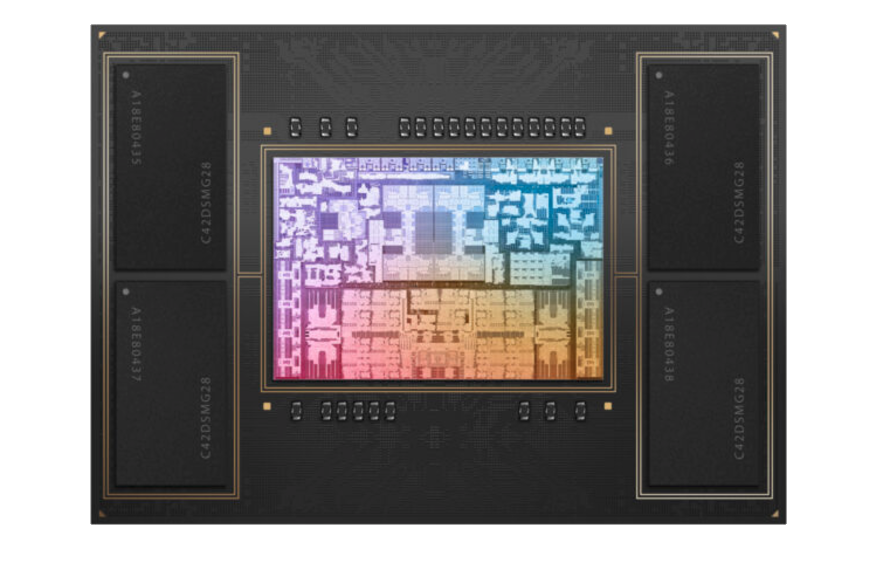
M2 Pro Chip. Image Credit: Apple

Apple M2 Max Chip is a Apple's most powerful silicon chip in their M2-series for right now. The M2 has a 20% faster CPU, 30% faster GPU, and 40% faster Neural Engine than the base M1 Max chip. It can be configured with up to 96GB of high-bandwidth, low-latency unified memory that can be accessed by the 12-core CPU, 38-core GPU (400GB/s memory bandwidth), and 16-core Neural Engine. The M2 Max will be available in Apple's MacBook Pro 14", MacBook Pro 16", and Mac mini.

M2 Max Chip. Image Credit: Apple

The M2 Ultra is composed of two M2 Max chips that are connected together using Apple's UltraFusion Architecture packaging.
The M2 Ultra can be configured with up to 192GB of high-bandwidth, low-latency unified memory that can be accessed by the 24-core CPU, 76-core GPU (800GB/s memory bandwidth), and 32-core Neural Engine. The M2 Ultra is available for the Mac Studio and Mac Pro.
Apple M3 Chip has a 35% faster CPU, 65% faster GPU, and 40% faster Neural Engine than the base M1 chip. It can be configured with up to 24GB of high-bandwidth, low-latency unified memory that can be accessed by the 8-core CPU (4 high-performance and 4 energy-efficient), 10-core GPU (100GB/s memory bandwidth), and 16-core Neural Engine. Available in the MacBook Pro 14” and iMac.
M3 Chip Architecture. Image Credit: Apple
M3 Chip Family efficiency cores performance. Image Credit: Apple
M3 Chip Family Neural Engine performance. Image Credit: Apple
Apple M3 Pro Chip has a 30% faster CPU, 40% faster GPU, and 40% faster Neural Engine than the base M1 Pro chip. It can be configured with up to 36GB of high-bandwidth, low-latency unified memory that can be accessed by the 12-core CPU (6 high-performance and 6 energy-efficient), 18-core GPU (150GB/s memory bandwidth), and 16-core Neural Engine. Available in the MacBook Pro 14” and MacBook Pro 16”.
M3 Pro Chip Architecture. Image Credit: Apple
Apple M3 Max Chip has a 80% faster CPU, 50% faster GPU, and 40% faster Neural Engine than the base M1 Max chip. It can be configured with up to 128GB of high-bandwidth, low-latency unified memory that can be accessed by the 16-core CPU (12 high-performance and 4 energy-efficient), 40-core GPU (400GB/s memory bandwidth), and 16-core Neural Engine. Available in the MacBook Pro 14” and MacBook Pro 16”.
M3 Max Chip Architecture. Image Credit: Apple
Apple M3 Ultra Chip is a Apple's most powerful silicon chip in their M3-series lineup. The M3 Ultra is composed of two M3 Max chips that are connected together using Apple's UltraFusion Architecture packaging. This means the M1 Ultra can be configured with up to 256GB of high-bandwidth, low-latency unified memory that can be accessed by the 32-core CPU (24 high-performance and 8 energy-efficient), 80-core GPU (800GB/s memory bandwidth), and 32-core Neural Engine.
M3 Ultra Chip Architecture.
Important Terms to Know
Vision Pro Headset. Image Credit: Apple
Vision Pro Headset with battery pack. Image Credit: Apple
R1 & M2 chips in the Vision Pro Headset. Image Credit: Apple
visionOS. Image Credit: Apple
visionOS Resources
Apple Vision Pro Headset Specs:
OLEDoS (OLED on Silicon) is a display panel that typically has a diagonal length of less than 1 inch and meets the 3000 ppi-4000 ppi resolution criteria of AR/VR device displays. Existing OLED displays use Low-Temperature-Poly-Silicon (LTPS) or Oxide TFT based on glass substrates. OLEDoS uses silicon-wafer-based CMOS substrates. Using silicon substrates, ultra-fine circuit structures typically used in semiconductor processes can be reproduced, which in turn lead to the creation of ultra-high-resolution OLEDs when organic matter is deposited on them.
LG and Sony OLEDoS Display Specs:

OLEDoS: Solution for ultra-high resolution
Credit: LG

Specs for OLED and OLEDoS
Credit: Sony

MetalFX Rendering. Image Credit: Apple

Devices powered by Apple Silicon.
macOS is an advanced desktop operating system (OS) for Apple's series of desktops and laptops.
macOS Sonoma. Source: Apple
These are the Mac computers compatible with macOS Sonoma:
iOS is an advanced mobile operating system (OS) for Apple's series of iPhone products.
iOS 17. Source: Apple
iPadOS is an advanced mobile operating system (OS) for Apple's series of iPad products.
iPadOS 17. Source: Apple
watchOS is an advanced mobile operating system (OS) for Apple's series of Watch products.
watchOS 10. Source: Apple
tvOS is an advanced mobile operating system (OS) for Apple's series of TV streaming devices.
tvOS. Source: Apple
visionOS is Apple's iOS-like operating system for their upcoming AR/VR (Augmented Reality/Virtual Reality) headset powered by Apple's Silicon M2 and R1 chips. It will have an App Store with apps that include mixed-reality versions of their core Apple apps like Messages, FaceTime, Maps, and AR/VR games from Apple Arcade. Along with features such as Memojis and SharePlay that could be central to the user experience.
visionOS. Image Credit: Apple

Homebrew is the missing Package Manager for your macOS, Linux, and Windows 10 (with Windows Subsystem for Linux (WSL)) system. Homebrew is an essential tool for any developer/engineer.

MacPorts Project is an open-source community initiative to design an easy-to-use system for compiling, installing, and upgrading either command-line, X11 or Aqua based open-source software on macOS.
Nix package manager is a cross-platform package manager that utilizes a purely functional deployment model where software is installed into unique directories generated through cryptographic hashes. Choose from Thousands of Packages The Nix Packages collection (Nixpkgs) is a set of over 80 000 packages for the Nix package manager.
/etc/nixos/configuration.nix for macOS.Multi-user installation on macOS:
$ sh <(curl -L https://nixos.org/nix/install)
Note: Nix will install all it's packages within /nix/store.
Note 2: You may need to source the nix profile at this point.
source /nix/var/nix/profiles/default/etc/profile.d/nix-daemon.sh
source /nix/var/nix/profiles/default/etc/profile.d/nix.sh
Signal is a state-of-the-art end-to-end encryption (powered by the open source Signal Protocol) messaging app that keeps your conversations secure.

Signal
NordVPN is a VPN service and the flagship product of the cybersecurity company Nord Security. It's available for wireless routers, NAS devices, and other platforms.

NordVPN
WireGuard is a fast, open-source, and secure VPN tunnel. WireGuard allows users to manage and use WireGuard tunnels. The app can import new tunnels from archives and files, from QR codes, or you can create one from scratch.

WireGuard
Tailscale is a open-source mesh VPN alternative built on WireGuard® that makes it easy to connect your devices. It includes features like automatic key rotation, NAT traversal, and single sign-on with two-factor authentication.

Tailscale
BitWarden is a free and open-source password management service that stores sensitive information such as website credentials(logins and passwords) in an encrypted vault while conveniently keeping them synced between all of your devices.

BitWarden
1Blocker is a fast, secure, and robust tool for iPhone, iPad, and Mac that empowers users to put a stop to invasive online content.

1Blocker
Matrix is a client tool that gives you simple HTTP APIs and SDKs (iOS, Android, Web) to create chatrooms, direct chats and chat bots, complete with end-to-end encryption, file transfer, synchronized conversation history, formatted messages, read receipts and more.

Matrix
Element is a Matrix web client built using the Matrix React SDK. It is a robust and reliable hosting service for fast, secure real time communication.

Element
Nextcloud is a suite of client-server software for creating and using file hosting services. It offers an on-premise Universal File Access and sync platform with powerful collaboration capabilities and desktop, mobile and web interfaces.

Nextcloud
Synology is a tool that allows you to easily access and manage files in your Synology Drive on the go. Apart from common file types, such as documents, images, videos and music, you can also open Synology Office document, spreadsheets and slides in the user-friendly viewer provided by Drive.

Synology
Adobe Lightroom Photo Editor is a free, powerful photo & video editor and camera app that empowers you to capture and edit stunning images. It offers photo & video editing tools like sliders to retouch your images, apply photo filters, fine-tune backgrounds, and use transformative presets to quickly add unique adjustments.

Adobe Lightroom Photo Editor
Things is an app that helps you plan your day, manage your projects, and make real progress toward your goals.

Things
Airbuddy 2 is a utility that let's you simply open your AirPods case next to your Mac and see the current status right away, just like how it works on your iPhone. A single click gets you connected, a swipe down lets you connect and change listenings modes at the same time. It has a fully customizable battery alerts help you keep track of your device's batteries.

Airbuddy 2
Fantastical 3 is a calendar app that works seamlessly across your Mac, iPad, iPhone, and Apple Watch.

Fantastical 3
Bartender is an app for macOS that superpowers your menu bar, giving you total control over your menu bar items, what's displayed, and when, with menu bar items only showing when you need them. It improves your workflow with quick reveal, search, custom hotkeys and triggers, and lots more.

Bartender menu bar tray

Bartender Settings
Magnet is an app that keeps your workspace organized. magnet is activated by dragging, customizable keyboard shortcuts or via menu bar, it declutters your screen by snapping windows into organized tiles.

Magnet
AltTab is an app that brings the power of Windows’s “alt-tab” window switcher to macOS.

AltTab
MonitorControl is an app that controls your external display brightness and volume and shows native OSD. Use menulet sliders or the keyboard, including native Apple keys.

MonitorControl
WebCatalog is an app that turns any Website into Real Desktop Apps.

WebCatalog
Maccy is a lightweight clipboard manager for macOS. It keeps the history of what you copy and lets you quickly navigate, search, and use previous clipboard contents.

Maccy clipboard manager
Daisydisk is a utility that provides a visual breakdown of your disk space in form of an interactive map, reveal the biggest space wasters, and remove them with a simple drag and drop. It supports all kinds of local drives, as well as the most popular cloud disks.

Daisydisk
Page screenshot for Safari is an awesome extension, just a click away, ready to use every time you need to capture a webpage screenshot, either the full page or just part of it. Along with your pictures will also automatically open in Preview for easy editing (annotations, blurring sensitive info, printing, drawing, sharing).

Page screenshot for Safari
Paste is a Clipboard manager for Mac, iPhone, and iPad.

Paste
PasteBot is an indispensable tool to improve your productivity. It quickly recalls clippings that you have copied before and apply powerful text filters to format before pasting. Queue up multiple clippings to paste in sequence.

PasteBot
Speedcut is a tool that lets your remove backgrounds from photos straight from your Mac's menu bar.

Speedcut
Pulse is a powerful logging system for Apple Platforms builtin in SwiftUI. It allows you to record and inspect logs and URLSession network requests right from your iOS app. Shared logs and view them in Pulse Pro or use remote logging to see them in real-time. Logs are stored locally and never leave your devices.
p align="center">

Pulse
Cleaner One Pro is an all-in-one Mac Master Cleaner App. It can optimize your disk usage, free up space on your Mac, keep the hard drive clean, remove duplicate photos and other files, manage your apps, and much more.

Cleaner One Pro
Yabai is a window management utility that is designed to work as an extension to the built-in window manager of macOS.

Bear is a Private Markdown Editor for iPhone, iPad and Mac. It uses todos to stay on task across every device. Organize easily Link notes to each other to build a body of work. Add hashtags to organize the way you think. Use Face/Touch ID to protect sensitive notes.

Bear
Obsidian is a powerful knowledge base that works on top of a local folder of plain text Markdown files. It comes with 25 core plugins, 638 community plugins, and 130 themes, plus custom styling, you can tweak Obsidian to work and look exactly how you want it.

Obsidian
MarkText is a simple and elegant open-source markdown editor that focused on speed and usability.

MarkText
1Focus is an App and Website Blocker to keep you focused on your work. Block specific apps such as email, games or unsupported web browsers. Also, block internet access by blocking the installed web browsers and the App Store.

1Focus
Harvest is an easy Time Tracking Software With Invoicing. It creates a project Create entries for your projects and tasks, or import them via one of our integrations.

Harvest
MindNode is a map and brainstorming tool that lets you capture, organize, style and share your thoughts. Capture your thoughts Organize your ideas Style your mind map Discreetly Powerful All the features you need.

MindNode
Unclutter is a 3-in-1 productivity app to power up your efficiency and comfort on Mac during the day. It's a smart and super handy place on your desktop for storing notes, files and pasteboard clips.

Unclutter
Warp terminal is a blazingly fast, rust-based terminal reimagined from the ground up to work like a modern app.

Warp
Jettison is a tool that automatically ejects external disks from your Mac before your computer goes to sleep. Simply close the lid of your MacBook and Jettison will automatically eject your backup drive, iPod, or whatever is connected so you can safely unplug it.

Jettison
Numi is a calculator that magically combines calculations with text, and allows you to freely share your computations. Numi combines text editor and calculator Support plain English.

NuMi
Dropzone is a productivity app for the Mac that makes it faster and easier to move and copy files, launch applications, upload to many different services, and more.

Dropzone
System Color Picker is the macOS color picker as an app with lots of extra features.

System Color Picker
Raycast is a blazingly fast, totally extendable launcher. It lets you complete tasks, calculate, share common links, and much more.

Tinkertool is an application that gives you access to additional preference settings Apple has built into MacOS. This allows to activate hidden features in the operating system and in some of the applications delivered with the system.

Tinkertool
App Cleaner is an application that uninstall/remove applications from Mac entirely with all their preferences, caches and other bits and pieces.

App Cleaner
Infuse is a Video Player for iOS, Apple TV, and Mac. It plays every video file ever created to avoid wasting hours converting and transcoding files.

Infuse Video Player
Note: While Safari is a great browser that comes included on all Apple devices. It may not have all the extensions you need for your workflow so I recommend checking out the several great options below.
Mozilla Firefox is a free and open-source web browser developed by the Mozilla Foundation.

Firefox
Brave is a fast, private and secure web browser for PC, Mac and mobile. It comes with Brave Search, which is a private search engine that puts you first, not big tech for those that don't want to use Google Search.

Brave
Ungoogled-Chromium is a lightweight approach to removing Google web service dependency.

Ungoogled-Chromium
Vivaldi is a fast, private and secure web browser for PC, Mac and mobile. It comes with built-in features like Notes, Screen Capture, Image Properties and (a lot) more.

Vivaldi
Ghostery Dawn is a fast, private and secure web browser for PC, Mac and mobile. It comes with the complete Ghostery Privacy Suite including Ghostery Glow a private search engine that does not log your search history, which means you get served objective results, not results that are filtered by the likelihood you’ll click on them.

Ghostery Dawn
DuckDuckGo Privacy Browser is a fast, private and secure web browser for MacOS and mobile(iOS and Android).

DuckDuckGo
UBlock Origin is a free and open-source, cross-platform browser extension for content filtering primarily aimed at neutralizing privacy invasion in an efficient, user-friendly method.
Privacy Badger is a browser extension that automatically learns to block invisible trackers.
DuckDuckGo Privacy Essentials is an extension that seamlessly helps prevent your personal information from being exposed during everyday online activity.
Ghostery is a comprehensive privacy protection Ad Blocker browser extension.
HTTPS Everywhere is an extension created by EFF and the Tor Project which automatically switches thousands of sites from insecure "http" to secure "https".
CleanURLs is an extension will automatically remove tracking elements from URLs to help protect your privacy when browsing through the Internet.
PixelBlock is an Gmail extension that blocks email tracking attempts used to detect when you open and read emails.
Sitejabber is an extension for consumers to find trustworthy online businesses and avoid scams.
1Password is a password manager that provides a place for users to store various passwords, software licenses, and other sensitive information in a virtual vault that is locked with a PBKDF2-guarded master password.
Bitwarden is a free and open-source password management service that stores sensitive information such as website credentials in an encrypted vault.
Guardio is a lightweight extension designed to help you browse quickly and securely. It will clean your browser, speed it up, and protect your private information.
OneTab is an extension that converts your tabs to a list and speeds up your browser.


OnlyOffice is a secure offline/online office suite highly compatible with MS Office formats for Windows, Mac and Linux.

OnlyOffice
FreeOffice is a secure office suite highly compatible with MS Office formats for Windows, Mac and Linux.

FreeOffice
LibreOffice is a free and open-source office productivity software suite similar to Microsoft Office.

LibreOffice
Universal Control is a software feature for Apple devices such as MacBooks and iPads that makes it possible to use a single keyboard, mouse, and trackpad with your Mac and iPad as long as they're side-by-side. Much like SideCar, there are limited settings for Universal Control. Without a second device connected, you can go to System Preferences -> Displays and click Advanced to pull up Universal Control settings. If a device is already connected, you'll have to go to Displays -> Display Settings -> Advanced.

Bluetooth, Wi-Fi, and Handoff must be enabled on each device, and they must be within 30 feet. If you prefer to use Universal Control wired, the devices can be connected via USB and you must trust your Mac on your iPad. At the moment, Apple does not mention support for Ethernet but we will test this ourselves during the beta period.
You must also have supported devices. Apple says supported devices include:

Stage Manager is an iPadOS feature that provides better support for external displays. Stage Manager allows the iPad Air(M1 chip) and iPad Pro(M1 chip):

Syncthing is a continuous file synchronization program. It synchronizes files between two or more computers in real time.
Seafile is an open source file sync&share solution designed for high reliability, performance and productivity. Sync, share and collaborate across devices and teams.
Synology is a tool that allows you to easily access and manage files in your Synology Drive on the go. Apart from common file types, such as documents, images, videos and music, you can also open Synology Office document, spreadsheets and slides in the user-friendly viewer provided by Drive.
Nextcloud is a suite of client-server software for creating and using file hosting services. It offers an on-premise Universal File Access and sync platform with powerful collaboration capabilities and desktop, mobile and web interfaces.
TeraCopy for Mac is a program to copy and paste large files at a high speed. The program is used for frequent file transfers, large file sizes, moving files from separate SSD drives/Hard drives.
FileRun is a self-hosted Google Drive alternative. It is a full featured web based file manager with an easy to use user interface.
FileBrowser provides a file managing interface within a specified directory and it can be used to upload, delete, preview, rename and edit your files. It allows the creation of multiple users and each user can have its own directory.
Rsync is a utility in the command line which enables users to transfer and synchronize files efficiently between a computer and an external hard drive in the entire connected network.
rsync.net is a Cloud Storage for Offsite Backup that give you an empty UNIX filesystem to access with any SSH tool. Built on ZFS for data security and fault tolerance with support for rsync/sftp/scp/borg/rclone/restic/git-annex.
Warpinator is a free, open-source tool for sending and receiving files between computers that are on the same network.
FileZilla Client is a fast and reliable cross-platform FTP, FTPS and SFTP client with lots of useful features and an intuitive graphical user interface.
WinFsp is a set of software components for Windows computers that allows the creation of user mode file systems. In this sense it is similar to FUSE (Filesystem in Userspace), which provides the same functionality on UNIX-like computers.
SSHFS-Win is a minimal port of SSHFS to Windows. Looking under the hood it uses Cygwin for the POSIX environment and WinFsp for the FUSE (Filesystem in Userspace) functionality.
RiftShare is a cross platform (Windows, MacOS, Linux) file sharing tool that supports fully encrypted transfers both on the local network and off network using a simple passphrase. RiftShare uses magic-wormhole under the hood and is compatible with other magic-wormhole clients. It is also fully open source and licensed under the GPLv3.
Usermode FTP Server is a tool that let's you start an FTP server as user and transfer files with any FTP client. Allowing you to access your files directly with many file browsers' builtin FTP support: Windows File Explorer, Thunar, Gnome Files, Dolphin and many more.
TagSpaces is a free, no vendor lock-in, open source application for organizing, annotating and managing local files with the help of tags. It features advanced note taking functionalities and some capabilities of to-do apps. It's available for Windows, Linux, Mac OS and Android.

Replacing these iCloud services:
Nextcloud is an industry-leading, on-premises content collaboration platform for file sync & share and communication server. It is fully open source and you can host it yourself or pay a company to do it for you. Also checkout the following links below:

Nexcloud login screen
Nextcloud Hub is a tool that allows you to share and collaborate on documents, send and receive email, manage your calendar and have video chats without data leaks. As fully on-premises solution, Nextcloud Hub provides the benefits of online collaboration without the compliance and security risks.

Nexcloud Hub
Nextcloud AIO (All In One) is a tool that provides easy deployment and maintenance with most features included in this one Nextcloud instance.
Features it includes:
Nextcloud Desktop Client is a tool to synchronize files from Nextcloud Server with your computer.
Nextcloud Deck is a kanban style organization tool aimed at personal planning and project organization for teams integrated with Nextcloud.
Nextcloud Files is a tool tool that allows your employees have easy access to their files, photos and documents to work and can share and collaborate with team members, customers and partners. So IT knows nobody besides those they shared with has access to those files.
Nextcloud Talk is a tool that protects your communication better than other team collaboration platforms like Microsoft Teams or Slack, making sure your data stays on your servers. It also goes further than other encrypted communication technologies by keeping even metadata from leaking.
Nextcloud Home is a tool that allows you store your documents, calendar, contacts and photos on your server at home, at one of at one Nextcloud's providers or in a data center you trust.
Nextcloud Enterprise is a service that gives professional organizations software optimized and tested for mission critical environments.
Nextcloud Outlook Integration is a tool that automatically upload files to replace large attachments or integrate Calendars and Contacts in Microsoft Outlook.
Collabora Online in Nextcloud is a powerful LibreOffice-based online office suite with collaborative editing, which supports all major document, spreadsheet and presentation file formats and works in all modern browsers.
ONLYOFFICE integration in Nextcloud is a service that empowers your users to collaborate on office documents with team members in real time. It has compatibility with Microsoft Office formats means perfect documents, every time.
Nextcloud VM(virtual machine appliance) is a set of carefully crafted family of *nix scripts, which interactively guide you through a quality-controlled installation of a Nextcloud instance for Home/SME Server and scripts for Raspberry Pi 4. It is Community developed and maintained.
Sabrent XTRM Q is a perfect SSD for all your creative pursuits: high-res photos, videos, sound files, etc. It's perfect for saving, creating and editing available in 500GB, 1TB, 2TB, and 4TB drives.
Shell Thunder is a high-performance Intel-Certified Thunderbolt 3 SSD Enclosure engineered for active cooling with smart fan technology. Shell Thunder is designed for 2280 and 2260 m.2 NVME SSDs for macOS and Windows.
Orico USB4.0 NVMe SSD Enclosure is a high-performance SSD Enclosure engineered with up to a 40Gbps transmission rate and 2 TB capacity. It supports Windows, macOS, and Linux devices.
USB-C to Lightning Cable (2 m) is cable to connect your iPhone, iPad, or iPod with Lightning connector to your USB-C or Thunderbolt 3 (USB-C) enabled Mac for syncing and charging, or to your USB-C enabled iPad for charging.
SanDisk Phone Drive (iPhone, iPad, or MacBook) up to 256GB.
More fast External Storage options for MacOS/iOS/iPadOS:
Proxmox Backup Server is an enterprise backup solution for backing up and restoring VMs, containers, and physical hosts. The open-source solution supports incremental backups, deduplication, Zstandard compression, and authenticated encryption.
Borgmatic is a simple, configuration-driven backup software for servers and workstations. It protects your files with client-side encryption. Backup your databases too. Monitor it all with integrated third-party services.
BorgWarehouse is a fast and modern WebUI for a BorgBackup's central repository server.
Emborg is a simple command line utility to orchestrate backups. It is built as a front-end to Borg, a powerful and fast de-duplicating backup program.
Vorta is a backup client for macOS and Linux desktops. It integrates the mighty Borg Backup with your favorite desktop environment to protect your data from disk failure, ransomware and theft.
rsync.net is a Cloud Storage for Offsite Backup that give you an empty UNIX filesystem to access with any SSH tool. Built on ZFS for data security and fault tolerance with support for rsync/sftp/scp/borg/rclone/restic/git-annex.
BackupPC is a high-performance, enterprise-grade system for backing up Linux, Windows and macOS PCs and laptops to a server's disk. BackupPC is highly configurable and easy to install and maintain.
UrBackup is an easy to setup Open Source client/server backup system, that through a combination of image and file backups accomplishes both data safety and a fast restoration time. File and image backups are made while the system is running without interrupting current processes. Available for Windows, macOS, and Linux.
Kopia is a user-friendly desktop app for Windows, macOS, and Linux which allows you to create snapshots, define policies, and restore files quickly with Fast and Encrypted Backups.
rsnapshot is a filesystem snapshot utility based on rsync. This makes it easy to make periodic snapshots of local machines, and remote machines over ssh.
Proton Drive is an end-to-end encrypted Swiss storage space for your files, photos, and videos, ensuring that nobody, except those authorized by you, can access your data.
pCloud is a secure place for your photos, videos and documents from every device, anywhere you go. pCloud starts with 10 GB free storage and automatically backup your photos and videos and free up space from your device.
Restore from Time Machine: Restore your files from a Time Machine backup.
Reinstall macOS: Download and reinstall MacOS.
Safari (or Get Help Online): Use Safari to browse the web and find help for your Mac. Links to Apple's support website are included. Browser plug-ins and extensions are disabled.
Disk Utility: Use Disk Utility to repair your disk or erase your disk or other storage device.
Additional utilities are available from the Utilities menu in the menu bar, including Startup Security Utility (or Firmware Password Utility), and Terminal.

MacOS Recovery Options
Disk Drill is a free tool that can scan and recover data from virtually any storage device — including internal Macintosh hard drives, external hard drives, cameras, iPhones, iPads, iPods, Android devices, USB flash drives, Kindles, and memory cards. It can read your device even if it is failing, unreadable, or has lost a partition. Combining several powerful scanning algorithms, Disk Drill provides a complete Mac data recovery solution.
DriveDx is an advanced drive-health diagnostic and monitoring utility. It not only monitors the drive’s built-in S.M.A.R.T. status, but also analyzes the changes of all drive health indicators that are closely related to SSD or HDD failures (like SSD wear out / endurance, reallocated bad sectors, offline bad sectors, pending sectors, I/O errors, and more) and alerts the user immediately if anything goes wrong.
AmorphousDiskMark is a tool that measures storage performance.

coconutBattery is a tool that keeps you aware of your current battery health. It shows you live information about the battery quality in your Mac, iPhone and iPad.

Checking Battery on your Mac device.

Checking Battery on your iOS device.
If you have a Mac laptop, you can change the options below to reduce energy use and optimize the lifespan of your battery.
On your Mac, choose Apple menu > System Settings, then click Battery in the sidebar. (You may need to scroll down.)
Do any of the following:
Click the pop-up menu next to Low Power Mode on the right, then choose “Always,” “Only on battery,” or “Only on power adapter.”
Click the Info button next to Battery Health on the right, then turn on Optimized Battery Charging and “Manage battery longevity.”
Click Options on the right, then turn on “Put hard disks to sleep when possible” and “Automatic graphics switching.”

Cooldown is a simple menu bar app that allows you to quickly toggle Low Power Mode on and off.
Planned features

While the Apple Silicon Macbooks, iPhones, iPads, and Air Pods have great battery life. It's always good to have a portable USB-C powerbank for charging your device when you're traveling, conferences, etc..
Anker PowerCore III (45W USB-C PD output)
Anker 747 Charger (GaNPrime 150W)
Anker 737 Charger (GaNPrime 120W)
Anker 736 Charger (Nano II 100W)
Anker 735 Charger (GaNPrime 65W)
Anker 733 Power Bank (GaNPrime PowerCore 65W)
Omni 20+ 20000mAh Laptop Power Bank
MAXOAK K2 185Wh/50000mAh Power Bank for Laptop
HenHot 65W USB-C Portable Charger
Baseus 65W USB-C Power Bank with Built-in Cable
Baseus PD 100W USB C to USB C Cable(6.6 ft), 5A Fast Charging USB C Cable with LED Display
JSAUX USB C to USB C Cable 100W/5A [2-Pack 6.6ft+6.6ft], QC 4.0/USB PD Type-C Fast Charging
Full disk encryption is pretty much self-explanatory. You want to encrypt your disk, so you prevent unauthorized access to your data.
To turn on full disk encryption on macOS:

File Vault
Hardened Runtime is a tool that along with System Integrity Protection (SIP), protects the runtime integrity of your software by preventing certain classes of exploits, like code injection, dynamically linked library (DLL) hijacking, and process memory space tampering.
System Integrity Protection (SIP) is a security technology in OS X El Capitan and later that's designed to help prevent potentially malicious software from modifying protected files and folders on your Mac.
Effaceable Storage is a dedicated area of NAND storage, used to store cryptographic keys, that can be addressed directly and wiped securely.
SepOS is the Secure Enclave firmware, based on an Apple-customized version of the L4 microkernel.
Pulse is a powerful logging system for Apple Platforms builtin in SwiftUI. It allows you to record and inspect logs and URLSession network requests right from your iOS app. Shared logs and view them in Pulse Pro or use remote logging to see them in real-time. Logs are stored locally and never leave your devices.
Lynis is a security auditing tool for systems based on UNIX like Linux, macOS, BSD, and others. It performs an in-depth security scan and runs on the system itself. The primary goal is to test security defenses and provide tips for further system hardening. It will also scan for general system information, vulnerable software packages, and possible configuration issues.
Pareto Security is a MenuBar app to automatically audit your Mac for basic security hygiene.
GRR Rapid Response is an incident response framework focused on remote live forensics.
mac_apt is a DFIR (Digital Forensics and Incident Response) tool for macOS/iOS to process Mac computer full disk images (or live machines) and extract data/metadata useful for forensic investigation. It is a python based framework, which has plugins to process individual artifacts (such as Safari internet history, Network interfaces, Recently accessed files & volumes, etc..)
AdGuard DNS is a tool that let's you control all web traffic on your devices, block ads, trackers, and malicious domains.
Quad9 is a free service that replaces your default ISP or enterprise Domain Name Server (DNS) configuration. When your computer performs any Internet transaction that uses the DNS (and most transactions do), Quad9 blocks lookups of malicious host names from an up-to-the-minute list of threats. This blocking action protects your computer, mobile device, or IoT systems against a wide range of threats such as malware, phishing, spyware, and botnets, and it can improve performance in addition to guaranteeing privacy.
MacOS Forensic Analysis is the process of building in-depth digital forensics knowledge of MacOS and iOS systems.
VPN (Virtual Private Network) is a service that encrypts your internet traffic on unsecured networks to protect your online identity, hide your IP address, and shield your online data from third parties.
Secure Shell Protocol (SSH) is a cryptographic network protocol for operating network services securely over an unsecured network.
Firewall is a system that provides network security by filtering incoming and outgoing network traffic based on a set of user-defined rules. In general, the purpose of a firewall is to reduce or eliminate the occurrence of unwanted network communications while allowing all legitimate communication to flow freely.
Little Snitch is a host-based application firewall for macOS. It can be used to monitor applications, preventing or permitting them to connect to attached networks through advanced rules.

Multifactor Authentication (MFA) is when you sign into your online accounts - a process we call "authentication" - you're proving to the service that you are who you say you are. Traditionally that's been done with a username and a password.
YubiKey is a security device that makes two-factor authentication as simple as possible. Instead of a code being texted to you, or generated by an app on your phone, you simply press a button on your YubiKey. Each device has a unique code built on to it, which is used to generate codes that help confirm your identity. The YubiKey USB authenticator includes NFC and has multi-protocol support including FIDO2, FIDO U2F, Yubico OTP, OATH-TOTP, OATH-HOTP, Smart card (PIV), OpenPGP, and Challenge-Response capability to give you strong hardware-based authentication.
Authelia is an open-source authentication and authorization server providing two-factor authentication and single sign-on (SSO) for your applications via a web portal. It acts as a companion for reverse proxies by allowing, denying, or redirecting requests.
ZITADEL is an open-source authentication and authorization server providing two-factor authentication combining the best of Auth0 and Keycloak. Built for the serverless era. It includes Multi-tenancy with branding customization, secure login, self-service, OpenID Connect, OAuth2.x, SAML2, LDAP, Passwordless with FIDO2 (including Passkeys), OTP, U2F, and an unlimited audit trail is there for you, ready to use.
Microsoft Authenticator is an app helps you sign in to your accounts when you're using two-step verification. Two-step verification helps you to use your accounts more securely because passwords can be forgotten, stolen, or compromised.
Google Authenticator is a software authenticator developed by Google that implements multi-factor authentication services using the Time-based one-time password and HMAC-based one-time password, for authenticating users of software applications.
Disk Image Creation - is a process of Data backup and recovery where creating an image ensures that the original data on the disk is preserved. With an exact copy, you can extract the data from the disk image anytime you need.
Evidence Collection - is a set of protocols that apply to both pre-collection and post-collection evidence. This process helps with Preserving & Collecting Evidence making sure the evidence is not destroyed or devalued as a source of information.
Incident Management - is the process used by development and IT Operations teams to respond to an unplanned event or service interruption and restore the service to its operational state.
Sandboxing - is a security practice in which you use an isolated environment, or a "sandbox," for testing. Within the sandbox you run code, analyze the code in a safe, isolated environment without affecting the application, system or platform.
Reverse-engineering - is the process of dismantling a device, system, or piece of software to see how it works. It's done primarily to analyze and gain knowledge about the way a product works but often is used to duplicate or enhance the product.
Game Mode is a tool enabled in macOS 14, it prioritizes CPU and GPU power for the game title you're running. Optimizing your gaming experience across the board with smoother and more consistent frame rates. For example, Game Mode makes gaming on Mac more immersive by lowering audio latency with AirPods, and significantly reducing input latency with popular game controllers like those for Xbox and PlayStation by doubling the Bluetooth sampling rate.
Game Mode. Image Credit: Apple
Game Porting Toolkit is Apple's new translation layer which combines Wine with Apple's own D3DMetal which supports DirectX 9 through 12. Games that use anti-cheat(Easy Anti-Cheat and BattleEye) or aggressive DRM generally don't work. Games that require AVX/AVX 2 CPUs also don't work.
The Game Porting Toolkit builds a dxil to metallib converter and DirectX11/DirectX12 to Metal runtime translator. Non-graphics APIs are translated by Wine and do not use any tech from moltenVK, DXVK; or SPIRV-Cross. The Metal shader converter can be shipped by games and can be used in the game developer asset pipelines.
Metal shader converter is a tool that converts shader intermediate representations in LLVM IR bytecode into bytecode suitable to be loaded into Metal. It’s available as a library and a standalone executable. All the functionality exposed through the library interface is available via the standalone executable.
Game Porting Toolkit running Cyberpunk 2077 on a M1 Macbook. Image Credit: Isaac Marovitz
Working Games:
ALL WORKING GAMES LIST (Game Porting Toolkit = Windows DX12 Latest Games for Apple Silicon)
Cyberpunk 2077
Elden Ring
Diablo IV
Hogwarts Legacy
Crysis Remastered
Cuphead
Halo 3 (No Online due to Easy Anti-Cheat Compatibility)
Metal Gear Solid V: The Phantom Pain
Final Fantasy VII Remake Intergrade (~50 FPS on High settings at 1080p with M1 Pro.)
God of War (Works somewhat well on M1 Pro (16gb), wouldn't recommend lesser hardware.)
Deep Rock Galactic
Sonic Omens
Sonic P-06
Scarlet Nexus
Dyson Sphere Program (some objects and main character weren't visible before)
Derail Valley (good performance, no missing manuals, and in-game objects for train operation like on CrossOver)
Spider-Man (2018)
Spider-Man Miles Morales - requires Windows version fix.
Warframe - To get installer/launcher working add dwrite (disabled) to library overrides in winecfg.
QUBE 2
Deceive Inc. - works well if launched without EAC.
Risk of Rain 2 (does not require -disable-gpu-skinning like Crossover 22.)
Tetris Effect: (Connected - Game window doesn't like retina mode, works otherwise.)
Bloodstained: Ritual of the Night
Note: if you have ever installed Homebrew before, then it is advisable to remove arm64 Homebrew as this can interfere with this build process. Either use a Homebrew uninstall script or delete the folder /opt/homebrew/bin.
Open Terminal (search in Spotlight on macOS).
Install Rosetta:
softwareupdate --install-rosetta
Enter an x86_64 shell to continue the following steps in a Rosetta environment. All subsequent commands should be run within this shell.
arch -x86_64 zsh
Install the x86_64 version of Homebrew if you don't already have it.
/bin/bash -c "$(curl -fsSL https://raw.githubusercontent.com/Homebrew/install/HEAD/install.sh)"
Make sure the brew command is on your path:
which brew
If this command does not print /usr/local/bin/brew, you should use this command:
export PATH=/usr/local/bin:${PATH}
Run this command to download Apple tap:
brew tap apple/apple http://github.com/apple/homebrew-apple
Install the game-porting-toolkit formula. This formula downloads and compiles several large software projects. How long this takes will depend on the speed of your computer. It can take over 1 hour to complete depending on the speed of your Mac.
brew -v install apple/apple/game-porting-toolkit
If during installation you see an error such as “Error: game-porting-toolkit: unknown or unsupported macOS version: :dunno”, your version of Homebrew doesn’t have macOS Sonoma support. Update to the latest version of Homebrew and try again.
brew update brew -v install apple/apple/game-porting-toolkit
A Wine prefix contains a virtual C: drive. You will install the toolkit and your game into this virtual C: drive. Run the following command to create a new Wine prefix named my-game-prefix in your home directory.
WINEPREFIX=~/my-game-prefix `brew --prefix game-porting-toolkit`/bin/wine64 winecfg
If the “Wine configuration” window does not appear, and no new icon appears in the Dock, verify that you have correctly installed the x86_64 version of Homebrew as well as the game-porting-toolkit formula.
Preparing the toolkit
Make sure the Game Porting Toolkit dmg downloaded earlier is mounted at /Volumes/Game Porting Toolkit-1.0. Use this script to copy the Game Porting Toolkit library directory into Wine’s library directory.
ditto /Volumes/Game\ Porting\ Toolkit-1.0/lib/ `brew --prefix game-porting-toolkit`/lib/
Put the 3 scripts from the Game Porting Toolkit DMG into here /usr/local/bin using this command:
cp /Volumes/Game\ Porting\ Toolkit*/gameportingtoolkit* /usr/local/bin
Go to Steam website and download the Windows version of Steam and place in your Downloads folder.
Install Steam
gameportingtoolkit ~/my-game-prefix ~/Downloads/SteamSetup.exe
Run Steam
gameportingtoolkit ~/my-game-prefix 'C:\Program Files (x86)/Steam/steam.exe'
Log into Steam A common issue is that Steam will present with a blank black window.
Alternate way of launching Steam (after installing):
MTL_HUD_ENABLED=1 WINEESYNC=1 WINEPREFIX=~/my-game-prefix /usr/local/Cellar/game-porting-toolkit/1.0/bin/wine64 'C:\Program Files (x86)/Steam/steam.exe'
If this continues then close the Terminal window and then re-open and try again, repeat until the login screen opens. Now you should be able to download and launch Windows games through Steam.
This is particularly useful because as it currently, the real Epic Games Launcher fails to install under the Game Porting Toolkit. Heroic supports Epic and GOG.com games.
Wine-Crossover-Wine-22.1.0cd ~/Library/Application\ Support/heroic/tools/wine/Wine-crossover-wine-22.1.0.cd Contents/MacOS
Remove the existing Wine:
rm wine
If using Game Porting Toolkit Wineprefix:
ln -s `/usr/local/bin/brew --prefix game-porting-toolkit`/bin/wine64 wine
If using Whisky:
ln -s /Applications/Whisky.app/Contents/Resources/Libraries/Wine/bin/wine64 wine
cd ../Resources
Remove the existing Wine:
rm -rfv wine
If using Game Porting Toolkit Wineprefix:
ln -s `/usr/local/bin/brew --prefix game-porting-toolkit` wine
If using Whisky:
ln -s /Applications/Whisky.app/Contents/Resources/Libraries/Wine wine
/Users/you/my-game-prefix.WINEESYNC=1" and "MTL_HUD_ENABLED=1"Please download the Windows version of Battle.net.
Make a new Wineprefix for Battle.net - we will refer to this as battle-net from now:
WINEPREFIX=~/battle-net `brew --prefix game-porting-toolkit`/bin/wine64 winecfg
Run Battle.net launcher
gameportingtoolkit ~/battle-net ~/Downloads/Battle.net-Setup.exe
Please be aware that there is an issue launching Battle.net once installed, the only current way to re-login is to 'install' the launcher again.
Start individual game without the launcher using this command:
arch -x86_64 gameportingtoolkit-no-hud ~/battle-net 'C:\Program Files (x86)\Diablo IV\Diablo IV Launcher.exe'
Open your Wine prefix’s virtual C: drive in Finder (open ~/my-game-prefix/drive_c) and copy your game into an appropriate subdirectory.
A. Standard launching
gameportingtoolkit ~/my-game-prefix 'C:\Program Files\MyGame\MyGame.exe'
This launches the given Windows game binary with a visible extended Metal Performance HUD and filters logging to output from the Game Porting Toolkit.
B. Launching without a HUD
gameportingtoolkit-no-hud ~/my-game-prefix 'C:\Program Files\MyGame\MyGame.exe'
C. Launching with Wine ESYNC disable
gameportingtoolkit-no-esync ~/my-game-prefix 'C:\Program Files\MyGame\MyGame.exe'
The provided bin/gameportingtoolkit* scripts can be copied onto your path to facilitate different forms of logging and launching. You can run these scripts from any shell; you don’t need to switch to the Rosetta environment first.
Logging output will appear in the Terminal window in which you launch your game as well as the system log, which can be viewed with the Console app found in Applications ▸ Utilities. Log messages from the Game Porting Toolkit are prefixed with D3DM. By default the gameportingtoolkit* scripts will filter to just the D3DM-prefixed messages. Troubleshooting • Link
Close the Terminal window and then reopen and retry the command, repeat several times.
Alternate way of launching Steam (after installing):
MTL_HUD_ENABLED=1 WINEESYNC=1 WINEPREFIX=<path to the Wine bottle you set up> /usr/local/Cellar/game-porting-toolkit/1.0/bin/wine64 'C:\Program Files (x86)/Steam/steam.exe'
If still not working then try using CrossOver and create a Steam bottle, then redirect this WINEPREFIX to that bottle:
WINEPREFIX="/Users/[username]/Library/Application Support/CrossOver/Bottles/Steam/"
Steam crashes straight after opening: Disconnect any external monitors.
Battle.net launcher won't re-launch: Re-install the launcher to reopen, no other fix at the moment.
Game won’t run because it thinks the version of Windows is too old. Some games detect specific minimum versions of Windows and need to be updated. Use this script to update your wineprefix with build 19042 which should work for most games e.g. Spider-Man Remastered.
WINEPREFIX=~/my-game-prefix `brew --prefix game-porting-toolkit`/bin/wine64 reg add 'HKEY_LOCAL_MACHINE\Software\Microsoft\Windows NT\CurrentVersion' /v CurrentBuild /t REG_SZ /d 19042 /f
WINEPREFIX=~/my-game-prefix `brew --prefix game-porting-toolkit`/bin/wine64 reg add 'HKEY_LOCAL_MACHINE\Software\Microsoft\Windows NT\CurrentVersion' /v CurrentBuildNumber /t REG_SZ /d 19042 /f
WINEPREFIX=~/my-game-prefix `brew --prefix game-porting-toolkit`/bin/wineserver -k
steamwebhelper.exe crashes
This is caused by Steam being run through macOS Ventura or below, upgrade to macOS Sonoma.
Game won't run and crashes with an invalid instruction
Invalid instruction crashes are often (but not always) caused when Rosetta 2 is unable to translate AVX/AVX2 instructions. You may be able to recompile a version of your game without AVX/AVX2 instructions in order to evaluate its potential on Apple Silicon with the Game Porting Toolkit when you hit this error. When porting your code natively to Apple Silicon, NEON instructions are a high-performance replacement for AVX/AVX2.
Game won't run because its anti-cheat or DRM software is incompatible with Wine translation.
You may be able to rebuild a custom version of your game in your Windows development environment with anti-cheat or DRM disabled for your own evaluation purposes. When porting your code natively to Apple Silicon and macOS, contact your anti-cheat or DRM provider—most have native Apple Silicon solutions for your native build.
Game won’t run because it requires Mono, .NET, or the MSVCRT runtime.
The game porting toolkit’s evaluation environment does not pre-install these runtime support packages. If your game makes use of one of these packages, consider searching for and downloading appropriate installers (.exe or .msi) and installing them to your evaluation environment. Additional runtime installers can be run on your environment by just launching the installer and following its installation instructions:
WINEPREFIX=~/my-game-prefix `brew --prefix game-porting-toolkit`/bin/wine64 <some-installer.exe>
And .MSI packages can be installed by launching the Windows uninstaller application and choosing to install a downloaded .msi package:
WINEPREFIX=~/my-game-prefix `brew --prefix game-porting-toolkit`/bin/wine64 uninstaller
Controller issues
Issues may be fixed by enrolling into the Steam beta.
Whisky is tool that provides a clean and easy to use graphical wrapper for Wine built in native SwiftUI. It can make and manage bottles, install and run Windows apps and games. Whisky is built on top of CrossOver 22.1.1 and Apple's Game Porting Toolkit developed by Isaac Marovitz and help from Gcenx.
CrossOver for MacOS is a tool that let's you run many popular Windows games on your MacOS system. It comes with an easy to use, single click interface, which makes installing your games simple and fast. CrossOver is built on the latest versions of Wine, based on contributions from both CodeWeavers and the open-source Wine community.
Recommended: Microsoft Visual C++ Redistributable ARM64 Version
Note: Xbox Game Pass Cloud Gaming can be accessed on macOS, iPadOS, and iOS through Apple's Safari browser, though, for the best performance I recommend using Microsoft's Edge browser. Also, you can use Parallels to run games on Windows 11 within macOS. Though, only 2D (Hollow Knight, Celeste, etc..) and lower graphics games run well natively with Parallels.
Xbox Game Pass is a video game subscription services from Microsoft starting at $9.99 and $14.99 for the Ultimate Pass.
May 23
May 25
May 30
June 1
June 6
June 8
June 13
June 22
June 27
June 29
July 3
July 5
Grand Theft Auto V (Xbox Series X|S, Xbox One, & Xbox Cloud Gaming)
Sword and Fairy: Together Forever (Xbox Series X|S, Xbox One, & Windows PC)
July 6
July 11
July 14
July 18
July 31
August 1
August 3
August 8
August 9
August 10
August 15
August 18
August 29
September 5
September 6 or September 1 with Starfield Premium Edition Upgrade
** September 19**
** September 20**
** September 23**
September 29
October 3
October 4
October 10
October 24
October 26
October 31
November 1
November 2
** November 6**
November 7
November 9
November 13
November 14
Games Leaving November 15, 2023
November 28
December 1
December 5
December 6 - Coming to Game Pass Core
December 7
December 8
December 13
December 14
Leaving December 15
The following games are leaving soon save up to 20% on these games to keep them in your library.
Early 2024
Make sure to use Parallels to run Windows 11 on macOS. Also, only 2D (Hollow Knight, Celeste, etc..) and lower graphics games run well natively with Parallels.
Note: Most games with a campaign mode will be playable offline, but games with network co-op or multiplayer features will not work while you’re offline. Before you go offline, connect to the Xbox network to sync your most recent game save to the cloud. While you play offline, your game save progress will continue to be saved locally, and it’ll sync the next time you sign in to Xbox. If you want to continue playing on a different device, you’ll need to go online and connect to the Xbox network to allow your local saved game to sync with the cloud again.
Note 2: PC Game Pass game licenses expire after 30 days when playing offline, and licenses for owned games expire after 14 days. To keep playing your game offline, go back online and launch the game. This renews the game’s license on your device and ensures you can go back to playing offline.
You can only have one device as your designated offline device. To set your device as your designated offline device:
Once you set this, any devices previously designated as offline will be toggled to Off, and you’ll no longer be able to play games offline on those devices.
Prepare your game or games
Once your device is set up, you’ll need to launch each game you want to play offline while signed in to the Xbox network. You only need to do this once per game, and you’ll need to do this even if you’ve already launched the game on your device.
Repeat this process for each game you want to play offline. Once completed, you can go offline at any time and launch those games whenever you want to play them, without needing to sign in online each time.
Stats is a tool that allows you to monitor your macOS system in the menubar.

iStat Menus is highly configurable tool, with full support for macOS light and dark menubar modes. It covers a huge range of stats, including a CPU monitor, GPU, memory, network usage, disk usage, disk activity, date & time, battery and more.


Logitech G Hub is software tool that lets you customize Logitech G gaming mice, keyboards, headsets, speakers, and other devices.

Corsair iCUE is a tool that enables gaming peripherals and personal computer components including computer case fans, RGB lighting, gaming headsets, gaming keyboards, gaming mouse, remap buttons and switches, RAM DIMMS and AIO CPU cooler together.


MacOS Ventura Settings for Game Controllers
Xbox Wireless Controller + USB-C® Cable

Xbox Controller
PlayStation 5 DualSense™ Wireless Controller

PS 5 DualSense™ Controller
ROG Raikiri Pro PC Controller is a Xbox-licensed PC controller that features a built-in OLED display, tri-mode connectivity, four rear buttons, selectable step triggers, an ESS DAC, plus adjustable joystick sensitivity and response curves.
Nintendo Switch Pro Controller

Nintendo Switch Pro Controller

8BitDo SN30 Pro+ Controller

8BitDo SN30 Pro+ Controller Button Mapping
Google Stadia Controller on ebay
Switch your Stadia Controller to Bluetooth mode to keep gaming wirelessly on your favorite devices and services after Stadia shuts down.

Note: Steam Controllers were discontinued on November 26, 2019, though, you can still buy them on ebay.


OBS (Open Broadcaster Software) is free and open source software for video recording and live streaming. Stream to Twitch, YouTube and many other providers or record your own videos with high quality H264 / AAC encoding. Starting with OBS Studio version 28 it features 10-bit and HDR video encode support for AV1 and HEVC, and native Apple Silicon support on macOS.
OBS Studio 29 new macOS features:

OBS Studio
Streamlink is a CLI utility which pipes video streams from various services into a video player, such as VLC.
Advanced Scene Switcher plugin; an automated scene switcher.
Audio Pan plugin; control stereo pan of audio source.
Browser plugin; CEF-based OBS Studio browser plugin.
Directory Watch Media plugin; filter you can add to media source to load the oldest or newest file in a directory.
Downstream Keyer plugin; add a Downstream Keyer dock.
Dynamic Delay plugin; filter for dynamic delaying a video source.
Freeze Filter plugin; freeze a source using a filter.
Gradient Source plugin; adding gradients as a Source.
GStreamer plugins; feed GStreamer launch pipelines into OBS Studio and use GStreamer encoder elements.
Move Transition plugin; move source to a new position during scene transition.
Multi Source Effect plugin; provides a custom effect to render multiple sources.
NDI plugin; Network A/V via NewTek's NDI.
NvFBC plugin; screen capture via NVIDIA FBC API. Requires NvFBC patches for Nvidia drivers for consumer grade GPUs.
Soundboard plugin; adds a soundboard dock.
Source Copy plugin; adds copy and paste options to the tools menu.
Source Dock plugin; create a Dock for a source, which lets you see audio levels, change volume and control media.
Recursion Effect plugin; recursion effect filter.
Replay Source plugin; slow motion replay async sources from memory.
RGB Levels plugin; simple filter to adjust RGB levels.
RTSPServer plugin; encode and publish to a RTSP stream.
Scale to Sound plugin; adds a filter which makes a source scale based on the audio levels of any audio source you choose
Scene Collection Manager plugin; filter, backup and restore Scene Collections.
Scene Notes Dock plugin; create a Dock for showing and editing notes for the current active scene.
Source Record plugin; make sources available to record via a filter.
Source Switcher plugin; to switch between a list of sources.
Spectralizer plugin; audio visualization using fftw.
StreamFX plugin; collection modern effects filters and transitions.
Teleport plugin; open NDI-like replacement.
Text Pango plugin; Provides a text source rendered using Pango with multi-language support, emoji support, vertical rendering and RTL support.
Text PThread plugin; Rich text source plugin with many advanced features.
Time Warp Scan plugin; a time warp scan filter.
Transition Table plugin; customize scene transitions.
Virtual Cam Filter plugin; make sources available to the virtual camera via a filter
VNC Source plugin; VNC viewer that works as a source.
Websockets plugin; remote-control OBS Studio through WebSockets, compatible with StreamControl.
Discord is an application with modern voice & text chat app. It provides clear voice, multiple server and channel support, mobile apps, and more. It's available on Linux, macOS, Windows, iOS, Android, and your web browser.

Twitch for MacOS/iOSis an application where thousands of communities come together for our favorite streamers join millions enjoying live games, music, sports, esports, podcasts, cooking shows, IRL streams, etc..

Apple Arcade is a game subscription service that gives up to six family members unlimited access to 100+ incredibly fun games, all with no ads and no in-app purchases.

PlayCover is a tool that let's run iOS apps and games on Apple Silicon Macs(macOS 12.0 or newer) with mouse, keyboard and controller support.
Devices with the following chips are supported:
Installing Steam through CrossOver

Steam Link app is available free of charge, streaming your Steam PC games to phones, tablets, and TV.

Heroic Game Launcher is an Open Source Game Launcher for Linux, Windows and MacOS (for both Native and Windows Games using Crossover). It supports launching games from the Epic Games Store and the GOG.com Store.
Epic Games Store is a digital video game storefront for Microsoft Windows and macOS, operated by Epic Games.

Blizzard Battle.net is an internet-based online gaming, digital distribution, and digital rights management platform developed by Activision and Blizzard Entertainment. Battle.net is the launcher for World of Warcraft, Diablo III, StarCraft II, Hearthstone, Heroes of the Storm, Overwatch and Call of Duty.

Origin for MacOS is an online gaming, digital distribution and digital rights management (DRM) platform developed by Electronic Arts that allows users to purchase games on the internet for PC and mobile platforms, and download them with the Origin client (formerly EA Download Manager, EA Downloader and EA Link).
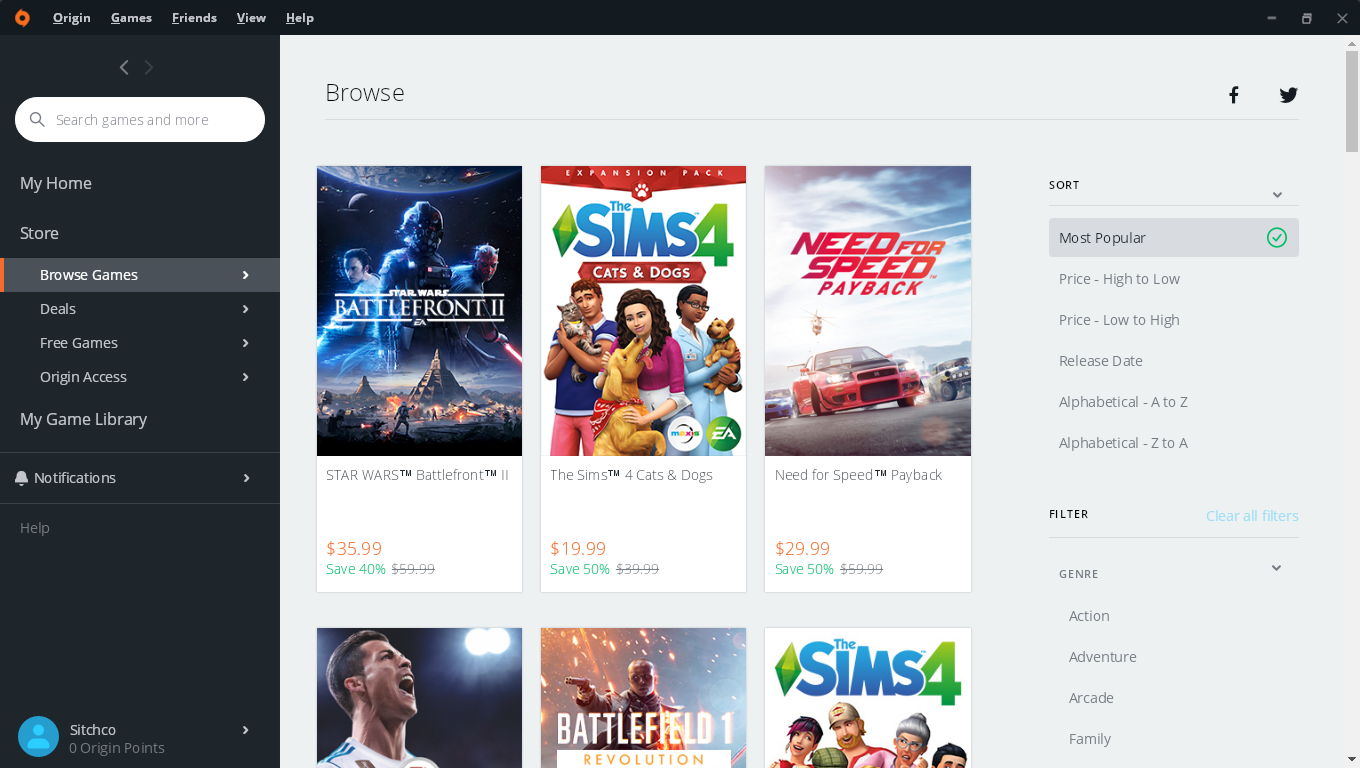
EA Play is a subscription-based video game service from Electronic Arts for the Xbox One, Xbox Series X/S, PlayStation 4, PlayStation 5 and Microsoft Windows platforms, offering access to selected games published by Electronic Arts along with additional incentives.
Ways to Play EA Play on macOS Apple Silicon:

Ubisoft Connect is a digital distribution, digital rights management, multiplayer and communications service created by Ubisoft to provide an experience similar to the achievements/trophies offered by various other game companies.
Ways to Play Ubisoft Connect on macOS Apple Silicon:

GOG Galaxy is an application that lets you combine multiple game libraries into one place and connect with your friends across all gaming platforms, consoles included.

Itch.io Store is an app that lets you effortlessly download and run games and software from itch.io. All of your downloads are kept in a single place and are automatically updated.

XIVONMAC is a modern, open-source Final Fantasy XIV client for macOS.

Xbox Cloud Gaming is Microsoft's cloud-based Xbox game-streaming technology (currently in Beta). Play games like Forza Horizon 4, Halo 5: Guardians, Gears of War 4, Sea of Thieves, Cuphead, Red Dead Redemption 2, and 100+ other games on your mobile device or Chrome web browser. Xbox Cloud Gaming does require an Xbox Game Pass Ultimate subscription.

Geforce NOW is NVIDIA's Cloud Gaming Service.

Amazon Luna is Amazon's Cloud Gaming Service. Amazon Luna is Compatible/Supported on a variety of Devices and Browsers.

Shadow is a fully-featured, cloud-based, high-end computer. It is the only remote service that offers performance capable of competing with a local PC. Available on Windows, macOS, Linux, Android/AndroidTV, and iOS/tvOS.

Steam Remote Play Together is a steam service that let's you share your Steam local multi-player games with friends over the internet, for free. Using Remote Play Together, one player owns and runs the game, then up to four players can join.
Steam Link app is available free of charge, streaming your Steam PC games to phones, tablets, and TV.
PlayStation Remote Play is a feature available on all PS4 and PS5 consoles that let's you control your PlayStation® console remotely wherever you have a high-speed internet connection.

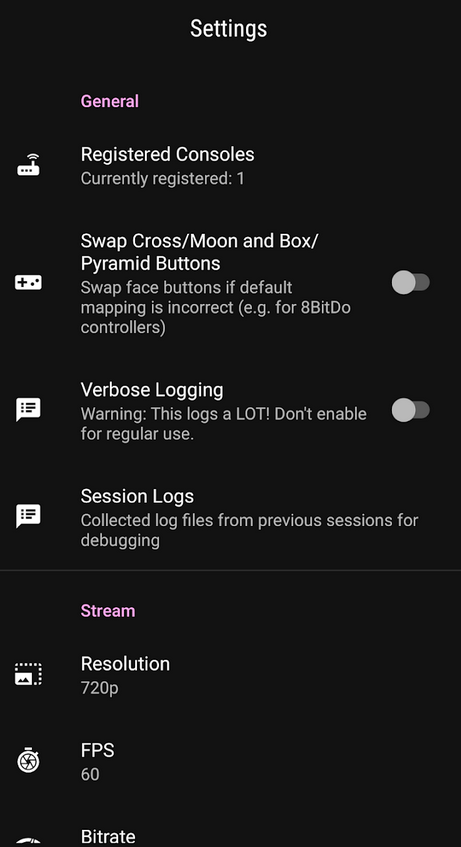
Chiaki is a Free and Open Source Software Client for PlayStation 4 and PlayStation 5 Remote Play for Linux, FreeBSD, OpenBSD, Android, macOS, Windows, Nintendo Switch and potentially even more platforms.
Parsec is a video game streaming platform, which offers a wide variety of games and genres to choose from and provides a high-quality and smooth gameplay. SParsec is developed in order to provide a high-quality smooth gameplay, same time to be free of all ads and in-game purchases.

Moonlight Game Streaming is a program that let you stream from your PC games over the Internet with no configuration required. Stream from almost any device, whether you're in another room or miles away from your gaming rig. Sunshine is a Game stream host for Moonlight that is a self-hosted, low latency, cloud gaming solution with support for AMD, Intel, and NVIDIA GPUs.

Greenlight is an open-source client for xCloud and xHome streaming made in Javascript and Typescript. The client is an application wrapper around xbox-xcloud-player. It runs on Linux, MacOS, Windows, and Steam Deck.

Greenlight
BlueStacks is a the Fastest & Lightest Android App Player for Windows and macOS.


Also checkout these subreddits for more great Game Emulators recommendations
EmulationStation Desktop Edition (ES-DE) is a frontend application for browsing and launching games from your multi-platform game collection. It's available for Unix/Linux, macOS(M1 & Intel) and Windows.
RetroArch is a frontend for emulators, game engines and media players. It enables you to run classic games on a wide range of computers and consoles through its slick graphical interface. Settings are also unified so configuration is done once and for all.
OpenEmu is an open-source project whose purpose is to bring macOS game emulation into the realm of first-class citizenship. The project leverages modern macOS technologies, such as Cocoa, Core Animation, and other third-party libraries.
Currently, OpenEmu can load the following game engines as plugins:
Pegasus is a cross platform, customizable graphical frontend for launching emulators and managing your game library (especially retro games) and launching them from one place. It's focused on customizability, cross platform support (including embedded devices) and high performance.
Boxer is a DOSBox game emulator frontend that's fit for your Mac.
Cartridge is a self-hosted game library made with Laravel + Vue.js.
Cartridge Features

Cartridge UI
Dolphin is an emulator for two recent Nintendo video game consoles: the GameCube and the Wii. It allows PC gamers to enjoy games for these two consoles in full HD (1080p) with several enhancements: compatibility with all PC controllers, turbo speed, networked multiplayer, and even more.
PrimeHack is a fork of Dolphin Emulator to bring modern Mouse and Keyboard controls, as well as Dual-Stick gamepad controls to the Metroid Prime Trilogy. It also offers many other features such as increased FoV and various new cheats. Versions of Metroid Prime that are currently supported.
Ryujinx is an open-source Nintendo Switch emulator created by gdkchan and written in C#. This emulator aims at providing excellent accuracy and performance, a user-friendly interface, and consistent builds.
yuzu is an experimental open-source emulator for the Nintendo Switch from the creators of Citra.
m64p is a Nintendo 64 Emulator. It uses mupen64plus-gui, a brand new mupen64plus frontend written in Qt5. It supports all of the things you’d expect from a frontend (savestate management, pausing, screenshots).
Citra is an open-source emulator for the Nintendo 3DS capable of playing many of your favorite games.
DeSmuME is a Nintendo DS emulator.
melonDS is a tool that aims at providing fast and accurate Nintendo DS emulation. While it is still a work in progress, it has a pretty solid set of features.
Features:
* Nearly complete core (CPU, video, audio, etc...)
* OpenGL renderer, 3D upscaling
* RTC, microphone, lid close/open
* Joystick support
* Savestates
* Various display position/sizing/rotations modes
* Work-in-progress Wi-Fi emulation for online connectivity and local multiplayer
* Experimental emulation of the Nintendo DSi
Snes9x is a portable, freeware Super Nintendo Entertainment System (SNES) emulator.
bsnes is a Super Nintendo (SNES) emulator focused on performance, features, and ease of use.
mGBA is a new emulator for running Game Boy Advance games. It aims to be faster and more accurate than many existing Game Boy Advance emulators, as well as adding features that other emulators lack.
Boxer is a DOSBox game emulator frontend that's fit for your Mac.
DOSBox is an open-source DOS emulator which primarily focuses on running DOS Games.
DOSBox Staging is a full x86 CPU emulator (independent of host architecture), capable of running DOS programs that require real or protected mode.
Stella is a multi-platform Atari 2600 VCS emulator released under the GNU General Public License (GPL). Stella is available on Windows MacOS, Linux, and FreeBSD.
Hatari is an Atari ST/STE/TT/Falcon emulator for Linux, BSD, MacOS, Windows and other systems which are supported by the SDL library. The Atari ST was a 16/32 bit computer system which was first released by Atari in 1985.
Flycast is a multi-platform Sega Dreamcast, Naomi and Atomiswave emulator derived from reicast.
Redream is a Dreamcast emulator, enabling you to play your favorite Dreamcast games in high-definition(1080p or 4k).
PPSSPP is a PSP emulator that can run games in full HD resolution. It can even upscale textures that would otherwise be too blurry as they were made for the small screen of the original PSP.
DuckStation is an simulator/emulator of the Sony PlayStation 1 console, focusing on playability, speed, and long-term maintainability.
Avocado is a Modern PlayStation 1 emulator.
AetherSX2 is a free (no ads) emulator of the PlayStation 2 (PS2) console for ARM-based devices. This enables you to play games which you have dumped from disc on your smartphone.
PCSX2 is a Playstation 2 'emulator', a free program that tries to replicate the Playstation 2 console to enable you to play PS2 games on your PC.
Play! is a PlayStation2 emulator for Windows, macOS, UNIX, Android, iOS and web browser platforms.
RPCS3 is an experimental open-source Sony PlayStation 3 emulator and debugger written in C++ for Windows and Linux. RPCS3 started development in May of 2011 by its founders DH and Hykem. The emulator is currently capable of running over 1800 commercial titles powered by Vulkan and OpenGL.
xemu is an original Xbox emulator.
Xenia is an Xbox 360 Emulator.
MAME is a Arcade Machine Emulator.
Geekbench 6 is a cross-platform benchmark that measures your system's performance with the press of a button.

GFXBench 5.0 is a high-end graphics benchmark that measures mobile and desktop performance with next-gen graphics features across all platforms. As a true cross-API benchmark, GFXBench supports all the industry-standard and vendor-specific APIs including OpenGL, OpenGL ES, Vulkan, Metal, DirectX/Direct3D and DX12.
PugetBench Benchmarks is an application that has a number of benchmarks that are designed to test many popular professional applications using real-world projects and workflows.
UNIGINE Superposition is an extreme performance and stability test for PC hardware: video card, power supply, cooling system.

asitop is a Performance monitoring CLI tool for Apple Silicon.


InFO is an innovative wafer level system integration technology platform, featuring high density RDL (Re-Distribution Layer) and TIV (Through InFO Via) for high-density interconnect and performance for various applic
Truncated — view the full README on GitHub.
21 followers · starred Apr 2023
2,522 followers · starred Dec 2022
513 followers · starred Oct 2022
287 followers · starred Dec 2022
Apple Silicon Guide. Learn all about the A17 Pro, A16 Bionic, R1, M1-series, M2-series, and M3-series chips. Along with all the Devices, Operating Systems, Tools, Gaming, and Software that Apple Silicon powers.
Swift
1,894
392 commits
updated Jun 27, 2025
Note: You can easily convert this markdown file to a PDF in VSCode using this handy extension Markdown PDF.
Apple M3/M3 Pro/M3 Max/M3 Ultra Architectures.
Apple M2/M2 Pro/M2 Max/M2 Ultra Architecture.
Apple M1/M1 Pro/M1 Max/M1 Ultra Architectures.
Does it ARM? Apps that are reported to support Apple Silicon
M1 Parallels Windows compatible games list | AppleGamingWiki
Games and Apps on Apple Silicon (Compatibility Sheet) by Thomas Schranz(@__tosh on Twitter)
DevToysMac is the mac app version of DevToys for Windows.
asitop is a Performance monitoring CLI tool for Apple Silicon.
macOS Security and Privacy Guide is a collection of techniques for improving the security and privacy of a modern MacBook running a recent version of macOS.
macOS Security Compliance Project is an open source effort to provide a programmatic approach to generating security guidance. The configuration settings in this document were derived from National Institute of Standards and Technology (NIST) Special Publication (SP) 800-53, Security and Privacy Controls for Information Systems and Organizations, Revision 5.
Apple Hypervisor is a framework that builds virtualization solutions on top of a lightweight hypervisor, without third-party kernel extensions. Hypervisor provides C APIs so you can interact with virtualization technologies in user space, without writing kernel extensions (KEXTs). As a result, the apps you create using this framework are suitable for distribution on the Mac App Store.
Apple A-series is Apple's 64-bit ARM-based system on a chip (SoC) used in their iPhones and iPads. Though, at WWDC 2020 it was announced that Apple Silicon would transition into Mac laptops.
A17 Pro is built on new 3nm architecture. It has 6-CPU cores, with the 2-performance cores 10% faster and the 4-efficiency cores significantly more efficient. Along with a 6-core GPU that is 20 percent faster than the A16 Bionic(iPhone 15 & 15 Plus models). The Neural Engine, will be almost twice as fast as the A16 Bionic. Apple has also added hardware-accelerate ray-tracing to the A17 Pro GPU. The A17 Pro chip is available in the iPhone 15 Pro and 15 Pro Max.
Apple A17 Pro Architecture. Image Credit: Apple
A16 Bionic Chip is Apple's first 4nm SoC for iPhone 14 Pro & Max with a 6-core CPU has two performance cores and 4 high-efficiency cores. Along with a 5-core GPU and 16-core neural engine.
A16 Bionic Chip Architecture
H2 Chip is Apple's SoC for the AiPods Pro that facilitates stronger(2x more) active noise cancellation, personalized spatial audio, and better performance during phone calls.
H2 chip powering the AirPods Pro. Credit: Apple
The S9 chip has 60% more transistors in its CPU than the Series 8, and 30% more in its GPU. Along with neural engine boosting on-device processing for Siri requests, including 25% faster voice dictation in the Apple Watch Series 9.
S9 Chip for Apple Watch Series 9. Image Credit: Apple
U1 Ultra Wideband (UWB) chip is an Apple-designed silicon chip that has Ultra Wideband technology for spatial awareness. The U1 chip enables directional AirDrop functionality.
Apple devices with the U1 chip
U1 Chip Die
The R1 chip is dedicated toward real-time sensor processing, taking the input from 12 cameras, five sensors (including a LIDAR sensor) and six microphones on the Vision Pro headset.
R1 & M2 chips in the Vision Pro Headset
Apple M1 Chip is Apple's first SoC chip designed specifically for their ARM Mac products, it delivers incredible performance(8-core CPU and 8-core GPU), custom technologies, and great power efficiency. The M1 Chip is now available for Macbook Pro 13 with M1, Macbook Air 13 with M1, Mac Mini with M1, iPad Pro, and iPad Air.
M1 Chip. Source: Apple
Apple M1 Pro Chip is a 8 or 10-core system-on-a-chip (SoC) architecture designed for pro systems in the MacBook Pro 14”. The chip features fast unified memory, industry-leading performance per watt, and incredible power efficiency, along with increased memory bandwidth and capacity. The M1 Pro offers up to 200GB/s of memory bandwidth with support for up to 32GB of unified memory and a GPU (14-core or 16-core option).
M1 Pro Chip. Source: Apple
Apple M1 Max Chip is a 10-core system-on-a-chip (SoC) architecture designed for pro systems in the MacBook Pro 16”. The chip features fast unified memory, industry-leading performance per watt, and incredible power efficiency, along with increased memory bandwidth and capacity. The M1 Pro offers up to 400GB/s of memory bandwidth with support for up to 64GB of unified memory and a GPU (16-core or 32-core option).
M1 Max Chip. Source: Apple
M1/ M1 Pro/ M1 Max CPU Performance. Source: Apple
M1/ M1 Pro/ M1 Max GPU Performance. Source: Apple
Apple M1 Ultra Chip is a Apple's most powerful silicon chip in their M1-series lineup. The M1 Ultra is composed of two M1 Max chips that are connected together using Apple's UltraFusion Architecture packaging. This means the M1 Ultra can be configured with up to 128GB of high-bandwidth, low-latency unified memory that can be accessed by the 20-core CPU, 64-core GPU (800GB/s memory bandwidth), and 32-core Neural Engine. The M1 Ultra is currently available in Apple's Mac Studio.
M1 Ultra Chip. Source: Apple
M1 Ultra CPU Performance. Source: Apple
M1 Ultra GPU Performance. Source: Apple
Apple M2 Chip has a 18% faster CPU, 35% faster GPU, and 40% faster Neural Engine than the base M1 chip. It can be configured with up to 24GB of high-bandwidth, low-latency unified memory that can be accessed by the 8-core CPU, 10-core GPU (100GB/s memory bandwidth), and 16-core Neural Engine. The M2 will be available in Apple's new MacBook Air, MacBook Pro 13" with old design, and iPad Pro with M2 .
M2. Source: Apple
M2 CPU Performance. Source: Apple
M2 GPU Performance. Source: Apple
M1 vs M2. Source: Apple
M2 Gaming Performance. Source: Apple
M2 Image Processing Performance. Source: Apple
M2 Video editing Performance. Source: Apple
M2 Image filters & Effects Performance. Source: Apple
Apple M2 Pro Chip has a 20% faster CPU, 30% faster GPU, and 40% faster Neural Engine than the base M1 Pro chip. It can be configured with up to 32GB of high-bandwidth, low-latency unified memory that can be accessed by the 12-core CPU, 19-core GPU (200GB/s memory bandwidth), and 16-core Neural Engine. The M2 Pro will be available in Apple's MacBook Pro 14", MacBook Pro 16", and Mac mini.
M2 Pro Chip. Image Credit: Apple
Apple M2 Max Chip is a Apple's most powerful silicon chip in their M2-series for right now. The M2 has a 20% faster CPU, 30% faster GPU, and 40% faster Neural Engine than the base M1 Max chip. It can be configured with up to 96GB of high-bandwidth, low-latency unified memory that can be accessed by the 12-core CPU, 38-core GPU (400GB/s memory bandwidth), and 16-core Neural Engine. The M2 Max will be available in Apple's MacBook Pro 14", MacBook Pro 16", and Mac mini.
M2 Max Chip. Image Credit: Apple
The M2 Ultra is composed of two M2 Max chips that are connected together using Apple's UltraFusion Architecture packaging.
The M2 Ultra can be configured with up to 192GB of high-bandwidth, low-latency unified memory that can be accessed by the 24-core CPU, 76-core GPU (800GB/s memory bandwidth), and 32-core Neural Engine. The M2 Ultra is available for the Mac Studio and Mac Pro.
Apple M3 Chip has a 35% faster CPU, 65% faster GPU, and 40% faster Neural Engine than the base M1 chip. It can be configured with up to 24GB of high-bandwidth, low-latency unified memory that can be accessed by the 8-core CPU (4 high-performance and 4 energy-efficient), 10-core GPU (100GB/s memory bandwidth), and 16-core Neural Engine. Available in the MacBook Pro 14” and iMac.
M3 Chip Architecture. Image Credit: Apple
M3 Chip Family efficiency cores performance. Image Credit: Apple
M3 Chip Family Neural Engine performance. Image Credit: Apple
Apple M3 Pro Chip has a 30% faster CPU, 40% faster GPU, and 40% faster Neural Engine than the base M1 Pro chip. It can be configured with up to 36GB of high-bandwidth, low-latency unified memory that can be accessed by the 12-core CPU (6 high-performance and 6 energy-efficient), 18-core GPU (150GB/s memory bandwidth), and 16-core Neural Engine. Available in the MacBook Pro 14” and MacBook Pro 16”.
M3 Pro Chip Architecture. Image Credit: Apple
Apple M3 Max Chip has a 80% faster CPU, 50% faster GPU, and 40% faster Neural Engine than the base M1 Max chip. It can be configured with up to 128GB of high-bandwidth, low-latency unified memory that can be accessed by the 16-core CPU (12 high-performance and 4 energy-efficient), 40-core GPU (400GB/s memory bandwidth), and 16-core Neural Engine. Available in the MacBook Pro 14” and MacBook Pro 16”.
M3 Max Chip Architecture. Image Credit: Apple
Apple M3 Ultra Chip is a Apple's most powerful silicon chip in their M3-series lineup. The M3 Ultra is composed of two M3 Max chips that are connected together using Apple's UltraFusion Architecture packaging. This means the M1 Ultra can be configured with up to 256GB of high-bandwidth, low-latency unified memory that can be accessed by the 32-core CPU (24 high-performance and 8 energy-efficient), 80-core GPU (800GB/s memory bandwidth), and 32-core Neural Engine.
M3 Ultra Chip Architecture.
Important Terms to Know
Vision Pro Headset. Image Credit: Apple
Vision Pro Headset with battery pack. Image Credit: Apple
R1 & M2 chips in the Vision Pro Headset. Image Credit: Apple
visionOS. Image Credit: Apple
visionOS Resources
Apple Vision Pro Headset Specs:
OLEDoS (OLED on Silicon) is a display panel that typically has a diagonal length of less than 1 inch and meets the 3000 ppi-4000 ppi resolution criteria of AR/VR device displays. Existing OLED displays use Low-Temperature-Poly-Silicon (LTPS) or Oxide TFT based on glass substrates. OLEDoS uses silicon-wafer-based CMOS substrates. Using silicon substrates, ultra-fine circuit structures typically used in semiconductor processes can be reproduced, which in turn lead to the creation of ultra-high-resolution OLEDs when organic matter is deposited on them.
LG and Sony OLEDoS Display Specs:
OLEDoS: Solution for ultra-high resolution
Credit: LG
Specs for OLED and OLEDoS
Credit: Sony
MetalFX Rendering. Image Credit: Apple
Devices powered by Apple Silicon.
macOS is an advanced desktop operating system (OS) for Apple's series of desktops and laptops.
macOS Sonoma. Source: Apple
These are the Mac computers compatible with macOS Sonoma:
iOS is an advanced mobile operating system (OS) for Apple's series of iPhone products.
iOS 17. Source: Apple
iPadOS is an advanced mobile operating system (OS) for Apple's series of iPad products.
iPadOS 17. Source: Apple
watchOS is an advanced mobile operating system (OS) for Apple's series of Watch products.
watchOS 10. Source: Apple
tvOS is an advanced mobile operating system (OS) for Apple's series of TV streaming devices.
tvOS. Source: Apple
visionOS is Apple's iOS-like operating system for their upcoming AR/VR (Augmented Reality/Virtual Reality) headset powered by Apple's Silicon M2 and R1 chips. It will have an App Store with apps that include mixed-reality versions of their core Apple apps like Messages, FaceTime, Maps, and AR/VR games from Apple Arcade. Along with features such as Memojis and SharePlay that could be central to the user experience.
visionOS. Image Credit: Apple
Homebrew is the missing Package Manager for your macOS, Linux, and Windows 10 (with Windows Subsystem for Linux (WSL)) system. Homebrew is an essential tool for any developer/engineer.
MacPorts Project is an open-source community initiative to design an easy-to-use system for compiling, installing, and upgrading either command-line, X11 or Aqua based open-source software on macOS.
Nix package manager is a cross-platform package manager that utilizes a purely functional deployment model where software is installed into unique directories generated through cryptographic hashes. Choose from Thousands of Packages The Nix Packages collection (Nixpkgs) is a set of over 80 000 packages for the Nix package manager.
/etc/nixos/configuration.nix for macOS.Multi-user installation on macOS:
$ sh <(curl -L https://nixos.org/nix/install)
Note: Nix will install all it's packages within /nix/store.
Note 2: You may need to source the nix profile at this point.
source /nix/var/nix/profiles/default/etc/profile.d/nix-daemon.sh
source /nix/var/nix/profiles/default/etc/profile.d/nix.sh
Signal is a state-of-the-art end-to-end encryption (powered by the open source Signal Protocol) messaging app that keeps your conversations secure.
Signal
NordVPN is a VPN service and the flagship product of the cybersecurity company Nord Security. It's available for wireless routers, NAS devices, and other platforms.
NordVPN
WireGuard is a fast, open-source, and secure VPN tunnel. WireGuard allows users to manage and use WireGuard tunnels. The app can import new tunnels from archives and files, from QR codes, or you can create one from scratch.
WireGuard
Tailscale is a open-source mesh VPN alternative built on WireGuard® that makes it easy to connect your devices. It includes features like automatic key rotation, NAT traversal, and single sign-on with two-factor authentication.
Tailscale
BitWarden is a free and open-source password management service that stores sensitive information such as website credentials(logins and passwords) in an encrypted vault while conveniently keeping them synced between all of your devices.
BitWarden
1Blocker is a fast, secure, and robust tool for iPhone, iPad, and Mac that empowers users to put a stop to invasive online content.
1Blocker
Matrix is a client tool that gives you simple HTTP APIs and SDKs (iOS, Android, Web) to create chatrooms, direct chats and chat bots, complete with end-to-end encryption, file transfer, synchronized conversation history, formatted messages, read receipts and more.
Matrix
Element is a Matrix web client built using the Matrix React SDK. It is a robust and reliable hosting service for fast, secure real time communication.
Element
Nextcloud is a suite of client-server software for creating and using file hosting services. It offers an on-premise Universal File Access and sync platform with powerful collaboration capabilities and desktop, mobile and web interfaces.
Nextcloud
Synology is a tool that allows you to easily access and manage files in your Synology Drive on the go. Apart from common file types, such as documents, images, videos and music, you can also open Synology Office document, spreadsheets and slides in the user-friendly viewer provided by Drive.
Synology
Adobe Lightroom Photo Editor is a free, powerful photo & video editor and camera app that empowers you to capture and edit stunning images. It offers photo & video editing tools like sliders to retouch your images, apply photo filters, fine-tune backgrounds, and use transformative presets to quickly add unique adjustments.
Adobe Lightroom Photo Editor
Things is an app that helps you plan your day, manage your projects, and make real progress toward your goals.
Things
Airbuddy 2 is a utility that let's you simply open your AirPods case next to your Mac and see the current status right away, just like how it works on your iPhone. A single click gets you connected, a swipe down lets you connect and change listenings modes at the same time. It has a fully customizable battery alerts help you keep track of your device's batteries.
Airbuddy 2
Fantastical 3 is a calendar app that works seamlessly across your Mac, iPad, iPhone, and Apple Watch.
Fantastical 3
Bartender is an app for macOS that superpowers your menu bar, giving you total control over your menu bar items, what's displayed, and when, with menu bar items only showing when you need them. It improves your workflow with quick reveal, search, custom hotkeys and triggers, and lots more.
Bartender menu bar tray
Bartender Settings
Magnet is an app that keeps your workspace organized. magnet is activated by dragging, customizable keyboard shortcuts or via menu bar, it declutters your screen by snapping windows into organized tiles.
Magnet
AltTab is an app that brings the power of Windows’s “alt-tab” window switcher to macOS.
AltTab
MonitorControl is an app that controls your external display brightness and volume and shows native OSD. Use menulet sliders or the keyboard, including native Apple keys.
MonitorControl
WebCatalog is an app that turns any Website into Real Desktop Apps.
WebCatalog
Maccy is a lightweight clipboard manager for macOS. It keeps the history of what you copy and lets you quickly navigate, search, and use previous clipboard contents.
Maccy clipboard manager
Daisydisk is a utility that provides a visual breakdown of your disk space in form of an interactive map, reveal the biggest space wasters, and remove them with a simple drag and drop. It supports all kinds of local drives, as well as the most popular cloud disks.
Daisydisk
Page screenshot for Safari is an awesome extension, just a click away, ready to use every time you need to capture a webpage screenshot, either the full page or just part of it. Along with your pictures will also automatically open in Preview for easy editing (annotations, blurring sensitive info, printing, drawing, sharing).
Page screenshot for Safari
Paste is a Clipboard manager for Mac, iPhone, and iPad.
Paste
PasteBot is an indispensable tool to improve your productivity. It quickly recalls clippings that you have copied before and apply powerful text filters to format before pasting. Queue up multiple clippings to paste in sequence.
PasteBot
Speedcut is a tool that lets your remove backgrounds from photos straight from your Mac's menu bar.
Speedcut
Pulse is a powerful logging system for Apple Platforms builtin in SwiftUI. It allows you to record and inspect logs and URLSession network requests right from your iOS app. Shared logs and view them in Pulse Pro or use remote logging to see them in real-time. Logs are stored locally and never leave your devices.
p align="center">
Pulse
Cleaner One Pro is an all-in-one Mac Master Cleaner App. It can optimize your disk usage, free up space on your Mac, keep the hard drive clean, remove duplicate photos and other files, manage your apps, and much more.
Cleaner One Pro
Yabai is a window management utility that is designed to work as an extension to the built-in window manager of macOS.
Bear is a Private Markdown Editor for iPhone, iPad and Mac. It uses todos to stay on task across every device. Organize easily Link notes to each other to build a body of work. Add hashtags to organize the way you think. Use Face/Touch ID to protect sensitive notes.
Bear
Obsidian is a powerful knowledge base that works on top of a local folder of plain text Markdown files. It comes with 25 core plugins, 638 community plugins, and 130 themes, plus custom styling, you can tweak Obsidian to work and look exactly how you want it.
Obsidian
MarkText is a simple and elegant open-source markdown editor that focused on speed and usability.
MarkText
1Focus is an App and Website Blocker to keep you focused on your work. Block specific apps such as email, games or unsupported web browsers. Also, block internet access by blocking the installed web browsers and the App Store.
1Focus
Harvest is an easy Time Tracking Software With Invoicing. It creates a project Create entries for your projects and tasks, or import them via one of our integrations.
Harvest
MindNode is a map and brainstorming tool that lets you capture, organize, style and share your thoughts. Capture your thoughts Organize your ideas Style your mind map Discreetly Powerful All the features you need.
MindNode
Unclutter is a 3-in-1 productivity app to power up your efficiency and comfort on Mac during the day. It's a smart and super handy place on your desktop for storing notes, files and pasteboard clips.
Unclutter
Warp terminal is a blazingly fast, rust-based terminal reimagined from the ground up to work like a modern app.
Warp
Jettison is a tool that automatically ejects external disks from your Mac before your computer goes to sleep. Simply close the lid of your MacBook and Jettison will automatically eject your backup drive, iPod, or whatever is connected so you can safely unplug it.
Jettison
Numi is a calculator that magically combines calculations with text, and allows you to freely share your computations. Numi combines text editor and calculator Support plain English.
NuMi
Dropzone is a productivity app for the Mac that makes it faster and easier to move and copy files, launch applications, upload to many different services, and more.
Dropzone
System Color Picker is the macOS color picker as an app with lots of extra features.
System Color Picker
Raycast is a blazingly fast, totally extendable launcher. It lets you complete tasks, calculate, share common links, and much more.
Tinkertool is an application that gives you access to additional preference settings Apple has built into MacOS. This allows to activate hidden features in the operating system and in some of the applications delivered with the system.
Tinkertool
App Cleaner is an application that uninstall/remove applications from Mac entirely with all their preferences, caches and other bits and pieces.
App Cleaner
Infuse is a Video Player for iOS, Apple TV, and Mac. It plays every video file ever created to avoid wasting hours converting and transcoding files.
Infuse Video Player
Note: While Safari is a great browser that comes included on all Apple devices. It may not have all the extensions you need for your workflow so I recommend checking out the several great options below.
Mozilla Firefox is a free and open-source web browser developed by the Mozilla Foundation.
Firefox
Brave is a fast, private and secure web browser for PC, Mac and mobile. It comes with Brave Search, which is a private search engine that puts you first, not big tech for those that don't want to use Google Search.
Brave
Ungoogled-Chromium is a lightweight approach to removing Google web service dependency.
Ungoogled-Chromium
Vivaldi is a fast, private and secure web browser for PC, Mac and mobile. It comes with built-in features like Notes, Screen Capture, Image Properties and (a lot) more.
Vivaldi
Ghostery Dawn is a fast, private and secure web browser for PC, Mac and mobile. It comes with the complete Ghostery Privacy Suite including Ghostery Glow a private search engine that does not log your search history, which means you get served objective results, not results that are filtered by the likelihood you’ll click on them.
Ghostery Dawn
DuckDuckGo Privacy Browser is a fast, private and secure web browser for MacOS and mobile(iOS and Android).
DuckDuckGo
UBlock Origin is a free and open-source, cross-platform browser extension for content filtering primarily aimed at neutralizing privacy invasion in an efficient, user-friendly method.
Privacy Badger is a browser extension that automatically learns to block invisible trackers.
DuckDuckGo Privacy Essentials is an extension that seamlessly helps prevent your personal information from being exposed during everyday online activity.
Ghostery is a comprehensive privacy protection Ad Blocker browser extension.
HTTPS Everywhere is an extension created by EFF and the Tor Project which automatically switches thousands of sites from insecure "http" to secure "https".
CleanURLs is an extension will automatically remove tracking elements from URLs to help protect your privacy when browsing through the Internet.
PixelBlock is an Gmail extension that blocks email tracking attempts used to detect when you open and read emails.
Sitejabber is an extension for consumers to find trustworthy online businesses and avoid scams.
1Password is a password manager that provides a place for users to store various passwords, software licenses, and other sensitive information in a virtual vault that is locked with a PBKDF2-guarded master password.
Bitwarden is a free and open-source password management service that stores sensitive information such as website credentials in an encrypted vault.
Guardio is a lightweight extension designed to help you browse quickly and securely. It will clean your browser, speed it up, and protect your private information.
OneTab is an extension that converts your tabs to a list and speeds up your browser.
OnlyOffice is a secure offline/online office suite highly compatible with MS Office formats for Windows, Mac and Linux.
OnlyOffice
FreeOffice is a secure office suite highly compatible with MS Office formats for Windows, Mac and Linux.
FreeOffice
LibreOffice is a free and open-source office productivity software suite similar to Microsoft Office.
LibreOffice
Universal Control is a software feature for Apple devices such as MacBooks and iPads that makes it possible to use a single keyboard, mouse, and trackpad with your Mac and iPad as long as they're side-by-side. Much like SideCar, there are limited settings for Universal Control. Without a second device connected, you can go to System Preferences -> Displays and click Advanced to pull up Universal Control settings. If a device is already connected, you'll have to go to Displays -> Display Settings -> Advanced.
Bluetooth, Wi-Fi, and Handoff must be enabled on each device, and they must be within 30 feet. If you prefer to use Universal Control wired, the devices can be connected via USB and you must trust your Mac on your iPad. At the moment, Apple does not mention support for Ethernet but we will test this ourselves during the beta period.
You must also have supported devices. Apple says supported devices include:
Stage Manager is an iPadOS feature that provides better support for external displays. Stage Manager allows the iPad Air(M1 chip) and iPad Pro(M1 chip):
Syncthing is a continuous file synchronization program. It synchronizes files between two or more computers in real time.
Seafile is an open source file sync&share solution designed for high reliability, performance and productivity. Sync, share and collaborate across devices and teams.
Synology is a tool that allows you to easily access and manage files in your Synology Drive on the go. Apart from common file types, such as documents, images, videos and music, you can also open Synology Office document, spreadsheets and slides in the user-friendly viewer provided by Drive.
Nextcloud is a suite of client-server software for creating and using file hosting services. It offers an on-premise Universal File Access and sync platform with powerful collaboration capabilities and desktop, mobile and web interfaces.
TeraCopy for Mac is a program to copy and paste large files at a high speed. The program is used for frequent file transfers, large file sizes, moving files from separate SSD drives/Hard drives.
FileRun is a self-hosted Google Drive alternative. It is a full featured web based file manager with an easy to use user interface.
FileBrowser provides a file managing interface within a specified directory and it can be used to upload, delete, preview, rename and edit your files. It allows the creation of multiple users and each user can have its own directory.
Rsync is a utility in the command line which enables users to transfer and synchronize files efficiently between a computer and an external hard drive in the entire connected network.
rsync.net is a Cloud Storage for Offsite Backup that give you an empty UNIX filesystem to access with any SSH tool. Built on ZFS for data security and fault tolerance with support for rsync/sftp/scp/borg/rclone/restic/git-annex.
Warpinator is a free, open-source tool for sending and receiving files between computers that are on the same network.
FileZilla Client is a fast and reliable cross-platform FTP, FTPS and SFTP client with lots of useful features and an intuitive graphical user interface.
WinFsp is a set of software components for Windows computers that allows the creation of user mode file systems. In this sense it is similar to FUSE (Filesystem in Userspace), which provides the same functionality on UNIX-like computers.
SSHFS-Win is a minimal port of SSHFS to Windows. Looking under the hood it uses Cygwin for the POSIX environment and WinFsp for the FUSE (Filesystem in Userspace) functionality.
RiftShare is a cross platform (Windows, MacOS, Linux) file sharing tool that supports fully encrypted transfers both on the local network and off network using a simple passphrase. RiftShare uses magic-wormhole under the hood and is compatible with other magic-wormhole clients. It is also fully open source and licensed under the GPLv3.
Usermode FTP Server is a tool that let's you start an FTP server as user and transfer files with any FTP client. Allowing you to access your files directly with many file browsers' builtin FTP support: Windows File Explorer, Thunar, Gnome Files, Dolphin and many more.
TagSpaces is a free, no vendor lock-in, open source application for organizing, annotating and managing local files with the help of tags. It features advanced note taking functionalities and some capabilities of to-do apps. It's available for Windows, Linux, Mac OS and Android.
Replacing these iCloud services:
Nextcloud is an industry-leading, on-premises content collaboration platform for file sync & share and communication server. It is fully open source and you can host it yourself or pay a company to do it for you. Also checkout the following links below:
Nexcloud login screen
Nextcloud Hub is a tool that allows you to share and collaborate on documents, send and receive email, manage your calendar and have video chats without data leaks. As fully on-premises solution, Nextcloud Hub provides the benefits of online collaboration without the compliance and security risks.
Nexcloud Hub
Nextcloud AIO (All In One) is a tool that provides easy deployment and maintenance with most features included in this one Nextcloud instance.
Features it includes:
Nextcloud Desktop Client is a tool to synchronize files from Nextcloud Server with your computer.
Nextcloud Deck is a kanban style organization tool aimed at personal planning and project organization for teams integrated with Nextcloud.
Nextcloud Files is a tool tool that allows your employees have easy access to their files, photos and documents to work and can share and collaborate with team members, customers and partners. So IT knows nobody besides those they shared with has access to those files.
Nextcloud Talk is a tool that protects your communication better than other team collaboration platforms like Microsoft Teams or Slack, making sure your data stays on your servers. It also goes further than other encrypted communication technologies by keeping even metadata from leaking.
Nextcloud Home is a tool that allows you store your documents, calendar, contacts and photos on your server at home, at one of at one Nextcloud's providers or in a data center you trust.
Nextcloud Enterprise is a service that gives professional organizations software optimized and tested for mission critical environments.
Nextcloud Outlook Integration is a tool that automatically upload files to replace large attachments or integrate Calendars and Contacts in Microsoft Outlook.
Collabora Online in Nextcloud is a powerful LibreOffice-based online office suite with collaborative editing, which supports all major document, spreadsheet and presentation file formats and works in all modern browsers.
ONLYOFFICE integration in Nextcloud is a service that empowers your users to collaborate on office documents with team members in real time. It has compatibility with Microsoft Office formats means perfect documents, every time.
Nextcloud VM(virtual machine appliance) is a set of carefully crafted family of *nix scripts, which interactively guide you through a quality-controlled installation of a Nextcloud instance for Home/SME Server and scripts for Raspberry Pi 4. It is Community developed and maintained.
Sabrent XTRM Q is a perfect SSD for all your creative pursuits: high-res photos, videos, sound files, etc. It's perfect for saving, creating and editing available in 500GB, 1TB, 2TB, and 4TB drives.
Shell Thunder is a high-performance Intel-Certified Thunderbolt 3 SSD Enclosure engineered for active cooling with smart fan technology. Shell Thunder is designed for 2280 and 2260 m.2 NVME SSDs for macOS and Windows.
Orico USB4.0 NVMe SSD Enclosure is a high-performance SSD Enclosure engineered with up to a 40Gbps transmission rate and 2 TB capacity. It supports Windows, macOS, and Linux devices.
USB-C to Lightning Cable (2 m) is cable to connect your iPhone, iPad, or iPod with Lightning connector to your USB-C or Thunderbolt 3 (USB-C) enabled Mac for syncing and charging, or to your USB-C enabled iPad for charging.
SanDisk Phone Drive (iPhone, iPad, or MacBook) up to 256GB.
More fast External Storage options for MacOS/iOS/iPadOS:
Proxmox Backup Server is an enterprise backup solution for backing up and restoring VMs, containers, and physical hosts. The open-source solution supports incremental backups, deduplication, Zstandard compression, and authenticated encryption.
Borgmatic is a simple, configuration-driven backup software for servers and workstations. It protects your files with client-side encryption. Backup your databases too. Monitor it all with integrated third-party services.
BorgWarehouse is a fast and modern WebUI for a BorgBackup's central repository server.
Emborg is a simple command line utility to orchestrate backups. It is built as a front-end to Borg, a powerful and fast de-duplicating backup program.
Vorta is a backup client for macOS and Linux desktops. It integrates the mighty Borg Backup with your favorite desktop environment to protect your data from disk failure, ransomware and theft.
rsync.net is a Cloud Storage for Offsite Backup that give you an empty UNIX filesystem to access with any SSH tool. Built on ZFS for data security and fault tolerance with support for rsync/sftp/scp/borg/rclone/restic/git-annex.
BackupPC is a high-performance, enterprise-grade system for backing up Linux, Windows and macOS PCs and laptops to a server's disk. BackupPC is highly configurable and easy to install and maintain.
UrBackup is an easy to setup Open Source client/server backup system, that through a combination of image and file backups accomplishes both data safety and a fast restoration time. File and image backups are made while the system is running without interrupting current processes. Available for Windows, macOS, and Linux.
Kopia is a user-friendly desktop app for Windows, macOS, and Linux which allows you to create snapshots, define policies, and restore files quickly with Fast and Encrypted Backups.
rsnapshot is a filesystem snapshot utility based on rsync. This makes it easy to make periodic snapshots of local machines, and remote machines over ssh.
Proton Drive is an end-to-end encrypted Swiss storage space for your files, photos, and videos, ensuring that nobody, except those authorized by you, can access your data.
pCloud is a secure place for your photos, videos and documents from every device, anywhere you go. pCloud starts with 10 GB free storage and automatically backup your photos and videos and free up space from your device.
Restore from Time Machine: Restore your files from a Time Machine backup.
Reinstall macOS: Download and reinstall MacOS.
Safari (or Get Help Online): Use Safari to browse the web and find help for your Mac. Links to Apple's support website are included. Browser plug-ins and extensions are disabled.
Disk Utility: Use Disk Utility to repair your disk or erase your disk or other storage device.
Additional utilities are available from the Utilities menu in the menu bar, including Startup Security Utility (or Firmware Password Utility), and Terminal.
MacOS Recovery Options
Disk Drill is a free tool that can scan and recover data from virtually any storage device — including internal Macintosh hard drives, external hard drives, cameras, iPhones, iPads, iPods, Android devices, USB flash drives, Kindles, and memory cards. It can read your device even if it is failing, unreadable, or has lost a partition. Combining several powerful scanning algorithms, Disk Drill provides a complete Mac data recovery solution.
DriveDx is an advanced drive-health diagnostic and monitoring utility. It not only monitors the drive’s built-in S.M.A.R.T. status, but also analyzes the changes of all drive health indicators that are closely related to SSD or HDD failures (like SSD wear out / endurance, reallocated bad sectors, offline bad sectors, pending sectors, I/O errors, and more) and alerts the user immediately if anything goes wrong.
AmorphousDiskMark is a tool that measures storage performance.
coconutBattery is a tool that keeps you aware of your current battery health. It shows you live information about the battery quality in your Mac, iPhone and iPad.
Checking Battery on your Mac device.
Checking Battery on your iOS device.
If you have a Mac laptop, you can change the options below to reduce energy use and optimize the lifespan of your battery.
On your Mac, choose Apple menu > System Settings, then click Battery in the sidebar. (You may need to scroll down.)
Do any of the following:
Click the pop-up menu next to Low Power Mode on the right, then choose “Always,” “Only on battery,” or “Only on power adapter.”
Click the Info button next to Battery Health on the right, then turn on Optimized Battery Charging and “Manage battery longevity.”
Click Options on the right, then turn on “Put hard disks to sleep when possible” and “Automatic graphics switching.”
Cooldown is a simple menu bar app that allows you to quickly toggle Low Power Mode on and off.
Planned features
While the Apple Silicon Macbooks, iPhones, iPads, and Air Pods have great battery life. It's always good to have a portable USB-C powerbank for charging your device when you're traveling, conferences, etc..
Anker PowerCore III (45W USB-C PD output)
Anker 747 Charger (GaNPrime 150W)
Anker 737 Charger (GaNPrime 120W)
Anker 736 Charger (Nano II 100W)
Anker 735 Charger (GaNPrime 65W)
Anker 733 Power Bank (GaNPrime PowerCore 65W)
Omni 20+ 20000mAh Laptop Power Bank
MAXOAK K2 185Wh/50000mAh Power Bank for Laptop
HenHot 65W USB-C Portable Charger
Baseus 65W USB-C Power Bank with Built-in Cable
Baseus PD 100W USB C to USB C Cable(6.6 ft), 5A Fast Charging USB C Cable with LED Display
JSAUX USB C to USB C Cable 100W/5A [2-Pack 6.6ft+6.6ft], QC 4.0/USB PD Type-C Fast Charging
Full disk encryption is pretty much self-explanatory. You want to encrypt your disk, so you prevent unauthorized access to your data.
To turn on full disk encryption on macOS:
File Vault
Hardened Runtime is a tool that along with System Integrity Protection (SIP), protects the runtime integrity of your software by preventing certain classes of exploits, like code injection, dynamically linked library (DLL) hijacking, and process memory space tampering.
System Integrity Protection (SIP) is a security technology in OS X El Capitan and later that's designed to help prevent potentially malicious software from modifying protected files and folders on your Mac.
Effaceable Storage is a dedicated area of NAND storage, used to store cryptographic keys, that can be addressed directly and wiped securely.
SepOS is the Secure Enclave firmware, based on an Apple-customized version of the L4 microkernel.
Pulse is a powerful logging system for Apple Platforms builtin in SwiftUI. It allows you to record and inspect logs and URLSession network requests right from your iOS app. Shared logs and view them in Pulse Pro or use remote logging to see them in real-time. Logs are stored locally and never leave your devices.
Lynis is a security auditing tool for systems based on UNIX like Linux, macOS, BSD, and others. It performs an in-depth security scan and runs on the system itself. The primary goal is to test security defenses and provide tips for further system hardening. It will also scan for general system information, vulnerable software packages, and possible configuration issues.
Pareto Security is a MenuBar app to automatically audit your Mac for basic security hygiene.
GRR Rapid Response is an incident response framework focused on remote live forensics.
mac_apt is a DFIR (Digital Forensics and Incident Response) tool for macOS/iOS to process Mac computer full disk images (or live machines) and extract data/metadata useful for forensic investigation. It is a python based framework, which has plugins to process individual artifacts (such as Safari internet history, Network interfaces, Recently accessed files & volumes, etc..)
AdGuard DNS is a tool that let's you control all web traffic on your devices, block ads, trackers, and malicious domains.
Quad9 is a free service that replaces your default ISP or enterprise Domain Name Server (DNS) configuration. When your computer performs any Internet transaction that uses the DNS (and most transactions do), Quad9 blocks lookups of malicious host names from an up-to-the-minute list of threats. This blocking action protects your computer, mobile device, or IoT systems against a wide range of threats such as malware, phishing, spyware, and botnets, and it can improve performance in addition to guaranteeing privacy.
MacOS Forensic Analysis is the process of building in-depth digital forensics knowledge of MacOS and iOS systems.
VPN (Virtual Private Network) is a service that encrypts your internet traffic on unsecured networks to protect your online identity, hide your IP address, and shield your online data from third parties.
Secure Shell Protocol (SSH) is a cryptographic network protocol for operating network services securely over an unsecured network.
Firewall is a system that provides network security by filtering incoming and outgoing network traffic based on a set of user-defined rules. In general, the purpose of a firewall is to reduce or eliminate the occurrence of unwanted network communications while allowing all legitimate communication to flow freely.
Little Snitch is a host-based application firewall for macOS. It can be used to monitor applications, preventing or permitting them to connect to attached networks through advanced rules.
Multifactor Authentication (MFA) is when you sign into your online accounts - a process we call "authentication" - you're proving to the service that you are who you say you are. Traditionally that's been done with a username and a password.
YubiKey is a security device that makes two-factor authentication as simple as possible. Instead of a code being texted to you, or generated by an app on your phone, you simply press a button on your YubiKey. Each device has a unique code built on to it, which is used to generate codes that help confirm your identity. The YubiKey USB authenticator includes NFC and has multi-protocol support including FIDO2, FIDO U2F, Yubico OTP, OATH-TOTP, OATH-HOTP, Smart card (PIV), OpenPGP, and Challenge-Response capability to give you strong hardware-based authentication.
Authelia is an open-source authentication and authorization server providing two-factor authentication and single sign-on (SSO) for your applications via a web portal. It acts as a companion for reverse proxies by allowing, denying, or redirecting requests.
ZITADEL is an open-source authentication and authorization server providing two-factor authentication combining the best of Auth0 and Keycloak. Built for the serverless era. It includes Multi-tenancy with branding customization, secure login, self-service, OpenID Connect, OAuth2.x, SAML2, LDAP, Passwordless with FIDO2 (including Passkeys), OTP, U2F, and an unlimited audit trail is there for you, ready to use.
Microsoft Authenticator is an app helps you sign in to your accounts when you're using two-step verification. Two-step verification helps you to use your accounts more securely because passwords can be forgotten, stolen, or compromised.
Google Authenticator is a software authenticator developed by Google that implements multi-factor authentication services using the Time-based one-time password and HMAC-based one-time password, for authenticating users of software applications.
Disk Image Creation - is a process of Data backup and recovery where creating an image ensures that the original data on the disk is preserved. With an exact copy, you can extract the data from the disk image anytime you need.
Evidence Collection - is a set of protocols that apply to both pre-collection and post-collection evidence. This process helps with Preserving & Collecting Evidence making sure the evidence is not destroyed or devalued as a source of information.
Incident Management - is the process used by development and IT Operations teams to respond to an unplanned event or service interruption and restore the service to its operational state.
Sandboxing - is a security practice in which you use an isolated environment, or a "sandbox," for testing. Within the sandbox you run code, analyze the code in a safe, isolated environment without affecting the application, system or platform.
Reverse-engineering - is the process of dismantling a device, system, or piece of software to see how it works. It's done primarily to analyze and gain knowledge about the way a product works but often is used to duplicate or enhance the product.
Game Mode is a tool enabled in macOS 14, it prioritizes CPU and GPU power for the game title you're running. Optimizing your gaming experience across the board with smoother and more consistent frame rates. For example, Game Mode makes gaming on Mac more immersive by lowering audio latency with AirPods, and significantly reducing input latency with popular game controllers like those for Xbox and PlayStation by doubling the Bluetooth sampling rate.
Game Mode. Image Credit: Apple
Game Porting Toolkit is Apple's new translation layer which combines Wine with Apple's own D3DMetal which supports DirectX 9 through 12. Games that use anti-cheat(Easy Anti-Cheat and BattleEye) or aggressive DRM generally don't work. Games that require AVX/AVX 2 CPUs also don't work.
The Game Porting Toolkit builds a dxil to metallib converter and DirectX11/DirectX12 to Metal runtime translator. Non-graphics APIs are translated by Wine and do not use any tech from moltenVK, DXVK; or SPIRV-Cross. The Metal shader converter can be shipped by games and can be used in the game developer asset pipelines.
Metal shader converter is a tool that converts shader intermediate representations in LLVM IR bytecode into bytecode suitable to be loaded into Metal. It’s available as a library and a standalone executable. All the functionality exposed through the library interface is available via the standalone executable.
Game Porting Toolkit running Cyberpunk 2077 on a M1 Macbook. Image Credit: Isaac Marovitz
Working Games:
ALL WORKING GAMES LIST (Game Porting Toolkit = Windows DX12 Latest Games for Apple Silicon)
Cyberpunk 2077
Elden Ring
Diablo IV
Hogwarts Legacy
Crysis Remastered
Cuphead
Halo 3 (No Online due to Easy Anti-Cheat Compatibility)
Metal Gear Solid V: The Phantom Pain
Final Fantasy VII Remake Intergrade (~50 FPS on High settings at 1080p with M1 Pro.)
God of War (Works somewhat well on M1 Pro (16gb), wouldn't recommend lesser hardware.)
Deep Rock Galactic
Sonic Omens
Sonic P-06
Scarlet Nexus
Dyson Sphere Program (some objects and main character weren't visible before)
Derail Valley (good performance, no missing manuals, and in-game objects for train operation like on CrossOver)
Spider-Man (2018)
Spider-Man Miles Morales - requires Windows version fix.
Warframe - To get installer/launcher working add dwrite (disabled) to library overrides in winecfg.
QUBE 2
Deceive Inc. - works well if launched without EAC.
Risk of Rain 2 (does not require -disable-gpu-skinning like Crossover 22.)
Tetris Effect: (Connected - Game window doesn't like retina mode, works otherwise.)
Bloodstained: Ritual of the Night
Note: if you have ever installed Homebrew before, then it is advisable to remove arm64 Homebrew as this can interfere with this build process. Either use a Homebrew uninstall script or delete the folder /opt/homebrew/bin.
Open Terminal (search in Spotlight on macOS).
Install Rosetta:
softwareupdate --install-rosetta
Enter an x86_64 shell to continue the following steps in a Rosetta environment. All subsequent commands should be run within this shell.
arch -x86_64 zsh
Install the x86_64 version of Homebrew if you don't already have it.
/bin/bash -c "$(curl -fsSL https://raw.githubusercontent.com/Homebrew/install/HEAD/install.sh)"
Make sure the brew command is on your path:
which brew
If this command does not print /usr/local/bin/brew, you should use this command:
export PATH=/usr/local/bin:${PATH}
Run this command to download Apple tap:
brew tap apple/apple http://github.com/apple/homebrew-apple
Install the game-porting-toolkit formula. This formula downloads and compiles several large software projects. How long this takes will depend on the speed of your computer. It can take over 1 hour to complete depending on the speed of your Mac.
brew -v install apple/apple/game-porting-toolkit
If during installation you see an error such as “Error: game-porting-toolkit: unknown or unsupported macOS version: :dunno”, your version of Homebrew doesn’t have macOS Sonoma support. Update to the latest version of Homebrew and try again.
brew update brew -v install apple/apple/game-porting-toolkit
A Wine prefix contains a virtual C: drive. You will install the toolkit and your game into this virtual C: drive. Run the following command to create a new Wine prefix named my-game-prefix in your home directory.
WINEPREFIX=~/my-game-prefix `brew --prefix game-porting-toolkit`/bin/wine64 winecfg
If the “Wine configuration” window does not appear, and no new icon appears in the Dock, verify that you have correctly installed the x86_64 version of Homebrew as well as the game-porting-toolkit formula.
Preparing the toolkit
Make sure the Game Porting Toolkit dmg downloaded earlier is mounted at /Volumes/Game Porting Toolkit-1.0. Use this script to copy the Game Porting Toolkit library directory into Wine’s library directory.
ditto /Volumes/Game\ Porting\ Toolkit-1.0/lib/ `brew --prefix game-porting-toolkit`/lib/
Put the 3 scripts from the Game Porting Toolkit DMG into here /usr/local/bin using this command:
cp /Volumes/Game\ Porting\ Toolkit*/gameportingtoolkit* /usr/local/bin
Go to Steam website and download the Windows version of Steam and place in your Downloads folder.
Install Steam
gameportingtoolkit ~/my-game-prefix ~/Downloads/SteamSetup.exe
Run Steam
gameportingtoolkit ~/my-game-prefix 'C:\Program Files (x86)/Steam/steam.exe'
Log into Steam A common issue is that Steam will present with a blank black window.
Alternate way of launching Steam (after installing):
MTL_HUD_ENABLED=1 WINEESYNC=1 WINEPREFIX=~/my-game-prefix /usr/local/Cellar/game-porting-toolkit/1.0/bin/wine64 'C:\Program Files (x86)/Steam/steam.exe'
If this continues then close the Terminal window and then re-open and try again, repeat until the login screen opens. Now you should be able to download and launch Windows games through Steam.
This is particularly useful because as it currently, the real Epic Games Launcher fails to install under the Game Porting Toolkit. Heroic supports Epic and GOG.com games.
Wine-Crossover-Wine-22.1.0cd ~/Library/Application\ Support/heroic/tools/wine/Wine-crossover-wine-22.1.0.cd Contents/MacOS
Remove the existing Wine:
rm wine
If using Game Porting Toolkit Wineprefix:
ln -s `/usr/local/bin/brew --prefix game-porting-toolkit`/bin/wine64 wine
If using Whisky:
ln -s /Applications/Whisky.app/Contents/Resources/Libraries/Wine/bin/wine64 wine
cd ../Resources
Remove the existing Wine:
rm -rfv wine
If using Game Porting Toolkit Wineprefix:
ln -s `/usr/local/bin/brew --prefix game-porting-toolkit` wine
If using Whisky:
ln -s /Applications/Whisky.app/Contents/Resources/Libraries/Wine wine
/Users/you/my-game-prefix.WINEESYNC=1" and "MTL_HUD_ENABLED=1"Please download the Windows version of Battle.net.
Make a new Wineprefix for Battle.net - we will refer to this as battle-net from now:
WINEPREFIX=~/battle-net `brew --prefix game-porting-toolkit`/bin/wine64 winecfg
Run Battle.net launcher
gameportingtoolkit ~/battle-net ~/Downloads/Battle.net-Setup.exe
Please be aware that there is an issue launching Battle.net once installed, the only current way to re-login is to 'install' the launcher again.
Start individual game without the launcher using this command:
arch -x86_64 gameportingtoolkit-no-hud ~/battle-net 'C:\Program Files (x86)\Diablo IV\Diablo IV Launcher.exe'
Open your Wine prefix’s virtual C: drive in Finder (open ~/my-game-prefix/drive_c) and copy your game into an appropriate subdirectory.
A. Standard launching
gameportingtoolkit ~/my-game-prefix 'C:\Program Files\MyGame\MyGame.exe'
This launches the given Windows game binary with a visible extended Metal Performance HUD and filters logging to output from the Game Porting Toolkit.
B. Launching without a HUD
gameportingtoolkit-no-hud ~/my-game-prefix 'C:\Program Files\MyGame\MyGame.exe'
C. Launching with Wine ESYNC disable
gameportingtoolkit-no-esync ~/my-game-prefix 'C:\Program Files\MyGame\MyGame.exe'
The provided bin/gameportingtoolkit* scripts can be copied onto your path to facilitate different forms of logging and launching. You can run these scripts from any shell; you don’t need to switch to the Rosetta environment first.
Logging output will appear in the Terminal window in which you launch your game as well as the system log, which can be viewed with the Console app found in Applications ▸ Utilities. Log messages from the Game Porting Toolkit are prefixed with D3DM. By default the gameportingtoolkit* scripts will filter to just the D3DM-prefixed messages. Troubleshooting • Link
Close the Terminal window and then reopen and retry the command, repeat several times.
Alternate way of launching Steam (after installing):
MTL_HUD_ENABLED=1 WINEESYNC=1 WINEPREFIX=<path to the Wine bottle you set up> /usr/local/Cellar/game-porting-toolkit/1.0/bin/wine64 'C:\Program Files (x86)/Steam/steam.exe'
If still not working then try using CrossOver and create a Steam bottle, then redirect this WINEPREFIX to that bottle:
WINEPREFIX="/Users/[username]/Library/Application Support/CrossOver/Bottles/Steam/"
Steam crashes straight after opening: Disconnect any external monitors.
Battle.net launcher won't re-launch: Re-install the launcher to reopen, no other fix at the moment.
Game won’t run because it thinks the version of Windows is too old. Some games detect specific minimum versions of Windows and need to be updated. Use this script to update your wineprefix with build 19042 which should work for most games e.g. Spider-Man Remastered.
WINEPREFIX=~/my-game-prefix `brew --prefix game-porting-toolkit`/bin/wine64 reg add 'HKEY_LOCAL_MACHINE\Software\Microsoft\Windows NT\CurrentVersion' /v CurrentBuild /t REG_SZ /d 19042 /f
WINEPREFIX=~/my-game-prefix `brew --prefix game-porting-toolkit`/bin/wine64 reg add 'HKEY_LOCAL_MACHINE\Software\Microsoft\Windows NT\CurrentVersion' /v CurrentBuildNumber /t REG_SZ /d 19042 /f
WINEPREFIX=~/my-game-prefix `brew --prefix game-porting-toolkit`/bin/wineserver -k
steamwebhelper.exe crashes
This is caused by Steam being run through macOS Ventura or below, upgrade to macOS Sonoma.
Game won't run and crashes with an invalid instruction
Invalid instruction crashes are often (but not always) caused when Rosetta 2 is unable to translate AVX/AVX2 instructions. You may be able to recompile a version of your game without AVX/AVX2 instructions in order to evaluate its potential on Apple Silicon with the Game Porting Toolkit when you hit this error. When porting your code natively to Apple Silicon, NEON instructions are a high-performance replacement for AVX/AVX2.
Game won't run because its anti-cheat or DRM software is incompatible with Wine translation.
You may be able to rebuild a custom version of your game in your Windows development environment with anti-cheat or DRM disabled for your own evaluation purposes. When porting your code natively to Apple Silicon and macOS, contact your anti-cheat or DRM provider—most have native Apple Silicon solutions for your native build.
Game won’t run because it requires Mono, .NET, or the MSVCRT runtime.
The game porting toolkit’s evaluation environment does not pre-install these runtime support packages. If your game makes use of one of these packages, consider searching for and downloading appropriate installers (.exe or .msi) and installing them to your evaluation environment. Additional runtime installers can be run on your environment by just launching the installer and following its installation instructions:
WINEPREFIX=~/my-game-prefix `brew --prefix game-porting-toolkit`/bin/wine64 <some-installer.exe>
And .MSI packages can be installed by launching the Windows uninstaller application and choosing to install a downloaded .msi package:
WINEPREFIX=~/my-game-prefix `brew --prefix game-porting-toolkit`/bin/wine64 uninstaller
Controller issues
Issues may be fixed by enrolling into the Steam beta.
Whisky is tool that provides a clean and easy to use graphical wrapper for Wine built in native SwiftUI. It can make and manage bottles, install and run Windows apps and games. Whisky is built on top of CrossOver 22.1.1 and Apple's Game Porting Toolkit developed by Isaac Marovitz and help from Gcenx.
CrossOver for MacOS is a tool that let's you run many popular Windows games on your MacOS system. It comes with an easy to use, single click interface, which makes installing your games simple and fast. CrossOver is built on the latest versions of Wine, based on contributions from both CodeWeavers and the open-source Wine community.
Recommended: Microsoft Visual C++ Redistributable ARM64 Version
Note: Xbox Game Pass Cloud Gaming can be accessed on macOS, iPadOS, and iOS through Apple's Safari browser, though, for the best performance I recommend using Microsoft's Edge browser. Also, you can use Parallels to run games on Windows 11 within macOS. Though, only 2D (Hollow Knight, Celeste, etc..) and lower graphics games run well natively with Parallels.
Xbox Game Pass is a video game subscription services from Microsoft starting at $9.99 and $14.99 for the Ultimate Pass.
May 23
May 25
May 30
June 1
June 6
June 8
June 13
June 22
June 27
June 29
July 3
July 5
Grand Theft Auto V (Xbox Series X|S, Xbox One, & Xbox Cloud Gaming)
Sword and Fairy: Together Forever (Xbox Series X|S, Xbox One, & Windows PC)
July 6
July 11
July 14
July 18
July 31
August 1
August 3
August 8
August 9
August 10
August 15
August 18
August 29
September 5
September 6 or September 1 with Starfield Premium Edition Upgrade
** September 19**
** September 20**
** September 23**
September 29
October 3
October 4
October 10
October 24
October 26
October 31
November 1
November 2
** November 6**
November 7
November 9
November 13
November 14
Games Leaving November 15, 2023
November 28
December 1
December 5
December 6 - Coming to Game Pass Core
December 7
December 8
December 13
December 14
Leaving December 15
The following games are leaving soon save up to 20% on these games to keep them in your library.
Early 2024
Make sure to use Parallels to run Windows 11 on macOS. Also, only 2D (Hollow Knight, Celeste, etc..) and lower graphics games run well natively with Parallels.
Note: Most games with a campaign mode will be playable offline, but games with network co-op or multiplayer features will not work while you’re offline. Before you go offline, connect to the Xbox network to sync your most recent game save to the cloud. While you play offline, your game save progress will continue to be saved locally, and it’ll sync the next time you sign in to Xbox. If you want to continue playing on a different device, you’ll need to go online and connect to the Xbox network to allow your local saved game to sync with the cloud again.
Note 2: PC Game Pass game licenses expire after 30 days when playing offline, and licenses for owned games expire after 14 days. To keep playing your game offline, go back online and launch the game. This renews the game’s license on your device and ensures you can go back to playing offline.
You can only have one device as your designated offline device. To set your device as your designated offline device:
Once you set this, any devices previously designated as offline will be toggled to Off, and you’ll no longer be able to play games offline on those devices.
Prepare your game or games
Once your device is set up, you’ll need to launch each game you want to play offline while signed in to the Xbox network. You only need to do this once per game, and you’ll need to do this even if you’ve already launched the game on your device.
Repeat this process for each game you want to play offline. Once completed, you can go offline at any time and launch those games whenever you want to play them, without needing to sign in online each time.
Stats is a tool that allows you to monitor your macOS system in the menubar.
iStat Menus is highly configurable tool, with full support for macOS light and dark menubar modes. It covers a huge range of stats, including a CPU monitor, GPU, memory, network usage, disk usage, disk activity, date & time, battery and more.
Logitech G Hub is software tool that lets you customize Logitech G gaming mice, keyboards, headsets, speakers, and other devices.
Corsair iCUE is a tool that enables gaming peripherals and personal computer components including computer case fans, RGB lighting, gaming headsets, gaming keyboards, gaming mouse, remap buttons and switches, RAM DIMMS and AIO CPU cooler together.
MacOS Ventura Settings for Game Controllers
Xbox Wireless Controller + USB-C® Cable
Xbox Controller
PlayStation 5 DualSense™ Wireless Controller
PS 5 DualSense™ Controller
ROG Raikiri Pro PC Controller is a Xbox-licensed PC controller that features a built-in OLED display, tri-mode connectivity, four rear buttons, selectable step triggers, an ESS DAC, plus adjustable joystick sensitivity and response curves.
Nintendo Switch Pro Controller
Nintendo Switch Pro Controller
8BitDo SN30 Pro+ Controller
8BitDo SN30 Pro+ Controller Button Mapping
Google Stadia Controller on ebay
Switch your Stadia Controller to Bluetooth mode to keep gaming wirelessly on your favorite devices and services after Stadia shuts down.
Note: Steam Controllers were discontinued on November 26, 2019, though, you can still buy them on ebay.
OBS (Open Broadcaster Software) is free and open source software for video recording and live streaming. Stream to Twitch, YouTube and many other providers or record your own videos with high quality H264 / AAC encoding. Starting with OBS Studio version 28 it features 10-bit and HDR video encode support for AV1 and HEVC, and native Apple Silicon support on macOS.
OBS Studio 29 new macOS features:
OBS Studio
Streamlink is a CLI utility which pipes video streams from various services into a video player, such as VLC.
Advanced Scene Switcher plugin; an automated scene switcher.
Audio Pan plugin; control stereo pan of audio source.
Browser plugin; CEF-based OBS Studio browser plugin.
Directory Watch Media plugin; filter you can add to media source to load the oldest or newest file in a directory.
Downstream Keyer plugin; add a Downstream Keyer dock.
Dynamic Delay plugin; filter for dynamic delaying a video source.
Freeze Filter plugin; freeze a source using a filter.
Gradient Source plugin; adding gradients as a Source.
GStreamer plugins; feed GStreamer launch pipelines into OBS Studio and use GStreamer encoder elements.
Move Transition plugin; move source to a new position during scene transition.
Multi Source Effect plugin; provides a custom effect to render multiple sources.
NDI plugin; Network A/V via NewTek's NDI.
NvFBC plugin; screen capture via NVIDIA FBC API. Requires NvFBC patches for Nvidia drivers for consumer grade GPUs.
Soundboard plugin; adds a soundboard dock.
Source Copy plugin; adds copy and paste options to the tools menu.
Source Dock plugin; create a Dock for a source, which lets you see audio levels, change volume and control media.
Recursion Effect plugin; recursion effect filter.
Replay Source plugin; slow motion replay async sources from memory.
RGB Levels plugin; simple filter to adjust RGB levels.
RTSPServer plugin; encode and publish to a RTSP stream.
Scale to Sound plugin; adds a filter which makes a source scale based on the audio levels of any audio source you choose
Scene Collection Manager plugin; filter, backup and restore Scene Collections.
Scene Notes Dock plugin; create a Dock for showing and editing notes for the current active scene.
Source Record plugin; make sources available to record via a filter.
Source Switcher plugin; to switch between a list of sources.
Spectralizer plugin; audio visualization using fftw.
StreamFX plugin; collection modern effects filters and transitions.
Teleport plugin; open NDI-like replacement.
Text Pango plugin; Provides a text source rendered using Pango with multi-language support, emoji support, vertical rendering and RTL support.
Text PThread plugin; Rich text source plugin with many advanced features.
Time Warp Scan plugin; a time warp scan filter.
Transition Table plugin; customize scene transitions.
Virtual Cam Filter plugin; make sources available to the virtual camera via a filter
VNC Source plugin; VNC viewer that works as a source.
Websockets plugin; remote-control OBS Studio through WebSockets, compatible with StreamControl.
Discord is an application with modern voice & text chat app. It provides clear voice, multiple server and channel support, mobile apps, and more. It's available on Linux, macOS, Windows, iOS, Android, and your web browser.
Twitch for MacOS/iOSis an application where thousands of communities come together for our favorite streamers join millions enjoying live games, music, sports, esports, podcasts, cooking shows, IRL streams, etc..
Apple Arcade is a game subscription service that gives up to six family members unlimited access to 100+ incredibly fun games, all with no ads and no in-app purchases.
PlayCover is a tool that let's run iOS apps and games on Apple Silicon Macs(macOS 12.0 or newer) with mouse, keyboard and controller support.
Devices with the following chips are supported:
Installing Steam through CrossOver
Steam Link app is available free of charge, streaming your Steam PC games to phones, tablets, and TV.
Heroic Game Launcher is an Open Source Game Launcher for Linux, Windows and MacOS (for both Native and Windows Games using Crossover). It supports launching games from the Epic Games Store and the GOG.com Store.
Epic Games Store is a digital video game storefront for Microsoft Windows and macOS, operated by Epic Games.
Blizzard Battle.net is an internet-based online gaming, digital distribution, and digital rights management platform developed by Activision and Blizzard Entertainment. Battle.net is the launcher for World of Warcraft, Diablo III, StarCraft II, Hearthstone, Heroes of the Storm, Overwatch and Call of Duty.
Origin for MacOS is an online gaming, digital distribution and digital rights management (DRM) platform developed by Electronic Arts that allows users to purchase games on the internet for PC and mobile platforms, and download them with the Origin client (formerly EA Download Manager, EA Downloader and EA Link).
EA Play is a subscription-based video game service from Electronic Arts for the Xbox One, Xbox Series X/S, PlayStation 4, PlayStation 5 and Microsoft Windows platforms, offering access to selected games published by Electronic Arts along with additional incentives.
Ways to Play EA Play on macOS Apple Silicon:
Ubisoft Connect is a digital distribution, digital rights management, multiplayer and communications service created by Ubisoft to provide an experience similar to the achievements/trophies offered by various other game companies.
Ways to Play Ubisoft Connect on macOS Apple Silicon:
GOG Galaxy is an application that lets you combine multiple game libraries into one place and connect with your friends across all gaming platforms, consoles included.
Itch.io Store is an app that lets you effortlessly download and run games and software from itch.io. All of your downloads are kept in a single place and are automatically updated.
XIVONMAC is a modern, open-source Final Fantasy XIV client for macOS.
Xbox Cloud Gaming is Microsoft's cloud-based Xbox game-streaming technology (currently in Beta). Play games like Forza Horizon 4, Halo 5: Guardians, Gears of War 4, Sea of Thieves, Cuphead, Red Dead Redemption 2, and 100+ other games on your mobile device or Chrome web browser. Xbox Cloud Gaming does require an Xbox Game Pass Ultimate subscription.
Geforce NOW is NVIDIA's Cloud Gaming Service.
Amazon Luna is Amazon's Cloud Gaming Service. Amazon Luna is Compatible/Supported on a variety of Devices and Browsers.
Shadow is a fully-featured, cloud-based, high-end computer. It is the only remote service that offers performance capable of competing with a local PC. Available on Windows, macOS, Linux, Android/AndroidTV, and iOS/tvOS.
Steam Remote Play Together is a steam service that let's you share your Steam local multi-player games with friends over the internet, for free. Using Remote Play Together, one player owns and runs the game, then up to four players can join.
Steam Link app is available free of charge, streaming your Steam PC games to phones, tablets, and TV.
PlayStation Remote Play is a feature available on all PS4 and PS5 consoles that let's you control your PlayStation® console remotely wherever you have a high-speed internet connection.
Chiaki is a Free and Open Source Software Client for PlayStation 4 and PlayStation 5 Remote Play for Linux, FreeBSD, OpenBSD, Android, macOS, Windows, Nintendo Switch and potentially even more platforms.
Parsec is a video game streaming platform, which offers a wide variety of games and genres to choose from and provides a high-quality and smooth gameplay. SParsec is developed in order to provide a high-quality smooth gameplay, same time to be free of all ads and in-game purchases.
Moonlight Game Streaming is a program that let you stream from your PC games over the Internet with no configuration required. Stream from almost any device, whether you're in another room or miles away from your gaming rig. Sunshine is a Game stream host for Moonlight that is a self-hosted, low latency, cloud gaming solution with support for AMD, Intel, and NVIDIA GPUs.
Greenlight is an open-source client for xCloud and xHome streaming made in Javascript and Typescript. The client is an application wrapper around xbox-xcloud-player. It runs on Linux, MacOS, Windows, and Steam Deck.
Greenlight
BlueStacks is a the Fastest & Lightest Android App Player for Windows and macOS.
Also checkout these subreddits for more great Game Emulators recommendations
EmulationStation Desktop Edition (ES-DE) is a frontend application for browsing and launching games from your multi-platform game collection. It's available for Unix/Linux, macOS(M1 & Intel) and Windows.
RetroArch is a frontend for emulators, game engines and media players. It enables you to run classic games on a wide range of computers and consoles through its slick graphical interface. Settings are also unified so configuration is done once and for all.
OpenEmu is an open-source project whose purpose is to bring macOS game emulation into the realm of first-class citizenship. The project leverages modern macOS technologies, such as Cocoa, Core Animation, and other third-party libraries.
Currently, OpenEmu can load the following game engines as plugins:
Pegasus is a cross platform, customizable graphical frontend for launching emulators and managing your game library (especially retro games) and launching them from one place. It's focused on customizability, cross platform support (including embedded devices) and high performance.
Boxer is a DOSBox game emulator frontend that's fit for your Mac.
Cartridge is a self-hosted game library made with Laravel + Vue.js.
Cartridge Features
Cartridge UI
Dolphin is an emulator for two recent Nintendo video game consoles: the GameCube and the Wii. It allows PC gamers to enjoy games for these two consoles in full HD (1080p) with several enhancements: compatibility with all PC controllers, turbo speed, networked multiplayer, and even more.
PrimeHack is a fork of Dolphin Emulator to bring modern Mouse and Keyboard controls, as well as Dual-Stick gamepad controls to the Metroid Prime Trilogy. It also offers many other features such as increased FoV and various new cheats. Versions of Metroid Prime that are currently supported.
Ryujinx is an open-source Nintendo Switch emulator created by gdkchan and written in C#. This emulator aims at providing excellent accuracy and performance, a user-friendly interface, and consistent builds.
yuzu is an experimental open-source emulator for the Nintendo Switch from the creators of Citra.
m64p is a Nintendo 64 Emulator. It uses mupen64plus-gui, a brand new mupen64plus frontend written in Qt5. It supports all of the things you’d expect from a frontend (savestate management, pausing, screenshots).
Citra is an open-source emulator for the Nintendo 3DS capable of playing many of your favorite games.
DeSmuME is a Nintendo DS emulator.
melonDS is a tool that aims at providing fast and accurate Nintendo DS emulation. While it is still a work in progress, it has a pretty solid set of features.
Features:
* Nearly complete core (CPU, video, audio, etc...)
* OpenGL renderer, 3D upscaling
* RTC, microphone, lid close/open
* Joystick support
* Savestates
* Various display position/sizing/rotations modes
* Work-in-progress Wi-Fi emulation for online connectivity and local multiplayer
* Experimental emulation of the Nintendo DSi
Snes9x is a portable, freeware Super Nintendo Entertainment System (SNES) emulator.
bsnes is a Super Nintendo (SNES) emulator focused on performance, features, and ease of use.
mGBA is a new emulator for running Game Boy Advance games. It aims to be faster and more accurate than many existing Game Boy Advance emulators, as well as adding features that other emulators lack.
Boxer is a DOSBox game emulator frontend that's fit for your Mac.
DOSBox is an open-source DOS emulator which primarily focuses on running DOS Games.
DOSBox Staging is a full x86 CPU emulator (independent of host architecture), capable of running DOS programs that require real or protected mode.
Stella is a multi-platform Atari 2600 VCS emulator released under the GNU General Public License (GPL). Stella is available on Windows MacOS, Linux, and FreeBSD.
Hatari is an Atari ST/STE/TT/Falcon emulator for Linux, BSD, MacOS, Windows and other systems which are supported by the SDL library. The Atari ST was a 16/32 bit computer system which was first released by Atari in 1985.
Flycast is a multi-platform Sega Dreamcast, Naomi and Atomiswave emulator derived from reicast.
Redream is a Dreamcast emulator, enabling you to play your favorite Dreamcast games in high-definition(1080p or 4k).
PPSSPP is a PSP emulator that can run games in full HD resolution. It can even upscale textures that would otherwise be too blurry as they were made for the small screen of the original PSP.
DuckStation is an simulator/emulator of the Sony PlayStation 1 console, focusing on playability, speed, and long-term maintainability.
Avocado is a Modern PlayStation 1 emulator.
AetherSX2 is a free (no ads) emulator of the PlayStation 2 (PS2) console for ARM-based devices. This enables you to play games which you have dumped from disc on your smartphone.
PCSX2 is a Playstation 2 'emulator', a free program that tries to replicate the Playstation 2 console to enable you to play PS2 games on your PC.
Play! is a PlayStation2 emulator for Windows, macOS, UNIX, Android, iOS and web browser platforms.
RPCS3 is an experimental open-source Sony PlayStation 3 emulator and debugger written in C++ for Windows and Linux. RPCS3 started development in May of 2011 by its founders DH and Hykem. The emulator is currently capable of running over 1800 commercial titles powered by Vulkan and OpenGL.
xemu is an original Xbox emulator.
Xenia is an Xbox 360 Emulator.
MAME is a Arcade Machine Emulator.
Geekbench 6 is a cross-platform benchmark that measures your system's performance with the press of a button.
GFXBench 5.0 is a high-end graphics benchmark that measures mobile and desktop performance with next-gen graphics features across all platforms. As a true cross-API benchmark, GFXBench supports all the industry-standard and vendor-specific APIs including OpenGL, OpenGL ES, Vulkan, Metal, DirectX/Direct3D and DX12.
PugetBench Benchmarks is an application that has a number of benchmarks that are designed to test many popular professional applications using real-world projects and workflows.
UNIGINE Superposition is an extreme performance and stability test for PC hardware: video card, power supply, cooling system.
asitop is a Performance monitoring CLI tool for Apple Silicon.
InFO is an innovative wafer level system integration technology platform, featuring high density RDL (Re-Distribution Layer) and TIV (Through InFO Via) for high-density interconnect and performance for various applic
Truncated — view the full README on GitHub.
21 followers · starred Apr 2023
2,522 followers · starred Dec 2022
513 followers · starred Oct 2022
287 followers · starred Dec 2022