
README
qwen3-tts
Pure Rust inference for Qwen3-TTS, a text-to-speech model from Alibaba. Built on candle — no Python or ONNX runtime required.
All code in this repo was written with Claude Code. This is an experiment -- not a production library.
Changelog
0.4.0
- Pre-allocated KV cache with InplaceOp2 (zero-copy CUDA writes, no Tensor::cat)
- GPU-side repetition penalty mask (incremental slice_assign, eliminates growing CPU transfer)
- Deferred acoustic codes transfer (single bulk GPU→CPU at end of generation)
- Fused residual + RMSNorm CUDA kernel
- GPU→CPU syncs reduced from 3/frame to 1/frame (4-byte EOS check)
- Non-streaming RTF: 0.48–0.67 across all variants (97-100% of theoretical throughput)
0.3.0
- GPU-side sampling: batched argmax, on-device top-k/top-p/repetition penalty
- Eliminated 15 of 16 GPU→CPU syncs per frame in code predictor
- Cached token suppression mask in streaming sessions
- Tokenizer fallback from vocab.json + merges.txt when tokenizer.json is unavailable
- Profiling infrastructure: Chrome tracing, flamegraph, Nsight Systems via Makefile
- Benchmarked all 4 model variants (0.6B Base, 1.7B Base/CustomVoice/VoiceDesign)
- Self-contained model directories (removed tokenizer symlinks)
- Enhanced waveform plots with stats annotation bar
0.2.0
- ICL voice cloning now works correctly with proper reference audio
- Fixed WAV output format (WAVEX/float32 → standard WAV/PCM16) — resolves playback speed issues in some players
- Improved tokenizer path resolution with explicit
--tokenizer-diroverride - Added benchmarking suite (Criterion micro-benchmarks + E2E speed tests)
- Automatic resampling of reference audio to 24kHz for voice cloning
- Docker base image updated to NGC pytorch:25.11 (CUDA 13.0)
Thanks to u/rngesius for feedback on playback speed and tokenizer issues.
Acknowledgements
- Qwen Team (Alibaba) — Qwen3-TTS model, weights, and technical report
- candle — Rust ML framework by Hugging Face
- mlx-audio — reference implementation that helped clarify model details
- Claude Code — wrote the code
Features
- CPU inference with optional MKL/Accelerate for faster BLAS operations
- CUDA support for NVIDIA GPU acceleration with bf16 and Flash Attention 2
- Metal support for Apple Silicon
- Streaming synthesis for low-latency audio output
- Voice cloning via x-vector or ICL (in-context learning) from reference audio (Base models)
- Preset speakers with 9 built-in voices (CustomVoice models)
- Text-described voices via natural language prompts (VoiceDesign models)
- Auto-detection of model variant from
config.json - HuggingFace Hub integration for easy model downloads
Performance
Benchmarked on an NVIDIA DGX Spark (GB10 Blackwell, ARM Cortex-X925, 120 GB unified memory). Default generation parameters, seed 42, 2 warmup + 3 timed iterations.
| Model | RTF (short) | RTF (long) | Tok/s | Memory |
|---|---|---|---|---|
| 0.6B Base (CUDA BF16) | 0.48 | 0.50 | 25.9 | 767 MB |
| 1.7B Base (CUDA BF16) | 0.65 | 0.65 | 19.4 | 767 MB |
| 1.7B CustomVoice (CUDA BF16) | 0.64 | 0.67 | 19.2 | 772 MB |
| 1.7B VoiceDesign (CUDA BF16) | 0.64 | 0.66 | 19.3 | 770 MB |
| 1.7B CustomVoice (CPU F32) | 5.39 | 6.48 | 2.1 | 9.1 GB |
RTF (real-time factor) = wall-clock / audio duration. < 1.0 is faster than real-time. Non-streaming results shown above. Streaming adds ~8-12% overhead with TTFA ~444 ms (0.6B) / ~580 ms (1.7B).
See docs/BENCHMARKS.md for full results, test corpus, micro-benchmarks, and reproduction instructions.
Samples
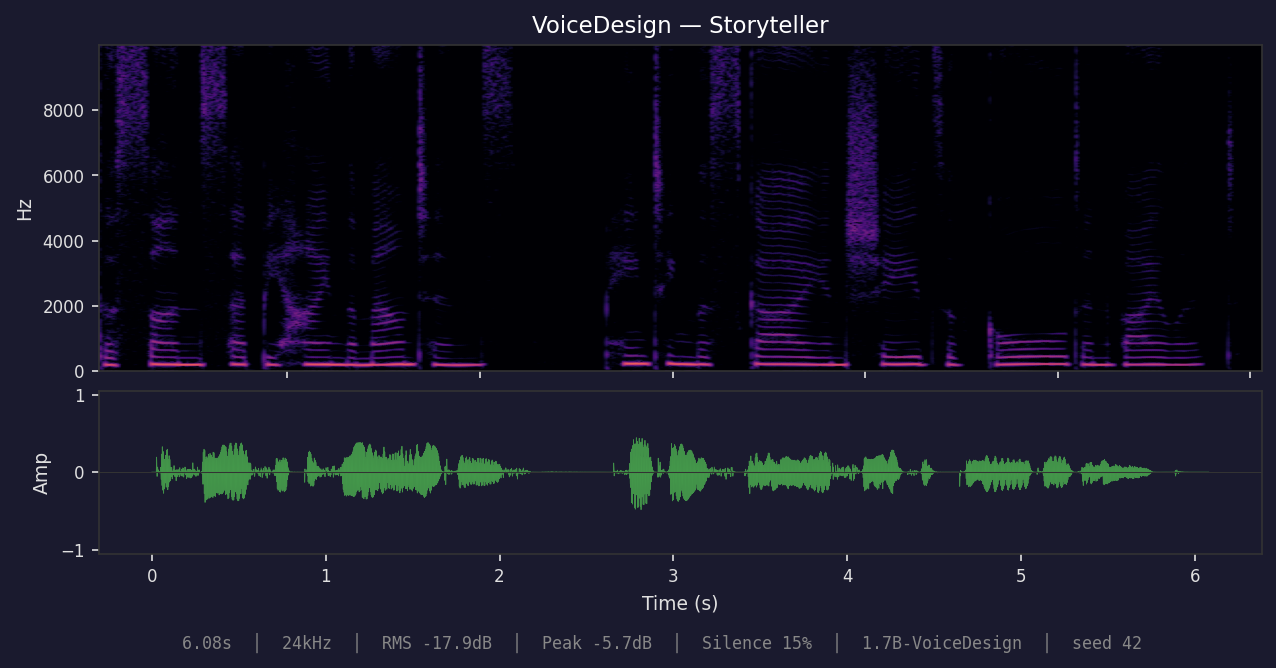
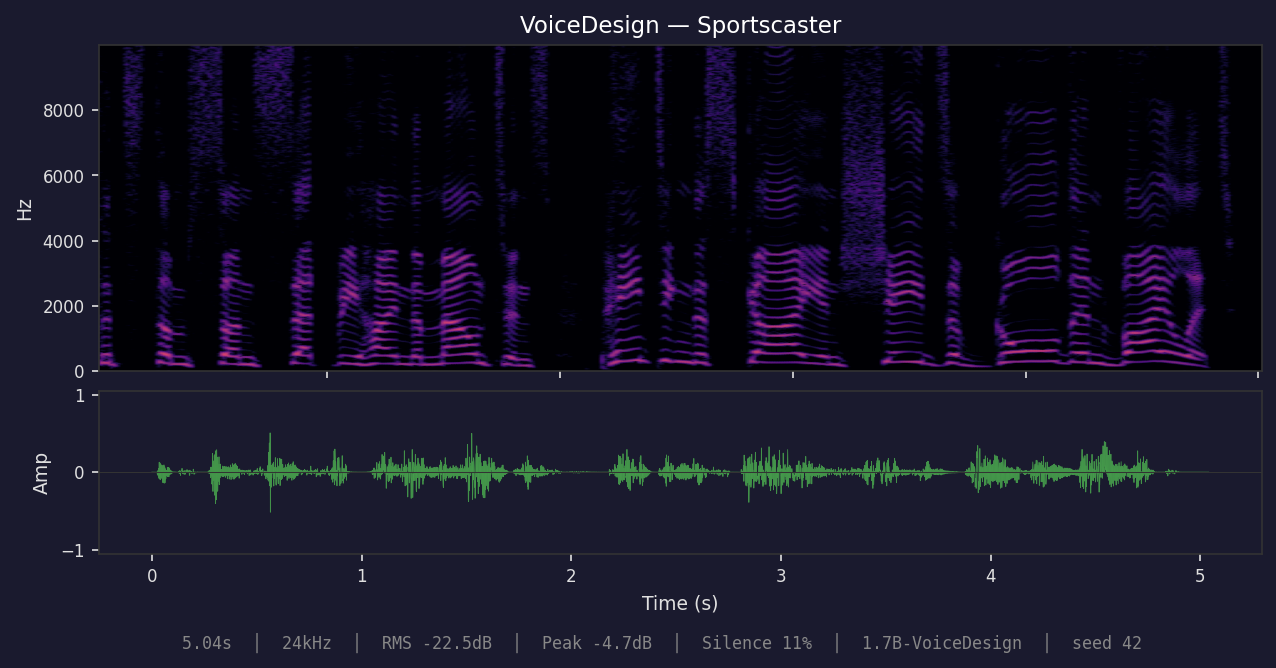
All samples generated with 1.7B models, seed 42. Text: "The sun set behind the mountains, painting the sky in shades of gold and violet."
CustomVoice — Ryan
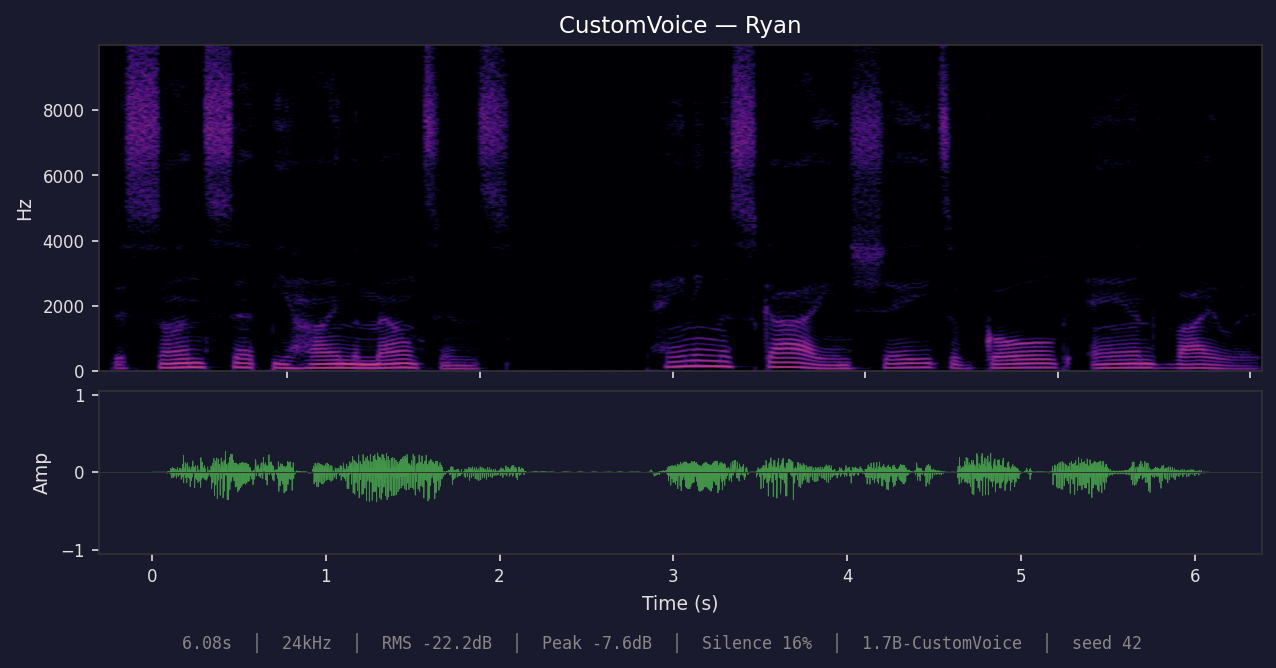
CustomVoice — Serena
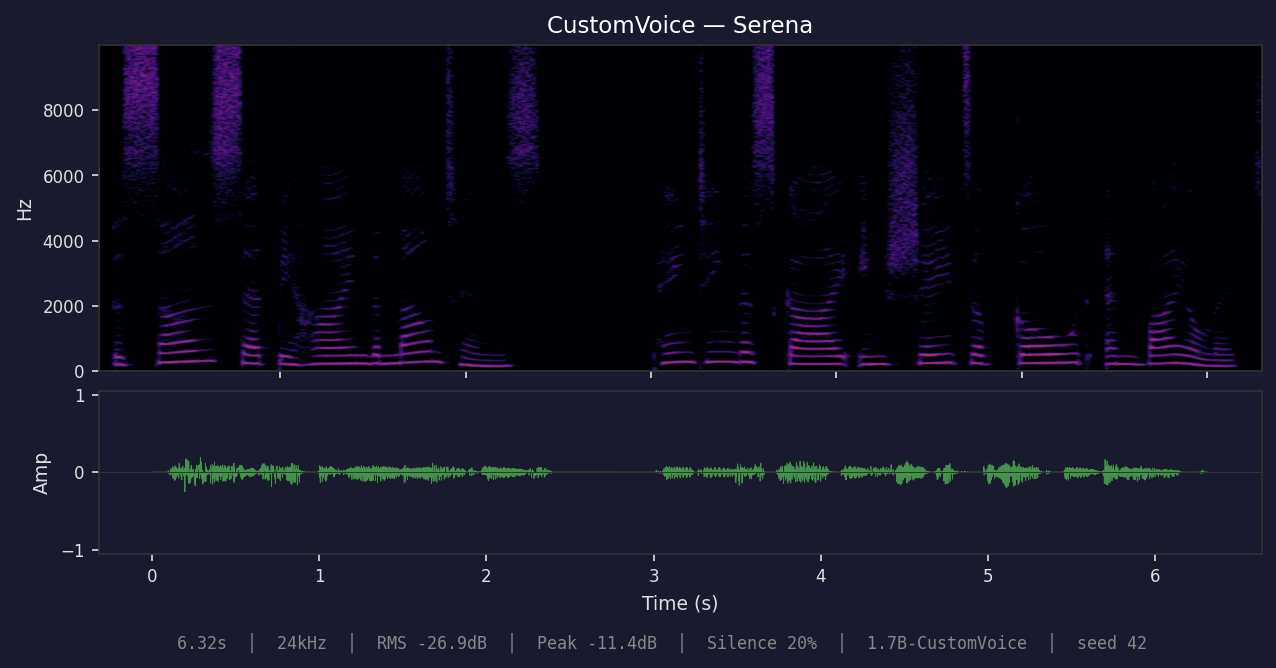
Voice Clone — ICL
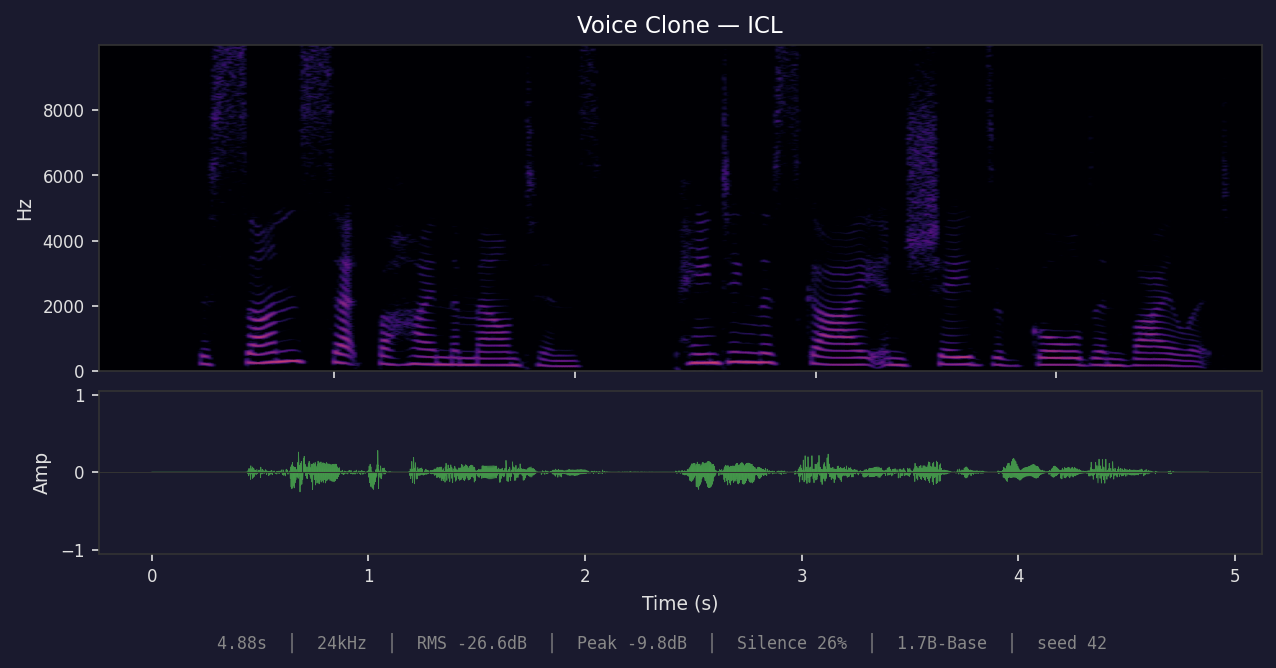
VoiceDesign — Radio Announcer
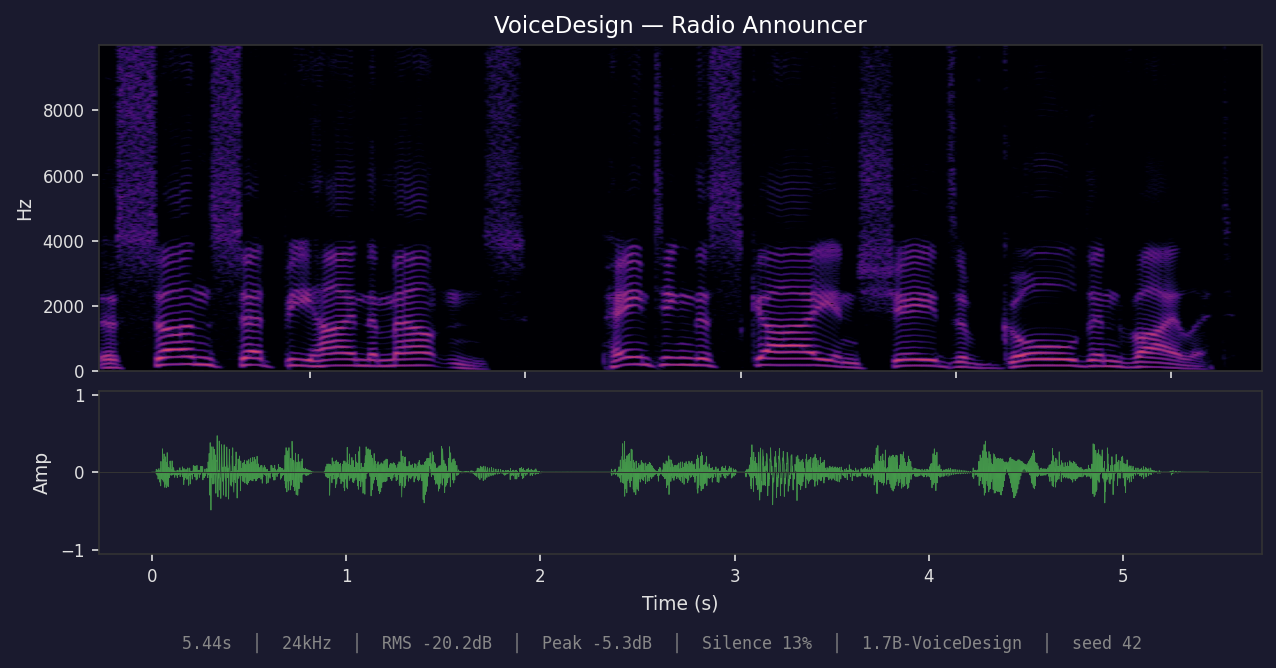
VoiceDesign — Storyteller
VoiceDesign — Sportscaster
Model Variants
Five official model variants exist across two size classes. Each variant supports a different speaker conditioning method:
| Variant | Params | Speaker Conditioning | Use Case |
|---|---|---|---|
| 0.6B Base | 1.8 GB | Voice cloning from reference audio | Clone any voice from a WAV file |
| 0.6B CustomVoice | 1.8 GB | 9 preset speakers | Pick from built-in voices |
| 1.7B Base | 3.9 GB | Voice cloning from reference audio | Higher quality voice cloning |
| 1.7B CustomVoice | 3.9 GB | 9 preset speakers | Higher quality preset voices |
| 1.7B VoiceDesign | 3.8 GB | Text description | Describe a voice in natural language |
Which model should I use?
- Want to clone a specific voice? Use a Base model with
--ref-audio(ICL mode) or--ref-audio --x-vector-only(faster, lower quality). - Want a quick preset voice? Use a CustomVoice model with
--speaker. - Want to describe a voice in text? Use 1.7B VoiceDesign with
--instruct. - Unsure? Start with 0.6B CustomVoice for the fastest results.
Valid combinations
| Preset speakers | Voice clone (x_vector) | Voice clone (ICL) | Text-described voice | |
|---|---|---|---|---|
| Base | x | x | ||
| CustomVoice | x | |||
| VoiceDesign | x |
Using the wrong combination (e.g. preset speakers on a Base model) won't crash, but produces unpredictable voice output. The library and CLI warn when this happens.
Installation
Add to your Cargo.toml:
[dependencies]
qwen3-tts = { version = "0.1", features = ["hub"] }
Feature Flags
| Feature | Description |
|---|---|
cpu (default) | CPU inference |
cuda | NVIDIA GPU acceleration |
flash-attn | Flash Attention 2 (requires CUDA toolkit; enables bf16 compute) |
metal | Apple Silicon GPU acceleration |
mkl | Intel MKL for faster CPU inference |
accelerate | Apple Accelerate framework |
hub | HuggingFace Hub model downloads |
cli | Command-line tools |
Quick Start
Preset speakers (CustomVoice)
use qwen3_tts::{Qwen3TTS, Speaker, Language, auto_device};

fn main() -> anyhow::Result<()> {
    let device = auto_device()?;
    let model = Qwen3TTS::from_pretrained("path/to/customvoice_model", device)?;

    let audio = model.synthesize_with_voice(
        "Hello, world!",
        Speaker::Ryan,
        Language::English,
        None,
    )?;
    audio.save("output.wav")?;
    Ok(())
}
Available speakers: Serena, Vivian, UncleFu, Ryan, Aiden, OnoAnna, Sohee, Eric, Dylan
Voice cloning (Base)
use qwen3_tts::{Qwen3TTS, Language, AudioBuffer, auto_device};

fn main() -> anyhow::Result<()> {
    let device = auto_device()?;
    let model = Qwen3TTS::from_pretrained("path/to/base_model", device)?;

    // Load reference audio
    let ref_audio = AudioBuffer::load("reference_voice.wav")?;

    // ICL mode: full voice cloning with reference text
    let prompt = model.create_voice_clone_prompt(&ref_audio, Some("transcript of ref audio"))?;

    // x_vector_only: faster, speaker embedding only (no reference text needed)
    // let prompt = model.create_voice_clone_prompt(&ref_audio, None)?;

    let audio = model.synthesize_voice_clone(
        "Hello in the cloned voice!",
        &prompt,
        Language::English,
        None,
    )?;
    audio.save("cloned.wav")?;
    Ok(())
}
Text-described voice (VoiceDesign)
use qwen3_tts::{Qwen3TTS, Language, auto_device};

fn main() -> anyhow::Result<()> {
    let device = auto_device()?;
    let model = Qwen3TTS::from_pretrained("path/to/voicedesign_model", device)?;

    let audio = model.synthesize_voice_design(
        "Hello from a designed voice!",
        "A cheerful young female voice with high pitch and energetic tone",
        Language::English,
        None,
    )?;
    audio.save("designed.wav")?;
    Ok(())
}
Reusable voices (.voice files)
You can persist voices to a single .voice file (safetensors + metadata) and reuse them across prompts.
use qwen3_tts::{AudioBuffer, Language, Qwen3TTS, Voice, auto_device};

fn main() -> anyhow::Result<()> {
    let device = auto_device()?;
    let model = Qwen3TTS::from_pretrained("path/to/base_model", device)?;

    let ref_audio = AudioBuffer::load("reference_voice.wav")?;
    let voice = model.create_voice("alice", &ref_audio, None)?;
    voice.save("alice.voice")?;

    let voice = Voice::load("alice.voice", model.device())?;
    let audio = model.synthesize_with(
        "Reusing a saved voice.",
        &voice,
        Language::English,
        None,
    )?;
    audio.save("reused_voice.wav")?;
    Ok(())
}
You can also persist a text-designed voice and reuse it later:
use qwen3_tts::{Language, Qwen3TTS, Voice, auto_device};

fn main() -> anyhow::Result<()> {
    let device = auto_device()?;
    let model = Qwen3TTS::from_pretrained("path/to/voicedesign_model", device)?;

    let voice = model.create_voice_from_description(
        "radio_host",
        "A confident radio host with crisp diction",
    )?;
    voice.save("radio_host.voice")?;

    let voice = Voice::load("radio_host.voice", model.device())?;
    let audio = model.synthesize_with(
        "This is your nightly update.",
        &voice,
        Language::English,
        None,
    )?;
    audio.save("radio_host.wav")?;
    Ok(())
}
With custom options
use qwen3_tts::{Qwen3TTS, SynthesisOptions, auto_device};

fn main() -> anyhow::Result<()> {
    let device = auto_device()?;
    let model = Qwen3TTS::from_pretrained("path/to/model", device)?;

    let options = SynthesisOptions {
        temperature: 0.8,
        top_k: 30,
        top_p: 0.85,
        repetition_penalty: 1.05,
        ..Default::default()
    };
    let audio = model.synthesize("Custom settings!", Some(options))?;
    audio.save("output.wav")?;
    Ok(())
}
Streaming synthesis
For low-latency applications, stream audio in chunks:
use qwen3_tts::{Qwen3TTS, Speaker, Language, SynthesisOptions, auto_device};

fn main() -> anyhow::Result<()> {
    let device = auto_device()?;
    let model = Qwen3TTS::from_pretrained("path/to/model", device)?;

    let options = SynthesisOptions {
        chunk_frames: 10, // ~800ms per chunk
        ..Default::default()
    };

    for chunk in model.synthesize_streaming(
        "Hello, world!",
        Speaker::Ryan,
        Language::English,
        options,
    )? {
        let audio = chunk?;
        // Play or stream this chunk
        println!("Got {} samples", audio.samples.len());
    }
    Ok(())
}
With HuggingFace Hub
use qwen3_tts::{Qwen3TTS, ModelPaths, auto_device};

fn main() -> anyhow::Result<()> {
    let paths = ModelPaths::download(None)?;
    let device = auto_device()?;

    let model = Qwen3TTS::from_paths(&paths, device)?;
    let audio = model.synthesize("Hello from HuggingFace!", None)?;
    audio.save("output.wav")?;
    Ok(())
}
Architecture
The TTS pipeline consists of three stages:
-
TalkerModel: 28-layer transformer generating semantic tokens from text autoregressively. Uses MRoPE (multimodal rotary position encoding) across all variants.
-
CodePredictor: 5-layer decoder that generates 15 acoustic tokens per semantic token. Always 1024 hidden dim; 1.7B models use a projection layer to bridge from the talker's 2048-dim space.
-
Decoder12Hz: Converts 16-codebook tokens to 24kHz audio via ConvNeXt blocks and transposed convolution upsampling. Shared across all model variants.
Text --> TalkerModel --> Semantic Token --> CodePredictor --> [16 codes] --> Decoder --> Audio
              ^                                  ^
         (autoregressive,                  (per frame,
          one per frame)                    15 acoustic codes)
CLI
The model variant is auto-detected from config.json. The CLI warns if your flags don't match the model type.
# CustomVoice: preset speaker
cargo run --release --features cli --bin generate_audio -- \
  --model-dir path/to/customvoice \
  --text "Hello world" \
  --speaker ryan \
  --language english \

# Base: voice cloning (ICL — best quality, requires reference text)
cargo run --release --features cli --bin generate_audio -- \
  --model-dir path/to/base \
  --text "Hello world" \
  --ref-audio reference.wav \
  --ref-text "transcript of the reference audio"

# Base: voice cloning (x_vector_only — faster, no transcript needed)
cargo run --release --features cli --bin generate_audio -- \
  --model-dir path/to/base \
  --text "Hello world" \
  --ref-audio reference.wav \
  --x-vector-only

# VoiceDesign: describe the voice you want
cargo run --release --features cli --bin generate_audio -- \
  --model-dir path/to/voicedesign \
  --text "Hello world" \
  --instruct "A cheerful young female voice with high pitch and energetic tone" \
  --language english

# Save a created voice to a .voice file
cargo run --release --features cli --bin generate_audio -- \
  --model-dir path/to/base \
  --text "Hello world" \
  --ref-audio reference.wav \
  --save-voice alice.voice

# Reuse a saved voice
cargo run --release --features cli --bin generate_audio -- \
  --model-dir path/to/voicedesign \
  --text "Hello again" \
  --voice alice.voice

# Reproducible generation with fixed seed
cargo run --release --features cli --bin generate_audio -- \
  --model-dir path/to/model \
  --text "Hello" \
  --seed 42
CLI options
| Flag | Default | Description |
|---|---|---|
--model-dir | test_data/model | Path to model directory |
--text | "Hello" | Text to synthesize |
--speaker | ryan | Preset speaker (CustomVoice only) |
--language | english | Target language |
--instruct | Voice description for VoiceDesign models | |
--ref-audio | Reference audio WAV for voice cloning (Base only) | |
--ref-text | Reference transcript for ICL voice cloning (requires --ref-audio) | |
--x-vector-only | Speaker embedding only, no ICL (use with --ref-audio) | |
--voice | Load voice from a .voice file | |
--save-voice | Save the created voice to a .voice file | |
--output | Output WAV file path (overrides default naming) | |
--device | auto | Device: auto, cpu, cuda, cuda:N, metal |
--duration | Max duration in seconds (overrides --frames) | |
--frames | 2048 | Max frames (~164s); generation stops at EOS |
--temperature | 0.7 | Sampling temperature |
--top-k | 50 | Top-k sampling |
--top-p | 0.9 | Nucleus sampling threshold |
--repetition-penalty | 1.05 | Repetition penalty |
--seed | 42 | Random seed for reproducibility |
GPU Acceleration
On CUDA devices, the talker and code predictor automatically run in bf16 for lower memory usage and faster inference. The codec decoder and speaker encoder remain in f32 (convolutional, no attention).
For best performance, build with Flash Attention 2 (requires CUDA toolkit in PATH):
cargo build --release --features flash-attn,cli
Docker
For GPU builds, use the build script which auto-detects your GPU architecture:
# Build GPU image (auto-detects compute capability)
./build-docker.sh qwen3-tts flash-attn,cli

# Build CPU-only image
./build-docker.sh qwen3-tts-cpu cli
The script builds inside a running container with GPU access, ensuring correct PTX compilation for your exact hardware (Ampere, Ada, Hopper, Blackwell, etc.).
Run inference:
docker run --gpus all \
  -v /path/to/models:/models \
  -v /path/to/output:/output \
  qwen3-tts \
    --model-dir /models/0.6b-customvoice \
    --speaker ryan \
    --text "Hello world, this is a test." \
    --device cuda \
    --output /output/hello.wav
For CPU-only builds without GPU access, use the Dockerfile directly:
docker build --build-arg FEATURES=cli --build-arg BASE=ubuntu:22.04 -t qwen3-tts-cpu .
Dtype behavior
| Component | CPU | CUDA/Metal | CUDA + flash-attn |
|---|---|---|---|
| Talker (transformer) | F32 | BF16 | BF16 |
| Code Predictor | F32 | BF16 | BF16 |
| Codec Decoder | F32 | F32 | F32 |
| Speaker Encoder | F32 | F32 | F32 |
Model Files
All models share the same speech tokenizer and text tokenizer.
| Component | HuggingFace Repo | Size |
|---|---|---|
| 0.6B Base | Qwen/Qwen3-TTS-12Hz-0.6B-Base | 1.8 GB |
| 0.6B CustomVoice | Qwen/Qwen3-TTS-12Hz-0.6B-CustomVoice | 1.8 GB |
| 1.7B Base | Qwen/Qwen3-TTS-12Hz-1.7B-Base | 3.9 GB |
| 1.7B CustomVoice | Qwen/Qwen3-TTS-12Hz-1.7B-CustomVoice | 3.9 GB |
| 1.7B VoiceDesign | Qwen/Qwen3-TTS-12Hz-1.7B-VoiceDesign | 3.8 GB |
| Speech Tokenizer | Qwen/Qwen3-TTS-Tokenizer-12Hz | 682 MB |
| Text Tokenizer | Qwen/Qwen2-0.5B | 7 MB |
Supported languages
English, Chinese, Japanese, Korean, German, French, Russian, Portuguese, Spanish, Italian
Sample Rate
Output audio is always 24kHz mono. Use audio::resample() for other rates:
use qwen3_tts::audio;

let audio_48k = audio::resample(&audio, 48000)?;
License
MIT License. See the main Qwen3-TTS repository for model license information.
Contributors
59 commits

2 commits
Similar repos


Languages
Rust
87.9%
Python
6.9%
Shell
4.2%
README
qwen3-tts
Pure Rust inference for Qwen3-TTS, a text-to-speech model from Alibaba. Built on candle — no Python or ONNX runtime required.
All code in this repo was written with Claude Code. This is an experiment -- not a production library.
Changelog
0.4.0
- Pre-allocated KV cache with InplaceOp2 (zero-copy CUDA writes, no Tensor::cat)
- GPU-side repetition penalty mask (incremental slice_assign, eliminates growing CPU transfer)
- Deferred acoustic codes transfer (single bulk GPU→CPU at end of generation)
- Fused residual + RMSNorm CUDA kernel
- GPU→CPU syncs reduced from 3/frame to 1/frame (4-byte EOS check)
- Non-streaming RTF: 0.48–0.67 across all variants (97-100% of theoretical throughput)
0.3.0
- GPU-side sampling: batched argmax, on-device top-k/top-p/repetition penalty
- Eliminated 15 of 16 GPU→CPU syncs per frame in code predictor
- Cached token suppression mask in streaming sessions
- Tokenizer fallback from vocab.json + merges.txt when tokenizer.json is unavailable
- Profiling infrastructure: Chrome tracing, flamegraph, Nsight Systems via Makefile
- Benchmarked all 4 model variants (0.6B Base, 1.7B Base/CustomVoice/VoiceDesign)
- Self-contained model directories (removed tokenizer symlinks)
- Enhanced waveform plots with stats annotation bar
0.2.0
- ICL voice cloning now works correctly with proper reference audio
- Fixed WAV output format (WAVEX/float32 → standard WAV/PCM16) — resolves playback speed issues in some players
- Improved tokenizer path resolution with explicit
--tokenizer-diroverride - Added benchmarking suite (Criterion micro-benchmarks + E2E speed tests)
- Automatic resampling of reference audio to 24kHz for voice cloning
- Docker base image updated to NGC pytorch:25.11 (CUDA 13.0)
Thanks to u/rngesius for feedback on playback speed and tokenizer issues.
Acknowledgements
- Qwen Team (Alibaba) — Qwen3-TTS model, weights, and technical report
- candle — Rust ML framework by Hugging Face
- mlx-audio — reference implementation that helped clarify model details
- Claude Code — wrote the code
Features
- CPU inference with optional MKL/Accelerate for faster BLAS operations
- CUDA support for NVIDIA GPU acceleration with bf16 and Flash Attention 2
- Metal support for Apple Silicon
- Streaming synthesis for low-latency audio output
- Voice cloning via x-vector or ICL (in-context learning) from reference audio (Base models)
- Preset speakers with 9 built-in voices (CustomVoice models)
- Text-described voices via natural language prompts (VoiceDesign models)
- Auto-detection of model variant from
config.json - HuggingFace Hub integration for easy model downloads
Performance
Benchmarked on an NVIDIA DGX Spark (GB10 Blackwell, ARM Cortex-X925, 120 GB unified memory). Default generation parameters, seed 42, 2 warmup + 3 timed iterations.
| Model | RTF (short) | RTF (long) | Tok/s | Memory |
|---|---|---|---|---|
| 0.6B Base (CUDA BF16) | 0.48 | 0.50 | 25.9 | 767 MB |
| 1.7B Base (CUDA BF16) | 0.65 | 0.65 | 19.4 | 767 MB |
| 1.7B CustomVoice (CUDA BF16) | 0.64 | 0.67 | 19.2 | 772 MB |
| 1.7B VoiceDesign (CUDA BF16) | 0.64 | 0.66 | 19.3 | 770 MB |
| 1.7B CustomVoice (CPU F32) | 5.39 | 6.48 | 2.1 | 9.1 GB |
RTF (real-time factor) = wall-clock / audio duration. < 1.0 is faster than real-time. Non-streaming results shown above. Streaming adds ~8-12% overhead with TTFA ~444 ms (0.6B) / ~580 ms (1.7B).
See docs/BENCHMARKS.md for full results, test corpus, micro-benchmarks, and reproduction instructions.
Samples
All samples generated with 1.7B models, seed 42. Text: "The sun set behind the mountains, painting the sky in shades of gold and violet."
CustomVoice — Ryan
CustomVoice — Serena
Voice Clone — ICL
VoiceDesign — Radio Announcer
VoiceDesign — Storyteller
VoiceDesign — Sportscaster
Model Variants
Five official model variants exist across two size classes. Each variant supports a different speaker conditioning method:
| Variant | Params | Speaker Conditioning | Use Case |
|---|---|---|---|
| 0.6B Base | 1.8 GB | Voice cloning from reference audio | Clone any voice from a WAV file |
| 0.6B CustomVoice | 1.8 GB | 9 preset speakers | Pick from built-in voices |
| 1.7B Base | 3.9 GB | Voice cloning from reference audio | Higher quality voice cloning |
| 1.7B CustomVoice | 3.9 GB | 9 preset speakers | Higher quality preset voices |
| 1.7B VoiceDesign | 3.8 GB | Text description | Describe a voice in natural language |
Which model should I use?
- Want to clone a specific voice? Use a Base model with
--ref-audio(ICL mode) or--ref-audio --x-vector-only(faster, lower quality). - Want a quick preset voice? Use a CustomVoice model with
--speaker. - Want to describe a voice in text? Use 1.7B VoiceDesign with
--instruct. - Unsure? Start with 0.6B CustomVoice for the fastest results.
Valid combinations
| Preset speakers | Voice clone (x_vector) | Voice clone (ICL) | Text-described voice | |
|---|---|---|---|---|
| Base | x | x | ||
| CustomVoice | x | |||
| VoiceDesign | x |
Using the wrong combination (e.g. preset speakers on a Base model) won't crash, but produces unpredictable voice output. The library and CLI warn when this happens.
Installation
Add to your Cargo.toml:
[dependencies]
qwen3-tts = { version = "0.1", features = ["hub"] }
Feature Flags
| Feature | Description |
|---|---|
cpu (default) | CPU inference |
cuda | NVIDIA GPU acceleration |
flash-attn | Flash Attention 2 (requires CUDA toolkit; enables bf16 compute) |
metal | Apple Silicon GPU acceleration |
mkl | Intel MKL for faster CPU inference |
accelerate | Apple Accelerate framework |
hub | HuggingFace Hub model downloads |
cli | Command-line tools |
Quick Start
Preset speakers (CustomVoice)
use qwen3_tts::{Qwen3TTS, Speaker, Language, auto_device};

fn main() -> anyhow::Result<()> {
    let device = auto_device()?;
    let model = Qwen3TTS::from_pretrained("path/to/customvoice_model", device)?;

    let audio = model.synthesize_with_voice(
        "Hello, world!",
        Speaker::Ryan,
        Language::English,
        None,
    )?;
    audio.save("output.wav")?;
    Ok(())
}
Available speakers: Serena, Vivian, UncleFu, Ryan, Aiden, OnoAnna, Sohee, Eric, Dylan
Voice cloning (Base)
use qwen3_tts::{Qwen3TTS, Language, AudioBuffer, auto_device};

fn main() -> anyhow::Result<()> {
    let device = auto_device()?;
    let model = Qwen3TTS::from_pretrained("path/to/base_model", device)?;

    // Load reference audio
    let ref_audio = AudioBuffer::load("reference_voice.wav")?;

    // ICL mode: full voice cloning with reference text
    let prompt = model.create_voice_clone_prompt(&ref_audio, Some("transcript of ref audio"))?;

    // x_vector_only: faster, speaker embedding only (no reference text needed)
    // let prompt = model.create_voice_clone_prompt(&ref_audio, None)?;

    let audio = model.synthesize_voice_clone(
        "Hello in the cloned voice!",
        &prompt,
        Language::English,
        None,
    )?;
    audio.save("cloned.wav")?;
    Ok(())
}
Text-described voice (VoiceDesign)
use qwen3_tts::{Qwen3TTS, Language, auto_device};

fn main() -> anyhow::Result<()> {
    let device = auto_device()?;
    let model = Qwen3TTS::from_pretrained("path/to/voicedesign_model", device)?;

    let audio = model.synthesize_voice_design(
        "Hello from a designed voice!",
        "A cheerful young female voice with high pitch and energetic tone",
        Language::English,
        None,
    )?;
    audio.save("designed.wav")?;
    Ok(())
}
Reusable voices (.voice files)
You can persist voices to a single .voice file (safetensors + metadata) and reuse them across prompts.
use qwen3_tts::{AudioBuffer, Language, Qwen3TTS, Voice, auto_device};

fn main() -> anyhow::Result<()> {
    let device = auto_device()?;
    let model = Qwen3TTS::from_pretrained("path/to/base_model", device)?;

    let ref_audio = AudioBuffer::load("reference_voice.wav")?;
    let voice = model.create_voice("alice", &ref_audio, None)?;
    voice.save("alice.voice")?;

    let voice = Voice::load("alice.voice", model.device())?;
    let audio = model.synthesize_with(
        "Reusing a saved voice.",
        &voice,
        Language::English,
        None,
    )?;
    audio.save("reused_voice.wav")?;
    Ok(())
}
You can also persist a text-designed voice and reuse it later:
use qwen3_tts::{Language, Qwen3TTS, Voice, auto_device};

fn main() -> anyhow::Result<()> {
    let device = auto_device()?;
    let model = Qwen3TTS::from_pretrained("path/to/voicedesign_model", device)?;

    let voice = model.create_voice_from_description(
        "radio_host",
        "A confident radio host with crisp diction",
    )?;
    voice.save("radio_host.voice")?;

    let voice = Voice::load("radio_host.voice", model.device())?;
    let audio = model.synthesize_with(
        "This is your nightly update.",
        &voice,
        Language::English,
        None,
    )?;
    audio.save("radio_host.wav")?;
    Ok(())
}
With custom options
use qwen3_tts::{Qwen3TTS, SynthesisOptions, auto_device};

fn main() -> anyhow::Result<()> {
    let device = auto_device()?;
    let model = Qwen3TTS::from_pretrained("path/to/model", device)?;

    let options = SynthesisOptions {
        temperature: 0.8,
        top_k: 30,
        top_p: 0.85,
        repetition_penalty: 1.05,
        ..Default::default()
    };
    let audio = model.synthesize("Custom settings!", Some(options))?;
    audio.save("output.wav")?;
    Ok(())
}
Streaming synthesis
For low-latency applications, stream audio in chunks:
use qwen3_tts::{Qwen3TTS, Speaker, Language, SynthesisOptions, auto_device};

fn main() -> anyhow::Result<()> {
    let device = auto_device()?;
    let model = Qwen3TTS::from_pretrained("path/to/model", device)?;

    let options = SynthesisOptions {
        chunk_frames: 10, // ~800ms per chunk
        ..Default::default()
    };

    for chunk in model.synthesize_streaming(
        "Hello, world!",
        Speaker::Ryan,
        Language::English,
        options,
    )? {
        let audio = chunk?;
        // Play or stream this chunk
        println!("Got {} samples", audio.samples.len());
    }
    Ok(())
}
With HuggingFace Hub
use qwen3_tts::{Qwen3TTS, ModelPaths, auto_device};

fn main() -> anyhow::Result<()> {
    let paths = ModelPaths::download(None)?;
    let device = auto_device()?;

    let model = Qwen3TTS::from_paths(&paths, device)?;
    let audio = model.synthesize("Hello from HuggingFace!", None)?;
    audio.save("output.wav")?;
    Ok(())
}
Architecture
The TTS pipeline consists of three stages:
-
TalkerModel: 28-layer transformer generating semantic tokens from text autoregressively. Uses MRoPE (multimodal rotary position encoding) across all variants.
-
CodePredictor: 5-layer decoder that generates 15 acoustic tokens per semantic token. Always 1024 hidden dim; 1.7B models use a projection layer to bridge from the talker's 2048-dim space.
-
Decoder12Hz: Converts 16-codebook tokens to 24kHz audio via ConvNeXt blocks and transposed convolution upsampling. Shared across all model variants.
Text --> TalkerModel --> Semantic Token --> CodePredictor --> [16 codes] --> Decoder --> Audio
              ^                                  ^
         (autoregressive,                  (per frame,
          one per frame)                    15 acoustic codes)
CLI
The model variant is auto-detected from config.json. The CLI warns if your flags don't match the model type.
# CustomVoice: preset speaker
cargo run --release --features cli --bin generate_audio -- \
  --model-dir path/to/customvoice \
  --text "Hello world" \
  --speaker ryan \
  --language english \

# Base: voice cloning (ICL — best quality, requires reference text)
cargo run --release --features cli --bin generate_audio -- \
  --model-dir path/to/base \
  --text "Hello world" \
  --ref-audio reference.wav \
  --ref-text "transcript of the reference audio"

# Base: voice cloning (x_vector_only — faster, no transcript needed)
cargo run --release --features cli --bin generate_audio -- \
  --model-dir path/to/base \
  --text "Hello world" \
  --ref-audio reference.wav \
  --x-vector-only

# VoiceDesign: describe the voice you want
cargo run --release --features cli --bin generate_audio -- \
  --model-dir path/to/voicedesign \
  --text "Hello world" \
  --instruct "A cheerful young female voice with high pitch and energetic tone" \
  --language english

# Save a created voice to a .voice file
cargo run --release --features cli --bin generate_audio -- \
  --model-dir path/to/base \
  --text "Hello world" \
  --ref-audio reference.wav \
  --save-voice alice.voice

# Reuse a saved voice
cargo run --release --features cli --bin generate_audio -- \
  --model-dir path/to/voicedesign \
  --text "Hello again" \
  --voice alice.voice

# Reproducible generation with fixed seed
cargo run --release --features cli --bin generate_audio -- \
  --model-dir path/to/model \
  --text "Hello" \
  --seed 42
CLI options
| Flag | Default | Description |
|---|---|---|
--model-dir | test_data/model | Path to model directory |
--text | "Hello" | Text to synthesize |
--speaker | ryan | Preset speaker (CustomVoice only) |
--language | english | Target language |
--instruct | Voice description for VoiceDesign models | |
--ref-audio | Reference audio WAV for voice cloning (Base only) | |
--ref-text | Reference transcript for ICL voice cloning (requires --ref-audio) | |
--x-vector-only | Speaker embedding only, no ICL (use with --ref-audio) | |
--voice | Load voice from a .voice file | |
--save-voice | Save the created voice to a .voice file | |
--output | Output WAV file path (overrides default naming) | |
--device | auto | Device: auto, cpu, cuda, cuda:N, metal |
--duration | Max duration in seconds (overrides --frames) | |
--frames | 2048 | Max frames (~164s); generation stops at EOS |
--temperature | 0.7 | Sampling temperature |
--top-k | 50 | Top-k sampling |
--top-p | 0.9 | Nucleus sampling threshold |
--repetition-penalty | 1.05 | Repetition penalty |
--seed | 42 | Random seed for reproducibility |
GPU Acceleration
On CUDA devices, the talker and code predictor automatically run in bf16 for lower memory usage and faster inference. The codec decoder and speaker encoder remain in f32 (convolutional, no attention).
For best performance, build with Flash Attention 2 (requires CUDA toolkit in PATH):
cargo build --release --features flash-attn,cli
Docker
For GPU builds, use the build script which auto-detects your GPU architecture:
# Build GPU image (auto-detects compute capability)
./build-docker.sh qwen3-tts flash-attn,cli

# Build CPU-only image
./build-docker.sh qwen3-tts-cpu cli
The script builds inside a running container with GPU access, ensuring correct PTX compilation for your exact hardware (Ampere, Ada, Hopper, Blackwell, etc.).
Run inference:
docker run --gpus all \
  -v /path/to/models:/models \
  -v /path/to/output:/output \
  qwen3-tts \
    --model-dir /models/0.6b-customvoice \
    --speaker ryan \
    --text "Hello world, this is a test." \
    --device cuda \
    --output /output/hello.wav
For CPU-only builds without GPU access, use the Dockerfile directly:
docker build --build-arg FEATURES=cli --build-arg BASE=ubuntu:22.04 -t qwen3-tts-cpu .
Dtype behavior
| Component | CPU | CUDA/Metal | CUDA + flash-attn |
|---|---|---|---|
| Talker (transformer) | F32 | BF16 | BF16 |
| Code Predictor | F32 | BF16 | BF16 |
| Codec Decoder | F32 | F32 | F32 |
| Speaker Encoder | F32 | F32 | F32 |
Model Files
All models share the same speech tokenizer and text tokenizer.
| Component | HuggingFace Repo | Size |
|---|---|---|
| 0.6B Base | Qwen/Qwen3-TTS-12Hz-0.6B-Base | 1.8 GB |
| 0.6B CustomVoice | Qwen/Qwen3-TTS-12Hz-0.6B-CustomVoice | 1.8 GB |
| 1.7B Base | Qwen/Qwen3-TTS-12Hz-1.7B-Base | 3.9 GB |
| 1.7B CustomVoice | Qwen/Qwen3-TTS-12Hz-1.7B-CustomVoice | 3.9 GB |
| 1.7B VoiceDesign | Qwen/Qwen3-TTS-12Hz-1.7B-VoiceDesign | 3.8 GB |
| Speech Tokenizer | Qwen/Qwen3-TTS-Tokenizer-12Hz | 682 MB |
| Text Tokenizer | Qwen/Qwen2-0.5B | 7 MB |
Supported languages
English, Chinese, Japanese, Korean, German, French, Russian, Portuguese, Spanish, Italian
Sample Rate
Output audio is always 24kHz mono. Use audio::resample() for other rates:
use qwen3_tts::audio;

let audio_48k = audio::resample(&audio, 48000)?;
License
MIT License. See the main Qwen3-TTS repository for model license information.
Similar repos
Contributors
59 commits
2 commits
Languages
Rust
87.9%
Python
6.9%
Shell
4.2%