
Remove invisible AI watermarks (SynthID, StableSignature, TreeRing) and strip AI metadata from images. Open-source CLI & Python toolkit.
See the codeREADME
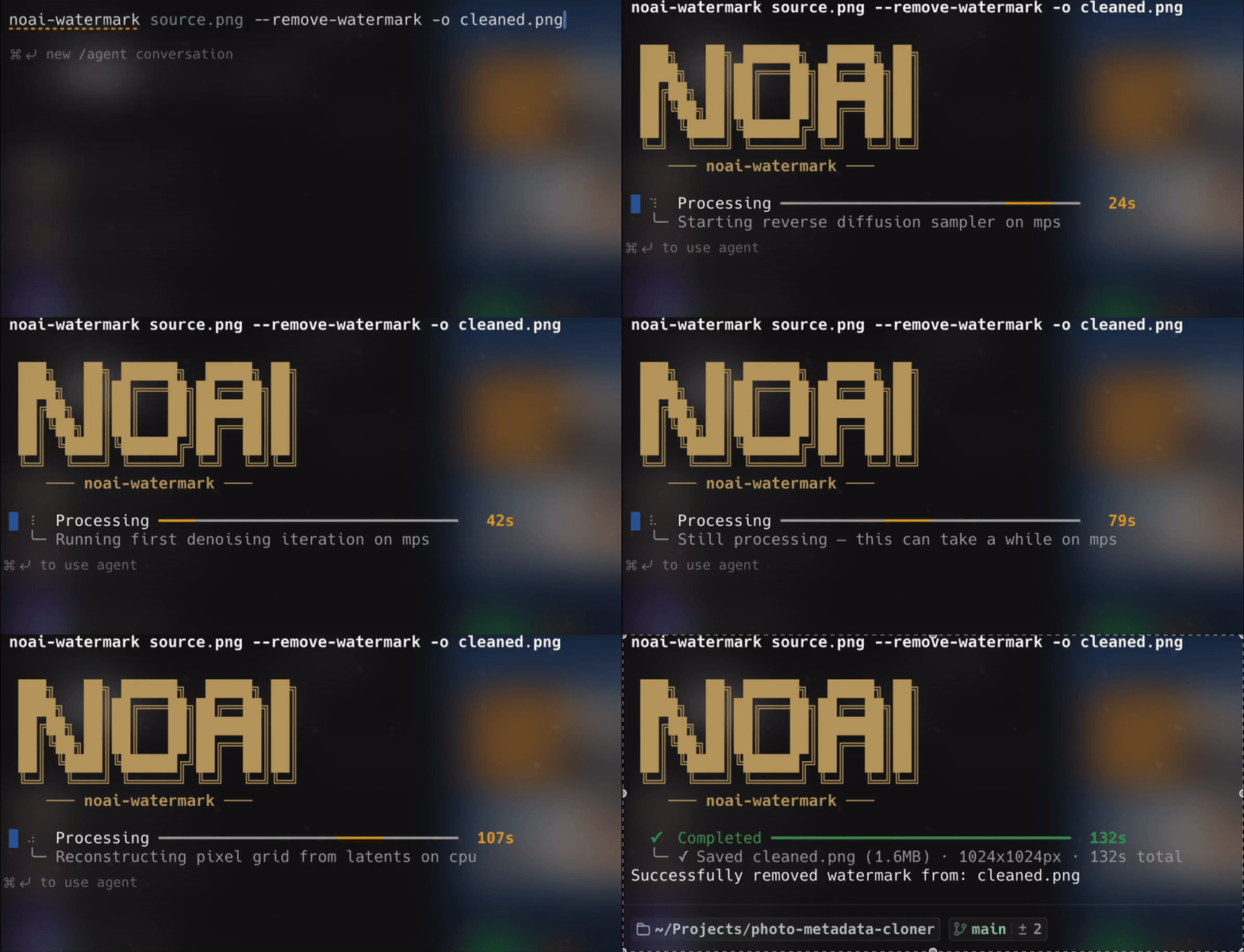
noai-watermark

Regenerate image pixels and manage embedded AI metadata.
AI image generators (Google Gemini, DALL-E, Midjourney, Stable Diffusion, etc.) embed invisible markers into every image they produce. These markers come in two forms:
- Invisible watermarks — signals hidden directly in the pixel data (e.g. SynthID, StableSignature, TreeRing). They survive file format conversions, screenshots, and basic editing. Standard image editors cannot see or remove them.
- AI metadata — text fields stored alongside the image (EXIF tags, PNG text chunks, C2PA provenance manifests). They record the model, prompt, seed, and generation parameters.
noai-watermark uses diffusion-based image regeneration to disrupt hidden watermark patterns and provides separate metadata inspection and cleanup. Regeneration can change visible details. Whether an invisible watermark remains requires an independent compatible detector; this tool does not provide that detector. Metadata verification reports the recognized fields and container coverage it inspected.
The controllable regeneration approach is based on Liu et al. (arXiv:2410.05470) and the CtrlRegen repository.
Table of Contents
- Example
- Quick Start
- Online Demo
- Installation
- Pipeline Profiles
- CLI Reference
- Python API
- Watermark Removal Guide
- Verification
- AI Metadata Types
- Troubleshooting
- Project Structure
- Testing
- Ethics and Responsible Use
- Acknowledgements
Example
Run at --strength 0.04 --steps 50 — watermark removed, image visually unchanged:
| Source (SynthID watermarked) | Cleaned (watermark removed) |
|---|---|
 |  |
SynthID verification result on cleaned image:
"Based on a SynthID analysis, this image was not made with Google AI. However, it is not possible to determine if it was generated or edited using other AI tools."
noai-watermark source.png --strength 0.04 --steps 50 -o cleaned.png
Quick Start
# Install via pip
pip install noai-watermark

# Or install via Homebrew (macOS)
brew install mertizci/noai-watermark/noai-watermark

# Default pipeline (img2img, fast)
noai-watermark source.png -o cleaned.png

# CtrlRegen pipeline (best quality)
noai-watermark source.png --model-profile ctrlregen -o cleaned.png
Online Demo
Try it in the browser on Hugging Face Spaces:
Note: The demo currently runs on CPU, so processing may be slow. It is intended for online testing.
Installation
From PyPI
pip install noai-watermark
Both watermark removal pipelines (default img2img + CtrlRegen) are included out of the box.
From Homebrew (macOS)
brew install mertizci/noai-watermark/noai-watermark
Optional (if you prefer tapping once):
brew tap mertizci/noai-watermark
brew install noai-watermark
Homebrew packages are built from macOS release binaries and automatically updated on each GitHub release.
macOS (Homebrew Python): If you get
externally-managed-environmenterror, usepipxor a virtual environment:# Option 1: pipx (recommended for CLI tools) brew install pipx pipx install noai-watermark # Option 2: virtual environment python3 -m venv ~/.noai-venv source ~/.noai-venv/bin/activate pip install noai-watermark
From GitHub
pip install "git+https://github.com/mertizci/noai-watermark.git"
Local Development
git clone https://github.com/mertizci/noai-watermark.git
cd noai-watermark
pip install -e ".[dev]"
Requirements
- Python >= 3.10
pillow >= 10.0.0,piexif >= 1.1.3,torch >= 2.0.0,diffusers >= 0.25.0,transformers >= 4.35.0,accelerate >= 0.25.0,controlnet-aux,color-matcher,safetensors- Supported formats: PNG, JPEG, and WebP, with operation limits below.
Format support
| Operation | PNG/JPEG | Static WebP | Animated WebP |
|---|---|---|---|
| Existing metadata APIs | Supported | Supported | Supported |
| C2PA inspection | PNG supported; JPEG APP11 unimplemented | Supported | Supported |
| Metadata cleanup | Existing behavior | Compressed image bytes preserved | Compressed frames and timing preserved |
| Pixel regeneration | Supported | Original dimensions and alpha preserved | Rejected before model setup |
| Metadata cloning/injection | Supported | Deferred | Deferred |
WebP output is lossless by default. --webp-quality 0 through --webp-quality 100 explicitly selects lossy color encoding while retaining alpha samples. Metadata-only WebP cleaning requires a .webp destination. Input format is validated from bytes; unknown output extensions raise an error.
See WebP metadata policy for recognized EXIF/XMP fields, preservation guarantees, malformed-input behavior, and verification coverage.
Maintainer Setup: Homebrew Automation
The repository includes .github/workflows/release-homebrew.yml to:
- Build and upload macOS binaries (
arm64andamd64) to the release. - Update the Homebrew tap formula with fresh asset URLs and SHA256 values.
Configure these once in your GitHub repository settings:
- Secret:
HOMEBREW_TAP_GITHUB_TOKEN(PAT with write access to tap repository) - Variable (optional):
HOMEBREW_TAP_REPOSITORY(defaults tomertizci/homebrew-noai-watermark)
Tap repository formula path is expected at:
Formula/noai-watermark.rb
System Requirements
| Default pipeline | CtrlRegen pipeline | |
|---|---|---|
| RAM | 8 GB minimum | 16 GB recommended |
| Storage | ~4 GB (model weights) | ~10 GB (multiple models) |
| GPU | Optional | Optional (recommended) |
| OS | macOS, Linux, Windows | macOS, Linux, Windows |
No GPU required. The device is selected automatically: CUDA (NVIDIA GPU) > MPS (Apple Silicon) > CPU. If you have a compatible GPU it will be used by default. You can override with --device cpu, --device cuda, or --device mps.
Note: MPS (Apple Silicon) can sometimes be slower than CPU for this workload. If you experience slow performance on Mac, try
--device cpu.
Pipeline Profiles
Two regeneration pipelines are available. Both use diffusion-based reconstruction — they differ in quality, speed, and download size.
default | ctrlregen | |
|---|---|---|
| Method | Img2img — adds noise then denoises to reconstruct the image | ControlNet (canny edges) + DINOv2 IP-Adapter (semantic guidance) + histogram color matching |
| Quality | Good — may drift on fine details at high strength | Best — preserves structure and color more faithfully |
| Resolution | Any size (processed at original resolution) | Any size (tile-based processing, see below) |
| Speed | Faster | Slower (multiple models in the pipeline) |
| Install | Included | Included |
Recommendation: Both pipelines are installed with
pip install noai-watermark. Start withdefaultfor quick iteration. Switch toctrlregenwhen output quality is the priority.
Download sizes are estimated dynamically from HuggingFace Hub before the first run. Models are cached locally after download — subsequent runs are instant.
CtrlRegen Tile-Based Processing
The original CtrlRegen pipeline operates on 512×512px images — a hard limitation of SD 1.5-based ControlNet. To support arbitrary resolution images without downscaling, noai-watermark uses an automatic tiling strategy:
- Split — the input image is divided into overlapping 512×512 tiles across a grid.
- Process — each tile is independently processed through the CtrlRegen pipeline (canny edge detection → ControlNet → DINOv2 IP-Adapter → diffusion).
- Blend — tiles are merged back using cosine-weighted blending masks that create smooth transitions in the overlap regions, eliminating visible seams.
This means a 2000×2000px photo is processed as a grid of overlapping tiles (e.g. 4×4), each at the native 512px resolution the model was trained on, then seamlessly reassembled at full resolution. No downscaling, no quality loss from resolution mismatch.
CtrlRegen model breakdown
| Model | Role |
|---|---|
SG161222/Realistic_Vision_V4.0_noVAE | SD 1.5 base model |
yepengliu/ctrlregen | ControlNet + IP-Adapter weights |
facebook/dinov2-giant | DINOv2 image encoder |
stabilityai/sd-vae-ft-mse | High-quality VAE |
--model-profile vs --model
These are two different CLI flags:
--model-profileselects the pipeline architecture —default(simple img2img) orctrlregen(ControlNet + IP-Adapter).--modelselects the base Stable Diffusion checkpoint used inside that pipeline. Any SD 1.5-compatible HuggingFace model ID works.
Example: --model-profile default --model runwayml/stable-diffusion-v1-5 uses the simple img2img pipeline with SD v1.5 weights instead of the default DreamShaper.
CLI Reference
All commands use noai-watermark. Add -v for verbose output.
Watermark removal is the default mode — no flag needed. Use --metadata to switch to metadata operations.
Watermark Removal (default)
# Remove watermark with default settings (strength=0.15, steps=50)
noai-watermark source.png -o cleaned.png

# Force CPU inference (try this if MPS is slow on Mac)
noai-watermark source.png --device cpu -o cleaned.png

# Higher strength for stubborn watermarks
noai-watermark source.png --strength 0.35 --steps 60 -o cleaned.png

# Use a different base model
noai-watermark source.png --model runwayml/stable-diffusion-v1-5 -o cleaned.png

# Photorealistic model (better for real photos)
noai-watermark source.png --model SG161222/Realistic_Vision_V5.1_noVAE -o cleaned.png

# CtrlRegen pipeline (best quality, larger download)
noai-watermark source.png --model-profile ctrlregen -o cleaned.png

# Skip the download confirmation prompt
noai-watermark source.png -y -o cleaned.png

# Authenticate with HuggingFace (or set HF_TOKEN env var)
noai-watermark source.png --hf-token hf_xxxxx -o cleaned.png

# Static WebP regeneration with lossless output and preserved alpha
noai-watermark source.webp -o regenerated.webp

# Explicit lossy WebP color encoding
noai-watermark source.webp --webp-quality 85 -o regenerated.webp
| Flag | Default | Description |
|---|---|---|
-o, --output | overwrites source | Output file path |
--strength | 0.15 | Regeneration intensity (0.0–1.0) |
--steps | 50 | Denoising iterations |
--webp-quality | lossless | Explicit lossy WebP color quality, 0–100; 100 is still lossy |
--model | Lykon/dreamshaper-8 | Any SD 1.5-compatible HuggingFace model |
--model-profile | default | Pipeline: default or ctrlregen |
--device | auto | auto, cpu, mps, or cuda |
--hf-token | — | HuggingFace API token |
-y, --yes | — | Skip download confirmation |
-v, --verbose | — | Show detailed processing info |
Metadata Operations
Use --metadata to switch to metadata mode. --check-ai and --remove-ai imply --metadata automatically.
# Clone all metadata from source to target
noai-watermark source.png target.png --metadata -o output.png

# Clone only AI-generated metadata
noai-watermark source.png target.png --metadata --ai-only -o output.png

# Check if an image contains AI metadata
noai-watermark source.png --check-ai

# Remove AI metadata (keeps standard EXIF/XMP)
noai-watermark source.png --remove-ai -o cleaned.png

# Remove all metadata (AI + standard)
noai-watermark source.png --remove-ai --remove-all-metadata -o cleaned.png

# Static or animated WebP: remove credentials without re-encoding frames
noai-watermark source.webp --remove-ai -o metadata-clean.webp
| Flag | Description |
|---|---|
--metadata | Switch to metadata mode |
--check-ai | Check for AI metadata (implies --metadata) |
--remove-ai | Remove AI metadata (implies --metadata) |
--remove-all-metadata | Also remove standard EXIF/XMP (use with --remove-ai) |
-a, --ai-only | Clone only AI metadata (for cloning mode) |
Python API
Watermark Removal
from pathlib import Path
from watermark_remover import WatermarkRemover, remove_watermark, is_watermark_removal_available

if is_watermark_removal_available():
    # Quick one-off usage
    remove_watermark(
        image_path=Path("watermarked.png"),
        output_path=Path("cleaned.png"),
        strength=0.15,
    )

    # Persistent instance (recommended for batch/repeated use)
    remover = WatermarkRemover(model_id="Lykon/dreamshaper-8", device="cpu")
    remover.remove_watermark(
        image_path=Path("watermarked.png"),
        output_path=Path("cleaned.png"),
        strength=0.15,
        num_inference_steps=50,
        guidance_scale=7.5,
        seed=42,
    )

    # Batch mode
    remover.remove_watermark_batch(
        input_dir=Path("input_images"),
        output_dir=Path("cleaned_images"),
        strength=0.15,
    )
Metadata Operations
from pathlib import Path
from metadata_handler import (
    clone_metadata, extract_metadata, extract_ai_metadata,
    has_ai_metadata, remove_ai_metadata, has_c2pa_metadata, extract_c2pa_info,
)

# Clone metadata between images
clone_metadata(Path("source.png"), Path("target.png"), Path("output.png"))

# Inspect AI metadata
ai_meta = extract_ai_metadata(Path("image.png"))
print(has_ai_metadata(Path("image.png")))

# C2PA provenance
if has_c2pa_metadata(Path("image.png")):
    print(extract_c2pa_info(Path("image.png")))

# Strip AI metadata
remove_ai_metadata(Path("image.png"), Path("cleaned.png"))
Structured Verification
from metadata_handler import verify_image

result = verify_image(
    Path("regenerated.webp"),
    expected_size=(1168, 1456),
    pixel_regeneration_applied=True,  # Supply only if your operation actually ran.
)
print(result.to_dict())
The result separates format, dimensions, AI metadata, C2PA, regeneration, and inspection errors. Pixel-detector fields remain None because no independent detector runs. Existing cleaning and regeneration APIs continue returning Path.
CLI check mode returns 0 when recognized metadata or credentials are present, 1 when absent, and 2 when input is invalid or inspection is incomplete. JPEG APP11/EXIF/XMP and PNG EXIF/XMP field inspection remain incomplete in the new verifier; those formats cannot receive an unconditional verified-absence message through that path.
Watermark Removal Guide
How It Works
- Encode — project the image into diffusion latent space via the VAE encoder.
- Noise — inject controlled noise according to
strength, disrupting hidden watermark patterns. - Denoise — reconstruct via reverse diffusion over
stepsiterations. - Decode — convert clean latents back to pixel space.
This targets invisible/embedded watermarks (SynthID, StableSignature, TreeRing), not visible logos or text overlays.
Recommended Presets
| Use Case | Flags |
|---|---|
| Minimal change | --strength 0.04 --steps 50 |
| Balanced (default) | --strength 0.15 --steps 50 |
| Aggressive | --strength 0.35 --steps 60 |
| Maximum removal | --strength 0.7 --steps 60 |
Tuning Tips
- Watermark still detected? Increase
--strengthby 0.05–0.1. - Image changed too much? Decrease
--strength. - Output noisy? Increase
--stepsby 10–20. - Too slow? Reduce
--steps, or use a GPU. - MPS out of memory? Use
--device cpu.
For full flag reference, see CLI Reference. For compatible base models, see Pipeline Profiles.
Verification
WebP cleanup verifies recognized metadata and C2PA absence by inspecting the output container and decoding the saved image. Pixel regeneration is reported separately. A successful regeneration run does not establish the absence of an invisible watermark.
Test watermark removal end-to-end with Google SynthID:
- Generate a watermarked image at Google AI Studio or Gemini.
- Remove the watermark:
noai-watermark image.png -o cleaned.png
- Verify by uploading both images to AI Studio and using the SynthID detection tool.
| Image | Expected SynthID Result |
|---|---|
| Original | "This image contains a SynthID watermark, which indicates that all or part of it was generated or edited using Google AI." |
| Cleaned | "This image was not made with Google AI." |
See the Example section for a real before/after comparison.
Results vary with strength, steps, and model choice.
AI Metadata Types
The following AI metadata sources are detected and can be cloned or stripped:
| Source | Fields |
|---|---|
| Stable Diffusion WebUI | parameters, postprocessing, extras |
| ComfyUI | workflow, prompt |
| Common AI keys | prompt, seed, model, sampler, etc. |
| C2PA provenance | Google Imagen, OpenAI DALL-E, Adobe Firefly, Microsoft Designer |
Troubleshooting
| Problem | Solution |
|---|---|
ImportError for torch / diffusers | pip install noai-watermark (all dependencies are included by default) |
ImportError for controlnet-aux / color-matcher | pip install noai-watermark (all dependencies are included by default) |
externally-managed-environment | Use pipx install noai-watermark or a virtual environment. See Installation. |
| HuggingFace Hub rate limit | Set HF_TOKEN env var or pass --hf-token |
MPS backend out of memory | Use --device cpu, or lower --strength and --steps |
| Output too different from input | Decrease --strength |
| Very slow on CPU | Reduce --steps, or use a GPU with --device cuda |
Project Structure
src/
  __init__.py            # Package root and public API re-exports
  metadata_handler.py    # Public API facade for metadata operations
  constants.py           # AI metadata detection lists and config
  utils.py               # Format helpers
  c2pa.py                # C2PA chunk detection / extraction / injection
  extractor.py           # Read-only metadata extraction
  injector.py            # Write metadata into images
  cleaner.py             # AI metadata identification and removal
  cloner.py              # High-level extract -> inject pipeline
  watermark_remover.py   # WatermarkRemover class and orchestration
  watermark_profiles.py  # Model IDs, strength presets, profile detection
  img2img_runner.py      # Img2img execution with progress and MPS fallback
  noai_cli.py            # CLI argument parsing and routing
  noai_cli_watermark.py  # Watermark removal handler
  download_ui.py         # Download progress bars, size estimation, prompts
  progress.py            # Terminal animation and shared pipeline helpers
  ctrlregen/             # CtrlRegen sub-package (optional)
    __init__.py
    engine.py            # Pipeline orchestration and single-image inference
    tiling.py            # Tile-based processing for large images
    pipeline.py          # SD + ControlNet + IP-Adapter pipeline
    ip_adapter.py        # DINOv2-based IP-Adapter mixin
    color.py             # Histogram color matching

tests/
  conftest.py              test_constants.py
  test_utils.py            test_c2pa.py
  test_extractor.py        test_injector.py
  test_cleaner.py          test_cloner.py
  test_metadata_handler.py test_watermark_remover.py
  test_watermark_profiles.py
  test_download_ui.py      test_progress.py
  test_ctrlregen.py
Testing
pip install -e ".[dev]"
pytest
pytest --cov=src --cov-report=html
Ethics and Responsible Use
Why this tool exists
Invisible watermarks like SynthID, StableSignature, and TreeRing are being positioned as the backbone of AI content detection. Companies and platforms present them as robust, reliable proof of AI origin. But how robust are they really?
A single img2img pass at low strength is enough to fool SynthID in most cases. If these systems are supposed to underpin trust and content authenticity on the internet, the public needs to know how fragile they actually are — not just researchers behind closed doors.
This project exists to make that fragility visible. If watermark-based detection can be defeated by a few lines of open-source code, it shouldn't be sold as bulletproof. Public scrutiny is how we get to better, more honest solutions.
Intended use
- Security research — stress-testing watermark robustness, measuring false positive/negative rates
- Defensive analysis — validating whether your provenance pipeline actually holds up
- Interoperability testing — evaluating how watermarks behave across formats, edits, and re-encoding
What not to do
Don't use this to strip attribution from content that isn't yours. Don't use it to bypass platform policies or misrepresent authorship. Keep original files when running experiments. Comply with applicable laws and terms of service.
Acknowledgements
The CtrlRegen integration is adapted from yepengliu/CtrlRegen (Apache-2.0) by Yepeng Liu, Yiren Song, Hai Ci, Yu Zhang, Haofan Wang, Mike Zheng Shou, and Yuheng Bu.
@article{liu2024ctrlregen,
  title   = {Image watermarks are removable using controllable regeneration from clean noise},
  author  = {Liu, Yepeng and Song, Yiren and Ci, Hai and Zhang, Yu and Wang, Haofan and Shou, Mike Zheng and Bu, Yuheng},
  journal = {arXiv preprint arXiv:2410.05470},
  year    = {2024}
}


Similar repos


Languages
Python
98.2%
Shell
1.8%
Remove invisible AI watermarks (SynthID, StableSignature, TreeRing) and strip AI metadata from images. Open-source CLI & Python toolkit.
See the codeREADME
noai-watermark
Regenerate image pixels and manage embedded AI metadata.
AI image generators (Google Gemini, DALL-E, Midjourney, Stable Diffusion, etc.) embed invisible markers into every image they produce. These markers come in two forms:
- Invisible watermarks — signals hidden directly in the pixel data (e.g. SynthID, StableSignature, TreeRing). They survive file format conversions, screenshots, and basic editing. Standard image editors cannot see or remove them.
- AI metadata — text fields stored alongside the image (EXIF tags, PNG text chunks, C2PA provenance manifests). They record the model, prompt, seed, and generation parameters.
noai-watermark uses diffusion-based image regeneration to disrupt hidden watermark patterns and provides separate metadata inspection and cleanup. Regeneration can change visible details. Whether an invisible watermark remains requires an independent compatible detector; this tool does not provide that detector. Metadata verification reports the recognized fields and container coverage it inspected.
The controllable regeneration approach is based on Liu et al. (arXiv:2410.05470) and the CtrlRegen repository.
Table of Contents
- Example
- Quick Start
- Online Demo
- Installation
- Pipeline Profiles
- CLI Reference
- Python API
- Watermark Removal Guide
- Verification
- AI Metadata Types
- Troubleshooting
- Project Structure
- Testing
- Ethics and Responsible Use
- Acknowledgements
Example
Run at --strength 0.04 --steps 50 — watermark removed, image visually unchanged:
| Source (SynthID watermarked) | Cleaned (watermark removed) |
|---|---|
| |
SynthID verification result on cleaned image:
"Based on a SynthID analysis, this image was not made with Google AI. However, it is not possible to determine if it was generated or edited using other AI tools."
noai-watermark source.png --strength 0.04 --steps 50 -o cleaned.png
Quick Start
# Install via pip
pip install noai-watermark

# Or install via Homebrew (macOS)
brew install mertizci/noai-watermark/noai-watermark

# Default pipeline (img2img, fast)
noai-watermark source.png -o cleaned.png

# CtrlRegen pipeline (best quality)
noai-watermark source.png --model-profile ctrlregen -o cleaned.png
Online Demo
Try it in the browser on Hugging Face Spaces:
Note: The demo currently runs on CPU, so processing may be slow. It is intended for online testing.
Installation
From PyPI
pip install noai-watermark
Both watermark removal pipelines (default img2img + CtrlRegen) are included out of the box.
From Homebrew (macOS)
brew install mertizci/noai-watermark/noai-watermark
Optional (if you prefer tapping once):
brew tap mertizci/noai-watermark
brew install noai-watermark
Homebrew packages are built from macOS release binaries and automatically updated on each GitHub release.
macOS (Homebrew Python): If you get
externally-managed-environmenterror, usepipxor a virtual environment:# Option 1: pipx (recommended for CLI tools) brew install pipx pipx install noai-watermark # Option 2: virtual environment python3 -m venv ~/.noai-venv source ~/.noai-venv/bin/activate pip install noai-watermark
From GitHub
pip install "git+https://github.com/mertizci/noai-watermark.git"
Local Development
git clone https://github.com/mertizci/noai-watermark.git
cd noai-watermark
pip install -e ".[dev]"
Requirements
- Python >= 3.10
pillow >= 10.0.0,piexif >= 1.1.3,torch >= 2.0.0,diffusers >= 0.25.0,transformers >= 4.35.0,accelerate >= 0.25.0,controlnet-aux,color-matcher,safetensors- Supported formats: PNG, JPEG, and WebP, with operation limits below.
Format support
| Operation | PNG/JPEG | Static WebP | Animated WebP |
|---|---|---|---|
| Existing metadata APIs | Supported | Supported | Supported |
| C2PA inspection | PNG supported; JPEG APP11 unimplemented | Supported | Supported |
| Metadata cleanup | Existing behavior | Compressed image bytes preserved | Compressed frames and timing preserved |
| Pixel regeneration | Supported | Original dimensions and alpha preserved | Rejected before model setup |
| Metadata cloning/injection | Supported | Deferred | Deferred |
WebP output is lossless by default. --webp-quality 0 through --webp-quality 100 explicitly selects lossy color encoding while retaining alpha samples. Metadata-only WebP cleaning requires a .webp destination. Input format is validated from bytes; unknown output extensions raise an error.
See WebP metadata policy for recognized EXIF/XMP fields, preservation guarantees, malformed-input behavior, and verification coverage.
Maintainer Setup: Homebrew Automation
The repository includes .github/workflows/release-homebrew.yml to:
- Build and upload macOS binaries (
arm64andamd64) to the release. - Update the Homebrew tap formula with fresh asset URLs and SHA256 values.
Configure these once in your GitHub repository settings:
- Secret:
HOMEBREW_TAP_GITHUB_TOKEN(PAT with write access to tap repository) - Variable (optional):
HOMEBREW_TAP_REPOSITORY(defaults tomertizci/homebrew-noai-watermark)
Tap repository formula path is expected at:
Formula/noai-watermark.rb
System Requirements
| Default pipeline | CtrlRegen pipeline | |
|---|---|---|
| RAM | 8 GB minimum | 16 GB recommended |
| Storage | ~4 GB (model weights) | ~10 GB (multiple models) |
| GPU | Optional | Optional (recommended) |
| OS | macOS, Linux, Windows | macOS, Linux, Windows |
No GPU required. The device is selected automatically: CUDA (NVIDIA GPU) > MPS (Apple Silicon) > CPU. If you have a compatible GPU it will be used by default. You can override with --device cpu, --device cuda, or --device mps.
Note: MPS (Apple Silicon) can sometimes be slower than CPU for this workload. If you experience slow performance on Mac, try
--device cpu.
Pipeline Profiles
Two regeneration pipelines are available. Both use diffusion-based reconstruction — they differ in quality, speed, and download size.
default | ctrlregen | |
|---|---|---|
| Method | Img2img — adds noise then denoises to reconstruct the image | ControlNet (canny edges) + DINOv2 IP-Adapter (semantic guidance) + histogram color matching |
| Quality | Good — may drift on fine details at high strength | Best — preserves structure and color more faithfully |
| Resolution | Any size (processed at original resolution) | Any size (tile-based processing, see below) |
| Speed | Faster | Slower (multiple models in the pipeline) |
| Install | Included | Included |
Recommendation: Both pipelines are installed with
pip install noai-watermark. Start withdefaultfor quick iteration. Switch toctrlregenwhen output quality is the priority.
Download sizes are estimated dynamically from HuggingFace Hub before the first run. Models are cached locally after download — subsequent runs are instant.
CtrlRegen Tile-Based Processing
The original CtrlRegen pipeline operates on 512×512px images — a hard limitation of SD 1.5-based ControlNet. To support arbitrary resolution images without downscaling, noai-watermark uses an automatic tiling strategy:
- Split — the input image is divided into overlapping 512×512 tiles across a grid.
- Process — each tile is independently processed through the CtrlRegen pipeline (canny edge detection → ControlNet → DINOv2 IP-Adapter → diffusion).
- Blend — tiles are merged back using cosine-weighted blending masks that create smooth transitions in the overlap regions, eliminating visible seams.
This means a 2000×2000px photo is processed as a grid of overlapping tiles (e.g. 4×4), each at the native 512px resolution the model was trained on, then seamlessly reassembled at full resolution. No downscaling, no quality loss from resolution mismatch.
CtrlRegen model breakdown
| Model | Role |
|---|---|
SG161222/Realistic_Vision_V4.0_noVAE | SD 1.5 base model |
yepengliu/ctrlregen | ControlNet + IP-Adapter weights |
facebook/dinov2-giant | DINOv2 image encoder |
stabilityai/sd-vae-ft-mse | High-quality VAE |
--model-profile vs --model
These are two different CLI flags:
--model-profileselects the pipeline architecture —default(simple img2img) orctrlregen(ControlNet + IP-Adapter).--modelselects the base Stable Diffusion checkpoint used inside that pipeline. Any SD 1.5-compatible HuggingFace model ID works.
Example: --model-profile default --model runwayml/stable-diffusion-v1-5 uses the simple img2img pipeline with SD v1.5 weights instead of the default DreamShaper.
CLI Reference
All commands use noai-watermark. Add -v for verbose output.
Watermark removal is the default mode — no flag needed. Use --metadata to switch to metadata operations.
Watermark Removal (default)
# Remove watermark with default settings (strength=0.15, steps=50)
noai-watermark source.png -o cleaned.png

# Force CPU inference (try this if MPS is slow on Mac)
noai-watermark source.png --device cpu -o cleaned.png

# Higher strength for stubborn watermarks
noai-watermark source.png --strength 0.35 --steps 60 -o cleaned.png

# Use a different base model
noai-watermark source.png --model runwayml/stable-diffusion-v1-5 -o cleaned.png

# Photorealistic model (better for real photos)
noai-watermark source.png --model SG161222/Realistic_Vision_V5.1_noVAE -o cleaned.png

# CtrlRegen pipeline (best quality, larger download)
noai-watermark source.png --model-profile ctrlregen -o cleaned.png

# Skip the download confirmation prompt
noai-watermark source.png -y -o cleaned.png

# Authenticate with HuggingFace (or set HF_TOKEN env var)
noai-watermark source.png --hf-token hf_xxxxx -o cleaned.png

# Static WebP regeneration with lossless output and preserved alpha
noai-watermark source.webp -o regenerated.webp

# Explicit lossy WebP color encoding
noai-watermark source.webp --webp-quality 85 -o regenerated.webp
| Flag | Default | Description |
|---|---|---|
-o, --output | overwrites source | Output file path |
--strength | 0.15 | Regeneration intensity (0.0–1.0) |
--steps | 50 | Denoising iterations |
--webp-quality | lossless | Explicit lossy WebP color quality, 0–100; 100 is still lossy |
--model | Lykon/dreamshaper-8 | Any SD 1.5-compatible HuggingFace model |
--model-profile | default | Pipeline: default or ctrlregen |
--device | auto | auto, cpu, mps, or cuda |
--hf-token | — | HuggingFace API token |
-y, --yes | — | Skip download confirmation |
-v, --verbose | — | Show detailed processing info |
Metadata Operations
Use --metadata to switch to metadata mode. --check-ai and --remove-ai imply --metadata automatically.
# Clone all metadata from source to target
noai-watermark source.png target.png --metadata -o output.png

# Clone only AI-generated metadata
noai-watermark source.png target.png --metadata --ai-only -o output.png

# Check if an image contains AI metadata
noai-watermark source.png --check-ai

# Remove AI metadata (keeps standard EXIF/XMP)
noai-watermark source.png --remove-ai -o cleaned.png

# Remove all metadata (AI + standard)
noai-watermark source.png --remove-ai --remove-all-metadata -o cleaned.png

# Static or animated WebP: remove credentials without re-encoding frames
noai-watermark source.webp --remove-ai -o metadata-clean.webp
| Flag | Description |
|---|---|
--metadata | Switch to metadata mode |
--check-ai | Check for AI metadata (implies --metadata) |
--remove-ai | Remove AI metadata (implies --metadata) |
--remove-all-metadata | Also remove standard EXIF/XMP (use with --remove-ai) |
-a, --ai-only | Clone only AI metadata (for cloning mode) |
Python API
Watermark Removal
from pathlib import Path
from watermark_remover import WatermarkRemover, remove_watermark, is_watermark_removal_available

if is_watermark_removal_available():
    # Quick one-off usage
    remove_watermark(
        image_path=Path("watermarked.png"),
        output_path=Path("cleaned.png"),
        strength=0.15,
    )

    # Persistent instance (recommended for batch/repeated use)
    remover = WatermarkRemover(model_id="Lykon/dreamshaper-8", device="cpu")
    remover.remove_watermark(
        image_path=Path("watermarked.png"),
        output_path=Path("cleaned.png"),
        strength=0.15,
        num_inference_steps=50,
        guidance_scale=7.5,
        seed=42,
    )

    # Batch mode
    remover.remove_watermark_batch(
        input_dir=Path("input_images"),
        output_dir=Path("cleaned_images"),
        strength=0.15,
    )
Metadata Operations
from pathlib import Path
from metadata_handler import (
    clone_metadata, extract_metadata, extract_ai_metadata,
    has_ai_metadata, remove_ai_metadata, has_c2pa_metadata, extract_c2pa_info,
)

# Clone metadata between images
clone_metadata(Path("source.png"), Path("target.png"), Path("output.png"))

# Inspect AI metadata
ai_meta = extract_ai_metadata(Path("image.png"))
print(has_ai_metadata(Path("image.png")))

# C2PA provenance
if has_c2pa_metadata(Path("image.png")):
    print(extract_c2pa_info(Path("image.png")))

# Strip AI metadata
remove_ai_metadata(Path("image.png"), Path("cleaned.png"))
Structured Verification
from metadata_handler import verify_image

result = verify_image(
    Path("regenerated.webp"),
    expected_size=(1168, 1456),
    pixel_regeneration_applied=True,  # Supply only if your operation actually ran.
)
print(result.to_dict())
The result separates format, dimensions, AI metadata, C2PA, regeneration, and inspection errors. Pixel-detector fields remain None because no independent detector runs. Existing cleaning and regeneration APIs continue returning Path.
CLI check mode returns 0 when recognized metadata or credentials are present, 1 when absent, and 2 when input is invalid or inspection is incomplete. JPEG APP11/EXIF/XMP and PNG EXIF/XMP field inspection remain incomplete in the new verifier; those formats cannot receive an unconditional verified-absence message through that path.
Watermark Removal Guide
How It Works
- Encode — project the image into diffusion latent space via the VAE encoder.
- Noise — inject controlled noise according to
strength, disrupting hidden watermark patterns. - Denoise — reconstruct via reverse diffusion over
stepsiterations. - Decode — convert clean latents back to pixel space.
This targets invisible/embedded watermarks (SynthID, StableSignature, TreeRing), not visible logos or text overlays.
Recommended Presets
| Use Case | Flags |
|---|---|
| Minimal change | --strength 0.04 --steps 50 |
| Balanced (default) | --strength 0.15 --steps 50 |
| Aggressive | --strength 0.35 --steps 60 |
| Maximum removal | --strength 0.7 --steps 60 |
Tuning Tips
- Watermark still detected? Increase
--strengthby 0.05–0.1. - Image changed too much? Decrease
--strength. - Output noisy? Increase
--stepsby 10–20. - Too slow? Reduce
--steps, or use a GPU. - MPS out of memory? Use
--device cpu.
For full flag reference, see CLI Reference. For compatible base models, see Pipeline Profiles.
Verification
WebP cleanup verifies recognized metadata and C2PA absence by inspecting the output container and decoding the saved image. Pixel regeneration is reported separately. A successful regeneration run does not establish the absence of an invisible watermark.
Test watermark removal end-to-end with Google SynthID:
- Generate a watermarked image at Google AI Studio or Gemini.
- Remove the watermark:
noai-watermark image.png -o cleaned.png
- Verify by uploading both images to AI Studio and using the SynthID detection tool.
| Image | Expected SynthID Result |
|---|---|
| Original | "This image contains a SynthID watermark, which indicates that all or part of it was generated or edited using Google AI." |
| Cleaned | "This image was not made with Google AI." |
See the Example section for a real before/after comparison.
Results vary with strength, steps, and model choice.
AI Metadata Types
The following AI metadata sources are detected and can be cloned or stripped:
| Source | Fields |
|---|---|
| Stable Diffusion WebUI | parameters, postprocessing, extras |
| ComfyUI | workflow, prompt |
| Common AI keys | prompt, seed, model, sampler, etc. |
| C2PA provenance | Google Imagen, OpenAI DALL-E, Adobe Firefly, Microsoft Designer |
Troubleshooting
| Problem | Solution |
|---|---|
ImportError for torch / diffusers | pip install noai-watermark (all dependencies are included by default) |
ImportError for controlnet-aux / color-matcher | pip install noai-watermark (all dependencies are included by default) |
externally-managed-environment | Use pipx install noai-watermark or a virtual environment. See Installation. |
| HuggingFace Hub rate limit | Set HF_TOKEN env var or pass --hf-token |
MPS backend out of memory | Use --device cpu, or lower --strength and --steps |
| Output too different from input | Decrease --strength |
| Very slow on CPU | Reduce --steps, or use a GPU with --device cuda |
Project Structure
src/
  __init__.py            # Package root and public API re-exports
  metadata_handler.py    # Public API facade for metadata operations
  constants.py           # AI metadata detection lists and config
  utils.py               # Format helpers
  c2pa.py                # C2PA chunk detection / extraction / injection
  extractor.py           # Read-only metadata extraction
  injector.py            # Write metadata into images
  cleaner.py             # AI metadata identification and removal
  cloner.py              # High-level extract -> inject pipeline
  watermark_remover.py   # WatermarkRemover class and orchestration
  watermark_profiles.py  # Model IDs, strength presets, profile detection
  img2img_runner.py      # Img2img execution with progress and MPS fallback
  noai_cli.py            # CLI argument parsing and routing
  noai_cli_watermark.py  # Watermark removal handler
  download_ui.py         # Download progress bars, size estimation, prompts
  progress.py            # Terminal animation and shared pipeline helpers
  ctrlregen/             # CtrlRegen sub-package (optional)
    __init__.py
    engine.py            # Pipeline orchestration and single-image inference
    tiling.py            # Tile-based processing for large images
    pipeline.py          # SD + ControlNet + IP-Adapter pipeline
    ip_adapter.py        # DINOv2-based IP-Adapter mixin
    color.py             # Histogram color matching

tests/
  conftest.py              test_constants.py
  test_utils.py            test_c2pa.py
  test_extractor.py        test_injector.py
  test_cleaner.py          test_cloner.py
  test_metadata_handler.py test_watermark_remover.py
  test_watermark_profiles.py
  test_download_ui.py      test_progress.py
  test_ctrlregen.py
Testing
pip install -e ".[dev]"
pytest
pytest --cov=src --cov-report=html
Ethics and Responsible Use
Why this tool exists
Invisible watermarks like SynthID, StableSignature, and TreeRing are being positioned as the backbone of AI content detection. Companies and platforms present them as robust, reliable proof of AI origin. But how robust are they really?
A single img2img pass at low strength is enough to fool SynthID in most cases. If these systems are supposed to underpin trust and content authenticity on the internet, the public needs to know how fragile they actually are — not just researchers behind closed doors.
This project exists to make that fragility visible. If watermark-based detection can be defeated by a few lines of open-source code, it shouldn't be sold as bulletproof. Public scrutiny is how we get to better, more honest solutions.
Intended use
- Security research — stress-testing watermark robustness, measuring false positive/negative rates
- Defensive analysis — validating whether your provenance pipeline actually holds up
- Interoperability testing — evaluating how watermarks behave across formats, edits, and re-encoding
What not to do
Don't use this to strip attribution from content that isn't yours. Don't use it to bypass platform policies or misrepresent authorship. Keep original files when running experiments. Comply with applicable laws and terms of service.
Acknowledgements
The CtrlRegen integration is adapted from yepengliu/CtrlRegen (Apache-2.0) by Yepeng Liu, Yiren Song, Hai Ci, Yu Zhang, Haofan Wang, Mike Zheng Shou, and Yuheng Bu.
@article{liu2024ctrlregen,
  title   = {Image watermarks are removable using controllable regeneration from clean noise},
  author  = {Liu, Yepeng and Song, Yiren and Ci, Hai and Zhang, Yu and Wang, Haofan and Shou, Mike Zheng and Bu, Yuheng},
  journal = {arXiv preprint arXiv:2410.05470},
  year    = {2024}
}
Similar repos
Languages
Python
98.2%
Shell
1.8%