Lazy Line Painter - A Modern JS library for SVG path animation
See the code



A Modern JS library for SVG path animation
Getting Started | Documentation | Examples | Lazy Line Composer
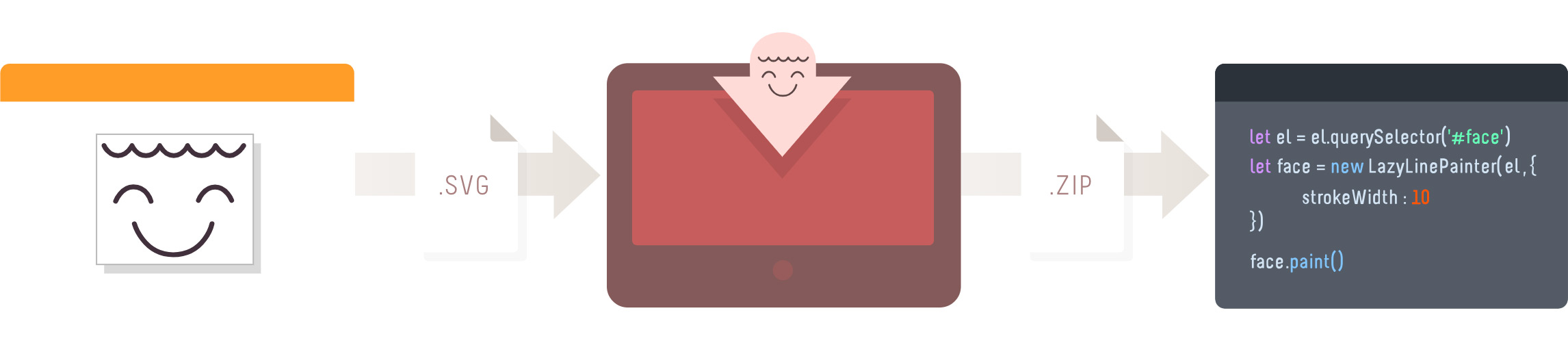 Lazy Line Painter can be setup with minimal effort as per the Quick Start instructions.
However if a GUI is more your thing, be sure to use the Lazy Line Composer.
A free Online Editor developed specifically for SVG path animation.
pnpm i lazy-line-painter
<script src="https://cdn.jsdelivr.net/npm/[email protected]/lib/lazy-line-painter-2.0.3.min.js"></script>
<script src="./libs/lazylinepainter-2.0.3.js"></script>
The most basic, no-frills implementation;
// import LazyLinePainter
import LazyLinePainter from "lazy-line-painter";

// select your svg
const el = document.querySelector("#my-svg");

// initialise & configure LazyLinePainter
const myAnimation = new LazyLinePainter(el, { strokeWidth: 10 });

// paint! :)
myAnimation.paint();
On initialise you can pass lazylinepainter a config object as an argument containing the attritubes you wish to alter across the entire svg.
All config properties are optional.
Style attributes set in the config will override css styles.
const config = {

	// style properties
	'strokeWidth'     // Adjust width of stroke
	'strokeColor'     // Adjust stroke color
	'strokeCap'       // Adjust stroke cap  - butt  | round | square
	'strokeJoin'      // Adjust stroke join - miter | round | bevel
	'strokeOpacity'   // Adjust stroke opacity 0 - 1
	'strokeDash'      // Adjust stroke dash - '5, 5'

	// animation properties
	'delay'           // Delay before animation starts
	'reverse'         // reverse playback
	'ease'            // penner easing - easeExpoOut / easeExpoInOut / easeExpoIn etc
	'repeat'          // number of additional plays, -1 for loop
}

const svg = document.querySelector('#my-svg')
const myAnimation = new LazyLinePainter(svg, config)
Data attributes can be used to configure style & animation properties on individual paths in the SVG.
Data attributes will override both css styles & initialisation config style attributes.
<path

  // style
  data-llp-stroke-width="10"
  data-llp-stroke-color="#000000"
  data-llp-stroke-opacity="0.5"
  data-llp-stroke-cap="rounded"
  data-llp-stroke-join="mitre"

  // animation
  data-llp-stroke-dash="[2,2]"
  data-llp-duration="200" // (ms)
  data-llp-delay="200" // delay offset from start of timeline (ms)
  data-llp-reverse="true" (default = "false")
  data-llp-ease="easeInOutQuad" (default = 'easeLinear')

  />
Paint - accepts optional playback arguments - reverse, ease, delay
const reverse = true;
const ease = "easeExpoOut";
const delay = 200;
myAnimation.paint({ reverse, ease, delay });
Erase - paint can still be called on the element after it has been erased;
myAnimation.erase();
Pause
myAnimation.pause();
Resume
myAnimation.resume();
Progress
// set - [0 - 1]
myAnimation.progress(value);

// get
const progress = myAnimation.progress();
console.log(progress);
Destroy - destroys svg & lazyline instance
myAnimation.destroy();
myAnimation.on("start", () => {});
myAnimation.on("update", () => {});
myAnimation.on("complete", () => {});
Called for each shape animated within the svg.
event argument contains shape properties.
myAnimation.on('start:all', (event) => {});
myAnimation.on('update:all', (event) => { console.log(event.progress); // [0-1] });
myAnimation.on('complete:all', (event) => {});
Listen to events on specific shapes by adding the shape-id after the colon.
event argument contains shape properties.
myAnimation.on("start:id", (event) => {});
myAnimation.on("update:id", (event) => {});
myAnimation.on("complete:id", (event) => {});
myAnimation.on("pause", () => {});
myAnimation.on("resume", () => {});
myAnimation.on("erase", () => {});
Refer to Release notes for entire Changelog
659 followers · starred Aug 2018
109 followers · starred Sep 2013
85 followers · starred Nov 2013
80 followers · starred Mar 2016
Lazy Line Painter - A Modern JS library for SVG path animation
See the code
A Modern JS library for SVG path animation
Getting Started | Documentation | Examples | Lazy Line Composer
Lazy Line Painter can be setup with minimal effort as per the Quick Start instructions.
However if a GUI is more your thing, be sure to use the Lazy Line Composer.
A free Online Editor developed specifically for SVG path animation.
pnpm i lazy-line-painter
<script src="https://cdn.jsdelivr.net/npm/[email protected]/lib/lazy-line-painter-2.0.3.min.js"></script>
<script src="./libs/lazylinepainter-2.0.3.js"></script>
The most basic, no-frills implementation;
// import LazyLinePainter
import LazyLinePainter from "lazy-line-painter";

// select your svg
const el = document.querySelector("#my-svg");

// initialise & configure LazyLinePainter
const myAnimation = new LazyLinePainter(el, { strokeWidth: 10 });

// paint! :)
myAnimation.paint();
On initialise you can pass lazylinepainter a config object as an argument containing the attritubes you wish to alter across the entire svg.
All config properties are optional.
Style attributes set in the config will override css styles.
const config = {

	// style properties
	'strokeWidth'     // Adjust width of stroke
	'strokeColor'     // Adjust stroke color
	'strokeCap'       // Adjust stroke cap  - butt  | round | square
	'strokeJoin'      // Adjust stroke join - miter | round | bevel
	'strokeOpacity'   // Adjust stroke opacity 0 - 1
	'strokeDash'      // Adjust stroke dash - '5, 5'

	// animation properties
	'delay'           // Delay before animation starts
	'reverse'         // reverse playback
	'ease'            // penner easing - easeExpoOut / easeExpoInOut / easeExpoIn etc
	'repeat'          // number of additional plays, -1 for loop
}

const svg = document.querySelector('#my-svg')
const myAnimation = new LazyLinePainter(svg, config)
Data attributes can be used to configure style & animation properties on individual paths in the SVG.
Data attributes will override both css styles & initialisation config style attributes.
<path

  // style
  data-llp-stroke-width="10"
  data-llp-stroke-color="#000000"
  data-llp-stroke-opacity="0.5"
  data-llp-stroke-cap="rounded"
  data-llp-stroke-join="mitre"

  // animation
  data-llp-stroke-dash="[2,2]"
  data-llp-duration="200" // (ms)
  data-llp-delay="200" // delay offset from start of timeline (ms)
  data-llp-reverse="true" (default = "false")
  data-llp-ease="easeInOutQuad" (default = 'easeLinear')

  />
Paint - accepts optional playback arguments - reverse, ease, delay
const reverse = true;
const ease = "easeExpoOut";
const delay = 200;
myAnimation.paint({ reverse, ease, delay });
Erase - paint can still be called on the element after it has been erased;
myAnimation.erase();
Pause
myAnimation.pause();
Resume
myAnimation.resume();
Progress
// set - [0 - 1]
myAnimation.progress(value);

// get
const progress = myAnimation.progress();
console.log(progress);
Destroy - destroys svg & lazyline instance
myAnimation.destroy();
myAnimation.on("start", () => {});
myAnimation.on("update", () => {});
myAnimation.on("complete", () => {});
Called for each shape animated within the svg.
event argument contains shape properties.
myAnimation.on('start:all', (event) => {});
myAnimation.on('update:all', (event) => { console.log(event.progress); // [0-1] });
myAnimation.on('complete:all', (event) => {});
Listen to events on specific shapes by adding the shape-id after the colon.
event argument contains shape properties.
myAnimation.on("start:id", (event) => {});
myAnimation.on("update:id", (event) => {});
myAnimation.on("complete:id", (event) => {});
myAnimation.on("pause", () => {});
myAnimation.on("resume", () => {});
myAnimation.on("erase", () => {});
Refer to Release notes for entire Changelog
659 followers · starred Aug 2018
109 followers · starred Sep 2013
85 followers · starred Nov 2013
80 followers · starred Mar 2016



