Your Bambu Lab. No Cloud. Your Rules. Self-hosted command center for Bambu Lab — from one A1 to an entire print farm.
See the code

Your printers. No cloud. Your rules.
Self-hosted command center for Bambu Lab — from one A1 to an entire print farm.









Corporate sponsor

Sustaining sponsor

🎮 Try the Live Demo • Features • Screenshots • Quick Start • Documentation • Discord • Contributing

Spin up your own private Bambuddy in ~10 seconds — no install, no signup, 30-minute session.
[!IMPORTANT] H2-series and P2S owners — how you send a print decides what gets archived. Bambu Studio's Print button sends sliced files to the printer's internal memory, which Bambuddy cannot read — so those prints archive with a name and timing but no thumbnail, filament total or cost. The printer's "Store sent files on external storage" option does not change it (measured on an H2C and an H2D with it enabled); BambuStudio#10481 tracks the default upstream. Start the print from Bambuddy, or slice in OrcaSlicer — both put the file on the card in one step. Staying in Bambu Studio means using Send with External picked and starting the print afterwards, because Print itself offers no choice. All of them need a card or stick in the printer; X1 and P1 series are unaffected. Why this happens →
"Bambuddy is the companion app that Bambu Lab should have built from day one." — Adam Conway, XDA-Developers










Two leading 3D-printing publications independently concluded that Bambuddy's feature set already exceeds Bambu's own cloud:
"The features seem to exceed those provided by Bambu Lab's own cloud." — Fabbaloo
"The list of functions seems so extensive that it even goes beyond what Bambu Lab offers in its own cloud." — 3Druck.com
Decide who prints on which printer, and what gets printed at all.
👉 Printer Access Guide → · Job Review →
For labs, makerspaces and departments that bill print time. Entirely optional, off by default.
An order knows how many of each plate you wanted, so a failed print still counts as owed.
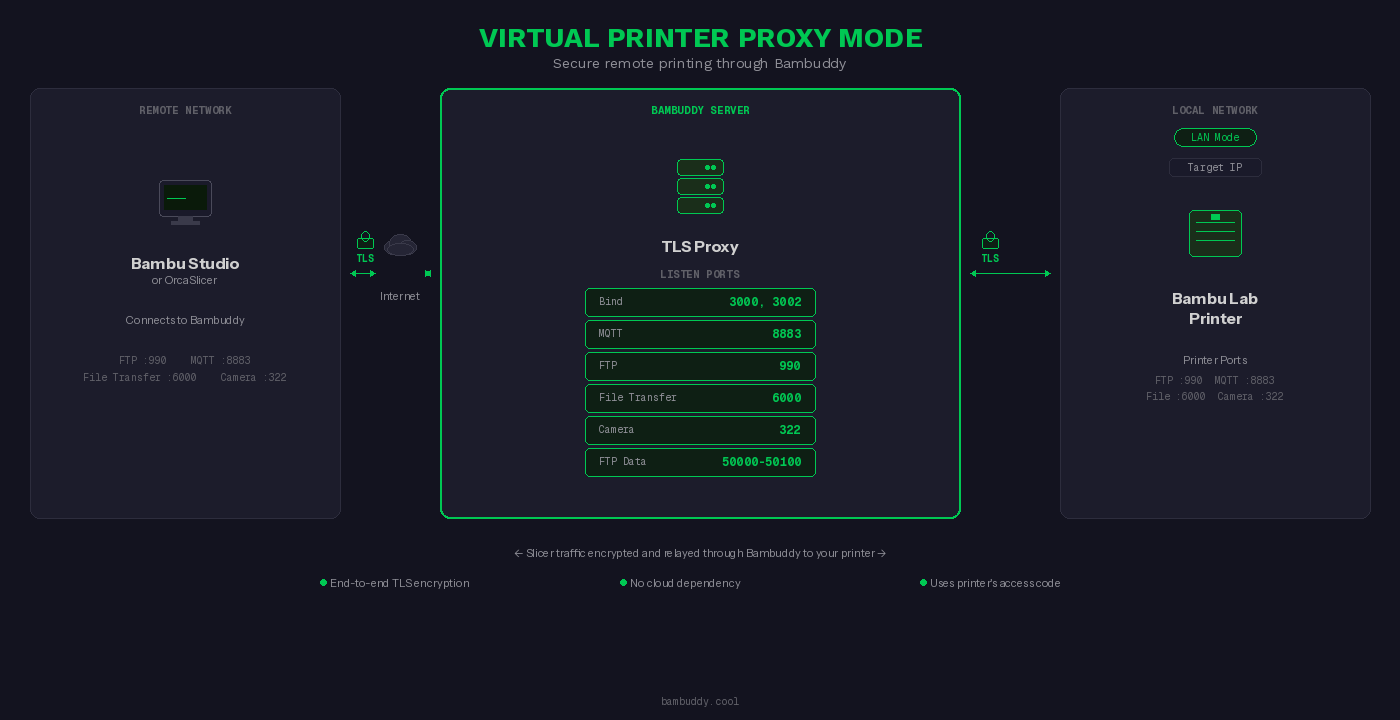
Print from anywhere in the world — Bambuddy's Proxy Mode acts as a secure relay between your slicer and printer:
100.x.x.x to paste into the slicer when you want a virtual printer reachable over your tailnet (setup). Bambuddy's self-signed CA import is still required on the slicer side: Bambu Studio / OrcaSlicer validate printer TLS against a bundled BBL CA (not the system trust store), and their Add Printer dialog is IP-only (no hostname to match an LE cert against), so a publicly-trusted cert can't help on either dimension. Tailscale's role is the private tunnel (reachability from anywhere, no port forwarding), not cert-import elimination.Perfect for remote print farms, traveling makers, or accessing your home printer from work.
No desktop slicer required. Drop an STL or 3MF into Bambuddy's File Manager, hit Slice, and the result lands as a ready-to-print .gcode.3mf in the same folder — without ever opening Bambu Studio or Orca Slicer.
.gcode.3mf containing every plate's gcode, ready for the printer. The toast shows "Plate 2 of 5 — Generating G-code (47%)" as the loop runs.Optional but recommended — drop the slicer-api/ Compose stack next to your Bambuddy install and the Slice button lights up everywhere.
Stop re-picking the same printer + process + filament + bed-type combination every slice. Save a Slicer Pipeline once from the Slice dialog, then apply the whole bundle to any file with a single click — from File Manager, Archives, or MakerWorld imports.
pipelines:read / pipelines:write / pipelines:run) let you split authoring the recipe from spending filament with it.
📦 Print Archive
📊 Monitoring & Control
⏰ Scheduling & Automation
📁 File Manager (Library)
🌍 MakerWorld Integration
📁 Projects
|
🔔 Notifications
🧵 Spool Inventory
🔧 Integrations
🖨️ Virtual Printer & Remote Printing
🛠️ Maintenance & Support
🔒 Optional Authentication
|
Plus: Configurable slicer (Bambu Studio / OrcaSlicer) • Customizable themes (style, background, accent) • Mobile responsive • Keyboard shortcuts • 15 languages (EN/DE/ES/FR/IT/JA/KO/NL/PT-BR/RU/SV/TR/UK/ZH-CN/ZH-TW) • Auto updates • Database backup/restore • System info dashboard

Spin up your own private Bambuddy with simulated printers and pre-loaded print history. Click around freely — it's your sandbox. ~10 seconds to spawn, 30-minute session, no signup.
Prefer a video walkthrough?

Click to watch the demo on YouTube
Refreshed printer card in 1.2.5b2 — tighter layout, popovers for all controls (temperature setpoints, fan speeds, jog), and a bottom-aligned power row. The screenshots below predate the refresh.
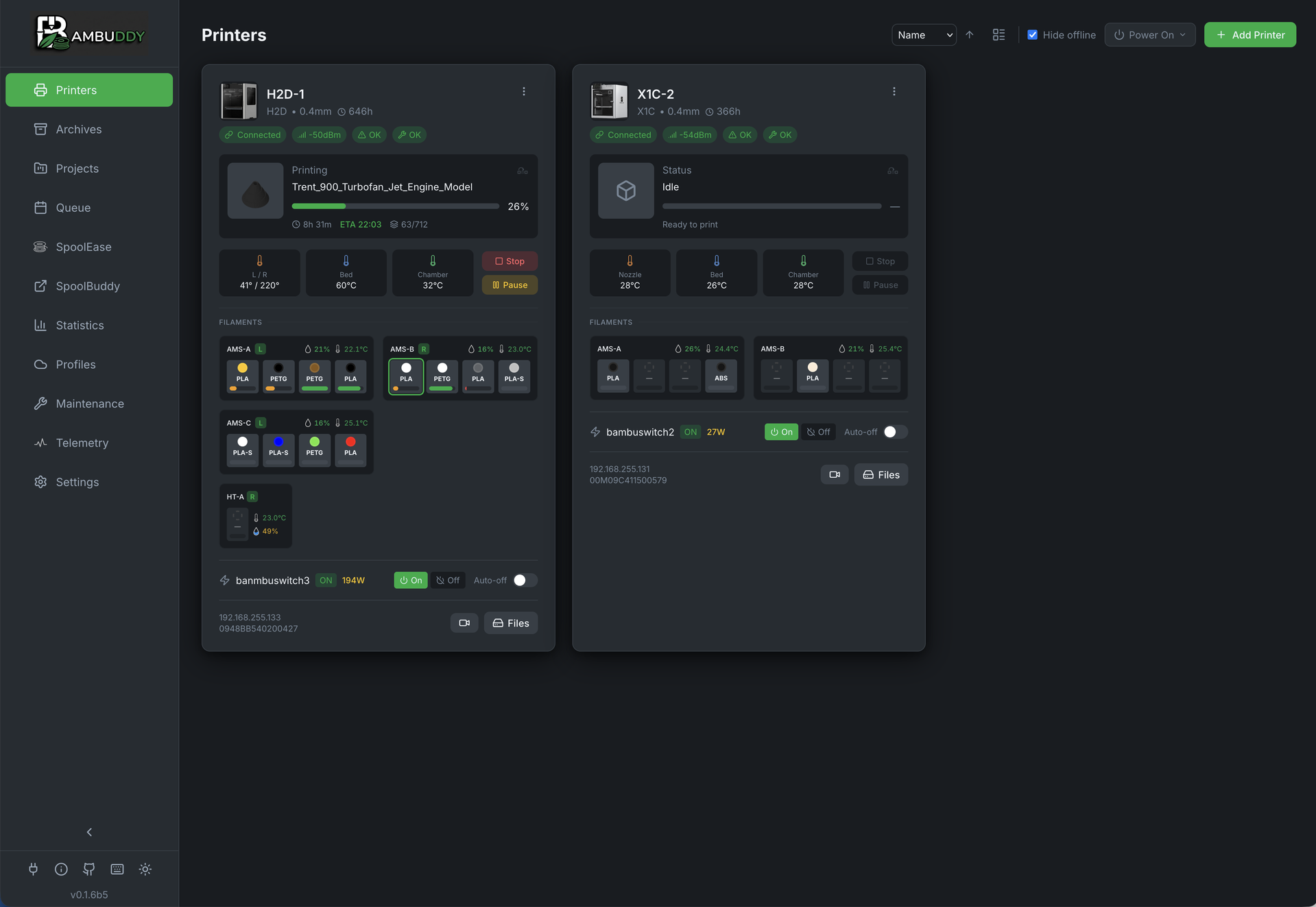
Real-time printer monitoring with AMS status
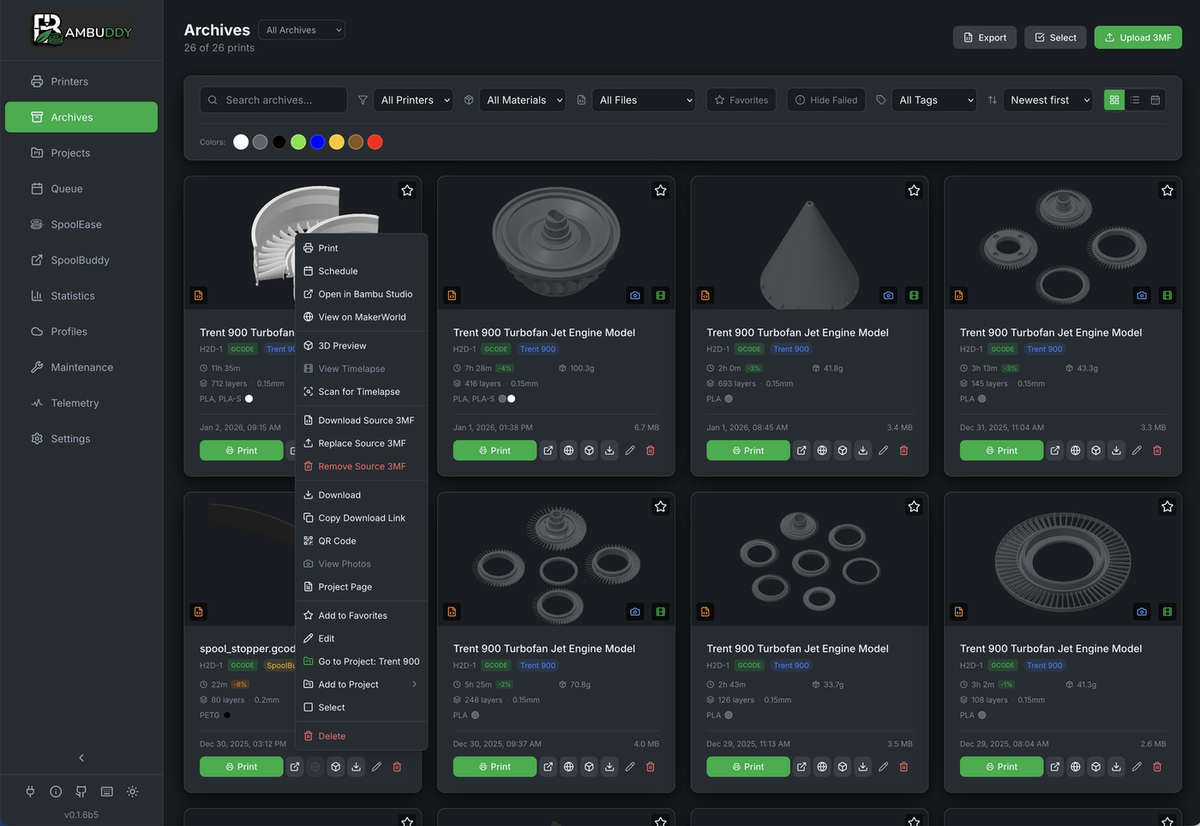
Print archive with 3D preview and project assignment
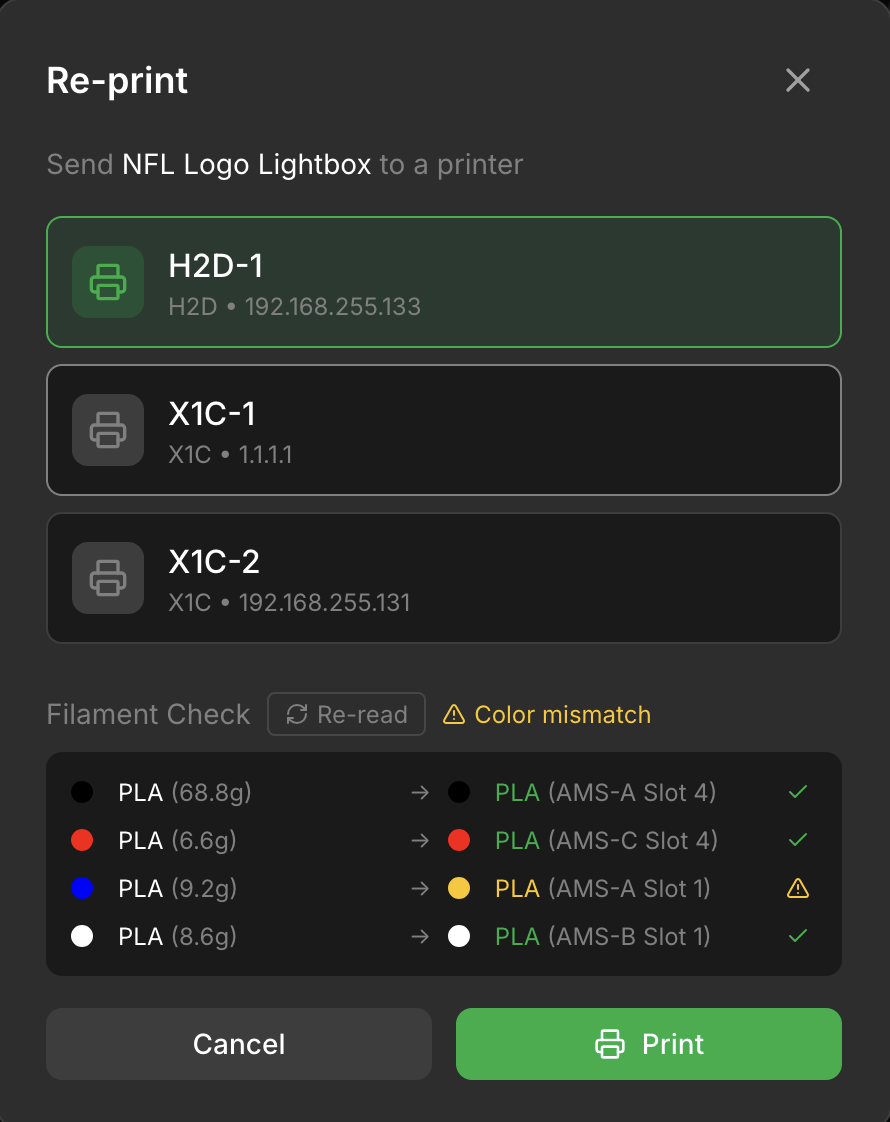
Re-print with AMS filament mapping preview
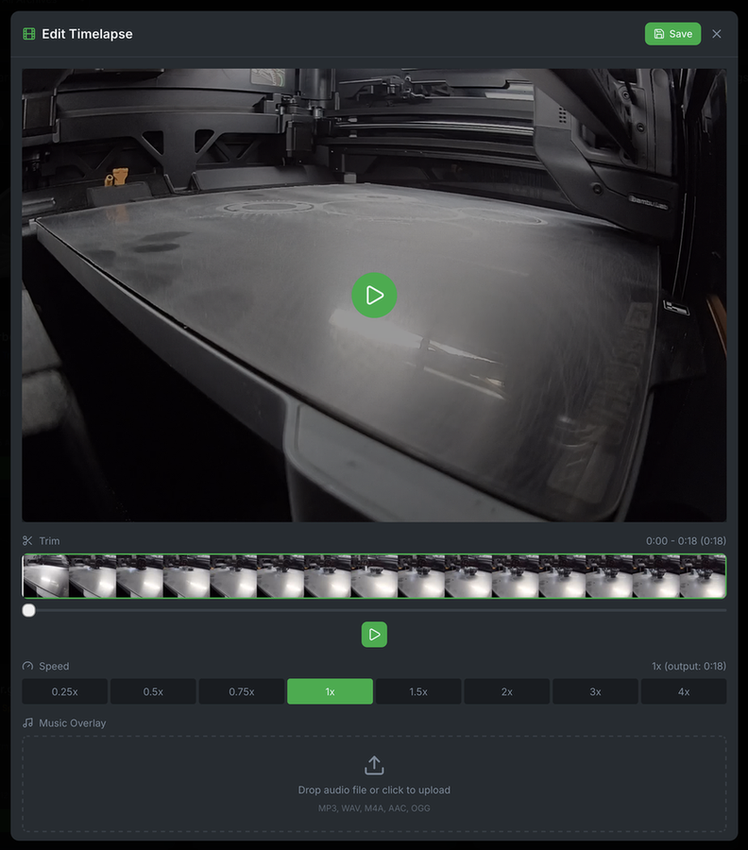
Built-in timelapse editor with trim, speed, and music
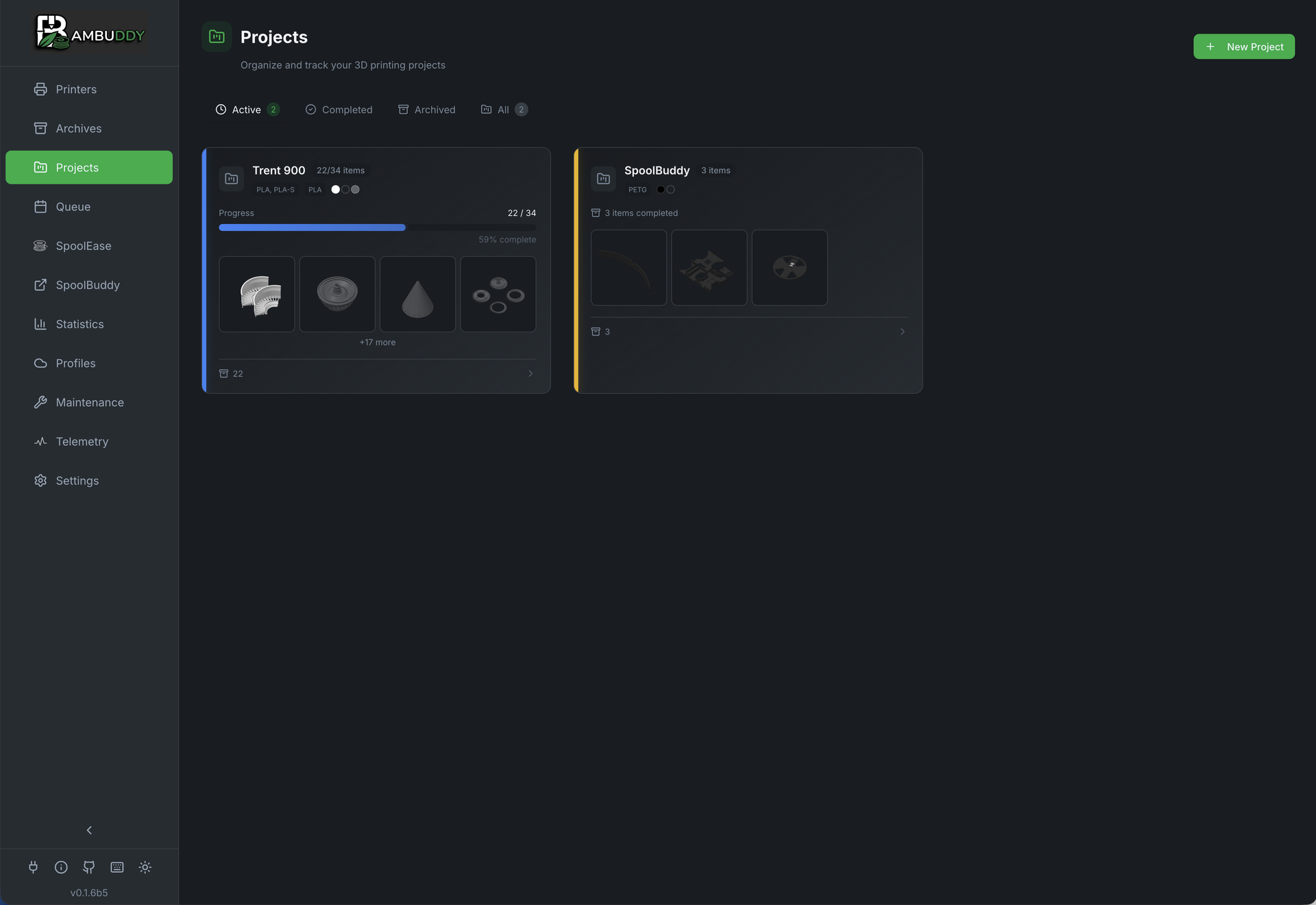
Group related prints into projects
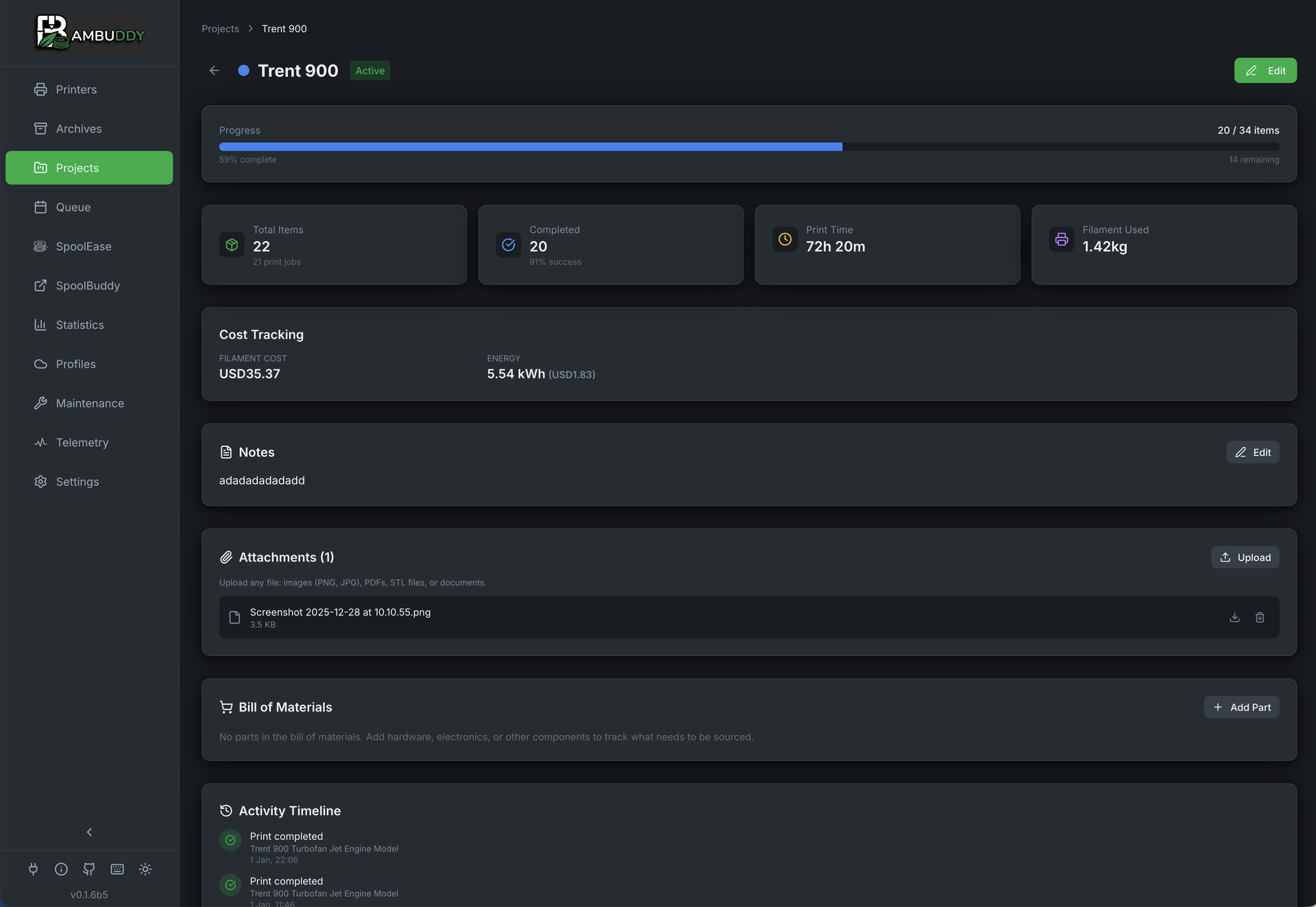
Project detail view with assigned archives
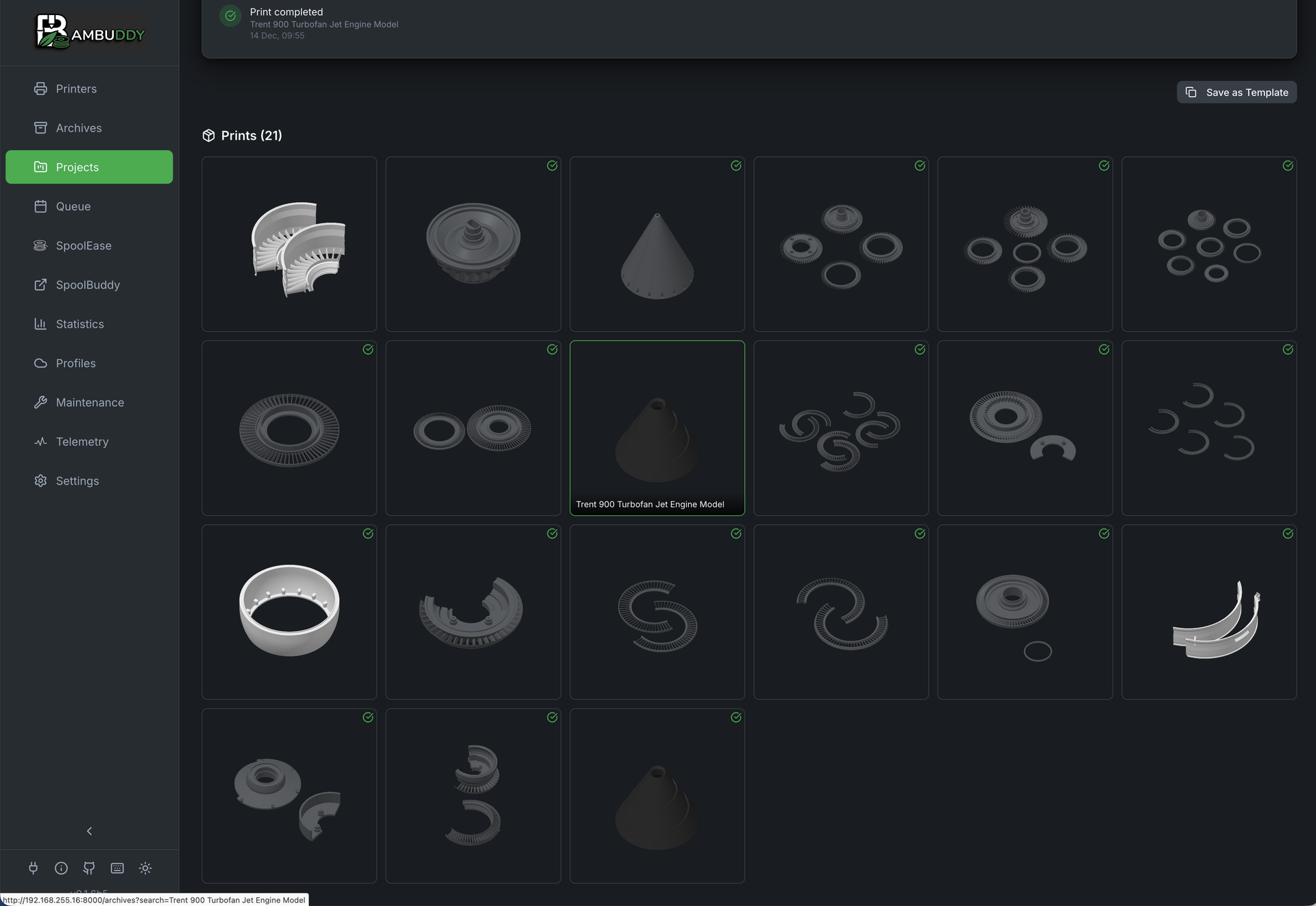
Project timeline and print history
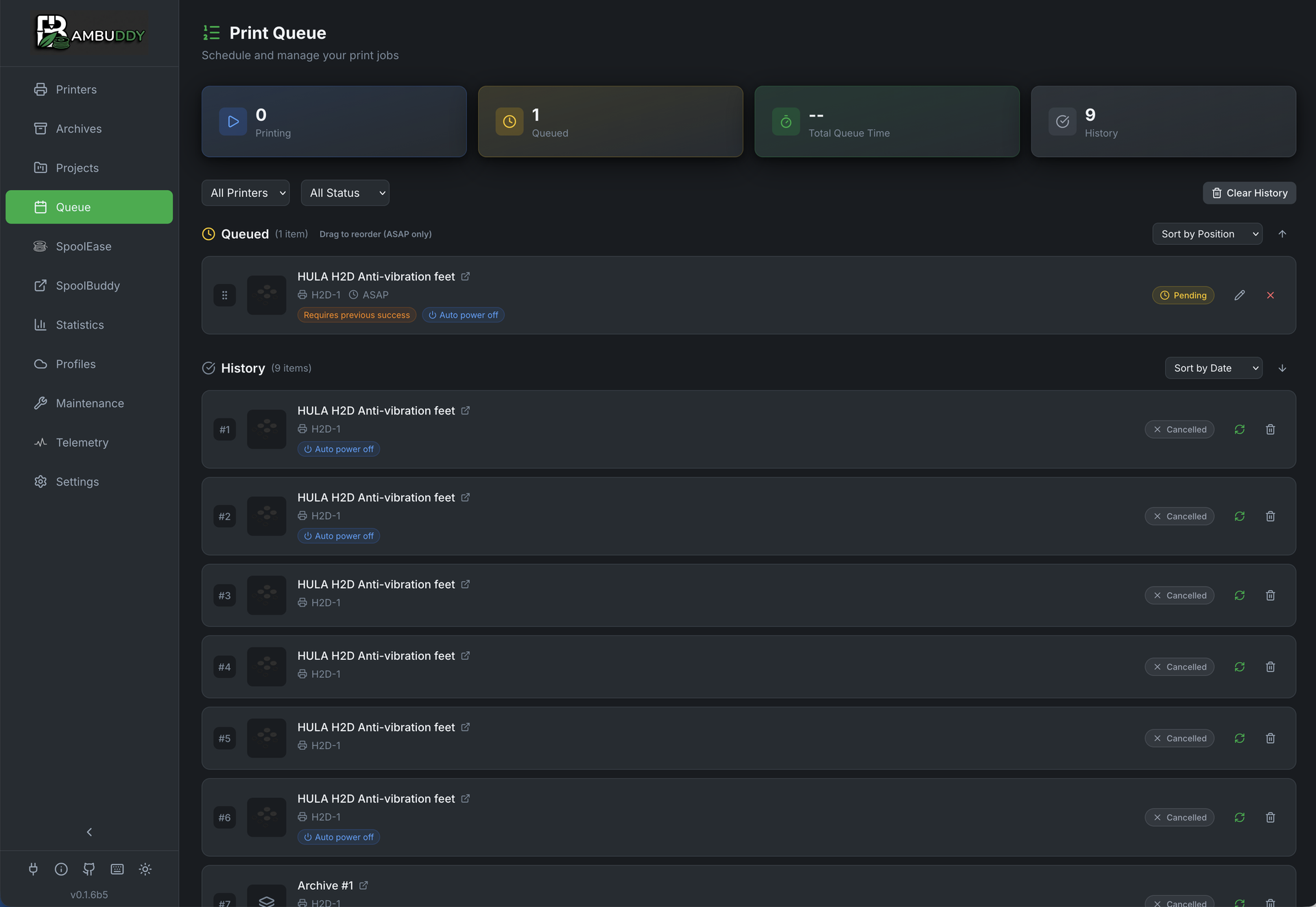
Print scheduling and queue management
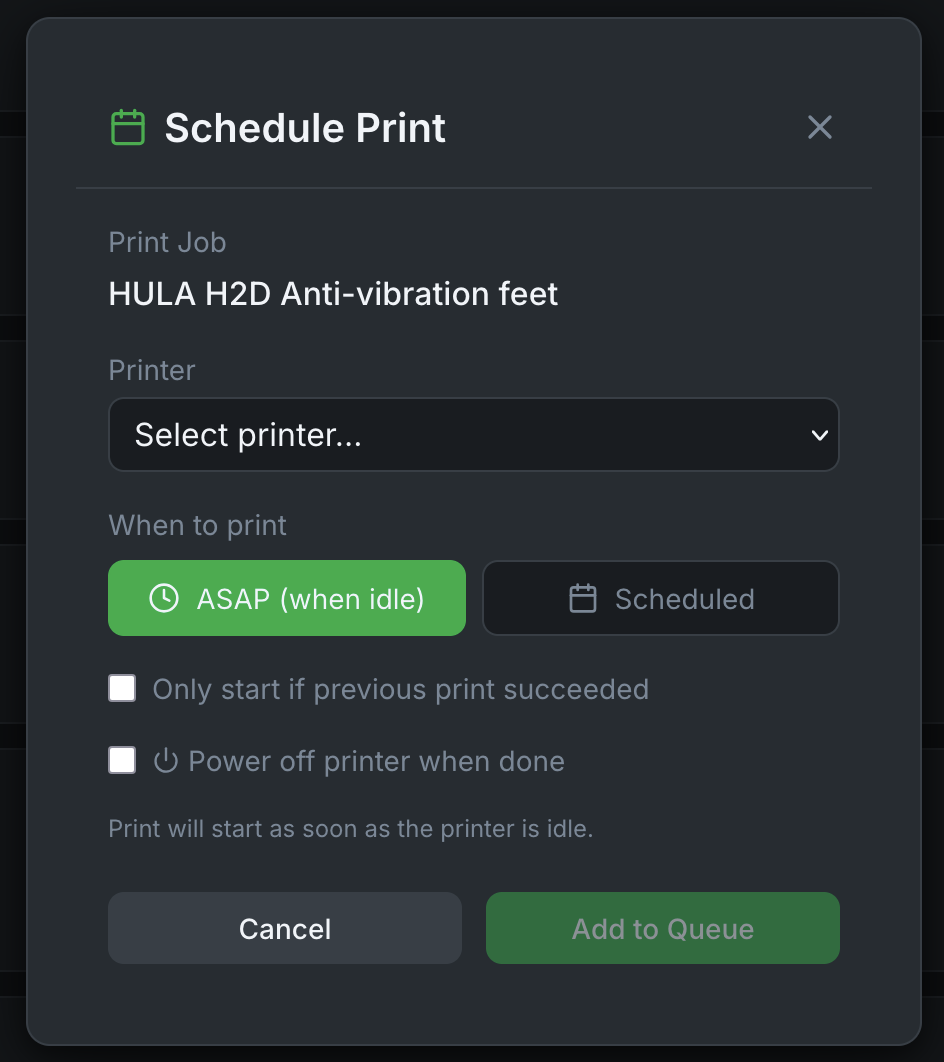
Schedule prints for specific date and time
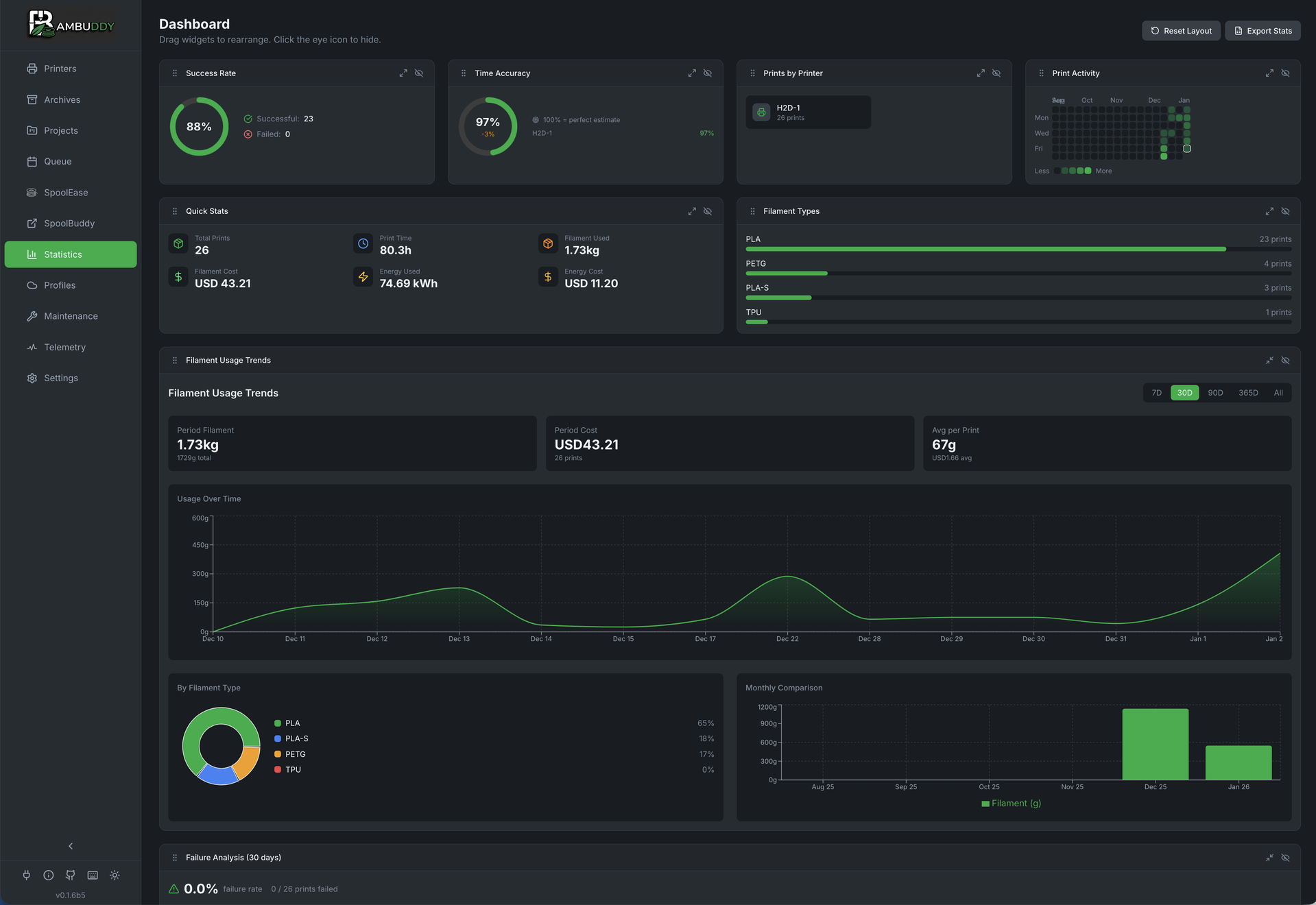
Customizable statistics dashboard
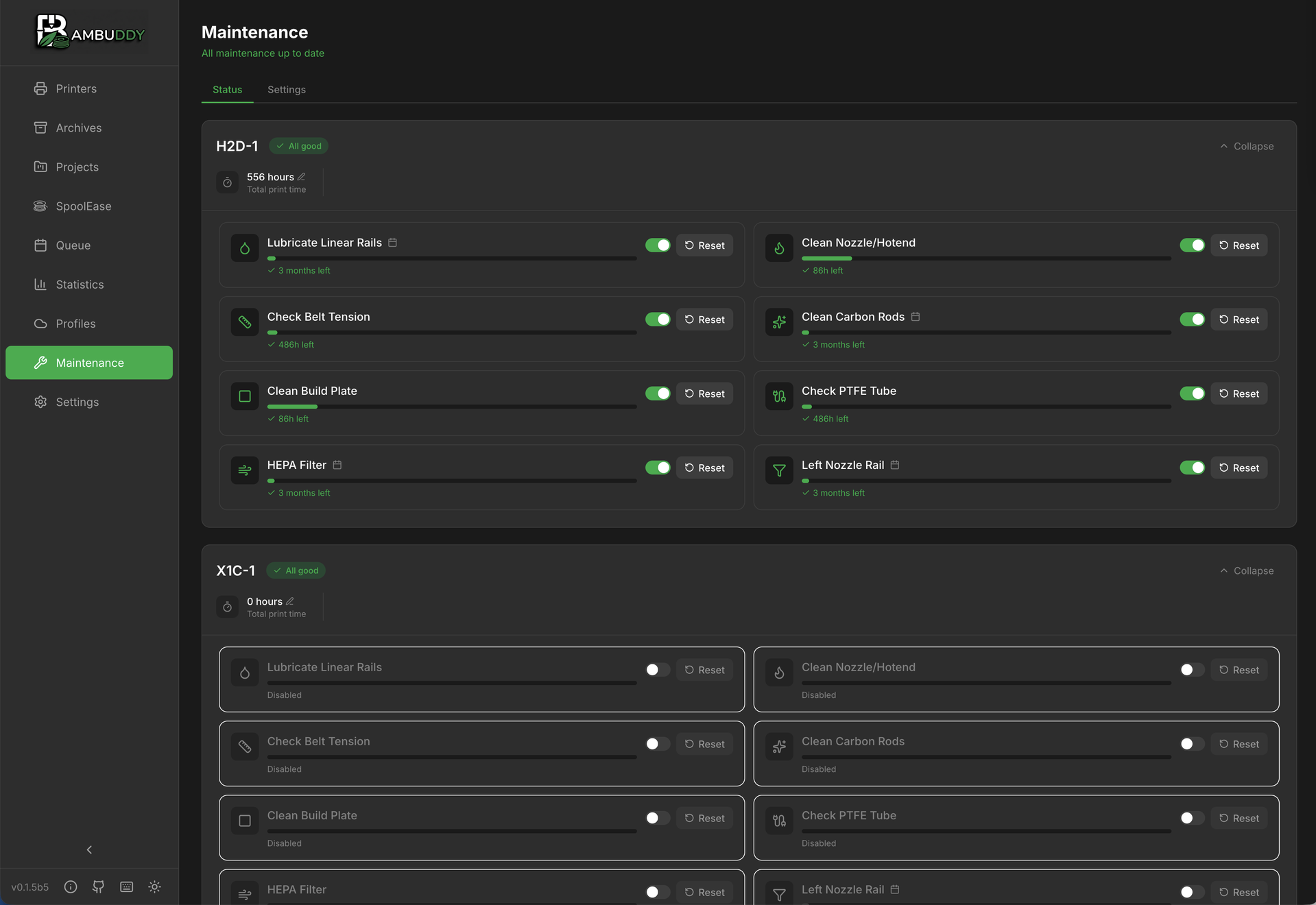
Maintenance tracking per printer
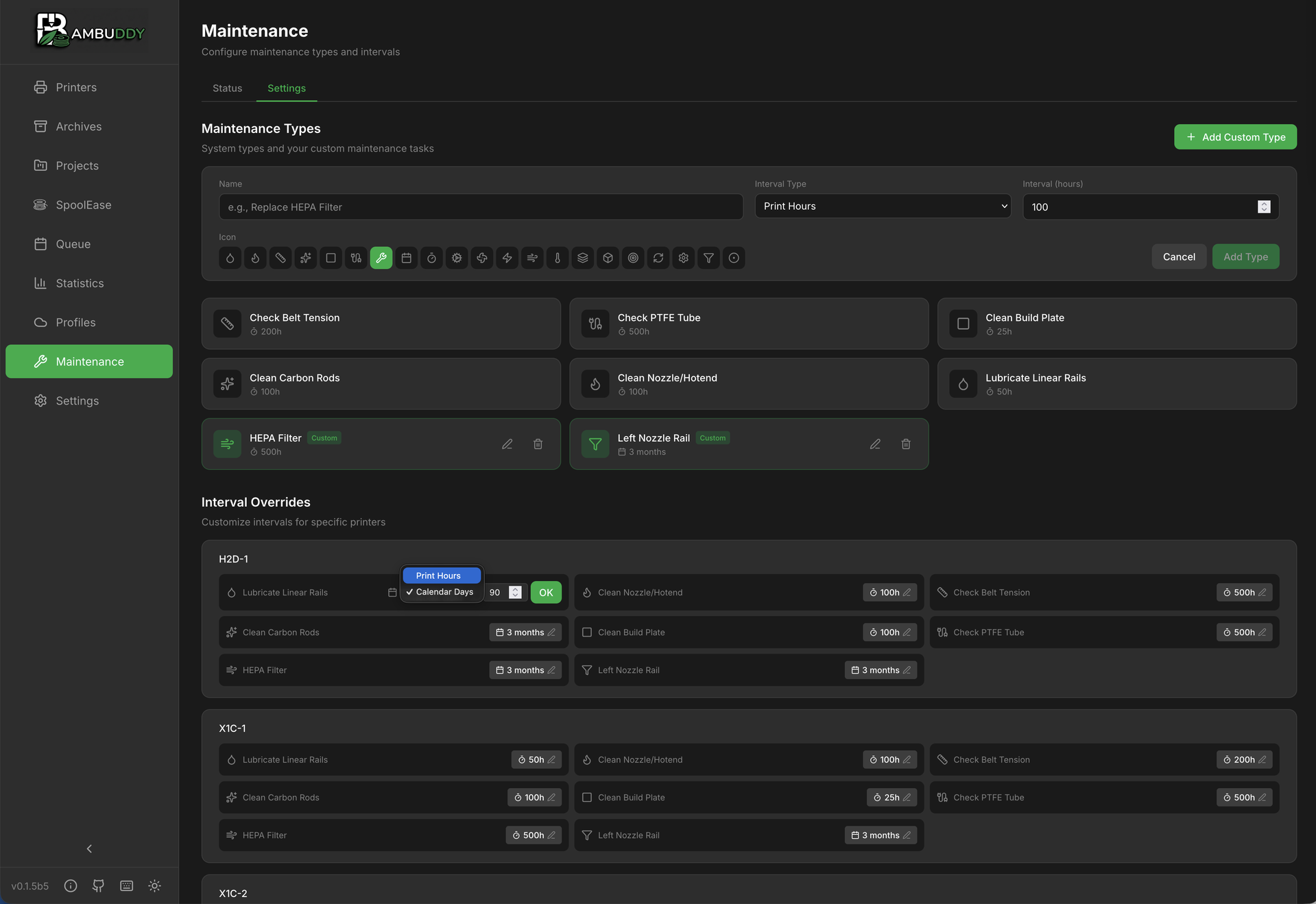
Configure maintenance types and intervals
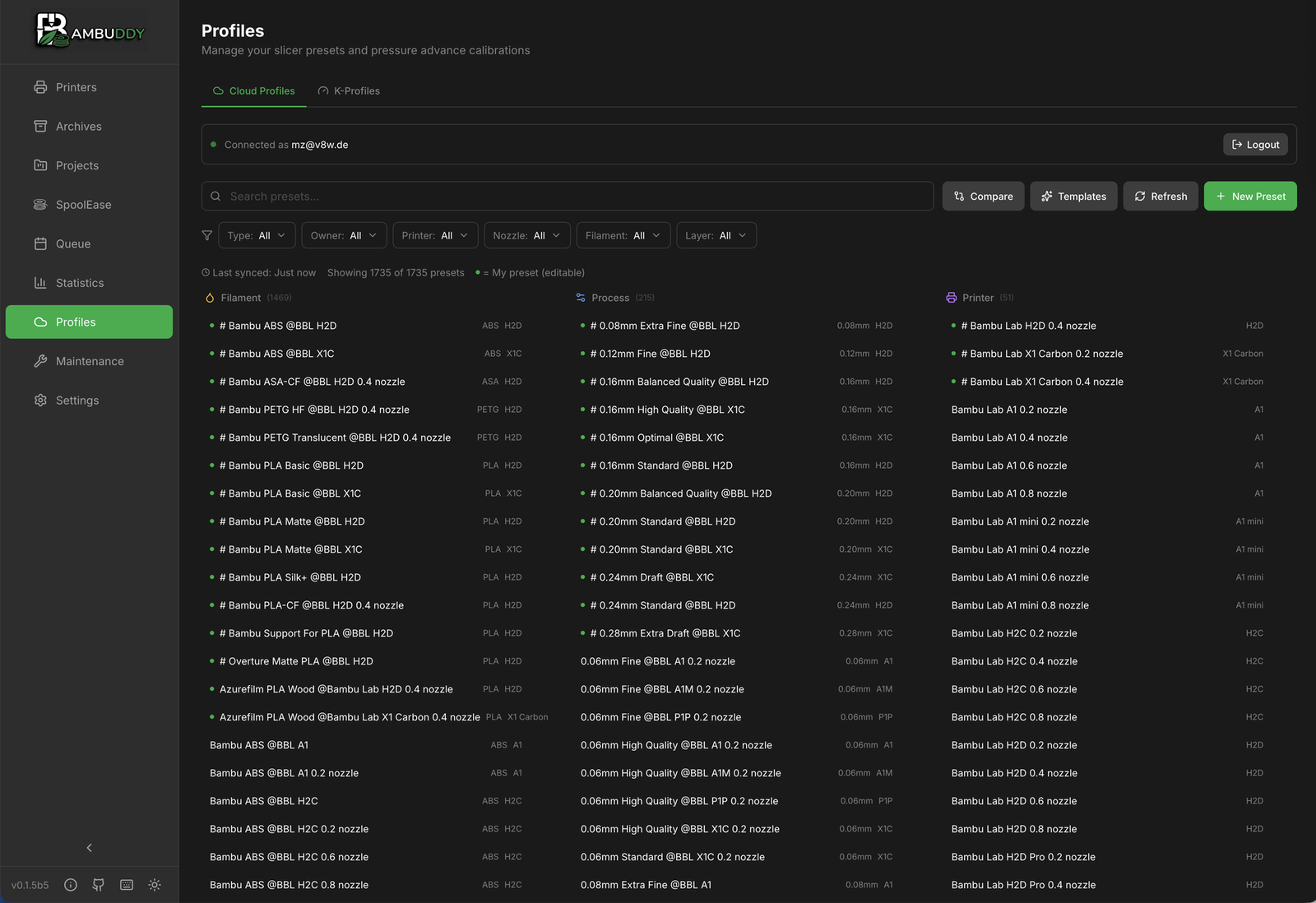
Bambu Cloud filament profiles
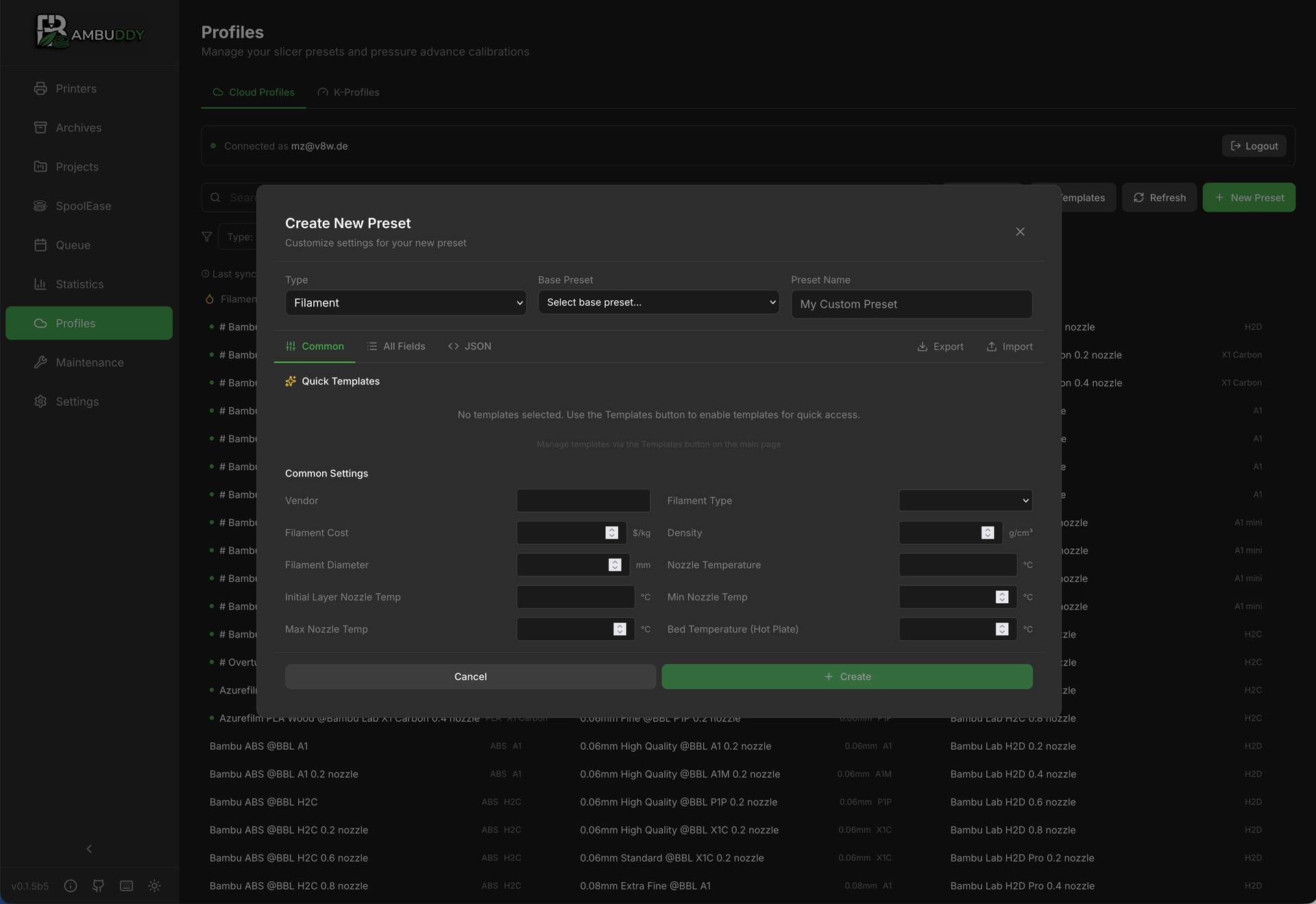
Edit filament preset settings
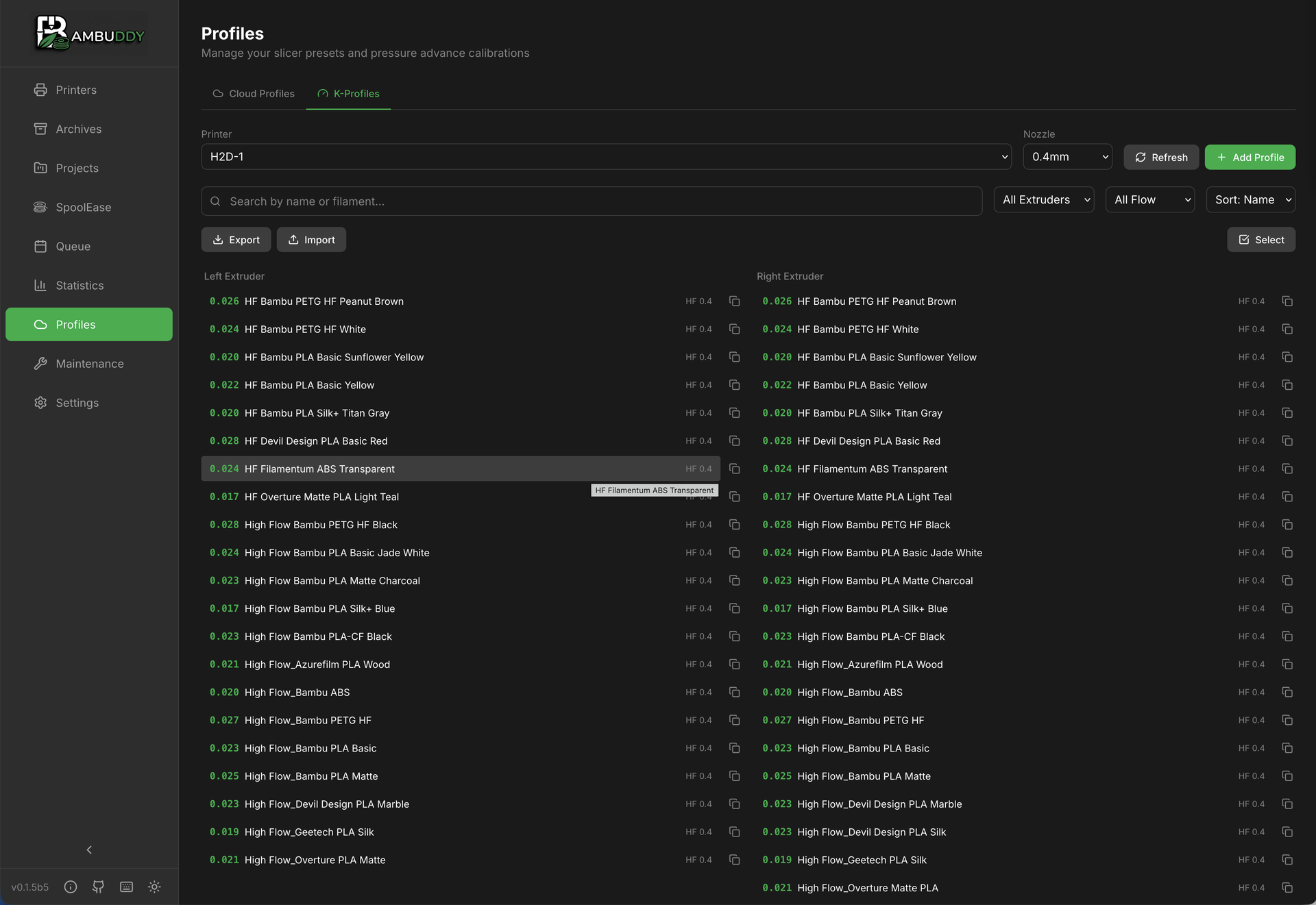
Pressure advance (K-factor) profiles
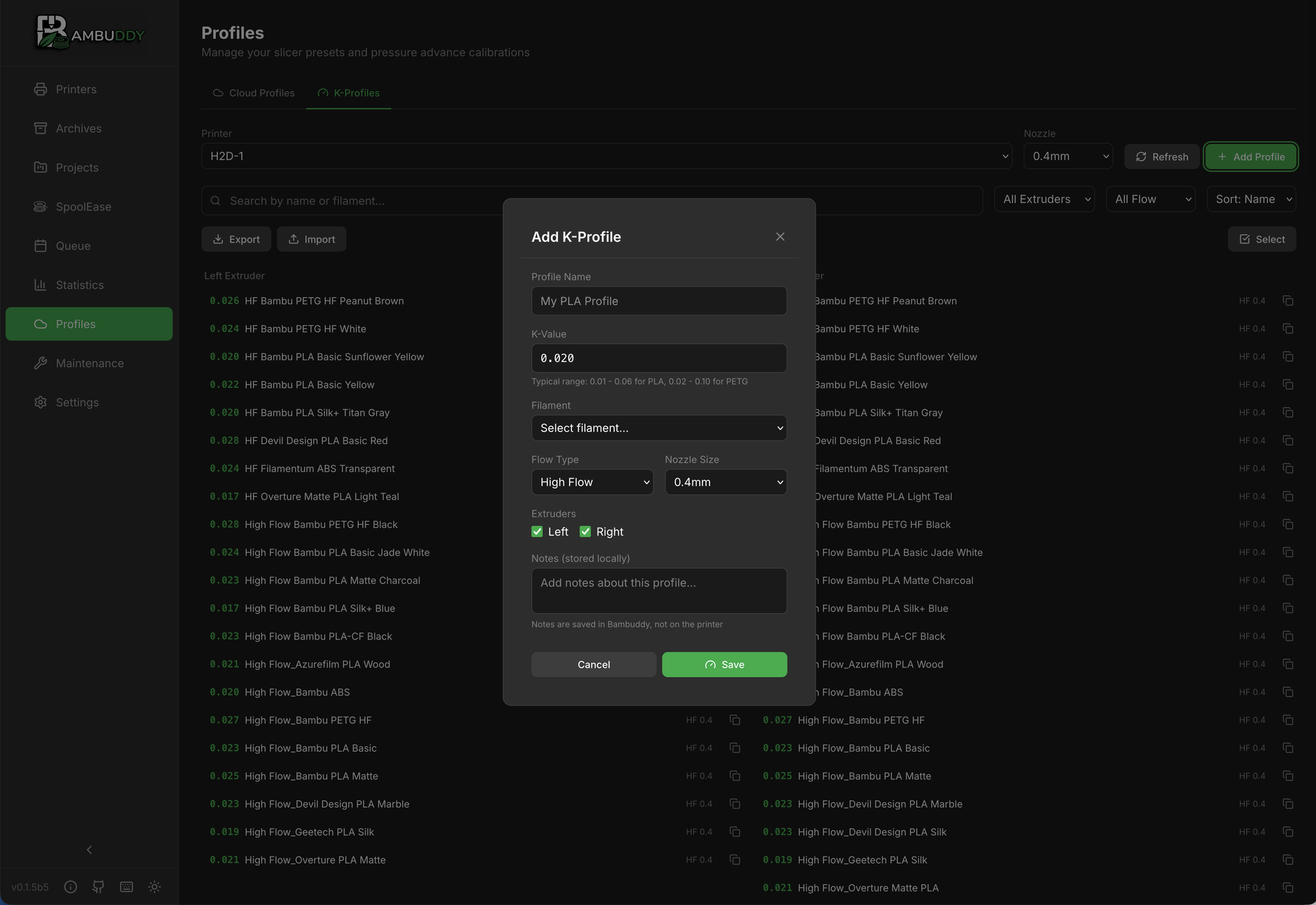
Edit K-factor profile settings
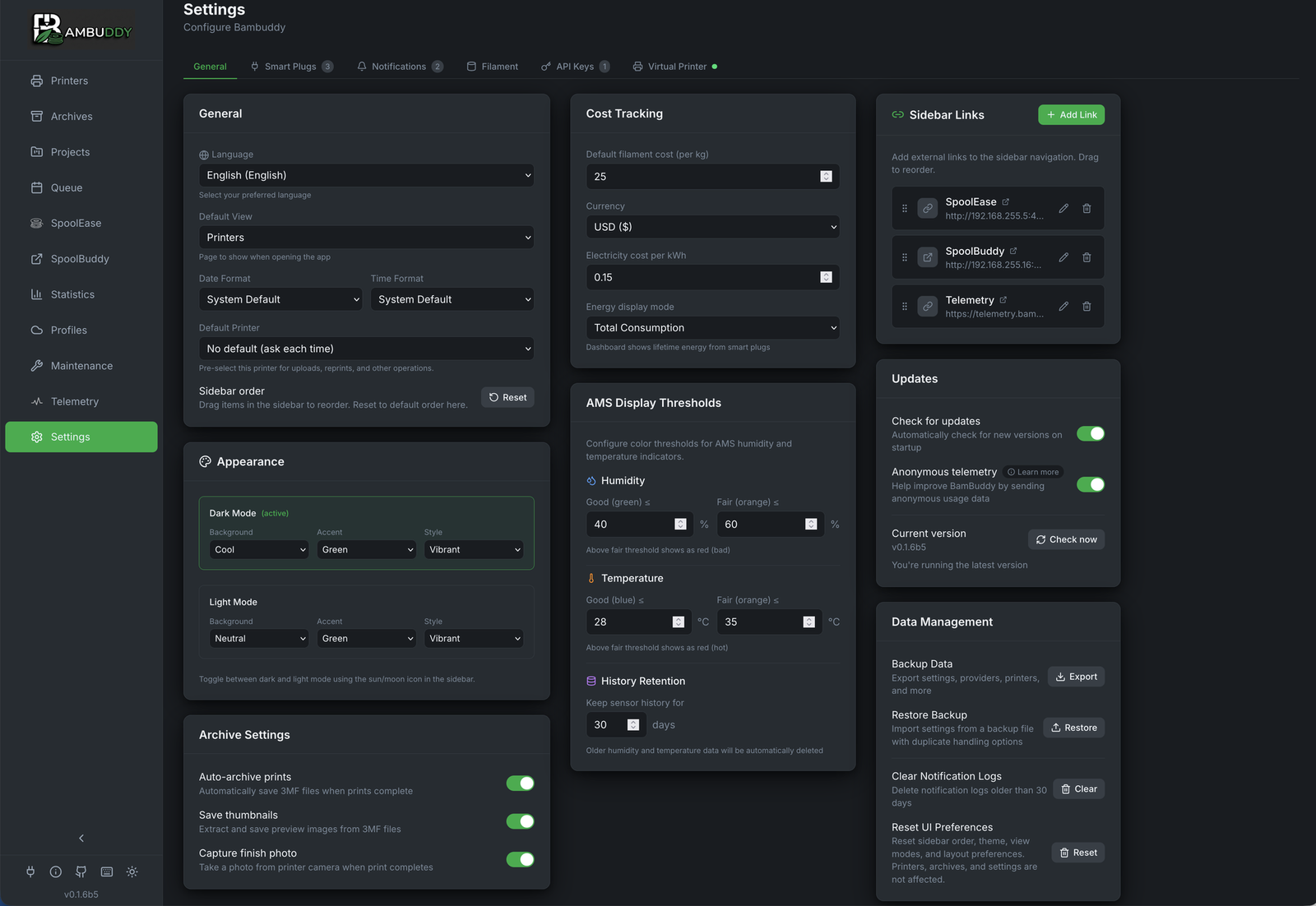
General configuration and integrations
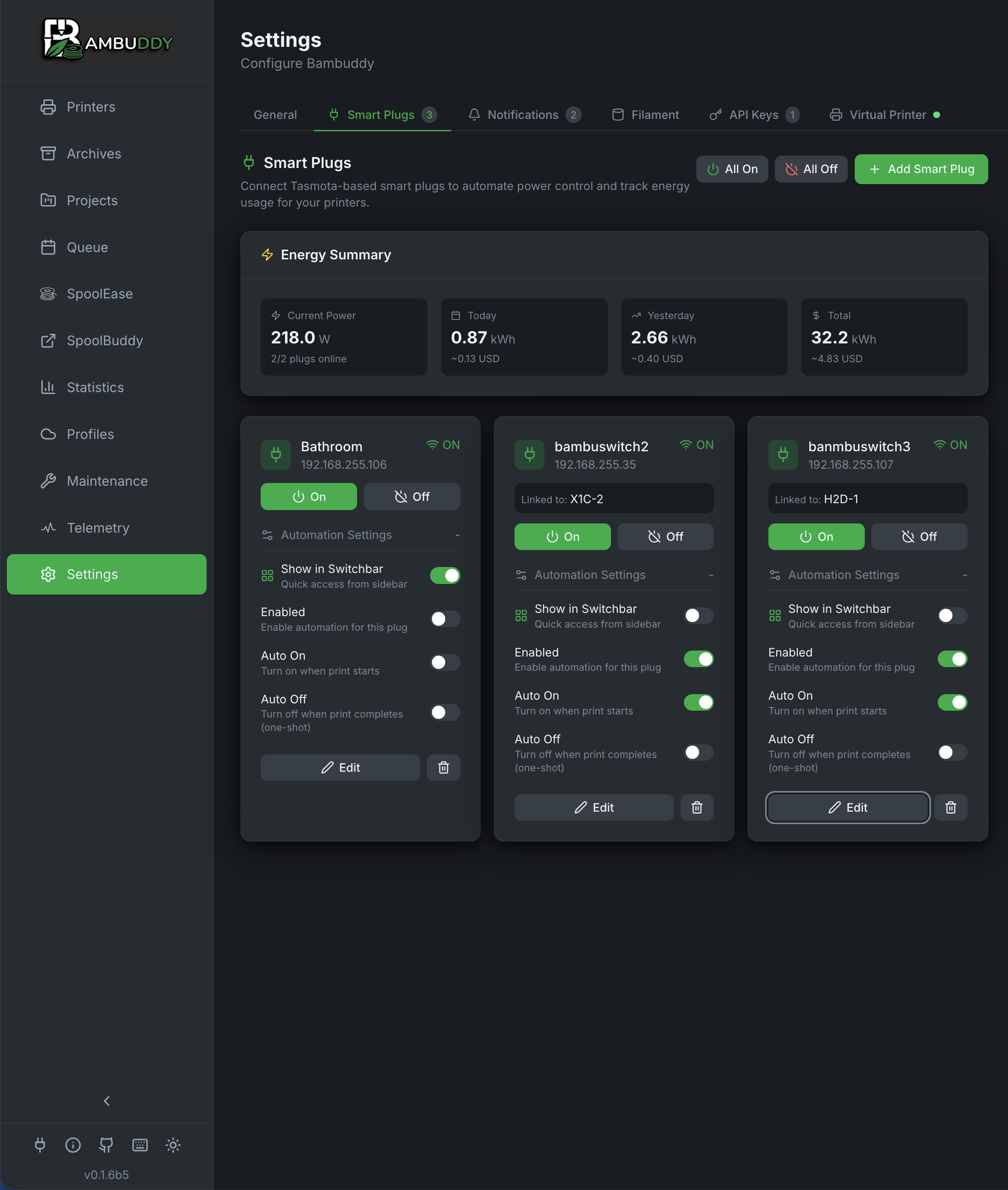
Smart plug control and energy monitoring
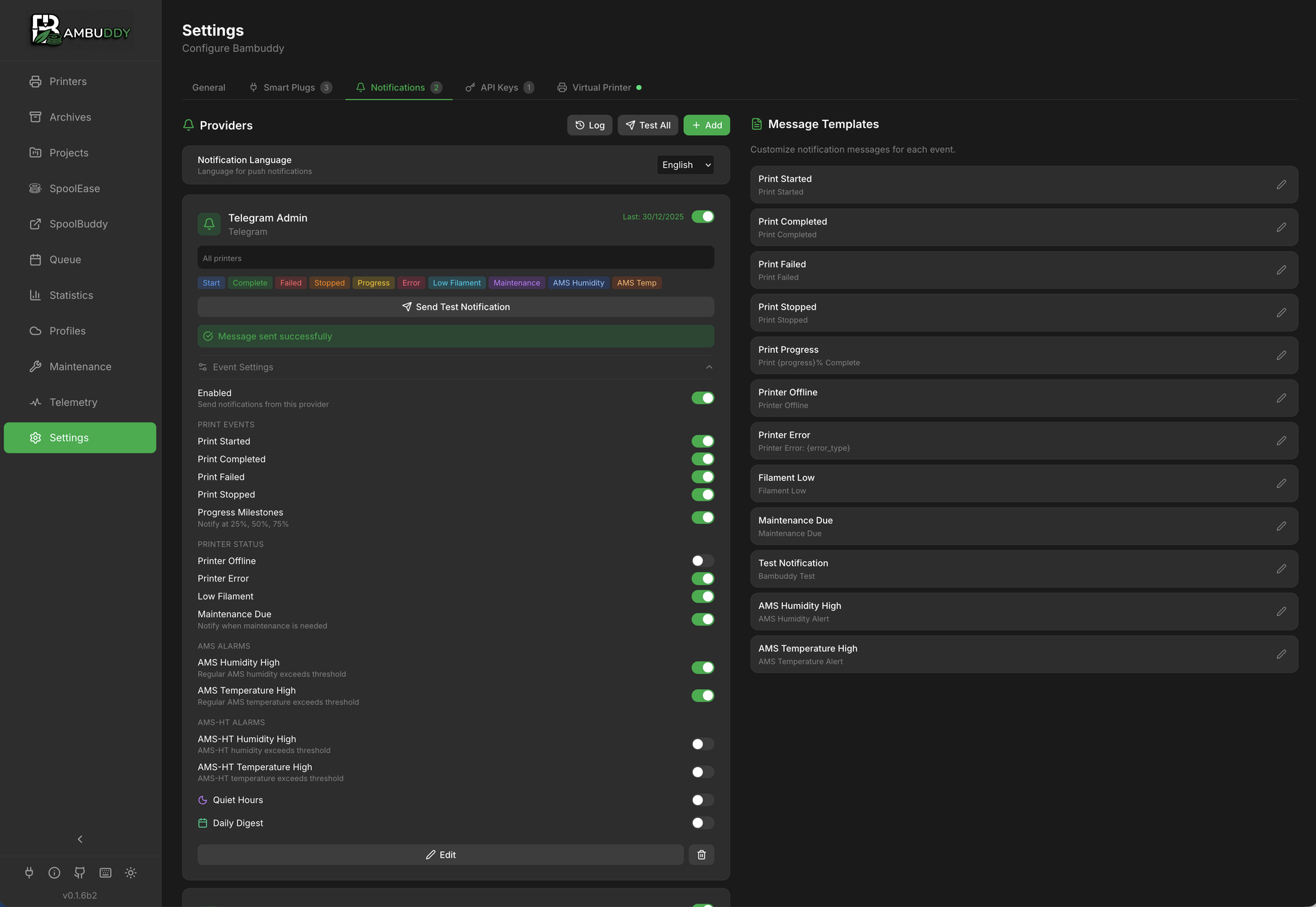
Multi-provider notification system
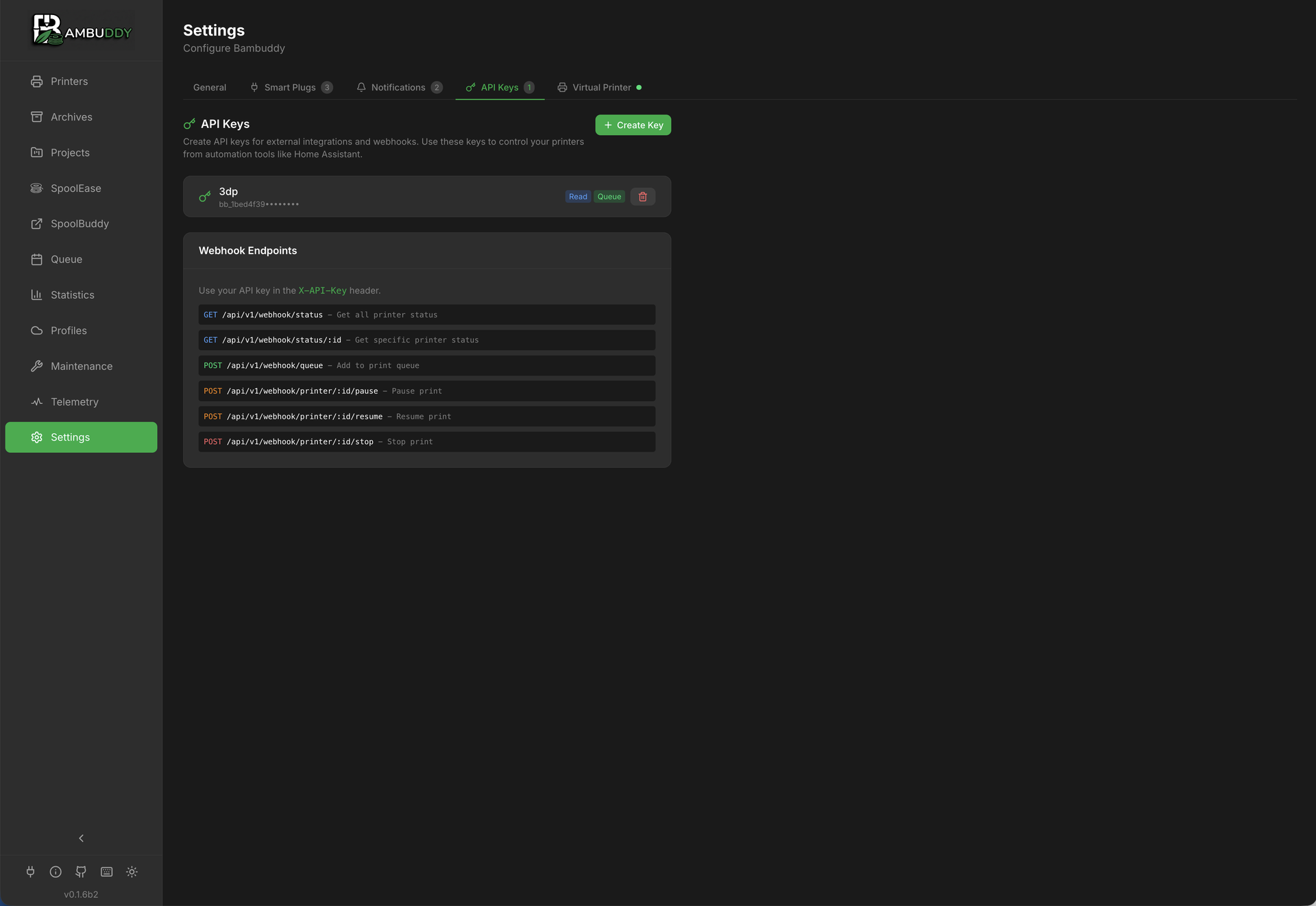
API keys and webhook endpoints
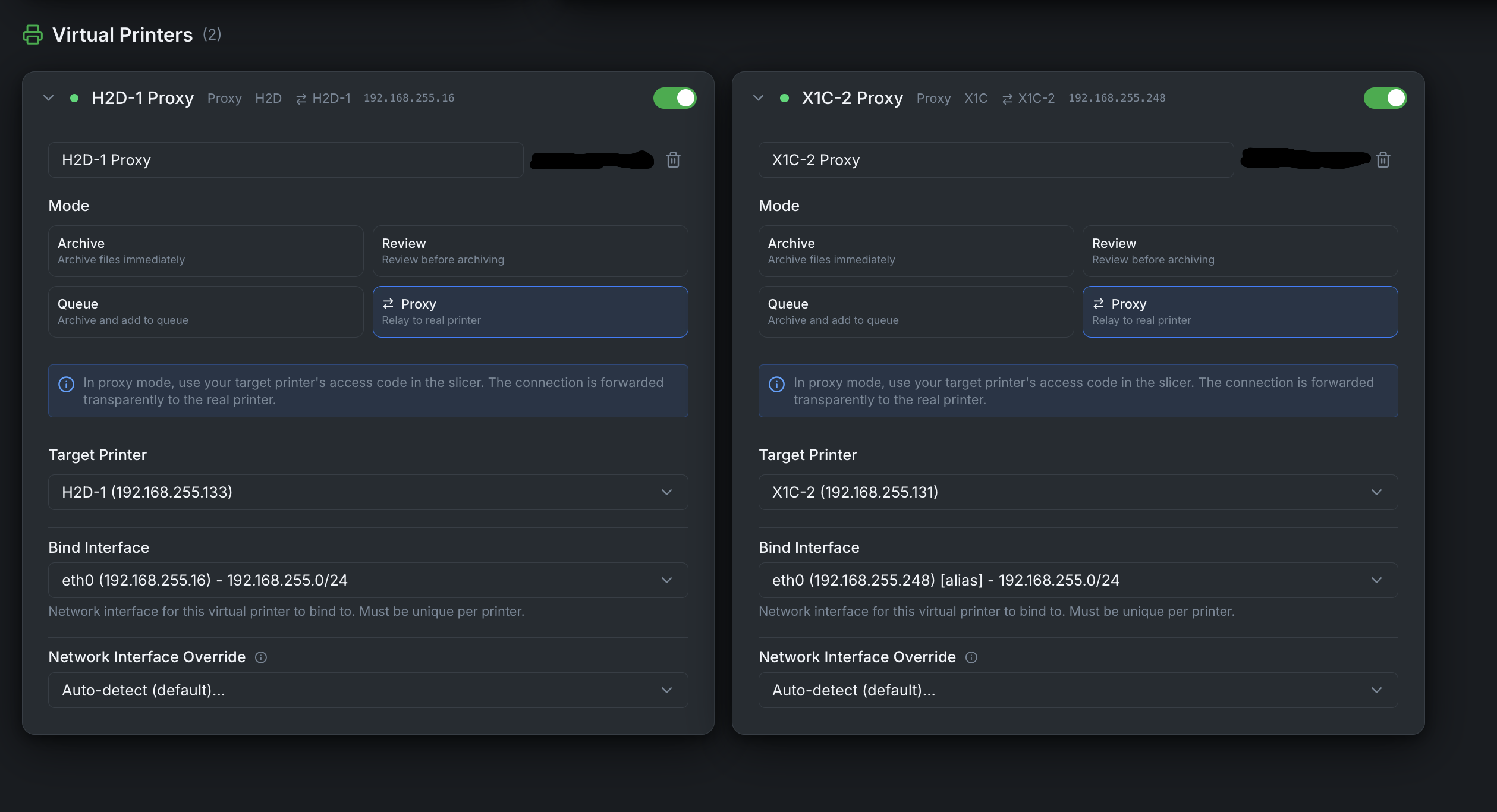
Virtual printer configuration
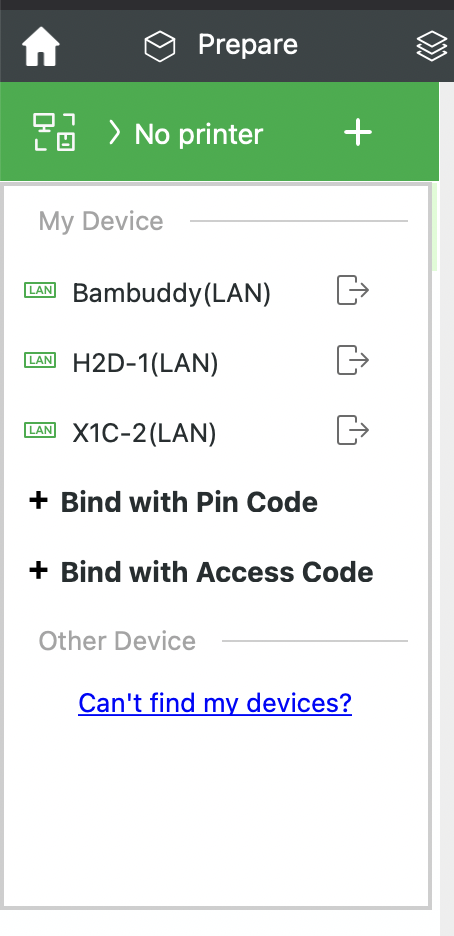
Virtual printer appears in Bambu Studio/Orca Slicer
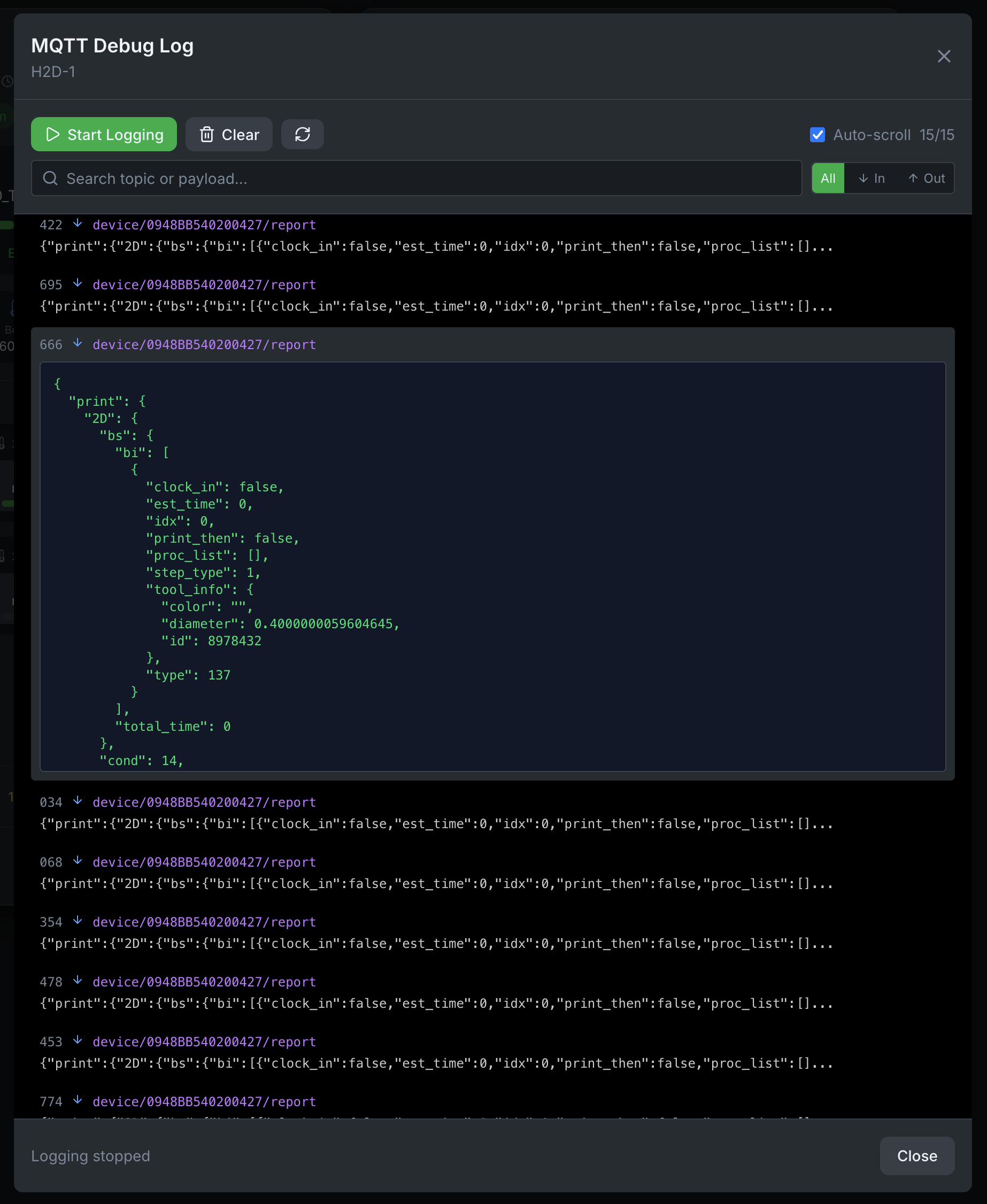
MQTT debug logging for troubleshooting
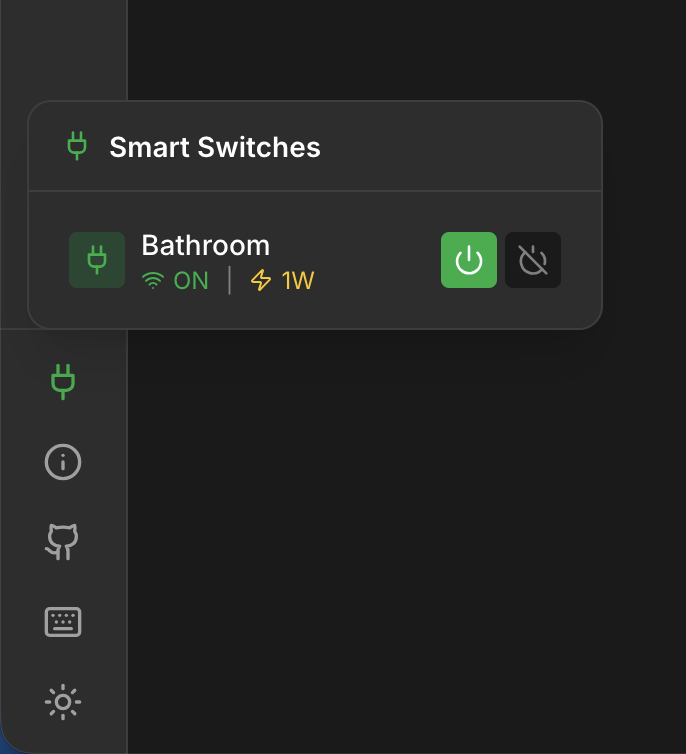
Quick power plug control in sidebar
Self-contained .exe — no Python, Node, Docker, or Git required on the target machine. The installer bundles Python 3.13, the React frontend, ffmpeg, and registers Bambuddy as a Windows service.
Download the latest installer:
https://github.com/maziggy/bambuddy/releases/latest/download/bambuddy-windows-x64-setup.exe
Run it (one-time UAC prompt — admin install) → Bambuddy starts as a Windows service and the dashboard opens at http://localhost:8000 automatically. Data lives at C:\ProgramData\Bambuddy\, install at C:\Program Files\Bambuddy\. To update, just run a newer installer over the existing install — your database and archives are preserved.
SmartScreen warning: until our SignPath OSS code-signing approval lands, you'll see "Windows protected your PC" on first run. Click More info → Run anyway.
See the Windows Installer Guide for service management, logs, and troubleshooting.
Option A: Pre-built image (fastest)
mkdir bambuddy && cd bambuddy
curl -O https://raw.githubusercontent.com/maziggy/bambuddy/main/docker-compose.yml
docker compose up -d
Option B: Build from source
git clone https://github.com/maziggy/bambuddy.git
cd bambuddy
docker compose up -d --build
Open http://localhost:8000 in your browser.
Multi-architecture support: Pre-built images are available for
linux/amd64andlinux/arm64(Raspberry Pi 4/5).
macOS/Windows users: Docker Desktop doesn't support
network_mode: host. Edit docker-compose.yml: comment outnetwork_mode: hostand uncomment theports:section. Printer discovery won't work - add printers manually by IP.
Linux users: If you get "permission denied" errors, either prefix commands with
sudo(e.g.,sudo docker compose up -d) or add your user to the docker group.
Environment Variables:
| Variable | Default | Description |
|---|---|---|
TZ | UTC | Your timezone (e.g., America/New_York, Europe/Berlin) |
PORT | 8000 | Port BamBuddy runs on (with host networking mode) |
DEBUG | false | Enable debug logging |
LOG_LEVEL | INFO | Log level: DEBUG, INFO, WARNING, ERROR |
Data Persistence:
| Volume | Purpose |
|---|---|
bambuddy.db | SQLite database with all your print data (not used with PostgreSQL) |
archive/ | Archived 3MF files and thumbnails |
logs/ | Application logs |
Updating:
# Pre-built image: just pull the latest
docker compose pull && docker compose up -d

# From source: rebuild after pulling changes
cd bambuddy && git pull && docker compose up -d --build
Daily Beta Builds:
Beta builds with the latest fixes are pushed regularly to the same beta version tag:
# Pull the current beta
docker pull ghcr.io/maziggy/bambuddy:0.2.2b1
# or from Docker Hub
docker pull maziggy/bambuddy:0.2.2b1
Use Watchtower (image nickfedor/watchtower) to automatically update when new daily builds are pushed.
Note: Beta builds use version tags like
0.2.2b1— they are never tagged aslatest. Your stable installation won't auto-update to a beta unless you explicitly pull a beta tag.
Useful Commands:
# View logs
docker compose logs -f

# Stop/Start
docker compose down
docker compose up -d

# Shell access
docker compose exec bambuddy /bin/bash
Custom Port:
ports:
  - "3000:8000"  # Access on port 3000
Reverse Proxy (Nginx):
server {
    listen 443 ssl http2;
    server_name bambuddy.yourdomain.com;

    ssl_certificate /path/to/cert.pem;
    ssl_certificate_key /path/to/key.pem;

    location / {
        proxy_pass http://localhost:8000;
        proxy_http_version 1.1;
        proxy_set_header Upgrade $http_upgrade;
        proxy_set_header Connection "upgrade";
        proxy_set_header Host $host;
        proxy_set_header X-Real-IP $remote_addr;
        proxy_set_header X-Forwarded-For $proxy_add_x_forwarded_for;
        proxy_set_header X-Forwarded-Proto $scheme;
        proxy_read_timeout 86400;
    }
}
Note: WebSocket support is required for real-time printer updates.
Network Mode Host (required for printer discovery and camera streaming):
services:
  bambuddy:
    build: .
    network_mode: host
Note: Docker's default bridge networking cannot receive SSDP multicast packets for automatic printer discovery. When using
network_mode: host, Bambuddy auto-detects your network subnet and can discover printers via subnet scanning in the Add Printer dialog.
# Clone and setup
git clone https://github.com/maziggy/bambuddy.git
cd bambuddy
python3 -m venv venv
source venv/bin/activate
pip install -r requirements.txt

# Run (--loop asyncio avoids a uvloop TLS bug that can truncate VP FTP uploads)
uvicorn backend.app.main:app --host 0.0.0.0 --port 8000 --loop asyncio
Open http://localhost:8000 and add your printer!
Need detailed instructions? See the Installation Guide
Windows PowerShell (run as Administrator — the installer self-elevates via UAC if not):
powershell -ExecutionPolicy Bypass -Command "iwr -useb https://raw.githubusercontent.com/maziggy/bambuddy/main/install/windows-installer.ps1 -OutFile windows-installer.ps1; .\windows-installer.ps1"
Installs Bambuddy natively on Windows using Git, Python, a virtual environment, separate data/log directories, and optional NSSM Windows Service registration. See the Windows Installer Guide for parameters and unattended-install options.
Developer Mode allows third-party software like Bambuddy to control your printer over the local network.
Note: Developer Mode disables cloud features but provides full local control. Standard LAN Mode (without Developer Mode) only allows read-only monitoring.
In Bambu Studio or OrcaSlicer, enable "Store sent files on external storage" so that print files (3MF) are saved to the printer's SD card. Bambuddy needs these files to extract thumbnails and 3D model previews.
Full documentation available at wiki.bambuddy.cool:
| Series | Models |
|---|---|
| X1 | X1, X1 Carbon, X1E |
| X2 | X2D |
| H2 | H2D, H2D Pro, H2C, H2S |
| P1 | P1P, P1S |
| P2 | P2S |
| A1 | A1, A1 Mini |
| A2 | A2L |
| Component | Technology |
|---|---|
| Backend | Python, FastAPI, SQLAlchemy |
| Frontend | React, TypeScript, Tailwind CSS |
| Database | SQLite (default) or PostgreSQL |
| 3D Viewer | Three.js (models), libvgcode (G-code preview) |
| Communication | MQTT (TLS), FTPS |
Contributions welcome! Ways to help:
Not sure where to start? Reach out on Discord or email [email protected] — I'll help you find something that fits.
I'm bringing on a contributor whose specific focus is keeping an eye on Bambuddy's security.
Concretely:
Track the dev branch and flag changes touching auth, permissions, token handling, or the CI security backstops. Async post-merge — no gating of in-flight PRs.
What matters more than formal qualifications: fail-closed thinking by default, comfortable reading the auth layer (FastAPI + SQLAlchemy on the backend, a small React surface), willing to push back on except Exception shapes in security-sensitive code.
No fixed time commitment. If you're interested — or know someone who fits — email [email protected] or DM on Discord.
See CONTRIBUTING.md for guidelines.
AGPL-3.0 License — see LICENSE for details.
Bambuddy stays independent because real people support it directly. If Bambuddy makes your printers more useful, please consider:
Sponsors get listed in BACKERS.md. Need commercial support (SLA, multi-printer consulting)? Email [email protected].
Made with ❤️ for the 3D printing community
Join our Discord •
Report Bug •
Request Feature •
Documentation
(top 24 of 37)
1,715 followers · starred Jun 2026
1,888 followers · starred May 2026
1,276 followers · starred Sep 2026
421 followers · starred Apr 2026
Your Bambu Lab. No Cloud. Your Rules. Self-hosted command center for Bambu Lab — from one A1 to an entire print farm.
See the code
Your printers. No cloud. Your rules.
Self-hosted command center for Bambu Lab — from one A1 to an entire print farm.
Corporate sponsor
Sustaining sponsor
🎮 Try the Live Demo • Features • Screenshots • Quick Start • Documentation • Discord • Contributing
Spin up your own private Bambuddy in ~10 seconds — no install, no signup, 30-minute session.
[!IMPORTANT] H2-series and P2S owners — how you send a print decides what gets archived. Bambu Studio's Print button sends sliced files to the printer's internal memory, which Bambuddy cannot read — so those prints archive with a name and timing but no thumbnail, filament total or cost. The printer's "Store sent files on external storage" option does not change it (measured on an H2C and an H2D with it enabled); BambuStudio#10481 tracks the default upstream. Start the print from Bambuddy, or slice in OrcaSlicer — both put the file on the card in one step. Staying in Bambu Studio means using Send with External picked and starting the print afterwards, because Print itself offers no choice. All of them need a card or stick in the printer; X1 and P1 series are unaffected. Why this happens →
"Bambuddy is the companion app that Bambu Lab should have built from day one." — Adam Conway, XDA-Developers
Two leading 3D-printing publications independently concluded that Bambuddy's feature set already exceeds Bambu's own cloud:
"The features seem to exceed those provided by Bambu Lab's own cloud." — Fabbaloo
"The list of functions seems so extensive that it even goes beyond what Bambu Lab offers in its own cloud." — 3Druck.com
Decide who prints on which printer, and what gets printed at all.
👉 Printer Access Guide → · Job Review →
For labs, makerspaces and departments that bill print time. Entirely optional, off by default.
An order knows how many of each plate you wanted, so a failed print still counts as owed.
Print from anywhere in the world — Bambuddy's Proxy Mode acts as a secure relay between your slicer and printer:
100.x.x.x to paste into the slicer when you want a virtual printer reachable over your tailnet (setup). Bambuddy's self-signed CA import is still required on the slicer side: Bambu Studio / OrcaSlicer validate printer TLS against a bundled BBL CA (not the system trust store), and their Add Printer dialog is IP-only (no hostname to match an LE cert against), so a publicly-trusted cert can't help on either dimension. Tailscale's role is the private tunnel (reachability from anywhere, no port forwarding), not cert-import elimination.Perfect for remote print farms, traveling makers, or accessing your home printer from work.
No desktop slicer required. Drop an STL or 3MF into Bambuddy's File Manager, hit Slice, and the result lands as a ready-to-print .gcode.3mf in the same folder — without ever opening Bambu Studio or Orca Slicer.
.gcode.3mf containing every plate's gcode, ready for the printer. The toast shows "Plate 2 of 5 — Generating G-code (47%)" as the loop runs.Optional but recommended — drop the slicer-api/ Compose stack next to your Bambuddy install and the Slice button lights up everywhere.
Stop re-picking the same printer + process + filament + bed-type combination every slice. Save a Slicer Pipeline once from the Slice dialog, then apply the whole bundle to any file with a single click — from File Manager, Archives, or MakerWorld imports.
pipelines:read / pipelines:write / pipelines:run) let you split authoring the recipe from spending filament with it.
📦 Print Archive
📊 Monitoring & Control
⏰ Scheduling & Automation
📁 File Manager (Library)
🌍 MakerWorld Integration
📁 Projects
|
🔔 Notifications
🧵 Spool Inventory
🔧 Integrations
🖨️ Virtual Printer & Remote Printing
🛠️ Maintenance & Support
🔒 Optional Authentication
|
Plus: Configurable slicer (Bambu Studio / OrcaSlicer) • Customizable themes (style, background, accent) • Mobile responsive • Keyboard shortcuts • 15 languages (EN/DE/ES/FR/IT/JA/KO/NL/PT-BR/RU/SV/TR/UK/ZH-CN/ZH-TW) • Auto updates • Database backup/restore • System info dashboard
Spin up your own private Bambuddy with simulated printers and pre-loaded print history. Click around freely — it's your sandbox. ~10 seconds to spawn, 30-minute session, no signup.
Prefer a video walkthrough?
Click to watch the demo on YouTube
Refreshed printer card in 1.2.5b2 — tighter layout, popovers for all controls (temperature setpoints, fan speeds, jog), and a bottom-aligned power row. The screenshots below predate the refresh.
Real-time printer monitoring with AMS status
Print archive with 3D preview and project assignment
Re-print with AMS filament mapping preview
Built-in timelapse editor with trim, speed, and music
Group related prints into projects
Project detail view with assigned archives
Project timeline and print history
Print scheduling and queue management
Schedule prints for specific date and time
Customizable statistics dashboard
Maintenance tracking per printer
Configure maintenance types and intervals
Bambu Cloud filament profiles
Edit filament preset settings
Pressure advance (K-factor) profiles
Edit K-factor profile settings
General configuration and integrations
Smart plug control and energy monitoring
Multi-provider notification system
API keys and webhook endpoints
Virtual printer configuration
Virtual printer appears in Bambu Studio/Orca Slicer
MQTT debug logging for troubleshooting
Quick power plug control in sidebar
Self-contained .exe — no Python, Node, Docker, or Git required on the target machine. The installer bundles Python 3.13, the React frontend, ffmpeg, and registers Bambuddy as a Windows service.
Download the latest installer:
https://github.com/maziggy/bambuddy/releases/latest/download/bambuddy-windows-x64-setup.exe
Run it (one-time UAC prompt — admin install) → Bambuddy starts as a Windows service and the dashboard opens at http://localhost:8000 automatically. Data lives at C:\ProgramData\Bambuddy\, install at C:\Program Files\Bambuddy\. To update, just run a newer installer over the existing install — your database and archives are preserved.
SmartScreen warning: until our SignPath OSS code-signing approval lands, you'll see "Windows protected your PC" on first run. Click More info → Run anyway.
See the Windows Installer Guide for service management, logs, and troubleshooting.
Option A: Pre-built image (fastest)
mkdir bambuddy && cd bambuddy
curl -O https://raw.githubusercontent.com/maziggy/bambuddy/main/docker-compose.yml
docker compose up -d
Option B: Build from source
git clone https://github.com/maziggy/bambuddy.git
cd bambuddy
docker compose up -d --build
Open http://localhost:8000 in your browser.
Multi-architecture support: Pre-built images are available for
linux/amd64andlinux/arm64(Raspberry Pi 4/5).
macOS/Windows users: Docker Desktop doesn't support
network_mode: host. Edit docker-compose.yml: comment outnetwork_mode: hostand uncomment theports:section. Printer discovery won't work - add printers manually by IP.
Linux users: If you get "permission denied" errors, either prefix commands with
sudo(e.g.,sudo docker compose up -d) or add your user to the docker group.
Environment Variables:
| Variable | Default | Description |
|---|---|---|
TZ | UTC | Your timezone (e.g., America/New_York, Europe/Berlin) |
PORT | 8000 | Port BamBuddy runs on (with host networking mode) |
DEBUG | false | Enable debug logging |
LOG_LEVEL | INFO | Log level: DEBUG, INFO, WARNING, ERROR |
Data Persistence:
| Volume | Purpose |
|---|---|
bambuddy.db | SQLite database with all your print data (not used with PostgreSQL) |
archive/ | Archived 3MF files and thumbnails |
logs/ | Application logs |
Updating:
# Pre-built image: just pull the latest
docker compose pull && docker compose up -d

# From source: rebuild after pulling changes
cd bambuddy && git pull && docker compose up -d --build
Daily Beta Builds:
Beta builds with the latest fixes are pushed regularly to the same beta version tag:
# Pull the current beta
docker pull ghcr.io/maziggy/bambuddy:0.2.2b1
# or from Docker Hub
docker pull maziggy/bambuddy:0.2.2b1
Use Watchtower (image nickfedor/watchtower) to automatically update when new daily builds are pushed.
Note: Beta builds use version tags like
0.2.2b1— they are never tagged aslatest. Your stable installation won't auto-update to a beta unless you explicitly pull a beta tag.
Useful Commands:
# View logs
docker compose logs -f

# Stop/Start
docker compose down
docker compose up -d

# Shell access
docker compose exec bambuddy /bin/bash
Custom Port:
ports:
  - "3000:8000"  # Access on port 3000
Reverse Proxy (Nginx):
server {
    listen 443 ssl http2;
    server_name bambuddy.yourdomain.com;

    ssl_certificate /path/to/cert.pem;
    ssl_certificate_key /path/to/key.pem;

    location / {
        proxy_pass http://localhost:8000;
        proxy_http_version 1.1;
        proxy_set_header Upgrade $http_upgrade;
        proxy_set_header Connection "upgrade";
        proxy_set_header Host $host;
        proxy_set_header X-Real-IP $remote_addr;
        proxy_set_header X-Forwarded-For $proxy_add_x_forwarded_for;
        proxy_set_header X-Forwarded-Proto $scheme;
        proxy_read_timeout 86400;
    }
}
Note: WebSocket support is required for real-time printer updates.
Network Mode Host (required for printer discovery and camera streaming):
services:
  bambuddy:
    build: .
    network_mode: host
Note: Docker's default bridge networking cannot receive SSDP multicast packets for automatic printer discovery. When using
network_mode: host, Bambuddy auto-detects your network subnet and can discover printers via subnet scanning in the Add Printer dialog.
# Clone and setup
git clone https://github.com/maziggy/bambuddy.git
cd bambuddy
python3 -m venv venv
source venv/bin/activate
pip install -r requirements.txt

# Run (--loop asyncio avoids a uvloop TLS bug that can truncate VP FTP uploads)
uvicorn backend.app.main:app --host 0.0.0.0 --port 8000 --loop asyncio
Open http://localhost:8000 and add your printer!
Need detailed instructions? See the Installation Guide
Windows PowerShell (run as Administrator — the installer self-elevates via UAC if not):
powershell -ExecutionPolicy Bypass -Command "iwr -useb https://raw.githubusercontent.com/maziggy/bambuddy/main/install/windows-installer.ps1 -OutFile windows-installer.ps1; .\windows-installer.ps1"
Installs Bambuddy natively on Windows using Git, Python, a virtual environment, separate data/log directories, and optional NSSM Windows Service registration. See the Windows Installer Guide for parameters and unattended-install options.
Developer Mode allows third-party software like Bambuddy to control your printer over the local network.
Note: Developer Mode disables cloud features but provides full local control. Standard LAN Mode (without Developer Mode) only allows read-only monitoring.
In Bambu Studio or OrcaSlicer, enable "Store sent files on external storage" so that print files (3MF) are saved to the printer's SD card. Bambuddy needs these files to extract thumbnails and 3D model previews.
Full documentation available at wiki.bambuddy.cool:
| Series | Models |
|---|---|
| X1 | X1, X1 Carbon, X1E |
| X2 | X2D |
| H2 | H2D, H2D Pro, H2C, H2S |
| P1 | P1P, P1S |
| P2 | P2S |
| A1 | A1, A1 Mini |
| A2 | A2L |
| Component | Technology |
|---|---|
| Backend | Python, FastAPI, SQLAlchemy |
| Frontend | React, TypeScript, Tailwind CSS |
| Database | SQLite (default) or PostgreSQL |
| 3D Viewer | Three.js (models), libvgcode (G-code preview) |
| Communication | MQTT (TLS), FTPS |
Contributions welcome! Ways to help:
Not sure where to start? Reach out on Discord or email [email protected] — I'll help you find something that fits.
I'm bringing on a contributor whose specific focus is keeping an eye on Bambuddy's security.
Concretely:
Track the dev branch and flag changes touching auth, permissions, token handling, or the CI security backstops. Async post-merge — no gating of in-flight PRs.
What matters more than formal qualifications: fail-closed thinking by default, comfortable reading the auth layer (FastAPI + SQLAlchemy on the backend, a small React surface), willing to push back on except Exception shapes in security-sensitive code.
No fixed time commitment. If you're interested — or know someone who fits — email [email protected] or DM on Discord.
See CONTRIBUTING.md for guidelines.
AGPL-3.0 License — see LICENSE for details.
Bambuddy stays independent because real people support it directly. If Bambuddy makes your printers more useful, please consider:
Sponsors get listed in BACKERS.md. Need commercial support (SLA, multi-printer consulting)? Email [email protected].
Made with ❤️ for the 3D printing community
Join our Discord •
Report Bug •
Request Feature •
Documentation
(top 24 of 37)
1,715 followers · starred Jun 2026
1,888 followers · starred May 2026
1,276 followers · starred Sep 2026
421 followers · starred Apr 2026