An offline Pokémon terminal app built in Go, featuring colorful sprites, trainer profiles, collectible discoveries, achievements, and an interactive Pokédex.
See the code
Your terminal. Your Pokémon journey. Entirely offline.
Natural-size Pokémon artwork, a searchable catalog, and a local trainer adventure-one executable.
Website / Download v1.0 / Install / Full guide / Release notes



Linux amd64 · Keyboard & mouse · No network at runtime
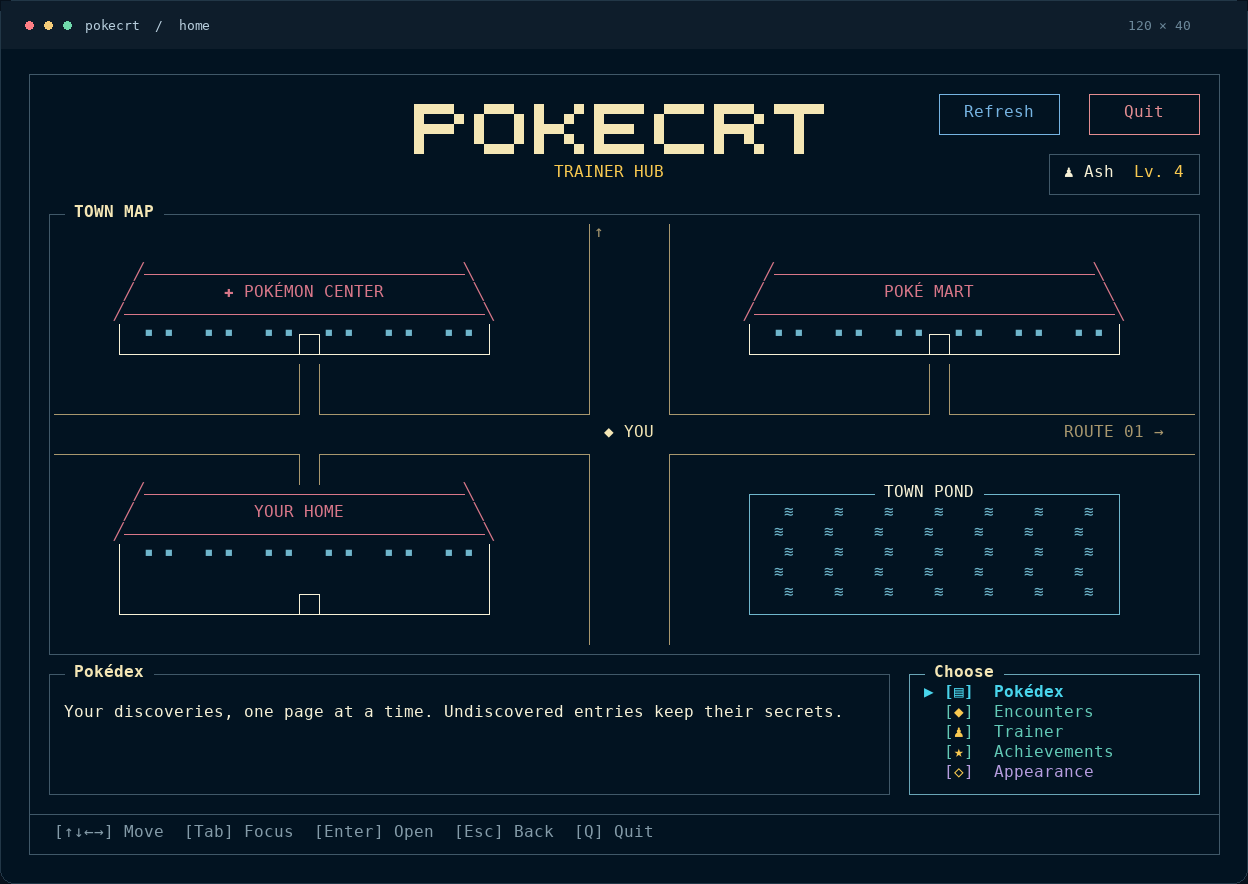
Print a favorite Pokémon, add a sprite to your shell, or open the Adventure Menu and build a collection through encounters. Artwork and metadata are embedded; saved progress stays on your machine.
| Artwork & catalog | Your trainer journey |
|---|---|
| Print named, random or filtered Pokémon. Choose exact forms, shiny palettes and supported visual genders. | Create local trainers, record encounters, gain XP and unlock 50 achievement goals. |
| Browse all 1,025 species across nine generations. Public catalog access is independent of saved progress. | Explore your private Pokédex, collected appearances, evolution families and encounter history. |
Natural-size truecolor artwork, transparent backgrounds and NO_COLOR support. | Responsive pages, keyboard and mouse controls, and four live appearance choices. |
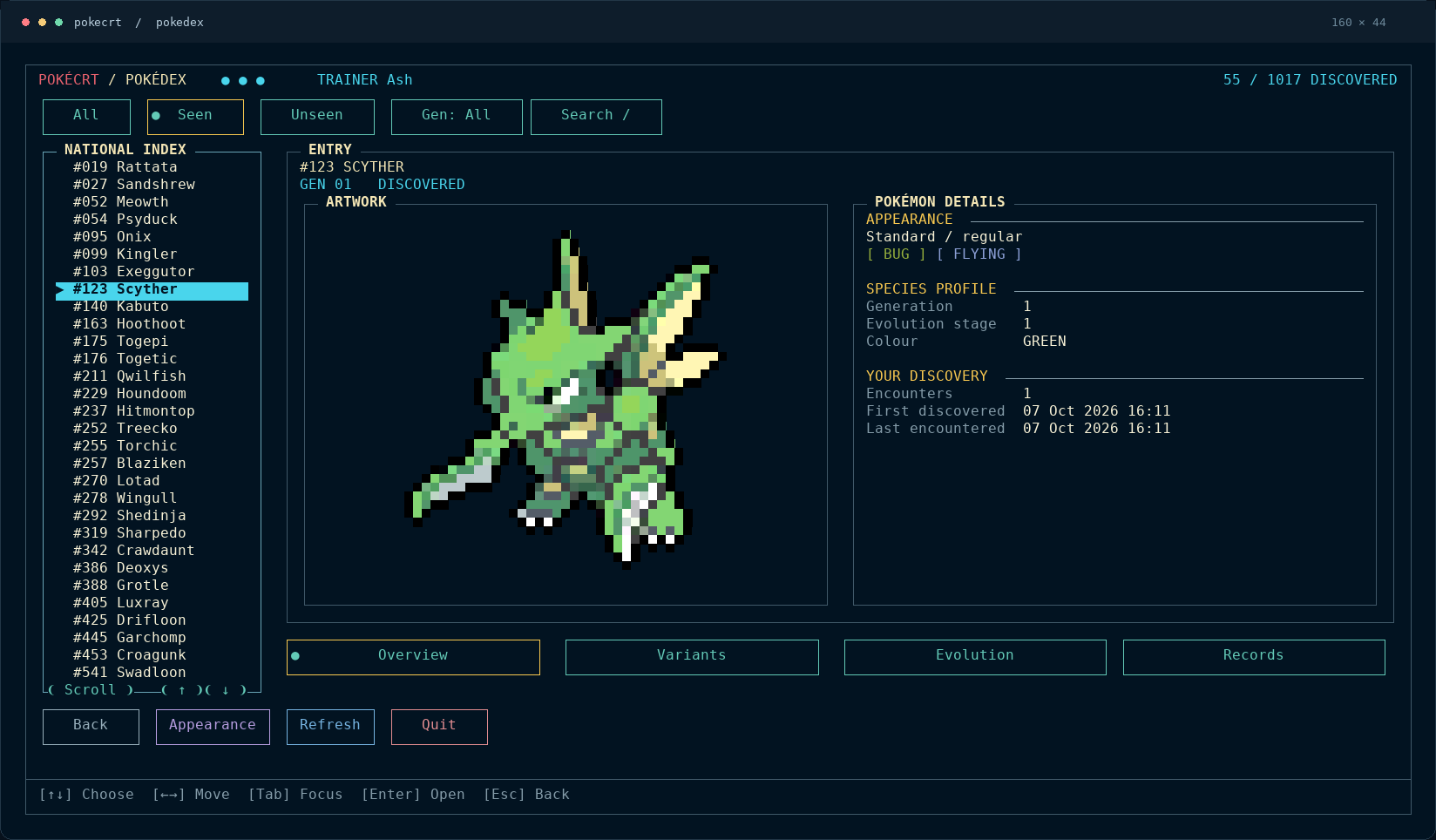
A private Pokédex that grows with your discoveries. Browse collected appearances, explore evolution families and keep track of each encounter.
Exact artwork, straight from the command line. Forms, shiny palettes and supported visual genders are first-class choices.
| Shiny Mega X Charizard | Shiny female Meowstic |
|---|---|
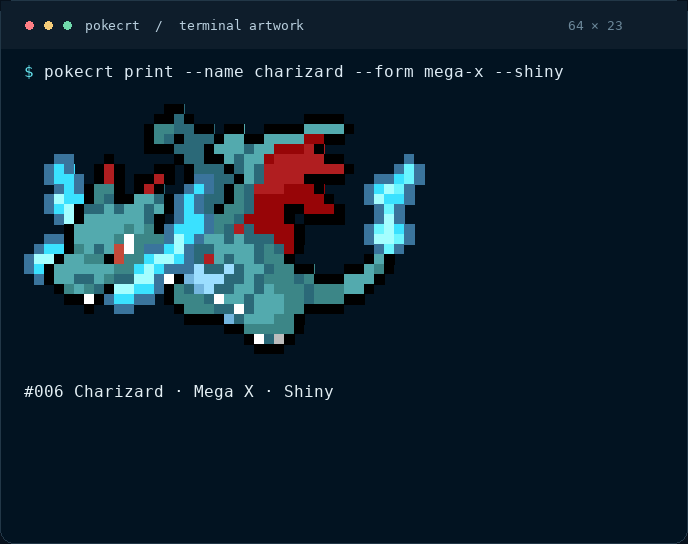 | 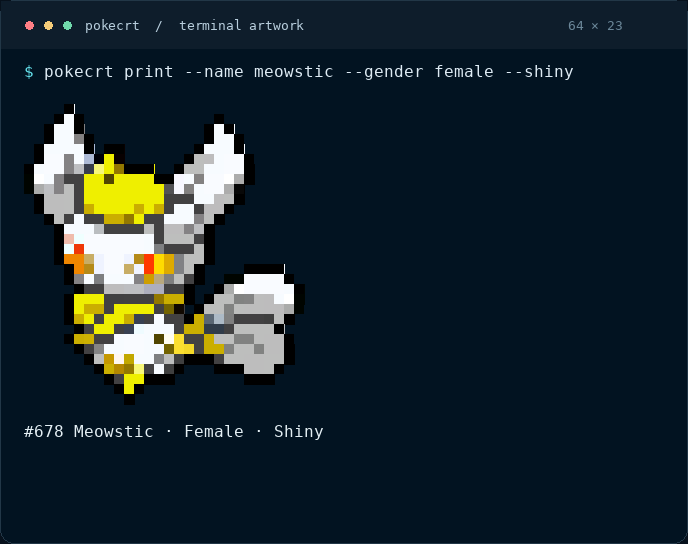 |
pokecrt print --name charizard --form mega-x --shiny | pokecrt print --name meowstic --gender female --shiny |
Every encounter adds to your journey. Track trainer progress and work toward 50 achievement goals.
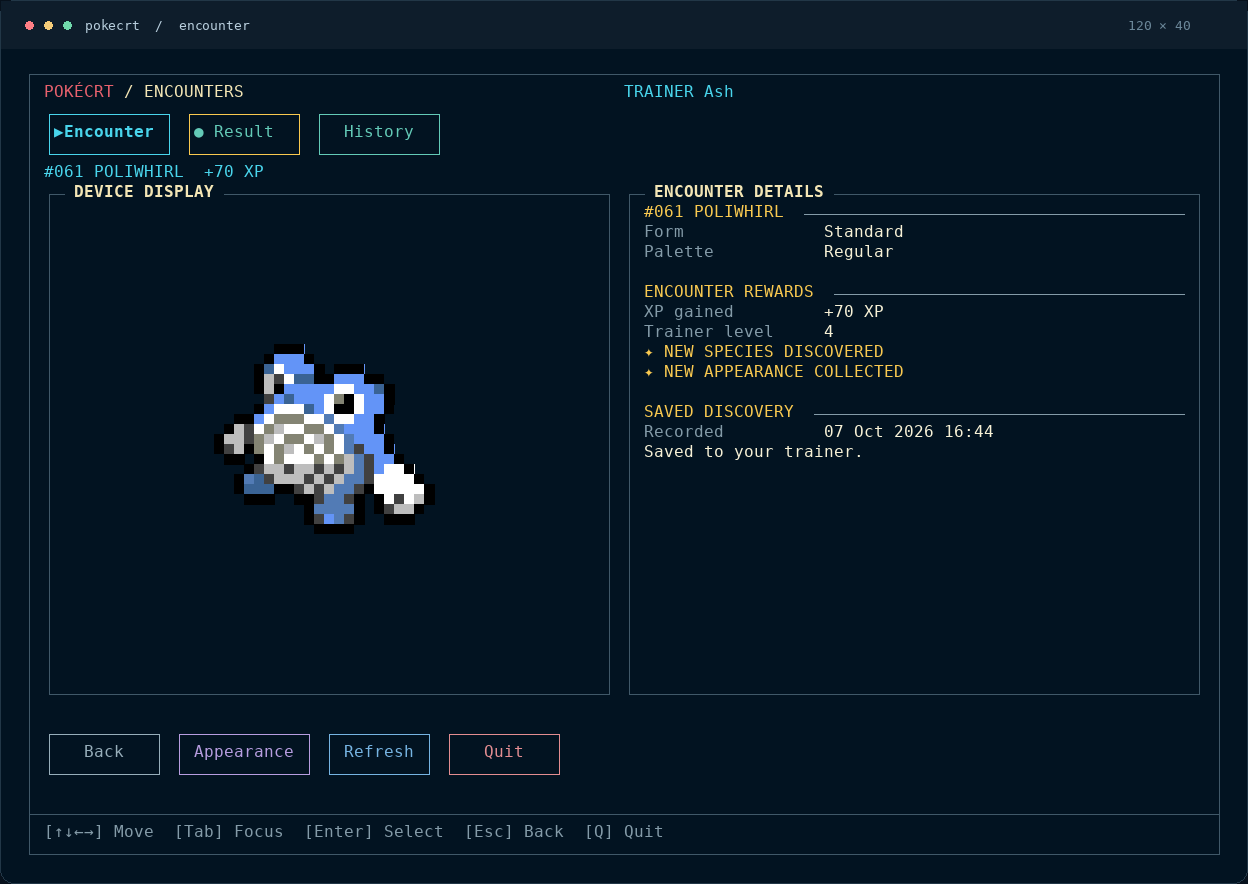
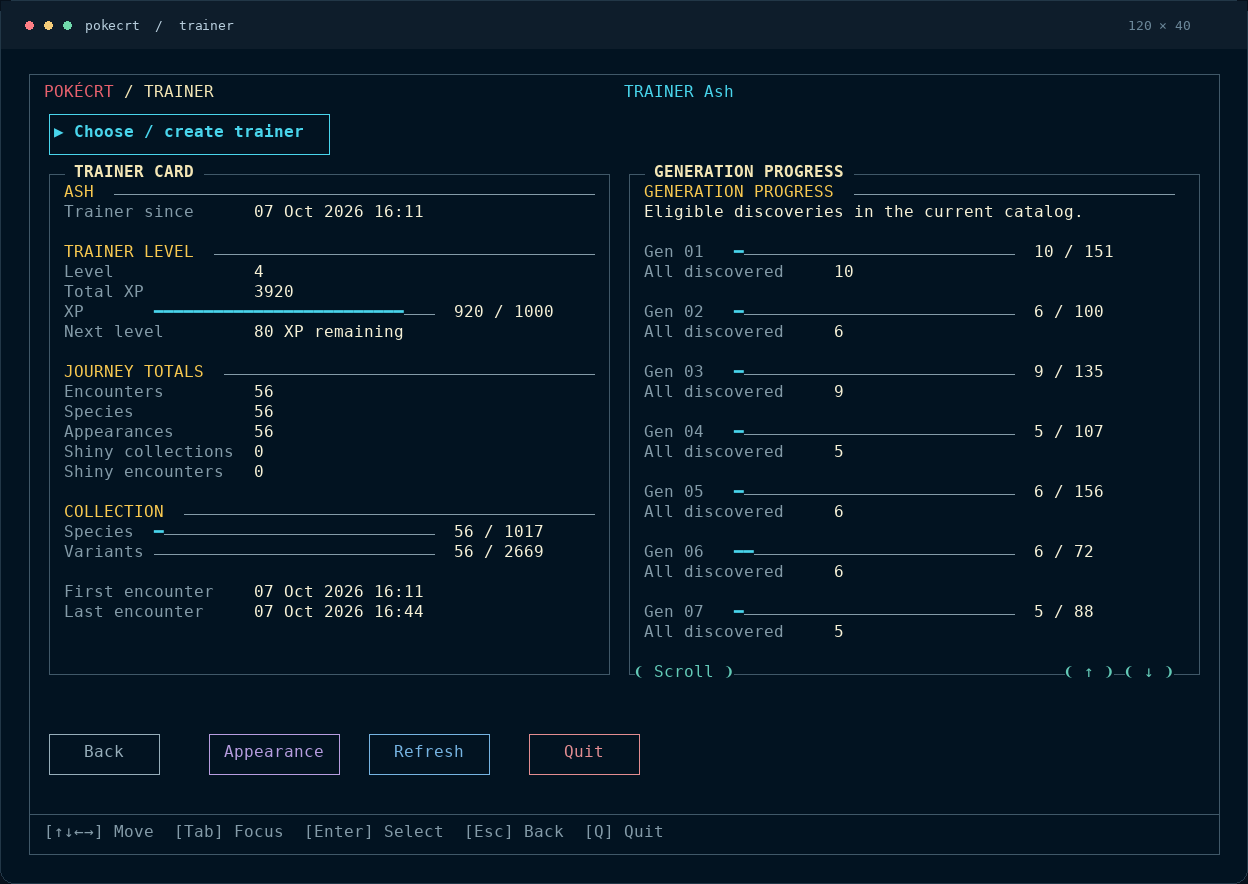
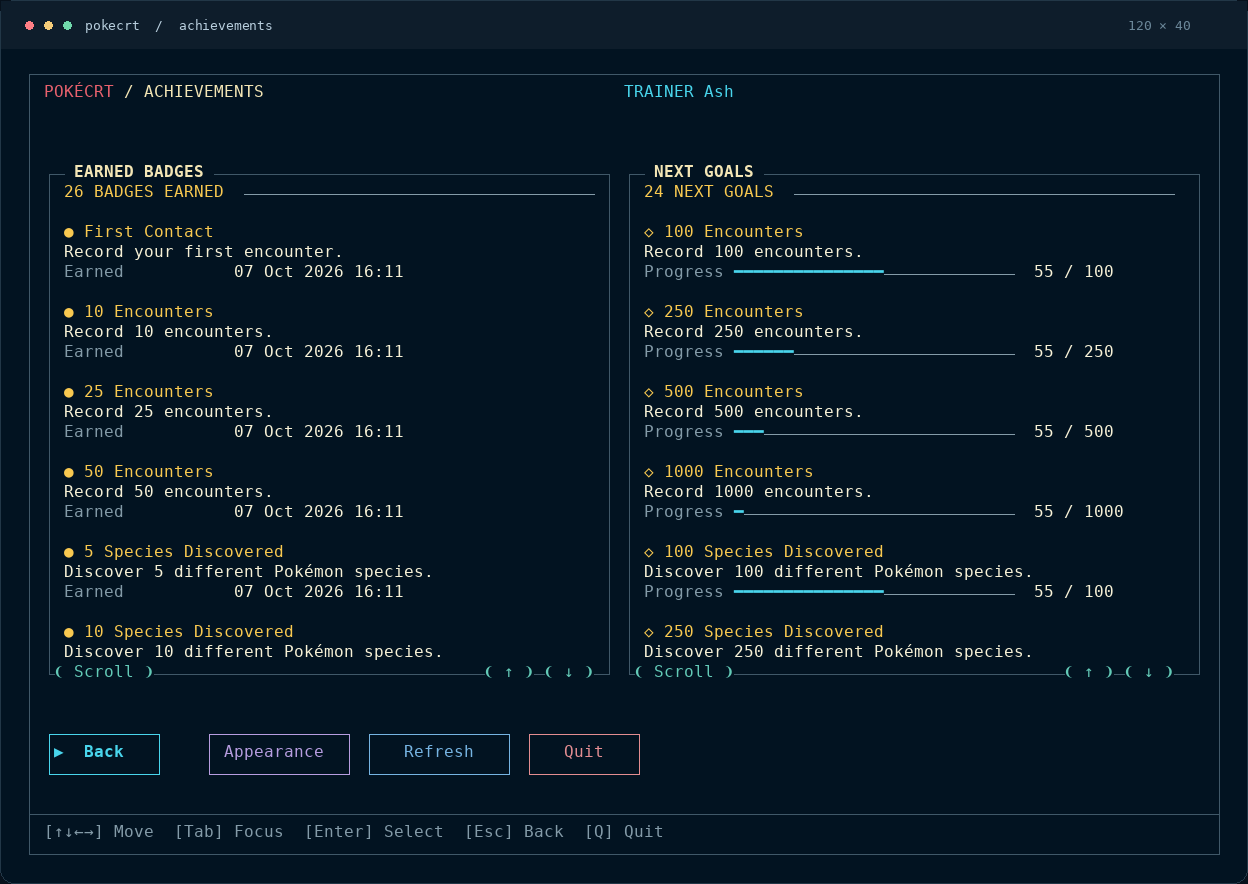
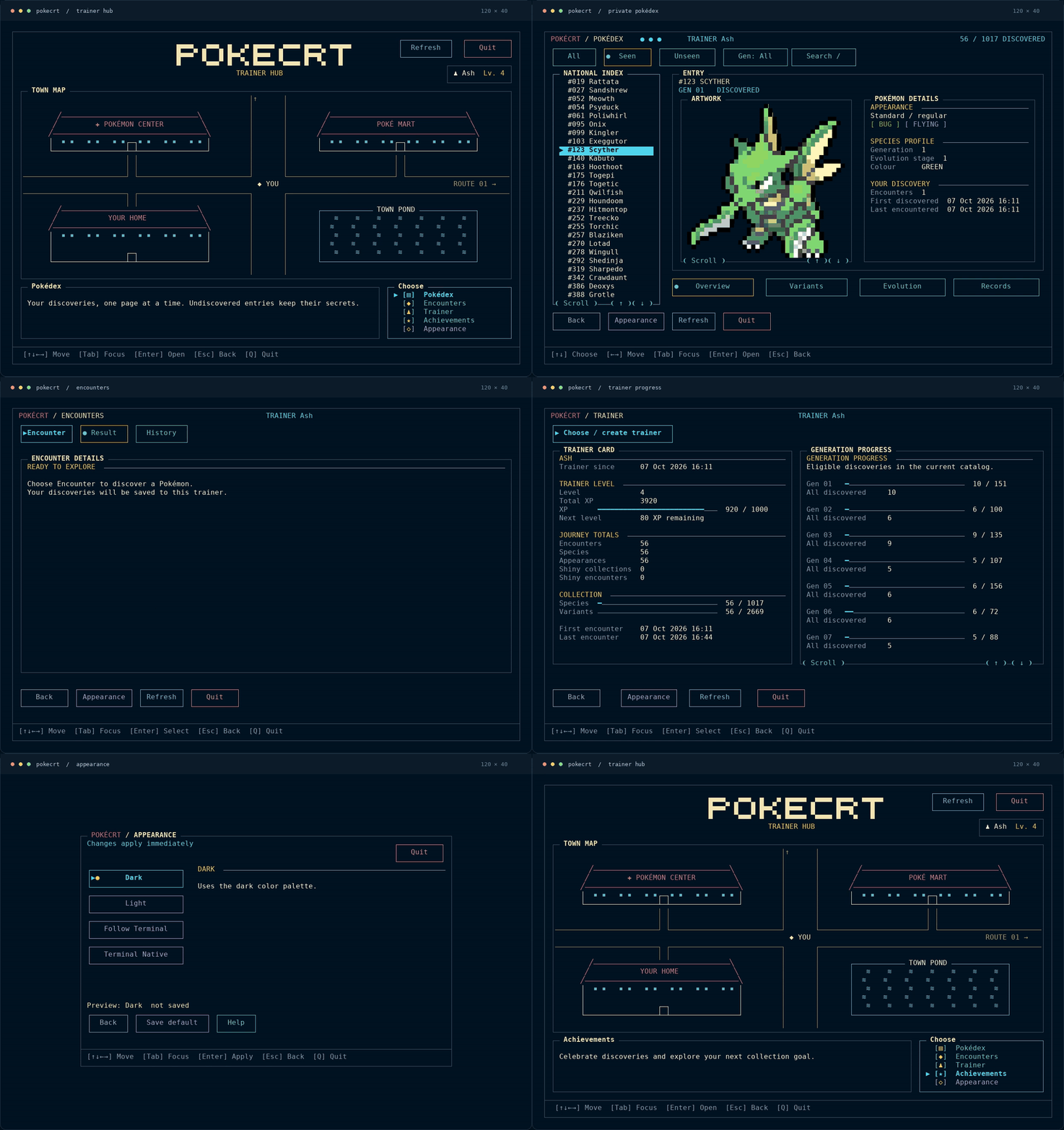
Watch or download the short video. Screenshots and the tour use a separate sample trainer; the interface and artwork are captured from the running app.
Download the Linux amd64 archive and SHA256SUMS from v1.0, then run from their directory:
sha256sum --ignore-missing -c SHA256SUMS
tar -xzf pokecrt_v1.0_linux_amd64.tar.gz
mkdir -p "$HOME/.local/bin"
install -m 0755 pokecrt "$HOME/.local/bin/pokecrt"
"$HOME/.local/bin/pokecrt" --version
If ~/.local/bin is not on your PATH, add export PATH="$HOME/.local/bin:$PATH" to your shell configuration and open a new shell.
Download a .deb for Ubuntu/Kubuntu or Debian, .rpm for Fedora, or
.pkg.tar.zst for Arch Linux from the v1.0 release.
Package installation, updates and removal.
Use Go 1.27.0 or newer. Asset preparation downloads verified inputs once; the built app runs offline.
git clone https://github.com/mayanklad/pokecrt.git
cd pokecrt
git checkout v1.0
go run ./tools/dataset \
  --sources tools/dataset/sources.json \
  --cache .cache/dataset \
  --mappings tools/dataset/mappings.json \
  --out . --fetch --prepare-assets --check
go build -o bin/pokecrt ./cmd/pokecrt
sh scripts/install.sh ./bin/pokecrt
Build checks and packaging · Uninstall or reset
# Open the interactive adventure; first launch offers trainer creation.
pokecrt tui

# Print a favorite, or let the app pick one.
pokecrt print --name charizard
pokecrt print

# Explore exact appearances and the public catalog.
pokecrt print --name charizard --form mega-x --shiny
pokecrt list --name eevee --details
# Create and activate a local trainer, then record an encounter.
pokecrt trainer create Ash
pokecrt trainer use Ash
pokecrt encounter

# Review progress without recording another encounter.
pokecrt trainer
pokecrt dex
encounter records the encounter and awards progression. Printing, catalog listing and private browsing do not record encounters. Profiles and encounter options explain how to switch trainers and choose output modes.
The Adventure Menu brings together Pokédex, Encounter, Trainer and Achievements. Use arrows or Tab to move, Enter to select, and Esc to return. Mouse controls are available throughout. Switch among Dark, Light, Follow Terminal and Terminal Native appearances; saving a default is explicit.
For shell integration, filters, trainer commands and detailed controls, open the full guide.
Guide · v1.0 notes · Progress · Benchmarks
PokéCRT is an unofficial fan project, inspired by pokemon-colorscripts, pokego and poketerm. Artwork provenance is recorded in the source audit.
Original source is MIT licensed. Third-party code, metadata and Pokémon artwork retain their respective terms. See licensing, notices and release policy. No endorsement or rights-holder permission is claimed.
An offline Pokémon terminal app built in Go, featuring colorful sprites, trainer profiles, collectible discoveries, achievements, and an interactive Pokédex.
See the codeYour terminal. Your Pokémon journey. Entirely offline.
Natural-size Pokémon artwork, a searchable catalog, and a local trainer adventure-one executable.
Website / Download v1.0 / Install / Full guide / Release notes
Linux amd64 · Keyboard & mouse · No network at runtime
Print a favorite Pokémon, add a sprite to your shell, or open the Adventure Menu and build a collection through encounters. Artwork and metadata are embedded; saved progress stays on your machine.
| Artwork & catalog | Your trainer journey |
|---|---|
| Print named, random or filtered Pokémon. Choose exact forms, shiny palettes and supported visual genders. | Create local trainers, record encounters, gain XP and unlock 50 achievement goals. |
| Browse all 1,025 species across nine generations. Public catalog access is independent of saved progress. | Explore your private Pokédex, collected appearances, evolution families and encounter history. |
Natural-size truecolor artwork, transparent backgrounds and NO_COLOR support. | Responsive pages, keyboard and mouse controls, and four live appearance choices. |
A private Pokédex that grows with your discoveries. Browse collected appearances, explore evolution families and keep track of each encounter.
Exact artwork, straight from the command line. Forms, shiny palettes and supported visual genders are first-class choices.
| Shiny Mega X Charizard | Shiny female Meowstic |
|---|---|
| |
pokecrt print --name charizard --form mega-x --shiny | pokecrt print --name meowstic --gender female --shiny |
Every encounter adds to your journey. Track trainer progress and work toward 50 achievement goals.
Watch or download the short video. Screenshots and the tour use a separate sample trainer; the interface and artwork are captured from the running app.
Download the Linux amd64 archive and SHA256SUMS from v1.0, then run from their directory:
sha256sum --ignore-missing -c SHA256SUMS
tar -xzf pokecrt_v1.0_linux_amd64.tar.gz
mkdir -p "$HOME/.local/bin"
install -m 0755 pokecrt "$HOME/.local/bin/pokecrt"
"$HOME/.local/bin/pokecrt" --version
If ~/.local/bin is not on your PATH, add export PATH="$HOME/.local/bin:$PATH" to your shell configuration and open a new shell.
Download a .deb for Ubuntu/Kubuntu or Debian, .rpm for Fedora, or
.pkg.tar.zst for Arch Linux from the v1.0 release.
Package installation, updates and removal.
Use Go 1.27.0 or newer. Asset preparation downloads verified inputs once; the built app runs offline.
git clone https://github.com/mayanklad/pokecrt.git
cd pokecrt
git checkout v1.0
go run ./tools/dataset \
  --sources tools/dataset/sources.json \
  --cache .cache/dataset \
  --mappings tools/dataset/mappings.json \
  --out . --fetch --prepare-assets --check
go build -o bin/pokecrt ./cmd/pokecrt
sh scripts/install.sh ./bin/pokecrt
Build checks and packaging · Uninstall or reset
# Open the interactive adventure; first launch offers trainer creation.
pokecrt tui

# Print a favorite, or let the app pick one.
pokecrt print --name charizard
pokecrt print

# Explore exact appearances and the public catalog.
pokecrt print --name charizard --form mega-x --shiny
pokecrt list --name eevee --details
# Create and activate a local trainer, then record an encounter.
pokecrt trainer create Ash
pokecrt trainer use Ash
pokecrt encounter

# Review progress without recording another encounter.
pokecrt trainer
pokecrt dex
encounter records the encounter and awards progression. Printing, catalog listing and private browsing do not record encounters. Profiles and encounter options explain how to switch trainers and choose output modes.
The Adventure Menu brings together Pokédex, Encounter, Trainer and Achievements. Use arrows or Tab to move, Enter to select, and Esc to return. Mouse controls are available throughout. Switch among Dark, Light, Follow Terminal and Terminal Native appearances; saving a default is explicit.
For shell integration, filters, trainer commands and detailed controls, open the full guide.
Guide · v1.0 notes · Progress · Benchmarks
PokéCRT is an unofficial fan project, inspired by pokemon-colorscripts, pokego and poketerm. Artwork provenance is recorded in the source audit.
Original source is MIT licensed. Third-party code, metadata and Pokémon artwork retain their respective terms. See licensing, notices and release policy. No endorsement or rights-holder permission is claimed.





