Run heavy React Native components and business logic in isolated Hermes runtimes (without freezing your main JS thread)
See the code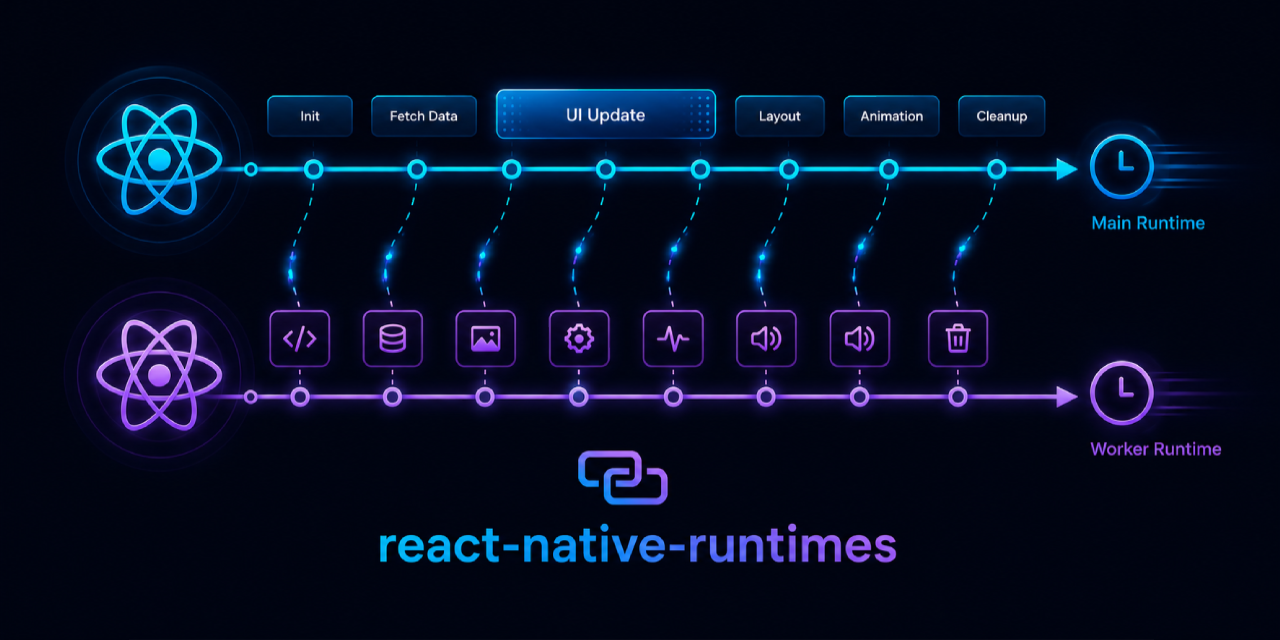
Run heavy React Native UI and business logic in isolated Hermes runtimes — without freezing your main JS thread





📖 Docs · ⚡ Quick Start · 📦 Core · 🗂 State


react-native-runtimes is built in collaboration with our friends at Callstack
We love fast apps ⚡ and cars 🏎️
React Native gives your product one main JavaScript runtime. When a feed, chat screen, editor, reducer, or hydration job monopolizes that runtime, input, animation, and navigation all start competing for the same VM.
react-native-runtimes adds a multi-runtime layer for React Native New Architecture apps:
// That's it. This component now renders in its own Hermes instance.
<OnRuntime name="chat-runtime">
  <MessageList conversationId={conversationId} />
</OnRuntime>
| If your app has... | You can move... | Main runtime keeps... |
|---|---|---|
| A chat, feed, or inbox that janks on mount | The expensive list or route surface | Navigation, gestures, and input |
| Reducers or stores competing with animation | Business logic in a long-lived runtime | Frame-critical UI work |
| Slow first-open screens | A prewarmed runtime before the user taps | Predictable navigation latency |
| Background hydration or decoding | Headless tasks on a worker runtime | Responsive startup and render |
| State that must be visible everywhere | Native-backed shared stores | Synchronous reads without bridge round-trips |
| Package | Description |
|---|---|
@react-native-runtimes/core | Mount React components in secondary runtimes. Metro transform, OnRuntime, ThreadedScreen, headless tasks, cross-runtime function calls. |
@react-native-runtimes/state | Zustand-style shared store backed by a process-wide C++ singleton. Synchronous reads and commits from every runtime. |
Wrap a component in OnRuntime — Metro rewrites the JSX to a registered threaded boundary at build time. No manual registration required.
import { OnRuntime } from '@react-native-runtimes/core';

<OnRuntime name="feed-runtime">
  <HeavyFeedList userId={userId} />
</OnRuntime>
For navigation flows that should live entirely on a secondary runtime:
import { ThreadedScreen, threadedComponent } from '@react-native-runtimes/core';

export const ConversationScreen = threadedComponent<Props>(
  'ConversationScreen',
  (props) => <ConversationRoute {...props} />,
);

// In your navigator:
<ThreadedScreen
  component={ConversationScreen}
  props={{ conversationId }}
  runtimeName={`chat-${conversationId}`}
/>
Start the runtime before the user navigates so there is no cold-start lag:
import { ThreadedRuntime } from '@react-native-runtimes/core';

// e.g. when the inbox row becomes visible
await ThreadedRuntime.prewarm(`chat-${conversationId}`);
Run JS on a named runtime without mounting a view — perfect for pre-hydrating stores, decoding data, or running reducers in a long-lived worker:
// Register on the threaded bundle side:
registerThreadedHeadlessTask('hydrateConversation', async ({ payload }) => {
  const messages = await loadMessages(payload.conversationId, payload.limit);
  await messagesStore.setSubtreeState(payload.conversationId, messages, true);
});

// Dispatch from anywhere:
await ThreadedRuntime.runHeadlessTask('hydrateConversation', {
  runtimeName: 'chat-worker-runtime',
  payload: { conversationId, limit: 50 },
});
Call a typed function on a specific runtime and await the result — arguments and return values are JSON-serialized automatically:
import { call, runtimeFunction } from '@react-native-runtimes/core';

export const fibonacci = runtimeFunction((n: number) => ({
  input: n,
  result: fibonacciNumber(n),
  computedAt: new Date().toISOString(),
}));

// Call it on a named runtime from the main runtime:
const result = await call(fibonacci).on('fibonacci-worker-runtime')(38);
Or use a function directive for fixed-runtime helpers — Metro rewrites the call site automatically:
async function refreshCache(key: string) {
  'background'; // ← directive: this function always runs on 'background' runtime
  await cacheStore.hydrate();
  return cacheStore.get(key);
}

const value = await refreshCache('settings'); // cross-runtime, no extra API
A Zustand-style API backed by a native C++ process-wide singleton. Reads are synchronous. No bridge round-trip. Any runtime can write and every subscriber is notified.
import { createSharedStore } from '@react-native-runtimes/state';

export const chatStore = createSharedStore({
  name: 'chat',
  initialState: { messages: {}, settings: { theme: 'dark' } },
});

// Path handles for fine-grained subscriptions:
const roomMessages = chatStore.path<Message[]>(['messages', 'release-room']);

await roomMessages.update(items => [...(items ?? []), newMessage]);

// Subscribe with a selector — works in any runtime:
const count = roomMessages.use(items => items?.length ?? 0);
Add native persistence with a single option:
export const preferencesStore = createSharedStore({
  name: 'preferences',
  initialState: { counter: { count: 0 } },
  persist: { key: 'preferences', version: 1, subtrees: ['counter'] },
});
For an app-lifetime runtime that sees the same native modules as the main runtime, use prewarmBusinessRuntime:
ThreadedRuntime.setMainReactPackagesProvider { PackageList(this).packages }
ThreadedRuntime.prewarmBusinessRuntime(applicationContext, "business-runtime")
if (global.__THREADED_RUNTIME_ENV__?.kind === 'business-runtime') {
  require('./src/businessRuntimeEntry');
}
@react-native-runtimes/core ships a config plugin. No manual native edits needed:
// app.config.ts
export default {
  newArchEnabled: true,
  plugins: [
    ['@react-native-runtimes/core', {
      packages: ['@react-native-runtimes/state'],
    }],
  ],
};
npm install @react-native-runtimes/core @react-native-runtimes/state react-native-nitro-modules
// metro.config.js
const { getDefaultConfig, mergeConfig } = require('@react-native/metro-config');
const { withThreadedRuntime } = require('@react-native-runtimes/core/metro');

module.exports = withThreadedRuntime(
  mergeConfig(getDefaultConfig(__dirname), {}),
  { roots: ['App.tsx', 'src'], generatedDir: '.threaded-runtime' },
);
// index.js
if (global.__THREADED_RUNTIME_ENV__) {
  require('./.threaded-runtime/entry');
} else {
  require('./App');
}
import { OnRuntime } from '@react-native-runtimes/core';

export default function App() {
  return (
    <OnRuntime name="my-runtime">
      <HeavyComponent />
    </OnRuntime>
  );
}
→ Full setup guide: packages/core/README.md
| Requirement | Support |
|---|---|
| React Native | 0.76+ |
| Architecture | New Architecture required |
| JavaScript engine | Hermes |
| Platforms | Android and iOS |
| Expo | Config plugin included in @react-native-runtimes/core |
 Szymon Kapała @Turbo_Szymon |
 Szymon Chmal @ChmalSzymon |
 Alex Shumihin @pioner_dev |
 Ritesh Shukla @RiteshRk14 |
MIT License · Built with ❤️ for the React Native community
5,285 followers · starred Jun 2026
468 followers · starred Jun 2026
882 followers · starred Jun 2026
2,124 followers · starred Jun 2026
Run heavy React Native components and business logic in isolated Hermes runtimes (without freezing your main JS thread)
See the code
Run heavy React Native UI and business logic in isolated Hermes runtimes — without freezing your main JS thread
📖 Docs · ⚡ Quick Start · 📦 Core · 🗂 State
react-native-runtimes is built in collaboration with our friends at Callstack
We love fast apps ⚡ and cars 🏎️
React Native gives your product one main JavaScript runtime. When a feed, chat screen, editor, reducer, or hydration job monopolizes that runtime, input, animation, and navigation all start competing for the same VM.
react-native-runtimes adds a multi-runtime layer for React Native New Architecture apps:
// That's it. This component now renders in its own Hermes instance.
<OnRuntime name="chat-runtime">
  <MessageList conversationId={conversationId} />
</OnRuntime>
| If your app has... | You can move... | Main runtime keeps... |
|---|---|---|
| A chat, feed, or inbox that janks on mount | The expensive list or route surface | Navigation, gestures, and input |
| Reducers or stores competing with animation | Business logic in a long-lived runtime | Frame-critical UI work |
| Slow first-open screens | A prewarmed runtime before the user taps | Predictable navigation latency |
| Background hydration or decoding | Headless tasks on a worker runtime | Responsive startup and render |
| State that must be visible everywhere | Native-backed shared stores | Synchronous reads without bridge round-trips |
| Package | Description |
|---|---|
@react-native-runtimes/core | Mount React components in secondary runtimes. Metro transform, OnRuntime, ThreadedScreen, headless tasks, cross-runtime function calls. |
@react-native-runtimes/state | Zustand-style shared store backed by a process-wide C++ singleton. Synchronous reads and commits from every runtime. |
Wrap a component in OnRuntime — Metro rewrites the JSX to a registered threaded boundary at build time. No manual registration required.
import { OnRuntime } from '@react-native-runtimes/core';

<OnRuntime name="feed-runtime">
  <HeavyFeedList userId={userId} />
</OnRuntime>
For navigation flows that should live entirely on a secondary runtime:
import { ThreadedScreen, threadedComponent } from '@react-native-runtimes/core';

export const ConversationScreen = threadedComponent<Props>(
  'ConversationScreen',
  (props) => <ConversationRoute {...props} />,
);

// In your navigator:
<ThreadedScreen
  component={ConversationScreen}
  props={{ conversationId }}
  runtimeName={`chat-${conversationId}`}
/>
Start the runtime before the user navigates so there is no cold-start lag:
import { ThreadedRuntime } from '@react-native-runtimes/core';

// e.g. when the inbox row becomes visible
await ThreadedRuntime.prewarm(`chat-${conversationId}`);
Run JS on a named runtime without mounting a view — perfect for pre-hydrating stores, decoding data, or running reducers in a long-lived worker:
// Register on the threaded bundle side:
registerThreadedHeadlessTask('hydrateConversation', async ({ payload }) => {
  const messages = await loadMessages(payload.conversationId, payload.limit);
  await messagesStore.setSubtreeState(payload.conversationId, messages, true);
});

// Dispatch from anywhere:
await ThreadedRuntime.runHeadlessTask('hydrateConversation', {
  runtimeName: 'chat-worker-runtime',
  payload: { conversationId, limit: 50 },
});
Call a typed function on a specific runtime and await the result — arguments and return values are JSON-serialized automatically:
import { call, runtimeFunction } from '@react-native-runtimes/core';

export const fibonacci = runtimeFunction((n: number) => ({
  input: n,
  result: fibonacciNumber(n),
  computedAt: new Date().toISOString(),
}));

// Call it on a named runtime from the main runtime:
const result = await call(fibonacci).on('fibonacci-worker-runtime')(38);
Or use a function directive for fixed-runtime helpers — Metro rewrites the call site automatically:
async function refreshCache(key: string) {
  'background'; // ← directive: this function always runs on 'background' runtime
  await cacheStore.hydrate();
  return cacheStore.get(key);
}

const value = await refreshCache('settings'); // cross-runtime, no extra API
A Zustand-style API backed by a native C++ process-wide singleton. Reads are synchronous. No bridge round-trip. Any runtime can write and every subscriber is notified.
import { createSharedStore } from '@react-native-runtimes/state';

export const chatStore = createSharedStore({
  name: 'chat',
  initialState: { messages: {}, settings: { theme: 'dark' } },
});

// Path handles for fine-grained subscriptions:
const roomMessages = chatStore.path<Message[]>(['messages', 'release-room']);

await roomMessages.update(items => [...(items ?? []), newMessage]);

// Subscribe with a selector — works in any runtime:
const count = roomMessages.use(items => items?.length ?? 0);
Add native persistence with a single option:
export const preferencesStore = createSharedStore({
  name: 'preferences',
  initialState: { counter: { count: 0 } },
  persist: { key: 'preferences', version: 1, subtrees: ['counter'] },
});
For an app-lifetime runtime that sees the same native modules as the main runtime, use prewarmBusinessRuntime:
ThreadedRuntime.setMainReactPackagesProvider { PackageList(this).packages }
ThreadedRuntime.prewarmBusinessRuntime(applicationContext, "business-runtime")
if (global.__THREADED_RUNTIME_ENV__?.kind === 'business-runtime') {
  require('./src/businessRuntimeEntry');
}
@react-native-runtimes/core ships a config plugin. No manual native edits needed:
// app.config.ts
export default {
  newArchEnabled: true,
  plugins: [
    ['@react-native-runtimes/core', {
      packages: ['@react-native-runtimes/state'],
    }],
  ],
};
npm install @react-native-runtimes/core @react-native-runtimes/state react-native-nitro-modules
// metro.config.js
const { getDefaultConfig, mergeConfig } = require('@react-native/metro-config');
const { withThreadedRuntime } = require('@react-native-runtimes/core/metro');

module.exports = withThreadedRuntime(
  mergeConfig(getDefaultConfig(__dirname), {}),
  { roots: ['App.tsx', 'src'], generatedDir: '.threaded-runtime' },
);
// index.js
if (global.__THREADED_RUNTIME_ENV__) {
  require('./.threaded-runtime/entry');
} else {
  require('./App');
}
import { OnRuntime } from '@react-native-runtimes/core';

export default function App() {
  return (
    <OnRuntime name="my-runtime">
      <HeavyComponent />
    </OnRuntime>
  );
}
→ Full setup guide: packages/core/README.md
| Requirement | Support |
|---|---|
| React Native | 0.76+ |
| Architecture | New Architecture required |
| JavaScript engine | Hermes |
| Platforms | Android and iOS |
| Expo | Config plugin included in @react-native-runtimes/core |
|
Szymon Kapała @Turbo_Szymon |
Szymon Chmal @ChmalSzymon |
Alex Shumihin @pioner_dev |
Ritesh Shukla @RiteshRk14 |
MIT License · Built with ❤️ for the React Native community
5,285 followers · starred Jun 2026
468 followers · starred Jun 2026
882 followers · starred Jun 2026
2,124 followers · starred Jun 2026