
Navara is a highly extensible 3D map engine. Load a wide range of GIS data, from satellite imagery and terrain to 3D city models and vector data, then freely layer your own visualizations on top.
See the codeREADME

Navara
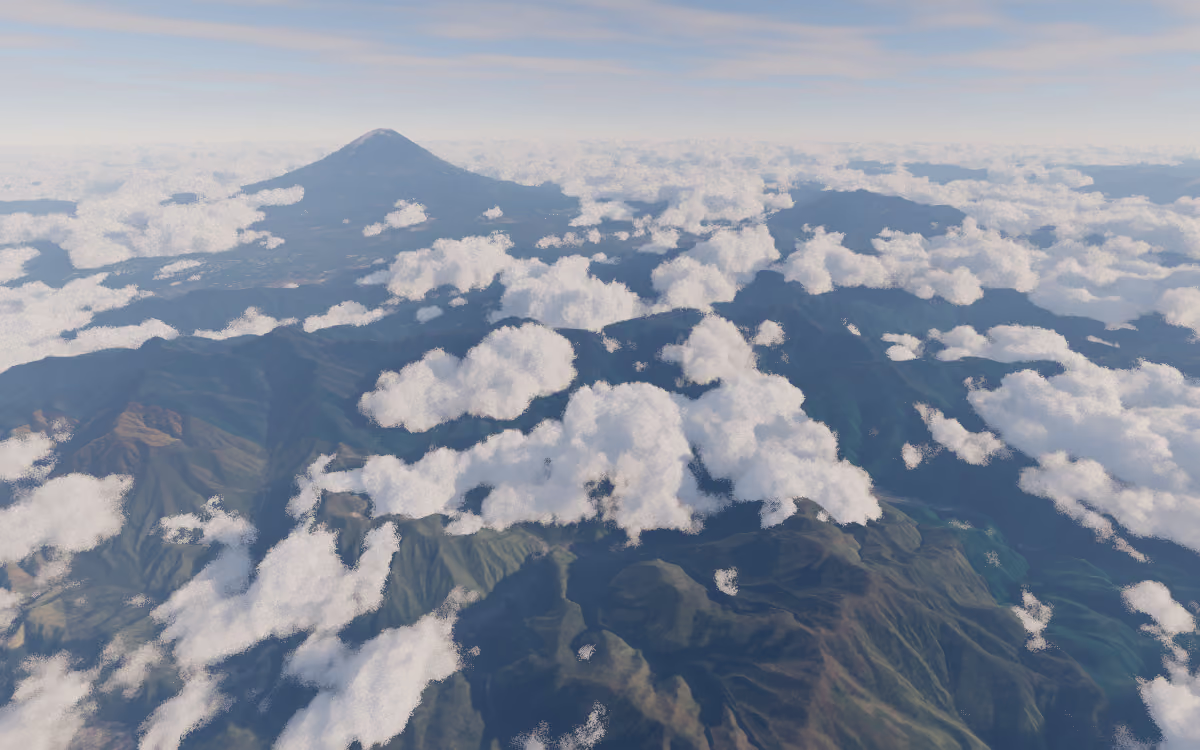
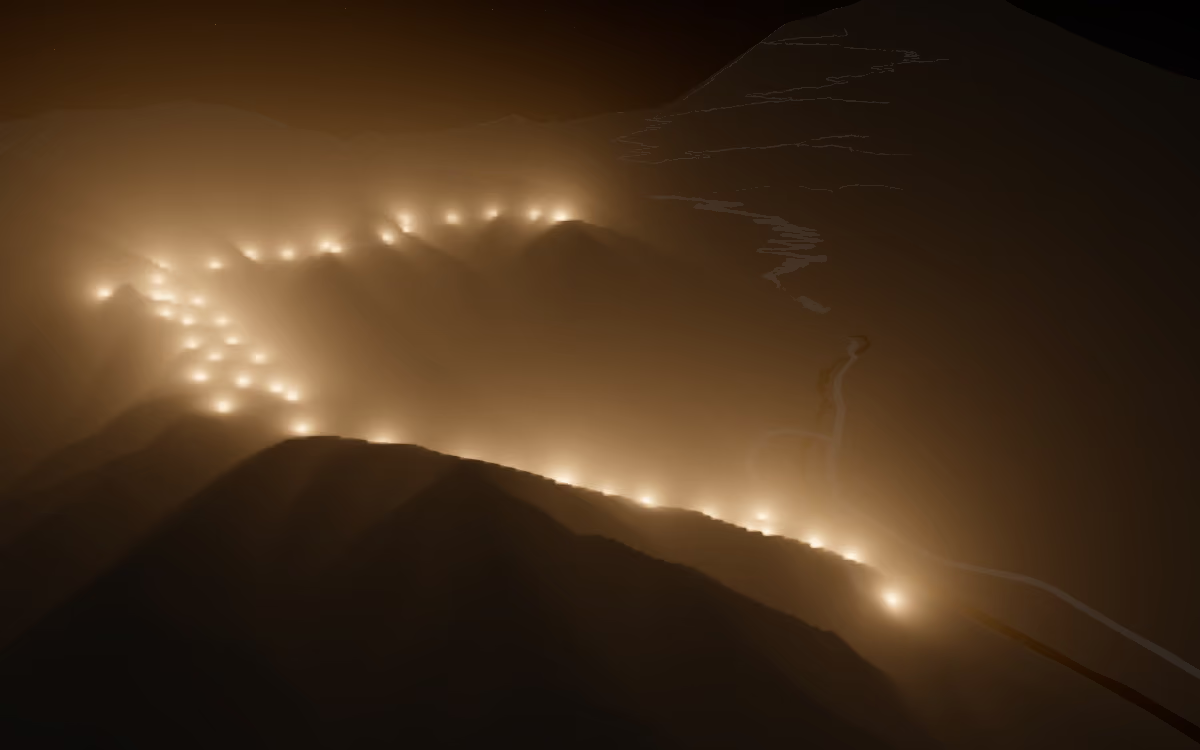
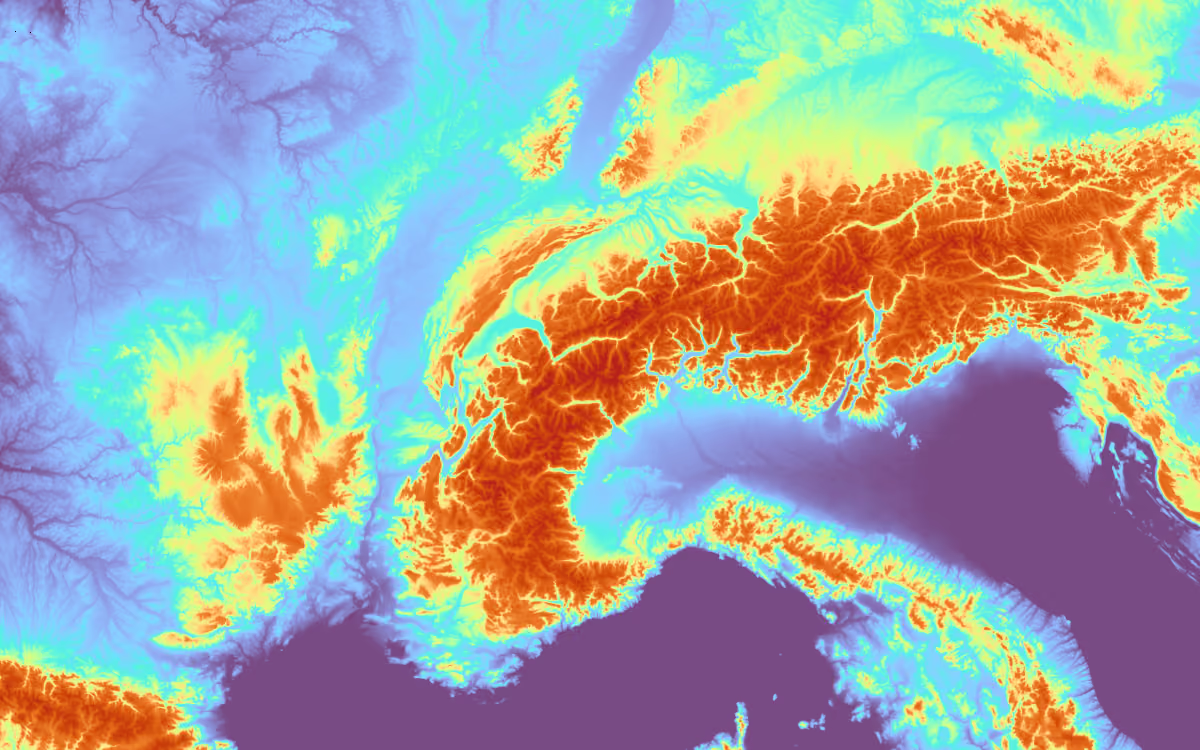
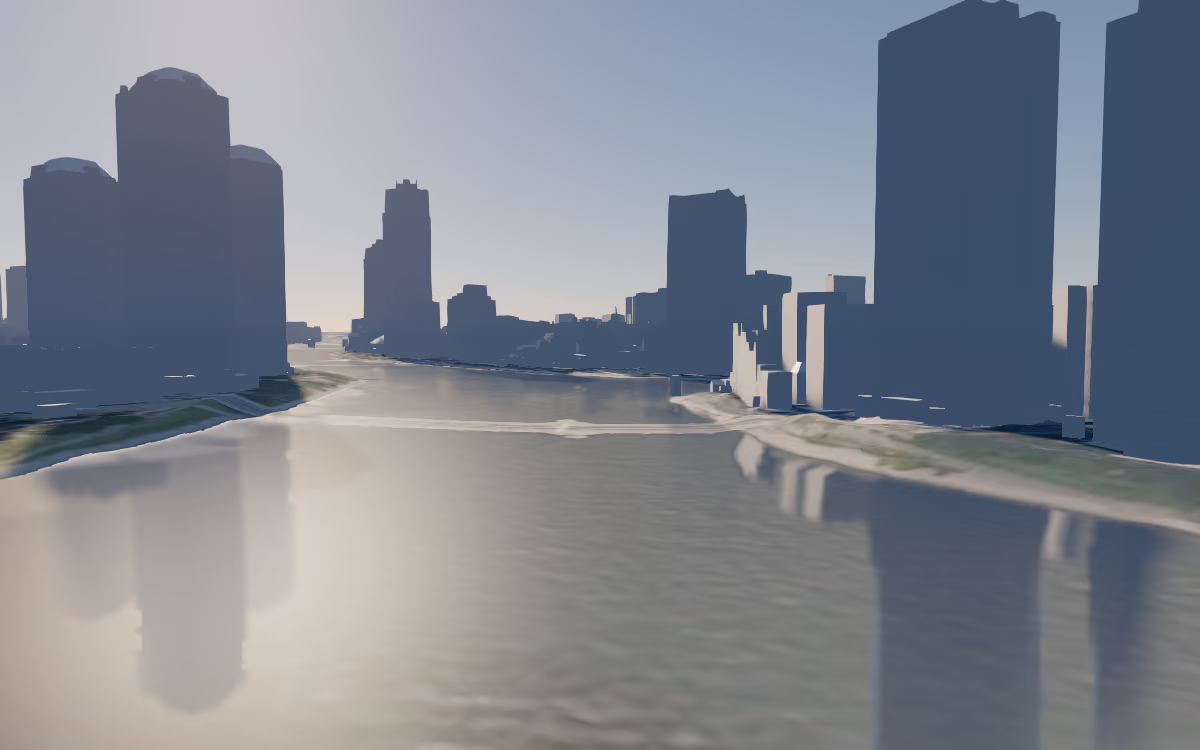
Web map engines have long forced a choice: engines with polished declarative APIs are easy to adopt but hard to extend beyond their built-in features, while engines that expose deep low-level control are powerful but demand steep expertise. Fully 3D globe applications usually leave no option but the latter. Navara is a highly extensible 3D map engine built to remove that trade-off. It streams real-world GIS data, from satellite imagery and terrain to 3D city models and vector data, onto an interactive globe, and lets you present it the way your application needs: as a clean basemap for data visualization, styled per feature by attributes, or as a photorealistic scene with atmosphere, sunlight, and shadows.
Navara's answer to the trade-off is a tiered API. Capabilities are organized into four tiers, so you start with the simplicity of a declarative engine and drop down, as far as the render pipeline itself, only when you need more control:
- Declarative: declare sources and layers as plain config objects (basemaps, terrain, vector data, 3D Tiles). Meshes, effects, and lights work the same declarative way.
- Plugin: add purpose-built features as ready-made bundles, such as the photorealistic scene, first-person walking, DOM overlays, and the attribution UI. Anyone can package and share their own plugin.
- API: per-feature styling by attributes (
FeatureEvaluator), feature picking, terrain sampling, camera control, and standalone geodetic/ECEF math utilities usable without the map engine. - Shader: full access to the rendering engine for your own shaders and effects, writing custom mesh/effect/light descriptors against its scene graph and render pipeline.
Under the hood, Navara is a headless GIS core, independent of the rendering engine. The complex but reusable GIS logic (data parsing, geometry construction, and more) lives in Rust / WebAssembly, and drawing is delegated to libraries specialized in CG rendering, currently Three.js. Rendering is where GPU APIs and platforms vary the most, so keeping that layer swappable is what lets Navara expand to other rendering engines and platforms in the future.
|
|
|
|
Imagery: © Mapterhorn · Geospatial Information Authority of Japan Tiles - Latest Nationwide Photo (Seamless) · © Re:Earth Terrain · 3D City Model (Project PLATEAU) Chuo Ward (FY2023) - MLIT PLATEAU
- 📖 Documentation: https://navara.world/docs/
- 🌏 Live examples: https://navara.world/examples/
Usage
See What is Navara? for an overview and Getting Started to build your first 3D map.
Architecture
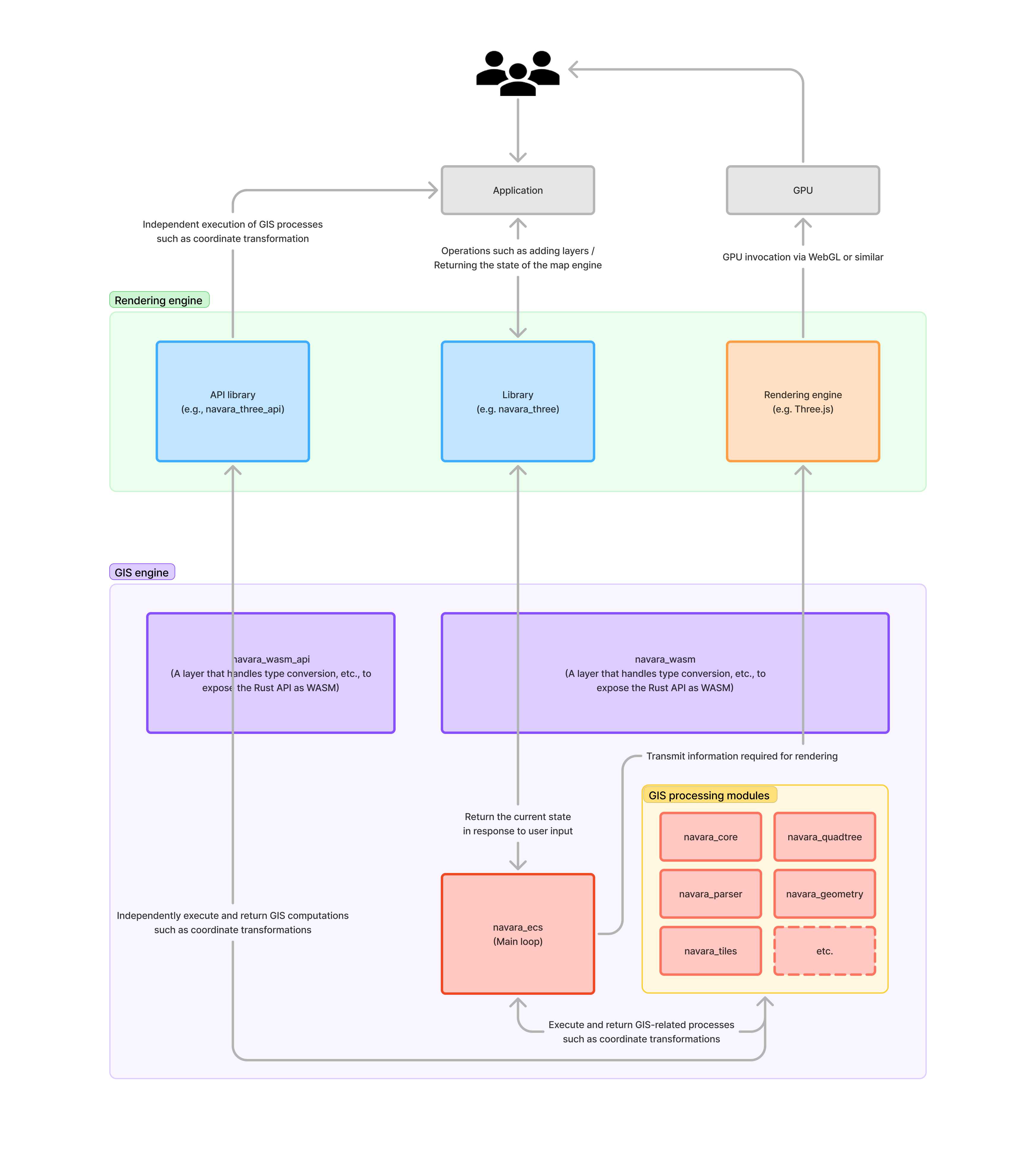
Development
Install toolchains
Install the following toolchains.
- Rust (stable)
- Node.js (LTS)
- pnpm
Install prerequisites
cargo install cargo-make
cargo install cargo-watch
cargo install wasm-bindgen-cli --version 0.2.126
rustup component add rust-src
Optional: Install binaryen for wasm-opt optimization: https://github.com/WebAssembly/binaryen
rust-src is required by release WASM builds, which rebuild std with -Z build-std for smaller binaries.
Initial setup
You need to run this command first time.
cargo make prepare
Run with hot-reload
cargo make dev
An error is displayed in the Web browser, but this is because the compilation of WASM has not been completed. Wait a little and when the compilation of WASM is completed, reload the page and it will be displayed correctly.
Alternatively, use web if you are working on the web side (using release rust builds + debug web builds)
cargo make web
Screenshots
Please take a screenshot when you add/update an example in navara_three/example.
pnpm navara_three screenshots {PAGE_NAME}
API Document
See docs/README.md for details.
pnpm dev:docs      # Start dev server
pnpm build:docs    # Build for production
pnpm preview:docs  # Preview production build
License
Copyright (c) 2026 MapLibre contributors
Licensed under either of
- Apache License, Version 2.0 (LICENSE-APACHE or http://www.apache.org/licenses/LICENSE-2.0)
- MIT license (LICENSE-MIT or http://opensource.org/licenses/MIT)
at your option.
Contribution
Unless you explicitly state otherwise, any contribution intentionally submitted for inclusion in the work by you, as defined in the Apache-2.0 license, shall be dual licensed as above, without any additional terms or conditions.
Contributors


Similar repos


Languages
TypeScript
54.4%
Rust
42.7%
GLSL
2.1%
Navara is a highly extensible 3D map engine. Load a wide range of GIS data, from satellite imagery and terrain to 3D city models and vector data, then freely layer your own visualizations on top.
See the codeREADME
Navara
Web map engines have long forced a choice: engines with polished declarative APIs are easy to adopt but hard to extend beyond their built-in features, while engines that expose deep low-level control are powerful but demand steep expertise. Fully 3D globe applications usually leave no option but the latter. Navara is a highly extensible 3D map engine built to remove that trade-off. It streams real-world GIS data, from satellite imagery and terrain to 3D city models and vector data, onto an interactive globe, and lets you present it the way your application needs: as a clean basemap for data visualization, styled per feature by attributes, or as a photorealistic scene with atmosphere, sunlight, and shadows.
Navara's answer to the trade-off is a tiered API. Capabilities are organized into four tiers, so you start with the simplicity of a declarative engine and drop down, as far as the render pipeline itself, only when you need more control:
- Declarative: declare sources and layers as plain config objects (basemaps, terrain, vector data, 3D Tiles). Meshes, effects, and lights work the same declarative way.
- Plugin: add purpose-built features as ready-made bundles, such as the photorealistic scene, first-person walking, DOM overlays, and the attribution UI. Anyone can package and share their own plugin.
- API: per-feature styling by attributes (
FeatureEvaluator), feature picking, terrain sampling, camera control, and standalone geodetic/ECEF math utilities usable without the map engine. - Shader: full access to the rendering engine for your own shaders and effects, writing custom mesh/effect/light descriptors against its scene graph and render pipeline.
Under the hood, Navara is a headless GIS core, independent of the rendering engine. The complex but reusable GIS logic (data parsing, geometry construction, and more) lives in Rust / WebAssembly, and drawing is delegated to libraries specialized in CG rendering, currently Three.js. Rendering is where GPU APIs and platforms vary the most, so keeping that layer swappable is what lets Navara expand to other rendering engines and platforms in the future.
|
|
|
|
|
|
Imagery: © Mapterhorn · Geospatial Information Authority of Japan Tiles - Latest Nationwide Photo (Seamless) · © Re:Earth Terrain · 3D City Model (Project PLATEAU) Chuo Ward (FY2023) - MLIT PLATEAU
- 📖 Documentation: https://navara.world/docs/
- 🌏 Live examples: https://navara.world/examples/
Usage
See What is Navara? for an overview and Getting Started to build your first 3D map.
Architecture
Development
Install toolchains
Install the following toolchains.
- Rust (stable)
- Node.js (LTS)
- pnpm
Install prerequisites
cargo install cargo-make
cargo install cargo-watch
cargo install wasm-bindgen-cli --version 0.2.126
rustup component add rust-src
Optional: Install binaryen for wasm-opt optimization: https://github.com/WebAssembly/binaryen
rust-src is required by release WASM builds, which rebuild std with -Z build-std for smaller binaries.
Initial setup
You need to run this command first time.
cargo make prepare
Run with hot-reload
cargo make dev
An error is displayed in the Web browser, but this is because the compilation of WASM has not been completed. Wait a little and when the compilation of WASM is completed, reload the page and it will be displayed correctly.
Alternatively, use web if you are working on the web side (using release rust builds + debug web builds)
cargo make web
Screenshots
Please take a screenshot when you add/update an example in navara_three/example.
pnpm navara_three screenshots {PAGE_NAME}
API Document
See docs/README.md for details.
pnpm dev:docs      # Start dev server
pnpm build:docs    # Build for production
pnpm preview:docs  # Preview production build
License
Copyright (c) 2026 MapLibre contributors
Licensed under either of
- Apache License, Version 2.0 (LICENSE-APACHE or http://www.apache.org/licenses/LICENSE-2.0)
- MIT license (LICENSE-MIT or http://opensource.org/licenses/MIT)
at your option.
Contribution
Unless you explicitly state otherwise, any contribution intentionally submitted for inclusion in the work by you, as defined in the Apache-2.0 license, shall be dual licensed as above, without any additional terms or conditions.
Similar repos
Contributors
Languages
TypeScript
54.4%
Rust
42.7%
GLSL
2.1%