
A self-hosted dashboard for your team, family, or org — not just the admin.
JavaScript
0
87 commits
updated Oct 6, 2026
See what people are saying
README
Holm
One home page for everyone in the house. You set it up once; each person signs in and gets their own start page: their apps, their bookmarks, their wallpaper.
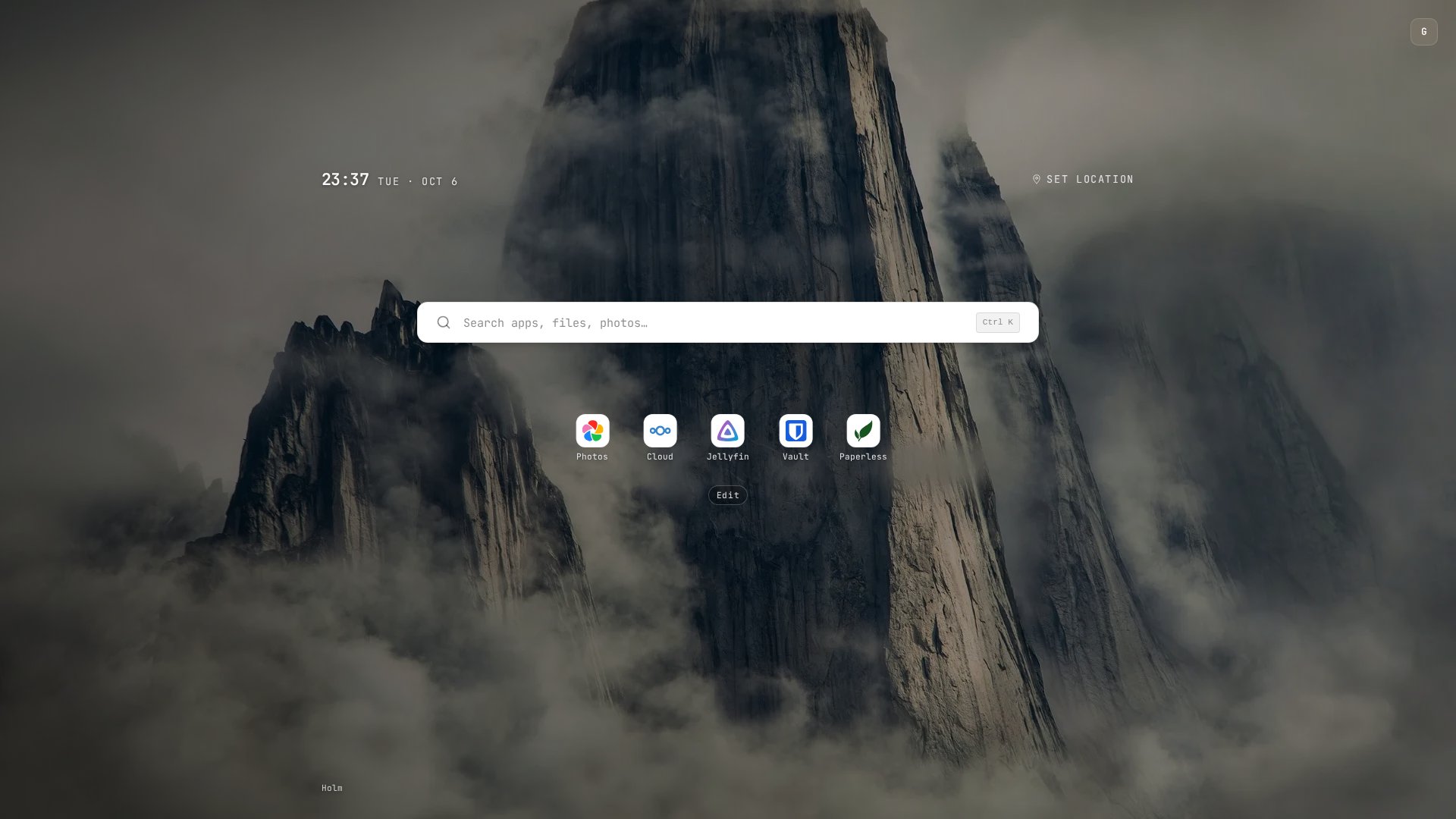
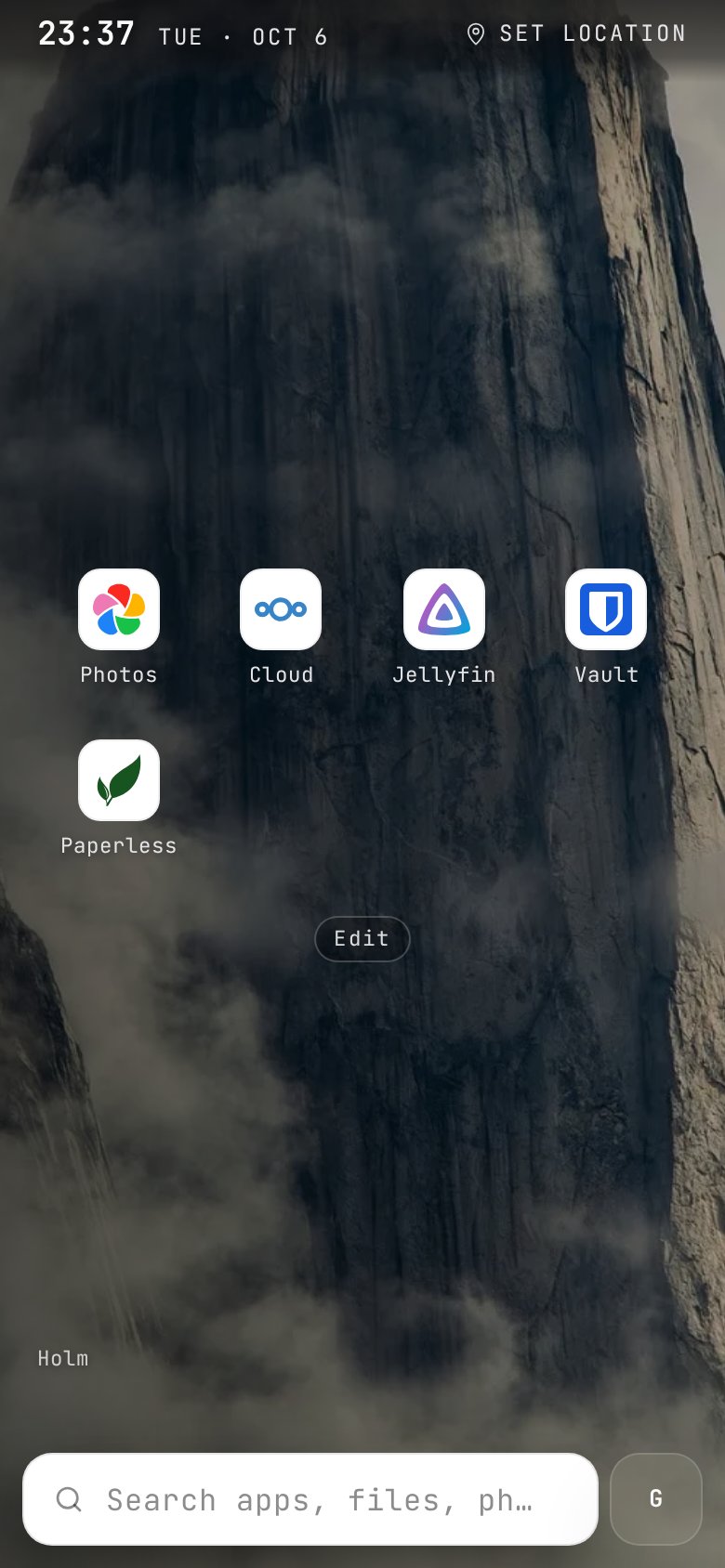
Most self-hosted dashboards are built by one admin, for one admin. Holm is for the rest of your household, team or friends: the people who use your server but will never edit a YAML file. They sign in through your existing SSO, get walked through the apps you run, and arrange their own surface without touching anyone else's.
Why Holm
- Multi-user from the start. Every person has their own layout, theme and bookmarks, stored server-side and synced across devices. You curate the catalog; they pick from it.
- Uses the login you already have. OIDC with Authelia, Authentik, Keycloak, Zitadel or any provider. Admins are decided by group or username.
- A launcher, not just a grid. Type anywhere (or
⌘K/Ctrl+K) to find apps, run commands, and search inside Immich, Paperless, Nextcloud, Jellyfin, Planka and Karakeep, each with the user's own login. - Onboarding for non-technical people. Welcome slides, per-app setup guides with App Store / Play links, and gentle tips for the first week.
- One YAML file, hot-reloaded. No admin UI to keep in sync, no restart on change.
- Small and private. A single container (amd64 / arm64), optional SQLite, no telemetry. Weather comes from Open-Meteo with no API key needed.
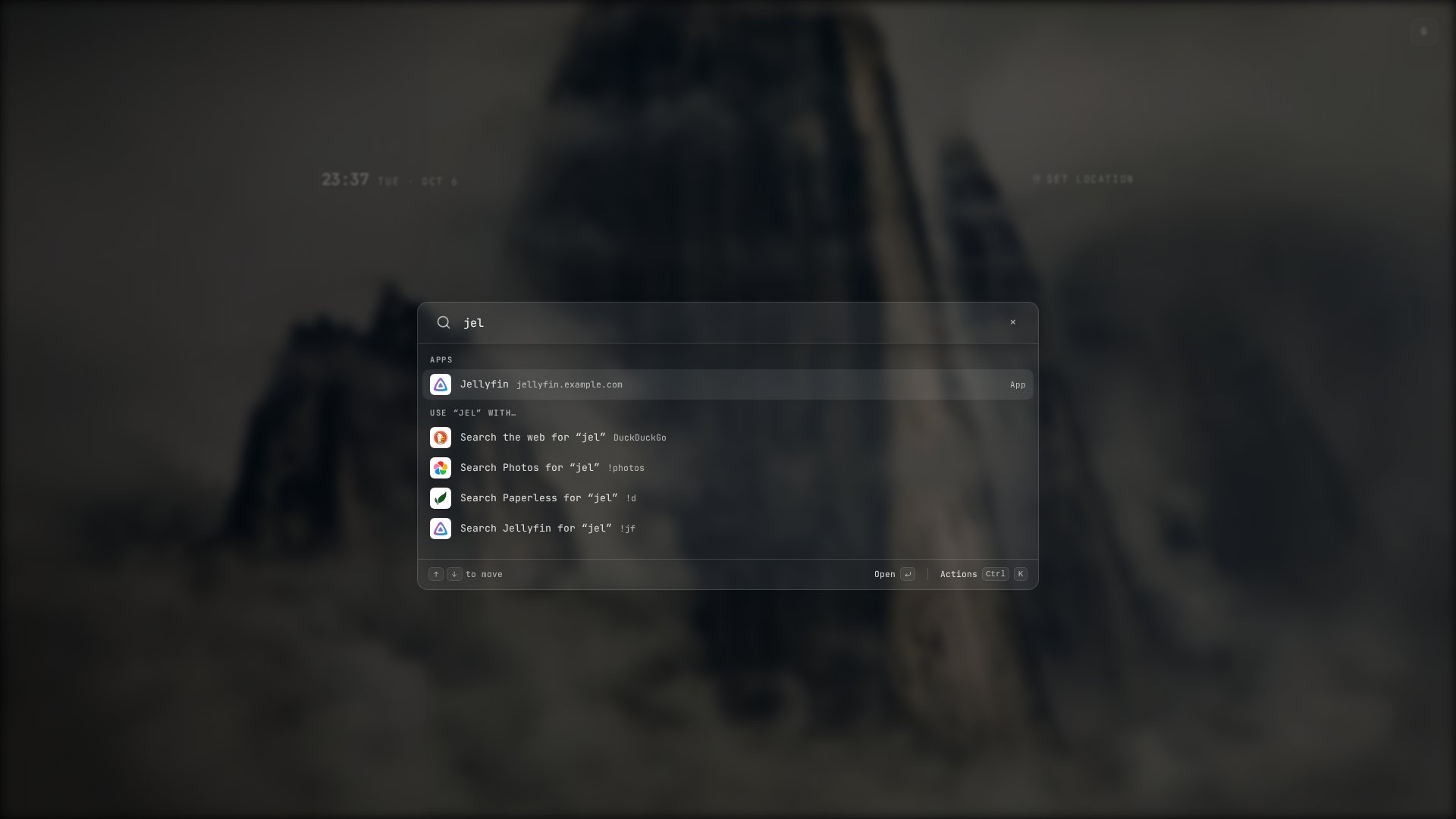
Search reaches inside the apps people have connected, with their own login: one query for "spring" finds a film in Jellyfin, documents in Paperless and photos in Immich.
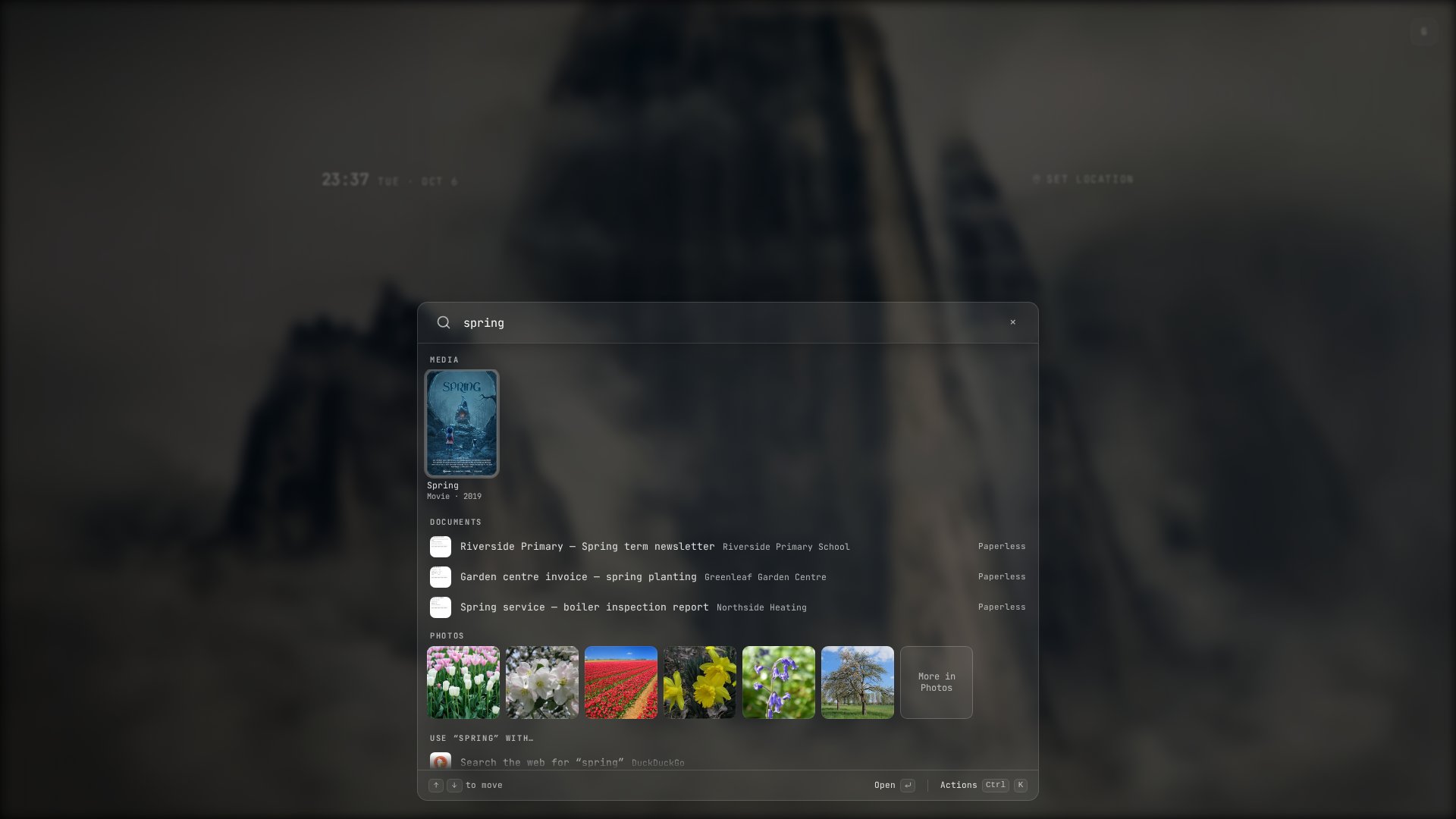 Mock data. Search-result photos in these screenshots are CC0 from Wikimedia Commons; the Spring poster is by Blender Studio, CC BY 4.0.
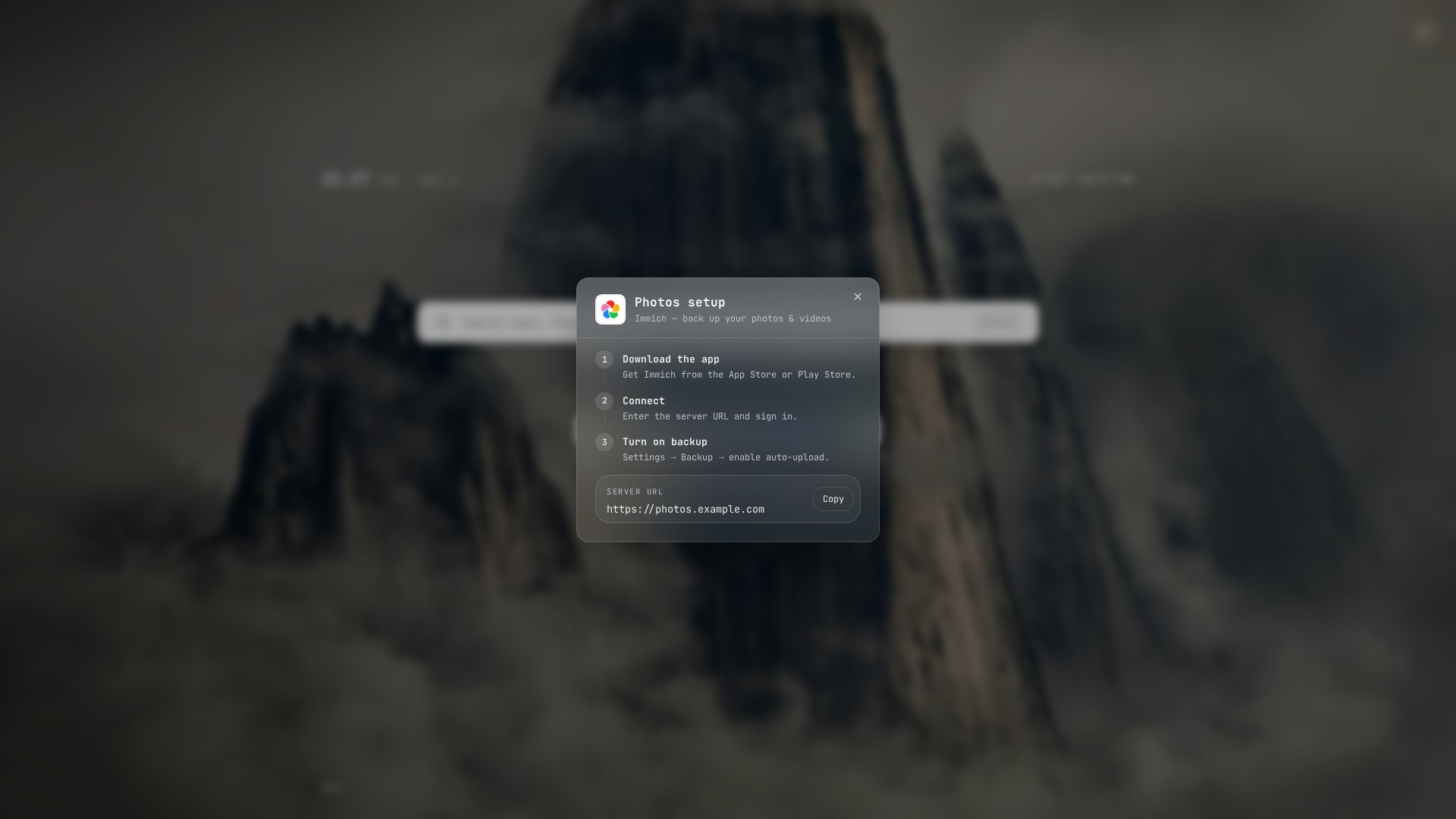
Each app can carry a short setup guide: what to install, the steps, and the server URL to copy.
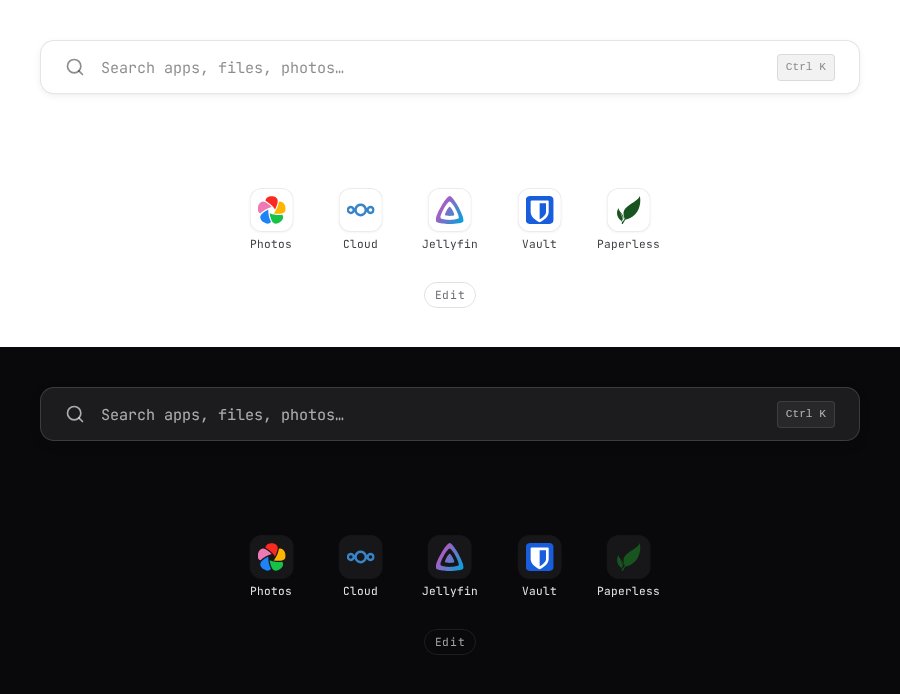
Pick a light or dark theme, or let the wallpaper set the mood:
Try it in one command
No identity provider needed; this runs the bundled demo with login turned off:
docker run --rm -p 3000:3000 -e CONFIG_PATH=/app/config.demo.yml ghcr.io/man15h/holm:latest
Open http://localhost:3000. Everyone who reaches the port is the same "Guest", so keep it on your own machine.
Install
# docker-compose.yml
services:
  holm:
    image: ghcr.io/man15h/holm:latest
    ports:
      - "3000:3000"
    environment:
      - OIDC_CLIENT_ID=your-client-id
      - OIDC_CLIENT_SECRET=your-client-secret
      - HOLM_SECRET_KEY=change-me          # openssl rand -hex 32
    volumes:
      - ./config.yml:/app/config.yml:ro
      - holm-data:/app/data
    restart: unless-stopped

volumes:
  holm-data:
- Copy
config.example.ymltoconfig.yml. - Register Holm as an OIDC client with your provider. The redirect URI is
https://<your-holm-host>/auth/callback. - Set
auth.oidc.issuerandredirect_base, list your apps, and rundocker compose up -d.
Every option is documented in config.example.yml and docs/configuration.md.
How it compares
Homepage and Glance have no user accounts: everyone sees the page the admin wrote. Dashy and Homarr add sign-in, users and groups, and the admin decides which boards or sections each person can see. Holm flips it: you publish a catalog of apps once, and each person builds their own page from it. Nobody needs edit rights on a shared board, and there's no board per person for you to maintain. Searches inside apps use each person's own login.
What Holm deliberately leaves out: server stats, container health, uptime widgets. If you want a console for yourself, those tools do it well. Holm is the page you hand to everyone else.
Features
- Per-user app grid, bookmarks, theme (auto / dark / light) and icon style (colored / white / grayed)
- 326 wallpapers or a daily rotation
- Admins add apps from a searchable directory of ~90 self-hosted apps
- Brand tiles, Dashboard Icons and Simple Icons, custom mono icons
- Launcher: frecency ranking,
!photos-style scopes,!settings/!theme/!wallcommands,/?q=and OpenSearch so it can be your browser's search engine - Integrations with per-user encrypted credentials: Immich, Paperless-ngx, Nextcloud, Planka, Karakeep, Jellyfin (Quick Connect)
- Weather (Open-Meteo) and a configurable fallback search engine
- Onboarding slides, setup guides, inline tips, Markdown privacy policy
- Installable PWA; on phones the search docks above the keyboard
- Config-driven branding and fonts
Development
git clone https://github.com/man15h/holm.git
cd holm
npm install
CONFIG_PATH=config.demo.yml npm run dev
Built with SvelteKit, Tailwind CSS, sql.js, openid-client, simple-icons, js-yaml, marked and DOMPurify. The visual vocabulary is in docs/design-system.md; where the product is heading is in docs/vision.md.
License
Similar repos


A self-hosted dashboard for your team, family, or org — not just the admin.
JavaScript
0
87 commits
updated Oct 6, 2026
See what people are saying
README
Holm
One home page for everyone in the house. You set it up once; each person signs in and gets their own start page: their apps, their bookmarks, their wallpaper.
Most self-hosted dashboards are built by one admin, for one admin. Holm is for the rest of your household, team or friends: the people who use your server but will never edit a YAML file. They sign in through your existing SSO, get walked through the apps you run, and arrange their own surface without touching anyone else's.
Why Holm
- Multi-user from the start. Every person has their own layout, theme and bookmarks, stored server-side and synced across devices. You curate the catalog; they pick from it.
- Uses the login you already have. OIDC with Authelia, Authentik, Keycloak, Zitadel or any provider. Admins are decided by group or username.
- A launcher, not just a grid. Type anywhere (or
⌘K/Ctrl+K) to find apps, run commands, and search inside Immich, Paperless, Nextcloud, Jellyfin, Planka and Karakeep, each with the user's own login. - Onboarding for non-technical people. Welcome slides, per-app setup guides with App Store / Play links, and gentle tips for the first week.
- One YAML file, hot-reloaded. No admin UI to keep in sync, no restart on change.
- Small and private. A single container (amd64 / arm64), optional SQLite, no telemetry. Weather comes from Open-Meteo with no API key needed.
Search reaches inside the apps people have connected, with their own login: one query for "spring" finds a film in Jellyfin, documents in Paperless and photos in Immich.
Mock data. Search-result photos in these screenshots are CC0 from Wikimedia Commons; the Spring poster is by Blender Studio, CC BY 4.0.
Each app can carry a short setup guide: what to install, the steps, and the server URL to copy.
Pick a light or dark theme, or let the wallpaper set the mood:
Try it in one command
No identity provider needed; this runs the bundled demo with login turned off:
docker run --rm -p 3000:3000 -e CONFIG_PATH=/app/config.demo.yml ghcr.io/man15h/holm:latest
Open http://localhost:3000. Everyone who reaches the port is the same "Guest", so keep it on your own machine.
Install
# docker-compose.yml
services:
  holm:
    image: ghcr.io/man15h/holm:latest
    ports:
      - "3000:3000"
    environment:
      - OIDC_CLIENT_ID=your-client-id
      - OIDC_CLIENT_SECRET=your-client-secret
      - HOLM_SECRET_KEY=change-me          # openssl rand -hex 32
    volumes:
      - ./config.yml:/app/config.yml:ro
      - holm-data:/app/data
    restart: unless-stopped

volumes:
  holm-data:
- Copy
config.example.ymltoconfig.yml. - Register Holm as an OIDC client with your provider. The redirect URI is
https://<your-holm-host>/auth/callback. - Set
auth.oidc.issuerandredirect_base, list your apps, and rundocker compose up -d.
Every option is documented in config.example.yml and docs/configuration.md.
How it compares
Homepage and Glance have no user accounts: everyone sees the page the admin wrote. Dashy and Homarr add sign-in, users and groups, and the admin decides which boards or sections each person can see. Holm flips it: you publish a catalog of apps once, and each person builds their own page from it. Nobody needs edit rights on a shared board, and there's no board per person for you to maintain. Searches inside apps use each person's own login.
What Holm deliberately leaves out: server stats, container health, uptime widgets. If you want a console for yourself, those tools do it well. Holm is the page you hand to everyone else.
Features
- Per-user app grid, bookmarks, theme (auto / dark / light) and icon style (colored / white / grayed)
- 326 wallpapers or a daily rotation
- Admins add apps from a searchable directory of ~90 self-hosted apps
- Brand tiles, Dashboard Icons and Simple Icons, custom mono icons
- Launcher: frecency ranking,
!photos-style scopes,!settings/!theme/!wallcommands,/?q=and OpenSearch so it can be your browser's search engine - Integrations with per-user encrypted credentials: Immich, Paperless-ngx, Nextcloud, Planka, Karakeep, Jellyfin (Quick Connect)
- Weather (Open-Meteo) and a configurable fallback search engine
- Onboarding slides, setup guides, inline tips, Markdown privacy policy
- Installable PWA; on phones the search docks above the keyboard
- Config-driven branding and fonts
Development
git clone https://github.com/man15h/holm.git
cd holm
npm install
CONFIG_PATH=config.demo.yml npm run dev
Built with SvelteKit, Tailwind CSS, sql.js, openid-client, simple-icons, js-yaml, marked and DOMPurify. The visual vocabulary is in docs/design-system.md; where the product is heading is in docs/vision.md.