
KeyForge3D is an app that turns a photo of a key into a 3D-printable STL file. Ideal for locksmiths and hobbyists, it analyzes the key's bitting pattern using image processing and generates an accurate 3D model for quick replication.
745
stars
6
commits
Python
primary language
Apr 4, 2025
updated
README
KeyForge3D
KeyForge3D is an innovative application that extracts the shape of a physical key from a photo, generates a 3D model of the key, and exports it as an STL file for 3D printing. This tool is designed for locksmiths, hobbyists, or anyone needing a quick way to replicate a key using a 3D printer. The app features a user-friendly GUI built with Tkinter, making it easy to upload an image, process the key, and generate a 3D model.
Features
- Key Shape Extraction: Upload a photo of a key to extract its 2D profile.
- Bitting Analysis: Automatically detect and analyze the key's bitting pattern (e.g., "05624").
- 3D Model Generation: Convert the 2D key profile into a 3D model with accurate cuts and dimensions.
- STL Export: Export the 3D model as an STL file, ready for 3D printing.
- User-Friendly GUI: Simple interface to upload images and generate models with a single click.
- Scalability: Scale the key to real-world dimensions (default: 1 pixel = 0.1 mm; can be adjusted with a reference object).
Demo
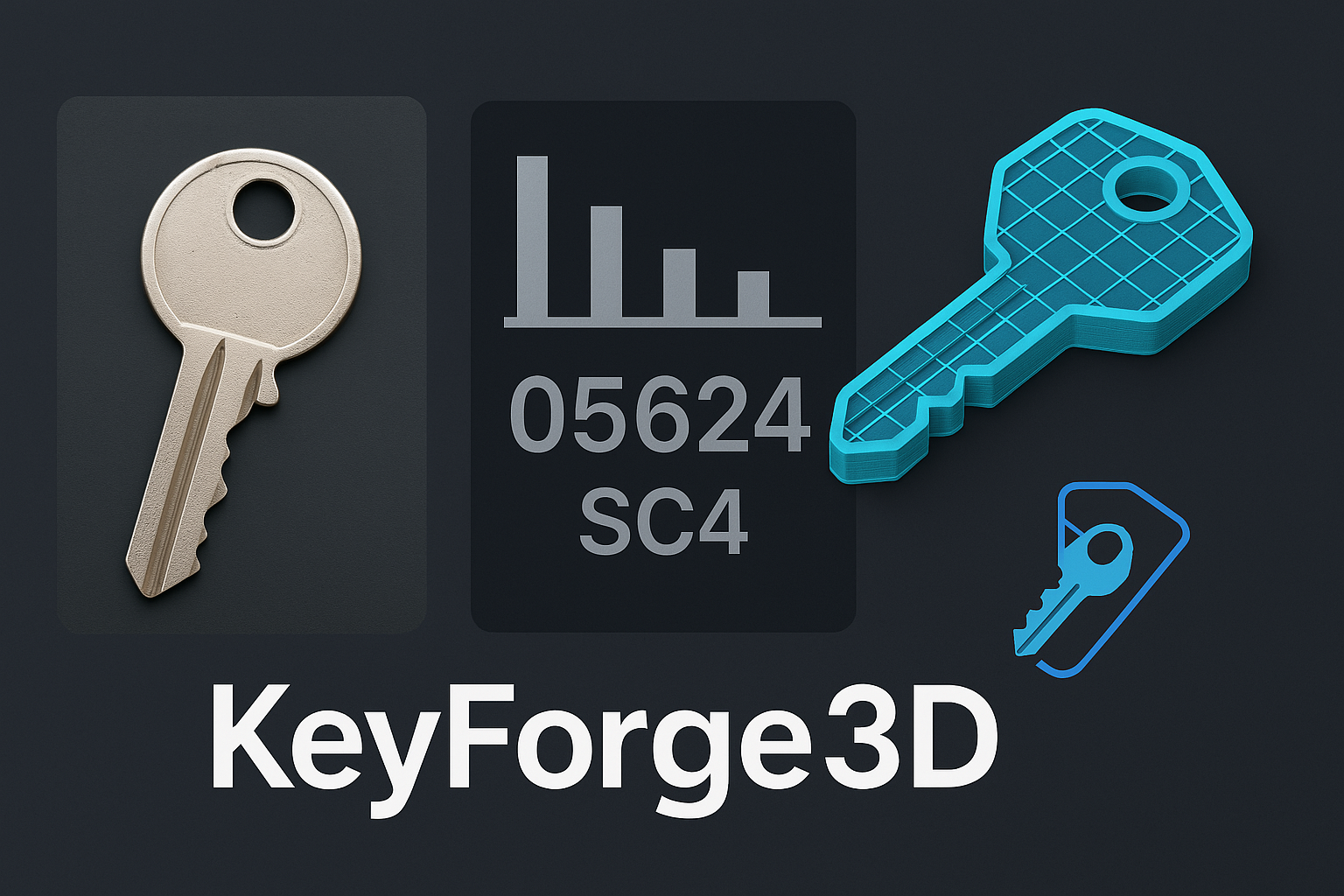
The app processes a photo of a key, extracts its shape, and generates a 3D model like the one shown above. The bitting code (e.g., "05624") is also displayed for reference.
Installation
Prerequisites
- Python 3.8+: Ensure Python is installed on your system.
- pip: Python package manager for installing dependencies.
- 3D Printer (Optional): To print the generated key models.
Dependencies
KeyForge3D relies on the following Python libraries:
opencv-python: For image processing and key shape extraction.numpy: For numerical operations.trimesh: For 3D model generation and STL export.shapely: For polygon operations.pillow: For image display in the GUI.
Install the dependencies using the following command:
pip install opencv-python numpy trimesh shapely pillow
Clone the Repository
Clone the KeyForge3D repository to your local machine:
git clone https://github.com/makalin/KeyForge3D.git
cd KeyForge3D
Usage
-
Run the App:
- Run the main script to launch the GUI:
python keyforge3d.py -
Upload a Key Photo:
- Click the "Upload Key Image" button and select a photo of a key.
- The key should be placed on a plain background (e.g., white paper) with good lighting for best results.
- Optionally, include a reference object (e.g., a coin) for accurate scaling (scaling is currently set to 1 pixel = 0.1 mm).
-
Process the Key:
- Click the "Process Key and Generate 3D Model" button.
- The app will process the image, display the bitting code, and save the 3D model as
key_model.stl.
-
3D Printing:
- Open the
key_model.stlfile in your 3D printing software (e.g., Cura, PrusaSlicer). - Print the key using a strong material like PLA or ABS. Use a high resolution (e.g., 0.1 mm layer height) for accurate bitting cuts.
- Open the
Code Overview
The main script (keyforge3d.py) includes:
- GUI: Built with Tkinter for user interaction.
- Image Processing: Uses OpenCV to detect the key's outline and analyze its bitting pattern.
- 3D Model Generation: Uses Trimesh to create a 3D model and export it as an STL file.
- Error Handling: Includes basic error handling for invalid images or processing failures.
Roadmap
- Add a 3D model preview within the app.
- Support for scaling using a reference object (e.g., a coin).
- Add key type identification (e.g., Schlage SC4, Kwikset KW1).
- Improve bitting analysis accuracy with machine learning.
- Create a mobile app version with camera integration.
- Add support for more key profiles and bitting standards.
Contributing
Contributions are welcome! To contribute:
- Fork the repository.
- Create a new branch (
git checkout -b feature/your-feature). - Make your changes and commit them (
git commit -m "Add your feature"). - Push to your branch (
git push origin feature/your-feature). - Open a pull request.
Please ensure your code follows the project's coding style and includes appropriate tests.
License
This project is licensed under the MIT License. See the LICENSE file for details.
Acknowledgments
- Inspired by locksmith tools for key bitting analysis.
- Built with the help of open-source libraries like OpenCV, Trimesh, and Tkinter.
Contact
For questions, suggestions, or feedback, feel free to open an issue or reach out.
Contributors

6 commits
See what people are saying
Similar repos


Languages
Python
100.0%
KeyForge3D is an app that turns a photo of a key into a 3D-printable STL file. Ideal for locksmiths and hobbyists, it analyzes the key's bitting pattern using image processing and generates an accurate 3D model for quick replication.
745
stars
6
commits
Python
primary language
Apr 4, 2025
updated
README
KeyForge3D
KeyForge3D is an innovative application that extracts the shape of a physical key from a photo, generates a 3D model of the key, and exports it as an STL file for 3D printing. This tool is designed for locksmiths, hobbyists, or anyone needing a quick way to replicate a key using a 3D printer. The app features a user-friendly GUI built with Tkinter, making it easy to upload an image, process the key, and generate a 3D model.
Features
- Key Shape Extraction: Upload a photo of a key to extract its 2D profile.
- Bitting Analysis: Automatically detect and analyze the key's bitting pattern (e.g., "05624").
- 3D Model Generation: Convert the 2D key profile into a 3D model with accurate cuts and dimensions.
- STL Export: Export the 3D model as an STL file, ready for 3D printing.
- User-Friendly GUI: Simple interface to upload images and generate models with a single click.
- Scalability: Scale the key to real-world dimensions (default: 1 pixel = 0.1 mm; can be adjusted with a reference object).
Demo
The app processes a photo of a key, extracts its shape, and generates a 3D model like the one shown above. The bitting code (e.g., "05624") is also displayed for reference.
Installation
Prerequisites
- Python 3.8+: Ensure Python is installed on your system.
- pip: Python package manager for installing dependencies.
- 3D Printer (Optional): To print the generated key models.
Dependencies
KeyForge3D relies on the following Python libraries:
opencv-python: For image processing and key shape extraction.numpy: For numerical operations.trimesh: For 3D model generation and STL export.shapely: For polygon operations.pillow: For image display in the GUI.
Install the dependencies using the following command:
pip install opencv-python numpy trimesh shapely pillow
Clone the Repository
Clone the KeyForge3D repository to your local machine:
git clone https://github.com/makalin/KeyForge3D.git
cd KeyForge3D
Usage
-
Run the App:
- Run the main script to launch the GUI:
python keyforge3d.py -
Upload a Key Photo:
- Click the "Upload Key Image" button and select a photo of a key.
- The key should be placed on a plain background (e.g., white paper) with good lighting for best results.
- Optionally, include a reference object (e.g., a coin) for accurate scaling (scaling is currently set to 1 pixel = 0.1 mm).
-
Process the Key:
- Click the "Process Key and Generate 3D Model" button.
- The app will process the image, display the bitting code, and save the 3D model as
key_model.stl.
-
3D Printing:
- Open the
key_model.stlfile in your 3D printing software (e.g., Cura, PrusaSlicer). - Print the key using a strong material like PLA or ABS. Use a high resolution (e.g., 0.1 mm layer height) for accurate bitting cuts.
- Open the
Code Overview
The main script (keyforge3d.py) includes:
- GUI: Built with Tkinter for user interaction.
- Image Processing: Uses OpenCV to detect the key's outline and analyze its bitting pattern.
- 3D Model Generation: Uses Trimesh to create a 3D model and export it as an STL file.
- Error Handling: Includes basic error handling for invalid images or processing failures.
Roadmap
- Add a 3D model preview within the app.
- Support for scaling using a reference object (e.g., a coin).
- Add key type identification (e.g., Schlage SC4, Kwikset KW1).
- Improve bitting analysis accuracy with machine learning.
- Create a mobile app version with camera integration.
- Add support for more key profiles and bitting standards.
Contributing
Contributions are welcome! To contribute:
- Fork the repository.
- Create a new branch (
git checkout -b feature/your-feature). - Make your changes and commit them (
git commit -m "Add your feature"). - Push to your branch (
git push origin feature/your-feature). - Open a pull request.
Please ensure your code follows the project's coding style and includes appropriate tests.
License
This project is licensed under the MIT License. See the LICENSE file for details.
Acknowledgments
- Inspired by locksmith tools for key bitting analysis.
- Built with the help of open-source libraries like OpenCV, Trimesh, and Tkinter.
Contact
For questions, suggestions, or feedback, feel free to open an issue or reach out.
See what people are saying
Similar repos
Contributors
6 commits
Languages
Python
100.0%