
A android app that wraps Spotify's web player with built-in adblocker
See the codeREADME

Spotilol



an Android app that wraps Spotify's web player with built-in adblocking — no root, no shady mods, just your Spotify account on a slick WebView.
ported from smali to clean Kotlin by lyssadev, based on deviato's Spotifuck. free, open-source, and it just works.
Download
download the .apk and install it on your device. you may need to toggle "Install from unknown sources" in your Settings.
Preview
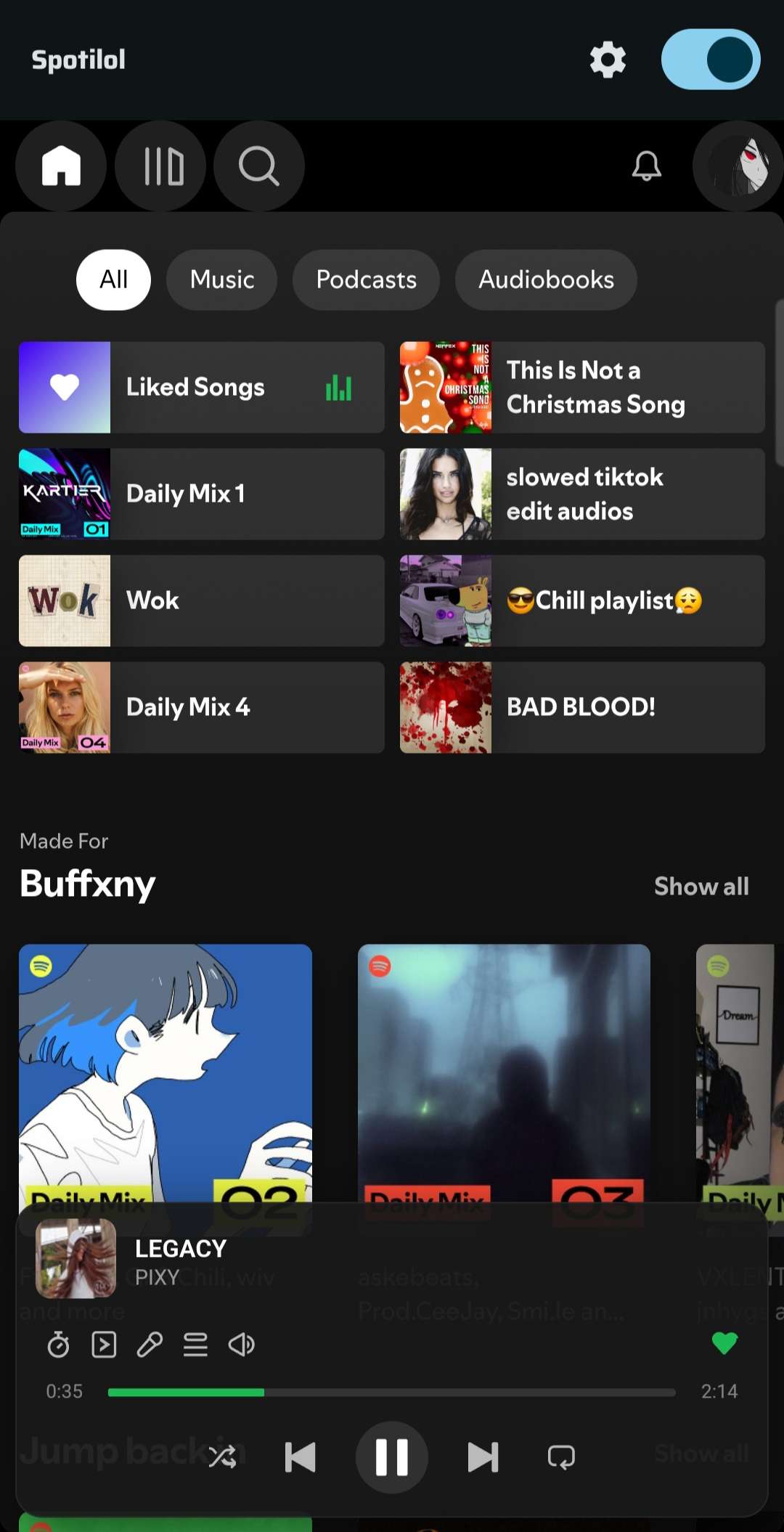
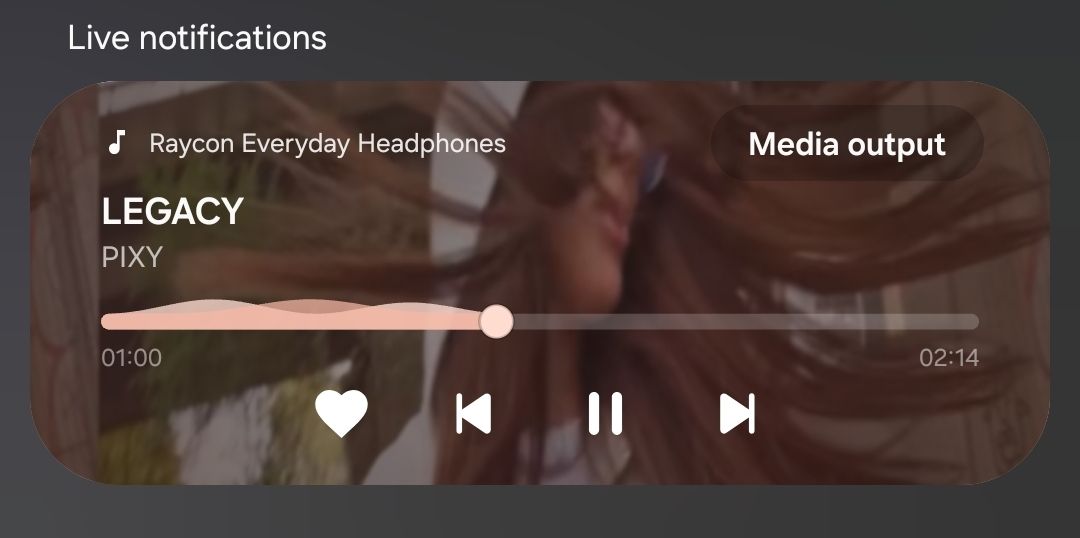
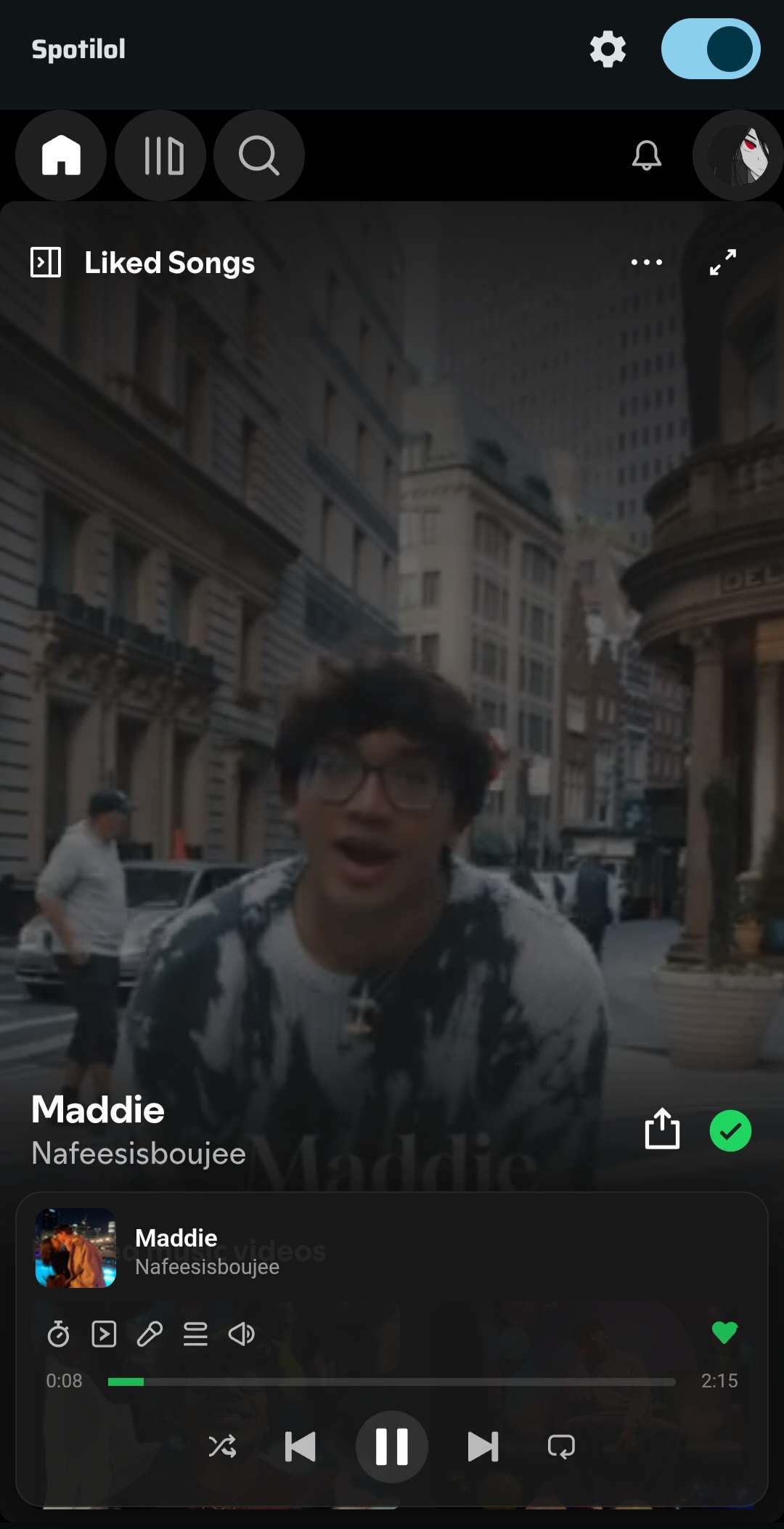
Features
- blocks audio ads & telemetry
- media notification: play/pause, skip, seek, like/unlike, shuffle, repeat with custom actions
- Android Auto: browse your playlists, albums, artists, and podcasts; search and play from the car dashboard
- offline downloads: download songs and play them offline — audio is sourced via the InnerTube API
- lock screen, Bluetooth, and Wear OS controls
- autoplay modes: off, once at start, or permanent
- mobile-friendly CSS/JS layout tweaks
- AMOLED dark mode (pure black)
- sleep timer
- update checker (auto & manual)
- multiple account profiles
- browse your library through Spotify's pathfinder API
- picture-in-picture (PiP) support
- wake lock controls & power save mode
Requirements
- Android 8.0+ (API 26)
- a Spotify account (free or premium)
- Google Chrome / WebView (comes with your phone)
Quick Start
install the APK, open it, done. Spotilol runs in normal mode by default — no certificate, no setup, no "Certificate Required" screen. it just works out of the box.
Proxy MITM Mode (optional)
want the full fingerprint treatment? flip the mode in Settings → Connection Mode → "MITM Proxy (Certificate)". the app restarts and walks you through the cert install.
The Certificate Thing
Spotilol generates a local CA cert so Spotify doesn't know you're in a WebView. it lives on your device, stays on your device.
- open Spotilol in proxy mode — you'll see the "Certificate Required" screen
- tap "Export .pem" to save it to your Downloads
- go to Settings > Security > Encryption & Credentials > Install a certificate > CA certificate
- find
spotilol_ca.pemin your Downloads and tap it - it'll warn you about network monitoring — tap "Install anyway"
- come back to Spotilol and tap "Check". if it worked, you're in.
Note: if you ever clear your device's credential storage (like after a factory reset), you'll have to do this again.
Build It Yourself
git clone https://github.com/lyssadev/Spotilol
cd Spotilol
./gradlew assembleDebug
APK lands at app/build/outputs/apk/debug/app-debug.apk.
Google Services
this project uses Firebase (analytics, crash reporting, performance). to build, you need:
- create a Firebase project at console.firebase.google.com
- register an Android app with package name
com.project.lol - download the
google-services.jsonand place it inapp/
Contributing
contributions are welcome. open issues, throw PRs, suggest stuff — free for all.
Credits
deviato reverse-engineered the original Spotifuck. lyssadev ported the core logic from smali to Kotlin and maintains this project.
all rights reserved — lyssadev & deviato.


Similar repos


Languages
C
74.8%
Kotlin
21.7%
A android app that wraps Spotify's web player with built-in adblocker
See the codeREADME
Spotilol
an Android app that wraps Spotify's web player with built-in adblocking — no root, no shady mods, just your Spotify account on a slick WebView.
ported from smali to clean Kotlin by lyssadev, based on deviato's Spotifuck. free, open-source, and it just works.
Download
download the .apk and install it on your device. you may need to toggle "Install from unknown sources" in your Settings.
Preview
Features
- blocks audio ads & telemetry
- media notification: play/pause, skip, seek, like/unlike, shuffle, repeat with custom actions
- Android Auto: browse your playlists, albums, artists, and podcasts; search and play from the car dashboard
- offline downloads: download songs and play them offline — audio is sourced via the InnerTube API
- lock screen, Bluetooth, and Wear OS controls
- autoplay modes: off, once at start, or permanent
- mobile-friendly CSS/JS layout tweaks
- AMOLED dark mode (pure black)
- sleep timer
- update checker (auto & manual)
- multiple account profiles
- browse your library through Spotify's pathfinder API
- picture-in-picture (PiP) support
- wake lock controls & power save mode
Requirements
- Android 8.0+ (API 26)
- a Spotify account (free or premium)
- Google Chrome / WebView (comes with your phone)
Quick Start
install the APK, open it, done. Spotilol runs in normal mode by default — no certificate, no setup, no "Certificate Required" screen. it just works out of the box.
Proxy MITM Mode (optional)
want the full fingerprint treatment? flip the mode in Settings → Connection Mode → "MITM Proxy (Certificate)". the app restarts and walks you through the cert install.
The Certificate Thing
Spotilol generates a local CA cert so Spotify doesn't know you're in a WebView. it lives on your device, stays on your device.
- open Spotilol in proxy mode — you'll see the "Certificate Required" screen
- tap "Export .pem" to save it to your Downloads
- go to Settings > Security > Encryption & Credentials > Install a certificate > CA certificate
- find
spotilol_ca.pemin your Downloads and tap it - it'll warn you about network monitoring — tap "Install anyway"
- come back to Spotilol and tap "Check". if it worked, you're in.
Note: if you ever clear your device's credential storage (like after a factory reset), you'll have to do this again.
Build It Yourself
git clone https://github.com/lyssadev/Spotilol
cd Spotilol
./gradlew assembleDebug
APK lands at app/build/outputs/apk/debug/app-debug.apk.
Google Services
this project uses Firebase (analytics, crash reporting, performance). to build, you need:
- create a Firebase project at console.firebase.google.com
- register an Android app with package name
com.project.lol - download the
google-services.jsonand place it inapp/
Contributing
contributions are welcome. open issues, throw PRs, suggest stuff — free for all.
Credits
deviato reverse-engineered the original Spotifuck. lyssadev ported the core logic from smali to Kotlin and maintains this project.
all rights reserved — lyssadev & deviato.
Similar repos
Languages
C
74.8%
Kotlin
21.7%