A command-line music player for coders. Background daemon with radio streaming, local MP3s, and AI-generated music.
See the code



mc (music-cli) is a background music daemon for developers. Radio streams, local MP3s, YouTube audio, and AI-generated music — all from one command. Stay in flow, skip the browser tab.
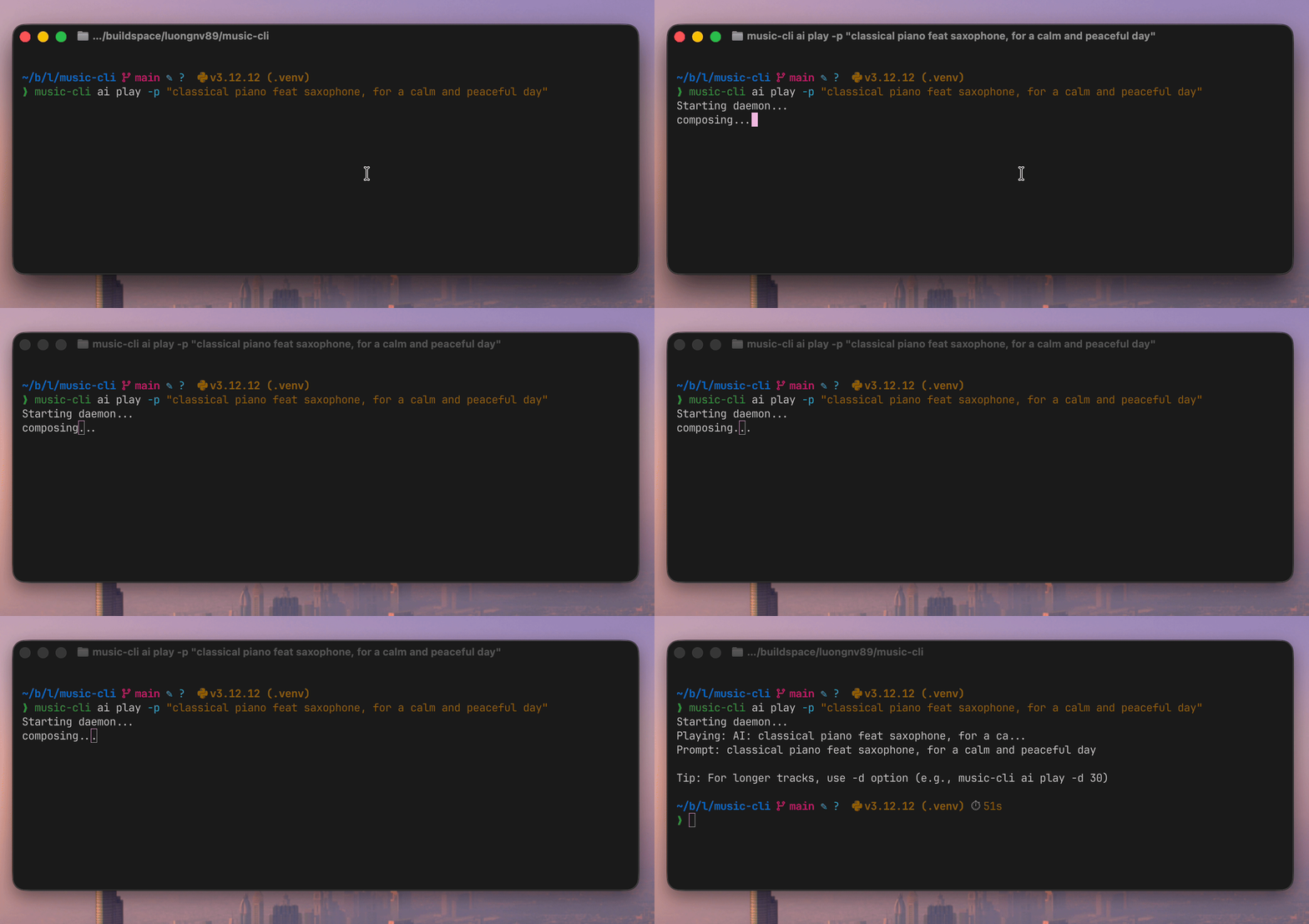
music-cli/
├── music_cli/
│   ├── cli/              # CLI command groups (play, radio, ai, cloud, studio)
│   ├── cloud/            # Cloud adapters (GMI, OpenRouter) + secrets
│   ├── studio/           # Creative compiler (director, graph, nodes)
│   │   ├── nodes/        # Processing nodes (ffmpeg, music, speech, video)
│   │   └── ...           # build.py, doctor.py, graph.py, taste.py, trace.py
│   └── ...               # daemon, player, sources, youtube
├── tests/                # Unit + integration tests
├── examples/             # Example studio build definitions
├── docs/                 # Documentation
├── pyproject.toml        # Project config
└── README.md             # You are here
Developers deserve a music player that respects the way they work: in the terminal, in the background, uninterrupted.
music_cli/sources/youtube.py:120, music_cli/player/ffplay.py:156). Played videos land in a replay history you can revisit with mc yt.mc play -M focus # Start focus music
mc pause # Pause for a meeting
mc resume # Back to coding
mc status # What's playing + an inspirational quote
curl -fsSL https://raw.githubusercontent.com/luongnv89/music-cli/main/install.sh | bash
mc play -M focus
mc pause    # meeting time
mc resume   # back to work
mc radio                        # Browse stations
mc ai play -p "jazz piano"     # Generate a track
mc yt play URL                  # Stream YouTube audio
| Feature | Details |
|---|---|
| Background daemon | Music survives terminal closes and IDE restarts |
| 100 radio stations | Lo-fi, synthwave, jazz, classical, rock, hip-hop, news, plus French, Spanish, Italian, German, Dutch, Portuguese, Asian and world stations — no account needed (100 pre-configured, music_cli/config.py:207-384) |
| AI music generation | MusicGen, AudioLDM, Bark — generate unique tracks from text prompts |
| YouTube audio | Paste a URL, stream audio via yt-dlp→ffplay. Played videos are kept in a replay history (mc yt) for one-command replay (music_cli/youtube_history.py:92-104) |
| Context-aware | Auto-selects music based on time of day and your mood |
| Local MP3 playback | Shuffle your own library with --auto |
| Inspirational quotes | Every status check comes with a random music quote |
| Cross-platform | Linux, macOS, Windows 10+ |
Download and inspect the script first, then run it (recommended):
curl -fsSL https://raw.githubusercontent.com/luongnv89/music-cli/main/install.sh -o install.sh
less install.sh   # review
bash install.sh
Or pipe it straight into bash:
curl -fsSL https://raw.githubusercontent.com/luongnv89/music-cli/main/install.sh | bash
Or with wget:
wget -qO- https://raw.githubusercontent.com/luongnv89/music-cli/main/install.sh | bash
pip install coder-music-cli

# FFmpeg is required
brew install ffmpeg       # macOS
sudo apt install ffmpeg   # Ubuntu/Debian
choco install ffmpeg      # Windows
# YouTube streaming support (~10MB)
pip install 'coder-music-cli[youtube]'

# AI music generation (~5GB — PyTorch + Transformers + Diffusers)
pip install 'coder-music-cli[ai]'

# MiniMax Music 3 (~24GB VRAM; CUDA/bfloat16 required)
pip install 'coder-music-cli[minimax]'

# GMI Cloud credentials (keyring-backed API key storage for `mc cloud`)
pip install 'coder-music-cli[gmi]'

# Both
pip install 'coder-music-cli[youtube,ai]'
Every release publishes a SHA-256 checksum for install.sh as a release asset (install.sh.sha256). To verify the script you downloaded matches the released one:
# Download the script and its checksum from the latest release
curl -fsSLO https://github.com/luongnv89/music-cli/releases/latest/download/install.sh
curl -fsSLO https://github.com/luongnv89/music-cli/releases/latest/download/install.sh.sha256

sha256sum -c install.sh.sha256   # must print: install.sh: OK
If verification fails, do not run the script — re-download or report it via SECURITY.md.
Is it free? Yes, 100%. music-cli is MIT licensed, open source, and always will be. No accounts, no subscriptions, no ads.
Does it work on my OS?
Linux, macOS, and Windows 10+ are all supported. You need Python 3.12+ (pyproject.toml:10) and FFmpeg.
How much disk space does AI music need?
The base install is tiny. The [ai] extra downloads ~5GB (PyTorch + HuggingFace models). Models download on first use, not at install time.
How does it compare to Spotify/YouTube Music? music-cli is not a replacement for your music library. It's a lightweight, terminal-native player for background music while coding. No browser tabs, no electron apps, no accounts.
Is it actively maintained?
Yes. The latest release is v0.11.0 (music_cli/__init__.py:3). Check the changelog for recent updates.
Can I add my own radio stations?
Absolutely. Run mc radio add or edit ~/.config/music-cli/radios.txt directly. Format: Station Name|stream-url.
What AI models are supported? MusicGen (small/medium/large/melody), AudioLDM (small/large), Bark (standard/small), and the optional lyrics-conditioned MiniMax Music 3 model. See the AI Playbook for examples and tips.
You're one command away from a focus soundtrack that never interrupts you. No signups, no ads, no browser tabs. MIT licensed, open source, and built for developers who live in the terminal.
curl -fsSL https://raw.githubusercontent.com/luongnv89/music-cli/main/install.sh | bash && mc play -M focus
| Document | Description |
|---|---|
| User Guide | Complete usage instructions |
| AI Playbook | AI music generation guide with examples |
| Architecture | System design and diagrams |
| Development | Contributing guide |
| Troubleshooting | Validated fixes from runbook checks |
| Decisions Log | Doc-reconciliation decisions with sources |
| Changelog | Version history and release notes |
mc                          # show status
mc play [SOURCE]            # smart play (auto-detects file/URL/station)
mc play -M focus            # mood-based radio
mc stop / mc s              # stop
mc pause / mc pp            # pause
mc resume / mc r            # resume
mc next / mc n              # next track
mc vol [0-100]              # get/set volume
mc status / mc st           # full status

mc radio                    # list stations
mc radio play N             # play station #N
mc radio add                # add station
mc radio remove N           # remove station
mc radio update             # update station list

mc yt play URL              # stream YouTube audio
mc yt / mc yt list          # list replay history
mc yt play N                # replay a history entry
mc yt remove N / clear      # manage history

mc ai play [-p PROMPT]      # generate AI music
mc ai play --lyrics LYRICS  # lyrics-conditioned models such as MiniMax Music 3
mc ai / mc ai list          # list generated tracks
mc ai replay N              # replay generated track
mc ai model                 # list/download/delete/default models

mc history / mc h            # show play history
mc history play N            # replay from history
mc mood [MOOD]              # list moods or play mood radio

mc config                   # show config paths
mc cloud key set gmi        # store GMI Cloud API key in the system keyring
mc cloud smoke              # one real call per free MiniMax model -> dist/_smoke/

> **API key requirement:** The GMI Cloud key must be authorized for the **audio queue endpoint**
> (`console.gmicloud.ai/api/v1/ie/requestqueue/apikey/requests`) — not just the text model endpoint
> (`api.gmi-serving.com`). A key scoped only for text models (e.g. `MiniMaxAI/MiniMax-M3` on the
> serving endpoint) will pass `mc cloud ping` but will fail with `HTTP 400` during `mc studio build`
> because Music 3.0 and Speech 2.8 run as async jobs on the queue endpoint. If your key works for
> text but not audio, you need a key with audio-model access.
>
> Check your key with `mc studio doctor` — it should show `OK: gmi key: stored in the OS keyring`.
mc daemon start|stop|status # manage daemon
Note:
music-clistill works as the full command name for all commands.
Use -h or --help at any level for details (e.g. mc -h, mc play -h, mc radio -h).
| Old command | New command |
|---|---|
music-cli play -m local -s file.mp3 | mc play file.mp3 |
music-cli play -m youtube -s URL | mc yt play URL |
music-cli play -m history -i 3 | mc history play 3 |
music-cli play -m ai | mc ai play |
music-cli radios | mc radio |
music-cli update-radios | mc radio update |
music-cli volume 50 | mc vol 50 |
All old command names continue to work as hidden aliases; they are simply no longer shown in --help.
# Smart play (auto-detects source)
mc play                              # Context-aware radio
mc play ~/song.mp3                   # Local file
mc play "https://youtube.com/..."    # YouTube URL
mc play "deep house"                 # Station name

# Mood-based
mc play -M focus                     # By mood

# Local shuffle
mc play -m local --auto              # Shuffle local files

# AI (requires [ai] extras)
mc ai play -p "happy jazz" -d 60    # Generate a 60s track

# YouTube
mc yt play URL                       # Stream YouTube audio

# History
mc history play 3                    # Replay item #3
# List all stations with numbers
mc radio
mc radio list

# Play by station number
mc radio play 5

# Add a new station interactively
mc radio add

# Remove a station
mc radio remove 10
100 stations across multiple genres and languages (music_cli/config.py:207-384), each checked to decode real audio with scripts/validate_radios.py:
Generate unique audio with multiple AI models via HuggingFace:
# Install AI dependencies (~5GB: PyTorch + Transformers + Diffusers)
pip install 'coder-music-cli[ai]'

# Generate and manage AI music
mc ai play                              # Context-aware (default: musicgen-small)
mc ai play -p "jazz piano"              # Custom prompt
mc ai play -m audioldm-s-full-v2        # Use AudioLDM model
mc ai play -m bark-small -p "Hello!"    # Use Bark for speech
mc ai play -M focus -d 30              # 30-second focus track
mc ai model                             # List available models
mc ai list                              # List all generated tracks
mc ai replay 1                          # Replay track #1
mc ai remove 2                          # Delete track #2
| Model ID | Type | Best For | Size |
|---|---|---|---|
musicgen-small | MusicGen | Music generation (default) | ~2 GB |
musicgen-medium | MusicGen | Higher quality music | ~3.5 GB |
musicgen-large | MusicGen | Best quality music | ~7 GB |
musicgen-melody | MusicGen | Melody-conditioned music | ~3.5 GB |
audioldm-s-full-v2 | AudioLDM | Sound effects, ambient audio | ~1.5 GB |
audioldm-l-full | AudioLDM | High-quality audio generation | ~3 GB |
bark | Bark | Speech synthesis, audio with voice | ~5 GB |
bark-small | Bark | Faster speech synthesis | ~2 GB |
minimax-music3 | MiniMax Music 3 | Lyrics-conditioned songs | ~24 GB |
Sizes are the expected download sizes from the model registry (music_cli/sources/ai_models/model_config.py:240-363).
| Command | Description |
|---|---|
mc ai model | List all available AI models |
mc ai list | Show all AI-generated tracks with prompts |
mc ai play | Generate music from current context |
mc ai play -m <model> | Generate with specific model |
mc ai play -p "prompt" | Generate with custom prompt |
mc ai play -M focus | Generate with specific mood |
mc ai play -d 30 | Generate 30-second track (default: 15s) |
mc ai replay <num> | Replay track by number (regenerates if file missing) |
mc ai remove <num> | Delete track and audio file |
-ppip install 'coder-music-cli[minimax]', requires CUDA, bfloat16, and approximately 24GB VRAMConfigure in ~/.config/music-cli/config.toml:
[ai]
default_model = "musicgen-small"  # Default model for generation

[ai.cache]
max_models = 2  # Max models to keep in memory (LRU eviction)

[ai.models.audioldm-s-full-v2.extra_params]
num_inference_steps = 10  # More = better quality, slower
guidance_scale = 2.5      # How closely to follow prompt
Stream audio directly from YouTube URLs; every video you play is recorded in a replay history:
# Stream audio from a URL (recorded in replay history)
mc play "https://youtube.com/watch?v=..."
mc play "https://youtu.be/..."

# Manage replay history
mc yt                    # List replay history
mc yt list               # Same as above
mc yt play 3             # Replay history entry #3 (re-extracts the stream)
mc yt remove 1           # Remove history entry #1
mc yt clear              # Clear entire history
| Command | Description |
|---|---|
mc yt | List replay history (default) |
mc yt list | List replay history entries |
mc yt play <num> | Replay an entry by number |
mc yt remove <num> | Remove a history entry |
mc yt clear | Clear all history entries |
music_cli/sources/youtube.py:112-120, music_cli/player/ffplay.py:156)music_cli/youtube_history.py:92-107)music_cli/youtube_history.py:96)mc yt play <num> re-extracts the stream from the stored URL; if a <video_id>.m4a file was placed manually in youtube_cache/, it is played directly instead (music_cli/daemon_handlers.py:686-708)[youtube] extra, pinned to yt-dlp ≥ 2026.7.4 (pyproject.toml:58-62)~/.config/music-cli/youtube_cache.json (history metadata) and youtube_cache/ (music_cli/config.py:304, music_cli/platform/paths.py:88-90)%LOCALAPPDATA%\music-cli\youtube_cache\ (music_cli/platform/paths.py:130-140)focus happy sad excited relaxed energetic melancholic peaceful
Configuration files location:
~/.config/music-cli/%LOCALAPPDATA%\music-cli\| File | Purpose |
|---|---|
config.toml | Settings (volume, mood mappings, version) |
daemon.log | Daemon startup errors (stderr) |
radios.txt | Station URLs (name|url format) |
history.jsonl | Play history |
ai_tracks.json | AI track metadata (prompts, durations) |
ai_music/ | AI-generated audio files |
youtube_cache.json | YouTube replay history (music_cli/config.py:304) |
youtube_cache/ | YouTube cache dir — no automatic writes; see replay notes above |
When you update music-cli, you'll be notified if new radio stations are available:
# Check and update stations
mc radio update

# Options:
# [M] Merge   - Add new stations to your list (recommended)
# [O] Overwrite - Replace with new defaults (backs up old file)
# [K] Keep    - Keep your current stations unchanged
# Interactive
mc radio add

# Or edit directly: ~/.config/music-cli/radios.txt
ChillHop|https://streams.example.com/chillhop.mp3
Jazz FM|https://streams.example.com/jazz.mp3
The status command shows playback info plus a random inspirational quote:
$ mc status
Status: ▶ playing
Track: Groove Salad [radio]
Volume: 80%
Context: morning / weekday

"Music gives a soul to the universe, wings to the mind, flight to the imagination." - Plato

Version: 0.11.0
GitHub: https://github.com/luongnv89/music-cli
pyproject.toml:10)Thanks to all contributors who have helped improve music-cli!
| Contributor | PR | Contribution |
|---|---|---|
| kylephillipsau | #5 | Improved YouTube livestream playback for radio stations by piping yt-dlp to ffplay for reliable HLS buffering and reconnections |
music-cli is built with these excellent open-source libraries:
| Library | Maintainer | Purpose |
|---|---|---|
| Click | Pallets | CLI framework for building commands and argument parsing |
| tomli-w | hukkin | TOML writer for saving configuration files |
| PyTorch | PyTorch Team | Deep learning framework powering AI music generation |
| Transformers | Hugging Face | Pre-trained models for MusicGen and Bark |
| Diffusers | Hugging Face | Diffusion models for AudioLDM audio generation |
| SciPy | SciPy Community | Scientific computing for audio signal processing |
| tqdm | tqdm developers | Progress bars for model downloads and generation |
| yt-dlp | yt-dlp Team | YouTube audio extraction and streaming |
MIT
A command-line music player for coders. Background daemon with radio streaming, local MP3s, and AI-generated music.
See the code
mc (music-cli) is a background music daemon for developers. Radio streams, local MP3s, YouTube audio, and AI-generated music — all from one command. Stay in flow, skip the browser tab.
music-cli/
├── music_cli/
│   ├── cli/              # CLI command groups (play, radio, ai, cloud, studio)
│   ├── cloud/            # Cloud adapters (GMI, OpenRouter) + secrets
│   ├── studio/           # Creative compiler (director, graph, nodes)
│   │   ├── nodes/        # Processing nodes (ffmpeg, music, speech, video)
│   │   └── ...           # build.py, doctor.py, graph.py, taste.py, trace.py
│   └── ...               # daemon, player, sources, youtube
├── tests/                # Unit + integration tests
├── examples/             # Example studio build definitions
├── docs/                 # Documentation
├── pyproject.toml        # Project config
└── README.md             # You are here
Developers deserve a music player that respects the way they work: in the terminal, in the background, uninterrupted.
music_cli/sources/youtube.py:120, music_cli/player/ffplay.py:156). Played videos land in a replay history you can revisit with mc yt.mc play -M focus # Start focus music
mc pause # Pause for a meeting
mc resume # Back to coding
mc status # What's playing + an inspirational quote
curl -fsSL https://raw.githubusercontent.com/luongnv89/music-cli/main/install.sh | bash
mc play -M focus
mc pause    # meeting time
mc resume   # back to work
mc radio                        # Browse stations
mc ai play -p "jazz piano"     # Generate a track
mc yt play URL                  # Stream YouTube audio
| Feature | Details |
|---|---|
| Background daemon | Music survives terminal closes and IDE restarts |
| 100 radio stations | Lo-fi, synthwave, jazz, classical, rock, hip-hop, news, plus French, Spanish, Italian, German, Dutch, Portuguese, Asian and world stations — no account needed (100 pre-configured, music_cli/config.py:207-384) |
| AI music generation | MusicGen, AudioLDM, Bark — generate unique tracks from text prompts |
| YouTube audio | Paste a URL, stream audio via yt-dlp→ffplay. Played videos are kept in a replay history (mc yt) for one-command replay (music_cli/youtube_history.py:92-104) |
| Context-aware | Auto-selects music based on time of day and your mood |
| Local MP3 playback | Shuffle your own library with --auto |
| Inspirational quotes | Every status check comes with a random music quote |
| Cross-platform | Linux, macOS, Windows 10+ |
Download and inspect the script first, then run it (recommended):
curl -fsSL https://raw.githubusercontent.com/luongnv89/music-cli/main/install.sh -o install.sh
less install.sh   # review
bash install.sh
Or pipe it straight into bash:
curl -fsSL https://raw.githubusercontent.com/luongnv89/music-cli/main/install.sh | bash
Or with wget:
wget -qO- https://raw.githubusercontent.com/luongnv89/music-cli/main/install.sh | bash
pip install coder-music-cli

# FFmpeg is required
brew install ffmpeg       # macOS
sudo apt install ffmpeg   # Ubuntu/Debian
choco install ffmpeg      # Windows
# YouTube streaming support (~10MB)
pip install 'coder-music-cli[youtube]'

# AI music generation (~5GB — PyTorch + Transformers + Diffusers)
pip install 'coder-music-cli[ai]'

# MiniMax Music 3 (~24GB VRAM; CUDA/bfloat16 required)
pip install 'coder-music-cli[minimax]'

# GMI Cloud credentials (keyring-backed API key storage for `mc cloud`)
pip install 'coder-music-cli[gmi]'

# Both
pip install 'coder-music-cli[youtube,ai]'
Every release publishes a SHA-256 checksum for install.sh as a release asset (install.sh.sha256). To verify the script you downloaded matches the released one:
# Download the script and its checksum from the latest release
curl -fsSLO https://github.com/luongnv89/music-cli/releases/latest/download/install.sh
curl -fsSLO https://github.com/luongnv89/music-cli/releases/latest/download/install.sh.sha256

sha256sum -c install.sh.sha256   # must print: install.sh: OK
If verification fails, do not run the script — re-download or report it via SECURITY.md.
Is it free? Yes, 100%. music-cli is MIT licensed, open source, and always will be. No accounts, no subscriptions, no ads.
Does it work on my OS?
Linux, macOS, and Windows 10+ are all supported. You need Python 3.12+ (pyproject.toml:10) and FFmpeg.
How much disk space does AI music need?
The base install is tiny. The [ai] extra downloads ~5GB (PyTorch + HuggingFace models). Models download on first use, not at install time.
How does it compare to Spotify/YouTube Music? music-cli is not a replacement for your music library. It's a lightweight, terminal-native player for background music while coding. No browser tabs, no electron apps, no accounts.
Is it actively maintained?
Yes. The latest release is v0.11.0 (music_cli/__init__.py:3). Check the changelog for recent updates.
Can I add my own radio stations?
Absolutely. Run mc radio add or edit ~/.config/music-cli/radios.txt directly. Format: Station Name|stream-url.
What AI models are supported? MusicGen (small/medium/large/melody), AudioLDM (small/large), Bark (standard/small), and the optional lyrics-conditioned MiniMax Music 3 model. See the AI Playbook for examples and tips.
You're one command away from a focus soundtrack that never interrupts you. No signups, no ads, no browser tabs. MIT licensed, open source, and built for developers who live in the terminal.
curl -fsSL https://raw.githubusercontent.com/luongnv89/music-cli/main/install.sh | bash && mc play -M focus
| Document | Description |
|---|---|
| User Guide | Complete usage instructions |
| AI Playbook | AI music generation guide with examples |
| Architecture | System design and diagrams |
| Development | Contributing guide |
| Troubleshooting | Validated fixes from runbook checks |
| Decisions Log | Doc-reconciliation decisions with sources |
| Changelog | Version history and release notes |
mc                          # show status
mc play [SOURCE]            # smart play (auto-detects file/URL/station)
mc play -M focus            # mood-based radio
mc stop / mc s              # stop
mc pause / mc pp            # pause
mc resume / mc r            # resume
mc next / mc n              # next track
mc vol [0-100]              # get/set volume
mc status / mc st           # full status

mc radio                    # list stations
mc radio play N             # play station #N
mc radio add                # add station
mc radio remove N           # remove station
mc radio update             # update station list

mc yt play URL              # stream YouTube audio
mc yt / mc yt list          # list replay history
mc yt play N                # replay a history entry
mc yt remove N / clear      # manage history

mc ai play [-p PROMPT]      # generate AI music
mc ai play --lyrics LYRICS  # lyrics-conditioned models such as MiniMax Music 3
mc ai / mc ai list          # list generated tracks
mc ai replay N              # replay generated track
mc ai model                 # list/download/delete/default models

mc history / mc h            # show play history
mc history play N            # replay from history
mc mood [MOOD]              # list moods or play mood radio

mc config                   # show config paths
mc cloud key set gmi        # store GMI Cloud API key in the system keyring
mc cloud smoke              # one real call per free MiniMax model -> dist/_smoke/

> **API key requirement:** The GMI Cloud key must be authorized for the **audio queue endpoint**
> (`console.gmicloud.ai/api/v1/ie/requestqueue/apikey/requests`) — not just the text model endpoint
> (`api.gmi-serving.com`). A key scoped only for text models (e.g. `MiniMaxAI/MiniMax-M3` on the
> serving endpoint) will pass `mc cloud ping` but will fail with `HTTP 400` during `mc studio build`
> because Music 3.0 and Speech 2.8 run as async jobs on the queue endpoint. If your key works for
> text but not audio, you need a key with audio-model access.
>
> Check your key with `mc studio doctor` — it should show `OK: gmi key: stored in the OS keyring`.
mc daemon start|stop|status # manage daemon
Note:
music-clistill works as the full command name for all commands.
Use -h or --help at any level for details (e.g. mc -h, mc play -h, mc radio -h).
| Old command | New command |
|---|---|
music-cli play -m local -s file.mp3 | mc play file.mp3 |
music-cli play -m youtube -s URL | mc yt play URL |
music-cli play -m history -i 3 | mc history play 3 |
music-cli play -m ai | mc ai play |
music-cli radios | mc radio |
music-cli update-radios | mc radio update |
music-cli volume 50 | mc vol 50 |
All old command names continue to work as hidden aliases; they are simply no longer shown in --help.
# Smart play (auto-detects source)
mc play                              # Context-aware radio
mc play ~/song.mp3                   # Local file
mc play "https://youtube.com/..."    # YouTube URL
mc play "deep house"                 # Station name

# Mood-based
mc play -M focus                     # By mood

# Local shuffle
mc play -m local --auto              # Shuffle local files

# AI (requires [ai] extras)
mc ai play -p "happy jazz" -d 60    # Generate a 60s track

# YouTube
mc yt play URL                       # Stream YouTube audio

# History
mc history play 3                    # Replay item #3
# List all stations with numbers
mc radio
mc radio list

# Play by station number
mc radio play 5

# Add a new station interactively
mc radio add

# Remove a station
mc radio remove 10
100 stations across multiple genres and languages (music_cli/config.py:207-384), each checked to decode real audio with scripts/validate_radios.py:
Generate unique audio with multiple AI models via HuggingFace:
# Install AI dependencies (~5GB: PyTorch + Transformers + Diffusers)
pip install 'coder-music-cli[ai]'

# Generate and manage AI music
mc ai play                              # Context-aware (default: musicgen-small)
mc ai play -p "jazz piano"              # Custom prompt
mc ai play -m audioldm-s-full-v2        # Use AudioLDM model
mc ai play -m bark-small -p "Hello!"    # Use Bark for speech
mc ai play -M focus -d 30              # 30-second focus track
mc ai model                             # List available models
mc ai list                              # List all generated tracks
mc ai replay 1                          # Replay track #1
mc ai remove 2                          # Delete track #2
| Model ID | Type | Best For | Size |
|---|---|---|---|
musicgen-small | MusicGen | Music generation (default) | ~2 GB |
musicgen-medium | MusicGen | Higher quality music | ~3.5 GB |
musicgen-large | MusicGen | Best quality music | ~7 GB |
musicgen-melody | MusicGen | Melody-conditioned music | ~3.5 GB |
audioldm-s-full-v2 | AudioLDM | Sound effects, ambient audio | ~1.5 GB |
audioldm-l-full | AudioLDM | High-quality audio generation | ~3 GB |
bark | Bark | Speech synthesis, audio with voice | ~5 GB |
bark-small | Bark | Faster speech synthesis | ~2 GB |
minimax-music3 | MiniMax Music 3 | Lyrics-conditioned songs | ~24 GB |
Sizes are the expected download sizes from the model registry (music_cli/sources/ai_models/model_config.py:240-363).
| Command | Description |
|---|---|
mc ai model | List all available AI models |
mc ai list | Show all AI-generated tracks with prompts |
mc ai play | Generate music from current context |
mc ai play -m <model> | Generate with specific model |
mc ai play -p "prompt" | Generate with custom prompt |
mc ai play -M focus | Generate with specific mood |
mc ai play -d 30 | Generate 30-second track (default: 15s) |
mc ai replay <num> | Replay track by number (regenerates if file missing) |
mc ai remove <num> | Delete track and audio file |
-ppip install 'coder-music-cli[minimax]', requires CUDA, bfloat16, and approximately 24GB VRAMConfigure in ~/.config/music-cli/config.toml:
[ai]
default_model = "musicgen-small"  # Default model for generation

[ai.cache]
max_models = 2  # Max models to keep in memory (LRU eviction)

[ai.models.audioldm-s-full-v2.extra_params]
num_inference_steps = 10  # More = better quality, slower
guidance_scale = 2.5      # How closely to follow prompt
Stream audio directly from YouTube URLs; every video you play is recorded in a replay history:
# Stream audio from a URL (recorded in replay history)
mc play "https://youtube.com/watch?v=..."
mc play "https://youtu.be/..."

# Manage replay history
mc yt                    # List replay history
mc yt list               # Same as above
mc yt play 3             # Replay history entry #3 (re-extracts the stream)
mc yt remove 1           # Remove history entry #1
mc yt clear              # Clear entire history
| Command | Description |
|---|---|
mc yt | List replay history (default) |
mc yt list | List replay history entries |
mc yt play <num> | Replay an entry by number |
mc yt remove <num> | Remove a history entry |
mc yt clear | Clear all history entries |
music_cli/sources/youtube.py:112-120, music_cli/player/ffplay.py:156)music_cli/youtube_history.py:92-107)music_cli/youtube_history.py:96)mc yt play <num> re-extracts the stream from the stored URL; if a <video_id>.m4a file was placed manually in youtube_cache/, it is played directly instead (music_cli/daemon_handlers.py:686-708)[youtube] extra, pinned to yt-dlp ≥ 2026.7.4 (pyproject.toml:58-62)~/.config/music-cli/youtube_cache.json (history metadata) and youtube_cache/ (music_cli/config.py:304, music_cli/platform/paths.py:88-90)%LOCALAPPDATA%\music-cli\youtube_cache\ (music_cli/platform/paths.py:130-140)focus happy sad excited relaxed energetic melancholic peaceful
Configuration files location:
~/.config/music-cli/%LOCALAPPDATA%\music-cli\| File | Purpose |
|---|---|
config.toml | Settings (volume, mood mappings, version) |
daemon.log | Daemon startup errors (stderr) |
radios.txt | Station URLs (name|url format) |
history.jsonl | Play history |
ai_tracks.json | AI track metadata (prompts, durations) |
ai_music/ | AI-generated audio files |
youtube_cache.json | YouTube replay history (music_cli/config.py:304) |
youtube_cache/ | YouTube cache dir — no automatic writes; see replay notes above |
When you update music-cli, you'll be notified if new radio stations are available:
# Check and update stations
mc radio update

# Options:
# [M] Merge   - Add new stations to your list (recommended)
# [O] Overwrite - Replace with new defaults (backs up old file)
# [K] Keep    - Keep your current stations unchanged
# Interactive
mc radio add

# Or edit directly: ~/.config/music-cli/radios.txt
ChillHop|https://streams.example.com/chillhop.mp3
Jazz FM|https://streams.example.com/jazz.mp3
The status command shows playback info plus a random inspirational quote:
$ mc status
Status: ▶ playing
Track: Groove Salad [radio]
Volume: 80%
Context: morning / weekday

"Music gives a soul to the universe, wings to the mind, flight to the imagination." - Plato

Version: 0.11.0
GitHub: https://github.com/luongnv89/music-cli
pyproject.toml:10)Thanks to all contributors who have helped improve music-cli!
| Contributor | PR | Contribution |
|---|---|---|
| kylephillipsau | #5 | Improved YouTube livestream playback for radio stations by piping yt-dlp to ffplay for reliable HLS buffering and reconnections |
music-cli is built with these excellent open-source libraries:
| Library | Maintainer | Purpose |
|---|---|---|
| Click | Pallets | CLI framework for building commands and argument parsing |
| tomli-w | hukkin | TOML writer for saving configuration files |
| PyTorch | PyTorch Team | Deep learning framework powering AI music generation |
| Transformers | Hugging Face | Pre-trained models for MusicGen and Bark |
| Diffusers | Hugging Face | Diffusion models for AudioLDM audio generation |
| SciPy | SciPy Community | Scientific computing for audio signal processing |
| tqdm | tqdm developers | Progress bars for model downloads and generation |
| yt-dlp | yt-dlp Team | YouTube audio extraction and streaming |
MIT



