lucasdillmann/nginx-ignition

An user interface for the nginx web server, aimed at developers and enthusiasts that don't want to manage configuration files manually

Go

2,141

443 commits

updated Oct 11, 2026
See the code

README

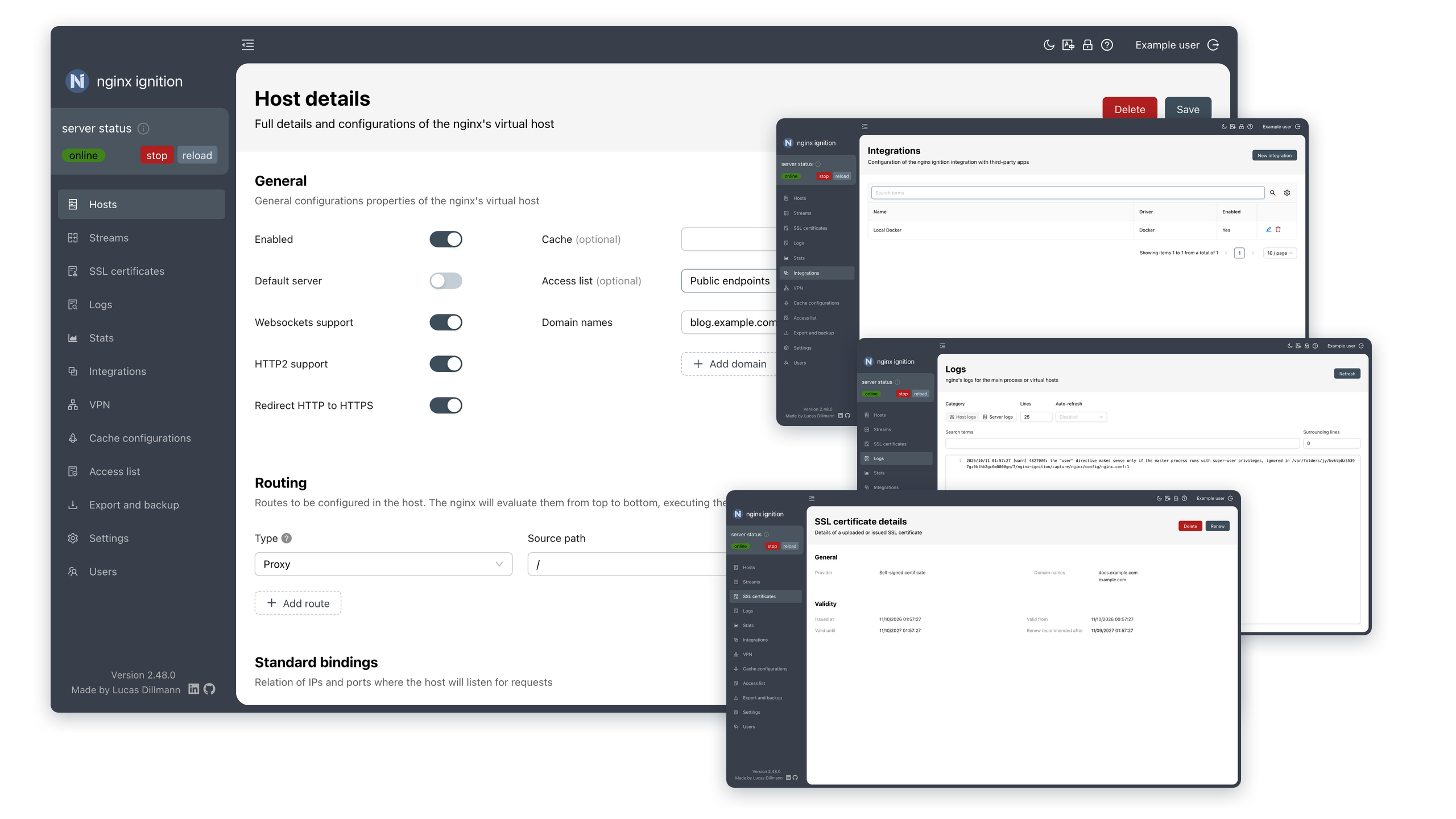
nginx ignition header

nginx ignition


A modern, intuitive user interface for the nginx web server.
Designed for developers and enthusiasts who want powerful control without the manual config headache.

๐Ÿงฐ Batteries included

  • ๐ŸŒ Virtual hosts: Easily manage multiple hosts with custom domains, routes, and port bindings.
  • ๐Ÿ”„ Streams: Proxy TCP, UDP, and Unix sockets with SNI-based routing, circuit breakers, and load balancing.
  • โšก Versatile routing: Configure proxies (including gRPC/gRPCS upstreams), redirections, custom JS/Lua code, static responses, or file serving.
  • โš™๏ธ Server configuration: Easy configuration of the nginx server (maximum body/upload size, server tokens, timeouts, log level, etc).
  • ๐Ÿ” SSL certificates: Automated Let's Encrypt (ACME), self-signed, or bring your own certificates.
  • ๐Ÿณ Native integrations: First-class support for Docker, Docker Swarm, Tailscale and NetBird VPNs, and TrueNAS.
  • ๐Ÿ›ก๏ธ Security: Secure access with two-factor authentication, attribute-based access control (ABAC) and per-host access lists using basic authentication and source IP checks.
  • ๐Ÿ”‘ API tokens: Generate and revoke your own tokens to authenticate scripts and external tools against the API without sharing your password.
  • ๐Ÿ“‹ Logging: Detailed access and error logs for the server and each virtual host, with built-in automatic log rotation.
  • ๐Ÿ“Š Traffic statistics: Real-time insights into server performance, including request rates, response times, and traffic breakdown by host, domain, and upstream servers.
  • ๐Ÿš€ Caching: Built-in nginx caching configuration to speed up your content delivery.
  • ๐Ÿ—๏ธ Flexible execution: nginx ignition can run nginx for you, or just generate the configuration files for you.

๐Ÿ“ธ A quick look

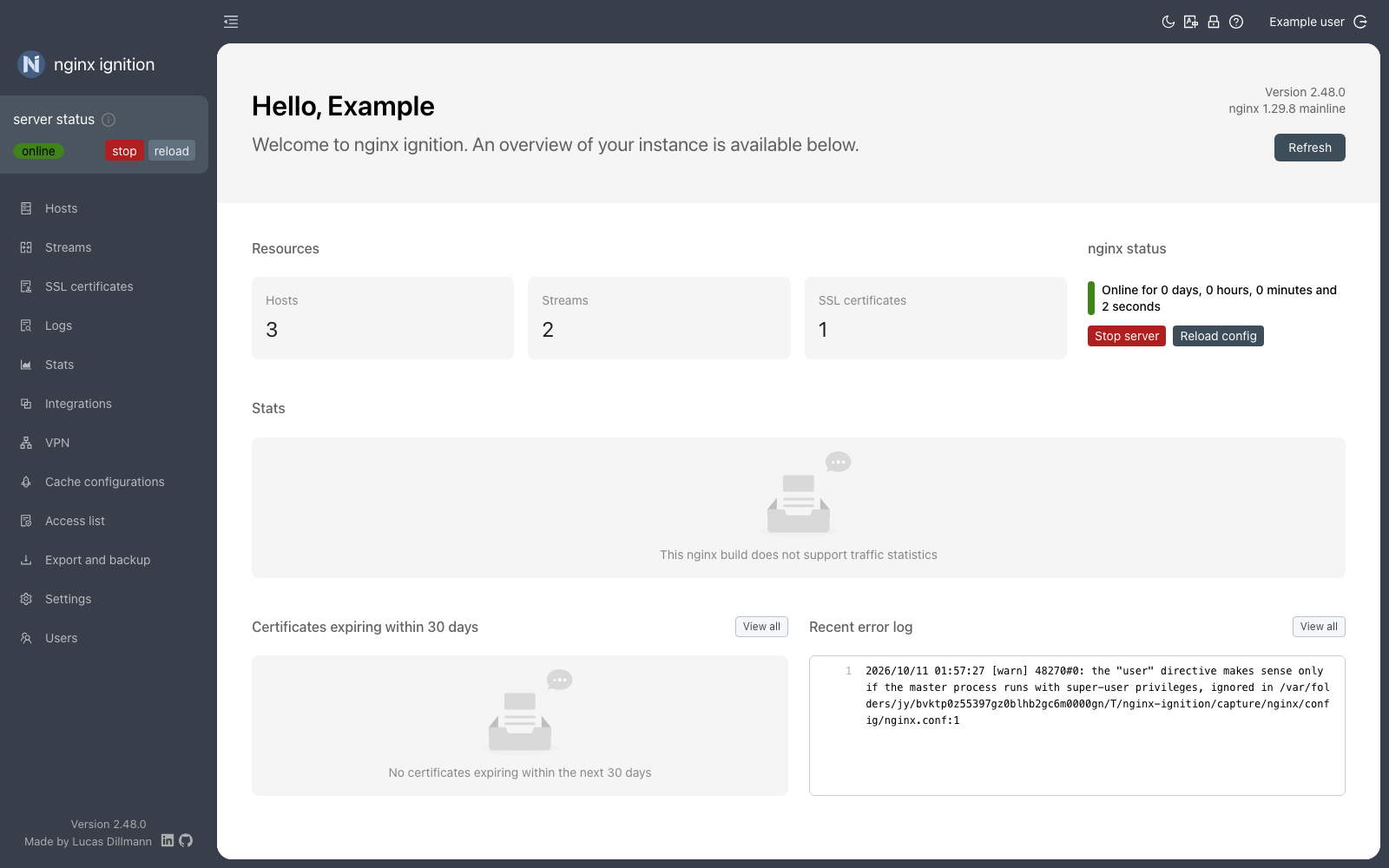
nginx ignition dashboard

Manage your hosts, streams, certificates, integrations and users from a single dashboard.

See the screenshots gallery for a walkthrough of every screen.


๐ŸŒ Multi-language support

nginx ignition supports multiple languages, including:

  • ๐Ÿ‡ง๐Ÿ‡ท Brazilian Portuguese
  • ๐Ÿ‡บ๐Ÿ‡ธ English
  • ๐Ÿ‡จ๐Ÿ‡ณ Chinese (Simplified)
  • ๐Ÿ‡ฉ๐Ÿ‡ช German
  • ๐Ÿ‡ซ๐Ÿ‡ท French
  • ๐Ÿ‡ฎ๐Ÿ‡ณ Hindi
  • ๐Ÿ‡ช๐Ÿ‡ธ Spanish
  • ๐Ÿ‡ป๐Ÿ‡ณ Vietnamese
  • ๐Ÿ‡ท๐Ÿ‡บ Russian
  • ๐Ÿ‡ง๐Ÿ‡ฉ Bengali
  • ๐Ÿ‡ฏ๐Ÿ‡ต Japanese

This is currently a beta feature. If you find any translation issues or have suggestions for improvements, please feel free to raise an issue. If you'd like to see a new language added, please start a discussion.


๐ŸŽฏ Goals

nginx ignition is built for developers and enthusiasts who want a balance between ease of use and the power of nginx. This project is not aimed at being enterprise-ready or feature-complete for highly complex environments. If your use-case is extremely advanced, you'll likely prefer managing configuration files manually.

Our goal is to provide a powerful, yet intuitive way to run nginx for the most common use-cases with some optional, nice-to-have features that can help you get your homelab up and running quickly.


๐Ÿš€ Run it for a quick test

Getting up and running to check out if nginx ignition is for you can be done using a single Docker command.

docker run -p 8090:8090 -p 80:80 dillmann/nginx-ignition
  1. Wait a few seconds for the app to initialize.
  2. Open http://localhost:8090 in your browser.
  3. The setup wizard will guide you through creating your first user.

By default, an embedded SQLite database is used. For production environments we recommend using PostgreSQL. Check the database configuration documentation for more details on how to do it.


๐Ÿ“ฆ All installation options for Linux, Windows, and macOS

Choose the method that best fits your environment, be it Docker, Docker Compose, native packages for Linux, Windows, or macOS.

Use our docker-compose.yml for a production-ready setup with PostgreSQL and health checks.

Native packages for Linux, Windows, and macOS

Download the latest version for your architecture from the releases page:

PlatformPackage typeArch
Debian, Ubuntu.debamd64, arm64
RedHat, Fedora.rpmamd64, arm64
Alpine Linux.apkamd64, arm64
Arch Linux.pkg.tar.zstamd64, arm64
OpenWrt.ipkamd64, arm64
WindowsZIP archiveamd64, arm64
macOSZIP archivearm64

๐Ÿ› ๏ธ Advanced configuration

Need to tune your setup? Explore our detailed guides:

  • ๐Ÿ“œ Configuration properties: Full list of available environment variables and configuration properties.
  • ๐Ÿ”‘ API tokens: Authenticate scripts and external tools against the API.
  • ๐Ÿฅ Health checks: Monitor your instance's status.
  • ๐Ÿ” Troubleshooting: Common issues and recovery steps (like password resets).
  • ๐Ÿ” Migrating from v1 to v2: Steps to upgrade from nginx ignition v1 to v2.
  • ๐Ÿ“ธ Screenshots: Every screen of the app, with a short description of what it does.

๐Ÿ’– Sponsors

We are grateful to our sponsors for supporting the development of nginx ignition:

  • Greptile: AI-powered code review agent that understands ignition's codebase, providing deep, context-aware insights to help us catch bugs and accelerate development.

๐Ÿค Contributing and feedback

We love to hear and receive feedback from you. Whether it's a bug report, a feature request, or a pull request:


Made with โค๏ธ from Brazil. We hope nginx ignition can solve some problems for you and make your homelab a bit simpler.

golang
gui
nginx
nginx-proxy
proxy
react
ui
user-interface

lucasdillmann/nginx-ignition

An user interface for the nginx web server, aimed at developers and enthusiasts that don't want to manage configuration files manually

Go

2,141

443 commits

updated Oct 11, 2026

See the code

README

nginx ignition header

nginx ignition


A modern, intuitive user interface for the nginx web server.
Designed for developers and enthusiasts who want powerful control without the manual config headache.


๐Ÿงฐ Batteries included

  • ๐ŸŒ Virtual hosts: Easily manage multiple hosts with custom domains, routes, and port bindings.
  • ๐Ÿ”„ Streams: Proxy TCP, UDP, and Unix sockets with SNI-based routing, circuit breakers, and load balancing.
  • โšก Versatile routing: Configure proxies (including gRPC/gRPCS upstreams), redirections, custom JS/Lua code, static responses, or file serving.
  • โš™๏ธ Server configuration: Easy configuration of the nginx server (maximum body/upload size, server tokens, timeouts, log level, etc).
  • ๐Ÿ” SSL certificates: Automated Let's Encrypt (ACME), self-signed, or bring your own certificates.
  • ๐Ÿณ Native integrations: First-class support for Docker, Docker Swarm, Tailscale and NetBird VPNs, and TrueNAS.
  • ๐Ÿ›ก๏ธ Security: Secure access with two-factor authentication, attribute-based access control (ABAC) and per-host access lists using basic authentication and source IP checks.
  • ๐Ÿ”‘ API tokens: Generate and revoke your own tokens to authenticate scripts and external tools against the API without sharing your password.
  • ๐Ÿ“‹ Logging: Detailed access and error logs for the server and each virtual host, with built-in automatic log rotation.
  • ๐Ÿ“Š Traffic statistics: Real-time insights into server performance, including request rates, response times, and traffic breakdown by host, domain, and upstream servers.
  • ๐Ÿš€ Caching: Built-in nginx caching configuration to speed up your content delivery.
  • ๐Ÿ—๏ธ Flexible execution: nginx ignition can run nginx for you, or just generate the configuration files for you.

๐Ÿ“ธ A quick look

nginx ignition dashboard

Manage your hosts, streams, certificates, integrations and users from a single dashboard.

See the screenshots gallery for a walkthrough of every screen.


๐ŸŒ Multi-language support

nginx ignition supports multiple languages, including:

  • ๐Ÿ‡ง๐Ÿ‡ท Brazilian Portuguese
  • ๐Ÿ‡บ๐Ÿ‡ธ English
  • ๐Ÿ‡จ๐Ÿ‡ณ Chinese (Simplified)
  • ๐Ÿ‡ฉ๐Ÿ‡ช German
  • ๐Ÿ‡ซ๐Ÿ‡ท French
  • ๐Ÿ‡ฎ๐Ÿ‡ณ Hindi
  • ๐Ÿ‡ช๐Ÿ‡ธ Spanish
  • ๐Ÿ‡ป๐Ÿ‡ณ Vietnamese
  • ๐Ÿ‡ท๐Ÿ‡บ Russian
  • ๐Ÿ‡ง๐Ÿ‡ฉ Bengali
  • ๐Ÿ‡ฏ๐Ÿ‡ต Japanese

This is currently a beta feature. If you find any translation issues or have suggestions for improvements, please feel free to raise an issue. If you'd like to see a new language added, please start a discussion.


๐ŸŽฏ Goals

nginx ignition is built for developers and enthusiasts who want a balance between ease of use and the power of nginx. This project is not aimed at being enterprise-ready or feature-complete for highly complex environments. If your use-case is extremely advanced, you'll likely prefer managing configuration files manually.

Our goal is to provide a powerful, yet intuitive way to run nginx for the most common use-cases with some optional, nice-to-have features that can help you get your homelab up and running quickly.


๐Ÿš€ Run it for a quick test

Getting up and running to check out if nginx ignition is for you can be done using a single Docker command.

docker run -p 8090:8090 -p 80:80 dillmann/nginx-ignition
  1. Wait a few seconds for the app to initialize.
  2. Open http://localhost:8090 in your browser.
  3. The setup wizard will guide you through creating your first user.

By default, an embedded SQLite database is used. For production environments we recommend using PostgreSQL. Check the database configuration documentation for more details on how to do it.


๐Ÿ“ฆ All installation options for Linux, Windows, and macOS

Choose the method that best fits your environment, be it Docker, Docker Compose, native packages for Linux, Windows, or macOS.

Use our docker-compose.yml for a production-ready setup with PostgreSQL and health checks.

Native packages for Linux, Windows, and macOS

Download the latest version for your architecture from the releases page:

PlatformPackage typeArch
Debian, Ubuntu.debamd64, arm64
RedHat, Fedora.rpmamd64, arm64
Alpine Linux.apkamd64, arm64
Arch Linux.pkg.tar.zstamd64, arm64
OpenWrt.ipkamd64, arm64
WindowsZIP archiveamd64, arm64
macOSZIP archivearm64

๐Ÿ› ๏ธ Advanced configuration

Need to tune your setup? Explore our detailed guides:

  • ๐Ÿ“œ Configuration properties: Full list of available environment variables and configuration properties.
  • ๐Ÿ”‘ API tokens: Authenticate scripts and external tools against the API.
  • ๐Ÿฅ Health checks: Monitor your instance's status.
  • ๐Ÿ” Troubleshooting: Common issues and recovery steps (like password resets).
  • ๐Ÿ” Migrating from v1 to v2: Steps to upgrade from nginx ignition v1 to v2.
  • ๐Ÿ“ธ Screenshots: Every screen of the app, with a short description of what it does.

๐Ÿ’– Sponsors

We are grateful to our sponsors for supporting the development of nginx ignition:

  • Greptile: AI-powered code review agent that understands ignition's codebase, providing deep, context-aware insights to help us catch bugs and accelerate development.

๐Ÿค Contributing and feedback

We love to hear and receive feedback from you. Whether it's a bug report, a feature request, or a pull request:


Made with โค๏ธ from Brazil. We hope nginx ignition can solve some problems for you and make your homelab a bit simpler.

golang
gui
nginx
nginx-proxy
proxy
react
ui
user-interface

Significant stargazers

0xflotus

497 followers ยท starred Sep 2025

Michael Kรผhnel

476 followers ยท starred Dec 2025

Yen Cheng Lin

153 followers ยท starred Dec 2025

Kaneki

23 followers ยท starred Sep 2025