
README

Jellyfin Powertoys


A collection of plugins to enhance Jellyfin media server with additional features and tools.
Installation
- Go to the Jellyfin Administration Dashboard
- Navigate to Plugins > Catalog
- Add the catalog URL:
https://raw.githubusercontent.com/lennykean/jellyfin-powertoys/main/manifest.json - Install the desired plugins
- Restart the Jellyfin server
Plugins
Thumbnail Previews
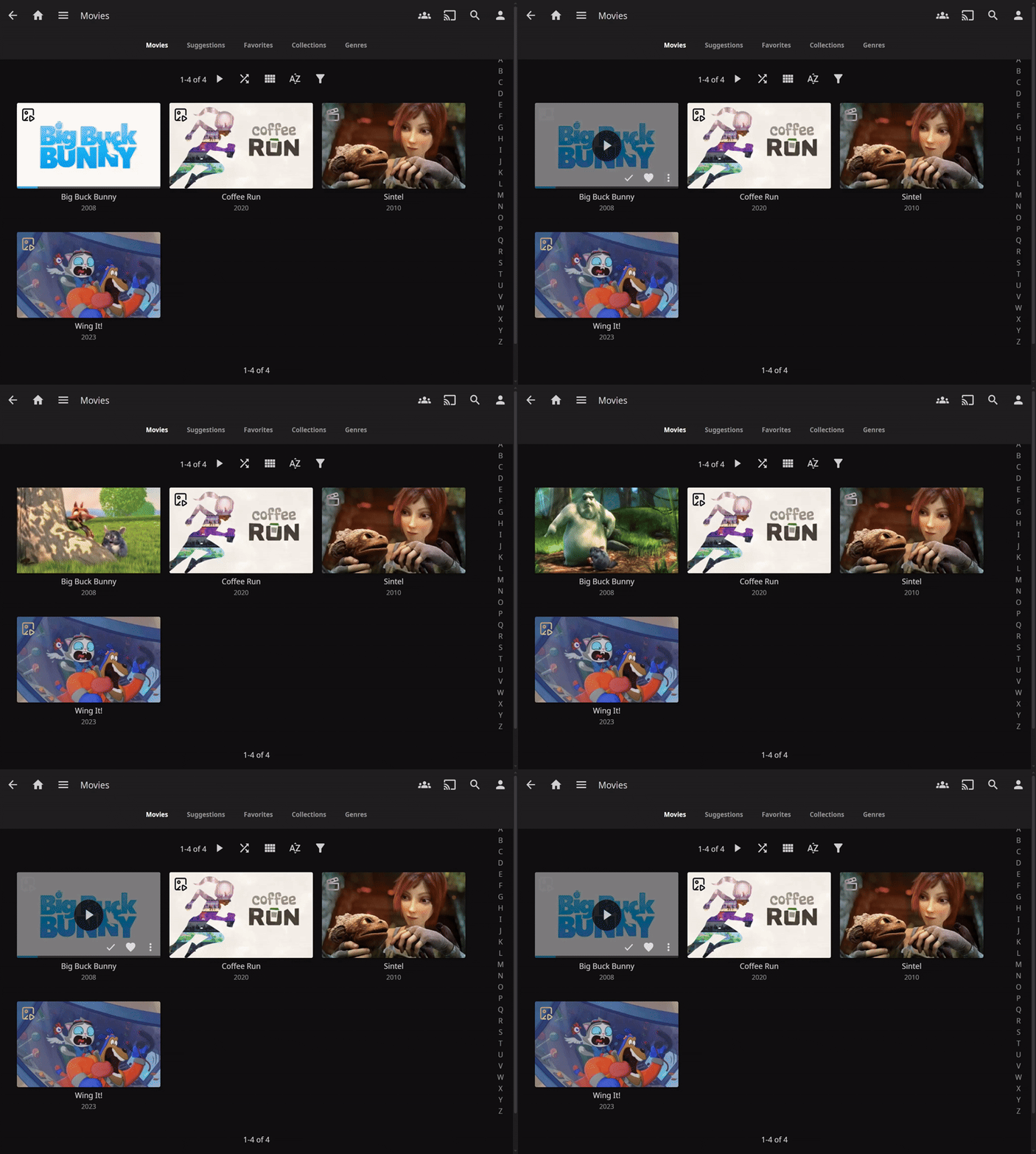
Adds thumbnail previews using trickplay images or trailers.
- Slideshow Preview - Cycles through trickplay images as an animated slideshow.
- Trailer Preview - Plays a video trailer directly on the thumbnail.
- Uses local or remote trailers if available
- Hover Play - Triggers previews or automatically on mouse hover
Remote Trailers
Enables playback of remote trailers from any source.
- Play trailers from any remote source (not just YouTube)
- Basic HTML video player
Cast Curator
Automatically organize your library by cast and crew members.
- Creates collections based on actors, directors, writers, and other crew members
- Flexible filtering options allow customization and selection of which cast or crew to include
Studio Curator
Automatically organize your library by studio.
- Creates collections based on production studios
- Flexible filtering options allow customization and selection of which studios to include
Watch History Janitor
Cleans up the "Continue Watching" history after a specified time period.
- Automatic cleanup of "Continue Watching" section
- Customizable options control how long to keep history, and which users to target.
JellyTag
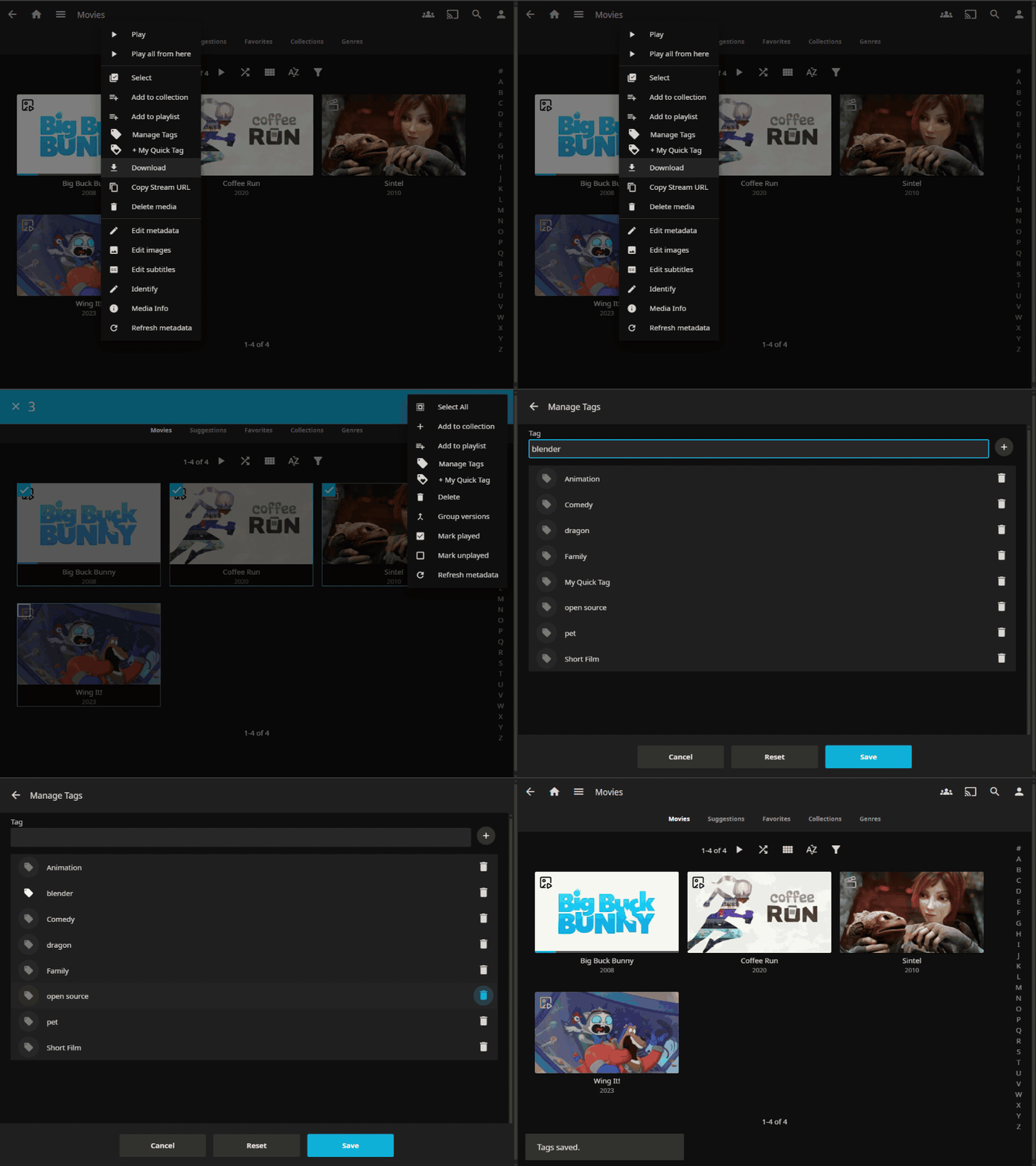
Simplified tag management. Add, remove, and manage tags right from the context menu.
- Quick Tags - Pin your most-used tags to the context menu for one-click tagging
- Add/Remove Tags - Add new tags or remove existing ones right from the context menu
- Bulk Editing - Select multiple items and edit all their tags at once
Privacy Mode
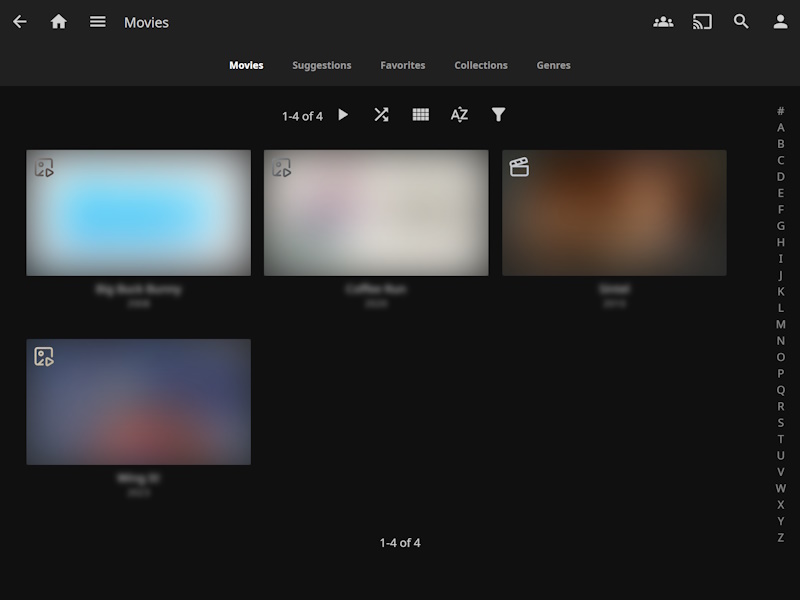
Adds a privacy mode that hides content when activated.
- Adds a privacy blur to the Jellyfin interface
- Optional reveal on hover
- Toggle via hotkeys
Contributors

21 commits

1 commits
Similar repos


Languages
HTML
43.1%
JavaScript
28.9%
C#
26.3%
CSS
1.7%
README
Jellyfin Powertoys
A collection of plugins to enhance Jellyfin media server with additional features and tools.
Installation
- Go to the Jellyfin Administration Dashboard
- Navigate to Plugins > Catalog
- Add the catalog URL:
https://raw.githubusercontent.com/lennykean/jellyfin-powertoys/main/manifest.json - Install the desired plugins
- Restart the Jellyfin server
Plugins
Thumbnail Previews
Adds thumbnail previews using trickplay images or trailers.
- Slideshow Preview - Cycles through trickplay images as an animated slideshow.
- Trailer Preview - Plays a video trailer directly on the thumbnail.
- Uses local or remote trailers if available
- Hover Play - Triggers previews or automatically on mouse hover
Remote Trailers
Enables playback of remote trailers from any source.
- Play trailers from any remote source (not just YouTube)
- Basic HTML video player
Cast Curator
Automatically organize your library by cast and crew members.
- Creates collections based on actors, directors, writers, and other crew members
- Flexible filtering options allow customization and selection of which cast or crew to include
Studio Curator
Automatically organize your library by studio.
- Creates collections based on production studios
- Flexible filtering options allow customization and selection of which studios to include
Watch History Janitor
Cleans up the "Continue Watching" history after a specified time period.
- Automatic cleanup of "Continue Watching" section
- Customizable options control how long to keep history, and which users to target.
JellyTag
Simplified tag management. Add, remove, and manage tags right from the context menu.
- Quick Tags - Pin your most-used tags to the context menu for one-click tagging
- Add/Remove Tags - Add new tags or remove existing ones right from the context menu
- Bulk Editing - Select multiple items and edit all their tags at once
Privacy Mode
Adds a privacy mode that hides content when activated.
- Adds a privacy blur to the Jellyfin interface
- Optional reveal on hover
- Toggle via hotkeys
Similar repos
Contributors
21 commits
1 commits
Languages
HTML
43.1%
JavaScript
28.9%
C#
26.3%
CSS
1.7%