
Syntax Highlighter powered by Tree-sitter and Neovim themes.
See the codeREADME
Lumis
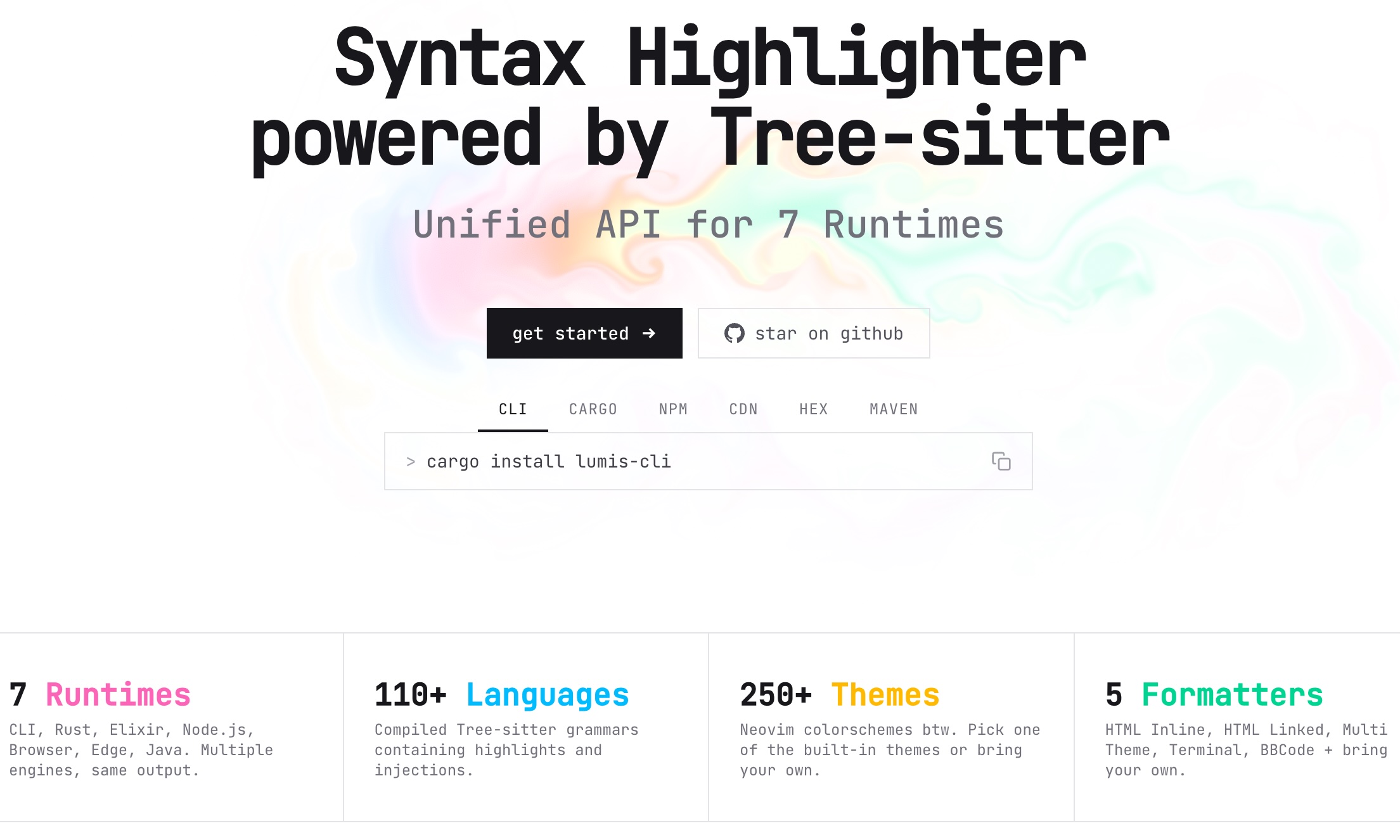





Features
- 110+ Tree-sitter languages - Fast, accurate, and updated syntax parsing
- 250+ built-in Neovim themes - Updated and curated themes from the Neovim community
- 6 runtimes, one API - CLI, Rust, Elixir, JavaScript / TypeScript, Browsers / CDN, and Java, aligned in naming, options, and output
- Built-in formatters - HTML (inline/linked), Terminal (ANSI), Multi-theme (light/dark), BBCode
- Custom formatters - Build your own output
- Language auto-detection - File extension, shebang, and emacs-mode support
- Line highlighting - Mark and style individual lines, with custom HTML wrappers
- Streaming-friendly - Handles incomplete code
- Load parsers on demand - Verified and cached, including injected languages
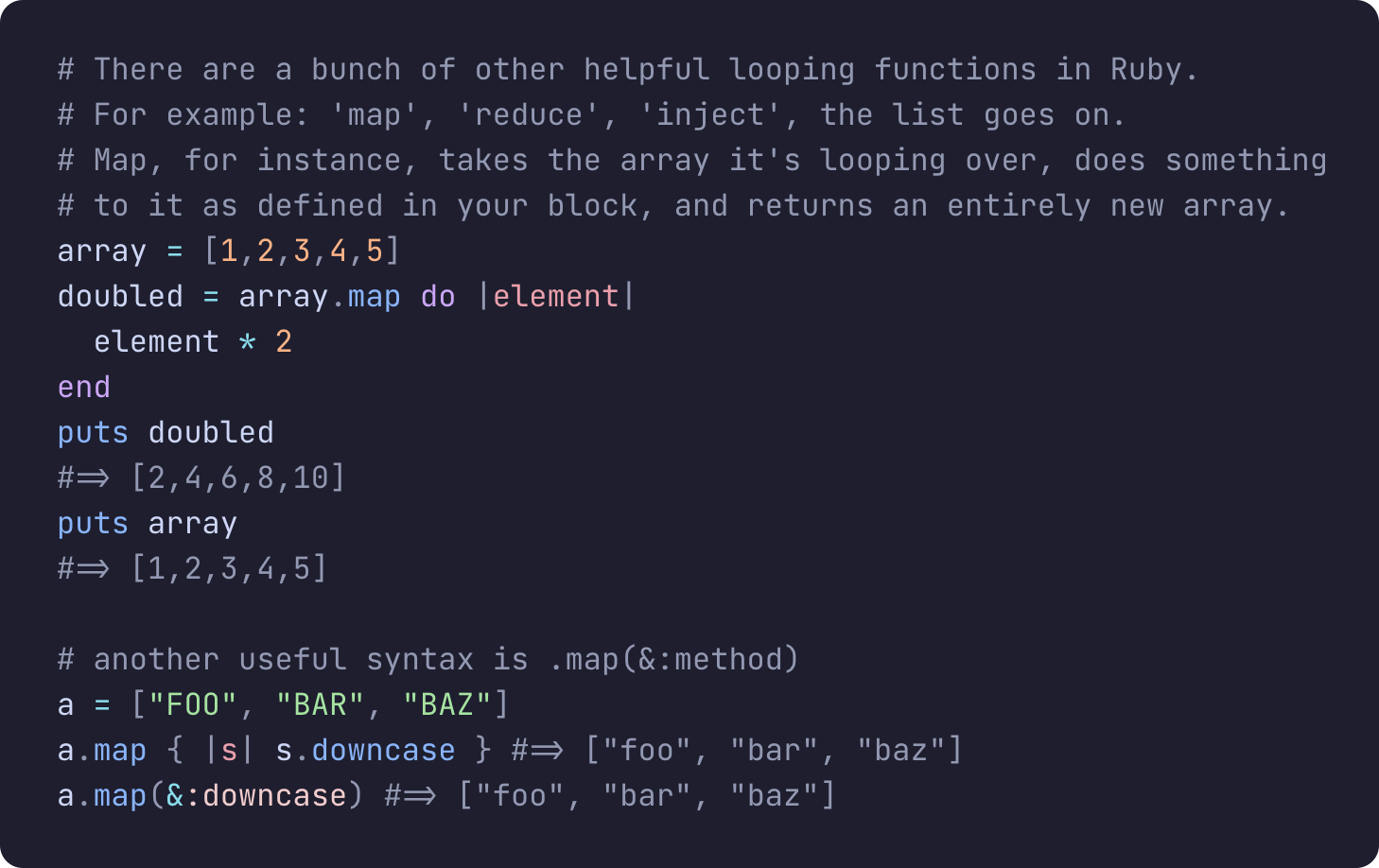 | 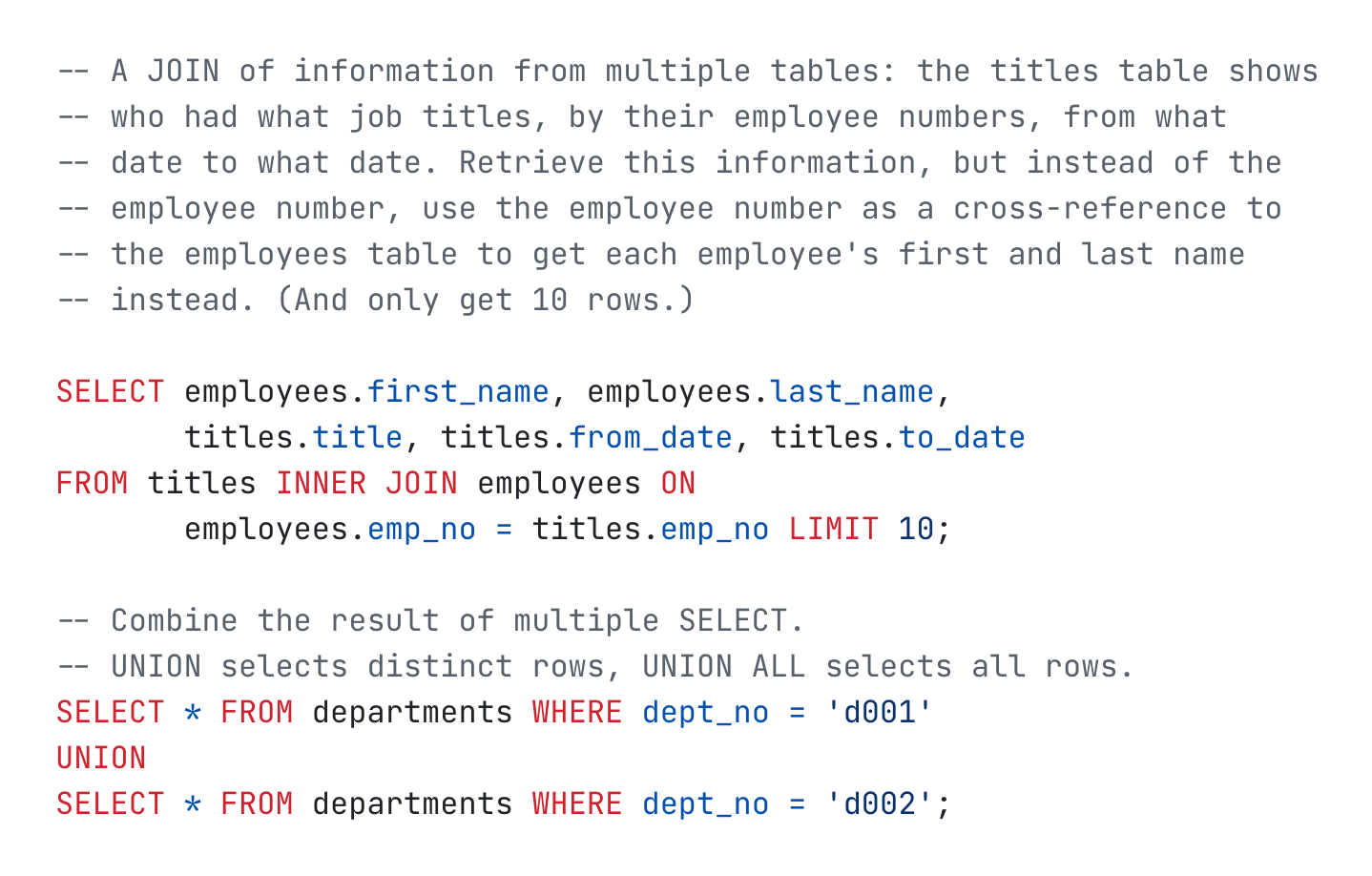 |
Quick Start
CLI
curl -LsSf https://lumis.sh/install.sh | sh
lumis highlight app.js
For a global install:
npm install -g @lumis-sh/cli

lumis highlight app.js
Rust
use lumis::{highlight, HtmlInlineBuilder, languages::Language, themes};

let theme = themes::get("dracula").unwrap();

let formatter = HtmlInlineBuilder::new()
    .language(Language::Javascript)
    .theme(Some(theme))
    .build()
    .unwrap();

let html = highlight("const x = 1", formatter);
JavaScript / TypeScript
Use the same package in JavaScript and TypeScript apps on Node.js, Bun, and Deno. TypeScript declarations are included.
import { highlight } from '@lumis-sh/lumis'
import { htmlInline } from '@lumis-sh/lumis/formatters'
import javascript from '@lumis-sh/lumis/langs/javascript'
import dracula from '@lumis-sh/themes/dracula'

const html = await highlight('const x = 1', htmlInline({ language: javascript, theme: dracula }))
Parsers download on demand, including languages injected inside a document. Browsers are the exception: loading is asynchronous there, so an injected language has to be loaded first. See WASM and CDN.
Browsers / CDN
Works in Browsers through bundlers or CDN imports.
import { highlight } from 'https://esm.sh/@lumis-sh/lumis'
import { htmlInline } from 'https://esm.sh/@lumis-sh/lumis/formatters'
import javascript from 'https://esm.sh/@lumis-sh/lumis/langs/javascript'
import dracula from 'https://esm.sh/@lumis-sh/themes/dracula'

const html = await highlight('const x = 1', htmlInline({ language: javascript, theme: dracula }))
Elixir
Lumis.highlight!("const x = 1", formatter: {:html_inline, language: "javascript", theme: "dracula"})
Parsers download on demand and load once per VM. Call
Lumis.Languages.async_load/1 from your application's start/2 to move the
download and compile off the first request without holding up the boot.
See Elixir integration.
Java
By @andreaTP. More details at https://chicory.dev/blog/syntax-highlight
import io.roastedroot.lumis4j.core.Lumis;
import io.roastedroot.lumis4j.core.Lang;
import io.roastedroot.lumis4j.core.Theme;

var lumis = Lumis.builder().build();

var highlighter = lumis.highlighter()
    .withLang(Lang.JAVASCRIPT)
    .withTheme(Theme.DRACULA)
    .build();

var result = highlighter.highlight("const x = 1");
System.out.println(result.string());
Documentation
| Runtime | Install | Package | Docs |
|---|---|---|---|
| CLI | curl -LsSf https://lumis.sh/install.sh | sh | GitHub Releases | Install |
| Rust | cargo add lumis | crates.io/lumis | README.md • docs.rs |
| Elixir | {:lumis, "~> 0.7"} | hex.pm/lumis | README.md • hexdocs |
| JavaScript / TypeScript | npm install @lumis-sh/lumis | npmjs.com/@lumis-sh/lumis | README.md |
| Browsers / CDN | npm install @lumis-sh/lumis | npmjs.com/@lumis-sh/lumis | README.md |
| Java | io.roastedroot:lumis4j:0.0.7 | io.roastedroot/lumis4j | README.md |
Architecture
Every Lumis package is built around the same three pieces:
- themes extracted from Neovim
- languages backed by Tree-sitter grammars
- formatters that turn highlighted tokens into output
Given some source code, Lumis parses it with the selected Tree-sitter language, resolves styles from the chosen theme, and then formats the highlighted result into HTML, ANSI, or any custom output.
WASM Versions
The npm WASM package versions follow the pattern <tree-sitter-version>.<seq> where:
tree-sitter-versionis the major-minor version of the compatible Tree-sitter releaseseqis a patch number for Lumis own updates
For example, @lumis-sh/wasm-rust@0.26.0 is the first published version compatible with Tree-sitter 0.26,
while @lumis-sh/wasm-javascript@0.26.1 is a patch update compatible with Tree-sitter 0.26 (usually containing upstream parser updates).
Contributing
Contributions are welcome. Feel free to open issues or PRs for bugs, features, new themes, or languages.
See CONTRIBUTING.md
Acknowledgements
- Makeup for setting up the baseline for the Elixir package
- Inkjet for the Rust implementation in the initial versions
- Shiki and syntect for the hard work defining how syntax highlighters should work
License
MIT
Contributors
(top 30 of 171)


Similar repos


Languages
Rust
45.1%
TypeScript
29.4%
Elixir
11.6%
JavaScript
4.8%
HTML
4.5%
Lua
2.6%
Tree-sitter Query
1.0%
Syntax Highlighter powered by Tree-sitter and Neovim themes.
See the codeREADME
Lumis
Features
- 110+ Tree-sitter languages - Fast, accurate, and updated syntax parsing
- 250+ built-in Neovim themes - Updated and curated themes from the Neovim community
- 6 runtimes, one API - CLI, Rust, Elixir, JavaScript / TypeScript, Browsers / CDN, and Java, aligned in naming, options, and output
- Built-in formatters - HTML (inline/linked), Terminal (ANSI), Multi-theme (light/dark), BBCode
- Custom formatters - Build your own output
- Language auto-detection - File extension, shebang, and emacs-mode support
- Line highlighting - Mark and style individual lines, with custom HTML wrappers
- Streaming-friendly - Handles incomplete code
- Load parsers on demand - Verified and cached, including injected languages
| |
Quick Start
CLI
curl -LsSf https://lumis.sh/install.sh | sh
lumis highlight app.js
For a global install:
npm install -g @lumis-sh/cli

lumis highlight app.js
Rust
use lumis::{highlight, HtmlInlineBuilder, languages::Language, themes};

let theme = themes::get("dracula").unwrap();

let formatter = HtmlInlineBuilder::new()
    .language(Language::Javascript)
    .theme(Some(theme))
    .build()
    .unwrap();

let html = highlight("const x = 1", formatter);
JavaScript / TypeScript
Use the same package in JavaScript and TypeScript apps on Node.js, Bun, and Deno. TypeScript declarations are included.
import { highlight } from '@lumis-sh/lumis'
import { htmlInline } from '@lumis-sh/lumis/formatters'
import javascript from '@lumis-sh/lumis/langs/javascript'
import dracula from '@lumis-sh/themes/dracula'

const html = await highlight('const x = 1', htmlInline({ language: javascript, theme: dracula }))
Parsers download on demand, including languages injected inside a document. Browsers are the exception: loading is asynchronous there, so an injected language has to be loaded first. See WASM and CDN.
Browsers / CDN
Works in Browsers through bundlers or CDN imports.
import { highlight } from 'https://esm.sh/@lumis-sh/lumis'
import { htmlInline } from 'https://esm.sh/@lumis-sh/lumis/formatters'
import javascript from 'https://esm.sh/@lumis-sh/lumis/langs/javascript'
import dracula from 'https://esm.sh/@lumis-sh/themes/dracula'

const html = await highlight('const x = 1', htmlInline({ language: javascript, theme: dracula }))
Elixir
Lumis.highlight!("const x = 1", formatter: {:html_inline, language: "javascript", theme: "dracula"})
Parsers download on demand and load once per VM. Call
Lumis.Languages.async_load/1 from your application's start/2 to move the
download and compile off the first request without holding up the boot.
See Elixir integration.
Java
By @andreaTP. More details at https://chicory.dev/blog/syntax-highlight
import io.roastedroot.lumis4j.core.Lumis;
import io.roastedroot.lumis4j.core.Lang;
import io.roastedroot.lumis4j.core.Theme;

var lumis = Lumis.builder().build();

var highlighter = lumis.highlighter()
    .withLang(Lang.JAVASCRIPT)
    .withTheme(Theme.DRACULA)
    .build();

var result = highlighter.highlight("const x = 1");
System.out.println(result.string());
Documentation
| Runtime | Install | Package | Docs |
|---|---|---|---|
| CLI | curl -LsSf https://lumis.sh/install.sh | sh | GitHub Releases | Install |
| Rust | cargo add lumis | crates.io/lumis | README.md • docs.rs |
| Elixir | {:lumis, "~> 0.7"} | hex.pm/lumis | README.md • hexdocs |
| JavaScript / TypeScript | npm install @lumis-sh/lumis | npmjs.com/@lumis-sh/lumis | README.md |
| Browsers / CDN | npm install @lumis-sh/lumis | npmjs.com/@lumis-sh/lumis | README.md |
| Java | io.roastedroot:lumis4j:0.0.7 | io.roastedroot/lumis4j | README.md |
Architecture
Every Lumis package is built around the same three pieces:
- themes extracted from Neovim
- languages backed by Tree-sitter grammars
- formatters that turn highlighted tokens into output
Given some source code, Lumis parses it with the selected Tree-sitter language, resolves styles from the chosen theme, and then formats the highlighted result into HTML, ANSI, or any custom output.
WASM Versions
The npm WASM package versions follow the pattern <tree-sitter-version>.<seq> where:
tree-sitter-versionis the major-minor version of the compatible Tree-sitter releaseseqis a patch number for Lumis own updates
For example, @lumis-sh/wasm-rust@0.26.0 is the first published version compatible with Tree-sitter 0.26,
while @lumis-sh/wasm-javascript@0.26.1 is a patch update compatible with Tree-sitter 0.26 (usually containing upstream parser updates).
Contributing
Contributions are welcome. Feel free to open issues or PRs for bugs, features, new themes, or languages.
See CONTRIBUTING.md
Acknowledgements
- Makeup for setting up the baseline for the Elixir package
- Inkjet for the Rust implementation in the initial versions
- Shiki and syntect for the hard work defining how syntax highlighters should work
License
MIT
Similar repos
Contributors
(top 30 of 171)
Languages
Rust
45.1%
TypeScript
29.4%
Elixir
11.6%
JavaScript
4.8%
HTML
4.5%
Lua
2.6%
Tree-sitter Query
1.0%