PICSimLab - Programmable IC Simulator Laboratory ⚠️ Please note: The official distribution of the PICSimLab simulator binaries is available on github.com and SourceForge.net. Be cautious of unofficial sites, such as picsimlab.com, which do not disclose the owner.
See the code

⚠️ Please note: The official distribution of the PICSimLab simulator binaries is available on github.com and SourceForge.net. Be cautious of unofficial sites, such as picsimlab.com, which do not disclose the owner.
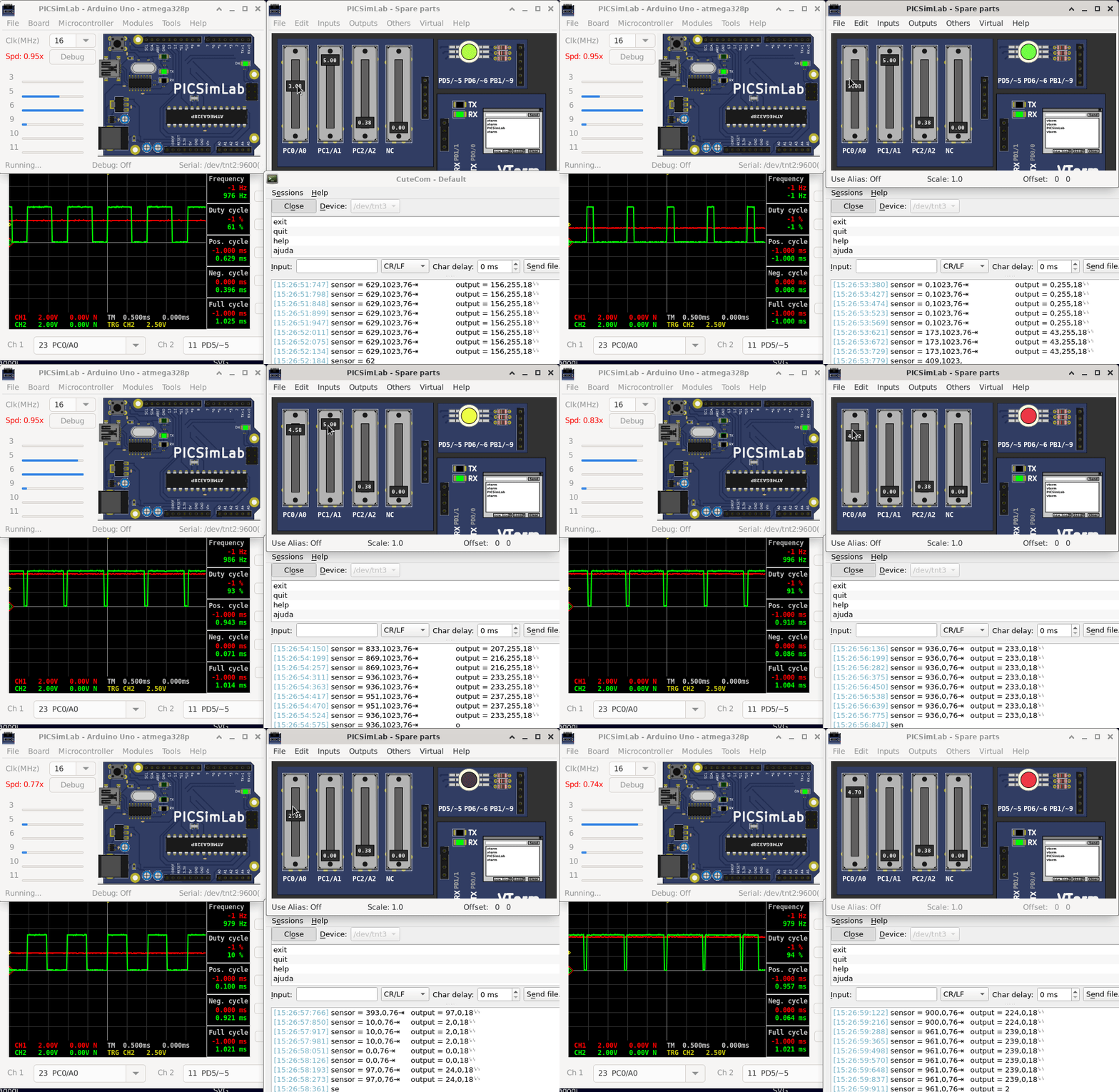
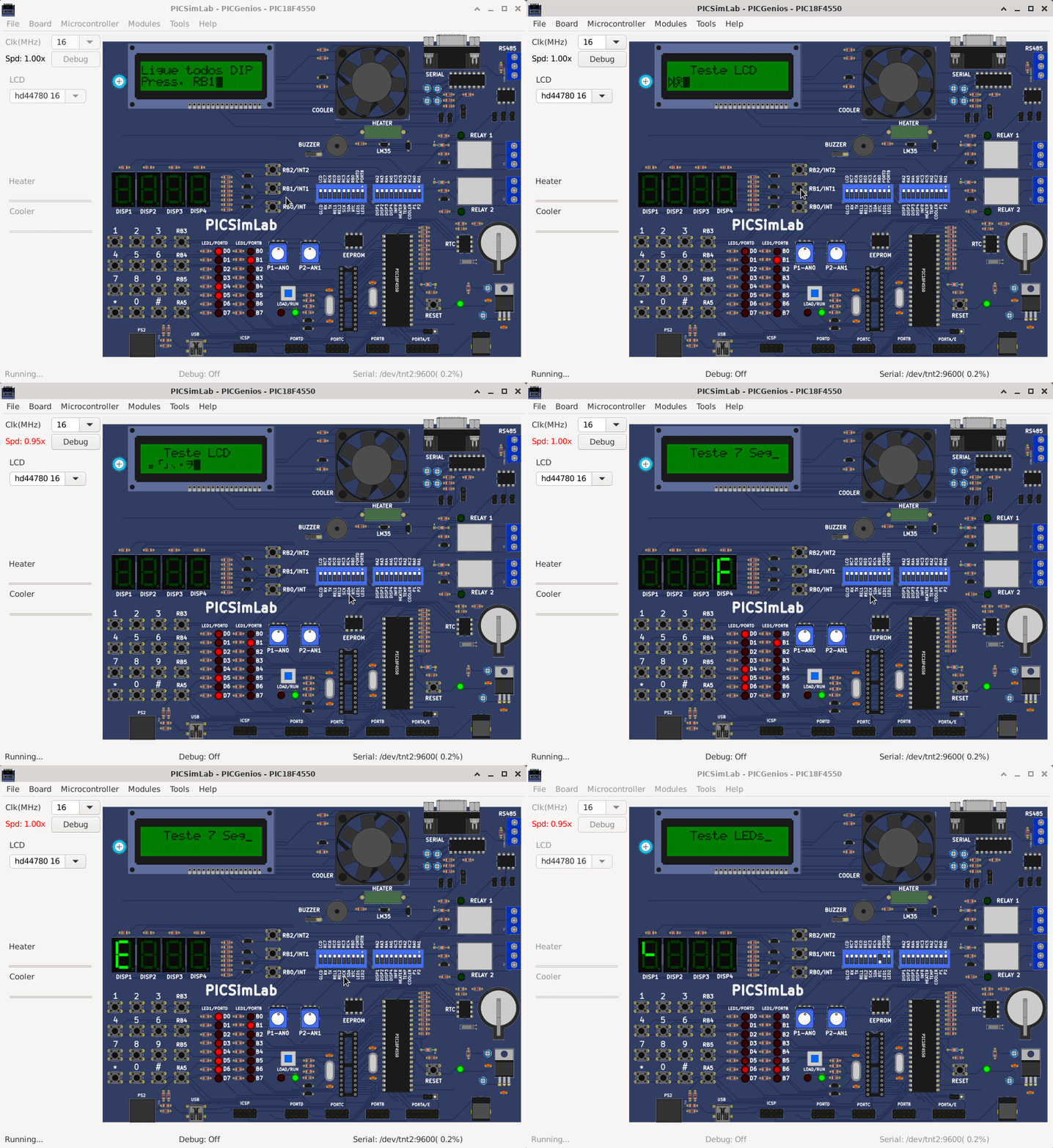
PICSimLab is a realtime emulator of development boards with MPLABX/avr-gdb debugger integration. PICSimLab supports microcontrollers from picsim, simavr, uCsim, qemu-stm32, qemu-esp32, and gpsim. PICSimLab has integration with MPLABX/Arduino IDE for programming the microcontroller's boards. As the purpose of PICSimLab is to emulate real hardware it does not have any source code editing support. For code editing and debugging the same tools used for a real board should be used with PICSimLab, such as MPLABX, Arduino IDE, or VSCode with PlatformIO.
PICSimLab supports several devices (spare parts) that can be connected to the boards for simulation. Such as example LEDs and push buttons for simple outputs and inputs and some more complex ones like the ethernet shield w5500 for internet connection or the color graphic display ili9340 with touchscreen. The complete list of parts can be accessed in the documentation.
If you are on Linux or Windows you can download the last version at:
https://github.com/lcgamboa/picsimlab/releases
If you are on macOS you can run PICSimLab using Wine:
xquartzThe binaries of last code available on github can be downloaded at: Latest code build (unstable) release
The unstable test version have the unreleased features of Changelog_auto.md
If you need a specific binary that is not available please contact me.
Using a user with permission to run the sudo command:
In first time build:
git clone --depth=1 https://github.com/lcgamboa/picsimlab.git
cd picsimlab
bscripts/install_deps.sh
bscripts/build_all_and_install.sh
To recompile use:
make -j$(nproc)
In first time build in Debian Linux and derivatives target Windows 64 bits:
git clone https://github.com/lcgamboa/picsimlab.git
cd picsimlab
bscripts/install_deps.sh
bscripts/build_w64.sh
To recompile use:
make FILE=Makefile.cross -j$(nproc)
For target Windows 32 bits:
git clone https://github.com/lcgamboa/picsimlab.git
cd picsimlab
bscripts/install_deps.sh
bscripts/build_w32.sh
To recompile use:
make FILE=Makefile.cross_32 -j$(nproc)
Theoretically it is possible to compile PICSimLab natively on macOS. But I do not have access to any computer with macOS to try to compile and until today nobody has communicated that they managed to do it. (help wanted)
The simulation in PICSimLab consists of 3 parts:
When a problem occurs it is important to detect where it is occurring.
One of the most common problems is the error in the microcontroller program. Before creating an issue, test your code on a real circuit (even partially) to make sure the problem is not there.
Errors in the microcontroller simulation can be detected using code debugging. Any instruction execution or peripheral behavior outside the expected should be reported in the project of simulator used (picsim or simavr).
If the problem is not in either of the previous two options, the problem is probably in PICSimLab. A good practice is to send a source code together with a PICSimLab workspace (.pzw file) to open the issue about the problem.
wxwidgets - For graphic suport
lxrad - Graphic library
lunasvg - Support to use SVG
picsim - PIC simulator
simavr - AVR simulator
ucsim - 8051, STM8 and Z80 simulator
qemu-stm32 - STM32 simulator
qemu-esp32 - ESP32 simulator
gpsim - PIC simulator
gtkwave - Wave viewer
Pulseview - Logic analyzer (with protocol decoder support)and MSO GUI for sigrok
gimp - pictures and img maps edition
inkscape - SVG pictures edition
pcbdraw - To convert kicad pcb to SVG
picsimlab_md - for debug with MPLABX
com0com - For serial emulation in windows
tty0tty - For serial emulation in linux
GitHub lcgamboa/picsimlab repo


SourceForge picsimlab repo


Credit to Shields IO for the badges and to Somsubhra/github-release-stats for the individual file counters.
In papers and reports, please refer to PICSimLab as follows: 'L. C. G. Lopes. PICsimLab - Programmable IC Simulator Laboratory . https://github.com/lcgamboa/picsimlab', e.g. using the following BibTeX code:
@MISC{PICSimLab,
	author = {L. C. G. Lopes},
	title = {PICSimLab - Programmable IC Simulator Laboratory },
	howpublished = "\url{https://github.com/lcgamboa/picsimLab}"
}
1,461 followers · starred Jun 2021
42 followers · starred Feb 2022
18 followers · starred Jul 2026
17 followers · starred Jun 2022
PICSimLab - Programmable IC Simulator Laboratory ⚠️ Please note: The official distribution of the PICSimLab simulator binaries is available on github.com and SourceForge.net. Be cautious of unofficial sites, such as picsimlab.com, which do not disclose the owner.
See the code
⚠️ Please note: The official distribution of the PICSimLab simulator binaries is available on github.com and SourceForge.net. Be cautious of unofficial sites, such as picsimlab.com, which do not disclose the owner.
PICSimLab is a realtime emulator of development boards with MPLABX/avr-gdb debugger integration. PICSimLab supports microcontrollers from picsim, simavr, uCsim, qemu-stm32, qemu-esp32, and gpsim. PICSimLab has integration with MPLABX/Arduino IDE for programming the microcontroller's boards. As the purpose of PICSimLab is to emulate real hardware it does not have any source code editing support. For code editing and debugging the same tools used for a real board should be used with PICSimLab, such as MPLABX, Arduino IDE, or VSCode with PlatformIO.
PICSimLab supports several devices (spare parts) that can be connected to the boards for simulation. Such as example LEDs and push buttons for simple outputs and inputs and some more complex ones like the ethernet shield w5500 for internet connection or the color graphic display ili9340 with touchscreen. The complete list of parts can be accessed in the documentation.
If you are on Linux or Windows you can download the last version at:
https://github.com/lcgamboa/picsimlab/releases
If you are on macOS you can run PICSimLab using Wine:
xquartzThe binaries of last code available on github can be downloaded at: Latest code build (unstable) release
The unstable test version have the unreleased features of Changelog_auto.md
If you need a specific binary that is not available please contact me.
Using a user with permission to run the sudo command:
In first time build:
git clone --depth=1 https://github.com/lcgamboa/picsimlab.git
cd picsimlab
bscripts/install_deps.sh
bscripts/build_all_and_install.sh
To recompile use:
make -j$(nproc)
In first time build in Debian Linux and derivatives target Windows 64 bits:
git clone https://github.com/lcgamboa/picsimlab.git
cd picsimlab
bscripts/install_deps.sh
bscripts/build_w64.sh
To recompile use:
make FILE=Makefile.cross -j$(nproc)
For target Windows 32 bits:
git clone https://github.com/lcgamboa/picsimlab.git
cd picsimlab
bscripts/install_deps.sh
bscripts/build_w32.sh
To recompile use:
make FILE=Makefile.cross_32 -j$(nproc)
Theoretically it is possible to compile PICSimLab natively on macOS. But I do not have access to any computer with macOS to try to compile and until today nobody has communicated that they managed to do it. (help wanted)
The simulation in PICSimLab consists of 3 parts:
When a problem occurs it is important to detect where it is occurring.
One of the most common problems is the error in the microcontroller program. Before creating an issue, test your code on a real circuit (even partially) to make sure the problem is not there.
Errors in the microcontroller simulation can be detected using code debugging. Any instruction execution or peripheral behavior outside the expected should be reported in the project of simulator used (picsim or simavr).
If the problem is not in either of the previous two options, the problem is probably in PICSimLab. A good practice is to send a source code together with a PICSimLab workspace (.pzw file) to open the issue about the problem.
wxwidgets - For graphic suport
lxrad - Graphic library
lunasvg - Support to use SVG
picsim - PIC simulator
simavr - AVR simulator
ucsim - 8051, STM8 and Z80 simulator
qemu-stm32 - STM32 simulator
qemu-esp32 - ESP32 simulator
gpsim - PIC simulator
gtkwave - Wave viewer
Pulseview - Logic analyzer (with protocol decoder support)and MSO GUI for sigrok
gimp - pictures and img maps edition
inkscape - SVG pictures edition
pcbdraw - To convert kicad pcb to SVG
picsimlab_md - for debug with MPLABX
com0com - For serial emulation in windows
tty0tty - For serial emulation in linux
GitHub lcgamboa/picsimlab repo
SourceForge picsimlab repo
Credit to Shields IO for the badges and to Somsubhra/github-release-stats for the individual file counters.
In papers and reports, please refer to PICSimLab as follows: 'L. C. G. Lopes. PICsimLab - Programmable IC Simulator Laboratory . https://github.com/lcgamboa/picsimlab', e.g. using the following BibTeX code:
@MISC{PICSimLab,
	author = {L. C. G. Lopes},
	title = {PICSimLab - Programmable IC Simulator Laboratory },
	howpublished = "\url{https://github.com/lcgamboa/picsimLab}"
}
1,461 followers · starred Jun 2021
42 followers · starred Feb 2022
18 followers · starred Jul 2026
17 followers · starred Jun 2022