law-chain-hot/websocket-devtools

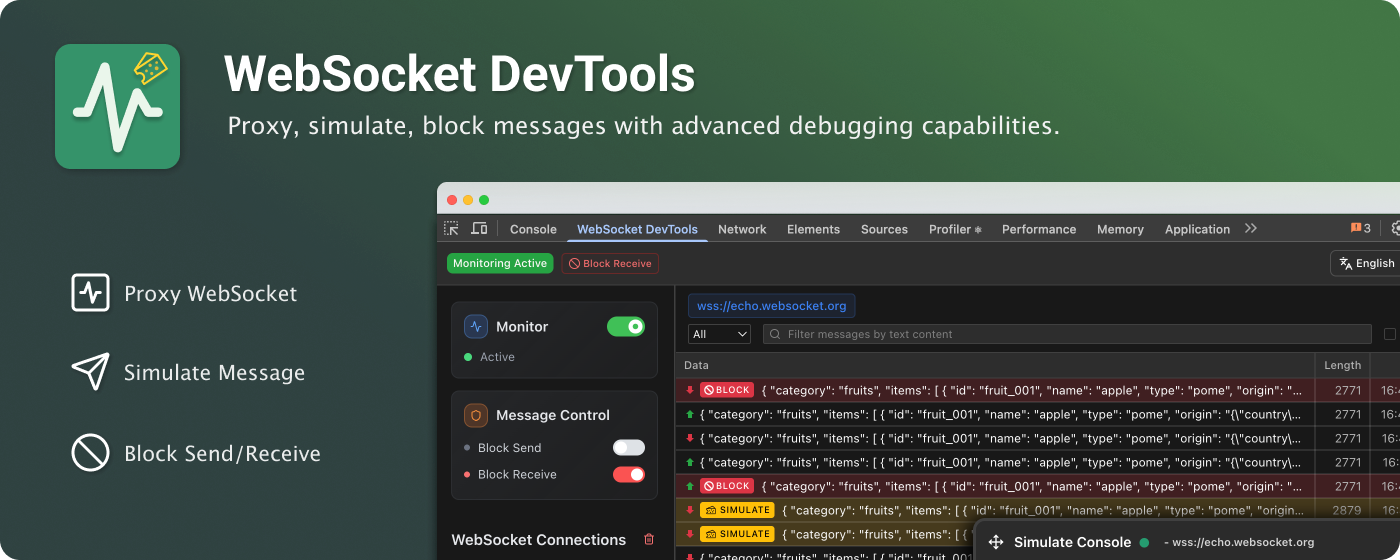
Complete WebSocket Traffic Control with advanced proxy, simulation, and blocking capabilities

JavaScript

1,197

350 commits

updated Sep 28, 2026

See the code

README

Main Interface

WebSocket DevTools

law-chain-hot%2Fwebsocket-devtools | Trendshift

Complete WebSocket Traffic Control with advanced proxy, simulation, and blocking capabilities

English | 简体中文 | 繁體中文 | 日本語

🚀 Installation

Chrome Web Store

  1. Visit Chrome Web Store
  2. Click "Add to Chrome" and confirm installation
  3. Open DevTools (F12) → "WebSocket DevTools" tab

Microsoft Edge

  1. Visit Microsoft Edge Add-ons
  2. Click "Get" and confirm installation
  3. Open DevTools (F12) → "WebSocket DevTools" tab

Manual installation from GitHub

  1. Download the ZIP attached to the latest GitHub Release
  2. Extract the ZIP
  3. Open chrome://extensions or edge://extensions
  4. Enable Developer mode, choose Load unpacked, and select the extracted folder

Manual installations do not update automatically. Check the Releases page for newer versions.

Homepage

Star History

Star History Chart

✨ Key Features

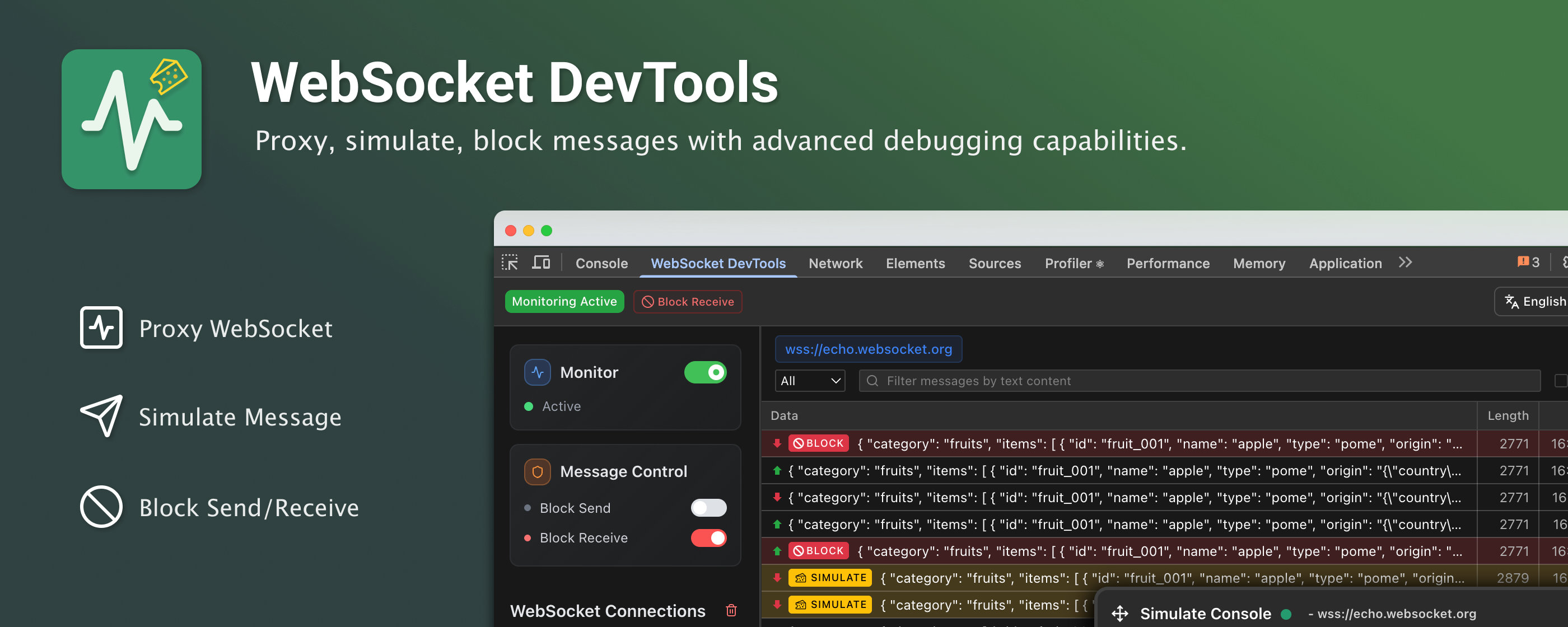
  • 🔄 Background Monitoring - Continuously monitor connections even when DevTools panel is closed
  • 🎮 Message Simulation - Send custom messages in both directions (Client ↔ Server)
  • 🚧 Traffic Control - Block messages and simulate network issues for testing
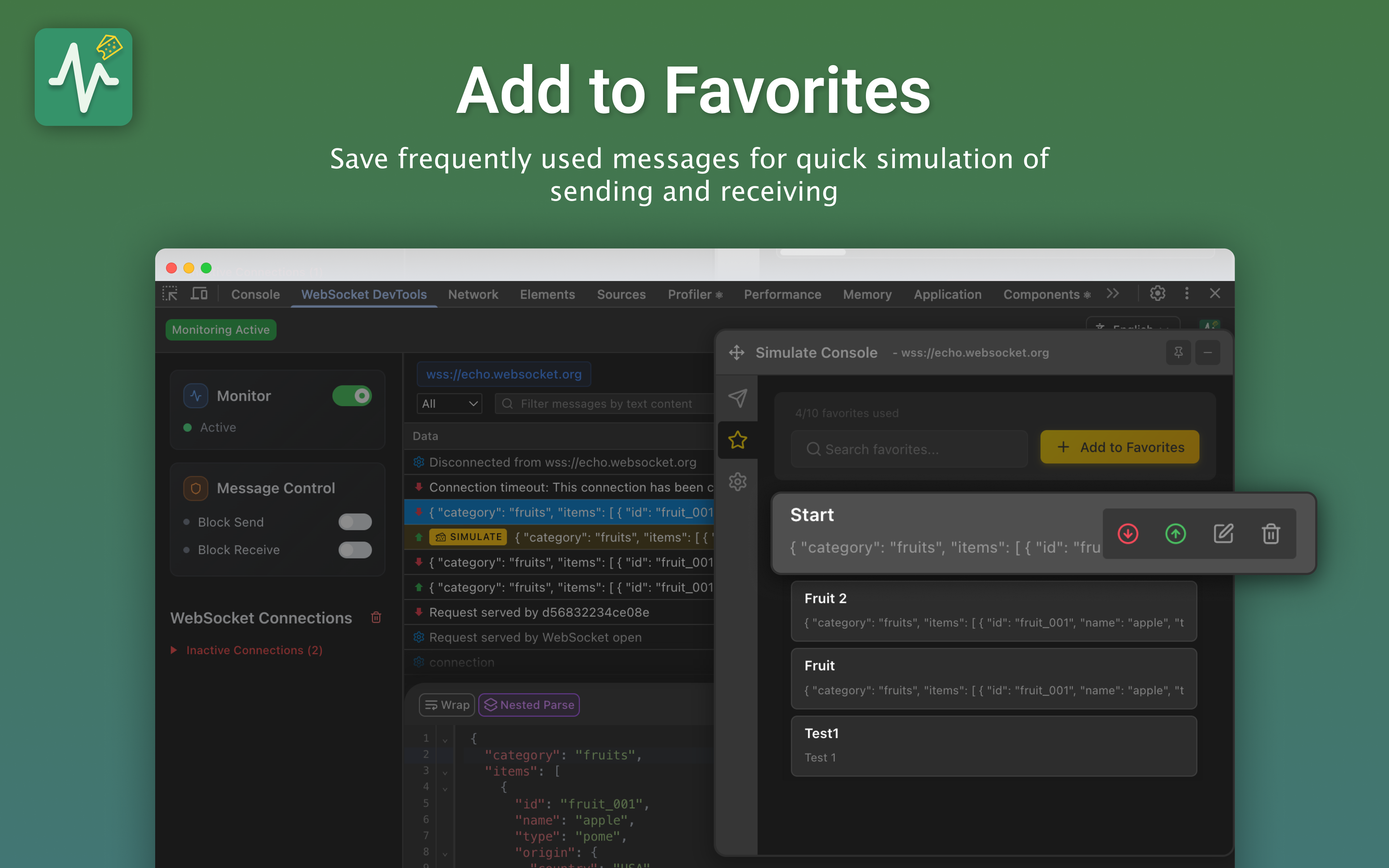
  • 💾 Favorites System - Save and organize frequently used messages
  • 🎨 DevTools Integration - Native Chrome DevTools panel experience
  • 🖼️ Iframe Support - Full WebSocket proxy support for iframe embedded connections

🎬 Quick Demo

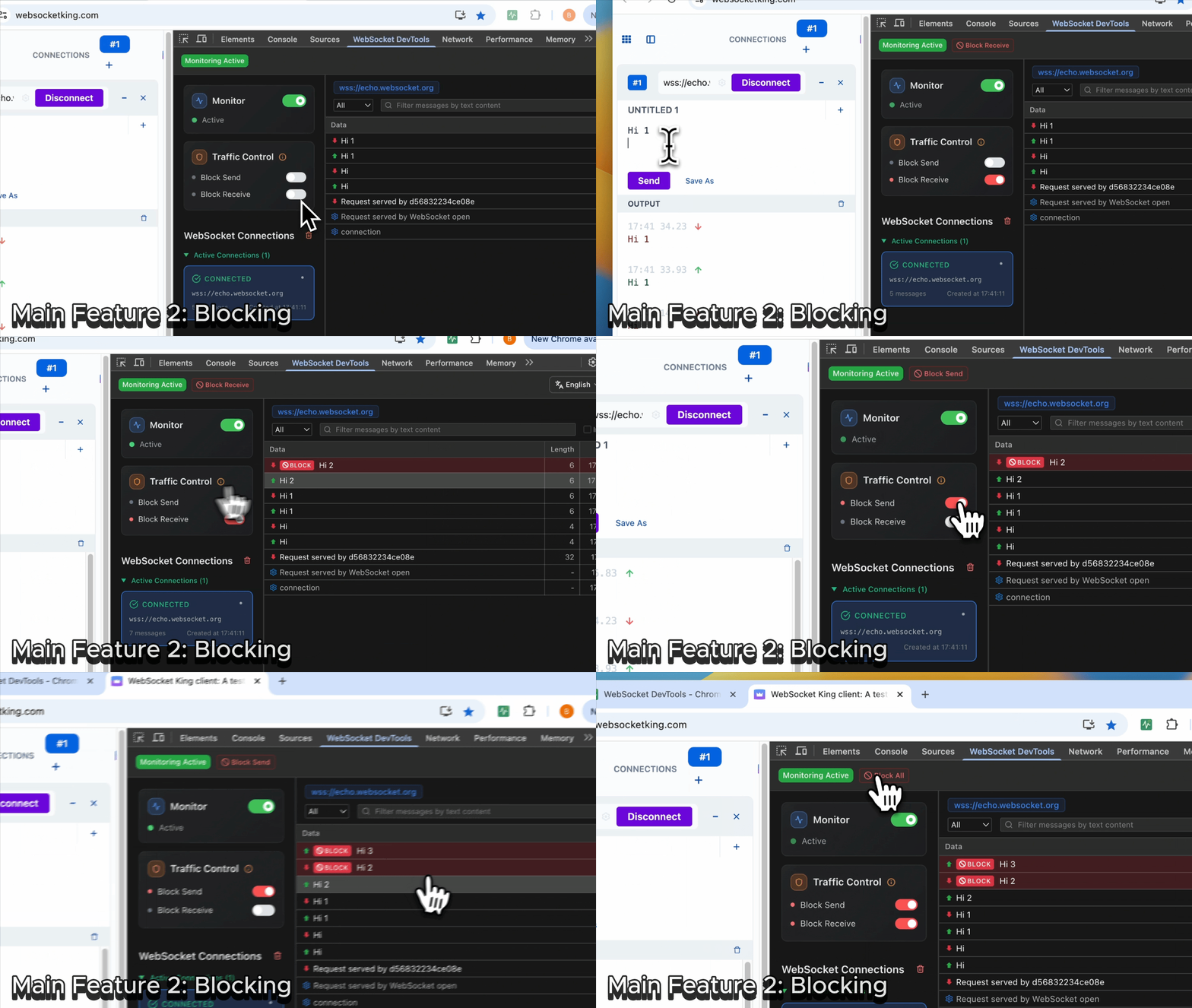
Blocking

Message Monitoring

Simulation

Message Monitoring

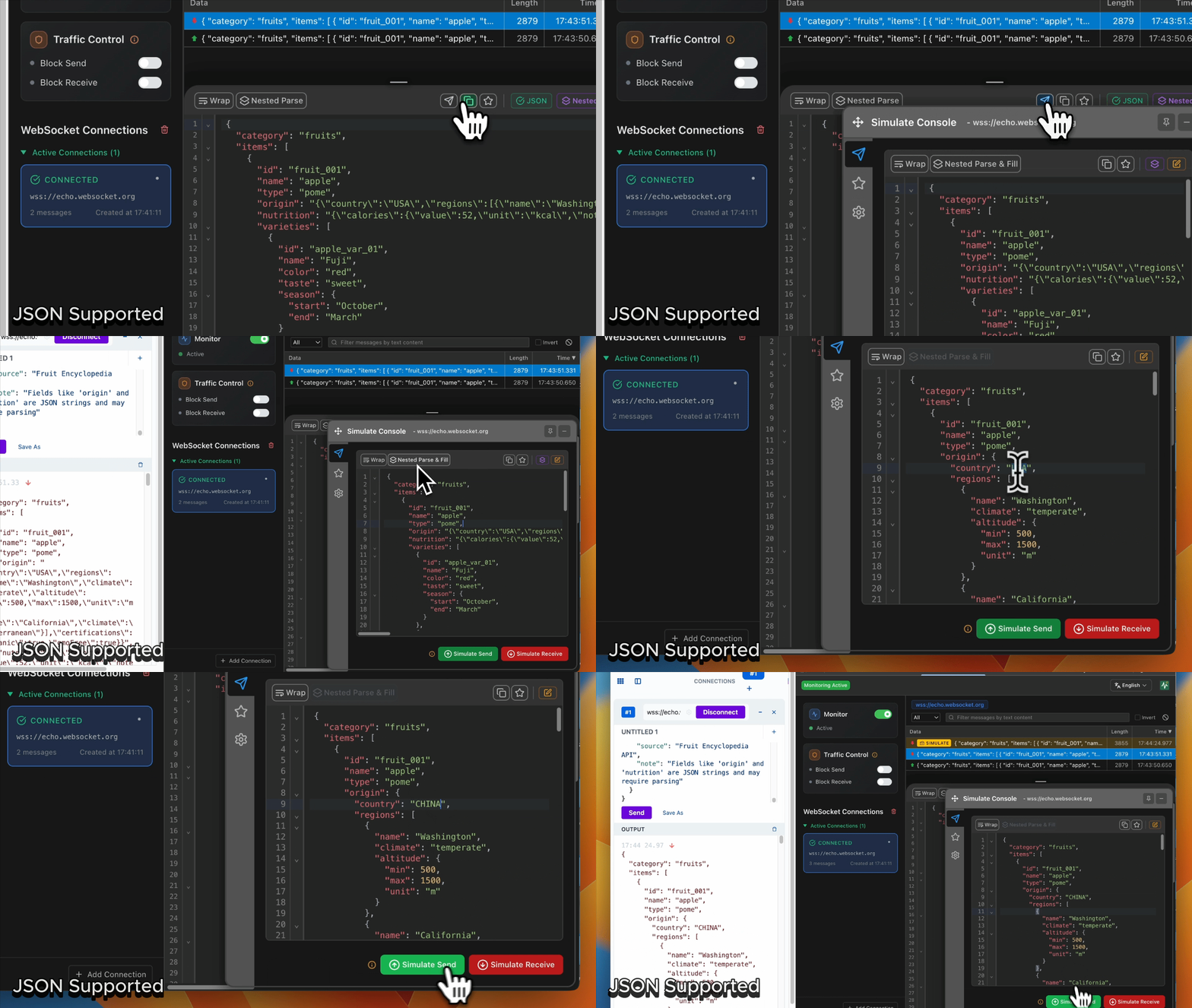
Key Features Demonstrated:

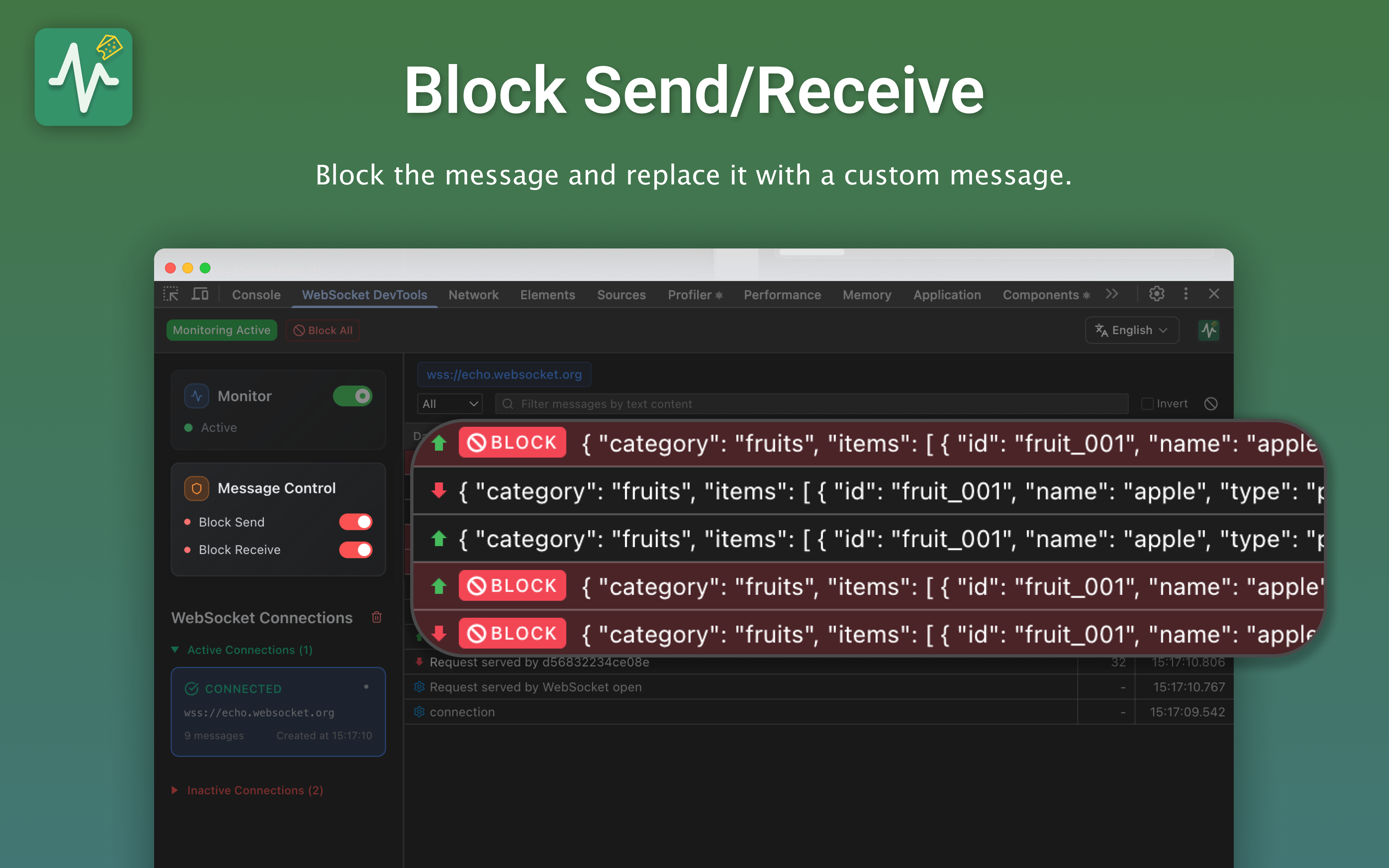
  • Message Blocking: Intercept and block WebSocket messages in real-time
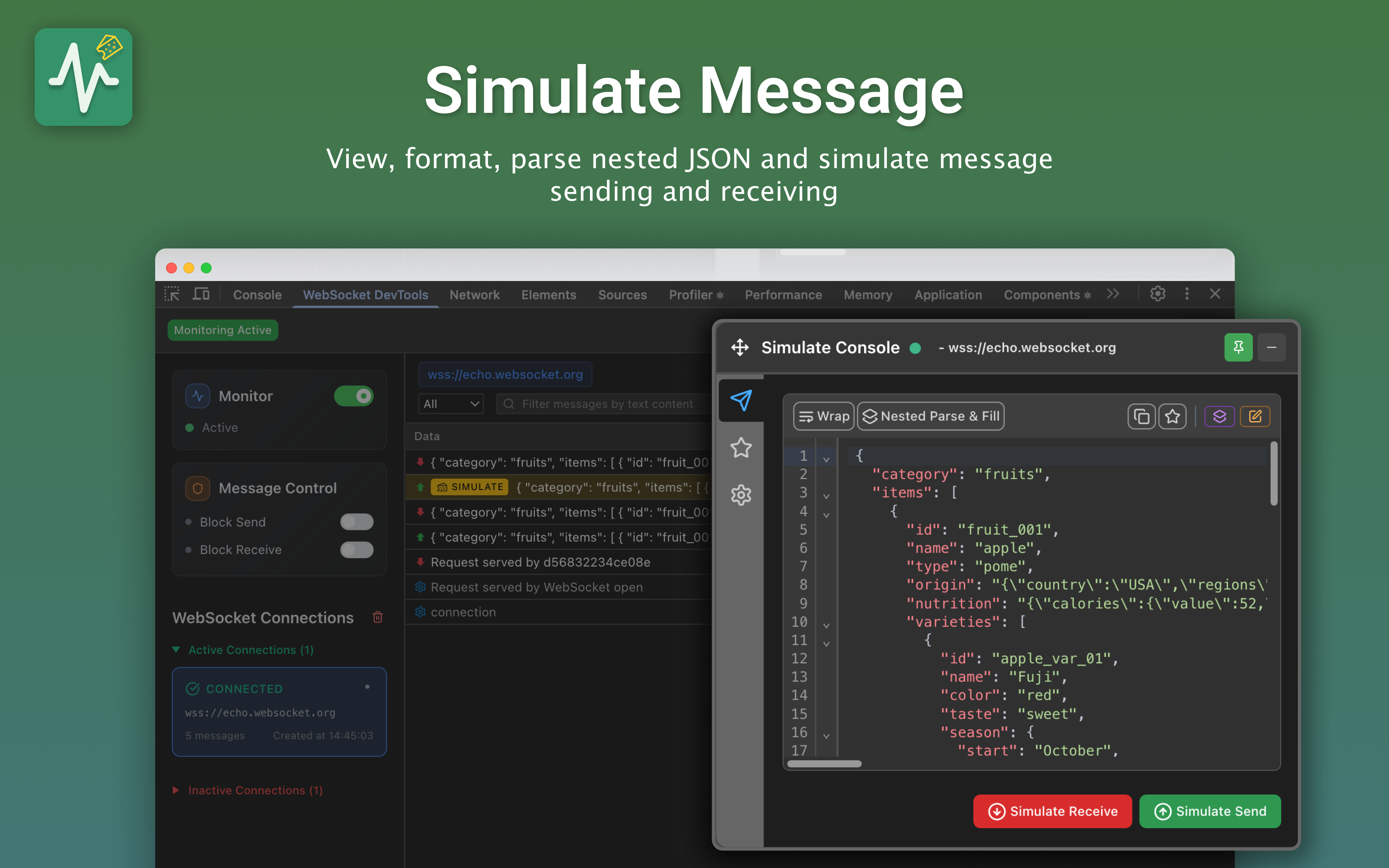
  • Message Simulation: Send custom messages to test different scenarios
  • Traffic Control: Manage WebSocket traffic flow for debugging
  • JSON Support: Full JSON parsing and formatting capabilities

📷 Screenshots

Message Details & JSON Viewer

Message Monitoring

Message Simulation & Traffic Control

Simulation

Smart Favorites System

Additional Features

📖 Quick Start

  1. Install Extension - Add to Chrome and enable background monitoring
  2. Open DevTools (F12) → Find "WebSocket DevTools" tab
  3. View Captured Data - All WebSocket connections are automatically captured in background
  4. Inspect Messages - Click connections to view message history
  5. Simulate Messages - Use Simulate tab with JSON editor
  6. Save Favorites - Star frequently used messages for quick access

💡 Pro Tip: The extension monitors WebSocket connections in the background, so you won't miss any connections even if you open DevTools after the WebSocket is established!

🔒 Privacy & Security

  • ✅ No data collection - Everything stays in your browser
  • ✅ Local storage only - No external servers or tracking
  • ✅ Open source - Fully transparent and auditable code
  • ✅ Minimal permissions - Only what's needed for functionality

🤝 Contributing & Support


Main Interface
chrome-extensions
devtools
real-time
real-time-chat
real-time-monitoring
socket-io
webgame
websocket
websocket-chat
websocket-client

law-chain-hot/websocket-devtools

Complete WebSocket Traffic Control with advanced proxy, simulation, and blocking capabilities

JavaScript

1,197

350 commits

updated Sep 28, 2026

See the code

README

Main Interface

WebSocket DevTools

law-chain-hot%2Fwebsocket-devtools | Trendshift

Complete WebSocket Traffic Control with advanced proxy, simulation, and blocking capabilities

English | 简体中文 | 繁體中文 | 日本語

🚀 Installation

Chrome Web Store

  1. Visit Chrome Web Store
  2. Click "Add to Chrome" and confirm installation
  3. Open DevTools (F12) → "WebSocket DevTools" tab

Microsoft Edge

  1. Visit Microsoft Edge Add-ons
  2. Click "Get" and confirm installation
  3. Open DevTools (F12) → "WebSocket DevTools" tab

Manual installation from GitHub

  1. Download the ZIP attached to the latest GitHub Release
  2. Extract the ZIP
  3. Open chrome://extensions or edge://extensions
  4. Enable Developer mode, choose Load unpacked, and select the extracted folder

Manual installations do not update automatically. Check the Releases page for newer versions.
Homepage

Star History

Star History Chart

✨ Key Features

  • 🔄 Background Monitoring - Continuously monitor connections even when DevTools panel is closed
  • 🎮 Message Simulation - Send custom messages in both directions (Client ↔ Server)
  • 🚧 Traffic Control - Block messages and simulate network issues for testing
  • 💾 Favorites System - Save and organize frequently used messages
  • 🎨 DevTools Integration - Native Chrome DevTools panel experience
  • 🖼️ Iframe Support - Full WebSocket proxy support for iframe embedded connections

🎬 Quick Demo

Blocking

Message Monitoring

Simulation

Message Monitoring

Key Features Demonstrated:

  • Message Blocking: Intercept and block WebSocket messages in real-time
  • Message Simulation: Send custom messages to test different scenarios
  • Traffic Control: Manage WebSocket traffic flow for debugging
  • JSON Support: Full JSON parsing and formatting capabilities

📷 Screenshots

Message Details & JSON Viewer

Message Monitoring

Message Simulation & Traffic Control

Simulation

Smart Favorites System

Additional Features

📖 Quick Start

  1. Install Extension - Add to Chrome and enable background monitoring
  2. Open DevTools (F12) → Find "WebSocket DevTools" tab
  3. View Captured Data - All WebSocket connections are automatically captured in background
  4. Inspect Messages - Click connections to view message history
  5. Simulate Messages - Use Simulate tab with JSON editor
  6. Save Favorites - Star frequently used messages for quick access

💡 Pro Tip: The extension monitors WebSocket connections in the background, so you won't miss any connections even if you open DevTools after the WebSocket is established!
🔒 Privacy & Security

  • ✅ No data collection - Everything stays in your browser
  • ✅ Local storage only - No external servers or tracking
  • ✅ Open source - Fully transparent and auditable code
  • ✅ Minimal permissions - Only what's needed for functionality

🤝 Contributing & Support


Main Interface
chrome-extensions
devtools
real-time
real-time-chat
real-time-monitoring
socket-io
webgame
websocket
websocket-chat
websocket-client

Significant stargazers

Eugene Klimov

233 followers · starred Sep 2026

Kevin Cui

895 followers · starred Jul 2025

二丫讲梵

1,556 followers · starred Aug 2025

Abirdcfly

161 followers · starred Aug 2025