
A version of the ChatDev framework modified to work locally or in private networks of user-hosted ai model instances.
Shell
42
294 commits
updated Feb 4, 2024
README
This is a modified fork of the official ChatDev repository
We are aiming to make ChatDev run locally, or on a private network of devices.
Localization is done via ollama as it's cross-platform, single-command installable,
and even after testing on multiple different devices, never threw a single error
contrary to other local model-hosting software such as h2o-ai which posed multiple
challenges when we tried to use it.
Alternative localization can be performed by running https://github.com/oobabooga/text-generation-webui
with the --api parameter enabled,
and ChatDev with OPENAI_BASE_URL=http://127.0.0.1:5000/v1 environment variable set.
This approach will soon become the default launching localization method utilized by this project.
In case you have problems with using Ollama, this option is worth giving a try.
How to launch the project?
This project is currently in a work-in-progress state,
and it's not intended to be used.
Currently, to launch LocalChatDev:
- install the Ollama server, then launch via
ollama serve - (optional) set local environment variable
OPENAI_API_KEYto any value - launch the
run.pywith--localswitch enabled viapython 3.11
example: run.py --local --task "Write a fizz buzz implementation"
But this process is deprecated, and we're currently working on migrating away from Ollama, to an alternative library called text-generation-webui, which makes both the installation, and the hosting processes much easier.
Additional feature - Research Mode:
Due to the convenience not having to purchase openai credits being accessible
only on this repository, and with further plans of federalizing this feature,
an alternative functionality has been added.
You can use this feature by setting this parameter: --config "Research"
Research mode switches this programming pipeline software into a research pipeline software,
performing web-enabled comprehensive research routine about the provided query.
What has to be done:
- Requests are sent and forwarded asynchronously, with the project being developed by multiple agents at the same time.
- Requests are forwarded to separate workers instead of running fully locally.
- A central RAG database is available for all the workers to use.
What has been done:
- ChatDev is capable of running offline in a completely local mode.
More thoughts:
At first, code will be divided into clearly separate features. We then may use short langchain routines running existing pairs of programmers <-> code reviewers as workers, running on a separate machine, to complete those feature requests. The newly added feature will be finalized by being forwarded to a pair of integration coder <-> code reviewer, who will try and integrate the newly added code with an existing codebase. With the whole federalization approach I aim to create a system similar to that of Microsoft Azure, where a pool of tasks is being worked on by a pool of workers, first in - first out.
More details:
- Requests to the ollama can be made via a simple http json request, here is an example request made via curl:
And here is an example written in python:curl --location 'http://localhost:11434/api/generate' \ --data '{ "model": "llama2-uncensored:7b", "prompt": "what is the meaning of life?", "system": "talk like a pirate", "stream": false }'
Note: theimport requests url = 'http://localhost:11434/api/generate' request_data = { 'model': 'llama2-uncensored:7b', 'prompt': 'what is the meaning of life?', 'system': 'talk like a pirate', } resp = requests.get(url=url, json=request_data, stream=False) data = resp.content.split(b'\n')"stream": falseparameter is very important and must be present in all requests.
Original unmodified readme file:
Communicative Agents for Software Development
【English | Chinese | Japanese | Korean | Filipino | French | Slovak | Portuguese | Spanish | Dutch | Hindi | Bahasa Indonesia】
【📚 Wiki | 🚀 Visualizer | 👥 Community Built Software | 🔧 Customization | 👾 Discord】
📖 Overview
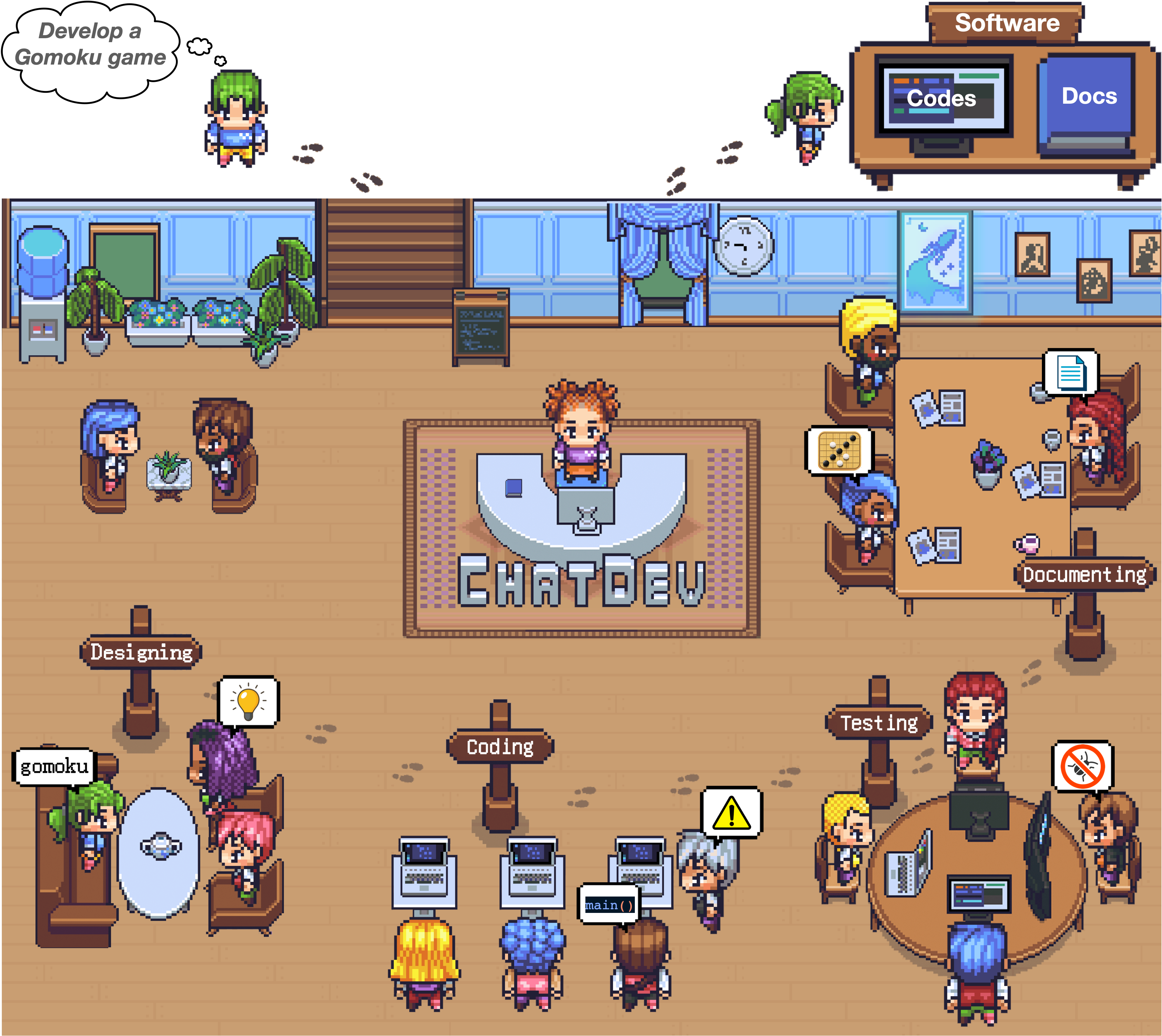
- ChatDev stands as a virtual software company that operates through various intelligent agents holding
different roles, including Chief Executive Officer
 , Chief Product Officer
  , Chief Technology Officer
  , programmer
  , reviewer
  , tester
  , art designer
  . These
agents form a multi-agent organizational structure and are united by a mission to "revolutionize the digital world
through programming." The agents within ChatDev collaborate by participating in specialized functional seminars,
including tasks such as designing, coding, testing, and documenting.
. These
agents form a multi-agent organizational structure and are united by a mission to "revolutionize the digital world
through programming." The agents within ChatDev collaborate by participating in specialized functional seminars,
including tasks such as designing, coding, testing, and documenting. - The primary objective of ChatDev is to offer an easy-to-use, highly customizable and extendable framework, which is based on large language models (LLMs) and serves as an ideal scenario for studying collective intelligence.
🎉 News
-
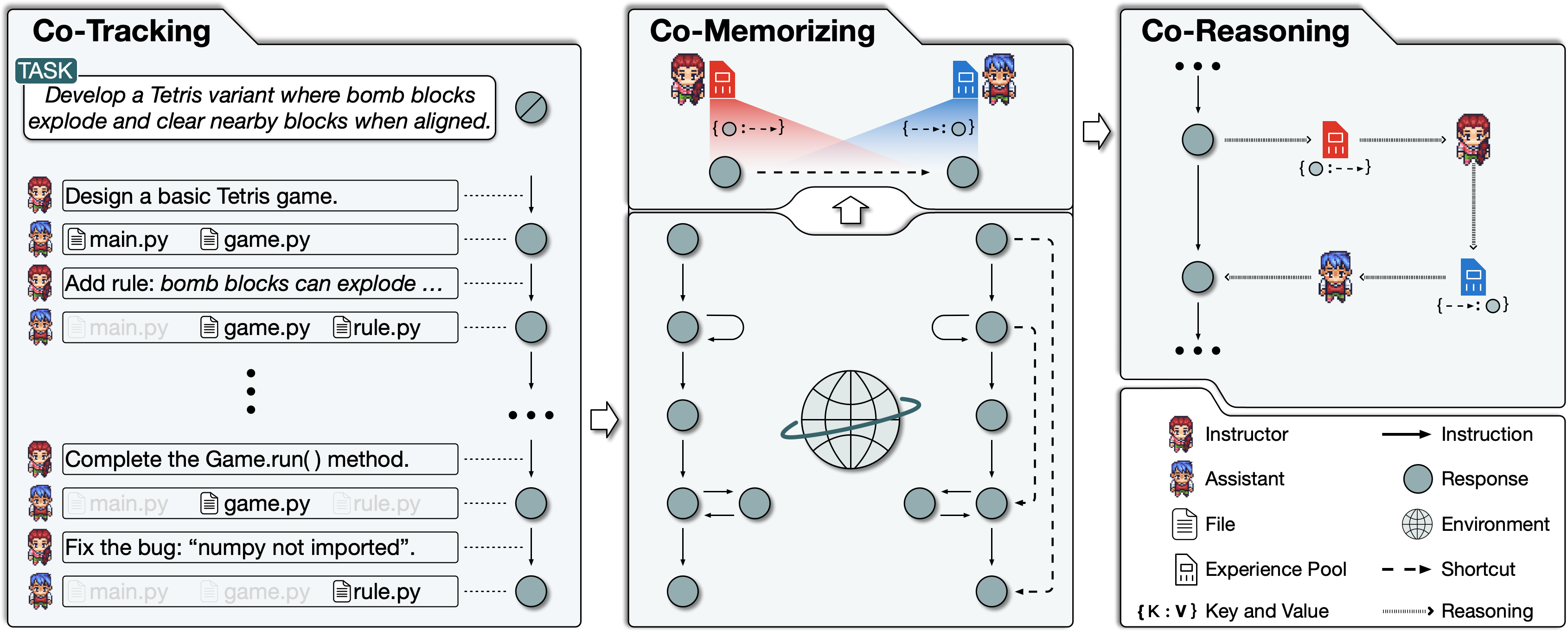
December 28, 2023: We present Experiential Co-Learning, an innovative approach where instructor and assistant agents accumulate shortcut-oriented experiences to effectively solve new tasks, reducing repetitive errors and enhancing efficiency. Check out our preprint paper at https://arxiv.org/abs/2312.17025 and this technique will soon be integrated into ChatDev.
-
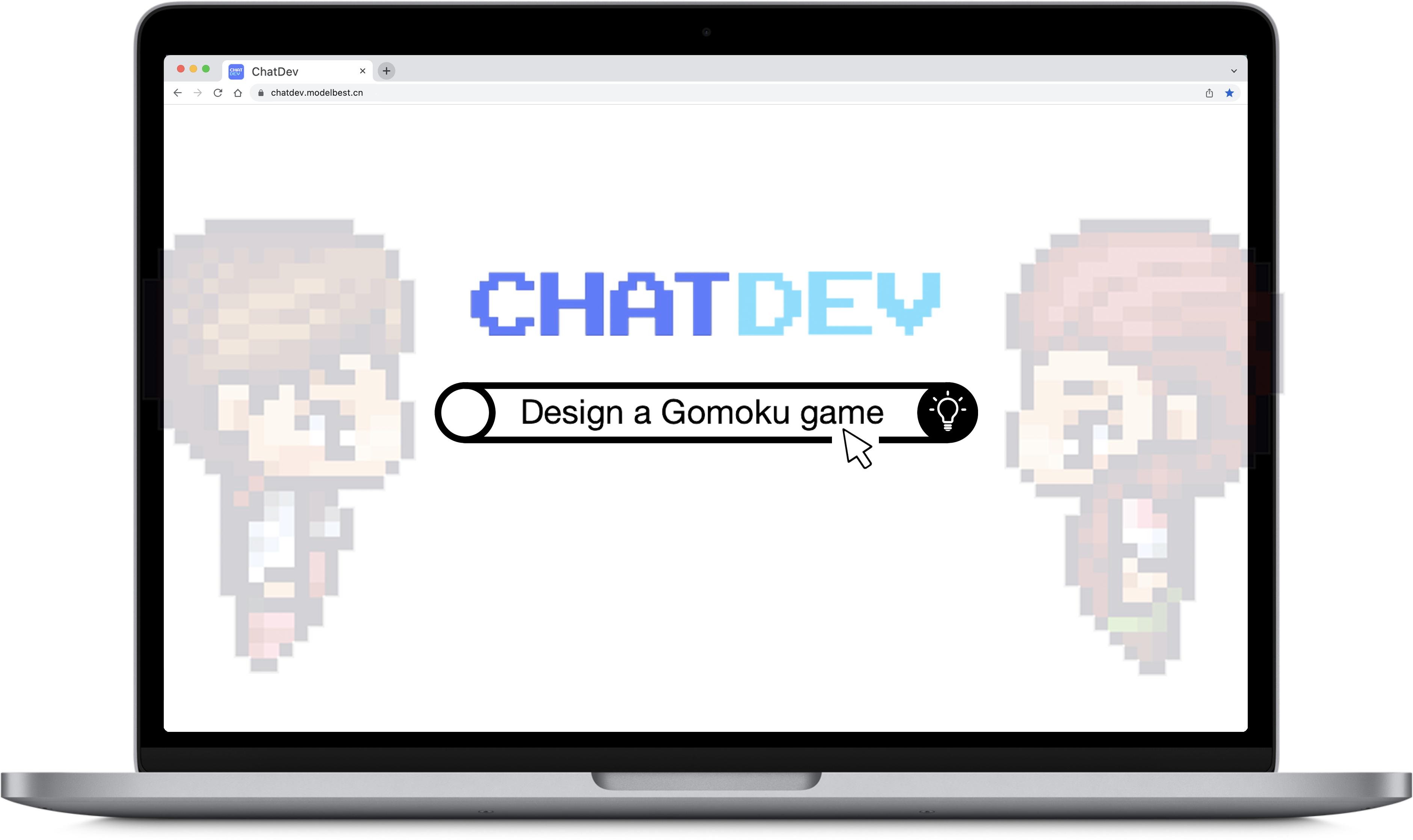
November 15, 2023: We launched ChatDev as a SaaS platform that enables software developers and innovative entrepreneurs to build software efficiently at a very low cost and barrier to entry. Try it out at https://chatdev.modelbest.cn/.
-
November 2, 2023: ChatDev is now supported with a new feature: incremental development, which allows agents to develop upon existing codes. Try
--config "incremental" --path "[source_code_directory_path]"to start it.
-
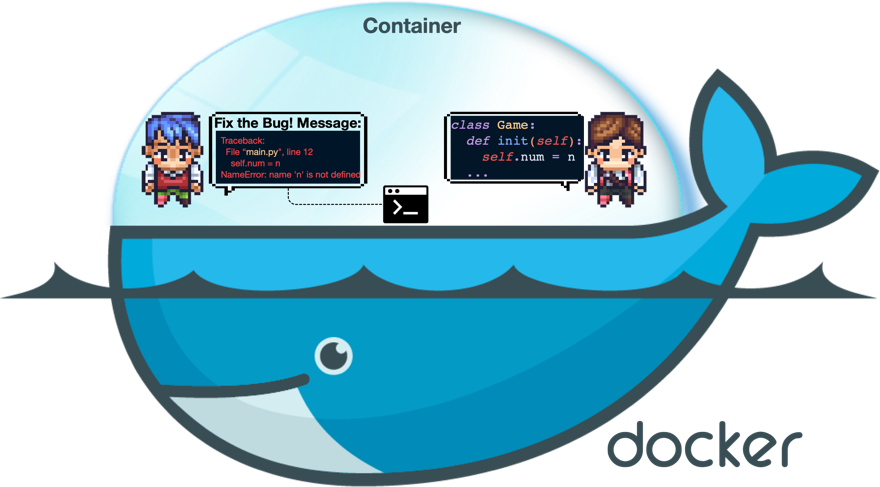
October 26, 2023: ChatDev is now supported with Docker for safe execution (thanks to contribution from ManindraDeMel). Please see Docker Start Guide.
- September 25, 2023: The Git mode is now available, enabling the programmer to utilize Git for version control. To enable this feature, simply set
"git_management"to"True"inChatChainConfig.json. See guide.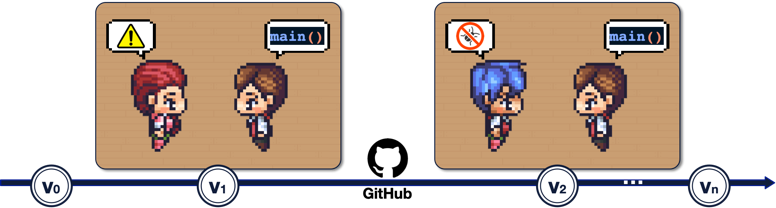
- September 20, 2023: The Human-Agent-Interaction mode is now available! You can get involved with the ChatDev team by playing the role of reviewer and making suggestions to the programmer ;
try
python3 run.py --task [description_of_your_idea] --config "Human". See guide and example.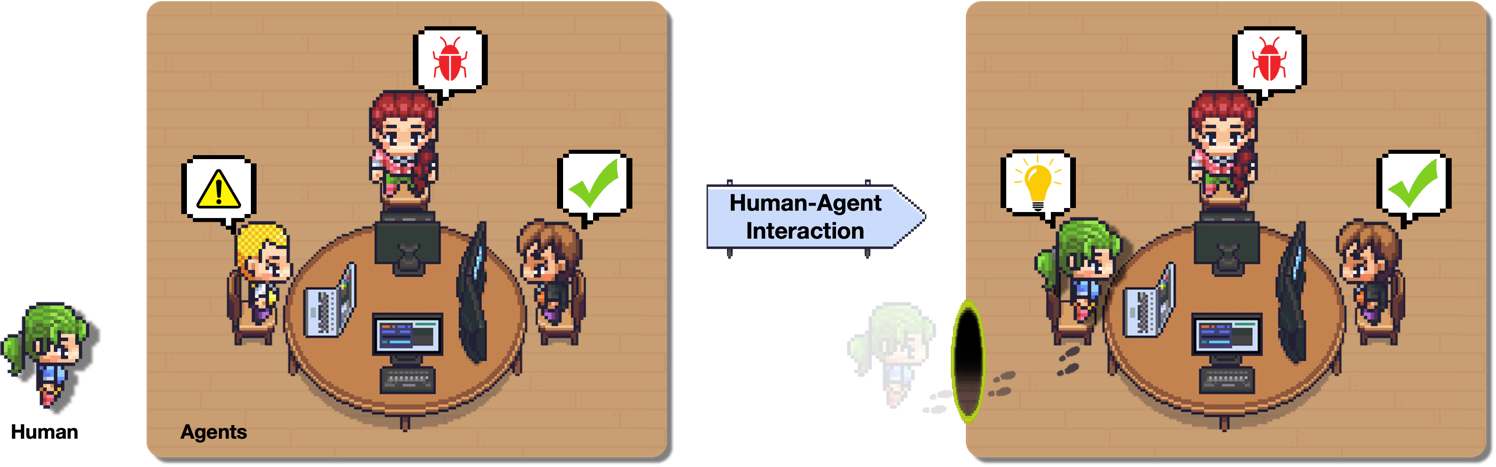
- September 1, 2023: The Art mode is available now! You can activate the designer agent to generate images used in the software;
try
python3 run.py --task [description_of_your_idea] --config "Art". See guide and example. - August 28, 2023: The system is publicly available.
- August 17, 2023: The v1.0.0 version was ready for release.
- July 30, 2023: Users can customize ChatChain, Phase, and Role settings. Additionally, both online Log mode and replay mode are now supported.
- July 16, 2023: The preprint paper associated with this project was published.
- June 30, 2023: The initial version of the ChatDev repository was released.
❓ What Can ChatDev Do?
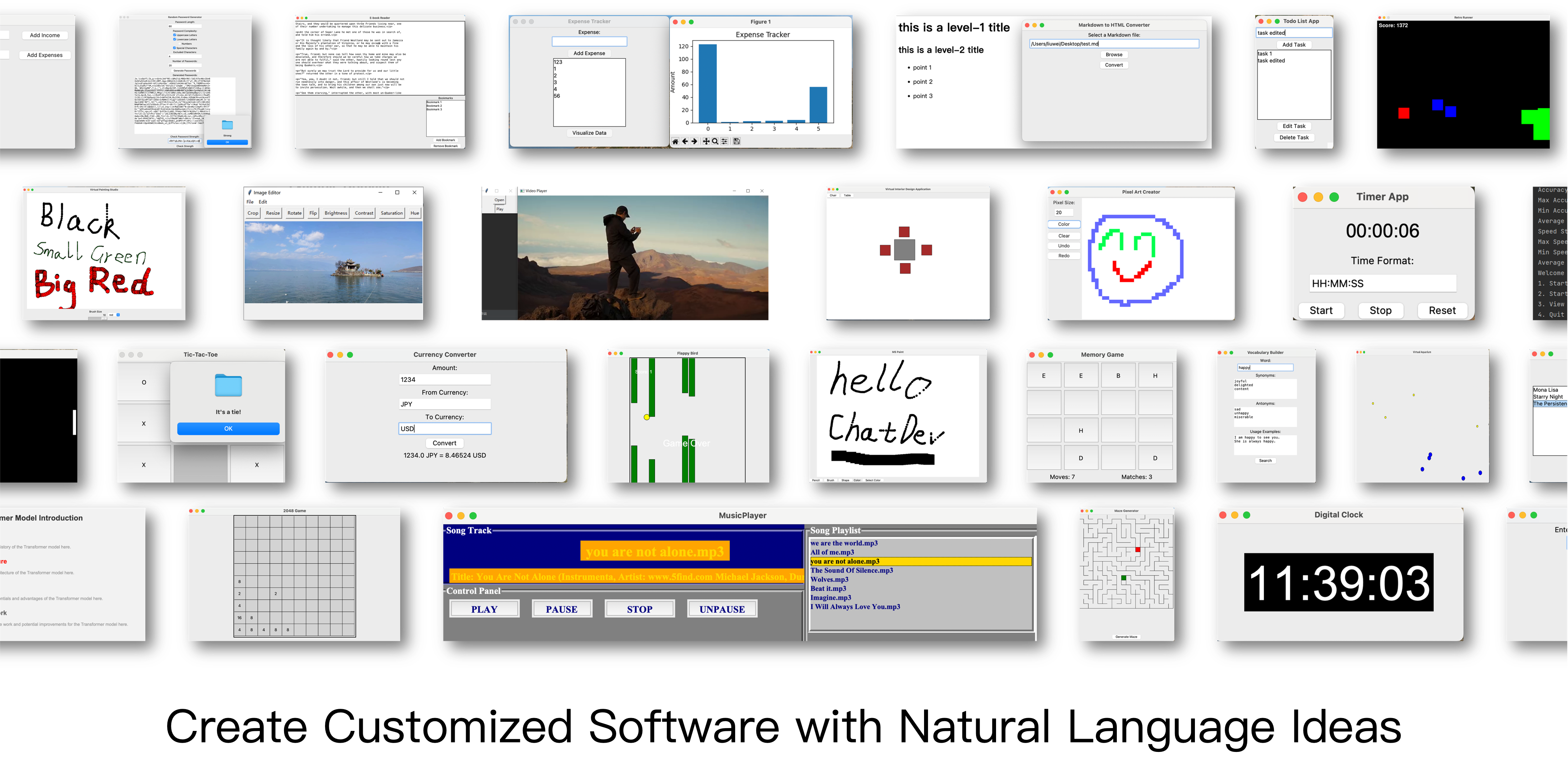
https://github.com/OpenBMB/ChatDev/assets/11889052/80d01d2f-677b-4399-ad8b-f7af9bb62b72
⚡️ Quickstart
💻️ Quickstart with Web
Access the web page for visualization and configuration use: https://chatdev.modelbest.cn/
🖥️ Quickstart with terminal
To get started, follow these steps:
-
Clone the GitHub Repository: Begin by cloning the repository using the command:
git clone https://github.com/OpenBMB/ChatDev.git -
Set Up Python Environment: Ensure you have a version 3.9 or higher Python environment. You can create and activate this environment using the following commands, replacing
ChatDev_conda_envwith your preferred environment name:conda create -n ChatDev_conda_env python=3.9 -y conda activate ChatDev_conda_env -
Install Dependencies: Move into the
ChatDevdirectory and install the necessary dependencies by running:cd ChatDev pip3 install -r requirements.txt -
Set OpenAI API Key: Export your OpenAI API key as an environment variable. Replace
"your_OpenAI_API_key"with your actual API key. Remember that this environment variable is session-specific, so you need to set it again if you open a new terminal session. On Unix/Linux:export OPENAI_API_KEY="your_OpenAI_API_key"On Windows:
$env:OPENAI_API_KEY="your_OpenAI_API_key" -
Build Your Software: Use the following command to initiate the building of your software, replacing
[description_of_your_idea]with your idea's description and[project_name]with your desired project name: On Unix/Linux:python3 run.py --task "[description_of_your_idea]" --name "[project_name]"On Windows:
python run.py --task "[description_of_your_idea]" --name "[project_name]" -
Run Your Software: Once generated, you can find your software in the
WareHousedirectory under a specific project folder, such asproject_name_DefaultOrganization_timestamp. Run your software using the following command within that directory: On Unix/Linux:cd WareHouse/project_name_DefaultOrganization_timestamp python3 main.pyOn Windows:
cd WareHouse/project_name_DefaultOrganization_timestamp
python main.py
🐳 Quickstart with Docker
- We thank ManindraDeMel for providing Docker support. Please see Docker Start Guide.
✨️ Advanced Skills
For more detailed information, please refer to our Wiki, where you can find:
- An introduction to all command run parameters.
- A straightforward guide for setting up a local web visualizer demo, which can visualize real-time logs, replayed logs, and ChatChain.
- An overview of the ChatDev framework.
- A comprehensive introduction to all advanced parameters in ChatChain configuration.
- Guides for customizing ChatDev, including:
- ChatChain: Design your own software development process (or any other process), such
as
DemandAnalysis -> Coding -> Testing -> Manual. - Phase: Design your own phase within ChatChain, like
DemandAnalysis. - Role: Defining the various agents in your company, such as the
Chief Executive Officer.
- ChatChain: Design your own software development process (or any other process), such
as
🤗 Share Your Software
Code: We are enthusiastic about your interest in participating in our open-source project. If you come across any problems, don't hesitate to report them. Feel free to create a pull request if you have any inquiries or if you are prepared to share your work with us! Your contributions are highly valued. Please let me know if there's anything else you need assistance!
Company: Creating your own customized "ChatDev Company" is a breeze. This personalized setup involves three simple
configuration JSON files. Check out the example provided in the CompanyConfig/Default directory. For detailed
instructions on customization, refer to our Wiki.
Software: Whenever you develop software using ChatDev, a corresponding folder is generated containing all the
essential information. Sharing your work with us is as simple as making a pull request. Here's an example: execute the
command python3 run.py --task "design a 2048 game" --name "2048" --org "THUNLP" --config "Default". This will
create a software package and generate a folder named /WareHouse/2048_THUNLP_timestamp. Inside, you'll find:
- All the files and documents related to the 2048 game software
- Configuration files of the company responsible for this software, including the three JSON config files
from
CompanyConfig/Default - A comprehensive log detailing the software's building process that can be used to replay (
timestamp.log) - The initial prompt used to create this software (
2048.prompt)
See community contributed software here!
👨💻 Contributors
Made with contrib.rocks.
🔎 Citation
@misc{qian2023communicative,
      title={Communicative Agents for Software Development},
      author={Chen Qian and Xin Cong and Wei Liu and Cheng Yang and Weize Chen and Yusheng Su and Yufan Dang and Jiahao Li and Juyuan Xu and Dahai Li and Zhiyuan Liu and Maosong Sun},
      year={2023},
      eprint={2307.07924},
      archivePrefix={arXiv},
      primaryClass={cs.SE}
}

@misc{qian2023experiential,
      title={Experiential Co-Learning of Software-Developing Agents},
      author={Chen Qian and Yufan Dang and Jiahao Li and Wei Liu and Weize Chen and Cheng Yang and Zhiyuan Liu and Maosong Sun},
      year={2023},
      eprint={2312.17025},
      archivePrefix={arXiv},
      primaryClass={cs.CL}
}
⚖️ License
- Source Code Licensing: Our project's source code is licensed under the Apache 2.0 License. This license permits the use, modification, and distribution of the code, subject to certain conditions outlined in the Apache 2.0 License.
- Data Licensing: The related data utilized in our project is licensed under CC BY-NC 4.0. This license explicitly permits non-commercial use of the data. We would like to emphasize that any models trained using these datasets should strictly adhere to the non-commercial usage restriction and should be employed exclusively for research purposes.
🌟 Star History
🤝 Acknowledgments




📬 Contact
If you have any questions, feedback, or would like to get in touch, please feel free to reach out to us via email at chatdev.openbmb@outlook.com
Contributors
(top 30 of 45)


Languages
Shell
47.1%
Python
39.7%
JavaScript
9.6%
CSS
2.2%
HTML
1.4%
A version of the ChatDev framework modified to work locally or in private networks of user-hosted ai model instances.
Shell
42
294 commits
updated Feb 4, 2024
README
This is a modified fork of the official ChatDev repository
We are aiming to make ChatDev run locally, or on a private network of devices.
Localization is done via ollama as it's cross-platform, single-command installable,
and even after testing on multiple different devices, never threw a single error
contrary to other local model-hosting software such as h2o-ai which posed multiple
challenges when we tried to use it.
Alternative localization can be performed by running https://github.com/oobabooga/text-generation-webui
with the --api parameter enabled,
and ChatDev with OPENAI_BASE_URL=http://127.0.0.1:5000/v1 environment variable set.
This approach will soon become the default launching localization method utilized by this project.
In case you have problems with using Ollama, this option is worth giving a try.
How to launch the project?
This project is currently in a work-in-progress state,
and it's not intended to be used.
Currently, to launch LocalChatDev:
- install the Ollama server, then launch via
ollama serve - (optional) set local environment variable
OPENAI_API_KEYto any value - launch the
run.pywith--localswitch enabled viapython 3.11
example: run.py --local --task "Write a fizz buzz implementation"
But this process is deprecated, and we're currently working on migrating away from Ollama, to an alternative library called text-generation-webui, which makes both the installation, and the hosting processes much easier.
Additional feature - Research Mode:
Due to the convenience not having to purchase openai credits being accessible
only on this repository, and with further plans of federalizing this feature,
an alternative functionality has been added.
You can use this feature by setting this parameter: --config "Research"
Research mode switches this programming pipeline software into a research pipeline software,
performing web-enabled comprehensive research routine about the provided query.
What has to be done:
- Requests are sent and forwarded asynchronously, with the project being developed by multiple agents at the same time.
- Requests are forwarded to separate workers instead of running fully locally.
- A central RAG database is available for all the workers to use.
What has been done:
- ChatDev is capable of running offline in a completely local mode.
More thoughts:
At first, code will be divided into clearly separate features. We then may use short langchain routines running existing pairs of programmers <-> code reviewers as workers, running on a separate machine, to complete those feature requests. The newly added feature will be finalized by being forwarded to a pair of integration coder <-> code reviewer, who will try and integrate the newly added code with an existing codebase. With the whole federalization approach I aim to create a system similar to that of Microsoft Azure, where a pool of tasks is being worked on by a pool of workers, first in - first out.
More details:
- Requests to the ollama can be made via a simple http json request, here is an example request made via curl:
And here is an example written in python:curl --location 'http://localhost:11434/api/generate' \ --data '{ "model": "llama2-uncensored:7b", "prompt": "what is the meaning of life?", "system": "talk like a pirate", "stream": false }'
Note: theimport requests url = 'http://localhost:11434/api/generate' request_data = { 'model': 'llama2-uncensored:7b', 'prompt': 'what is the meaning of life?', 'system': 'talk like a pirate', } resp = requests.get(url=url, json=request_data, stream=False) data = resp.content.split(b'\n')"stream": falseparameter is very important and must be present in all requests.
Original unmodified readme file:
Communicative Agents for Software Development
【English | Chinese | Japanese | Korean | Filipino | French | Slovak | Portuguese | Spanish | Dutch | Hindi | Bahasa Indonesia】
【📚 Wiki | 🚀 Visualizer | 👥 Community Built Software | 🔧 Customization | 👾 Discord】
📖 Overview
- ChatDev stands as a virtual software company that operates through various intelligent agents holding
different roles, including Chief Executive Officer , Chief Product Officer , Chief Technology Officer , programmer , reviewer , tester , art designer . These
agents form a multi-agent organizational structure and are united by a mission to "revolutionize the digital world
through programming." The agents within ChatDev collaborate by participating in specialized functional seminars,
including tasks such as designing, coding, testing, and documenting.
- The primary objective of ChatDev is to offer an easy-to-use, highly customizable and extendable framework, which is based on large language models (LLMs) and serves as an ideal scenario for studying collective intelligence.
🎉 News
-
December 28, 2023: We present Experiential Co-Learning, an innovative approach where instructor and assistant agents accumulate shortcut-oriented experiences to effectively solve new tasks, reducing repetitive errors and enhancing efficiency. Check out our preprint paper at https://arxiv.org/abs/2312.17025 and this technique will soon be integrated into ChatDev.
-
November 15, 2023: We launched ChatDev as a SaaS platform that enables software developers and innovative entrepreneurs to build software efficiently at a very low cost and barrier to entry. Try it out at https://chatdev.modelbest.cn/.
-
November 2, 2023: ChatDev is now supported with a new feature: incremental development, which allows agents to develop upon existing codes. Try
--config "incremental" --path "[source_code_directory_path]"to start it.
-
October 26, 2023: ChatDev is now supported with Docker for safe execution (thanks to contribution from ManindraDeMel). Please see Docker Start Guide.
- September 25, 2023: The Git mode is now available, enabling the programmer to utilize Git for version control. To enable this feature, simply set
"git_management"to"True"inChatChainConfig.json. See guide.
- September 20, 2023: The Human-Agent-Interaction mode is now available! You can get involved with the ChatDev team by playing the role of reviewer and making suggestions to the programmer ;
try
python3 run.py --task [description_of_your_idea] --config "Human". See guide and example.
- September 1, 2023: The Art mode is available now! You can activate the designer agent to generate images used in the software;
try
python3 run.py --task [description_of_your_idea] --config "Art". See guide and example. - August 28, 2023: The system is publicly available.
- August 17, 2023: The v1.0.0 version was ready for release.
- July 30, 2023: Users can customize ChatChain, Phase, and Role settings. Additionally, both online Log mode and replay mode are now supported.
- July 16, 2023: The preprint paper associated with this project was published.
- June 30, 2023: The initial version of the ChatDev repository was released.
❓ What Can ChatDev Do?
https://github.com/OpenBMB/ChatDev/assets/11889052/80d01d2f-677b-4399-ad8b-f7af9bb62b72
⚡️ Quickstart
💻️ Quickstart with Web
Access the web page for visualization and configuration use: https://chatdev.modelbest.cn/
🖥️ Quickstart with terminal
To get started, follow these steps:
-
Clone the GitHub Repository: Begin by cloning the repository using the command:
git clone https://github.com/OpenBMB/ChatDev.git -
Set Up Python Environment: Ensure you have a version 3.9 or higher Python environment. You can create and activate this environment using the following commands, replacing
ChatDev_conda_envwith your preferred environment name:conda create -n ChatDev_conda_env python=3.9 -y conda activate ChatDev_conda_env -
Install Dependencies: Move into the
ChatDevdirectory and install the necessary dependencies by running:cd ChatDev pip3 install -r requirements.txt -
Set OpenAI API Key: Export your OpenAI API key as an environment variable. Replace
"your_OpenAI_API_key"with your actual API key. Remember that this environment variable is session-specific, so you need to set it again if you open a new terminal session. On Unix/Linux:export OPENAI_API_KEY="your_OpenAI_API_key"On Windows:
$env:OPENAI_API_KEY="your_OpenAI_API_key" -
Build Your Software: Use the following command to initiate the building of your software, replacing
[description_of_your_idea]with your idea's description and[project_name]with your desired project name: On Unix/Linux:python3 run.py --task "[description_of_your_idea]" --name "[project_name]"On Windows:
python run.py --task "[description_of_your_idea]" --name "[project_name]" -
Run Your Software: Once generated, you can find your software in the
WareHousedirectory under a specific project folder, such asproject_name_DefaultOrganization_timestamp. Run your software using the following command within that directory: On Unix/Linux:cd WareHouse/project_name_DefaultOrganization_timestamp python3 main.pyOn Windows:
cd WareHouse/project_name_DefaultOrganization_timestamp
python main.py
🐳 Quickstart with Docker
- We thank ManindraDeMel for providing Docker support. Please see Docker Start Guide.
✨️ Advanced Skills
For more detailed information, please refer to our Wiki, where you can find:
- An introduction to all command run parameters.
- A straightforward guide for setting up a local web visualizer demo, which can visualize real-time logs, replayed logs, and ChatChain.
- An overview of the ChatDev framework.
- A comprehensive introduction to all advanced parameters in ChatChain configuration.
- Guides for customizing ChatDev, including:
- ChatChain: Design your own software development process (or any other process), such
as
DemandAnalysis -> Coding -> Testing -> Manual. - Phase: Design your own phase within ChatChain, like
DemandAnalysis. - Role: Defining the various agents in your company, such as the
Chief Executive Officer.
- ChatChain: Design your own software development process (or any other process), such
as
🤗 Share Your Software
Code: We are enthusiastic about your interest in participating in our open-source project. If you come across any problems, don't hesitate to report them. Feel free to create a pull request if you have any inquiries or if you are prepared to share your work with us! Your contributions are highly valued. Please let me know if there's anything else you need assistance!
Company: Creating your own customized "ChatDev Company" is a breeze. This personalized setup involves three simple
configuration JSON files. Check out the example provided in the CompanyConfig/Default directory. For detailed
instructions on customization, refer to our Wiki.
Software: Whenever you develop software using ChatDev, a corresponding folder is generated containing all the
essential information. Sharing your work with us is as simple as making a pull request. Here's an example: execute the
command python3 run.py --task "design a 2048 game" --name "2048" --org "THUNLP" --config "Default". This will
create a software package and generate a folder named /WareHouse/2048_THUNLP_timestamp. Inside, you'll find:
- All the files and documents related to the 2048 game software
- Configuration files of the company responsible for this software, including the three JSON config files
from
CompanyConfig/Default - A comprehensive log detailing the software's building process that can be used to replay (
timestamp.log) - The initial prompt used to create this software (
2048.prompt)
See community contributed software here!
👨💻 Contributors
Made with contrib.rocks.
🔎 Citation
@misc{qian2023communicative,
      title={Communicative Agents for Software Development},
      author={Chen Qian and Xin Cong and Wei Liu and Cheng Yang and Weize Chen and Yusheng Su and Yufan Dang and Jiahao Li and Juyuan Xu and Dahai Li and Zhiyuan Liu and Maosong Sun},
      year={2023},
      eprint={2307.07924},
      archivePrefix={arXiv},
      primaryClass={cs.SE}
}

@misc{qian2023experiential,
      title={Experiential Co-Learning of Software-Developing Agents},
      author={Chen Qian and Yufan Dang and Jiahao Li and Wei Liu and Weize Chen and Cheng Yang and Zhiyuan Liu and Maosong Sun},
      year={2023},
      eprint={2312.17025},
      archivePrefix={arXiv},
      primaryClass={cs.CL}
}
⚖️ License
- Source Code Licensing: Our project's source code is licensed under the Apache 2.0 License. This license permits the use, modification, and distribution of the code, subject to certain conditions outlined in the Apache 2.0 License.
- Data Licensing: The related data utilized in our project is licensed under CC BY-NC 4.0. This license explicitly permits non-commercial use of the data. We would like to emphasize that any models trained using these datasets should strictly adhere to the non-commercial usage restriction and should be employed exclusively for research purposes.
🌟 Star History
🤝 Acknowledgments
📬 Contact
If you have any questions, feedback, or would like to get in touch, please feel free to reach out to us via email at chatdev.openbmb@outlook.com
Contributors
(top 30 of 45)
Languages
Shell
47.1%
Python
39.7%
JavaScript
9.6%
CSS
2.2%
HTML
1.4%