
README
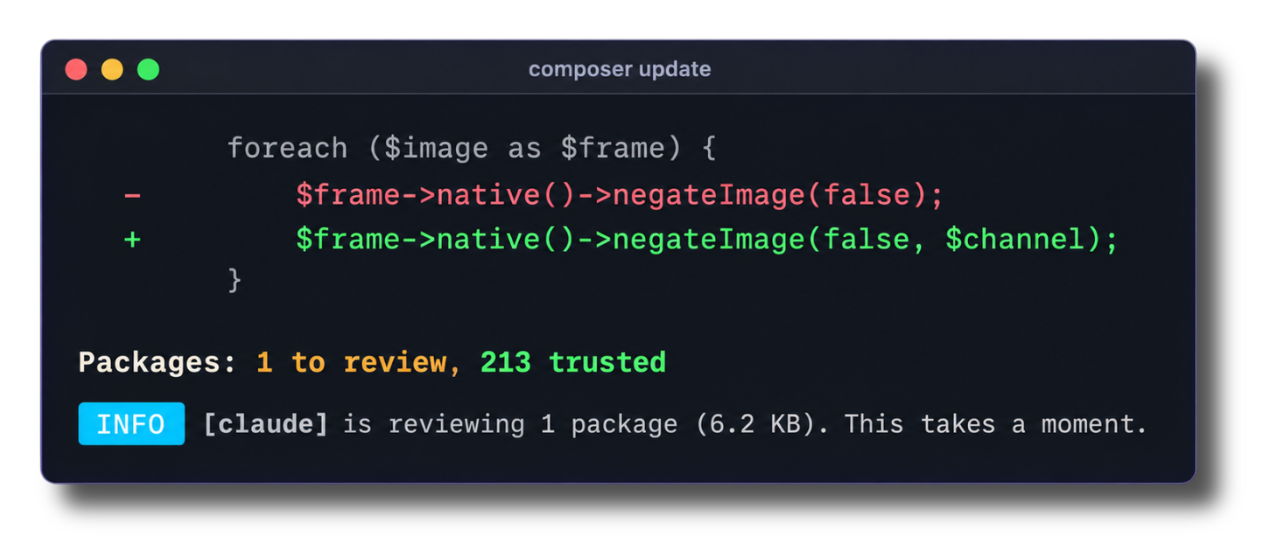
[!NOTE] Laravel Vet is in beta. The behaviour can change before the first stable release.
Laravel Vet is a dependency audit for PHP. It shows you the code that composer update is about to write into your vendor/ directory, and records the packages you trust in a vet.json file.
If you know cargo vet from the Rust world, this is the same idea for Composer. If you don't, here is the whole idea: every update brings new code into your project that nobody on your team has read. Vet shows you that code, one package at a time, before it lands. Once you trust a package, vet remembers it, so the next update only asks about what changed.
You don't have to read it all yourself. Vet hands each change to the coding agent already on your machine, such as Claude Code, Codex, Gemini or opencode, and the agent reads it for you and reports back: PASS, or FAIL with the file and the reason. You read the fails, press enter on the rest, and get on with your day.
Vet works with any PHP project. Laravel, Symfony, WordPress, or plain PHP: if you have a composer.json, you can use it. It ships as a Composer plugin, so it runs after every composer install and before every composer update writes anything. There is no step to add.
❯ composer update

  to review (1)

  carbonphp/carbon-doctrine-types 3.1.0 → 3.2.0 .............. 2 files changed
  │
  │   ~ src/Carbon/Doctrine/DateTimeImmutableType.php
  │     @@ -17,7 +17,7 @@
  │          /**
  │           * @SuppressWarnings(PHPMD.UnusedFormalParameter)
  │           */
  │     -    public function convertToPHPValue(mixed $value, AbstractPlatform $platform): ?DateTimeImmutable
  │     +    public function convertToPHPValue(mixed $value, AbstractPlatform $platform): ?CarbonImmutable
  │          {
  │              return $this->doConvertToPHPValue($value);
  │          }
  │
  │   ~ src/Carbon/Doctrine/DateTimeType.php
  │     @@ -17,7 +17,7 @@
  │          /**
  │           * @SuppressWarnings(PHPMD.UnusedFormalParameter)
  │           */
  │     -    public function convertToPHPValue(mixed $value, AbstractPlatform $platform): ?DateTime
  │     +    public function convertToPHPValue(mixed $value, AbstractPlatform $platform): ?Carbon
  │          {
  │              return $this->doConvertToPHPValue($value);
  │          }
  │

  Packages: 1 to review, 124 trusted

   ERROR  [1] package is not trusted. Read every change with [./vendor/bin/vet -v]. Run [./vendor/bin/vet] in a terminal to pick the ones that you trust.

   TIP  Run [./vendor/bin/vet] in a terminal to hand every change to your coding agent.
You read the changes, or you let your agent read them, and vet writes your decision down. Your build then holds you to it: a package that nobody has trusted fails the build until someone reads it.
./vendor/bin/vet
  to review (2)

  acme/logger 1.2.0 → 2.0.0 ................................. 12 files changed
  │  FAIL   src/Ship.php reads .env and sends it to an unknown host
  │         src/Ship.php  it posts the contents of [.env] to [telemetry.example.com]

  carbonphp/carbon-doctrine-types 3.1.0 → 3.2.0 .............. 2 files changed
  │  PASS   the changes narrow two return types
Installation
Requires PHP 8.4+.
You can install Laravel Vet via Composer:
composer require laravel/vet --dev
Composer asks whether to allow the plugin the first time. Answer yes, and vet runs on every install and update from then on. You can also run it yourself with the ./vendor/bin/vet script that is included with the package:
./vendor/bin/vet
Vet has one command. It audits what vendor/ holds, and when you run it in a terminal, it asks which of the untrusted packages you trust. You can read the changes yourself, or ask your coding agent to read them first. Until vet.json exists, vet has no earlier version to compare an update against, so the first step is to record the packages you trust today.
Recording Your Baseline
The --init option records every package that vendor/ holds today, and writes vet.json for the first time. The --fresh option deletes vet.json first, then does the same, so you start from an empty trust file:
./vendor/bin/vet --init
  to trust (125)

  brianium/paratest v7.24.0 (dev) .............................. never trusted
  brick/math 0.18.0 ............................................ never trusted
  carbonphp/carbon-doctrine-types 3.2.0 ........................ never trusted
  …

   INFO  Trusted [125] packages, and wrote [vet.json].
The --init option trusts the bytes that are already on your disk, and nothing else. When composer.lock asks for a version that vendor/ does not hold yet, vet leaves that version alone and asks you to read it:
  to read first (2)

  acme/logger 1.2.0 → 2.0.0 .................................... never trusted
  acme/tooling 4.1.0 → 4.2.0 ................................... never trusted

   ERROR  composer would write [2] packages that vendor/ does not hold. Run [./vendor/bin/vet] in a terminal to read them, or run [composer install] first.
Auditing Your Dependencies
Once the trust file exists, ./vendor/bin/vet tells you where you stand. It reads every installed package, compares it against your entries, and names the packages that have none:
./vendor/bin/vet

   INFO  All [125] packages are trusted.
Vet exits with a non-zero status when a package is not trusted, which is what makes it useful in a build. Without a terminal, in your CI or inside the Composer plugin, the report is all that vet writes.
Until vet.json exists, vet audits nothing and asks no question. It names the command that starts the trust file, and exits with a non-zero status:
WARN No trust file yet. Run [./vendor/bin/vet --init] to record every package that vendor/ holds today in [vet.json].
Picking What to Trust
In a terminal, vet follows the report with a question. Every package that you do not trust yet appears in the list. Press the space bar to pick a package, ctrl+a to pick every package, and enter to record the ones that you picked. The changes of each package sit in the report above the list, so you read first and pick second:
 ┌ How do you want to review these packages? ───────────────────┐
 │ › Manually, and pick the packages that I trust               │
 │   Automatically, with my coding agent reading the changes first│
 └──────────────────────────────────────────────────────────────┘

 ┌ Which packages do you trust? ────────────────────────────────┐
 │ ◼ acme/logger   1.2.0 → 2.0.0                                │
 │ ◻ acme/tooling  4.1.0 → 4.2.0                                │
 │ ◻ brick/math    0.18.0                                       │
 └──────────────────────────────────────────────────────────────┘

   INFO  Recorded [acme/logger] [2.0.0] at [8002bb9cf6c9].
   INFO  Run [composer install] to write those bytes to vendor/.
The run exits with a non-zero status until you trust every package. A package you skip fails the run, in the same way it fails your build.
Above ten packages, the report lists each package with the count of its changed files and shows no change. A change that runs past forty lines stops there, and ./vendor/bin/vet <package> shows the rest. Vet prints one dot for each archive that it downloads, and one for each package that the agent finishes.
Handing a Review to Your Agent
Reading every change by hand takes time, and most of the time you won't want to. In a terminal, the first question offers the coding agent already on your machine. Pick it, and vet hands the changes of each package to the agent, and prints the result next to the package. You still make the call. The agent reads, and you decide:
./vendor/bin/vet
   INFO  [claude] reviews [3] packages (58.1 KB). This takes a moment.

  to review (3)

  acme/logger 1.2.0 → 2.0.0 ................................. 12 files changed
  │  FAIL   src/Ship.php reads .env and sends it to an unknown host
  │         src/Ship.php  it posts the contents of [.env] to [telemetry.example.com]

  acme/tooling 4.1.0 → 4.2.0 ................................. 8 files changed
  │  WARN   the changes add two commands
  │         The agent did not read [1] file, because it is too big. Read it yourself:
  │         resources/schema.php  612.4 KB

  carbonphp/carbon-doctrine-types 3.1.0 → 3.2.0 .............. 2 files changed
  │  PASS   the changes narrow two return types

  Packages: 3 to review, 122 trusted
A result is one of four. PASS means the agent read every file and found no attack. FAIL comes with one line for each file the agent names. WARN means the rest of the reading is yours: the agent did not read every file, or its answer did not arrive. When a file is too big for the prompt, or holds no text, such as a .phar, WARN names that file, the reason and its size. SKIP means vet sent nothing, because no file changed or vet cannot read the files of the package.
In a terminal, each result sits on its row of the list, and vet picks every PASS row for you before you read it. One enter records those packages, and you read each FAIL and WARN before you decide:
 ┌ Which packages do you trust? ────────────────────────────────┐
 │ ◻ FAIL  acme/logger                     1.2.0 → 2.0.0        │
 │ ◻ WARN  acme/tooling                    4.1.0 → 4.2.0  1 file too big │
 │ ◼ PASS  carbonphp/carbon-doctrine-types 3.1.0 → 3.2.0        │
 └──────────────────────────────────────────────────────────────┘
Before the agent reads, vet asks which model it uses. Pick one from the list, type a name, or press enter to keep the default model of the agent:
 ┌ Which model do you want the agent to use? ───────────────────┐
 │ Press enter for the default model of [claude].               │
 ├──────────────────────────────────────────────────────────────┤
 │ fable                                                        │
 │ opus                                                         │
 │ sonnet                                                       │
 │ haiku                                                        │
 └──────────────────────────────────────────────────────────────┘
The agent runs only when you ask for it. The Composer plugin never asks, and a result writes nothing to vet.json until you answer the question, so the decision stays yours.
Vet prints the count and the size of the prompts before the first one leaves your machine, so you can stop it there.
The Trust File
The trust file lives in vet.json, at the root of your project, next to composer.json. You should commit it. It holds one entry for each package: the version you read, and the hash of the files you read:
{
    "schema": 4,
    "require": {
        "carbonphp/carbon-doctrine-types": {
            "version": "3.2.1",
            "hash": "tree-v2:0f158f3b909fc01e691ed5f5121186056232b049031e7d3a914676d49881ece5"
        }
    },
    "require-dev": {
        "brianium/paratest": {
            "version": "v7.20.0",
            "hash": "tree-v2:075f8b7e73532ba3689126db0f91288a199bcba5f2743bc17a9bf37d53e030c1"
        }
    }
}
The hash covers every file of the package. When a package ships the same version with different bytes, the entry stops trusting it, and vet asks you to read the difference.
Contributing
Thank you for considering contributing to Laravel! The contribution guide can be found in the Laravel documentation.
Code of Conduct
In order to ensure that the Laravel community is welcoming to all, please review and abide by the Code of Conduct.
Security Vulnerabilities
Please review our security policy on how to report security vulnerabilities.
License
Laravel Vet is open-sourced software licensed under the MIT license.
Contributors



See what people are saying
Hacker News (1)
Similar repos


Languages
PHP
100.0%
README
[!NOTE] Laravel Vet is in beta. The behaviour can change before the first stable release.
Laravel Vet is a dependency audit for PHP. It shows you the code that composer update is about to write into your vendor/ directory, and records the packages you trust in a vet.json file.
If you know cargo vet from the Rust world, this is the same idea for Composer. If you don't, here is the whole idea: every update brings new code into your project that nobody on your team has read. Vet shows you that code, one package at a time, before it lands. Once you trust a package, vet remembers it, so the next update only asks about what changed.
You don't have to read it all yourself. Vet hands each change to the coding agent already on your machine, such as Claude Code, Codex, Gemini or opencode, and the agent reads it for you and reports back: PASS, or FAIL with the file and the reason. You read the fails, press enter on the rest, and get on with your day.
Vet works with any PHP project. Laravel, Symfony, WordPress, or plain PHP: if you have a composer.json, you can use it. It ships as a Composer plugin, so it runs after every composer install and before every composer update writes anything. There is no step to add.
❯ composer update

  to review (1)

  carbonphp/carbon-doctrine-types 3.1.0 → 3.2.0 .............. 2 files changed
  │
  │   ~ src/Carbon/Doctrine/DateTimeImmutableType.php
  │     @@ -17,7 +17,7 @@
  │          /**
  │           * @SuppressWarnings(PHPMD.UnusedFormalParameter)
  │           */
  │     -    public function convertToPHPValue(mixed $value, AbstractPlatform $platform): ?DateTimeImmutable
  │     +    public function convertToPHPValue(mixed $value, AbstractPlatform $platform): ?CarbonImmutable
  │          {
  │              return $this->doConvertToPHPValue($value);
  │          }
  │
  │   ~ src/Carbon/Doctrine/DateTimeType.php
  │     @@ -17,7 +17,7 @@
  │          /**
  │           * @SuppressWarnings(PHPMD.UnusedFormalParameter)
  │           */
  │     -    public function convertToPHPValue(mixed $value, AbstractPlatform $platform): ?DateTime
  │     +    public function convertToPHPValue(mixed $value, AbstractPlatform $platform): ?Carbon
  │          {
  │              return $this->doConvertToPHPValue($value);
  │          }
  │

  Packages: 1 to review, 124 trusted

   ERROR  [1] package is not trusted. Read every change with [./vendor/bin/vet -v]. Run [./vendor/bin/vet] in a terminal to pick the ones that you trust.

   TIP  Run [./vendor/bin/vet] in a terminal to hand every change to your coding agent.
You read the changes, or you let your agent read them, and vet writes your decision down. Your build then holds you to it: a package that nobody has trusted fails the build until someone reads it.
./vendor/bin/vet
  to review (2)

  acme/logger 1.2.0 → 2.0.0 ................................. 12 files changed
  │  FAIL   src/Ship.php reads .env and sends it to an unknown host
  │         src/Ship.php  it posts the contents of [.env] to [telemetry.example.com]

  carbonphp/carbon-doctrine-types 3.1.0 → 3.2.0 .............. 2 files changed
  │  PASS   the changes narrow two return types
Installation
Requires PHP 8.4+.
You can install Laravel Vet via Composer:
composer require laravel/vet --dev
Composer asks whether to allow the plugin the first time. Answer yes, and vet runs on every install and update from then on. You can also run it yourself with the ./vendor/bin/vet script that is included with the package:
./vendor/bin/vet
Vet has one command. It audits what vendor/ holds, and when you run it in a terminal, it asks which of the untrusted packages you trust. You can read the changes yourself, or ask your coding agent to read them first. Until vet.json exists, vet has no earlier version to compare an update against, so the first step is to record the packages you trust today.
Recording Your Baseline
The --init option records every package that vendor/ holds today, and writes vet.json for the first time. The --fresh option deletes vet.json first, then does the same, so you start from an empty trust file:
./vendor/bin/vet --init
  to trust (125)

  brianium/paratest v7.24.0 (dev) .............................. never trusted
  brick/math 0.18.0 ............................................ never trusted
  carbonphp/carbon-doctrine-types 3.2.0 ........................ never trusted
  …

   INFO  Trusted [125] packages, and wrote [vet.json].
The --init option trusts the bytes that are already on your disk, and nothing else. When composer.lock asks for a version that vendor/ does not hold yet, vet leaves that version alone and asks you to read it:
  to read first (2)

  acme/logger 1.2.0 → 2.0.0 .................................... never trusted
  acme/tooling 4.1.0 → 4.2.0 ................................... never trusted

   ERROR  composer would write [2] packages that vendor/ does not hold. Run [./vendor/bin/vet] in a terminal to read them, or run [composer install] first.
Auditing Your Dependencies
Once the trust file exists, ./vendor/bin/vet tells you where you stand. It reads every installed package, compares it against your entries, and names the packages that have none:
./vendor/bin/vet

   INFO  All [125] packages are trusted.
Vet exits with a non-zero status when a package is not trusted, which is what makes it useful in a build. Without a terminal, in your CI or inside the Composer plugin, the report is all that vet writes.
Until vet.json exists, vet audits nothing and asks no question. It names the command that starts the trust file, and exits with a non-zero status:
WARN No trust file yet. Run [./vendor/bin/vet --init] to record every package that vendor/ holds today in [vet.json].
Picking What to Trust
In a terminal, vet follows the report with a question. Every package that you do not trust yet appears in the list. Press the space bar to pick a package, ctrl+a to pick every package, and enter to record the ones that you picked. The changes of each package sit in the report above the list, so you read first and pick second:
 ┌ How do you want to review these packages? ───────────────────┐
 │ › Manually, and pick the packages that I trust               │
 │   Automatically, with my coding agent reading the changes first│
 └──────────────────────────────────────────────────────────────┘

 ┌ Which packages do you trust? ────────────────────────────────┐
 │ ◼ acme/logger   1.2.0 → 2.0.0                                │
 │ ◻ acme/tooling  4.1.0 → 4.2.0                                │
 │ ◻ brick/math    0.18.0                                       │
 └──────────────────────────────────────────────────────────────┘

   INFO  Recorded [acme/logger] [2.0.0] at [8002bb9cf6c9].
   INFO  Run [composer install] to write those bytes to vendor/.
The run exits with a non-zero status until you trust every package. A package you skip fails the run, in the same way it fails your build.
Above ten packages, the report lists each package with the count of its changed files and shows no change. A change that runs past forty lines stops there, and ./vendor/bin/vet <package> shows the rest. Vet prints one dot for each archive that it downloads, and one for each package that the agent finishes.
Handing a Review to Your Agent
Reading every change by hand takes time, and most of the time you won't want to. In a terminal, the first question offers the coding agent already on your machine. Pick it, and vet hands the changes of each package to the agent, and prints the result next to the package. You still make the call. The agent reads, and you decide:
./vendor/bin/vet
   INFO  [claude] reviews [3] packages (58.1 KB). This takes a moment.

  to review (3)

  acme/logger 1.2.0 → 2.0.0 ................................. 12 files changed
  │  FAIL   src/Ship.php reads .env and sends it to an unknown host
  │         src/Ship.php  it posts the contents of [.env] to [telemetry.example.com]

  acme/tooling 4.1.0 → 4.2.0 ................................. 8 files changed
  │  WARN   the changes add two commands
  │         The agent did not read [1] file, because it is too big. Read it yourself:
  │         resources/schema.php  612.4 KB

  carbonphp/carbon-doctrine-types 3.1.0 → 3.2.0 .............. 2 files changed
  │  PASS   the changes narrow two return types

  Packages: 3 to review, 122 trusted
A result is one of four. PASS means the agent read every file and found no attack. FAIL comes with one line for each file the agent names. WARN means the rest of the reading is yours: the agent did not read every file, or its answer did not arrive. When a file is too big for the prompt, or holds no text, such as a .phar, WARN names that file, the reason and its size. SKIP means vet sent nothing, because no file changed or vet cannot read the files of the package.
In a terminal, each result sits on its row of the list, and vet picks every PASS row for you before you read it. One enter records those packages, and you read each FAIL and WARN before you decide:
 ┌ Which packages do you trust? ────────────────────────────────┐
 │ ◻ FAIL  acme/logger                     1.2.0 → 2.0.0        │
 │ ◻ WARN  acme/tooling                    4.1.0 → 4.2.0  1 file too big │
 │ ◼ PASS  carbonphp/carbon-doctrine-types 3.1.0 → 3.2.0        │
 └──────────────────────────────────────────────────────────────┘
Before the agent reads, vet asks which model it uses. Pick one from the list, type a name, or press enter to keep the default model of the agent:
 ┌ Which model do you want the agent to use? ───────────────────┐
 │ Press enter for the default model of [claude].               │
 ├──────────────────────────────────────────────────────────────┤
 │ fable                                                        │
 │ opus                                                         │
 │ sonnet                                                       │
 │ haiku                                                        │
 └──────────────────────────────────────────────────────────────┘
The agent runs only when you ask for it. The Composer plugin never asks, and a result writes nothing to vet.json until you answer the question, so the decision stays yours.
Vet prints the count and the size of the prompts before the first one leaves your machine, so you can stop it there.
The Trust File
The trust file lives in vet.json, at the root of your project, next to composer.json. You should commit it. It holds one entry for each package: the version you read, and the hash of the files you read:
{
    "schema": 4,
    "require": {
        "carbonphp/carbon-doctrine-types": {
            "version": "3.2.1",
            "hash": "tree-v2:0f158f3b909fc01e691ed5f5121186056232b049031e7d3a914676d49881ece5"
        }
    },
    "require-dev": {
        "brianium/paratest": {
            "version": "v7.20.0",
            "hash": "tree-v2:075f8b7e73532ba3689126db0f91288a199bcba5f2743bc17a9bf37d53e030c1"
        }
    }
}
The hash covers every file of the package. When a package ships the same version with different bytes, the entry stops trusting it, and vet asks you to read the difference.
Contributing
Thank you for considering contributing to Laravel! The contribution guide can be found in the Laravel documentation.
Code of Conduct
In order to ensure that the Laravel community is welcoming to all, please review and abide by the Code of Conduct.
Security Vulnerabilities
Please review our security policy on how to report security vulnerabilities.
License
Laravel Vet is open-sourced software licensed under the MIT license.
See what people are saying
Hacker News (1)
Similar repos
Contributors
Languages
PHP
100.0%