Setup a local development environment inside Visual Studio Code and build Google Workspace add-ons with Google Apps Script
See the code


A modern development environment for building Google Apps Script projects with modern web development tools.
This starter kit provides a boilerplate for developing Google Apps Script projects using modern JavaScript (ES6+) and a local development environment. It includes a curated selection of tools to enhance your development workflow, including code bundling, linting, testing, and deployment.
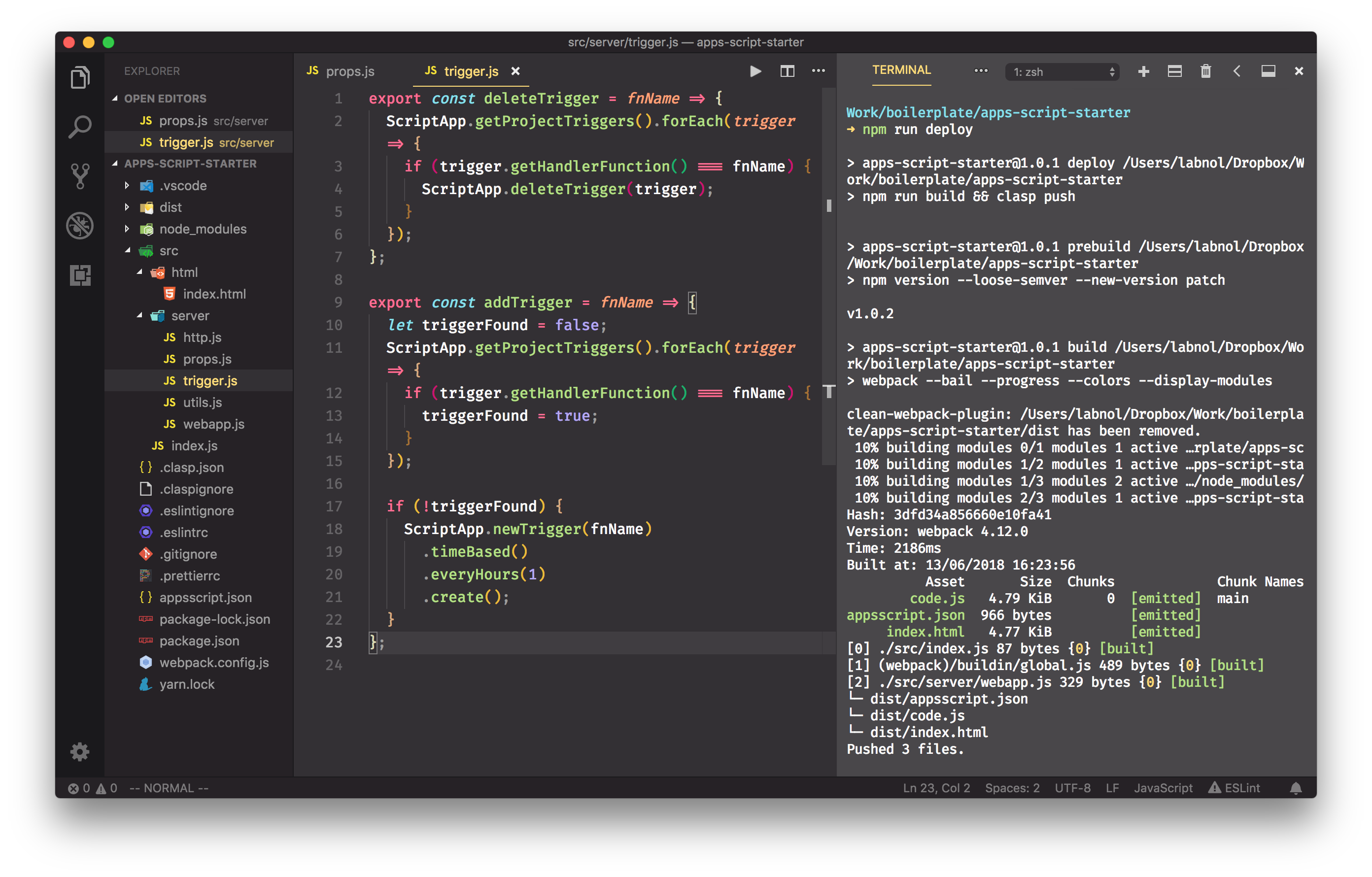
Please follow the 👉 step-by-step video tutorial 👈 for quickly getting started with Apps Script development inside Visual Studio Code. It is recommended that you install the Extension Pack for working with Apps Script files in VS Code.
You can build Google Workspace add-ons (for Google Docs, Slides, Gmail and Google Sheets), web applications and workflow automation routines with next-generation JavaScript.
The starter kit is used by Digital Inspiration for building popular Google add-ons including Gmail Mail Merge, Google Forms Notifications and Document Studio.
This starter kit comes with a pre-configured set of tools to help you write high-quality Google Apps Script code:
Follow these steps to get your development environment set up and running.
Before you begin, ensure you have the following installed on your system:
Clone the repository:
npx degit labnol/apps-script-starter my-project
cd my-project
Install dependencies:
npm install
Log in to clasp:
Authorize clasp to manage your Google Apps Script projects using your Google account.
npx clasp login
Create a new Google Apps Script project:
Create a new script project bound to a Google Sheet or as a standalone script.
npx clasp create --type sheets --title "My Apps Script Project" --rootDir ./dist
This will create a new Google Sheet and a bound script project in your Google Drive.
This starter kit provides a streamlined development workflow to help you build your Google Apps Script projects efficiently.
To start the development server, run the following command:
npm run dev
This command will watch for changes in your source files and automatically rebuild the project.
The main source code for your application is located in the src directory.
src/index.js: The main entry point for your application.src/html/: Contains the HTML files for your user interface.src/server/: Contains the server-side code for your application.You can write your code using modern JavaScript (ES6+) features. Vite will automatically transpile your code to a format that is compatible with the Google Apps Script V8 runtime.
This starter kit uses Jest for unit testing.
To run the tests, use the following command:
npm run test
You can write tests for your code in files with a .test.js extension. The tests are located alongside the files they are testing.
Note: You cannot directly test code that has dependencies on Google Apps Script services (e.g., SpreadsheetApp, Logger). You will need to mock these services in your tests.
To deploy your project to Google Apps Script, run the following command:
npm run deploy
This command will build your project and then use clasp to push the bundled code to your Google Apps Script project.
The starter kit includes several configuration files to customize the development environment:
appsscript.json: The manifest file for your Google Apps Script project. You can use this file to specify dependencies, OAuth scopes, and other settings..clasp.json: The configuration file for clasp. This file specifies the scriptId and rootDir for your project.vite.config.js: The configuration file for Vite. You can use this file to customize the build process..prettierrc: The configuration file for Prettier. You can use this file to customize the code formatting rules.eslint.config.js: The configuration file for ESLint. You can use this file to customize the linting rules.Contributions, issues, and feature requests are welcome. If you are using this starter kit and have fixed a bug for yourself, please consider submitting a pull request!
.prettierrc and eslint.config.js respectively..test.js extension.This project is licensed under the MIT License. See the LICENSE file for details.
Developed by Amit Agarwal | Digital Inspiration
Overall
Maintained
Code review
Latest release
Releases this year
1,057 followers · starred Mar 2024
64 followers · starred Apr 2019
1,285 followers · starred Jan 2024
19 followers · starred Oct 2021
Setup a local development environment inside Visual Studio Code and build Google Workspace add-ons with Google Apps Script
See the code
A modern development environment for building Google Apps Script projects with modern web development tools.
This starter kit provides a boilerplate for developing Google Apps Script projects using modern JavaScript (ES6+) and a local development environment. It includes a curated selection of tools to enhance your development workflow, including code bundling, linting, testing, and deployment.
Please follow the 👉 step-by-step video tutorial 👈 for quickly getting started with Apps Script development inside Visual Studio Code. It is recommended that you install the Extension Pack for working with Apps Script files in VS Code.
You can build Google Workspace add-ons (for Google Docs, Slides, Gmail and Google Sheets), web applications and workflow automation routines with next-generation JavaScript.
The starter kit is used by Digital Inspiration for building popular Google add-ons including Gmail Mail Merge, Google Forms Notifications and Document Studio.
This starter kit comes with a pre-configured set of tools to help you write high-quality Google Apps Script code:
Follow these steps to get your development environment set up and running.
Before you begin, ensure you have the following installed on your system:
Clone the repository:
npx degit labnol/apps-script-starter my-project
cd my-project
Install dependencies:
npm install
Log in to clasp:
Authorize clasp to manage your Google Apps Script projects using your Google account.
npx clasp login
Create a new Google Apps Script project:
Create a new script project bound to a Google Sheet or as a standalone script.
npx clasp create --type sheets --title "My Apps Script Project" --rootDir ./dist
This will create a new Google Sheet and a bound script project in your Google Drive.
This starter kit provides a streamlined development workflow to help you build your Google Apps Script projects efficiently.
To start the development server, run the following command:
npm run dev
This command will watch for changes in your source files and automatically rebuild the project.
The main source code for your application is located in the src directory.
src/index.js: The main entry point for your application.src/html/: Contains the HTML files for your user interface.src/server/: Contains the server-side code for your application.You can write your code using modern JavaScript (ES6+) features. Vite will automatically transpile your code to a format that is compatible with the Google Apps Script V8 runtime.
This starter kit uses Jest for unit testing.
To run the tests, use the following command:
npm run test
You can write tests for your code in files with a .test.js extension. The tests are located alongside the files they are testing.
Note: You cannot directly test code that has dependencies on Google Apps Script services (e.g., SpreadsheetApp, Logger). You will need to mock these services in your tests.
To deploy your project to Google Apps Script, run the following command:
npm run deploy
This command will build your project and then use clasp to push the bundled code to your Google Apps Script project.
The starter kit includes several configuration files to customize the development environment:
appsscript.json: The manifest file for your Google Apps Script project. You can use this file to specify dependencies, OAuth scopes, and other settings..clasp.json: The configuration file for clasp. This file specifies the scriptId and rootDir for your project.vite.config.js: The configuration file for Vite. You can use this file to customize the build process..prettierrc: The configuration file for Prettier. You can use this file to customize the code formatting rules.eslint.config.js: The configuration file for ESLint. You can use this file to customize the linting rules.Contributions, issues, and feature requests are welcome. If you are using this starter kit and have fixed a bug for yourself, please consider submitting a pull request!
.prettierrc and eslint.config.js respectively..test.js extension.This project is licensed under the MIT License. See the LICENSE file for details.
Developed by Amit Agarwal | Digital Inspiration
Overall
Maintained
Code review
Latest release
Releases this year
1,057 followers · starred Mar 2024
64 followers · starred Apr 2019
1,285 followers · starred Jan 2024
19 followers · starred Oct 2021



