Run linting rules on your database schema. Read the intro to this idea in this blog post.
Works with Postgres databases.
This will give you errors and suggestions like these:
public.actor.first_name: error prefer-text-to-varchar : Prefer text to varchar types

Suggested fix
ALTER TABLE "public"."actor" ALTER COLUMN "first_name" TYPE TEXT;
Install with:
$ npm i -D schemalint
To run, make sure you are in a folder that has a .schemalintrc.js configuration file, and type:
$ npx schemalint
Here is an example configuration file:
/** @type {import("schemalint").Config } */
module.exports = {
  // Connection configuration. See: https://node-postgres.com/apis/client
  connection: {
    host: "localhost",
    user: "postgres",
    password: "postgres",
    database: "acme",
    charset: "utf8",
  },

  // Schemas to be linted.
  schemas: [{ name: "public" }],

  // Rules to be checked. The key is the rule name and the value is an array
  // whose first value is the severity ("error" to enable the rule, "off" to
  // disable it) and the rest are rule-specific parameters.
  rules: {
    "name-casing": ["error", "snake"],
    "name-inflection": ["error", "singular"],
    "prefer-jsonb-to-json": ["error"],
    "prefer-text-to-varchar": ["error"],
  },

  // (Optional) Use the `ignores` array to exclude specific targets and
  // rules. The targets are identified by the `identifier` (exact) or the
  // `identifierPattern` (regex). For the rules, use the `rule` (exact) or
  // the `rulePattern` (regex).
  ignores: [
    { identifier: "public.sessions", rule: "name-inflection" },
    { identifierPattern: "public\\.knex_migrations.*", rulePattern: ".*" },
  ],

  // (Optional) Use the `plugins` array to load custom rules. The paths are
  // `require`d as Node.js modules from the current working directory.
  plugins: ["./custom-rules"],
};
Schemalint includes a number of built-in rules, which you can read about here. However, writing custom rules is easy and you will probably see the real value by doing so. The example folder shows how to write these.
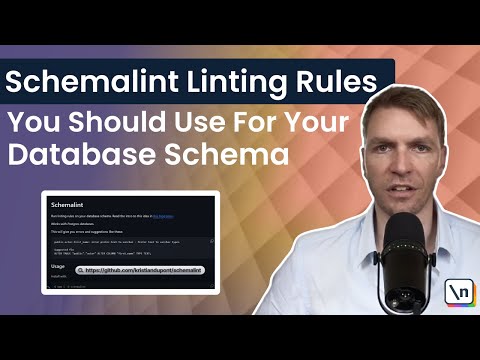
Here is a brief introduction video:
Thank you so much to the sponsors of Schemalint:
Overall
Maintained
Code review
npm
Latest release
Releases this year
253 followers · starred Oct 2024
128 followers · starred Aug 2023
113 followers · starred Dec 2024
9 followers · starred Aug 2025
Run linting rules on your database schema. Read the intro to this idea in this blog post.
Works with Postgres databases.
This will give you errors and suggestions like these:
public.actor.first_name: error prefer-text-to-varchar : Prefer text to varchar types

Suggested fix
ALTER TABLE "public"."actor" ALTER COLUMN "first_name" TYPE TEXT;
Install with:
$ npm i -D schemalint
To run, make sure you are in a folder that has a .schemalintrc.js configuration file, and type:
$ npx schemalint
Here is an example configuration file:
/** @type {import("schemalint").Config } */
module.exports = {
  // Connection configuration. See: https://node-postgres.com/apis/client
  connection: {
    host: "localhost",
    user: "postgres",
    password: "postgres",
    database: "acme",
    charset: "utf8",
  },

  // Schemas to be linted.
  schemas: [{ name: "public" }],

  // Rules to be checked. The key is the rule name and the value is an array
  // whose first value is the severity ("error" to enable the rule, "off" to
  // disable it) and the rest are rule-specific parameters.
  rules: {
    "name-casing": ["error", "snake"],
    "name-inflection": ["error", "singular"],
    "prefer-jsonb-to-json": ["error"],
    "prefer-text-to-varchar": ["error"],
  },

  // (Optional) Use the `ignores` array to exclude specific targets and
  // rules. The targets are identified by the `identifier` (exact) or the
  // `identifierPattern` (regex). For the rules, use the `rule` (exact) or
  // the `rulePattern` (regex).
  ignores: [
    { identifier: "public.sessions", rule: "name-inflection" },
    { identifierPattern: "public\\.knex_migrations.*", rulePattern: ".*" },
  ],

  // (Optional) Use the `plugins` array to load custom rules. The paths are
  // `require`d as Node.js modules from the current working directory.
  plugins: ["./custom-rules"],
};
Schemalint includes a number of built-in rules, which you can read about here. However, writing custom rules is easy and you will probably see the real value by doing so. The example folder shows how to write these.
Here is a brief introduction video:
Thank you so much to the sponsors of Schemalint:
Overall
Maintained
Code review
npm
Latest release
Releases this year
253 followers · starred Oct 2024
128 followers · starred Aug 2023
113 followers · starred Dec 2024
9 followers · starred Aug 2025



