Go library for dealing with images, colorspaces, metadata, simple transforms
Go
41
594 commits
updated Oct 7, 2026
This is pure Go code that makes working with images actually useable on top of the Go stdlib. In addition to the usual PNG/JPEG/WebP/TIFF/BMP/GIF formats that have been supported forever, this package adds support for animated PNG, animated WebP, Google's new "jpegli" JPEG variant and all the netPBM image formats.
Additionally, this package support color management via ICC profiles and CICP metadata. Opening non-sRGB images automatically converts them to sRGB, so you don't have to think about it. It has full support for ICC v2 and v4 profiles embedded in all the image formats and is extensively tested against the little-cms library.
It also supports loading image metadata in EXIF format and automatically supports the EXIF orientation flag -- on image load the image is transformed based on that tag automatically.
It automatically falls back to ImageMagick when available, for image formats it does not support.
Finally, it provides basic image processing functions (resize, rotate, crop, brightness/contrast adjustments, etc.).
go get -u github.com/kovidgoyal/imaging
https://pkg.go.dev/github.com/kovidgoyal/imaging
img, metadata, err := imaging.OpenAll(path, options...)
img.Resize(128, 128, imaging.Lanczos)
img.SaveAsPNG(path, mode)
There are also convenience scripts that demonstrate this library in action, note that these are mainly for development and as such they only use the pure Go code and do not fallback to ImageMagick:
./to-png some-image.whatever some-image.png
./to-frames some-animated-image.whatever some-animated-image.apng
Imaging supports image resizing using various resampling filters. The most notable ones:
Lanczos - A high-quality resampling filter for photographic images yielding sharp results.CatmullRom - A sharp cubic filter that is faster than Lanczos filter while providing similar results.MitchellNetravali - A cubic filter that produces smoother results with less ringing artifacts than CatmullRom.Linear - Bilinear resampling filter, produces smooth output. Faster than cubic filters.Box - Simple and fast averaging filter appropriate for downscaling. When upscaling it's similar to NearestNeighbor.NearestNeighbor - Fastest resampling filter, no antialiasing.The full list of supported filters: NearestNeighbor, Box, Linear, Hermite, MitchellNetravali, CatmullRom, BSpline, Gaussian, Lanczos, Hann, Hamming, Blackman, Bartlett, Welch, Cosine. Custom filters can be created using ResampleFilter struct.
Resampling filters comparison
Original image:
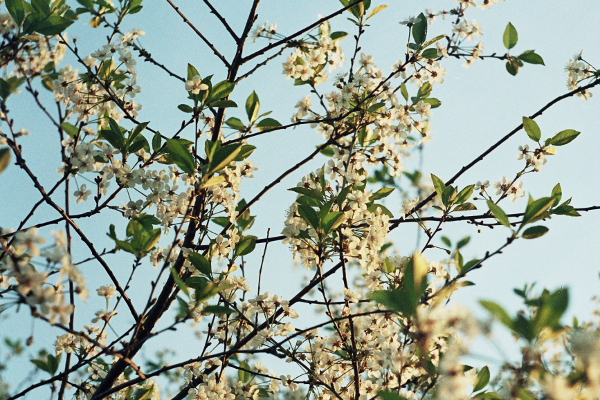
The same image resized from 600x400px to 150x100px using different resampling filters. From faster (lower quality) to slower (higher quality):
| Filter | Resize result |
|---|---|
imaging.NearestNeighbor | 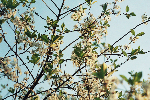 |
imaging.Linear | 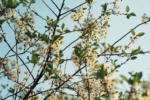 |
imaging.CatmullRom |  |
imaging.Lanczos |  |
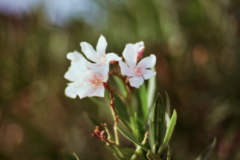
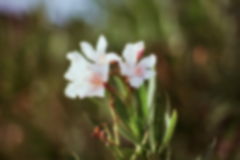
dstImage := imaging.Blur(srcImage, 0.5)
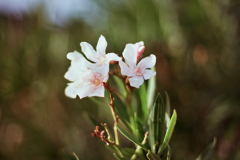
Sigma parameter allows to control the strength of the blurring effect.
| Original image | Sigma = 0.5 | Sigma = 1.5 |
|---|---|---|
 |  |  |
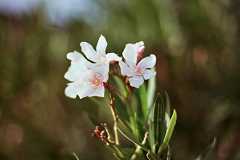
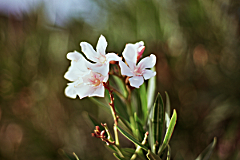
dstImage := imaging.Sharpen(srcImage, 0.5)
Sharpen uses gaussian function internally. Sigma parameter allows to control the strength of the sharpening effect.
| Original image | Sigma = 0.5 | Sigma = 1.5 |
|---|---|---|
|  |  |
dstImage := imaging.AdjustGamma(srcImage, 0.75)
| Original image | Gamma = 0.75 | Gamma = 1.25 |
|---|---|---|
| 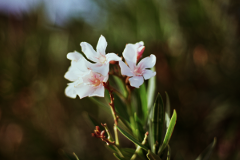 | 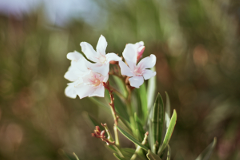 |
dstImage := imaging.AdjustContrast(srcImage, 20)
| Original image | Contrast = 15 | Contrast = -15 |
|---|---|---|
| 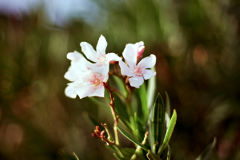 | 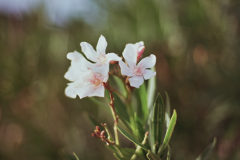 |
dstImage := imaging.AdjustBrightness(srcImage, 20)
| Original image | Brightness = 10 | Brightness = -10 |
|---|---|---|
| 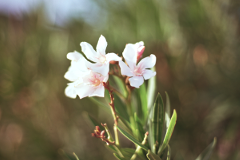 | 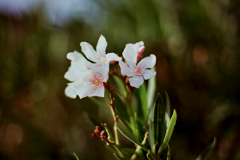 |
dstImage := imaging.AdjustSaturation(srcImage, 20)
| Original image | Saturation = 30 | Saturation = -30 |
|---|---|---|
| 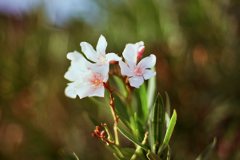 | 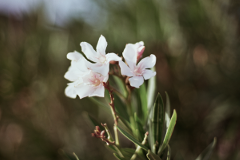 |
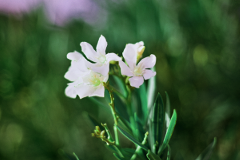
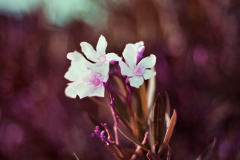
dstImage := imaging.AdjustHue(srcImage, 20)
| Original image | Hue = 60 | Hue = -60 |
|---|---|---|
|  |  |
This is a fork of the un-maintained disintegration/imaging project. The color management code was started out from mandykoh/prism and used some code from go-andiamo/iccarus but it was almost completely re-written from scratch.
Overall
Maintained
Code review
Go module
Latest release
Releases this year
Go library for dealing with images, colorspaces, metadata, simple transforms
Go
41
594 commits
updated Oct 7, 2026
This is pure Go code that makes working with images actually useable on top of the Go stdlib. In addition to the usual PNG/JPEG/WebP/TIFF/BMP/GIF formats that have been supported forever, this package adds support for animated PNG, animated WebP, Google's new "jpegli" JPEG variant and all the netPBM image formats.
Additionally, this package support color management via ICC profiles and CICP metadata. Opening non-sRGB images automatically converts them to sRGB, so you don't have to think about it. It has full support for ICC v2 and v4 profiles embedded in all the image formats and is extensively tested against the little-cms library.
It also supports loading image metadata in EXIF format and automatically supports the EXIF orientation flag -- on image load the image is transformed based on that tag automatically.
It automatically falls back to ImageMagick when available, for image formats it does not support.
Finally, it provides basic image processing functions (resize, rotate, crop, brightness/contrast adjustments, etc.).
go get -u github.com/kovidgoyal/imaging
https://pkg.go.dev/github.com/kovidgoyal/imaging
img, metadata, err := imaging.OpenAll(path, options...)
img.Resize(128, 128, imaging.Lanczos)
img.SaveAsPNG(path, mode)
There are also convenience scripts that demonstrate this library in action, note that these are mainly for development and as such they only use the pure Go code and do not fallback to ImageMagick:
./to-png some-image.whatever some-image.png
./to-frames some-animated-image.whatever some-animated-image.apng
Imaging supports image resizing using various resampling filters. The most notable ones:
Lanczos - A high-quality resampling filter for photographic images yielding sharp results.CatmullRom - A sharp cubic filter that is faster than Lanczos filter while providing similar results.MitchellNetravali - A cubic filter that produces smoother results with less ringing artifacts than CatmullRom.Linear - Bilinear resampling filter, produces smooth output. Faster than cubic filters.Box - Simple and fast averaging filter appropriate for downscaling. When upscaling it's similar to NearestNeighbor.NearestNeighbor - Fastest resampling filter, no antialiasing.The full list of supported filters: NearestNeighbor, Box, Linear, Hermite, MitchellNetravali, CatmullRom, BSpline, Gaussian, Lanczos, Hann, Hamming, Blackman, Bartlett, Welch, Cosine. Custom filters can be created using ResampleFilter struct.
Resampling filters comparison
Original image:
The same image resized from 600x400px to 150x100px using different resampling filters. From faster (lower quality) to slower (higher quality):
| Filter | Resize result |
|---|---|
imaging.NearestNeighbor | |
imaging.Linear | |
imaging.CatmullRom | |
imaging.Lanczos | |
dstImage := imaging.Blur(srcImage, 0.5)
Sigma parameter allows to control the strength of the blurring effect.
| Original image | Sigma = 0.5 | Sigma = 1.5 |
|---|---|---|
| | |
dstImage := imaging.Sharpen(srcImage, 0.5)
Sharpen uses gaussian function internally. Sigma parameter allows to control the strength of the sharpening effect.
| Original image | Sigma = 0.5 | Sigma = 1.5 |
|---|---|---|
| | |
dstImage := imaging.AdjustGamma(srcImage, 0.75)
| Original image | Gamma = 0.75 | Gamma = 1.25 |
|---|---|---|
| | |
dstImage := imaging.AdjustContrast(srcImage, 20)
| Original image | Contrast = 15 | Contrast = -15 |
|---|---|---|
| | |
dstImage := imaging.AdjustBrightness(srcImage, 20)
| Original image | Brightness = 10 | Brightness = -10 |
|---|---|---|
| | |
dstImage := imaging.AdjustSaturation(srcImage, 20)
| Original image | Saturation = 30 | Saturation = -30 |
|---|---|---|
| | |
dstImage := imaging.AdjustHue(srcImage, 20)
| Original image | Hue = 60 | Hue = -60 |
|---|---|---|
| | |
This is a fork of the un-maintained disintegration/imaging project. The color management code was started out from mandykoh/prism and used some code from go-andiamo/iccarus but it was almost completely re-written from scratch.
Overall
Maintained
Code review
Go module
Latest release
Releases this year



