Management tool for virtualization and kubernetes platforms
See the code


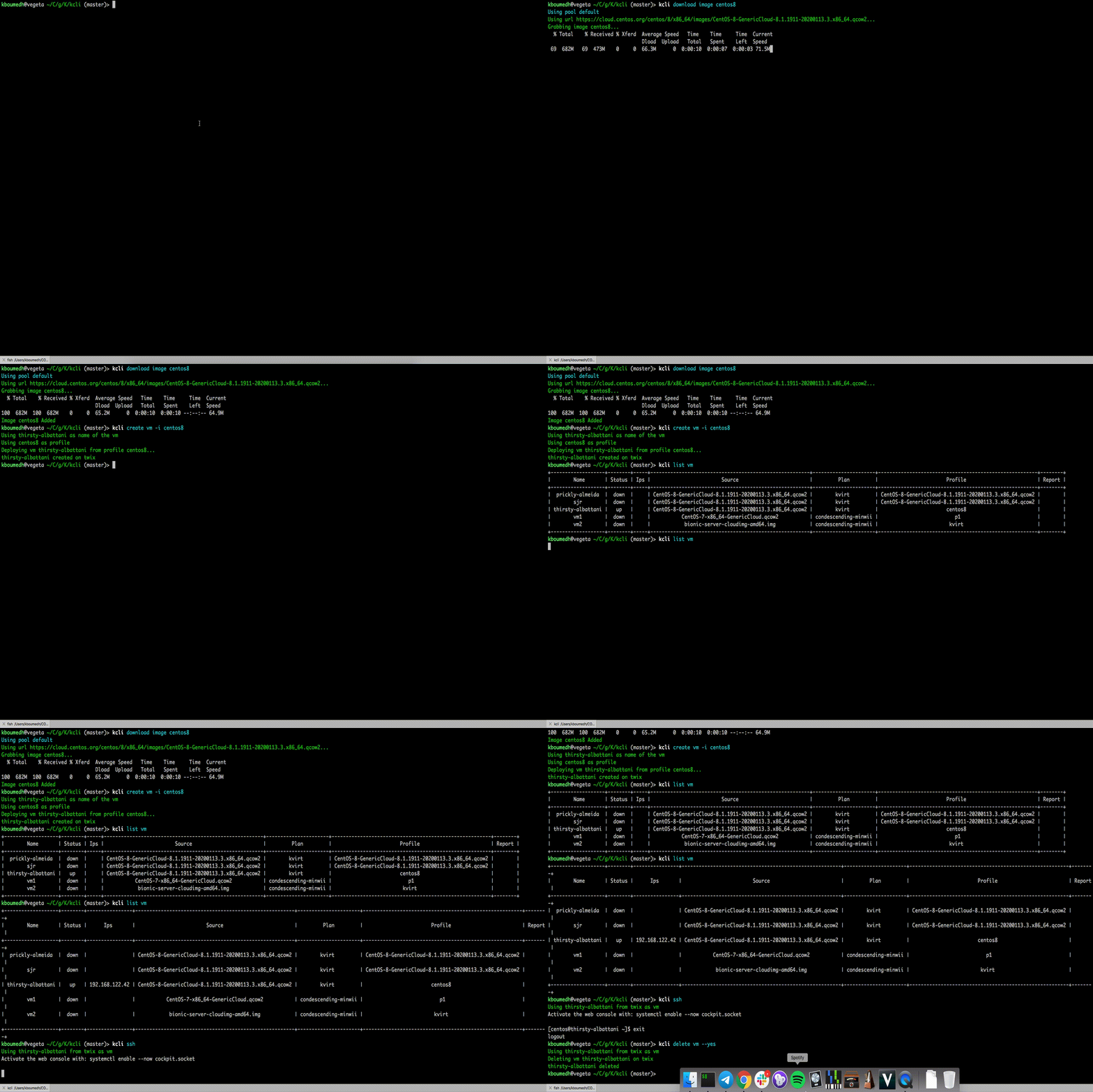
This tool is meant to interact with existing virtualization providers (libvirt, KubeVirt, oVirt, OpenStack, VMware vSphere, AWS, Azure, GCP, IBM cloud and Hcloud) and to easily deploy and customize VMs from cloud images.
You can also interact with those VMs (list, info, ssh, start, stop, delete, console, serialconsole, add/delete disk, add/delete nic, ...).
Furthermore, you can deploy VMs using predefined profiles, several at once using plan files or entire products for which plans were already created for you.
Refer to the documentation for more information
curl -s https://raw.githubusercontent.com/karmab/kcli/main/install.sh | bash
Deploy your first vm with:
kcli create vm -i centos8stream myvm
kcli list vm
# wait 5-10 seconds for vm to grab an ip
kcli ssh myvm
kcli delete vm
Copyright 2017-2025 Karim Boumedhel
Licensed under the Apache License, Version 2.0 (the "License"); you may not use this file except in compliance with the License. You may obtain a copy of the License at
http://www.apache.org/licenses/LICENSE-2.0
Unless required by applicable law or agreed to in writing, software distributed under the License is distributed on an "AS IS" BASIS, WITHOUT WARRANTIES OR CONDITIONS OF ANY KIND, either express or implied. See the License for the specific language governing permissions and limitations under the License.
Open an issue or join us on slack
Mc Fly!!!
karmab
603 followers · starred Feb 2021
154 followers · starred Oct 2016
51 followers · starred Jan 2026
176 followers · starred Dec 2021
Management tool for virtualization and kubernetes platforms
See the code
This tool is meant to interact with existing virtualization providers (libvirt, KubeVirt, oVirt, OpenStack, VMware vSphere, AWS, Azure, GCP, IBM cloud and Hcloud) and to easily deploy and customize VMs from cloud images.
You can also interact with those VMs (list, info, ssh, start, stop, delete, console, serialconsole, add/delete disk, add/delete nic, ...).
Furthermore, you can deploy VMs using predefined profiles, several at once using plan files or entire products for which plans were already created for you.
Refer to the documentation for more information
curl -s https://raw.githubusercontent.com/karmab/kcli/main/install.sh | bash
Deploy your first vm with:
kcli create vm -i centos8stream myvm
kcli list vm
# wait 5-10 seconds for vm to grab an ip
kcli ssh myvm
kcli delete vm
Copyright 2017-2025 Karim Boumedhel
Licensed under the Apache License, Version 2.0 (the "License"); you may not use this file except in compliance with the License. You may obtain a copy of the License at
http://www.apache.org/licenses/LICENSE-2.0
Unless required by applicable law or agreed to in writing, software distributed under the License is distributed on an "AS IS" BASIS, WITHOUT WARRANTIES OR CONDITIONS OF ANY KIND, either express or implied. See the License for the specific language governing permissions and limitations under the License.
Open an issue or join us on slack
Mc Fly!!!
karmab
603 followers · starred Feb 2021
154 followers · starred Oct 2016
51 followers · starred Jan 2026
176 followers · starred Dec 2021



