
README
Kjell
Kjell - a refurbished Erlang shell with support for color profiles and extensions.
Build status
- Main branch :

- Development branch :

Screens
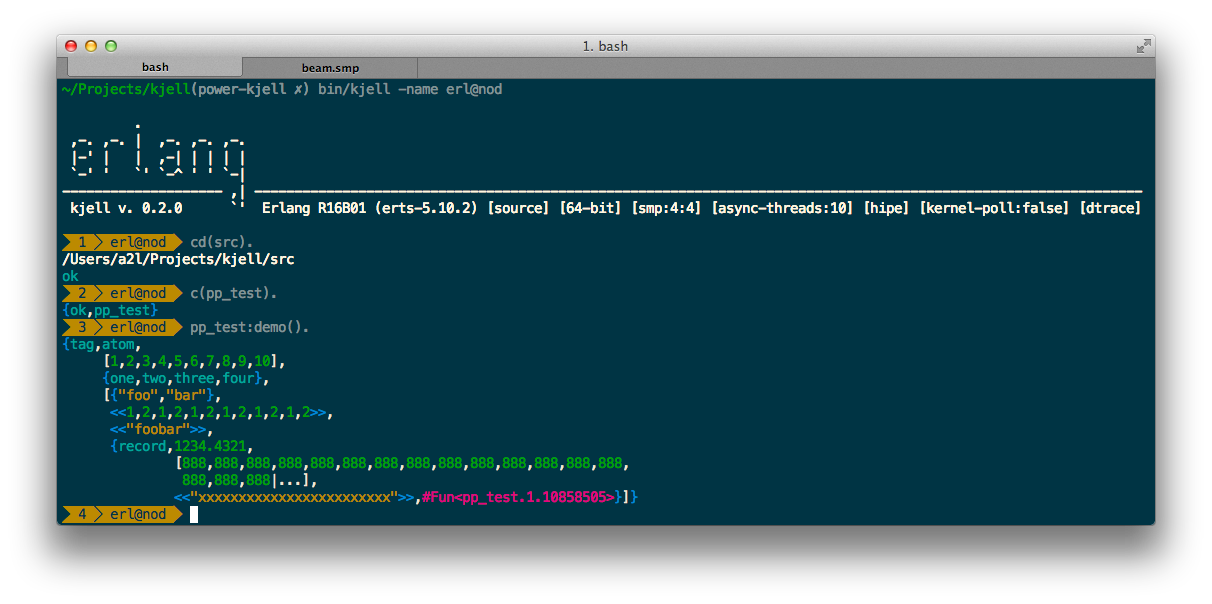
Kjell (dark profile) on Solarized Dark
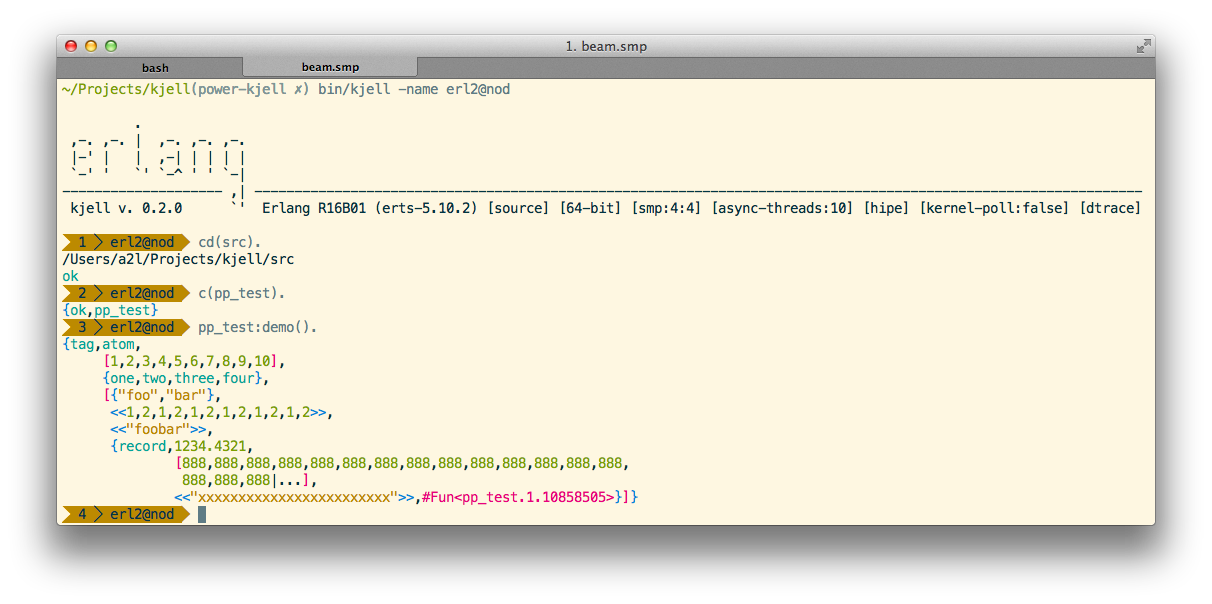
Kjell (light profile) on Solarized Light
Overview
See http://karlll.github.com/kjell/
Dependencies
- Erlang/OTP R16B01+
- Extension
kjell-prompt: Powerline patched font (https://github.com/Lokaltog/powerline-fonts)
Install
Mac: Install using Hombrew
$ brew install kjell
Linux: Build and install
Build
  $ git clone --recursive https://github.com/karlll/kjell.git && cd kjell
  $ make
After building:
$ make install
Install to alternate location
  $ make configure PREFIX=<alternate path>
  $ make install
Run
If installed, execute kjell in terminal, otherwise, <build_dir>/bin/kjell
Extensions
Install extensions in user directory:
$ make install-extensions
See https://github.com/karlll/kjell-extensions for further information about extensions.
Documentation
Please see the wiki, https://github.com/karlll/kjell/wiki
Author
Karl Larsaeus, karl@ninjacontrol.com
Contributors
- Pedram Nimreezi, deadzen@deadzen.com
- Uwe Dauernheim, uwe@dauernheim.net
- Dylan MacKenzie, dylanmackenzie@gmail.com
- Julien Barbot
- Andrzej Trawiński, andrzej.trawinski@jtendo.com
- Danila Fedyaschin, danilagamma@gmail.com
- gen_ale_drinker, michael.coles@gmail.com
- Jean-Sébastien Pédron, jean-sebastien.pedron@dumbbell.fr
How to contribute
Got new features, bugfixes, extensions? Great! Please do the following:
- Clone the repo
- Check out the development branch
- Hack stuff
- Add yourself to the CONTRIBUTORs
- Submit your pull request to the development branch
If appropriate, please extend the current test suites or add new ones.
Contributors


Similar repos


Languages
Erlang
99.4%
README
Kjell
Kjell - a refurbished Erlang shell with support for color profiles and extensions.
Build status
- Main branch :
- Development branch :
Screens
Kjell (dark profile) on Solarized Dark
Kjell (light profile) on Solarized Light
Overview
See http://karlll.github.com/kjell/
Dependencies
- Erlang/OTP R16B01+
- Extension
kjell-prompt: Powerline patched font (https://github.com/Lokaltog/powerline-fonts)
Install
Mac: Install using Hombrew
$ brew install kjell
Linux: Build and install
Build
  $ git clone --recursive https://github.com/karlll/kjell.git && cd kjell
  $ make
After building:
$ make install
Install to alternate location
  $ make configure PREFIX=<alternate path>
  $ make install
Run
If installed, execute kjell in terminal, otherwise, <build_dir>/bin/kjell
Extensions
Install extensions in user directory:
$ make install-extensions
See https://github.com/karlll/kjell-extensions for further information about extensions.
Documentation
Please see the wiki, https://github.com/karlll/kjell/wiki
Author
Karl Larsaeus, karl@ninjacontrol.com
Contributors
- Pedram Nimreezi, deadzen@deadzen.com
- Uwe Dauernheim, uwe@dauernheim.net
- Dylan MacKenzie, dylanmackenzie@gmail.com
- Julien Barbot
- Andrzej Trawiński, andrzej.trawinski@jtendo.com
- Danila Fedyaschin, danilagamma@gmail.com
- gen_ale_drinker, michael.coles@gmail.com
- Jean-Sébastien Pédron, jean-sebastien.pedron@dumbbell.fr
How to contribute
Got new features, bugfixes, extensions? Great! Please do the following:
- Clone the repo
- Check out the development branch
- Hack stuff
- Add yourself to the CONTRIBUTORs
- Submit your pull request to the development branch
If appropriate, please extend the current test suites or add new ones.
Similar repos
Contributors
Languages
Erlang
99.4%