Generating professional headshot with single image using Stable Diffusion
Jupyter Notebook
16
50 commits
updated Mar 28, 2024

Professional looking images with just one click!!





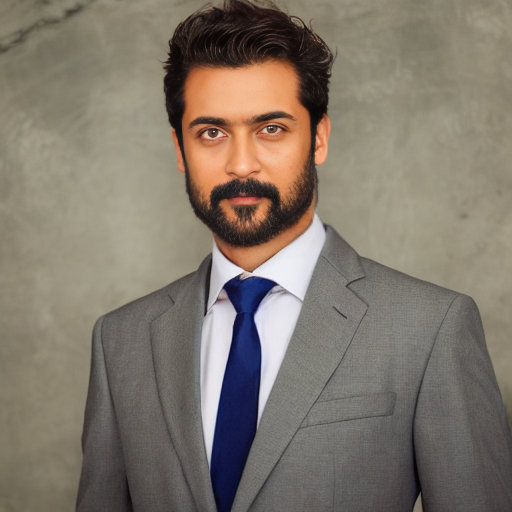
It generates a professional headshot with just one image of the person. One click and get professional looking image. It uses Stable Diffusion.

Clone the project
git clone https://github.com/karanjakhar/Professional-Headshot-with-single-image.git
Go to the project directory
cd Professional-Headshot-with-single-image
Install dependencies
  cd Professional-Headshot-with-single-image/frontend
  npm install

  cd Professional-Headshot-with-single-image/backend
  pip install -r requirements.txt
Run Backend and Frontend
  cd Professional-Headshot-with-single-image/frontend
  npm start

  cd Professional-Headshot-with-single-image/backend
  python3 -m app.main
Model Weights
Download model weight files from release and place them in weights/ folder.
Run Backend using Docker
cd Professional-Headshot-with-single-image/backend
docker build -t proshot:latest .
docker run --gpus all -p 8000:80 proshot:latest
Project is in two part frontend (ReactJS) and backend (Python, FastAPI). To run it locally you need to run both.
Contributions are always welcome!
See contributing.md for ways to get started.
Please read the Code of Conduct
Distributed under Apache2.0. See LICENSE for more information.
Karan Jakhar - @karan-jakhar - [email protected]
Project Link: https://github.com/karanjakhar/Professional-Headshot-with-single-image
Generating professional headshot with single image using Stable Diffusion
Jupyter Notebook
16
50 commits
updated Mar 28, 2024
Professional looking images with just one click!!
It generates a professional headshot with just one image of the person. One click and get professional looking image. It uses Stable Diffusion.
Clone the project
git clone https://github.com/karanjakhar/Professional-Headshot-with-single-image.git
Go to the project directory
cd Professional-Headshot-with-single-image
Install dependencies
  cd Professional-Headshot-with-single-image/frontend
  npm install

  cd Professional-Headshot-with-single-image/backend
  pip install -r requirements.txt
Run Backend and Frontend
  cd Professional-Headshot-with-single-image/frontend
  npm start

  cd Professional-Headshot-with-single-image/backend
  python3 -m app.main
Model Weights
Download model weight files from release and place them in weights/ folder.
Run Backend using Docker
cd Professional-Headshot-with-single-image/backend
docker build -t proshot:latest .
docker run --gpus all -p 8000:80 proshot:latest
Project is in two part frontend (ReactJS) and backend (Python, FastAPI). To run it locally you need to run both.
Contributions are always welcome!
See contributing.md for ways to get started.
Please read the Code of Conduct
Distributed under Apache2.0. See LICENSE for more information.
Karan Jakhar - @karan-jakhar - [email protected]
Project Link: https://github.com/karanjakhar/Professional-Headshot-with-single-image



