



Easy Matplotlib Animation
Creating animations should be easy. This module makes it easy to adapt your existing visualization code to create an animation.
pip install celluloid
Follow these steps:
Figure and create a Camera from it:from celluloid import Camera
fig = plt.figure()
camera = Camera(fig)
plt.plot(...)
plt.fancy_stuff()
camera.snap()
animation = camera.animate()
animation.save('animation.mp4')
The entire module is less than 50 lines of code.
View videos in notebooks with IPython.
from IPython.display import HTML
animation = camera.animate()
HTML(animation.to_html5_video())
As simple as it gets.
from matplotlib import pyplot as plt
from celluloid import Camera
fig = plt.figure()
camera = Camera(fig)
for i in range(10):
plt.plot([i] * 10)
camera.snap()
animation = camera.animate()

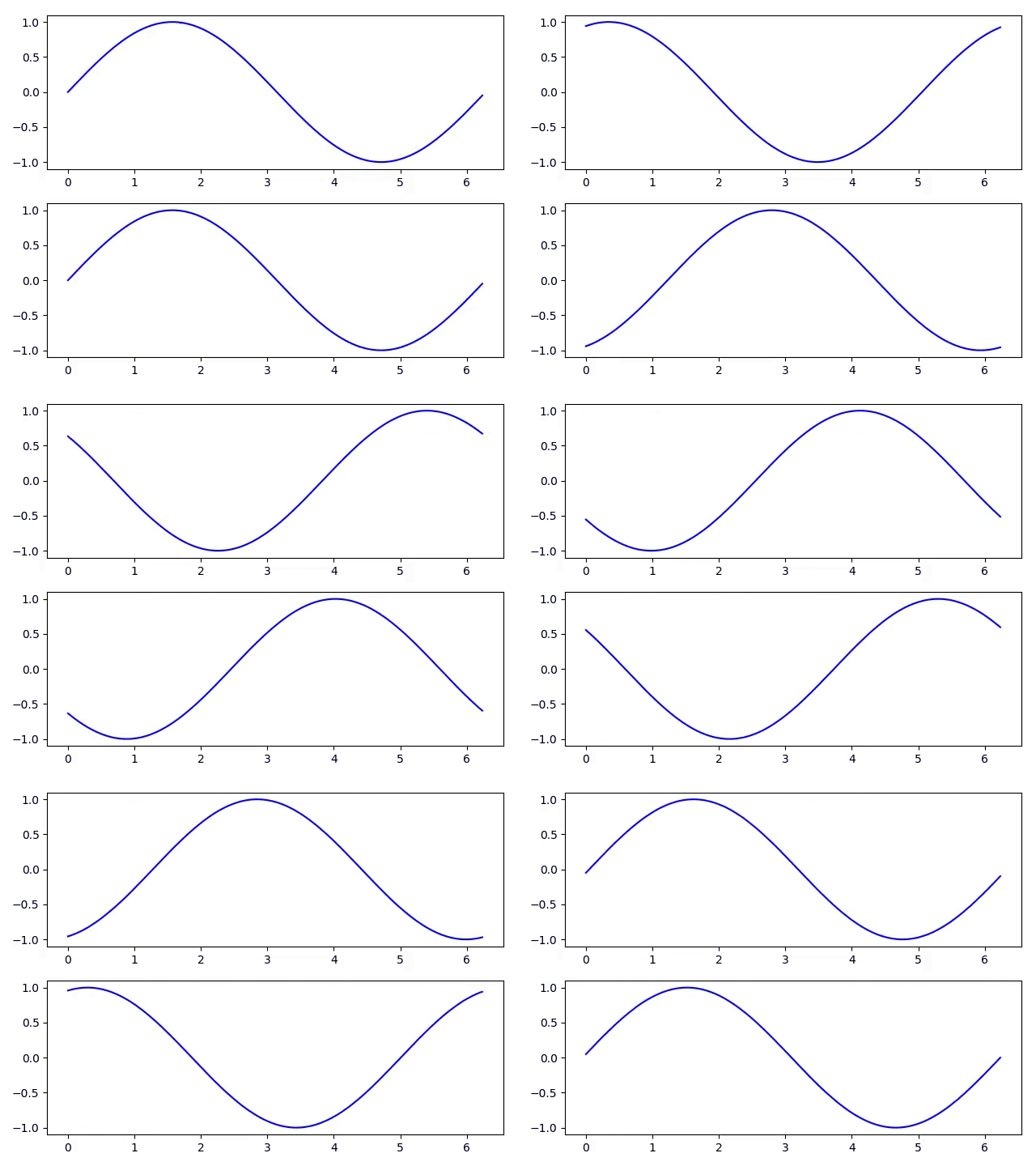
Animation at the top.
import numpy as np
from matplotlib import pyplot as plt
from celluloid import Camera
fig, axes = plt.subplots(2)
camera = Camera(fig)
t = np.linspace(0, 2 * np.pi, 128, endpoint=False)
for i in t:
axes[0].plot(t, np.sin(t + i), color='blue')
axes[1].plot(t, np.sin(t - i), color='blue')
camera.snap()
animation = camera.animate()
Domain coloring example.
import numpy as np
from matplotlib import pyplot as plt
from matplotlib.colors import hsv_to_rgb
from celluloid import Camera
fig = plt.figure()
camera = Camera(fig)
for a in np.linspace(0, 2 * np.pi, 30, endpoint=False):
x = np.linspace(-3, 3, 800)
X, Y = np.meshgrid(x, x)
x = X + 1j * Y
y = (x ** 2 - 2.5) * (x - 2.5 * 1j) * (x + 2.5 * 1j) \
* (x - 2 - 1j) ** 2 / ((x - np.exp(1j * a)) ** 2
* (x - np.exp(1j * 2 * a)) ** 2)
H = np.angle(y) / (2 * np.pi) + .5
r = np.log2(1. + np.abs(y))
S = (1. + np.abs(np.sin(2. * np.pi * r))) / 2.
V = (1. + np.abs(np.cos(2. * np.pi * r))) / 2.
rgb = hsv_to_rgb(np.dstack((H, S, V)))
ax.imshow(rgb)
camera.snap()
animation = camera.animate()

import matplotlib
from matplotlib import pyplot as plt
from celluloid import Camera
fig = plt.figure()
camera = Camera(fig)
for i in range(5):
t = plt.plot(range(i, i + 5))
plt.legend(t, [f'line {i}'])
camera.snap()
animation = camera.animate()

legend function to draw them separately.ax.text(0.5, 1.01, 'computed title', transform=ax.transAxes)
ArtistAnimation under the hood. This means that all artists are saved to memory before the animation is constructed.Inspired by plotnine.
Overall
Maintained
Code review
PyPI
Latest release
Releases this year
1,479 followers · starred Jun 2022
590 followers · starred May 2020
2,337 followers · starred Nov 2020
404 followers · starred Mar 2022
Easy Matplotlib Animation
Creating animations should be easy. This module makes it easy to adapt your existing visualization code to create an animation.
pip install celluloid
Follow these steps:
Figure and create a Camera from it:from celluloid import Camera
fig = plt.figure()
camera = Camera(fig)
plt.plot(...)
plt.fancy_stuff()
camera.snap()
animation = camera.animate()
animation.save('animation.mp4')
The entire module is less than 50 lines of code.
View videos in notebooks with IPython.
from IPython.display import HTML
animation = camera.animate()
HTML(animation.to_html5_video())
As simple as it gets.
from matplotlib import pyplot as plt
from celluloid import Camera

fig = plt.figure()
camera = Camera(fig)
for i in range(10):
    plt.plot([i] * 10)
    camera.snap()
animation = camera.animate()
Animation at the top.
import numpy as np
from matplotlib import pyplot as plt
from celluloid import Camera

fig, axes = plt.subplots(2)
camera = Camera(fig)
t = np.linspace(0, 2 * np.pi, 128, endpoint=False)
for i in t:
    axes[0].plot(t, np.sin(t + i), color='blue')
    axes[1].plot(t, np.sin(t - i), color='blue')
    camera.snap()
animation = camera.animate()
Domain coloring example.
import numpy as np
from matplotlib import pyplot as plt
from matplotlib.colors import hsv_to_rgb

from celluloid import Camera

fig = plt.figure()
camera = Camera(fig)

for a in np.linspace(0, 2 * np.pi, 30, endpoint=False):
    x = np.linspace(-3, 3, 800)
    X, Y = np.meshgrid(x, x)
    x = X + 1j * Y
    y = (x ** 2 - 2.5) * (x - 2.5 * 1j) * (x + 2.5 * 1j) \
        * (x - 2 - 1j) ** 2 / ((x - np.exp(1j * a)) ** 2
        * (x - np.exp(1j * 2 * a)) ** 2)

    H = np.angle(y) / (2 * np.pi) + .5
    r = np.log2(1. + np.abs(y))
    S = (1. + np.abs(np.sin(2. * np.pi * r))) / 2.
    V = (1. + np.abs(np.cos(2. * np.pi * r))) / 2.

    rgb = hsv_to_rgb(np.dstack((H, S, V)))
    ax.imshow(rgb)
    camera.snap()
animation = camera.animate()
import matplotlib
from matplotlib import pyplot as plt
from celluloid import Camera

fig = plt.figure()
camera = Camera(fig)
for i in range(5):
    t = plt.plot(range(i, i + 5))
    plt.legend(t, [f'line {i}'])
    camera.snap()
animation = camera.animate()
legend function to draw them separately.ax.text(0.5, 1.01, 'computed title', transform=ax.transAxes)
ArtistAnimation under the hood. This means that all artists are saved to memory before the animation is constructed.Inspired by plotnine.
Overall
Maintained
Code review
PyPI
Latest release
Releases this year
1,479 followers · starred Jun 2022
590 followers · starred May 2020
2,337 followers · starred Nov 2020
404 followers · starred Mar 2022



