
README
Doolittle
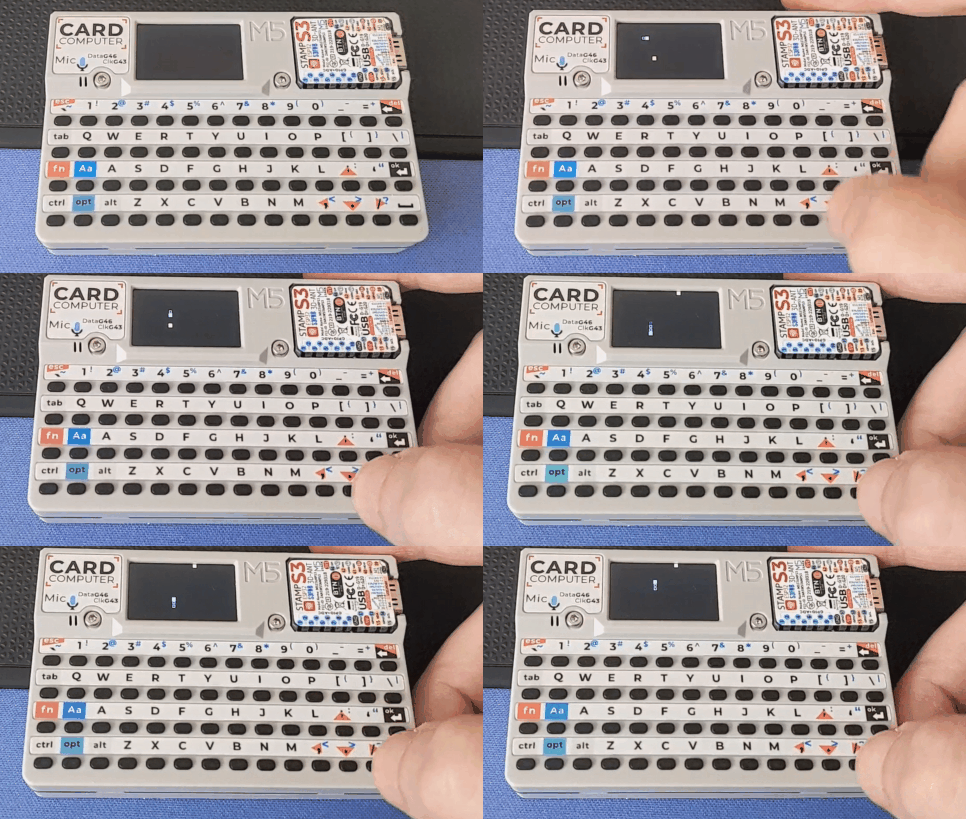
An application loader for the M5 Cardputer that runs Javascript.
Required Libraries
- M5Cardputer by M5Stack
- JavaScript by Joseph Read
Installation Guide
- Flash the firmware.
- Copy the file structure from the SD Card Root folder to the root of your Cardputer's SD Card.
- Anything in boot.js should run automatically.
API Reference for Native Functions Accessible from JS
load(script: string)
Description: Sets the script to be executed next when the current script ends.
Parameters:
script(string): The JavaScript code as a string to be loaded.
Returns: void
print(message: string)
Description: Prints the given message to the Serial monitor.
Parameters:
message(string): The message to print.
Returns: void
now()
Description: Returns the current time in milliseconds since the epoch.
Returns: number: The current timestamp in milliseconds.
delay(ms: number)
Description: Pauses execution for the specified number of milliseconds.
Parameters:
ms(number): The number of milliseconds to delay.
Returns: void
digitalWrite(pin: number, value: boolean)
Description: Sets the digital value (HIGH or LOW) for a specified pin.
Parameters:
pin(number): The pin number.value(boolean): The value to write (true for HIGH, false for LOW).
Returns: void
pinMode(pin: number, mode: number)
Description: Configures the specified pin to behave as an input or an output.
Parameters:
pin(number): The pin number.mode(number): The mode to set (INPUT, OUTPUT, etc.).
Returns: void
httpGet(url: string, headers: string[])
Description: Performs an HTTP GET request to the specified URL. Optionally includes headers.
Parameters:
url(string): The URL to send the GET request to.headers(string[]): An array of headers to include in the request. Headers should be provided as key-value pairs in the array. Example:[ "Content-Type", "application/json", "Authorization", "Bearer your_token_here", "Accept", "application/json" ]
Returns: object: An object with two properties:
response(number): The HTTP response code.body(string): The response body.
color(r: number, g: number, b: number)
Description: Creates a color from the given RGB values.
Parameters:
r(number): The red component (0-255).g(number): The green component (0-255).b(number): The blue component (0-255).
Returns: number: The color value in 16-bit RGB format.
setTextColor(color: number)
Description: Sets the text color for drawing operations.
Parameters:
color(number): The color value in 16-bit RGB format.
Returns: void
setTextSize(size: number)
Description: Sets the text size for drawing operations.
Parameters:
size(number): The text size multiplier.
Returns: void
drawRect(x: number, y: number, width: number, height: number, color: number)
Description: Draws a rectangle with the specified parameters.
Parameters:
x(number): The x-coordinate of the top-left corner.y(number): The y-coordinate of the top-left corner.width(number): The width of the rectangle.height(number): The height of the rectangle.color(number): The color value in 16-bit RGB format.
Returns: void
drawFillRect(x: number, y: number, width: number, height: number, color: number)
Description: Draws a filled rectangle with the specified parameters.
Parameters:
x(number): The x-coordinate of the top-left corner.y(number): The y-coordinate of the top-left corner.width(number): The width of the rectangle.height(number): The height of the rectangle.color(number): The color value in 16-bit RGB format.
Returns: void
drawString(text: string, x: number, y: number)
Description: Draws the specified text at the given coordinates.
Parameters:
text(string): The text to draw.x(number): The x-coordinate where the text starts.y(number): The y-coordinate where the text starts.
Returns: void
width()
Description: Returns the width of the display.
Returns: number: The width of the display in pixels.
height()
Description: Returns the height of the display.
Returns: number: The height of the display in pixels.
getKeysPressed()
Description: Returns the current state of the keys pressed on the M5Cardputer.
Returns: string[]: An array of strings representing the pressed keys. Possible values include "Delete", "Enter", "Alt", "Tab", "Function", "Option", or the actual key character.
Contributors

7 commits
Similar repos


Languages
C++
76.3%
JavaScript
23.7%
README
Doolittle
An application loader for the M5 Cardputer that runs Javascript.
Required Libraries
- M5Cardputer by M5Stack
- JavaScript by Joseph Read
Installation Guide
- Flash the firmware.
- Copy the file structure from the SD Card Root folder to the root of your Cardputer's SD Card.
- Anything in boot.js should run automatically.
API Reference for Native Functions Accessible from JS
load(script: string)
Description: Sets the script to be executed next when the current script ends.
Parameters:
script(string): The JavaScript code as a string to be loaded.
Returns: void
print(message: string)
Description: Prints the given message to the Serial monitor.
Parameters:
message(string): The message to print.
Returns: void
now()
Description: Returns the current time in milliseconds since the epoch.
Returns: number: The current timestamp in milliseconds.
delay(ms: number)
Description: Pauses execution for the specified number of milliseconds.
Parameters:
ms(number): The number of milliseconds to delay.
Returns: void
digitalWrite(pin: number, value: boolean)
Description: Sets the digital value (HIGH or LOW) for a specified pin.
Parameters:
pin(number): The pin number.value(boolean): The value to write (true for HIGH, false for LOW).
Returns: void
pinMode(pin: number, mode: number)
Description: Configures the specified pin to behave as an input or an output.
Parameters:
pin(number): The pin number.mode(number): The mode to set (INPUT, OUTPUT, etc.).
Returns: void
httpGet(url: string, headers: string[])
Description: Performs an HTTP GET request to the specified URL. Optionally includes headers.
Parameters:
url(string): The URL to send the GET request to.headers(string[]): An array of headers to include in the request. Headers should be provided as key-value pairs in the array. Example:[ "Content-Type", "application/json", "Authorization", "Bearer your_token_here", "Accept", "application/json" ]
Returns: object: An object with two properties:
response(number): The HTTP response code.body(string): The response body.
color(r: number, g: number, b: number)
Description: Creates a color from the given RGB values.
Parameters:
r(number): The red component (0-255).g(number): The green component (0-255).b(number): The blue component (0-255).
Returns: number: The color value in 16-bit RGB format.
setTextColor(color: number)
Description: Sets the text color for drawing operations.
Parameters:
color(number): The color value in 16-bit RGB format.
Returns: void
setTextSize(size: number)
Description: Sets the text size for drawing operations.
Parameters:
size(number): The text size multiplier.
Returns: void
drawRect(x: number, y: number, width: number, height: number, color: number)
Description: Draws a rectangle with the specified parameters.
Parameters:
x(number): The x-coordinate of the top-left corner.y(number): The y-coordinate of the top-left corner.width(number): The width of the rectangle.height(number): The height of the rectangle.color(number): The color value in 16-bit RGB format.
Returns: void
drawFillRect(x: number, y: number, width: number, height: number, color: number)
Description: Draws a filled rectangle with the specified parameters.
Parameters:
x(number): The x-coordinate of the top-left corner.y(number): The y-coordinate of the top-left corner.width(number): The width of the rectangle.height(number): The height of the rectangle.color(number): The color value in 16-bit RGB format.
Returns: void
drawString(text: string, x: number, y: number)
Description: Draws the specified text at the given coordinates.
Parameters:
text(string): The text to draw.x(number): The x-coordinate where the text starts.y(number): The y-coordinate where the text starts.
Returns: void
width()
Description: Returns the width of the display.
Returns: number: The width of the display in pixels.
height()
Description: Returns the height of the display.
Returns: number: The height of the display in pixels.
getKeysPressed()
Description: Returns the current state of the keys pressed on the M5Cardputer.
Returns: string[]: An array of strings representing the pressed keys. Possible values include "Delete", "Enter", "Alt", "Tab", "Function", "Option", or the actual key character.
Similar repos
Contributors
7 commits
Languages
C++
76.3%
JavaScript
23.7%