
A Sublime Text 2/3 plugin to see git diff in gutter
Python
3,877
752 commits
updated Mar 21, 2026
README
GitGutter
A Sublime Text plug-in to show information about files in a git repository:
- Gutter Icons indicating inserted, modified or deleted lines
- Diff Popup with details about modified lines
- Status Bar Text with information about file and repository
and provides some commands like:
- Goto Change to navigate between modified lines
- Copy from Commit to copy the original content from the commit
- Revert to Commit to revert a modified hunk to the original state in a commit
Gutter Icons & Status Bar Text
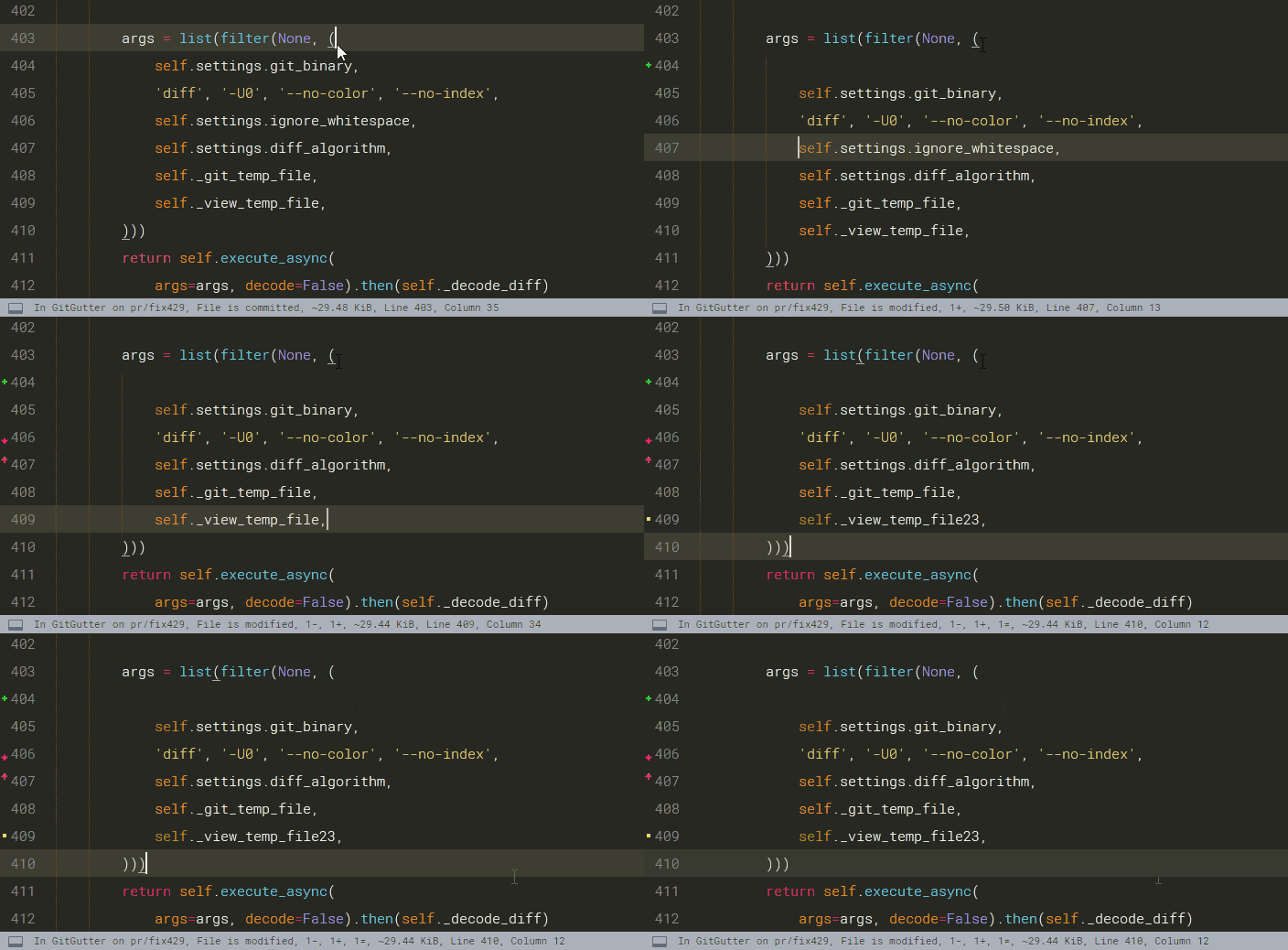
The icons of the default theme have the following meaning:
| Icon | Description |
|---|---|
 | inserted line |
 | modified line |
 | deleted region borders |
 | ignored file |
 | untracked file |
Diff Popup
The diff popup shows the original content from the commit or the differences between it and the working content.
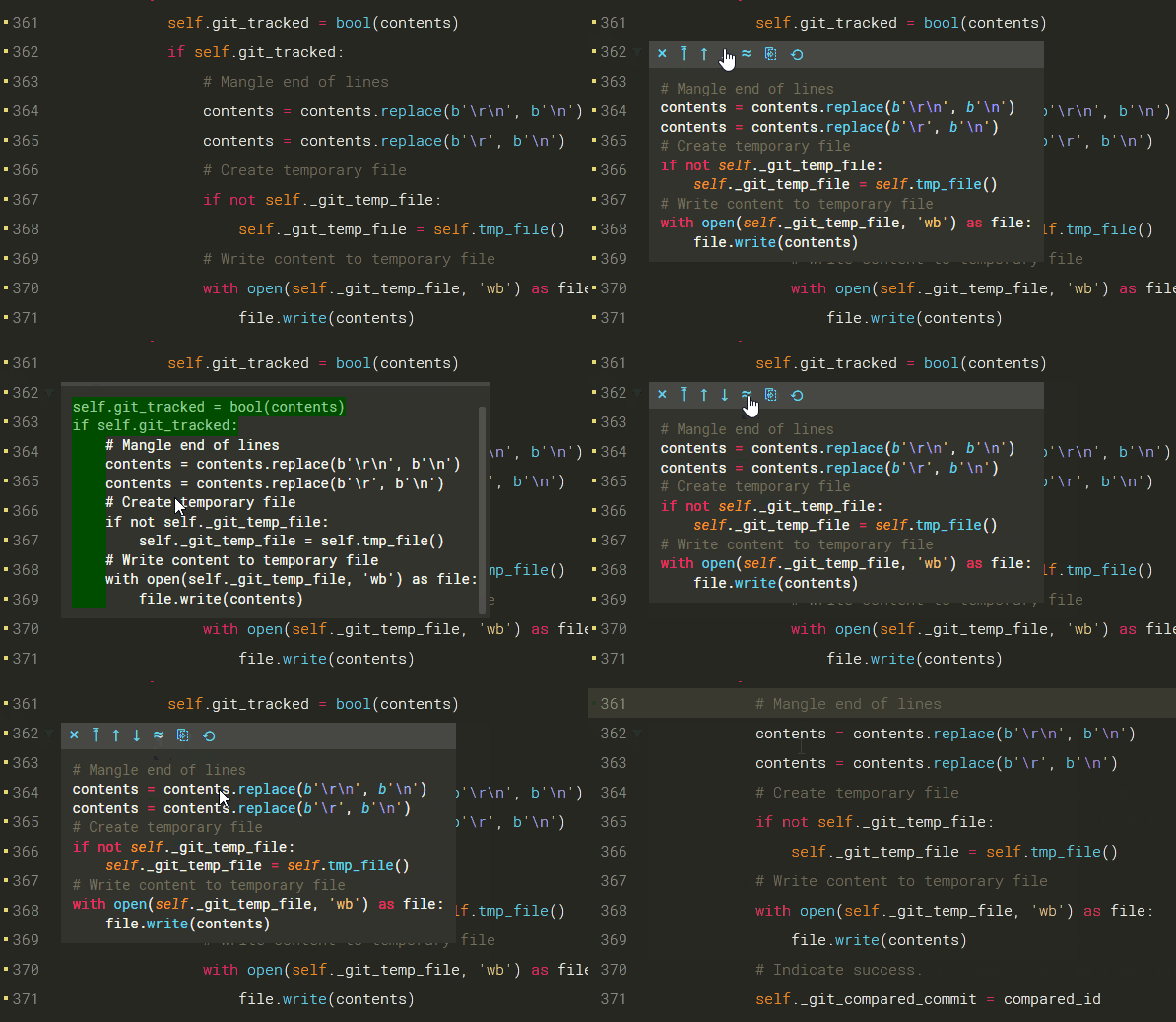
The toolbar provides some commands to interact with or modify the changes.
| symbol | meaning of the symbol |
|---|---|
| × | close the popup |
| ⤒ | goto to first change |
| ↑ | goto to previous change |
| ↓ | goto to next change |
| ≈, ≉ | enable/disable difference highlighting |
| ⎘ | copy the original content from the commit |
| ⟲ | revert a modified hunk to the original state in a commit |
Documentation
Please read https://jisaacks.github.io/GitGutter/ for detailed information about
Significant stargazers

294 followers · starred Apr 2023

509 followers · starred Feb 2013

95 followers · starred Apr 2018

549 followers · starred Jan 2014
Similar repos


A Sublime Text 2/3 plugin to see git diff in gutter
Python
3,877
752 commits
updated Mar 21, 2026
README
GitGutter
A Sublime Text plug-in to show information about files in a git repository:
- Gutter Icons indicating inserted, modified or deleted lines
- Diff Popup with details about modified lines
- Status Bar Text with information about file and repository
and provides some commands like:
- Goto Change to navigate between modified lines
- Copy from Commit to copy the original content from the commit
- Revert to Commit to revert a modified hunk to the original state in a commit
Gutter Icons & Status Bar Text
The icons of the default theme have the following meaning:
| Icon | Description |
|---|---|
| inserted line |
| modified line |
| deleted region borders |
| ignored file |
| untracked file |
Diff Popup
The diff popup shows the original content from the commit or the differences between it and the working content.
The toolbar provides some commands to interact with or modify the changes.
| symbol | meaning of the symbol |
|---|---|
| × | close the popup |
| ⤒ | goto to first change |
| ↑ | goto to previous change |
| ↓ | goto to next change |
| ≈, ≉ | enable/disable difference highlighting |
| ⎘ | copy the original content from the commit |
| ⟲ | revert a modified hunk to the original state in a commit |
Documentation
Please read https://jisaacks.github.io/GitGutter/ for detailed information about
Similar repos
Significant stargazers
294 followers · starred Apr 2023
509 followers · starred Feb 2013
95 followers · starred Apr 2018
549 followers · starred Jan 2014