
Enhanced catalogs feature with PNPM, Yarn, Bun and Vlt support.
TypeScript
209
119 commits
updated Sep 18, 2026
README
pncat
A unified cli tool that enhances package managers catalog: feature




pnpm add -D pncat
- 🚀 Init - Initialize config with optimized rules
- 🔍 Detect - Scan workspaces for catalogable dependencies
- 📦 Migrate - Group dependencies by rules automatically
- ➕ Add - Install dependencies with catalog and workspace support
- ➖ Remove - Remove dependencies safely from catalogs and packages
- 🧹 Clean - Remove unused catalog entries
- ↩️ Revert - Move cataloged dependencies back to
package.json
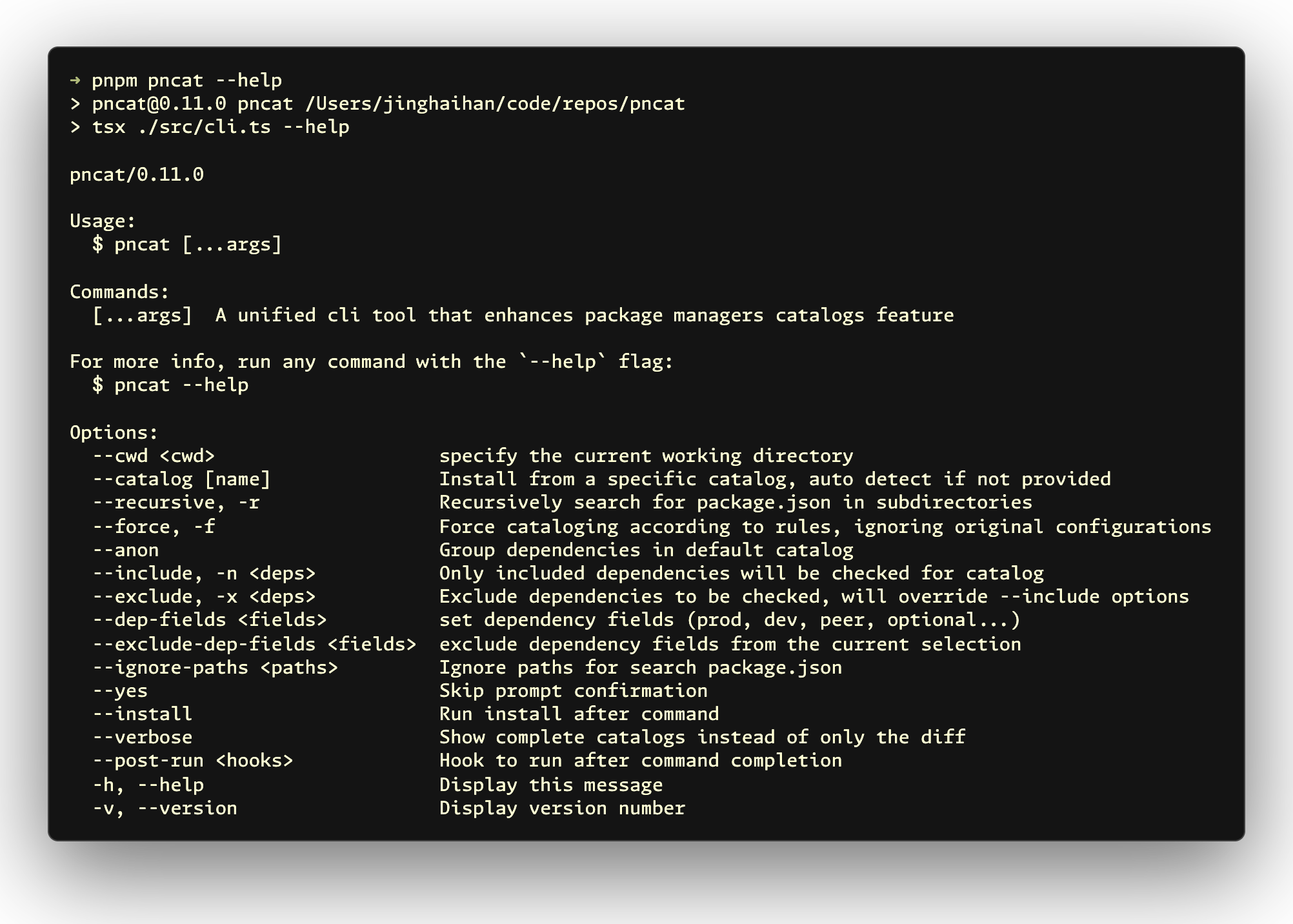
Usage
Init
pncat init
pncat create
pncat setup
pncat config
pncat conf
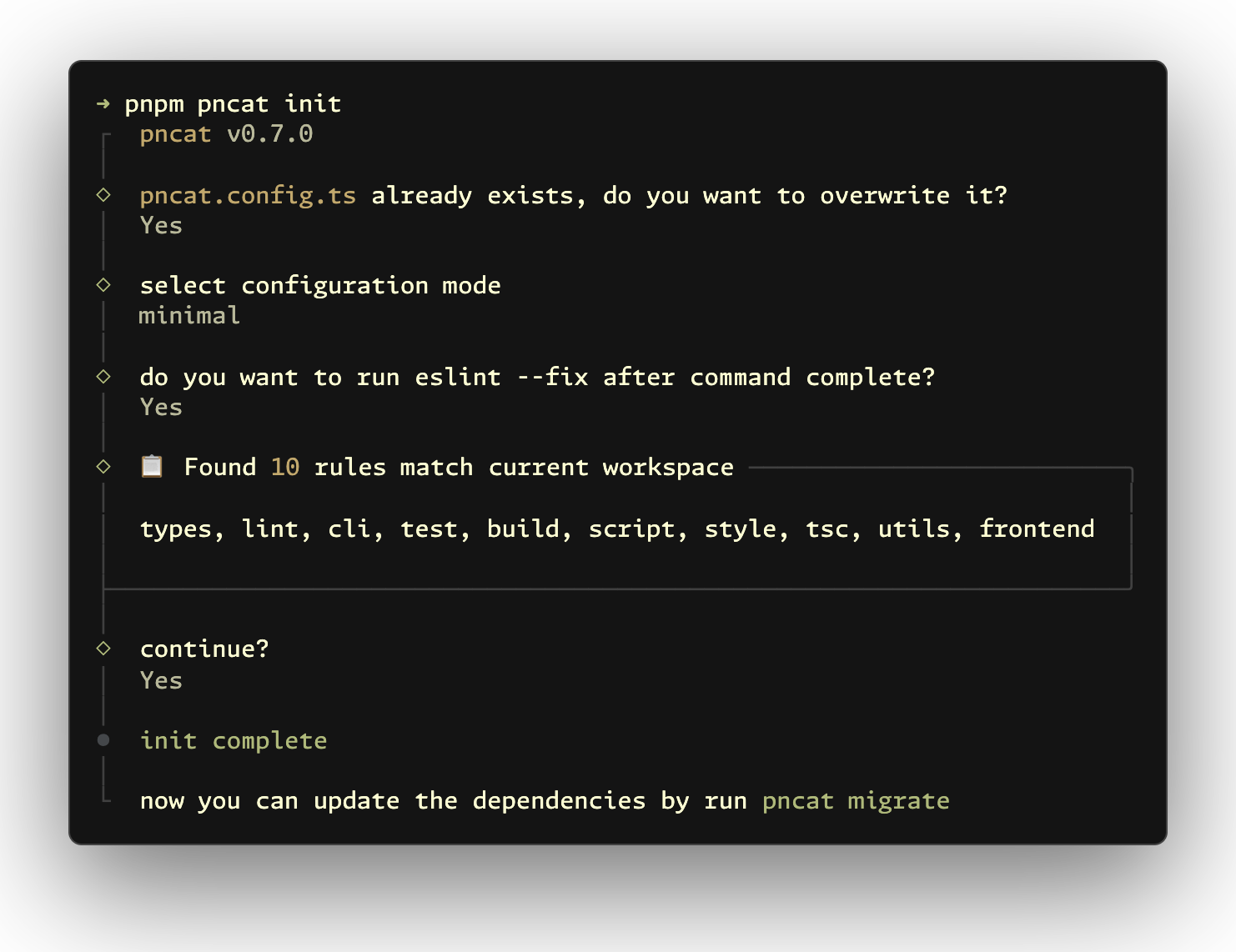
Initializes your workspace with an optimized config file. It analyzes current workspace dependencies and generates tailored rules for clearer project structure.
Detect
pncat detect
pncat d
pncat scan
pncat check
pncat find
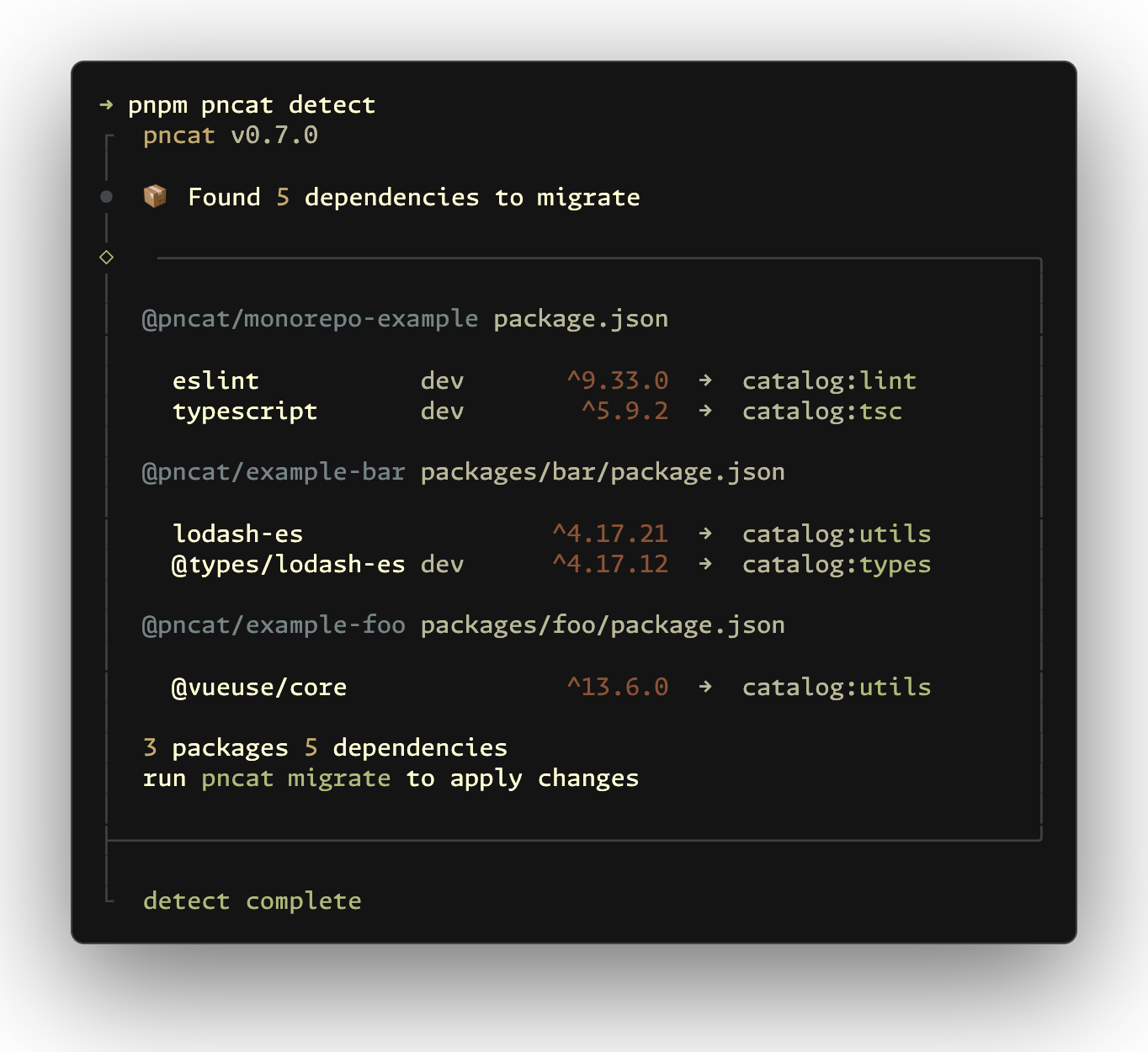
Scans your workspace and lists dependencies that can be moved to catalogs.
Migrate
pncat migrate
pncat mig
pncat move
pncat mv
pncat m
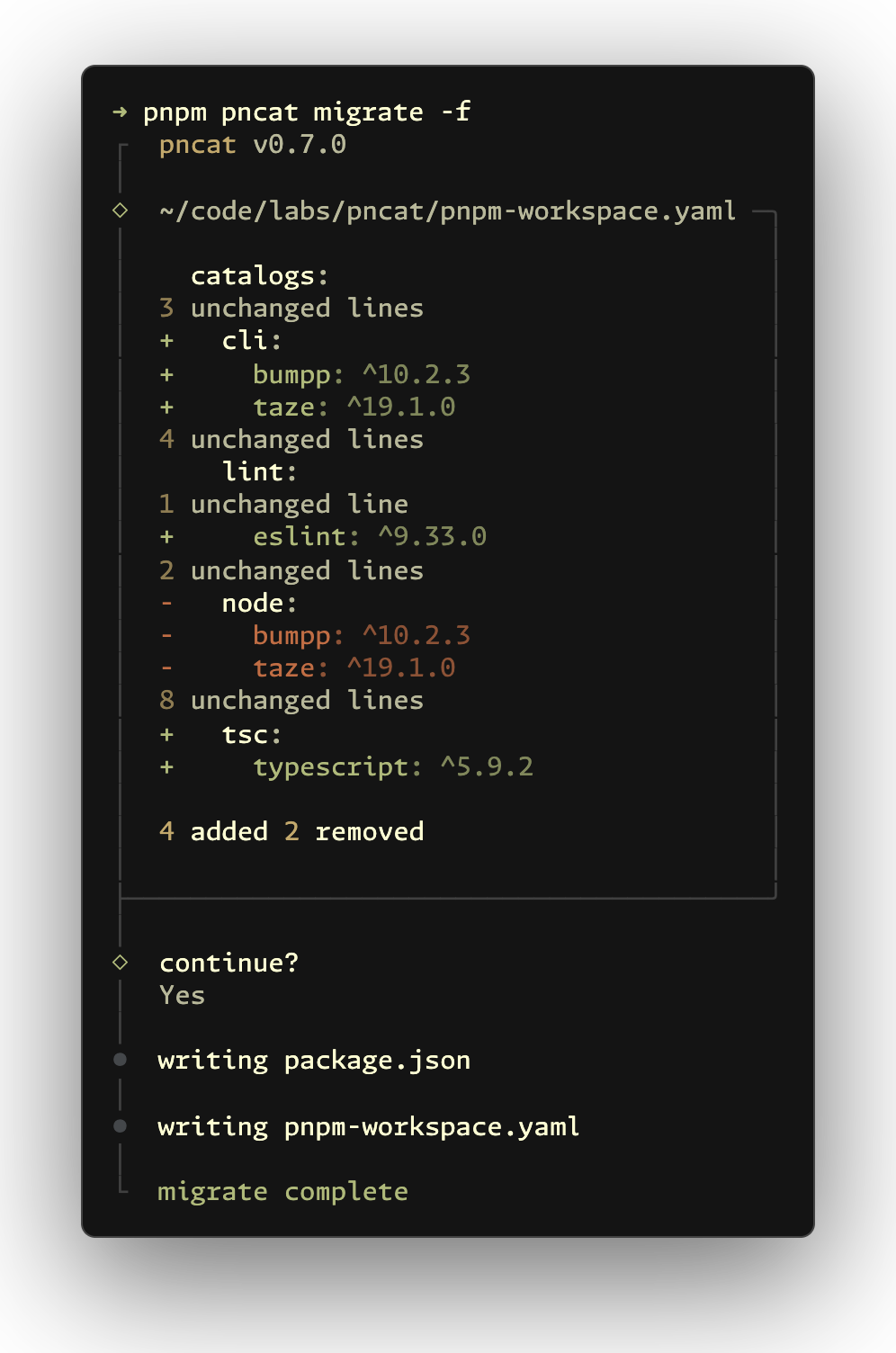
[!NOTE] To refresh catalog groups by rules, run
pncat migrate -f. For a clean migration, runpncat revert→pncat migrate.
Groups dependencies by rules (for example lint, test, utils) and updates both workspace catalog config and related package.json files.
When a dependency is assigned to multiple catalogs, you must select one target catalog. If the combined entries have different version specifiers, you must select a specifier as well. Both conflict prompts remain interactive with --yes; it only skips the final confirmation to apply migration changes. Dependency fields in each package.json remain unchanged.
Default rules are in src/rules.ts. To customize them, create pncat.config.ts in the project root.
Add
pncat add dep
pncat install dep
pncat in dep
pncat i dep
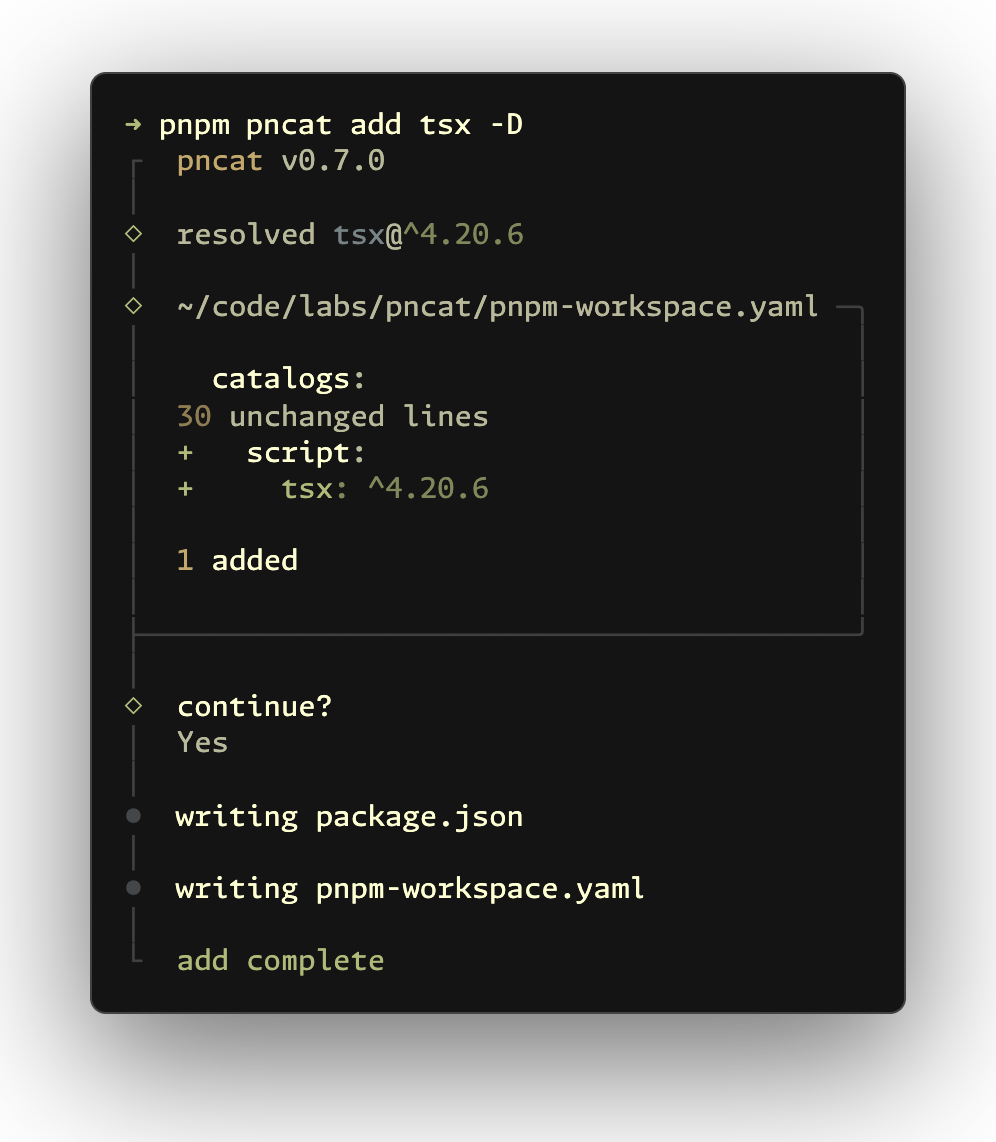
Adds dependencies with interactive prompts and catalog support (credit to @antfu/nip). Also supports adding monorepo workspace packages with the workspace: protocol.
Use --catalog <name> to target a catalog. If omitted, pncat assigns dependencies based on your catalog rules.
Remove
pncat remove dep
pncat rm dep
pncat r dep
pncat uninstall dep
pncat un dep
pncat u dep
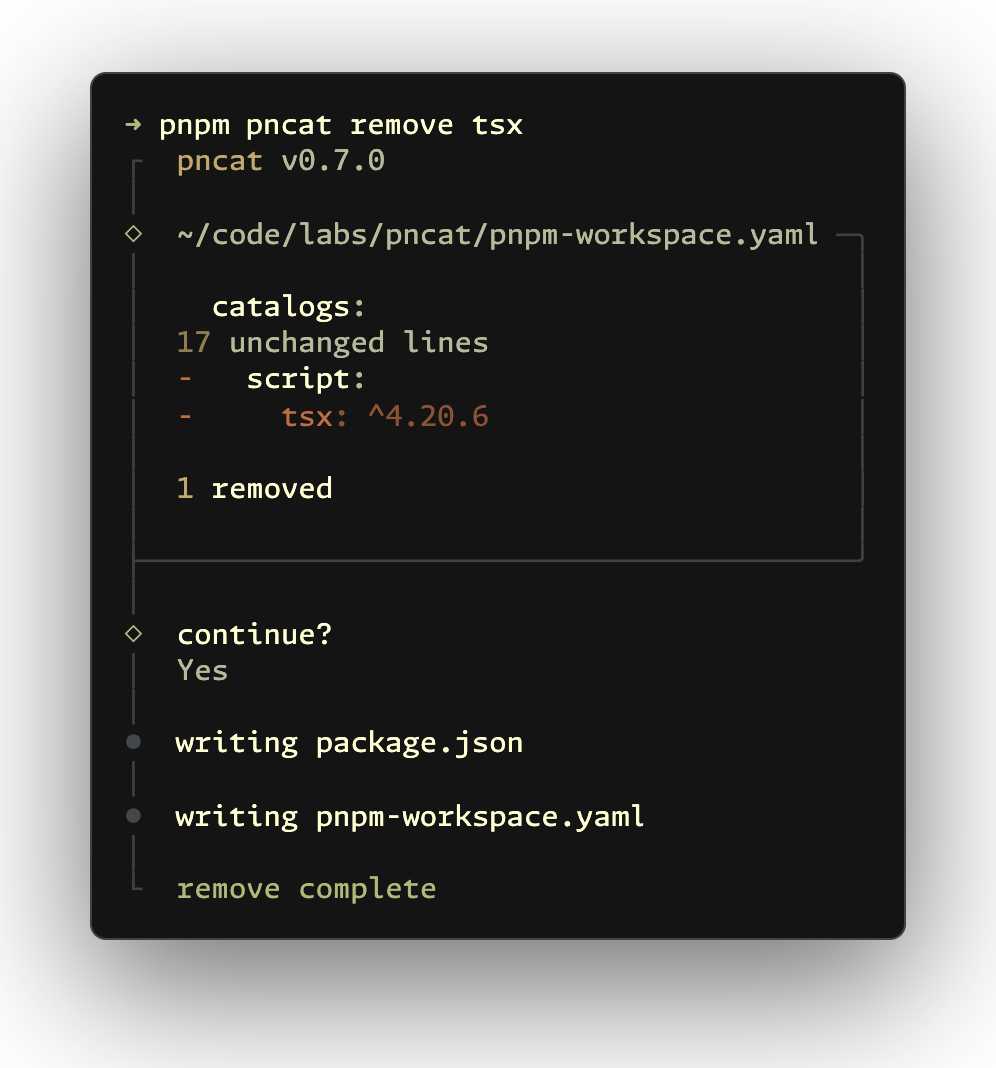
Shows which catalog group uses the dependency. After confirmation, removes it from both workspace catalog config and package.json.
To remove a dependency across the monorepo, use pnpm remove dep -r or pnpm remove dep --recursive.
Clean
pncat clean
pncat cl
pncat c
pncat prune
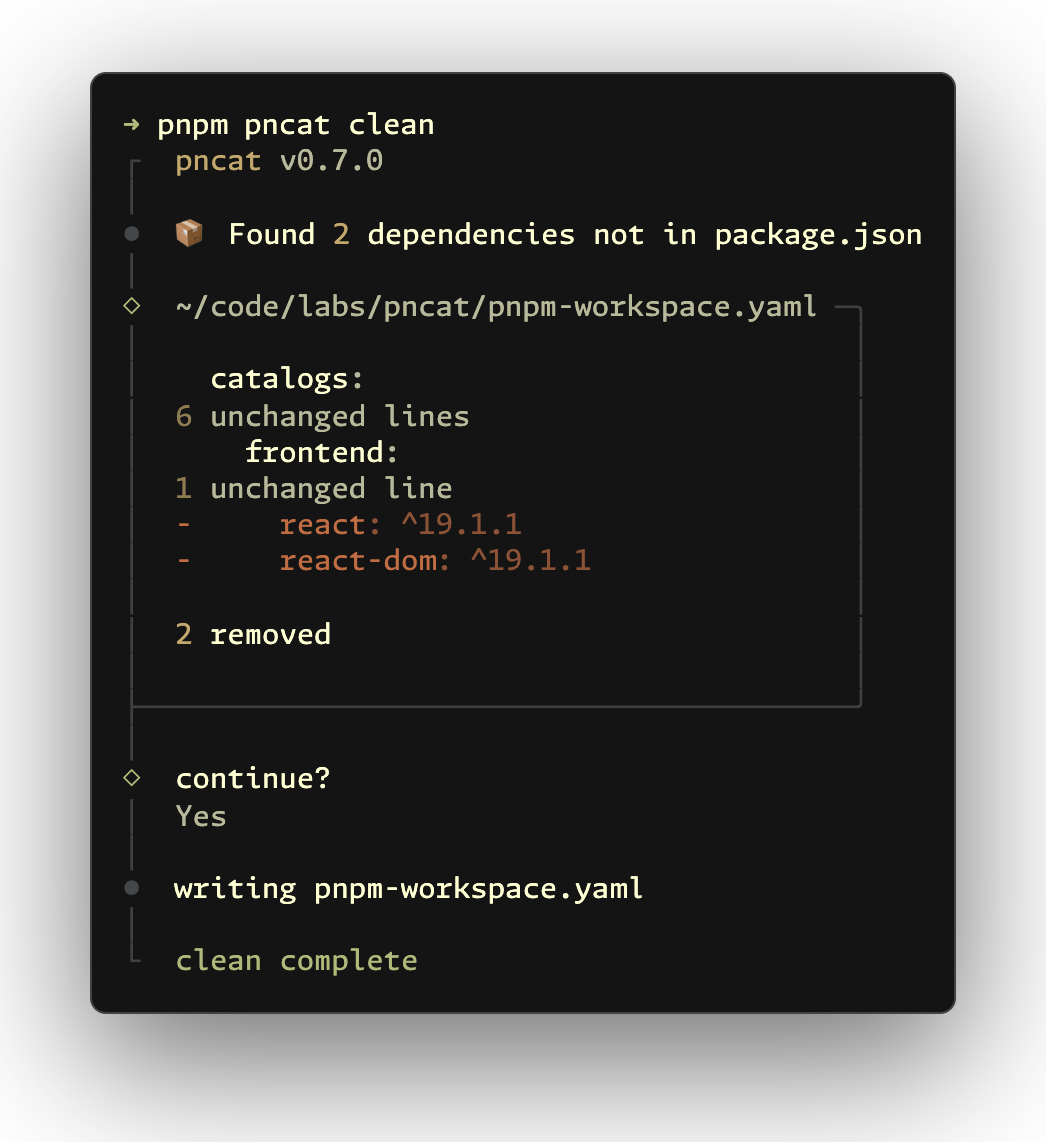
Finds unused catalog dependencies and removes them from workspace catalog config.
Revert
pncat revert
pncat rev
pncat restore
pncat undo
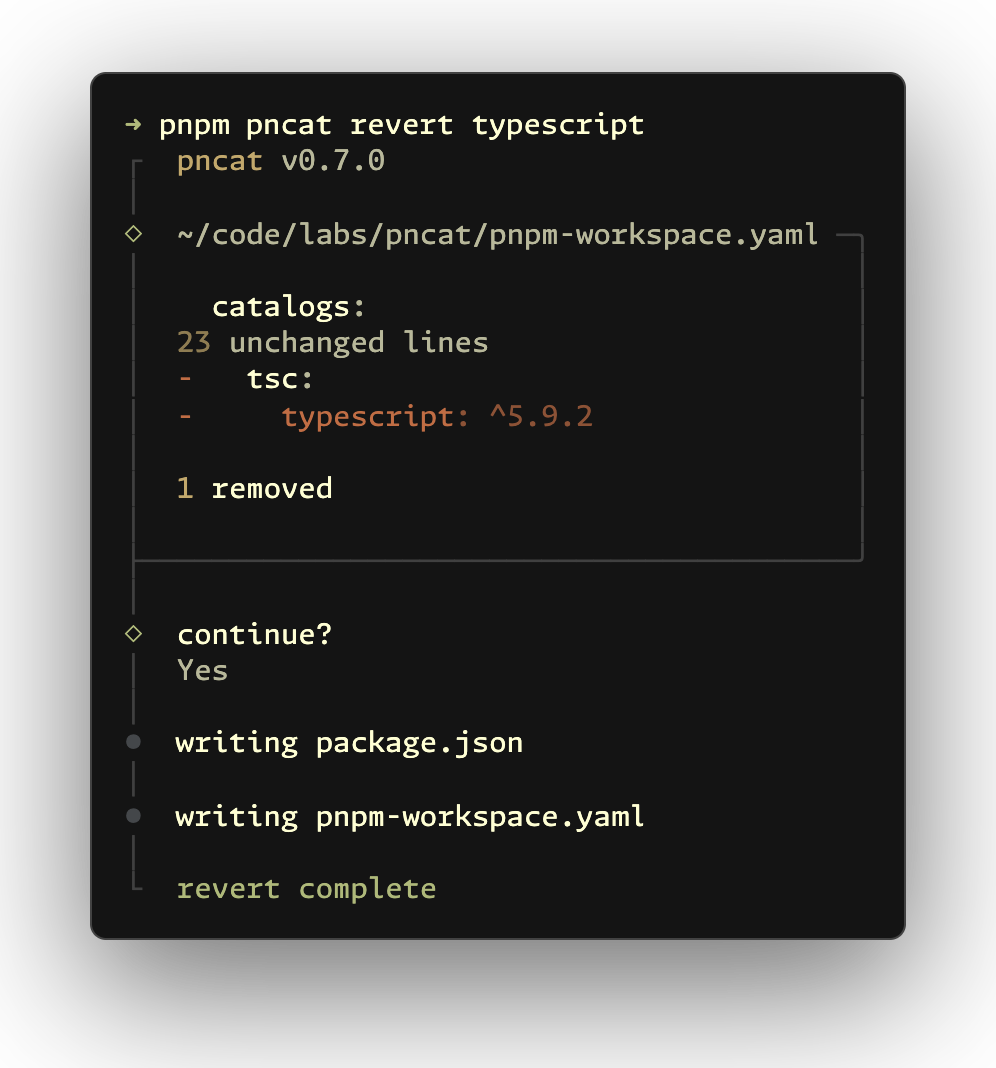
Moves cataloged dependencies back to package.json. Useful during monorepo restructuring or migration.
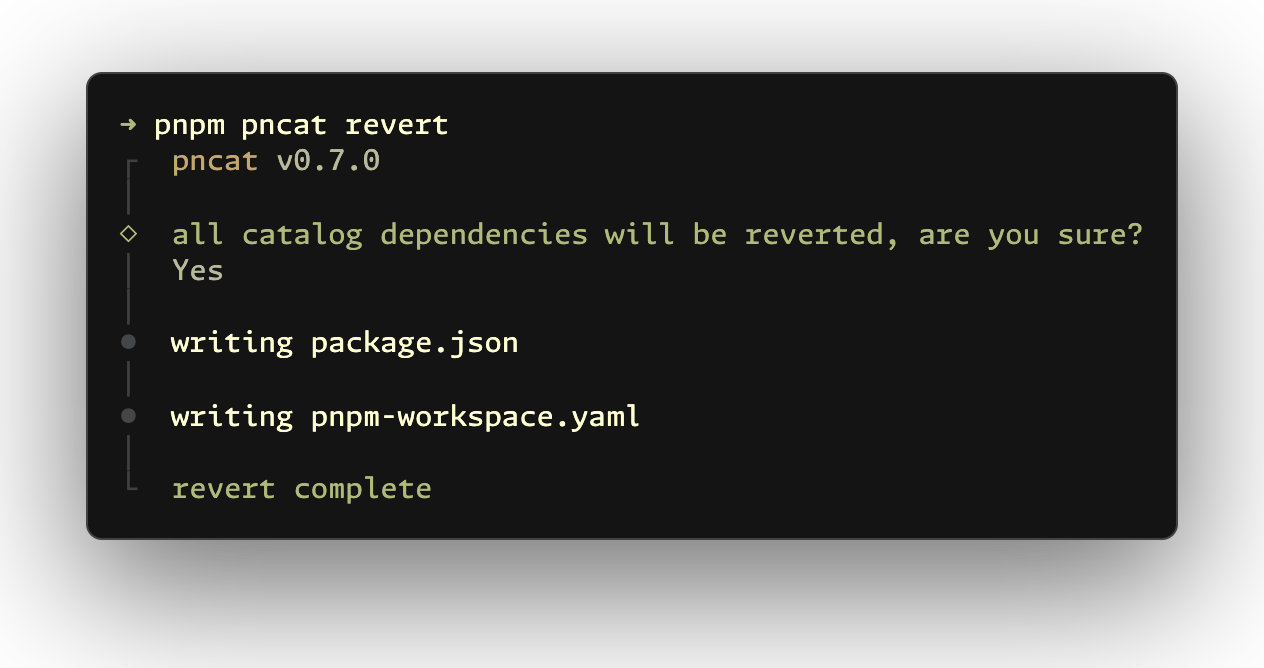
You can also revert specific dependencies:
pncat revert dep
pncat rev dep
pncat restore dep
pncat undo dep
Configuration
Run pncat init to generate optimized rules from your current workspace, or create pncat.config.ts manually:
import { defineConfig, mergeCatalogRules } from 'pncat'

export default defineConfig({
  // To extend defaults instead: catalogRules: mergeCatalogRules([...])
  catalogRules: [
    {
      name: 'vue',
      match: ['vue', 'vue-router', 'pinia'],
      // Smaller number = higher priority
      priority: 15,
      // Advanced: version-specific rules
      specifierRules: [
        { specifier: '<3.0.0', suffix: 'legacy', match: ['vue'] }
      ]
    }
  ],
  // Controls version-range processing
  specifierOptions: {
    skipComplexRanges: true,
    allowPreReleases: true,
    allowWildcards: false,
    allowNpmAliases: true
  },
  // Save exact versions instead of semver operators
  saveExact: true,
  // Hook after command completion (string, function, or array)
  postRun: 'eslint --fix "**/package.json" "**/pnpm-workspace.yaml"'
})
Catalog Rules:
name: Catalog name (required)match: Packages to include, supports RegExp (required)priority: Smaller number = higher priority (optional)specifierRules: Version-specific rules (optional)specifier: Semver range like>=3.0.0,<2.0.0(required)match: Packages this rule applies to (optional, defaults to parent match)name: Full catalog name (takes priority oversuffix)suffix: Catalog suffix (for examplelegacy,modern)
Specifier Options (optional):
skipComplexRanges: Skip complex ranges like||,-,>=(default:true)skipRangeTypes: Range types to skip (overridesskipComplexRanges)'||': Logical OR (for example^3.0.0 || ^4.0.0)'-': Hyphen range (for example1.2.3 - 2.3.4)'>=','<=','>','<': Comparison ranges'x': Wildcard (for example3.x)'*': Any version'pre-release': Beta/alpha/rc versions
allowPreReleases: Allow beta/alpha/rc versions (default:true)allowWildcards: Allow wildcard versions like3.x,*(default:false)allowNpmAliases: Allow npm alias specifiers likenpm:@foo/bar@^1(default:true)
Why pncat?
In monorepos, keeping dependency versions consistent across packages is important. Grouping dependencies improves project readability and team collaboration.
pnpm catalog support is still limited. For example, it does not provide built-in flows to add or migrate dependencies into specific groups. Managing catalogs manually across a workspace is slow and error-prone, so pncat fills this gap.
When migrating packages in a catalog-based monorepo, you also need to maintain workspace catalog config and remove outdated catalog entries. clean and revert automate this part.
Inspiration
This project is inspired by and builds on:
- taze - monorepo I/O utilities for reading and parsing workspace config and
package.jsonfiles - @antfu/nip - interactive prompt and UX inspiration for dependency workflows
Special thanks to @antfu and his article Categorizing Dependencies, which strongly influenced this tool.
Related Projects
- eslint-plugin-pnpm-catalog by @onmax - ESLint plugin to enforce named catalogs in pnpm workspaces
Contributors
License
MIT License © jinghaihan
Contributors


Similar repos


Languages
TypeScript
99.9%
Enhanced catalogs feature with PNPM, Yarn, Bun and Vlt support.
TypeScript
209
119 commits
updated Sep 18, 2026
README
pncat
A unified cli tool that enhances package managers catalog: feature
pnpm add -D pncat
- 🚀 Init - Initialize config with optimized rules
- 🔍 Detect - Scan workspaces for catalogable dependencies
- 📦 Migrate - Group dependencies by rules automatically
- ➕ Add - Install dependencies with catalog and workspace support
- ➖ Remove - Remove dependencies safely from catalogs and packages
- 🧹 Clean - Remove unused catalog entries
- ↩️ Revert - Move cataloged dependencies back to
package.json
Usage
Init
pncat init
pncat create
pncat setup
pncat config
pncat conf
Initializes your workspace with an optimized config file. It analyzes current workspace dependencies and generates tailored rules for clearer project structure.
Detect
pncat detect
pncat d
pncat scan
pncat check
pncat find
Scans your workspace and lists dependencies that can be moved to catalogs.
Migrate
pncat migrate
pncat mig
pncat move
pncat mv
pncat m
[!NOTE] To refresh catalog groups by rules, run
pncat migrate -f. For a clean migration, runpncat revert→pncat migrate.
Groups dependencies by rules (for example lint, test, utils) and updates both workspace catalog config and related package.json files.
When a dependency is assigned to multiple catalogs, you must select one target catalog. If the combined entries have different version specifiers, you must select a specifier as well. Both conflict prompts remain interactive with --yes; it only skips the final confirmation to apply migration changes. Dependency fields in each package.json remain unchanged.
Default rules are in src/rules.ts. To customize them, create pncat.config.ts in the project root.
Add
pncat add dep
pncat install dep
pncat in dep
pncat i dep
Adds dependencies with interactive prompts and catalog support (credit to @antfu/nip). Also supports adding monorepo workspace packages with the workspace: protocol.
Use --catalog <name> to target a catalog. If omitted, pncat assigns dependencies based on your catalog rules.
Remove
pncat remove dep
pncat rm dep
pncat r dep
pncat uninstall dep
pncat un dep
pncat u dep
Shows which catalog group uses the dependency. After confirmation, removes it from both workspace catalog config and package.json.
To remove a dependency across the monorepo, use pnpm remove dep -r or pnpm remove dep --recursive.
Clean
pncat clean
pncat cl
pncat c
pncat prune
Finds unused catalog dependencies and removes them from workspace catalog config.
Revert
pncat revert
pncat rev
pncat restore
pncat undo
Moves cataloged dependencies back to package.json. Useful during monorepo restructuring or migration.
You can also revert specific dependencies:
pncat revert dep
pncat rev dep
pncat restore dep
pncat undo dep
Configuration
Run pncat init to generate optimized rules from your current workspace, or create pncat.config.ts manually:
import { defineConfig, mergeCatalogRules } from 'pncat'

export default defineConfig({
  // To extend defaults instead: catalogRules: mergeCatalogRules([...])
  catalogRules: [
    {
      name: 'vue',
      match: ['vue', 'vue-router', 'pinia'],
      // Smaller number = higher priority
      priority: 15,
      // Advanced: version-specific rules
      specifierRules: [
        { specifier: '<3.0.0', suffix: 'legacy', match: ['vue'] }
      ]
    }
  ],
  // Controls version-range processing
  specifierOptions: {
    skipComplexRanges: true,
    allowPreReleases: true,
    allowWildcards: false,
    allowNpmAliases: true
  },
  // Save exact versions instead of semver operators
  saveExact: true,
  // Hook after command completion (string, function, or array)
  postRun: 'eslint --fix "**/package.json" "**/pnpm-workspace.yaml"'
})
Catalog Rules:
name: Catalog name (required)match: Packages to include, supports RegExp (required)priority: Smaller number = higher priority (optional)specifierRules: Version-specific rules (optional)specifier: Semver range like>=3.0.0,<2.0.0(required)match: Packages this rule applies to (optional, defaults to parent match)name: Full catalog name (takes priority oversuffix)suffix: Catalog suffix (for examplelegacy,modern)
Specifier Options (optional):
skipComplexRanges: Skip complex ranges like||,-,>=(default:true)skipRangeTypes: Range types to skip (overridesskipComplexRanges)'||': Logical OR (for example^3.0.0 || ^4.0.0)'-': Hyphen range (for example1.2.3 - 2.3.4)'>=','<=','>','<': Comparison ranges'x': Wildcard (for example3.x)'*': Any version'pre-release': Beta/alpha/rc versions
allowPreReleases: Allow beta/alpha/rc versions (default:true)allowWildcards: Allow wildcard versions like3.x,*(default:false)allowNpmAliases: Allow npm alias specifiers likenpm:@foo/bar@^1(default:true)
Why pncat?
In monorepos, keeping dependency versions consistent across packages is important. Grouping dependencies improves project readability and team collaboration.
pnpm catalog support is still limited. For example, it does not provide built-in flows to add or migrate dependencies into specific groups. Managing catalogs manually across a workspace is slow and error-prone, so pncat fills this gap.
When migrating packages in a catalog-based monorepo, you also need to maintain workspace catalog config and remove outdated catalog entries. clean and revert automate this part.
Inspiration
This project is inspired by and builds on:
- taze - monorepo I/O utilities for reading and parsing workspace config and
package.jsonfiles - @antfu/nip - interactive prompt and UX inspiration for dependency workflows
Special thanks to @antfu and his article Categorizing Dependencies, which strongly influenced this tool.
Related Projects
- eslint-plugin-pnpm-catalog by @onmax - ESLint plugin to enforce named catalogs in pnpm workspaces
Contributors
License
MIT License © jinghaihan
Similar repos
Contributors
Languages
TypeScript
99.9%