
Fetchcade: Search Internet Archive, fetch a game for a browser-side session, and play it with Koin.js.
2
stars
0
commits
JavaScript
primary language
Sep 7, 2026
updated
README
Fetchcade
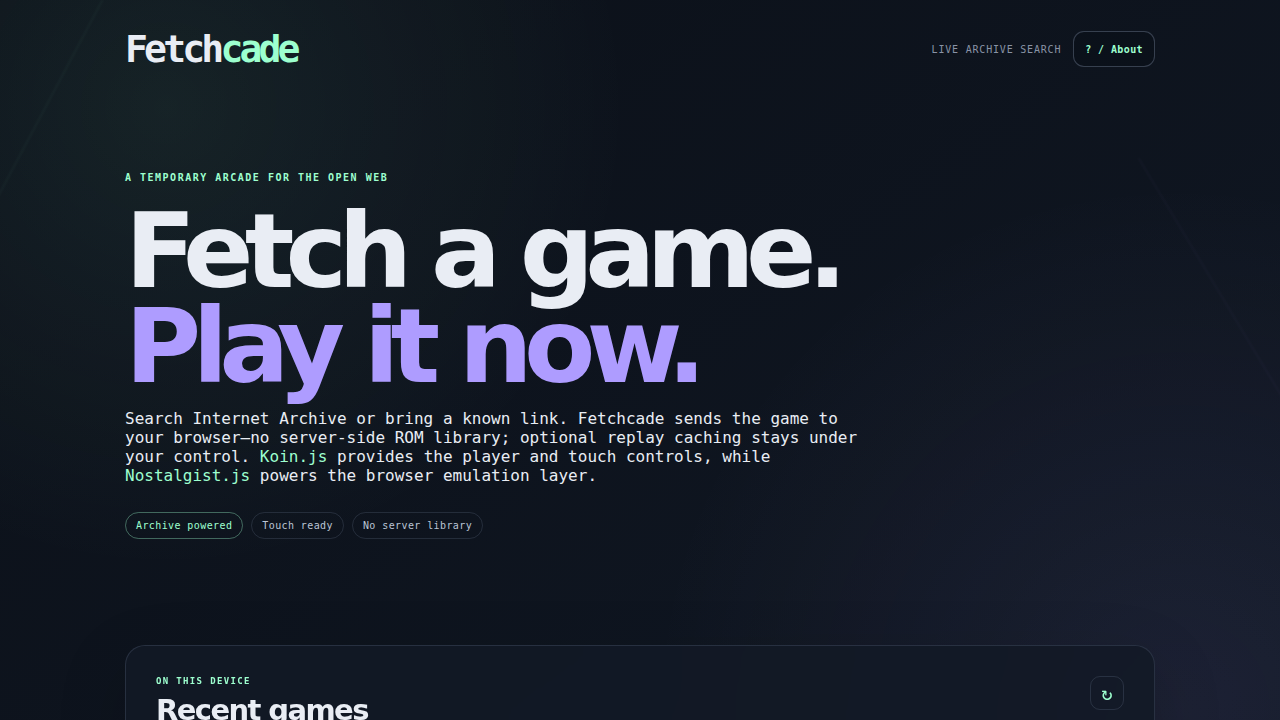
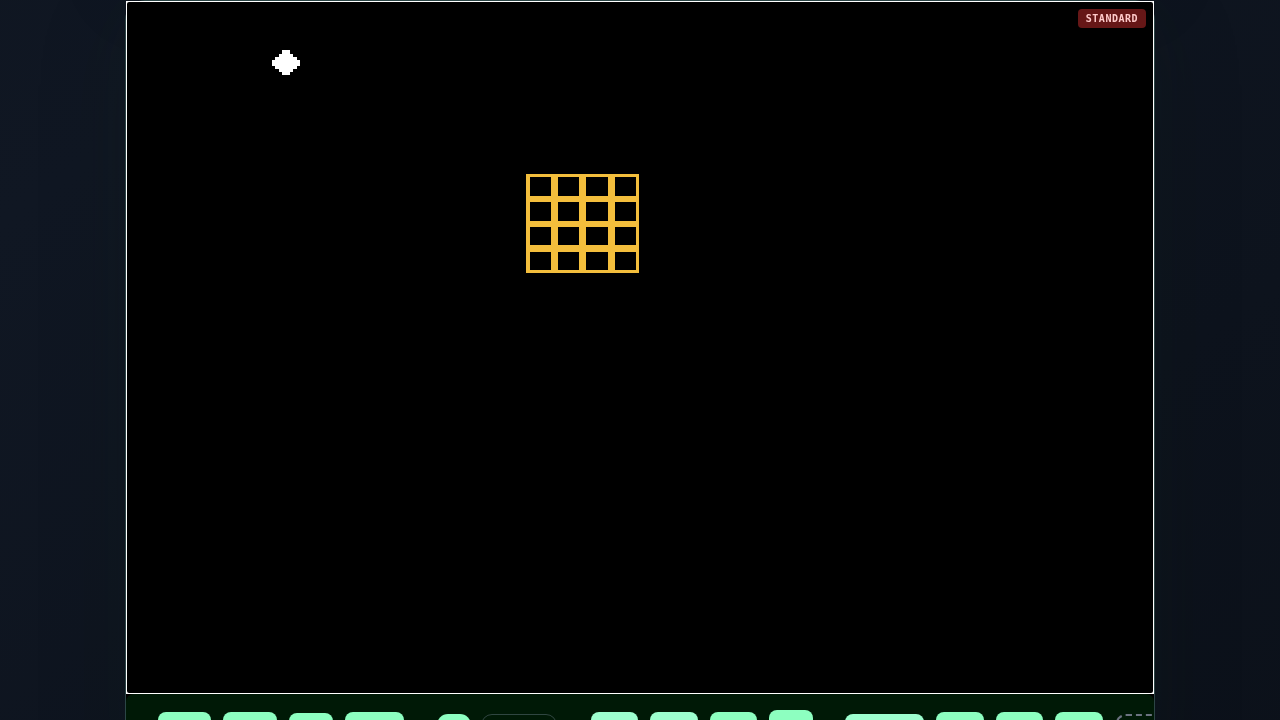
Fetch. Play. No server.
Fetchcade is a browser-first retro-game launcher. Search Internet Archive, choose an item with a likely playable file, and hand that file to Koin.js, with Nostalgist.js powering the browser emulation layer.
Fetchcade does not upload ROMs, maintain a server-side ROM library, or require an account.
What it includes
- Live Internet Archive search plus direct item/file URL support.
- Metadata inspection so search results are limited to items with likely playable files.
- Koin.js controls and emulator UI, including touch controls, keyboard/gamepad input, rewind, and save-state controls where the selected core supports them; Nostalgist.js provides the underlying browser emulation runtime.
- An Archive-only Cloudflare Worker relay for download redirects that do not expose browser CORS headers.
- Optional, opt-in browser-local ROM caching for faster replay. It is off by default, new copies are limited to 512 MiB per game, and it can be cleared from the UI.
- A local Recent games list of up to 20 cached games. Play starts from the beginning; Resume loads the latest local save state when one exists.
- Cross-origin isolation and security headers needed by the emulator cores.
Format expectations
Koin supports many systems, but “supports the extension” does not mean every file from the Internet Archive will boot.
| Kind | Examples | Notes |
|---|---|---|
| Single-file cartridges | .nes, .sfc, .smc, .n64, .z64, .gb, .gbc, .gba, .nds, .gen, .md, .sms, .gg, .pce, .a26, .a78, .ws, .wsc, .d64, .crt | Best results. Auto-detection works for unambiguous extensions. |
| Arcade packages | .zip | Usually an Arcade/FBNeo-style ROM set, not an arbitrary ZIP containing any console ROM. Choose Arcade manually when needed. |
| Compressed/system packages | .7z | Core/system dependent and not guaranteed. Choose the system manually. |
| Disc media | .cue, .iso, .chd, .pbp | BIOS may be required. A .cue commonly needs companion tracks. The current Koin GamePlayer API accepts one ROM URL, so multi-file disc sets are not yet a first-class Fetchcade flow. |
Fetchcade intentionally labels ambiguous files instead of pretending that every ZIP, 7z, BIN, or disc image is universally playable.
Mobile controls
Koin supplies the touch-control UI. On a phone, open Koin's controls/fullscreen affordance after the player loads and consider rotating to landscape. Exact fullscreen behavior depends on the browser and device. The MIT demo button is a quick way to test controls independently of Archive metadata.
Storage and lifecycle
There are two separate storage concepts:
- Session memory: Koin/Nostalgist downloads the selected file into browser memory while the emulator is running. Choosing Stop session unmounts the player; Koin's cleanup path stops the emulator and releases its temporary emulator resources.
- Optional local replay cache: When enabled, Koin stores a copy in this browser's Cache Storage under the Koin ROM cache. This is persistent client-side storage, not server-side storage. It is disabled by default. New local copies are capped at 512 MiB per game and require estimated browser storage headroom; larger games still play without caching. The Clear local cache button removes those local copies; it does not delete anything from Internet Archive or Fetchcade servers.
Closing a session does not delete an intentionally enabled local cache. Stop the session before clearing it.
Koin's player preferences are also browser-local and persistent for the same origin: volume, mute, shader/haptics preferences, keyboard mappings by system, and gamepad mappings by player. They do not sync between devices and can be removed by clearing site data or using private browsing. With local caching disabled, Koin's Save/Load controls use downloadable .state files. With local caching enabled, Fetchcade wires Save/Load and Koin's auto-save to one browser-local resume state per game. When the optional cache is enabled, Fetchcade supplies a stable per-game ID so Koin's game-keyed preferences such as cheats can be associated with that game.
When local caching is enabled, Fetchcade also keeps up to 20 cached game entries in browser-local metadata. Resume uses the most recent local save state created by Koin's auto-save, visibility-save, or Save control. It is not a server sync service and it cannot resume a game whose local ROM/cache was cleared.
Run locally
npm install
npm test
npm run dev
Open the Vite URL shown in the terminal. For the Worker relay and production headers, generate a local Wrangler config and run the built app:
npm run build
export FETCHCADE_WORKER_NAME=my-fetchcade-local
export FETCHCADE_CUSTOM_DOMAIN=
npm run generate-wrangler-config
npx wrangler dev --config .wrangler.generated.json
The generated config is ignored by Git. Do not commit tokens, account IDs, or generated infrastructure configuration.
Deploy to Cloudflare Workers
The repository deliberately keeps the Worker name, custom domain, account ID, and credentials out of tracked files. See docs/CLOUDFLARE.md.
For a manual deploy, set deployment-only environment variables in your shell:
export CLOUDFLARE_API_TOKEN='your-token-in-the-shell-or-secret-manager'
export CLOUDFLARE_ACCOUNT_ID='your-account-id'
export FETCHCADE_WORKER_NAME='your-worker-name'
export FETCHCADE_CUSTOM_DOMAIN='play.example.com'
npm run deploy
Never commit the values. FETCHCADE_CUSTOM_DOMAIN may be left empty when using only a workers.dev hostname.
Legal / responsible use
Fetchcade is a transport and browser-playback tool. It is not a license to download, possess, or play copyrighted software. Internet Archive search results can include material with different rights status. Use only software you own, created, licensed, or are otherwise legally authorized to access, and follow the applicable Internet Archive and local laws. Fetchcade does not encourage copyright infringement and does not verify the legal status of search results.
See docs/LEGAL.md, NOTICE, and LICENSE.
Project layout
src/                 React UI and Archive parsing/search logic
src/cache.mjs         Opt-in browser-local ROM cache helpers
worker/index.js      Cloudflare Worker relay and health endpoint
public/_headers      COOP/COEP and security headers
scripts/             Koin patch and generated Wrangler config helper
docs/                Deployment, legal, and screenshot documentation
License
Fetchcade's original code is MIT licensed. Third-party software and the MIT-licensed demo ROM are attributed in NOTICE.
See what people are saying
Hacker News (1)
Similar repos


Languages
JavaScript
80.7%
CSS
18.8%
Fetchcade: Search Internet Archive, fetch a game for a browser-side session, and play it with Koin.js.
2
stars
0
commits
JavaScript
primary language
Sep 7, 2026
updated
README
Fetchcade
Fetch. Play. No server.
Fetchcade is a browser-first retro-game launcher. Search Internet Archive, choose an item with a likely playable file, and hand that file to Koin.js, with Nostalgist.js powering the browser emulation layer.
Fetchcade does not upload ROMs, maintain a server-side ROM library, or require an account.
What it includes
- Live Internet Archive search plus direct item/file URL support.
- Metadata inspection so search results are limited to items with likely playable files.
- Koin.js controls and emulator UI, including touch controls, keyboard/gamepad input, rewind, and save-state controls where the selected core supports them; Nostalgist.js provides the underlying browser emulation runtime.
- An Archive-only Cloudflare Worker relay for download redirects that do not expose browser CORS headers.
- Optional, opt-in browser-local ROM caching for faster replay. It is off by default, new copies are limited to 512 MiB per game, and it can be cleared from the UI.
- A local Recent games list of up to 20 cached games. Play starts from the beginning; Resume loads the latest local save state when one exists.
- Cross-origin isolation and security headers needed by the emulator cores.
Format expectations
Koin supports many systems, but “supports the extension” does not mean every file from the Internet Archive will boot.
| Kind | Examples | Notes |
|---|---|---|
| Single-file cartridges | .nes, .sfc, .smc, .n64, .z64, .gb, .gbc, .gba, .nds, .gen, .md, .sms, .gg, .pce, .a26, .a78, .ws, .wsc, .d64, .crt | Best results. Auto-detection works for unambiguous extensions. |
| Arcade packages | .zip | Usually an Arcade/FBNeo-style ROM set, not an arbitrary ZIP containing any console ROM. Choose Arcade manually when needed. |
| Compressed/system packages | .7z | Core/system dependent and not guaranteed. Choose the system manually. |
| Disc media | .cue, .iso, .chd, .pbp | BIOS may be required. A .cue commonly needs companion tracks. The current Koin GamePlayer API accepts one ROM URL, so multi-file disc sets are not yet a first-class Fetchcade flow. |
Fetchcade intentionally labels ambiguous files instead of pretending that every ZIP, 7z, BIN, or disc image is universally playable.
Mobile controls
Koin supplies the touch-control UI. On a phone, open Koin's controls/fullscreen affordance after the player loads and consider rotating to landscape. Exact fullscreen behavior depends on the browser and device. The MIT demo button is a quick way to test controls independently of Archive metadata.
Storage and lifecycle
There are two separate storage concepts:
- Session memory: Koin/Nostalgist downloads the selected file into browser memory while the emulator is running. Choosing Stop session unmounts the player; Koin's cleanup path stops the emulator and releases its temporary emulator resources.
- Optional local replay cache: When enabled, Koin stores a copy in this browser's Cache Storage under the Koin ROM cache. This is persistent client-side storage, not server-side storage. It is disabled by default. New local copies are capped at 512 MiB per game and require estimated browser storage headroom; larger games still play without caching. The Clear local cache button removes those local copies; it does not delete anything from Internet Archive or Fetchcade servers.
Closing a session does not delete an intentionally enabled local cache. Stop the session before clearing it.
Koin's player preferences are also browser-local and persistent for the same origin: volume, mute, shader/haptics preferences, keyboard mappings by system, and gamepad mappings by player. They do not sync between devices and can be removed by clearing site data or using private browsing. With local caching disabled, Koin's Save/Load controls use downloadable .state files. With local caching enabled, Fetchcade wires Save/Load and Koin's auto-save to one browser-local resume state per game. When the optional cache is enabled, Fetchcade supplies a stable per-game ID so Koin's game-keyed preferences such as cheats can be associated with that game.
When local caching is enabled, Fetchcade also keeps up to 20 cached game entries in browser-local metadata. Resume uses the most recent local save state created by Koin's auto-save, visibility-save, or Save control. It is not a server sync service and it cannot resume a game whose local ROM/cache was cleared.
Run locally
npm install
npm test
npm run dev
Open the Vite URL shown in the terminal. For the Worker relay and production headers, generate a local Wrangler config and run the built app:
npm run build
export FETCHCADE_WORKER_NAME=my-fetchcade-local
export FETCHCADE_CUSTOM_DOMAIN=
npm run generate-wrangler-config
npx wrangler dev --config .wrangler.generated.json
The generated config is ignored by Git. Do not commit tokens, account IDs, or generated infrastructure configuration.
Deploy to Cloudflare Workers
The repository deliberately keeps the Worker name, custom domain, account ID, and credentials out of tracked files. See docs/CLOUDFLARE.md.
For a manual deploy, set deployment-only environment variables in your shell:
export CLOUDFLARE_API_TOKEN='your-token-in-the-shell-or-secret-manager'
export CLOUDFLARE_ACCOUNT_ID='your-account-id'
export FETCHCADE_WORKER_NAME='your-worker-name'
export FETCHCADE_CUSTOM_DOMAIN='play.example.com'
npm run deploy
Never commit the values. FETCHCADE_CUSTOM_DOMAIN may be left empty when using only a workers.dev hostname.
Legal / responsible use
Fetchcade is a transport and browser-playback tool. It is not a license to download, possess, or play copyrighted software. Internet Archive search results can include material with different rights status. Use only software you own, created, licensed, or are otherwise legally authorized to access, and follow the applicable Internet Archive and local laws. Fetchcade does not encourage copyright infringement and does not verify the legal status of search results.
See docs/LEGAL.md, NOTICE, and LICENSE.
Project layout
src/                 React UI and Archive parsing/search logic
src/cache.mjs         Opt-in browser-local ROM cache helpers
worker/index.js      Cloudflare Worker relay and health endpoint
public/_headers      COOP/COEP and security headers
scripts/             Koin patch and generated Wrangler config helper
docs/                Deployment, legal, and screenshot documentation
License
Fetchcade's original code is MIT licensed. Third-party software and the MIT-licensed demo ROM are attributed in NOTICE.
See what people are saying
Hacker News (1)
Similar repos
Languages
JavaScript
80.7%
CSS
18.8%