A self-hosted Telegram file downloader for continuous, stable, and unattended downloads.
See the code

A self-hosted Telegram file downloader for continuous, stable, and unattended downloads.


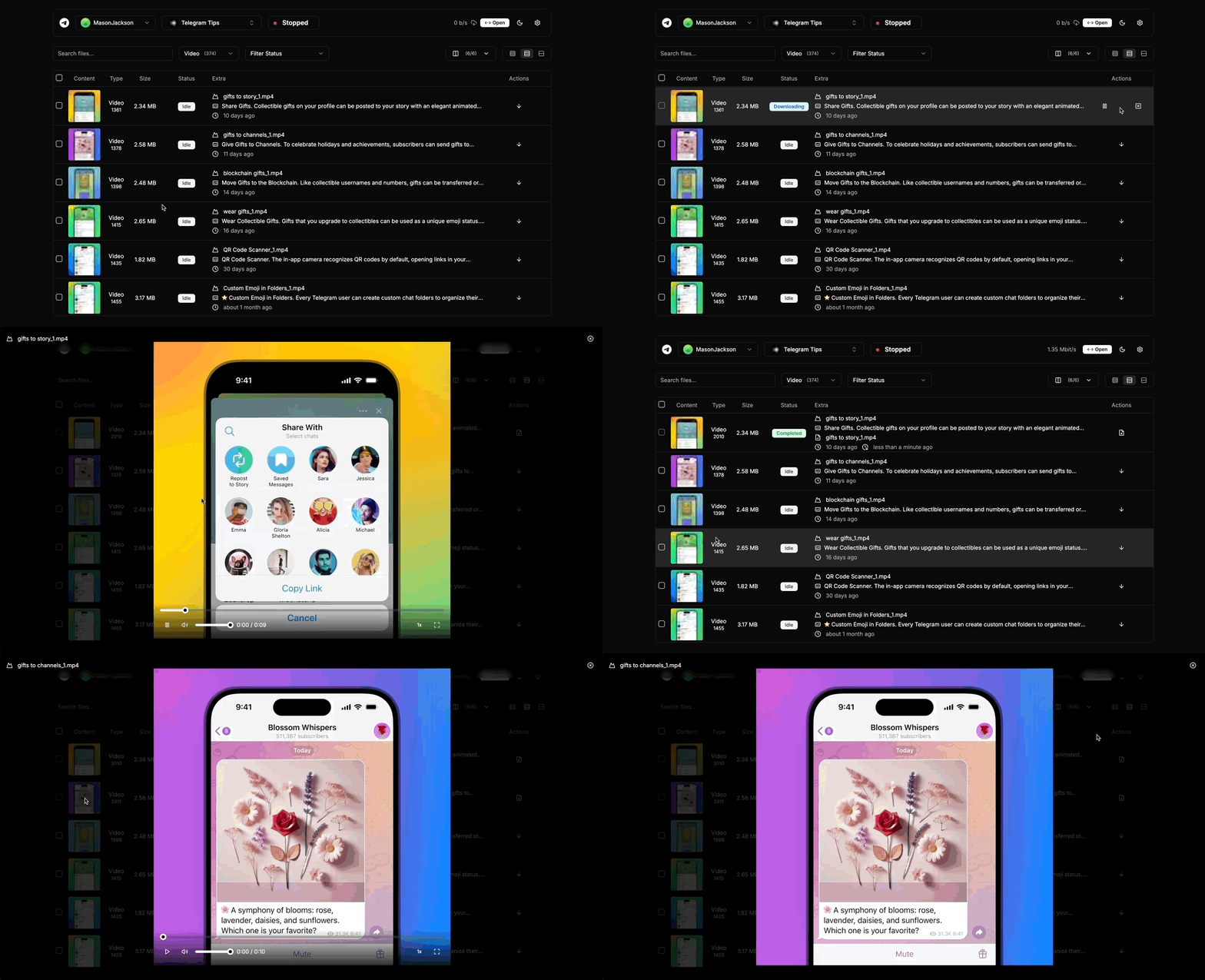
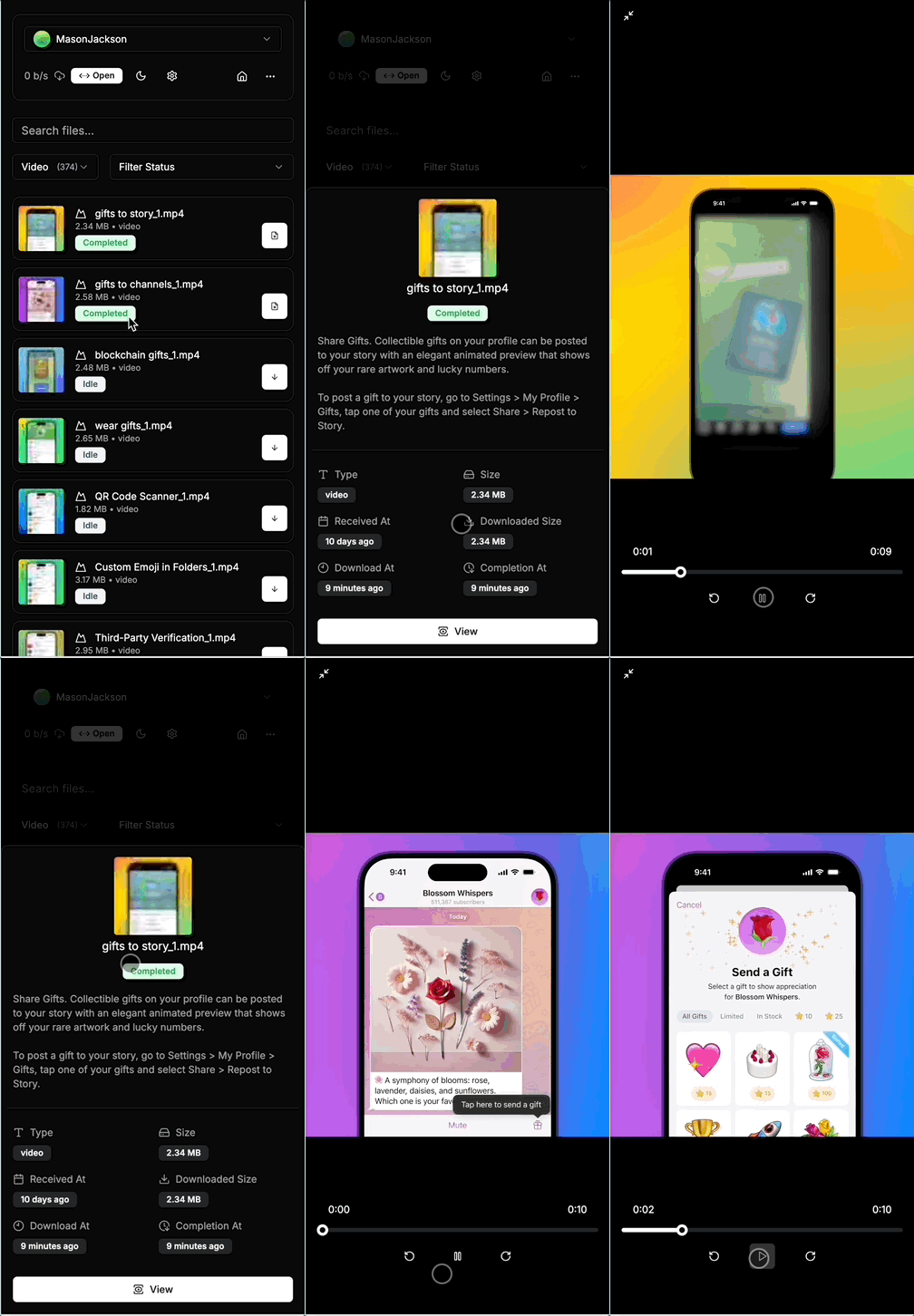
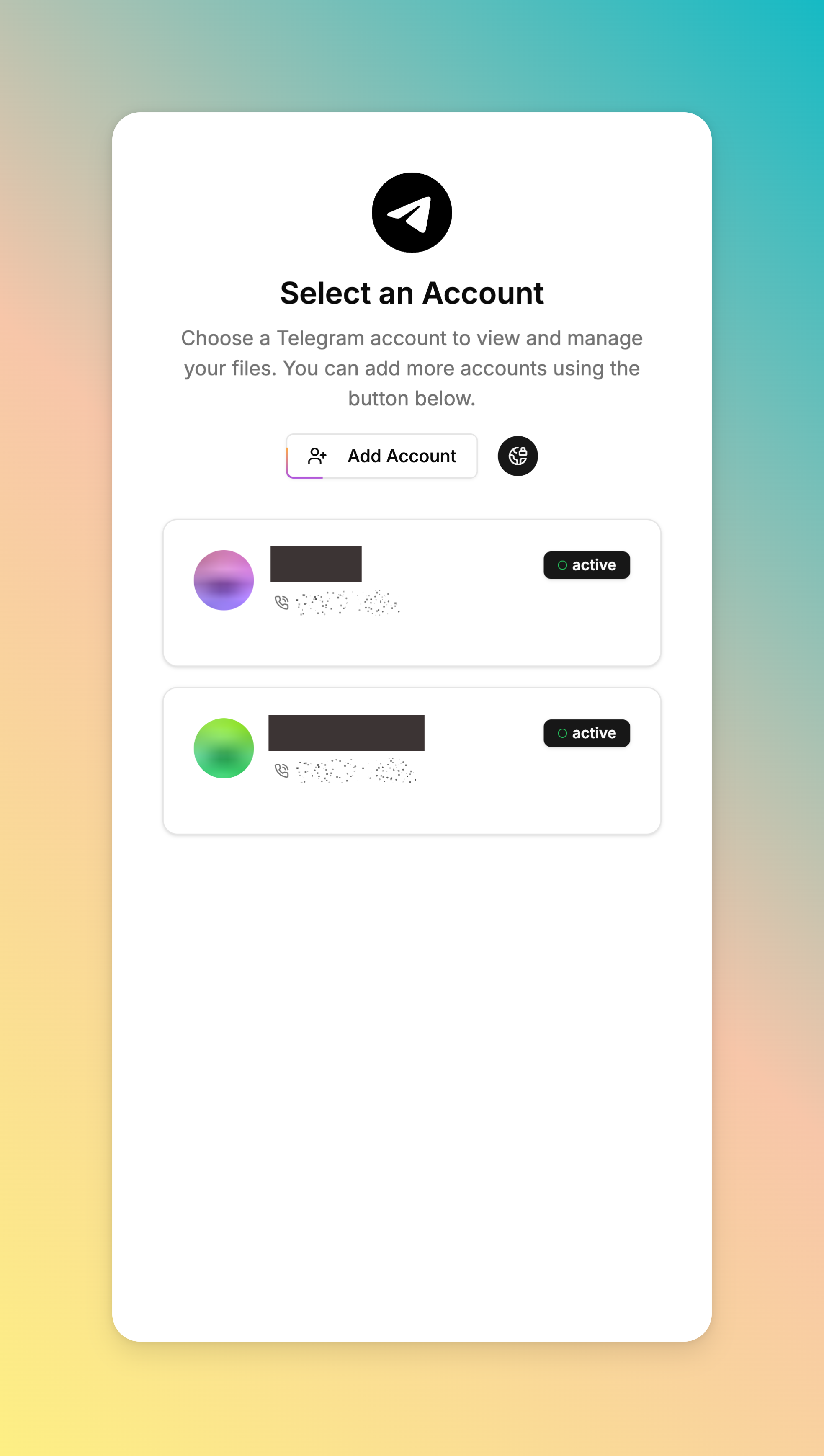
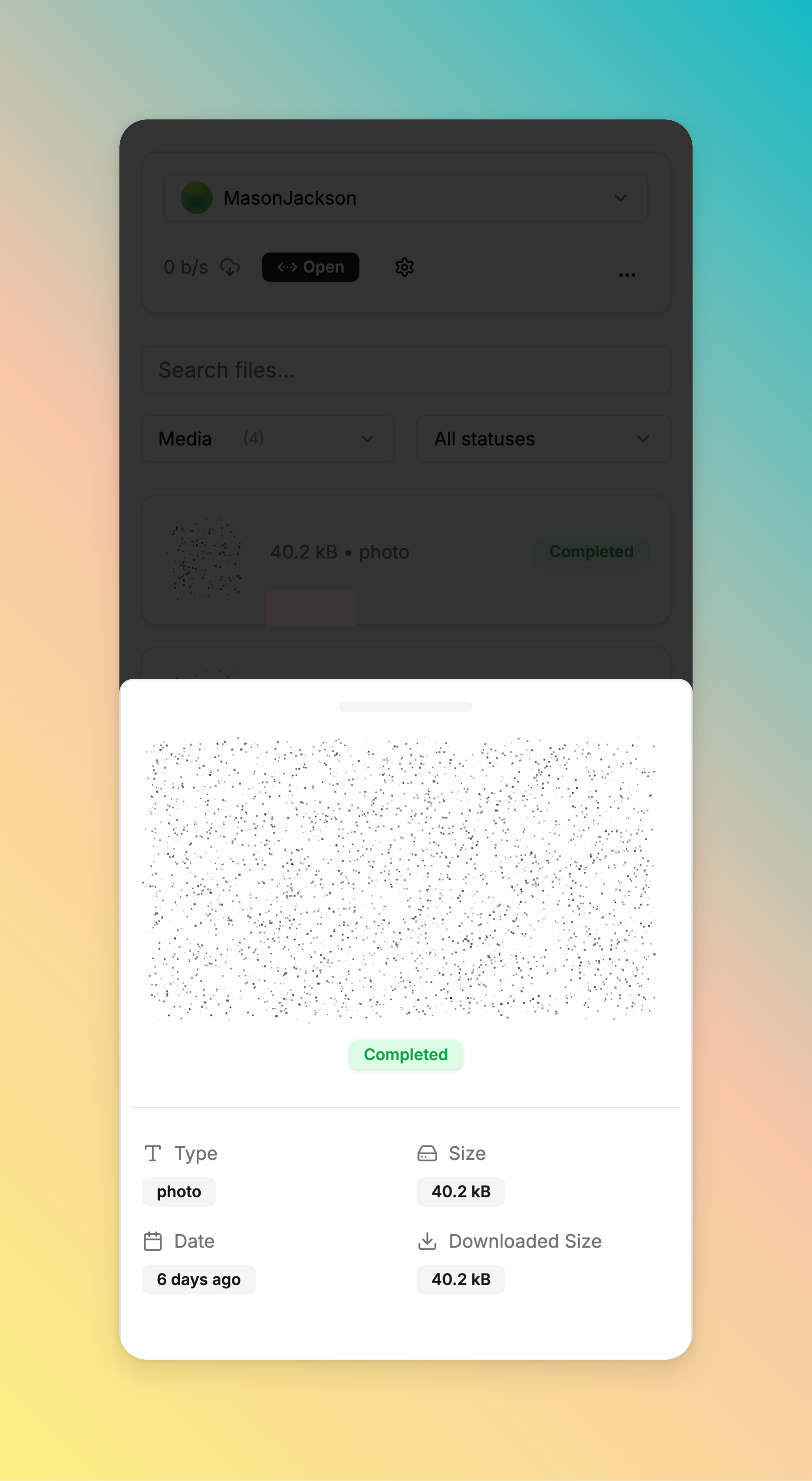
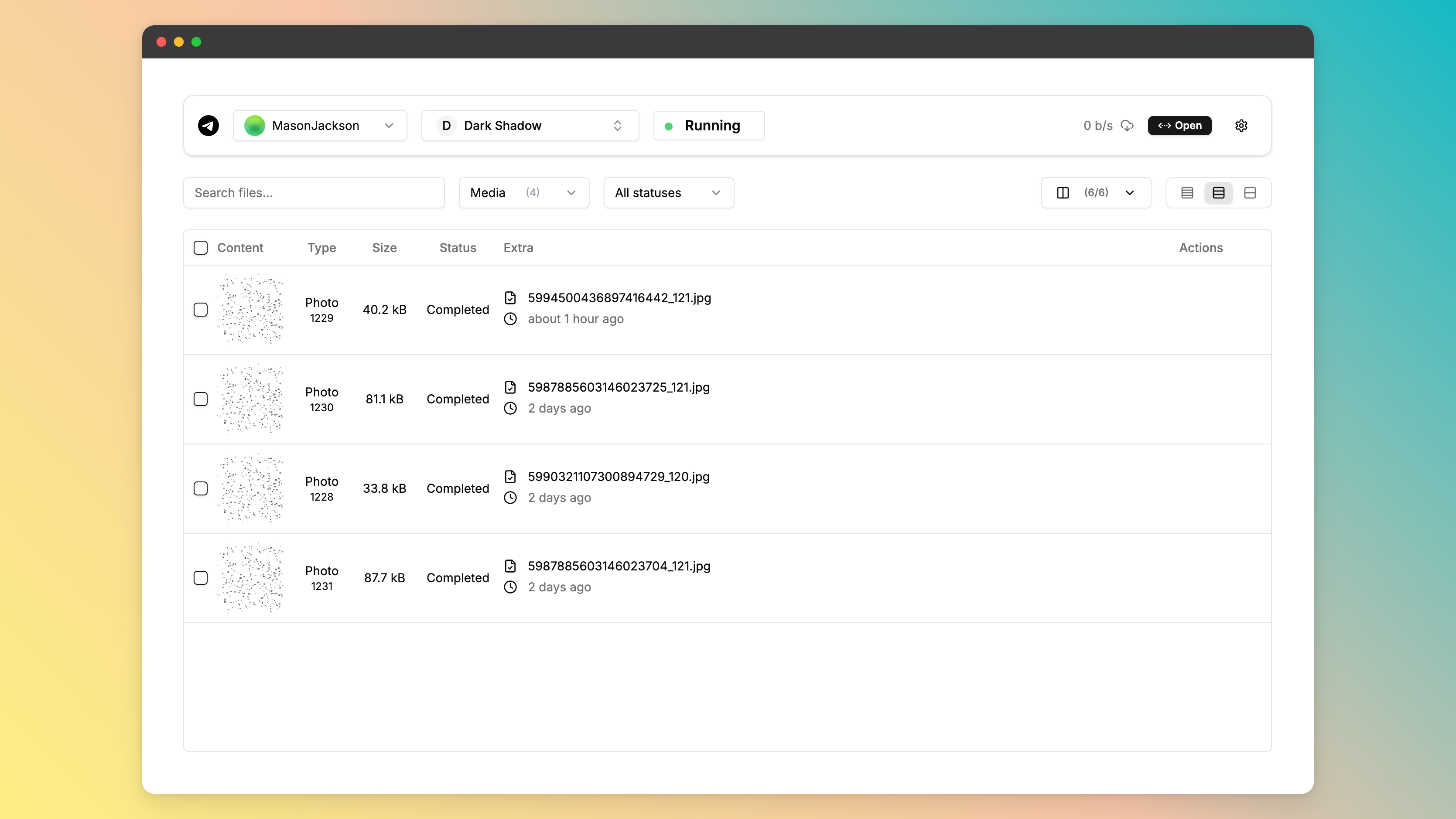
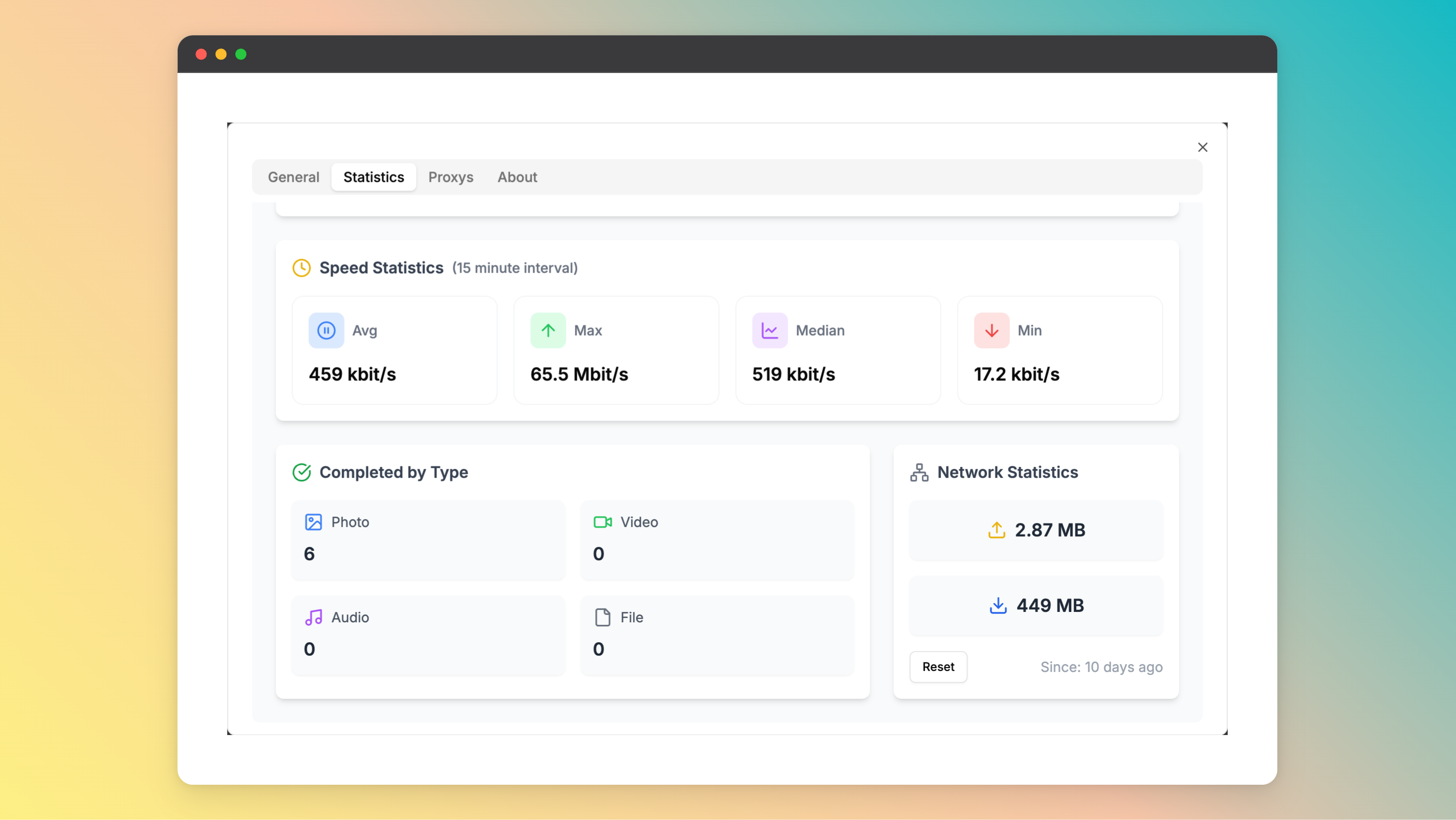
Before getting started with telegram-files, you should apply a telegram api id and hash. You can apply for it on the Telegram API page.
⚡ Docker Script (Recommended)
Run the interactive script to install, configure, stop, or update telegram-files (Supported OS: Linux amd64/arm64):
curl -fsSL https://raw.githubusercontent.com/jarvis2f/telegram-files/main/scripts/deploy.sh | bash
You can also run subcommands directly:
./scripts/deploy.sh start    # Install & start service
./scripts/deploy.sh stop     # Stop service
./scripts/deploy.sh update   # Pull latest image & restart
./scripts/deploy.sh restart  # Restart service
./scripts/deploy.sh status   # Check container status
./scripts/deploy.sh logs     # View live logs
./scripts/deploy.sh config   # Modify environment configuration
Using docker

docker run -d \
  --name telegram-files \
  --restart always \
  -e APP_ENV=${APP_ENV:-prod} \
  -e APP_ROOT=${APP_ROOT:-/app/data} \
  -e HTTP_SECURE_COOKIES=${HTTP_SECURE_COOKIES:-false} \
  -e TELEGRAM_API_ID=${TELEGRAM_API_ID} \
  -e TELEGRAM_API_HASH=${TELEGRAM_API_HASH} \
  -p 6543:80 \
  -v ./data:/app/data \
  ghcr.io/jarvis2f/telegram-files:latest
Using docker-compose
Copy docker-compose.yaml and .env.example to your project directory and run the following command:
docker-compose up -d
Install on unRaid
On unRaid, install from the Community Repositories by searching for telegram-files.
Security note: Management APIs, file previews, and WebSockets require an administrator session. Use HTTPS, configure
HTTP_ALLOWED_ORIGINS, and complete the first-administrator bootstrap before exposing the service.
On the first start, the API prints a 15-minute one-time bootstrap code. Open the UI from loopback or the same private
LAN and create the first administrator before exposing the service. A reverse proxy must preserve
X-Real-IP, X-Forwarded-Host, and X-Forwarded-Proto; the bundled Nginx configuration already does this.
Password recovery is local-only and revokes every active session:
java -cp api/build/libs/telegram-files.jar telegram.files.Maintain admin reset-password owner
java -cp api/build/libs/telegram-files.jar telegram.files.Maintain admin apply-reset owner
Before getting started with telegram-files, ensure your runtime environment meets the following requirements:
Install telegram-files using one of the following methods:
Build from source:
git clone https://github.com/jarvis2f/telegram-files
cd telegram-files
Using npm

cd web
npm install
Using gradle

cd api
gradle build
Using docker
docker build -t jarvis2f/telegram-files .
Task 1: Automatically download files based on set rules.Task 2: Download statistics and reports.Task 3: Improve Telegram’s login functionality.Task 4: Support auto transfer files to other destinations.Task 5: File table is optimized using virtual lists.Task 6: Preload file information to support responsible searches.telegram-files project.git clone https://github.com/jarvis2f/telegram-files
git checkout -b new-feature-x
git commit -m 'Implemented new feature x.'
git push origin new-feature-x
This project is protected under the MIT License. For more details, refer to the LICENSE file.
Q. Web's spoiler is static, how to solve it?
A. 1. Because CSS Houdini Paint API is not supported by all browsers. 2. It is only supported on https.
Open the chrome://flags page, search for Insecure origins treated as secure, and add the address of the web page to
the list.
Q. How to use the telegram-files maintenance tool?
A. You can use the following command to run the maintenance tool(before running the command, you should stop telegram-files container):
docker run --rm \
  --entrypoint tfm \
  -v $(pwd)/data:/app/data \
  -e APP_ROOT=${APP_ROOT:-/app/data} \
  -e TELEGRAM_API_ID=${TELEGRAM_API_ID} \
  -e TELEGRAM_API_HASH=${TELEGRAM_API_HASH} \
  ghcr.io/jarvis2f/telegram-files:latest ${Maintenance Command}
Maintenance Command:
album-caption: Fixed issue with missing caption for album messages before 0.1.15.thumbnail: Fixed issue with missing clear thumbnail.admin reset-password <username>: Issue a one-time local administrator recovery code and revoke active sessions.admin apply-reset <username>: Apply the recovery code and set a new administrator password interactively.132 followers · starred Mar 2026
54 followers · starred Feb 2026
24 followers · starred Aug 2025
A self-hosted Telegram file downloader for continuous, stable, and unattended downloads.
See the code
A self-hosted Telegram file downloader for continuous, stable, and unattended downloads.
Before getting started with telegram-files, you should apply a telegram api id and hash. You can apply for it on the Telegram API page.
⚡ Docker Script (Recommended)
Run the interactive script to install, configure, stop, or update telegram-files (Supported OS: Linux amd64/arm64):
curl -fsSL https://raw.githubusercontent.com/jarvis2f/telegram-files/main/scripts/deploy.sh | bash
You can also run subcommands directly:
./scripts/deploy.sh start    # Install & start service
./scripts/deploy.sh stop     # Stop service
./scripts/deploy.sh update   # Pull latest image & restart
./scripts/deploy.sh restart  # Restart service
./scripts/deploy.sh status   # Check container status
./scripts/deploy.sh logs     # View live logs
./scripts/deploy.sh config   # Modify environment configuration
Using docker
docker run -d \
  --name telegram-files \
  --restart always \
  -e APP_ENV=${APP_ENV:-prod} \
  -e APP_ROOT=${APP_ROOT:-/app/data} \
  -e HTTP_SECURE_COOKIES=${HTTP_SECURE_COOKIES:-false} \
  -e TELEGRAM_API_ID=${TELEGRAM_API_ID} \
  -e TELEGRAM_API_HASH=${TELEGRAM_API_HASH} \
  -p 6543:80 \
  -v ./data:/app/data \
  ghcr.io/jarvis2f/telegram-files:latest
Using docker-compose
Copy docker-compose.yaml and .env.example to your project directory and run the following command:
docker-compose up -d
Install on unRaid
On unRaid, install from the Community Repositories by searching for telegram-files.
Security note: Management APIs, file previews, and WebSockets require an administrator session. Use HTTPS, configure
HTTP_ALLOWED_ORIGINS, and complete the first-administrator bootstrap before exposing the service.
On the first start, the API prints a 15-minute one-time bootstrap code. Open the UI from loopback or the same private
LAN and create the first administrator before exposing the service. A reverse proxy must preserve
X-Real-IP, X-Forwarded-Host, and X-Forwarded-Proto; the bundled Nginx configuration already does this.
Password recovery is local-only and revokes every active session:
java -cp api/build/libs/telegram-files.jar telegram.files.Maintain admin reset-password owner
java -cp api/build/libs/telegram-files.jar telegram.files.Maintain admin apply-reset owner
Before getting started with telegram-files, ensure your runtime environment meets the following requirements:
Install telegram-files using one of the following methods:
Build from source:
git clone https://github.com/jarvis2f/telegram-files
cd telegram-files
Using npm
cd web
npm install
Using gradle
cd api
gradle build
Using docker
docker build -t jarvis2f/telegram-files .
Task 1: Automatically download files based on set rules.Task 2: Download statistics and reports.Task 3: Improve Telegram’s login functionality.Task 4: Support auto transfer files to other destinations.Task 5: File table is optimized using virtual lists.Task 6: Preload file information to support responsible searches.telegram-files project.git clone https://github.com/jarvis2f/telegram-files
git checkout -b new-feature-x
git commit -m 'Implemented new feature x.'
git push origin new-feature-x
This project is protected under the MIT License. For more details, refer to the LICENSE file.
Q. Web's spoiler is static, how to solve it?
A. 1. Because CSS Houdini Paint API is not supported by all browsers. 2. It is only supported on https.
Open the chrome://flags page, search for Insecure origins treated as secure, and add the address of the web page to
the list.
Q. How to use the telegram-files maintenance tool?
A. You can use the following command to run the maintenance tool(before running the command, you should stop telegram-files container):
docker run --rm \
  --entrypoint tfm \
  -v $(pwd)/data:/app/data \
  -e APP_ROOT=${APP_ROOT:-/app/data} \
  -e TELEGRAM_API_ID=${TELEGRAM_API_ID} \
  -e TELEGRAM_API_HASH=${TELEGRAM_API_HASH} \
  ghcr.io/jarvis2f/telegram-files:latest ${Maintenance Command}
Maintenance Command:
album-caption: Fixed issue with missing caption for album messages before 0.1.15.thumbnail: Fixed issue with missing clear thumbnail.admin reset-password <username>: Issue a one-time local administrator recovery code and revoke active sessions.admin apply-reset <username>: Apply the recovery code and set a new administrator password interactively.132 followers · starred Mar 2026
54 followers · starred Feb 2026
24 followers · starred Aug 2025



