GoNB, a Go Notebook Kernel for Jupyter
See the code



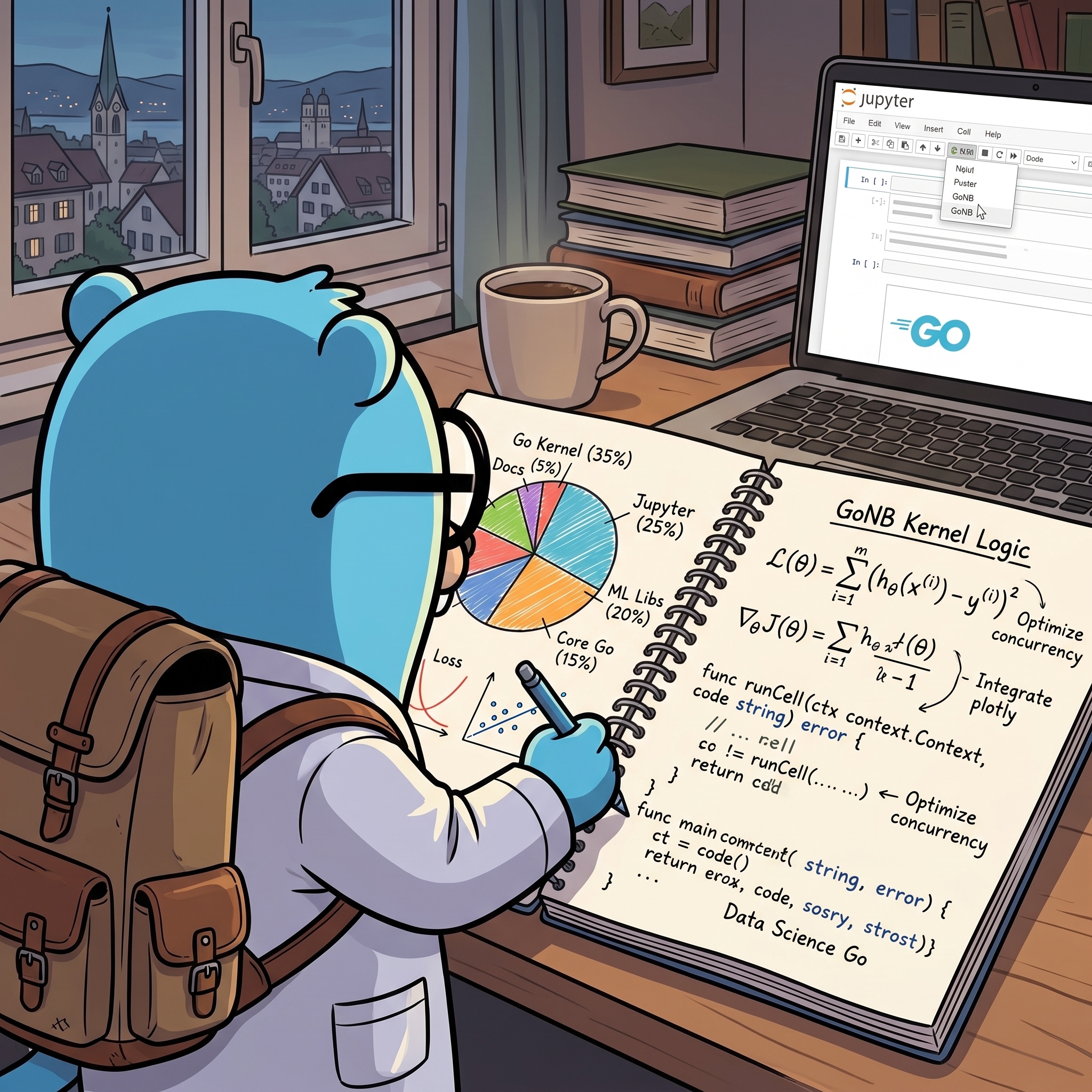
🚀 NEW 🚀: Windows (not WSL) support is working! Thanks to @StarWindv. (It's fresh from the oven, so there may be some kinks -- please report any issues!).
Test* and Benchmark* functions with go test, simply adding %test to cell.go.mod and go.work, to allow local development. Including importing specific versions of libraries.! -- handy at times, for instance to install packages.%help.%wasm (EXPERIMENTAL).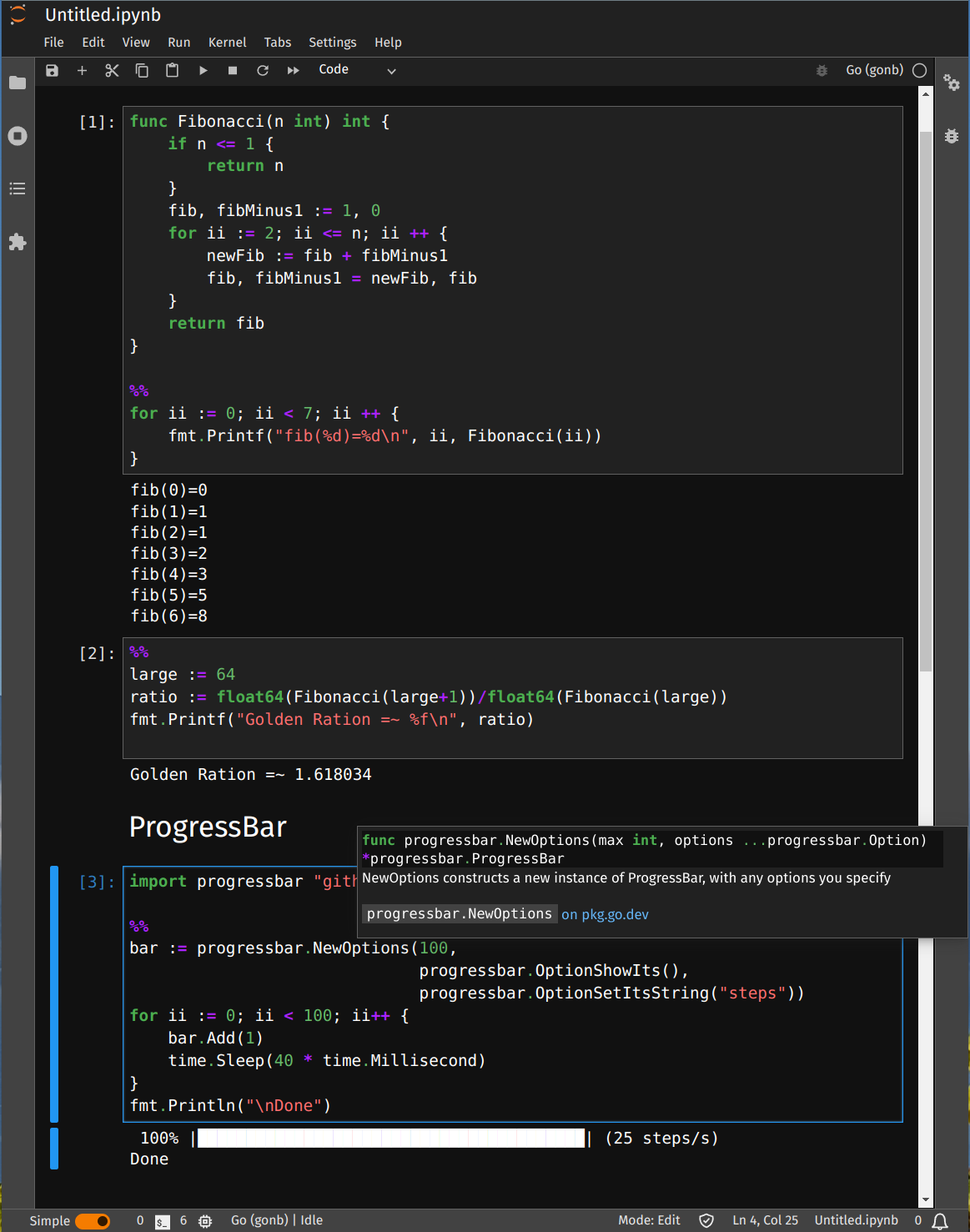
https://github.com/janpfeifer/gonb/assets/7460115/f1187dad-4c10-4d21-a73e-9090019680ae
(See full code in the tutorial)
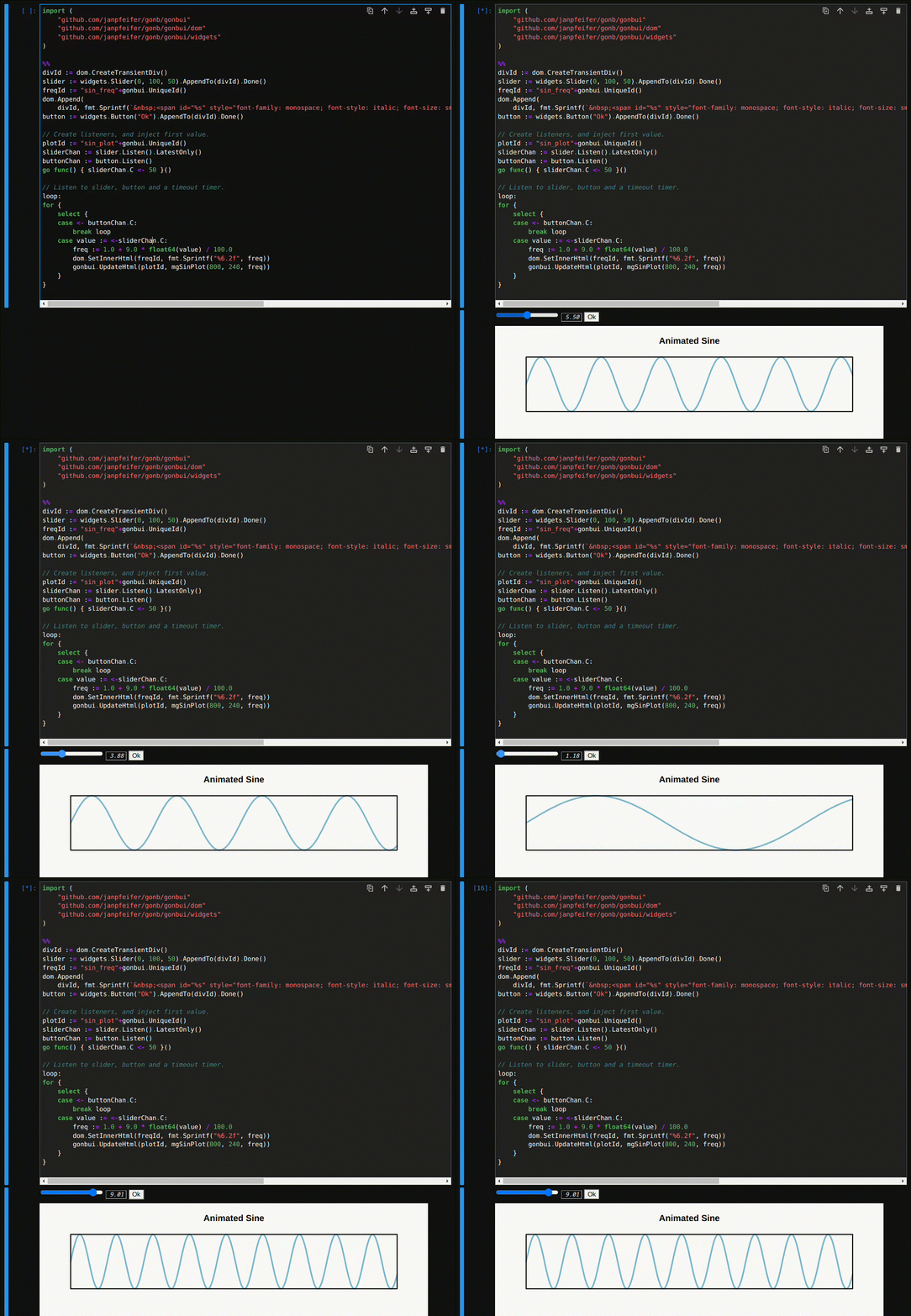
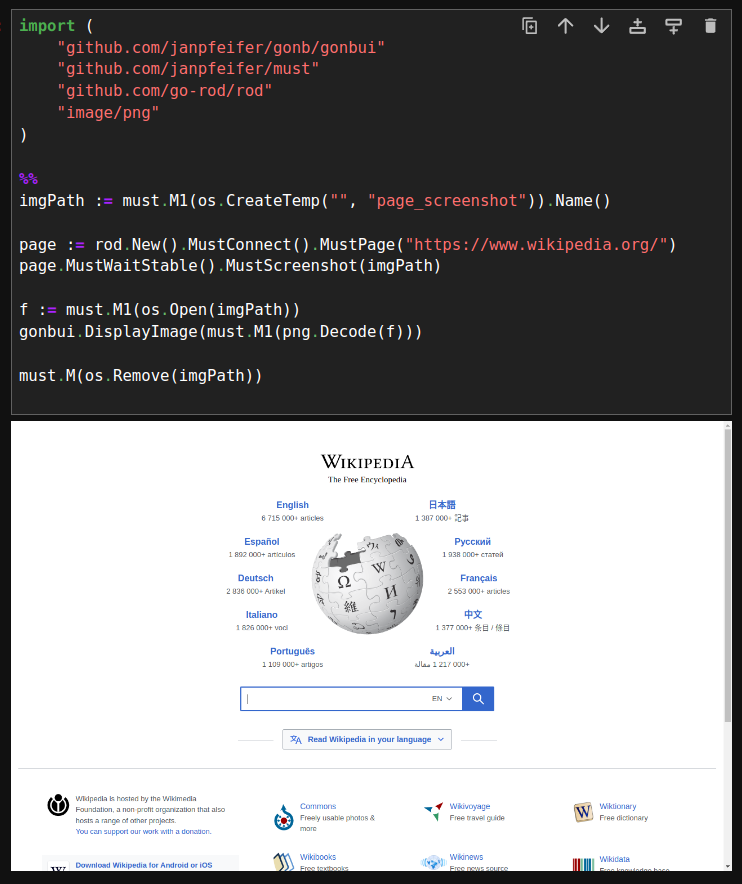
Go is a compiled language, but with very fast compilation, that allows one to use it in a REPL (Read-Eval-Print-Loop) fashion, by inserting a "Compile" step in the middle of the loop -- so it's a Read-Compile-Run-Print-Loop — while still feeling very interactive.
GoNB leverages that compilation speed to implement a full-featured (at least it's getting there) Jupyter notebook kernel. As a side benefit it works with packages that use CGO — although it won't parse C code in the cells, so it can't be used as a C kernel.
It already includes many goodies: cache between cell of results, contextual help and auto-complete (with
gopls),
compilation error context (by mousing over), bash command execution, images, html, etc.
See the tutorial.
It's been heavily used by the author (in developing GoMLX, a machine learning framework for Go), but should still be seen as experimental — if we hear success stories from others, we can change this.
Reports of issues as well as fixes are always welcome.
There is also a live version in Google's Colab that one can interact with (make a copy first) — if the link doesn't work (Google Drive sharing publicly is odd), download it from GitHub and upload it to Google's Colab.
Finally, because it's compiled and not interpreted, it has a slightly different "semantic" than the Python kernels. It's highly recommended quickly browsing through the tutorial.
Only for Linux and macOS. In Windows, it works in WSL or inside a Docker
GoNB offers a pre-built docker,
that includes JupyterLab and GoNB.
To use it, go to a directory that you want to make available to the Jupyter notebook
(your home directory, or a directory where to store the notebook files).
It will be mounted on the host/ subdirectory in JupyterLab.
To start it:
docker pull janpfeifer/gonb_jupyterlab:latest
docker run -it --rm -p 8888:8888 -v "${PWD}":/notebooks janpfeifer/gonb_jupyterlab:latest
Then copy&paste the URL that it outputs in your browser.
Note: The docker allows for customization by running an arbitrary script at start up as root, which allows
one to install any planned dependencies. See docker.md for details.
The official tutorial on how to install go programs here.
It is pretty straightforward: Go maintains a GOBIN directory (that you can set) and go install will compile
programs and put it there. You should add the GOBIN directory to your PATH (the default list of directories
to search for executables).
You need to install (if not yet there), GoNB, goimports and gopls (for auto-complete), and then run
gonb --install. To install them in your GOBIN directory:
go install github.com/janpfeifer/gonb@latest && \
  go install golang.org/x/tools/cmd/goimports@latest && \
  go install golang.org/x/tools/gopls@latest
And if GOBIN is in your PATH, run the following to install GoNB as a kernel in the Jupyter configuration
(works for both JupyterLab and Jupyter Notebook).
gonb --install
Otherwise, find the binary in your filesystem (that is $HOME/go on macOS and Linux by default, and
%USERPROFILE%\go on Windows), then run ./gonb --install in that very directory.
And then (re-)start Jupyter.
In GitHub's Codespace, if Jupyter is already started, restart the docker — it will also restart Jupyter.
Note: for go.work to be parsed correctly for auto-complete, you need gopls version greater or equal
to v0.12.4 (or at least v0.12.0?).
You can check it with gopls version.
The recommendation is to use WSL (Windows Subsystem for Linux) or WSL2, and run Jupyter and the GoNB kernel in the Linux/WSL environment. Install there as if it were in a linux machine.
A pure Windows installation is not supported at this time — but contributions to add support for it would be welcome :)
 : connect with us there. Once you've joined the Gophers slack, find the
 #gomlx channel. GoMLX is a full-featured machine learning framework for Go developed in tandem with GoNB.%help in a cell) and a tutorial, which is kept up to date and
is comprehensive – it includes every GoNB feature.gonbui.
They are described in the tutorial, but also documented in pkg.go.dev.%% symbol seen everywhere?
func main {...} here".Must() functions, or simply use
this trivial must package.Contributions are welcome!
kernel/pipeexec.go.Contributions are very welcome. The code is generally well documented -- not always, but mostly. There are a also a couple of guides worth reading if contributing in the docs/ subdirectory.
There are two parts of the project:
internal/.github.com/janpfeifer/gonb/gonbui.GoNB is part of the larger family of data science and machine learning tools under the GoMLX umbrella. If you find this project helpful, please consider supporting our work through GitHub Sponsors.
Your contribution helps us (currently mostly me) dedicate more time to maintenance and add new features for the entire GoMLX ecosystem.
It also helps us acquire access (buying or cloud) to hardware for more portability.
internal/kernel) used in the installation of the Jupyter kernel was designed by Renee French
(http://reneefrench.blogspot.com/), see Creative Commons 3.0 Attributions license in
Wikimedia.Overall
Maintained
Code review
Go module
Latest release
Releases this year
7,556 followers · starred Jan 2025
399 followers · starred Oct 2024
567 followers · starred Aug 2023
345 followers · starred Aug 2025
GoNB, a Go Notebook Kernel for Jupyter
See the code
🚀 NEW 🚀: Windows (not WSL) support is working! Thanks to @StarWindv. (It's fresh from the oven, so there may be some kinks -- please report any issues!).
Test* and Benchmark* functions with go test, simply adding %test to cell.go.mod and go.work, to allow local development. Including importing specific versions of libraries.! -- handy at times, for instance to install packages.%help.%wasm (EXPERIMENTAL).
https://github.com/janpfeifer/gonb/assets/7460115/f1187dad-4c10-4d21-a73e-9090019680ae
(See full code in the tutorial)
Go is a compiled language, but with very fast compilation, that allows one to use it in a REPL (Read-Eval-Print-Loop) fashion, by inserting a "Compile" step in the middle of the loop -- so it's a Read-Compile-Run-Print-Loop — while still feeling very interactive.
GoNB leverages that compilation speed to implement a full-featured (at least it's getting there) Jupyter notebook kernel. As a side benefit it works with packages that use CGO — although it won't parse C code in the cells, so it can't be used as a C kernel.
It already includes many goodies: cache between cell of results, contextual help and auto-complete (with
gopls),
compilation error context (by mousing over), bash command execution, images, html, etc.
See the tutorial.
It's been heavily used by the author (in developing GoMLX, a machine learning framework for Go), but should still be seen as experimental — if we hear success stories from others, we can change this.
Reports of issues as well as fixes are always welcome.
There is also a live version in Google's Colab that one can interact with (make a copy first) — if the link doesn't work (Google Drive sharing publicly is odd), download it from GitHub and upload it to Google's Colab.
Finally, because it's compiled and not interpreted, it has a slightly different "semantic" than the Python kernels. It's highly recommended quickly browsing through the tutorial.
Only for Linux and macOS. In Windows, it works in WSL or inside a Docker
GoNB offers a pre-built docker,
that includes JupyterLab and GoNB.
To use it, go to a directory that you want to make available to the Jupyter notebook
(your home directory, or a directory where to store the notebook files).
It will be mounted on the host/ subdirectory in JupyterLab.
To start it:
docker pull janpfeifer/gonb_jupyterlab:latest
docker run -it --rm -p 8888:8888 -v "${PWD}":/notebooks janpfeifer/gonb_jupyterlab:latest
Then copy&paste the URL that it outputs in your browser.
Note: The docker allows for customization by running an arbitrary script at start up as root, which allows
one to install any planned dependencies. See docker.md for details.
The official tutorial on how to install go programs here.
It is pretty straightforward: Go maintains a GOBIN directory (that you can set) and go install will compile
programs and put it there. You should add the GOBIN directory to your PATH (the default list of directories
to search for executables).
You need to install (if not yet there), GoNB, goimports and gopls (for auto-complete), and then run
gonb --install. To install them in your GOBIN directory:
go install github.com/janpfeifer/gonb@latest && \
  go install golang.org/x/tools/cmd/goimports@latest && \
  go install golang.org/x/tools/gopls@latest
And if GOBIN is in your PATH, run the following to install GoNB as a kernel in the Jupyter configuration
(works for both JupyterLab and Jupyter Notebook).
gonb --install
Otherwise, find the binary in your filesystem (that is $HOME/go on macOS and Linux by default, and
%USERPROFILE%\go on Windows), then run ./gonb --install in that very directory.
And then (re-)start Jupyter.
In GitHub's Codespace, if Jupyter is already started, restart the docker — it will also restart Jupyter.
Note: for go.work to be parsed correctly for auto-complete, you need gopls version greater or equal
to v0.12.4 (or at least v0.12.0?).
You can check it with gopls version.
The recommendation is to use WSL (Windows Subsystem for Linux) or WSL2, and run Jupyter and the GoNB kernel in the Linux/WSL environment. Install there as if it were in a linux machine.
A pure Windows installation is not supported at this time — but contributions to add support for it would be welcome :)
: connect with us there. Once you've joined the Gophers slack, find the #gomlx channel. GoMLX is a full-featured machine learning framework for Go developed in tandem with GoNB.%help in a cell) and a tutorial, which is kept up to date and
is comprehensive – it includes every GoNB feature.gonbui.
They are described in the tutorial, but also documented in pkg.go.dev.%% symbol seen everywhere?
func main {...} here".Must() functions, or simply use
this trivial must package.Contributions are welcome!
kernel/pipeexec.go.Contributions are very welcome. The code is generally well documented -- not always, but mostly. There are a also a couple of guides worth reading if contributing in the docs/ subdirectory.
There are two parts of the project:
internal/.github.com/janpfeifer/gonb/gonbui.GoNB is part of the larger family of data science and machine learning tools under the GoMLX umbrella. If you find this project helpful, please consider supporting our work through GitHub Sponsors.
Your contribution helps us (currently mostly me) dedicate more time to maintenance and add new features for the entire GoMLX ecosystem.
It also helps us acquire access (buying or cloud) to hardware for more portability.
internal/kernel) used in the installation of the Jupyter kernel was designed by Renee French
(http://reneefrench.blogspot.com/), see Creative Commons 3.0 Attributions license in
Wikimedia.Overall
Maintained
Code review
Go module
Latest release
Releases this year
7,556 followers · starred Jan 2025
399 followers · starred Oct 2024
567 followers · starred Aug 2023
345 followers · starred Aug 2025