
A minimal, customizable, keyboard-first calendar with Google Calendar and CalDAV sync.
JavaScript
1
0 commits
updated Sep 9, 2026
See what people are saying
README
Kalkee
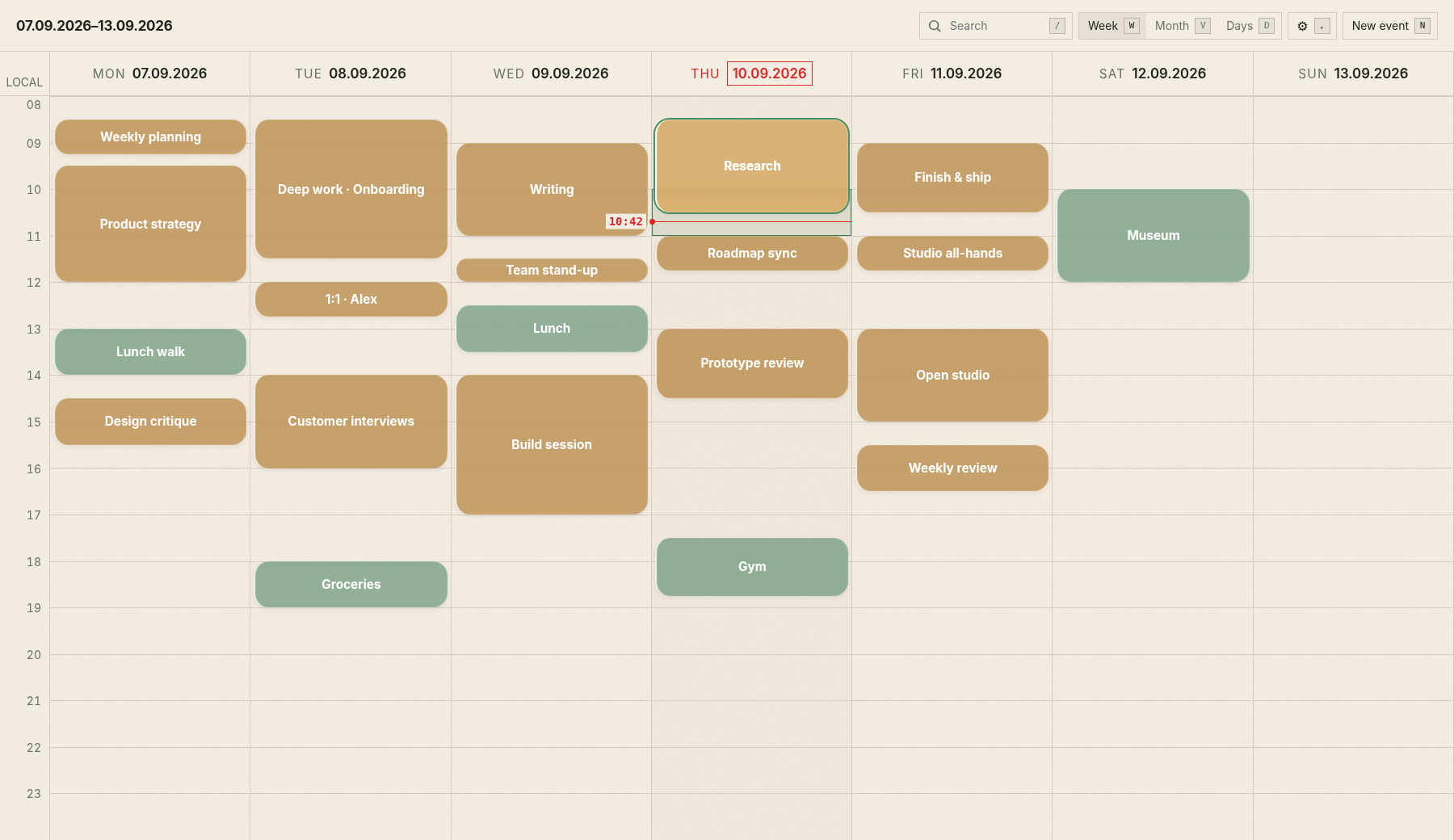
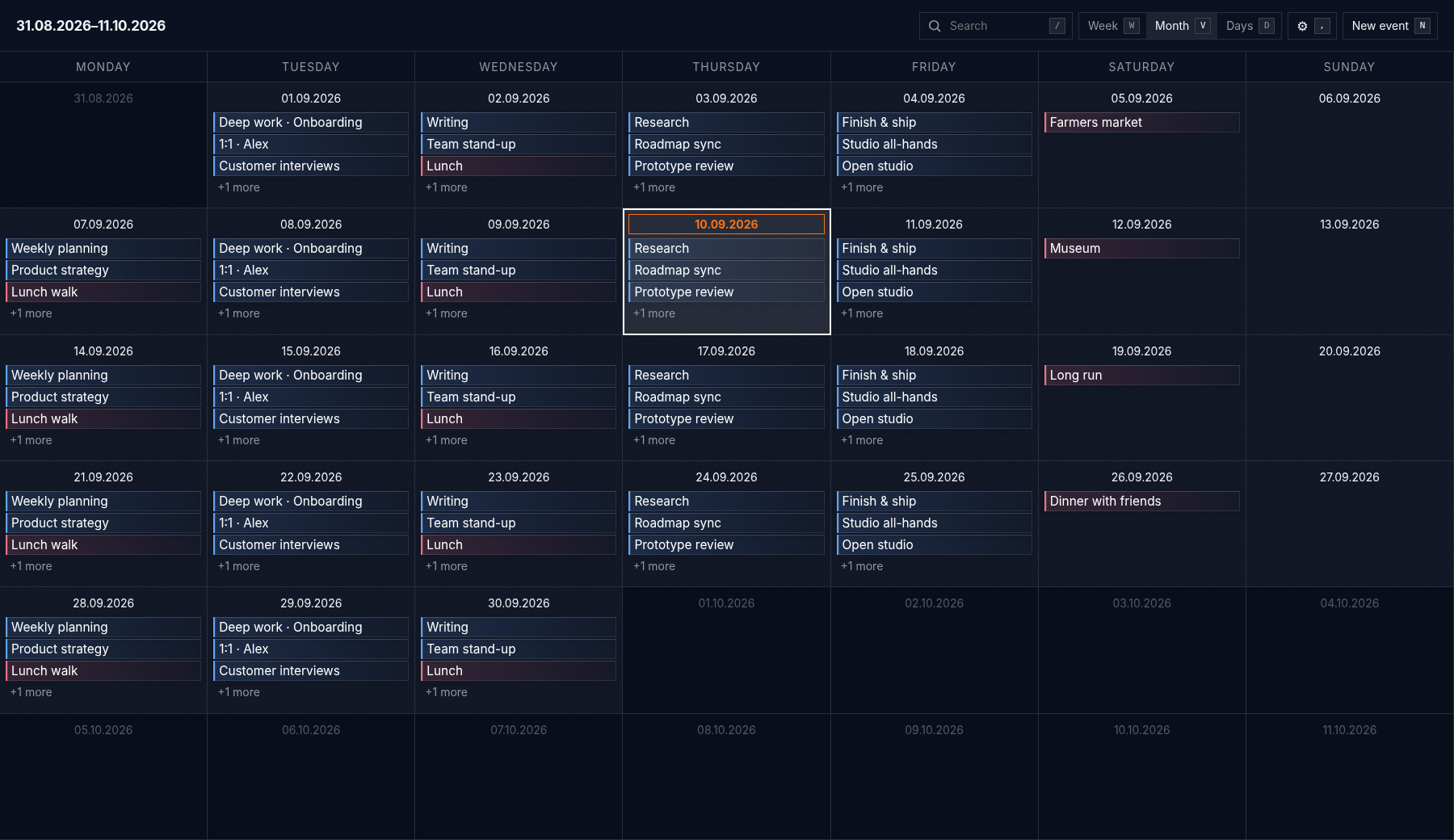
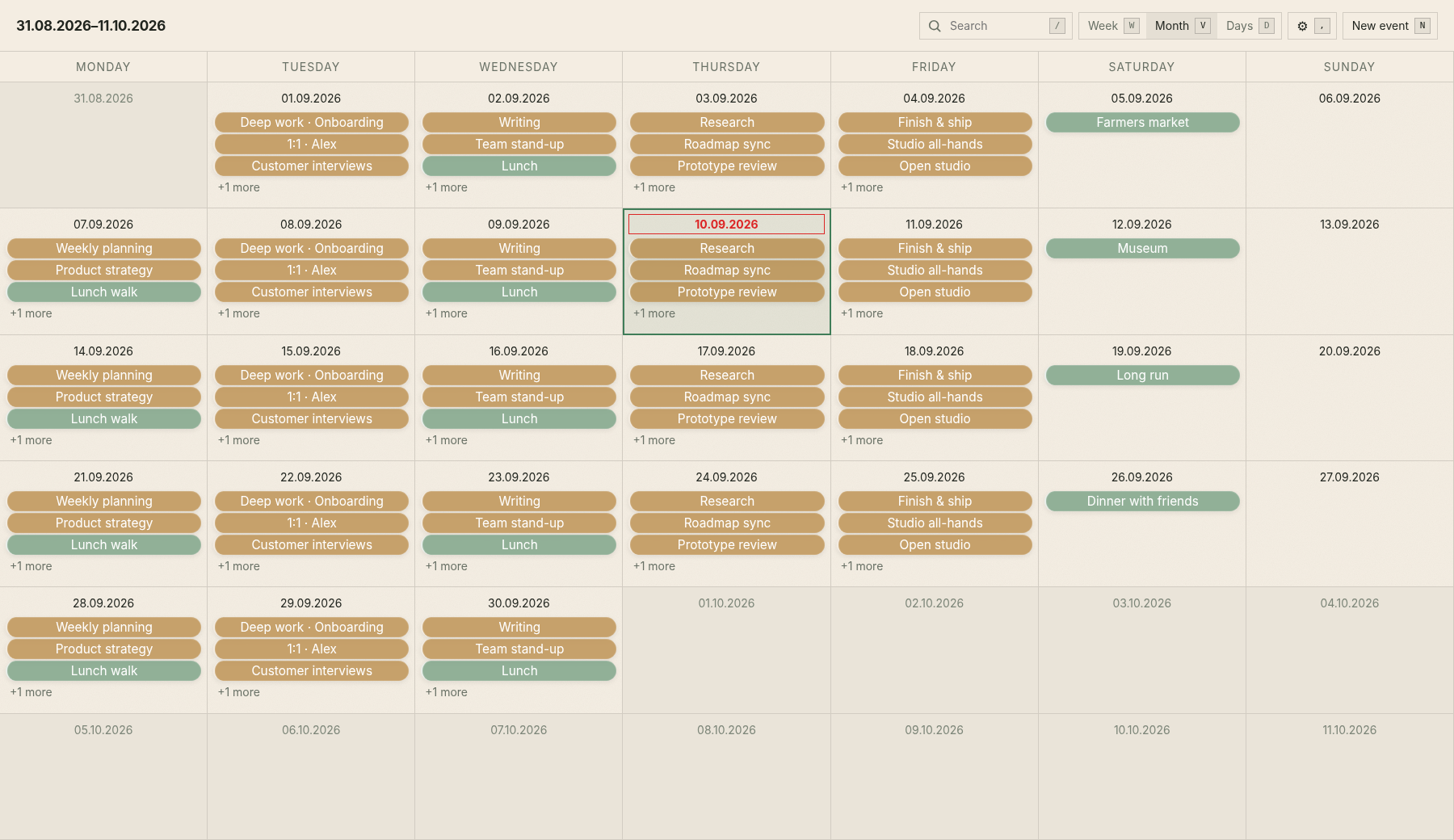
A fast, minimal, customizable, keyboard-first calendar web app. Kalkee provides remappable shortcuts, quick and intuitive navigation, as well as Google Calendar or CalDAV sync.
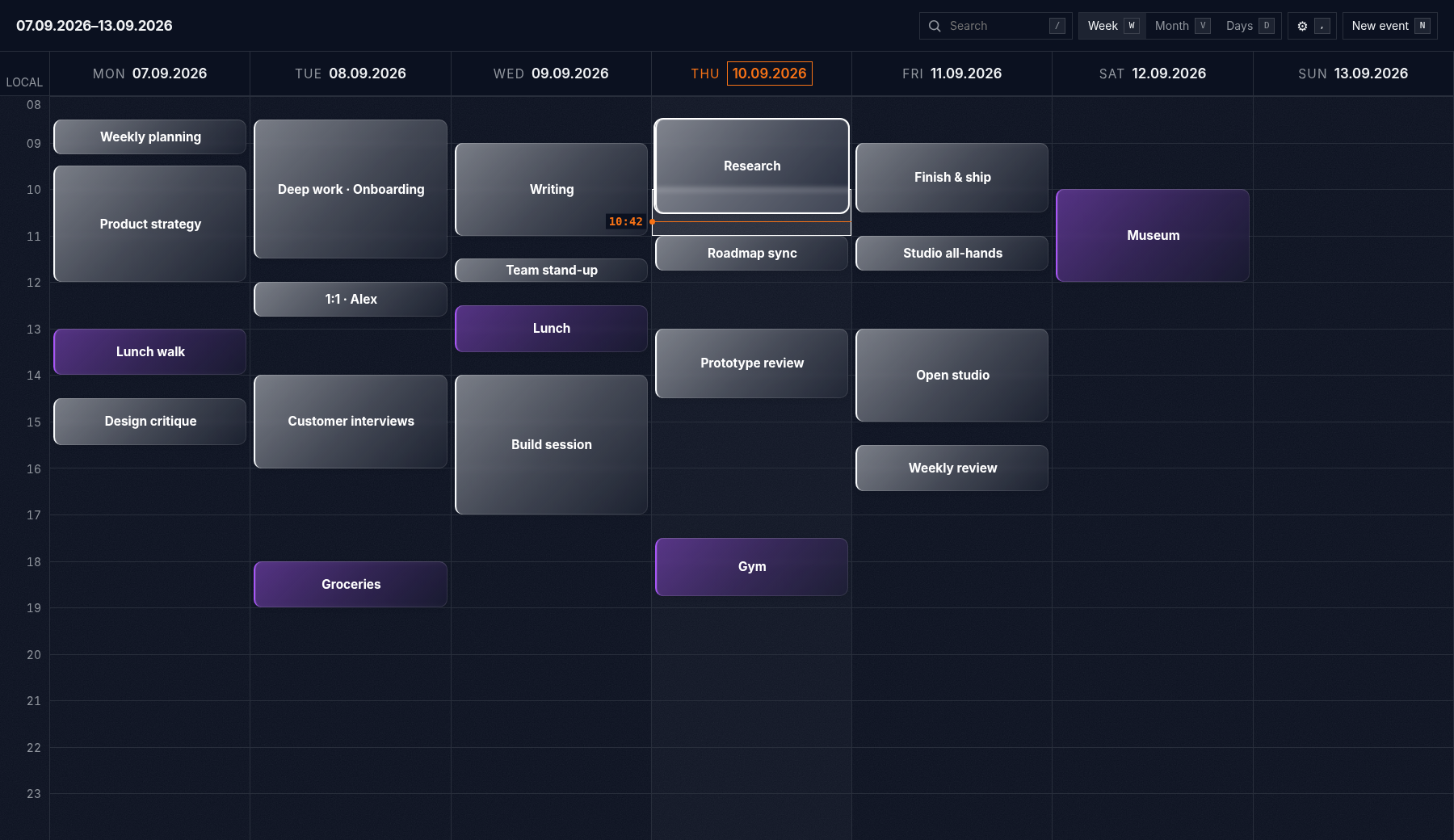
See more themes and calendar views
Ochre Forest · Week
Midnight · Month
Ochre Forest · Month
Features
- Intuitive only keyboard navigation across week, month, and multi-day views
- Dependency-free browser client
- Remappable actions in a dedicated shortcut editor
- Two-way Google Calendar and CalDAV event sync
- Customizable appearance settings and preset themes
- Docker and native Node.js deployment
Run locally
Requirement: Node.js 20 or newer. Provider credentials are only needed for synchronization.
cp .env.example .env
npm install
npm start
Open http://localhost:3000. Without a connected provider, Kalkee starts in local preview mode with sample events.
Generate a session-encryption secret if you intend to use CalDAV or want a key independent of the Google client secret:
openssl rand -hex 32
Save it as CALENDAR_SESSION_SECRET in .env. Without an encryption secret, CalDAV still works, but its login only lasts until the server restarts.
Google Calendar
To connect Google Calendar:
- Create a Google OAuth web client and enable the Google Calendar API.
- Add
http://localhost:3000as an authorized redirect URI. - Set
GOOGLE_CLIENT_IDandGOOGLE_CLIENT_SECRETin.env. - Restart Kalkee and select Google.
For another hostname or port, set GOOGLE_REDIRECT_URI and register that exact HTTPS URI in Google Cloud. The scheme, host, port, path, and trailing slash must match.
CalDAV
Select CalDAV and enter a server or calendar URL, your username, and a password or app password. Kalkee discovers the available event calendars and lets you choose which one to connect. For example, a Nextcloud collection commonly looks like:
https://cloud.example.com/remote.php/dav/calendars/username/calendar-name/
Kalkee currently uses CalDAV Basic authentication, which is intended for HTTPS and commonly paired with an app-specific password. Plain HTTP is accepted only for localhost unless CALDAV_ALLOW_HTTP=1 is explicitly set for development.
Run with Docker
cp .env.example .env
docker compose up --build -d
The app is available at http://localhost:3000. Encrypted calendar sessions are stored in the kalkee-data Docker volume rather than the container filesystem.
To publish on another port, set KALKEE_PORT. Also set GOOGLE_REDIRECT_URI to the public address and register it with Google:
KALKEE_PORT=8080 docker compose up --build -d
Useful commands:
docker compose logs -f kalkee
docker compose restart kalkee
docker compose down
Keyboard workflow
The defaults are:
| Action | Key |
|---|---|
| Move through days and times | H / J / K / L |
| Confirm or open a selection | Enter |
| New event | N |
| Mark an event range | M |
| Move an event | G |
| Resize event start / end | S / E |
| Delete selected event | Delete |
| Go to today | T |
| Previous / next period | [ / ] |
| Week / month / days view | W / V / D |
| Search events | / |
| Settings | , |
Every listed binding can be changed under Settings → Shortcuts.
Data and security
Calendar events remain with the connected provider. OAuth tokens and CalDAV credentials stay on the Node.js server; the browser receives an HTTP-only session cookie. When CALENDAR_SESSION_SECRET (or, for Google-only setups, GOOGLE_CLIENT_SECRET) is available, sessions are encrypted with AES-256-GCM and persisted in the ignored .calendar-sessions.enc file or /data/sessions.enc in Docker.
Calendar ranges are cached in browser memory and adjacent periods are prefetched. Local preview edits remain in the browser session and reset on reload.
Development
npm run dev
npm run check
npm run test:e2e
The included kalkee.service is an example systemd user unit for this checkout path. Adjust its paths when installing elsewhere.
See SECURITY.md for reporting vulnerabilities.
License
MIT
Similar repos


Languages
JavaScript
77.3%
CSS
15.9%
HTML
6.4%
A minimal, customizable, keyboard-first calendar with Google Calendar and CalDAV sync.
JavaScript
1
0 commits
updated Sep 9, 2026
See what people are saying
README
Kalkee
A fast, minimal, customizable, keyboard-first calendar web app. Kalkee provides remappable shortcuts, quick and intuitive navigation, as well as Google Calendar or CalDAV sync.
See more themes and calendar views
Ochre Forest · Week
Midnight · Month
Ochre Forest · Month
Features
- Intuitive only keyboard navigation across week, month, and multi-day views
- Dependency-free browser client
- Remappable actions in a dedicated shortcut editor
- Two-way Google Calendar and CalDAV event sync
- Customizable appearance settings and preset themes
- Docker and native Node.js deployment
Run locally
Requirement: Node.js 20 or newer. Provider credentials are only needed for synchronization.
cp .env.example .env
npm install
npm start
Open http://localhost:3000. Without a connected provider, Kalkee starts in local preview mode with sample events.
Generate a session-encryption secret if you intend to use CalDAV or want a key independent of the Google client secret:
openssl rand -hex 32
Save it as CALENDAR_SESSION_SECRET in .env. Without an encryption secret, CalDAV still works, but its login only lasts until the server restarts.
Google Calendar
To connect Google Calendar:
- Create a Google OAuth web client and enable the Google Calendar API.
- Add
http://localhost:3000as an authorized redirect URI. - Set
GOOGLE_CLIENT_IDandGOOGLE_CLIENT_SECRETin.env. - Restart Kalkee and select Google.
For another hostname or port, set GOOGLE_REDIRECT_URI and register that exact HTTPS URI in Google Cloud. The scheme, host, port, path, and trailing slash must match.
CalDAV
Select CalDAV and enter a server or calendar URL, your username, and a password or app password. Kalkee discovers the available event calendars and lets you choose which one to connect. For example, a Nextcloud collection commonly looks like:
https://cloud.example.com/remote.php/dav/calendars/username/calendar-name/
Kalkee currently uses CalDAV Basic authentication, which is intended for HTTPS and commonly paired with an app-specific password. Plain HTTP is accepted only for localhost unless CALDAV_ALLOW_HTTP=1 is explicitly set for development.
Run with Docker
cp .env.example .env
docker compose up --build -d
The app is available at http://localhost:3000. Encrypted calendar sessions are stored in the kalkee-data Docker volume rather than the container filesystem.
To publish on another port, set KALKEE_PORT. Also set GOOGLE_REDIRECT_URI to the public address and register it with Google:
KALKEE_PORT=8080 docker compose up --build -d
Useful commands:
docker compose logs -f kalkee
docker compose restart kalkee
docker compose down
Keyboard workflow
The defaults are:
| Action | Key |
|---|---|
| Move through days and times | H / J / K / L |
| Confirm or open a selection | Enter |
| New event | N |
| Mark an event range | M |
| Move an event | G |
| Resize event start / end | S / E |
| Delete selected event | Delete |
| Go to today | T |
| Previous / next period | [ / ] |
| Week / month / days view | W / V / D |
| Search events | / |
| Settings | , |
Every listed binding can be changed under Settings → Shortcuts.
Data and security
Calendar events remain with the connected provider. OAuth tokens and CalDAV credentials stay on the Node.js server; the browser receives an HTTP-only session cookie. When CALENDAR_SESSION_SECRET (or, for Google-only setups, GOOGLE_CLIENT_SECRET) is available, sessions are encrypted with AES-256-GCM and persisted in the ignored .calendar-sessions.enc file or /data/sessions.enc in Docker.
Calendar ranges are cached in browser memory and adjacent periods are prefetched. Local preview edits remain in the browser session and reset on reload.
Development
npm run dev
npm run check
npm run test:e2e
The included kalkee.service is an example systemd user unit for this checkout path. Adjust its paths when installing elsewhere.
See SECURITY.md for reporting vulnerabilities.
License
MIT
Similar repos
Languages
JavaScript
77.3%
CSS
15.9%
HTML
6.4%