
A modern, self-hosted web based file manager for your homelab. Built in SvelteKit & Go
See the codeSee what people are saying
README

BoxBox
A modern, self-hosted file manager for your homelab


Website · Quick start · Docs · Releases
BoxBox is a self-hosted file manager for homelab and NAS-style servers. It provides a browser UI for mounted Linux paths, large file and folder uploads, previews, code editing, search, share links, and background file operations.
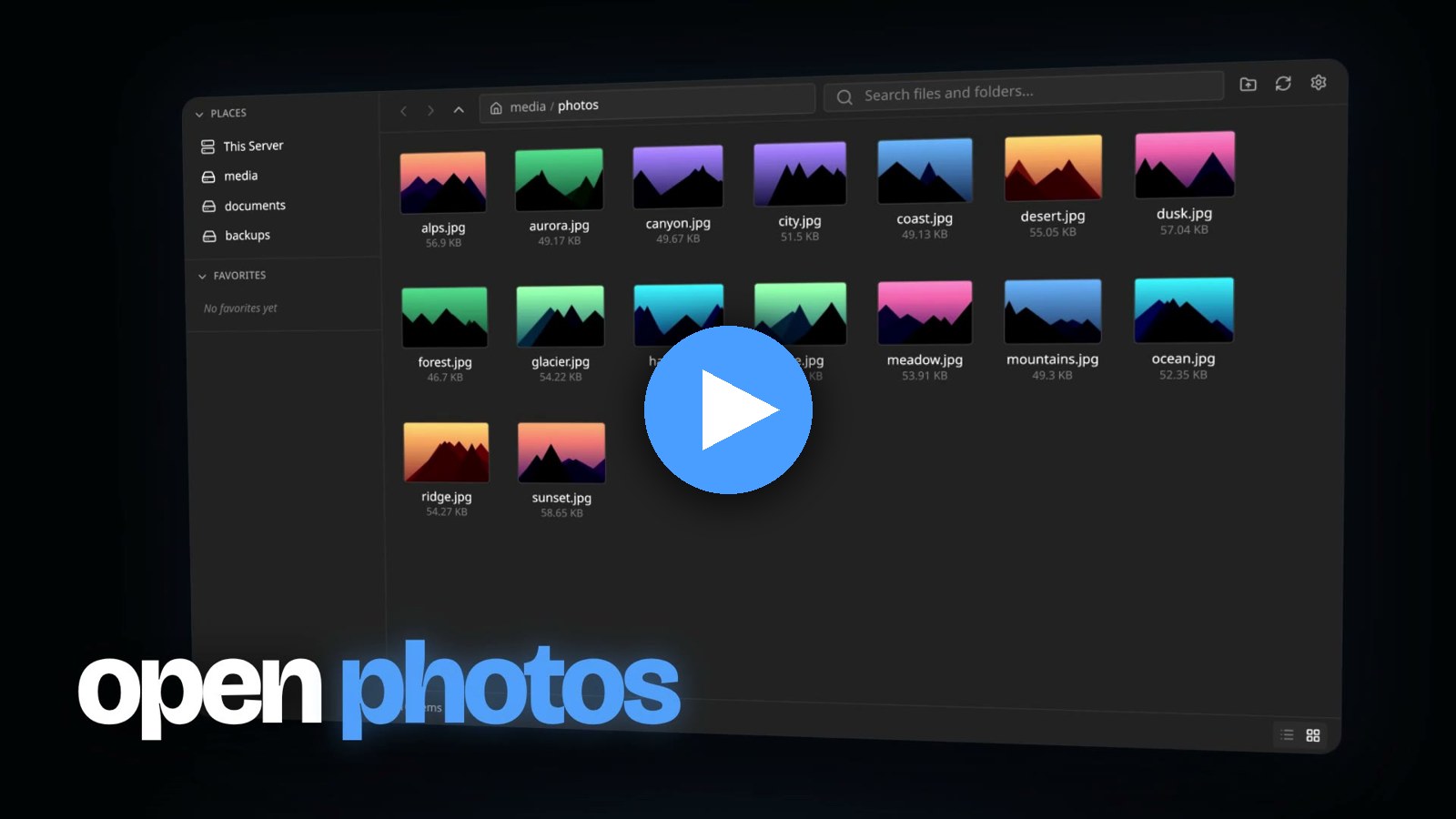
Watch BoxBox in 40 seconds. Music: “the kill 2” by Lex Amarni & 2muchmotion.
Quick Start
The preferred deployment path is Docker Compose using the published GitHub Container Registry image. No source checkout is required.
mkdir -p boxbox
cd boxbox

curl -fsSLO https://raw.githubusercontent.com/jR4dh3y/BoxBox/master/docker-compose.yml
curl -fsSLO https://raw.githubusercontent.com/jR4dh3y/BoxBox/master/.env.example
mkdir -p backend
curl -fsSL https://raw.githubusercontent.com/jR4dh3y/BoxBox/master/backend/config.yaml -o backend/config.yaml

cp .env.example .env
$EDITOR .env

docker compose pull
docker compose up -d
Generate the bcrypt value requested by .env, then open http://localhost:8080 and sign in as admin with the plaintext password you hashed. For reverse proxy examples, local source builds, and update workflows, see docs/docker.md.
Features
- Browse multiple configured mount points from one web UI, with drives and folder shortcuts (places) listed separately.
- Upload large files and whole folders with chunked, resumable uploads that keep nested paths intact.
- Preview images, audio, video, PDF, and documents, and edit text and code in the built-in Monaco editor.
- Share files and folders with expiring, revocable links. Access levels are View only, Upload only, Upload + delete, and Full access. Recipients see your wallpaper.
- Download folders as ZIP archives from the browser or a public share page.
- Copy, move, and delete files through background jobs with live WebSocket progress.
- Search directories by file or folder name.
- Configure read-only mounts, users, rate limits, and allowed origins.
Screenshots
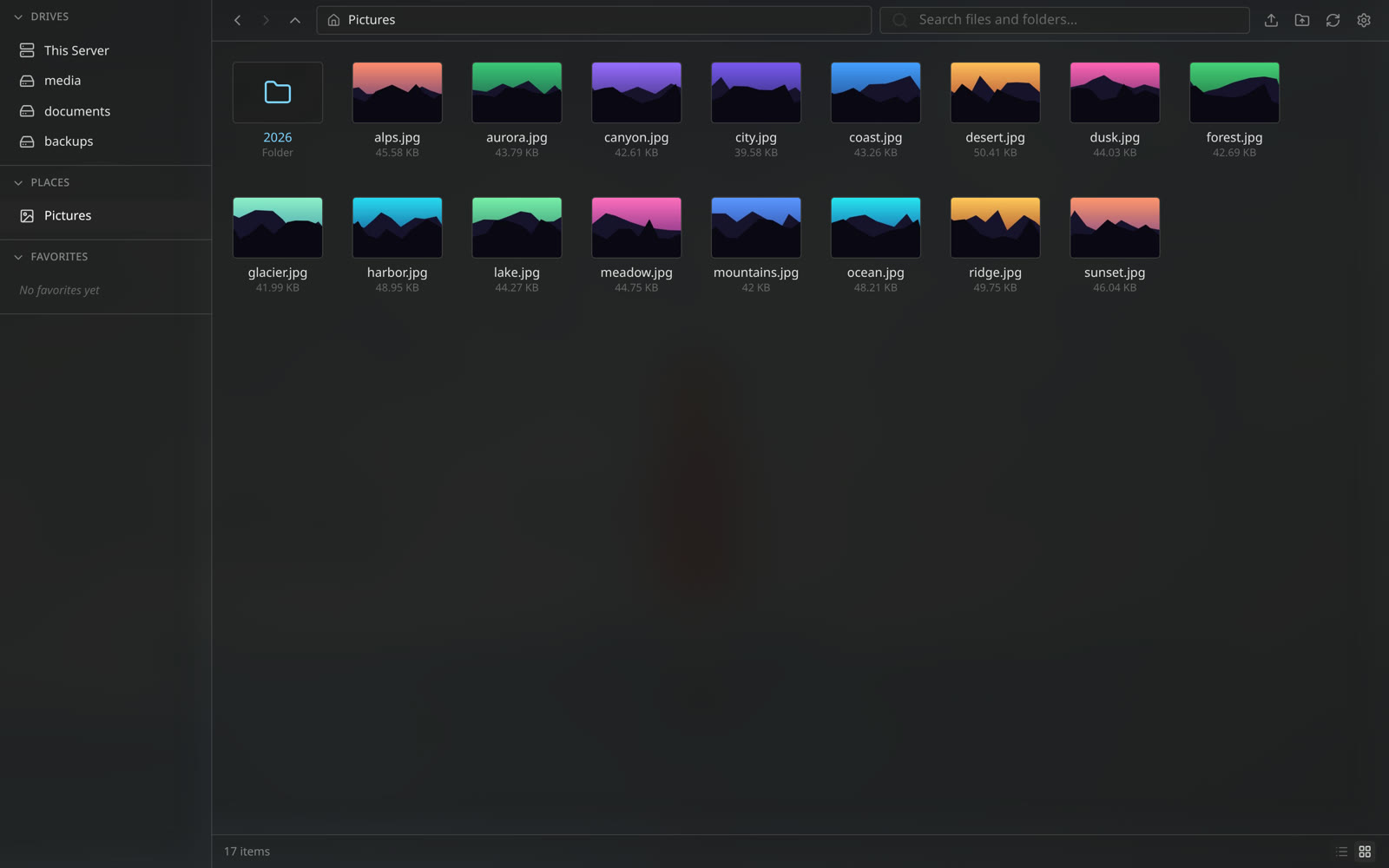 Browse drives and places | 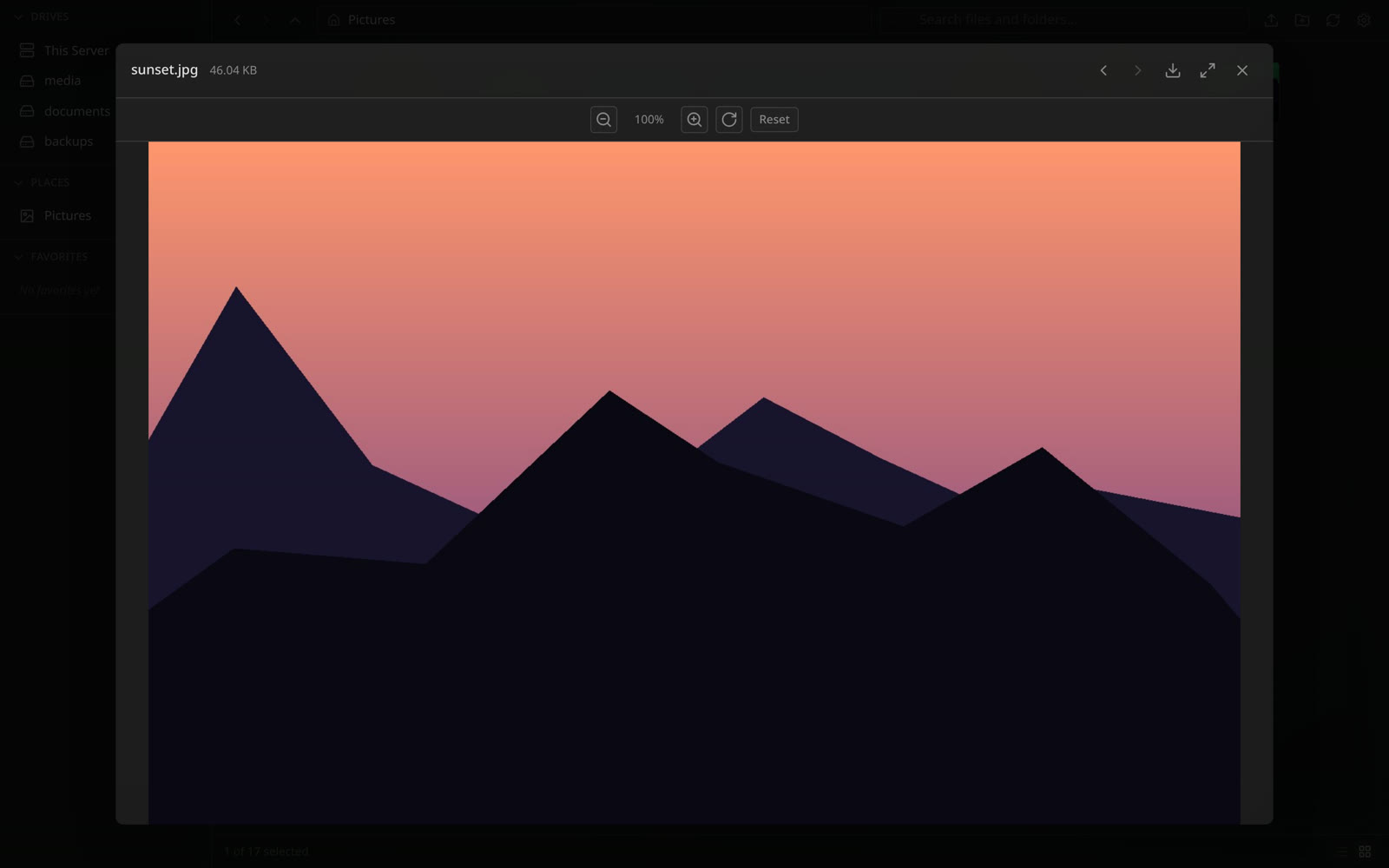 Preview without downloading |
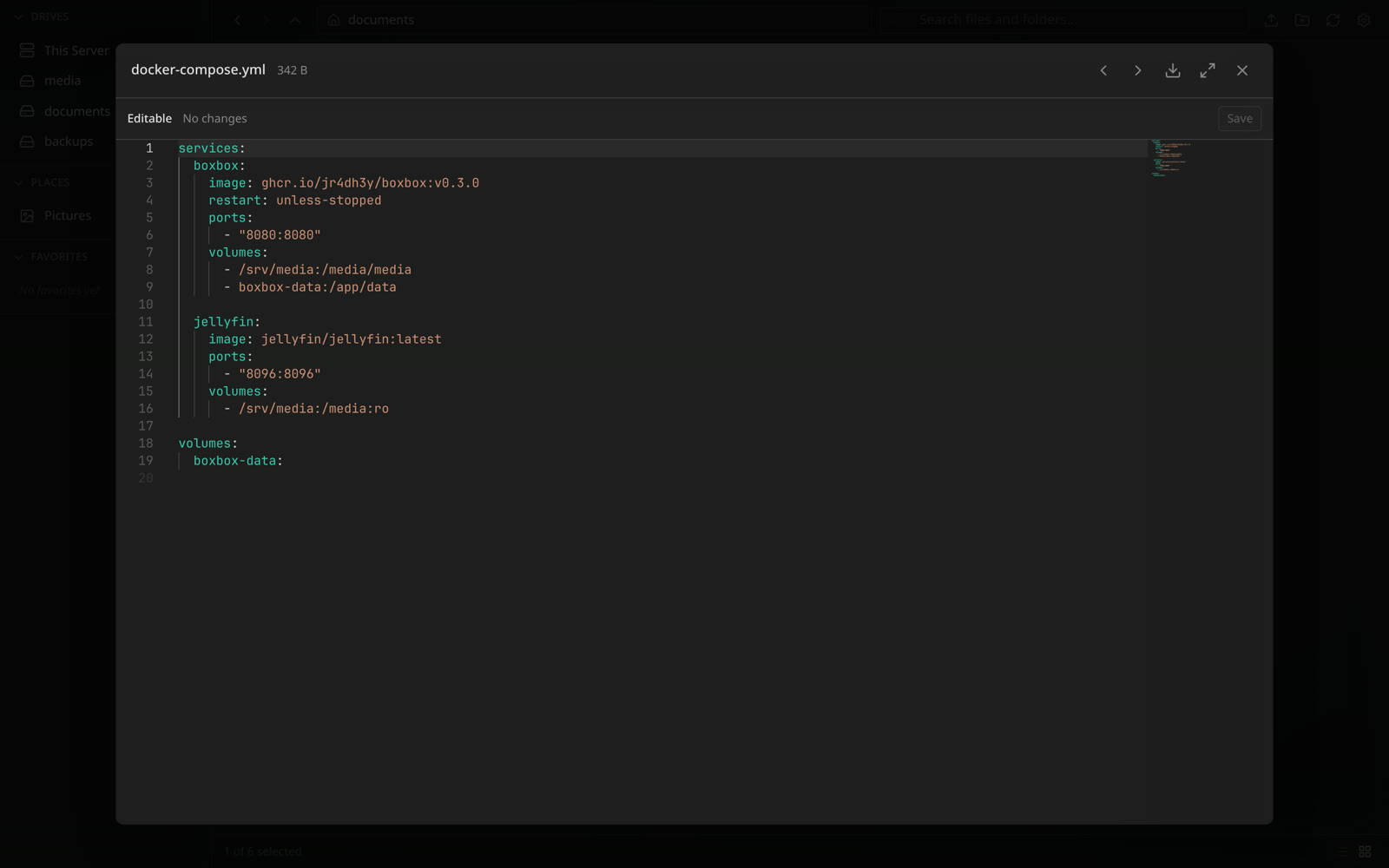 Edit configs in the browser | 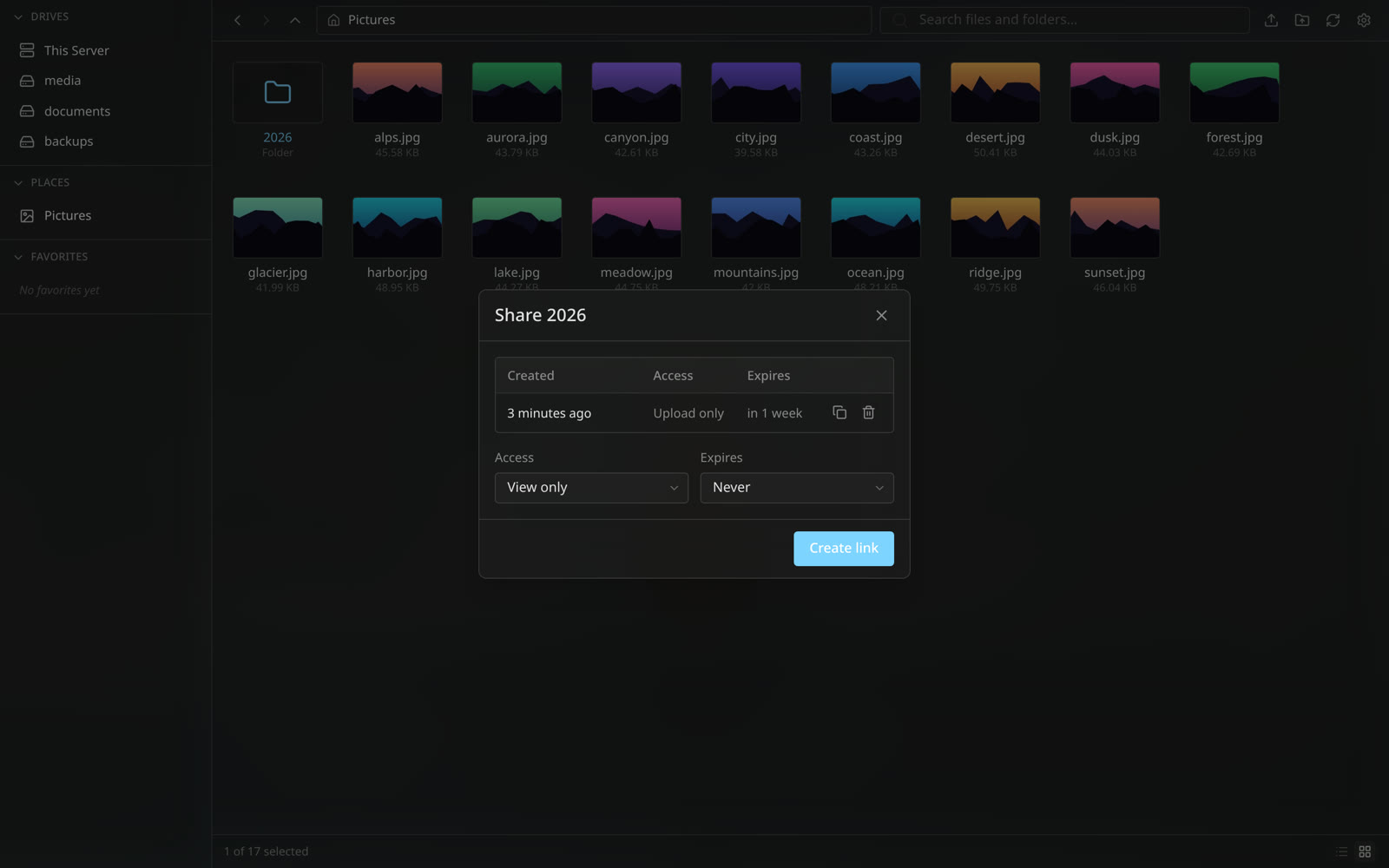 Create share links per file or folder |
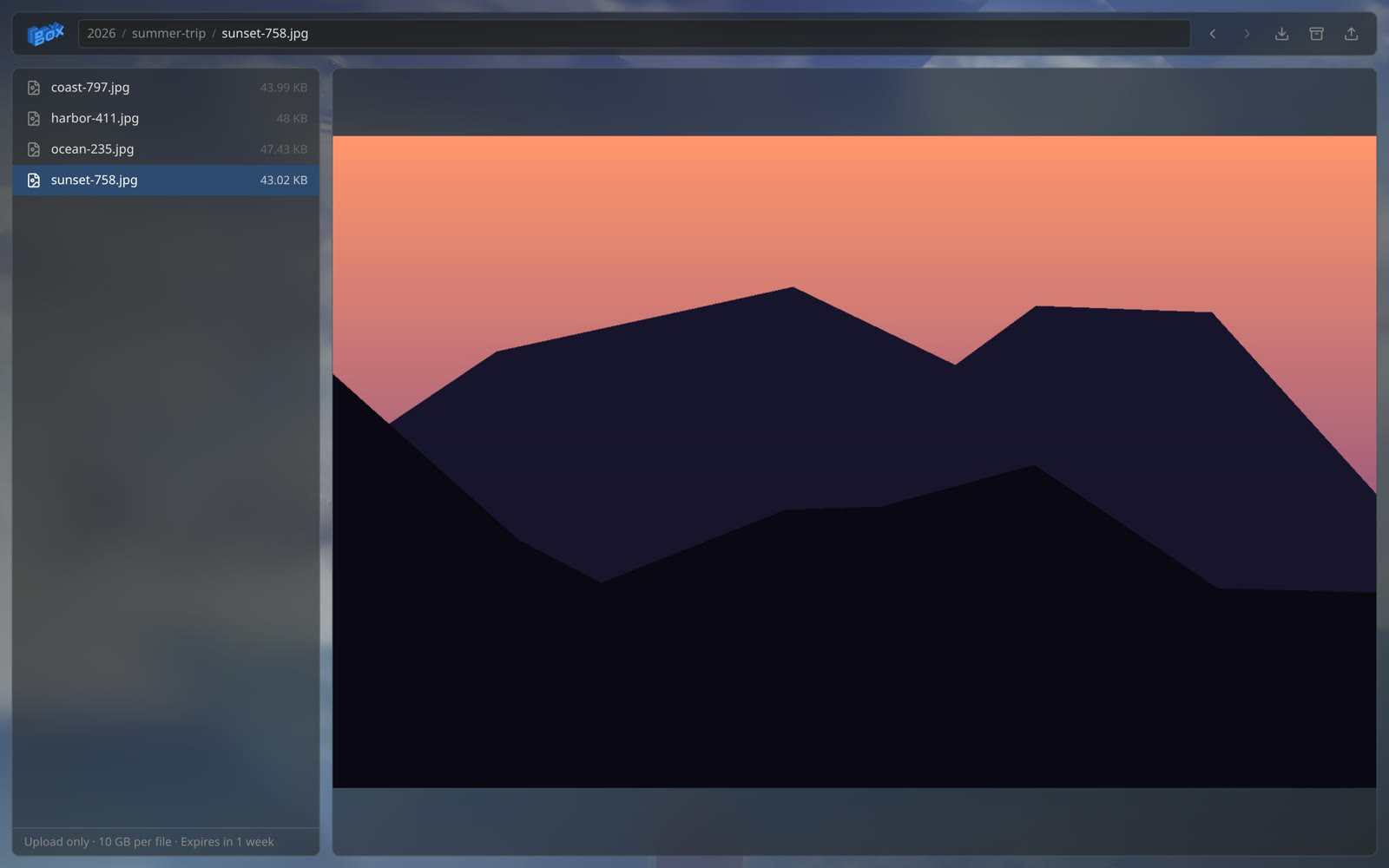 Recipients browse, preview, and download without an account | |
What's New in v0.3.0
- File and folder sharing. Token links with View only, Upload only, Upload + delete, or Full access, optional expiry, revocation, and ZIP download.
- Folder uploads. Pick or drop whole folders. Nested paths are kept.
- Drives and places. Top-level mounts are drives; nested mounts show up under Places. Set
kindto override. - Owner wallpaper on share pages. Your wallpaper is stored on the server and shown to recipients.
- Port 8080 by default. The container listens on
8080instead of80. See the upgrade notes before updating.
Repository Layout
backend/      Go API server and embedded frontend host
frontend/     SvelteKit application
docs/         Public project documentation
scripts/      Local development helpers
Dockerfile    Unified frontend/backend production image
Documentation
Full documentation lives at boxbox.radhey.dev/docs. Release and upgrade notes are in docs/release.md.
License
MIT. See LICENSE.
The promo video uses “the kill 2” by Lex Amarni & 2muchmotion. The song is credited to its artists and is not covered by the MIT license.
Significant stargazers

62 followers · starred Jun 2026

106 followers · starred Jun 2026
124 followers · starred Sep 2026

55 followers · starred Aug 2026
Similar repos


A modern, self-hosted web based file manager for your homelab. Built in SvelteKit & Go
See the codeSee what people are saying
README
BoxBox
A modern, self-hosted file manager for your homelab
Website · Quick start · Docs · Releases
BoxBox is a self-hosted file manager for homelab and NAS-style servers. It provides a browser UI for mounted Linux paths, large file and folder uploads, previews, code editing, search, share links, and background file operations.
Watch BoxBox in 40 seconds. Music: “the kill 2” by Lex Amarni & 2muchmotion.
Quick Start
The preferred deployment path is Docker Compose using the published GitHub Container Registry image. No source checkout is required.
mkdir -p boxbox
cd boxbox

curl -fsSLO https://raw.githubusercontent.com/jR4dh3y/BoxBox/master/docker-compose.yml
curl -fsSLO https://raw.githubusercontent.com/jR4dh3y/BoxBox/master/.env.example
mkdir -p backend
curl -fsSL https://raw.githubusercontent.com/jR4dh3y/BoxBox/master/backend/config.yaml -o backend/config.yaml

cp .env.example .env
$EDITOR .env

docker compose pull
docker compose up -d
Generate the bcrypt value requested by .env, then open http://localhost:8080 and sign in as admin with the plaintext password you hashed. For reverse proxy examples, local source builds, and update workflows, see docs/docker.md.
Features
- Browse multiple configured mount points from one web UI, with drives and folder shortcuts (places) listed separately.
- Upload large files and whole folders with chunked, resumable uploads that keep nested paths intact.
- Preview images, audio, video, PDF, and documents, and edit text and code in the built-in Monaco editor.
- Share files and folders with expiring, revocable links. Access levels are View only, Upload only, Upload + delete, and Full access. Recipients see your wallpaper.
- Download folders as ZIP archives from the browser or a public share page.
- Copy, move, and delete files through background jobs with live WebSocket progress.
- Search directories by file or folder name.
- Configure read-only mounts, users, rate limits, and allowed origins.
Screenshots
Browse drives and places | Preview without downloading |
Edit configs in the browser | Create share links per file or folder |
Recipients browse, preview, and download without an account | |
What's New in v0.3.0
- File and folder sharing. Token links with View only, Upload only, Upload + delete, or Full access, optional expiry, revocation, and ZIP download.
- Folder uploads. Pick or drop whole folders. Nested paths are kept.
- Drives and places. Top-level mounts are drives; nested mounts show up under Places. Set
kindto override. - Owner wallpaper on share pages. Your wallpaper is stored on the server and shown to recipients.
- Port 8080 by default. The container listens on
8080instead of80. See the upgrade notes before updating.
Repository Layout
backend/      Go API server and embedded frontend host
frontend/     SvelteKit application
docs/         Public project documentation
scripts/      Local development helpers
Dockerfile    Unified frontend/backend production image
Documentation
Full documentation lives at boxbox.radhey.dev/docs. Release and upgrade notes are in docs/release.md.
License
MIT. See LICENSE.
The promo video uses “the kill 2” by Lex Amarni & 2muchmotion. The song is credited to its artists and is not covered by the MIT license.
Similar repos
Significant stargazers
62 followers · starred Jun 2026
106 followers · starred Jun 2026
124 followers · starred Sep 2026
55 followers · starred Aug 2026