🚀 Free NextJS Landing Page Template written in Tailwind CSS 3 and TypeScript ⚡️ Made with developer experience first: Next.js 14 + TypeScript + ESLint + Prettier + Husky + Lint-Staged + VSCode + Netlify + PostCSS + Tailwind CSS
See the code
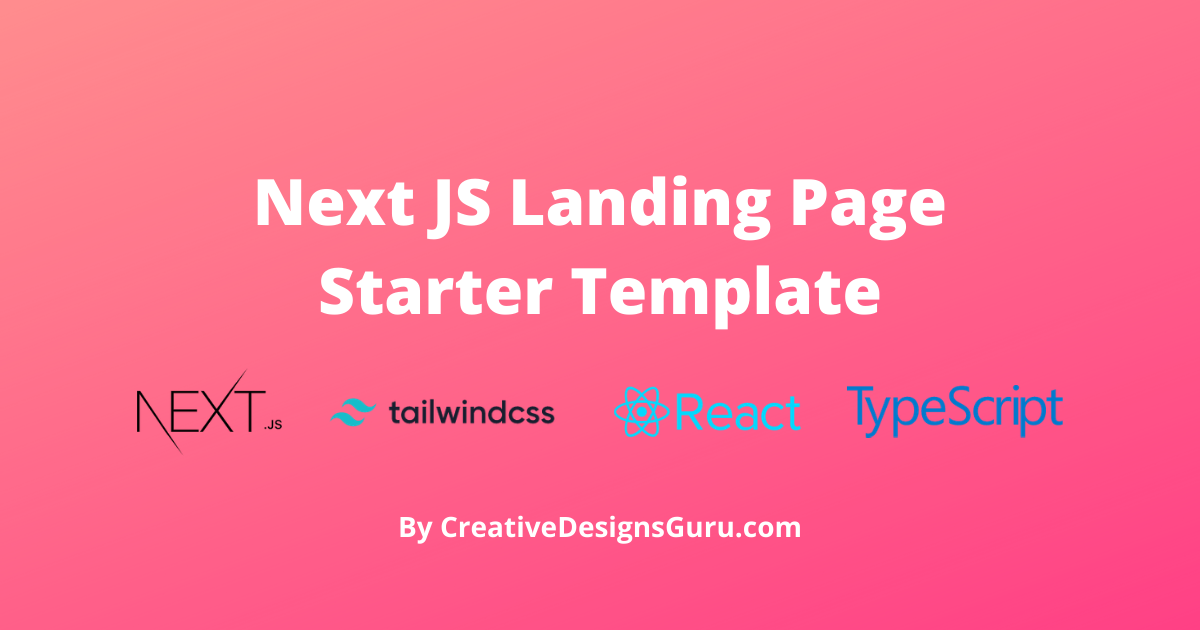
🚀 Landing Page theme written in Next.js, Tailwind CSS and TypeScript ⚡️ Made with developer experience first: Next.js, TypeScript, ESLint, Prettier, Husky, Lint-Staged, VSCode, Netlify, PostCSS, Tailwind CSS.
Clone this project and use it to create your own Next.js project. You can check a Next js templates demo.
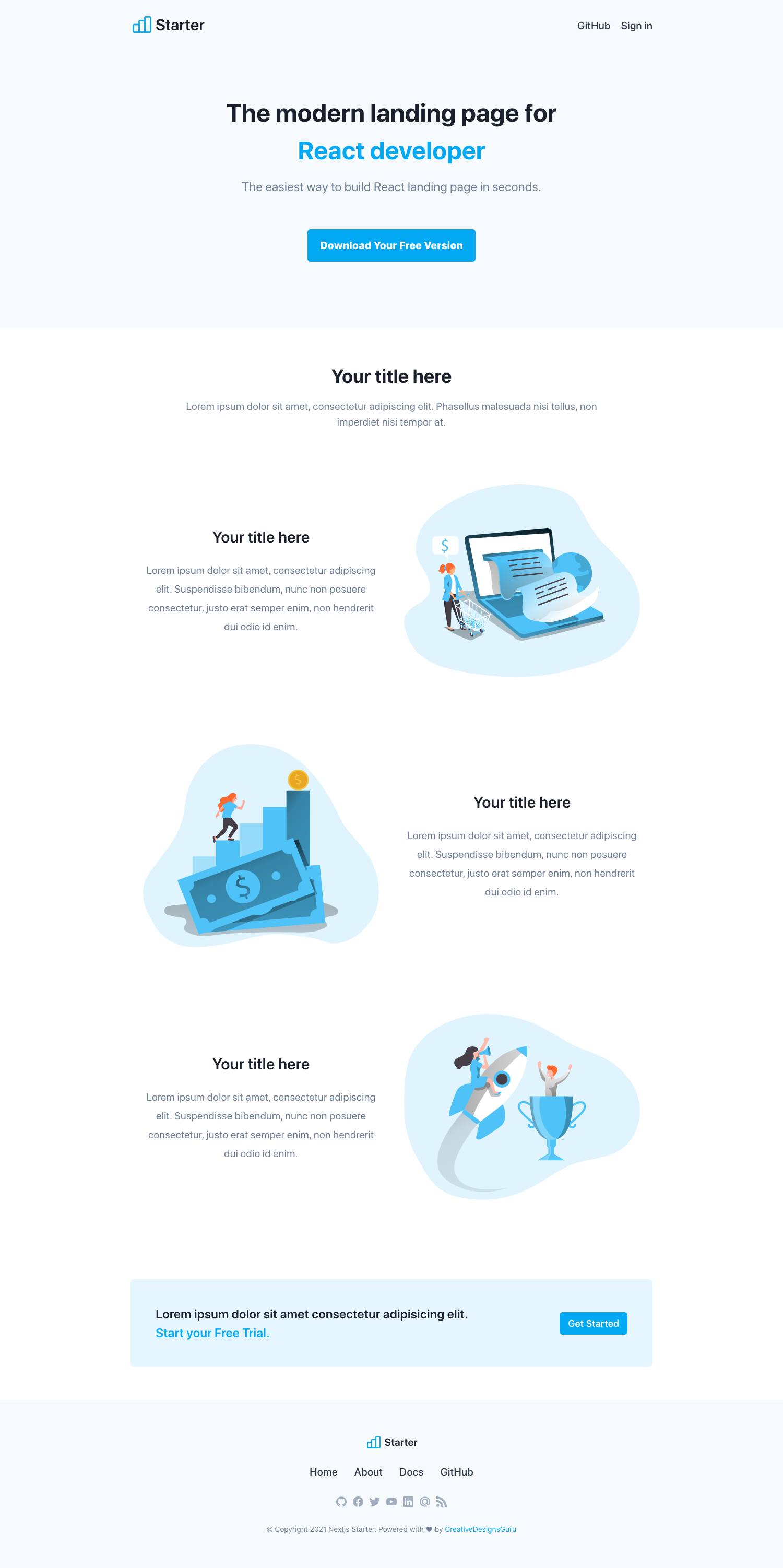
Check out our live demo.
Developer experience first:
styled-jsxBuilt-in feature from Next.js:
Find more components in our premium NextJS themes.
Run the following command on your local environment (for example, in Warp):
git clone --depth=1 https://github.com/ixartz/Next-JS-Landing-Page-Starter-Template.git my-project-name
cd my-project-name
npm install
Then, you can run locally in development mode with live reload (for example, in Warp):
npm run dev
Open http://localhost:3000 with your favorite browser to see your project. For your information, Next JS need to take some time to compile the project for your first time.
.
├── README.md            # README file
├── next.config.js       # Next JS configuration
├── public               # Public folder
│   └── assets
│       └── images       # Image used by default template
├── src
│   ├── background       # Atomic background component
│   ├── button           # Atomic button component
│   ├── cta              # Atomic cta component
│   ├── feature          # Atomic feature component
│   ├── footer           # Atomic footer component
│   ├── hero             # Atomic hero component
│   ├── layout           # Atomic layout component
│   ├── navigation       # Atomic navigation component
│   ├── pages            # Next JS pages
│   ├── styles           # PostCSS style folder with Tailwind
│   ├── templates        # Default template
│   └── utils            # Utility folder
├── tailwind.config.js   # Tailwind CSS configuration
└── tsconfig.json        # TypeScript configuration
You can easily configure the theme. Please change the following file:
public/apple-touch-icon.png, public/favicon.ico, public/favicon-16x16.png and public/favicon-32x32.png: your favicon, you can generate from https://favicon.io/favicon-converter/src/styles/global.css: your CSS file using Tailwind CSSutils/AppConfig.ts: configuration filesrc/pages/index.tsx: the index page of the theme that uses the Base componentsrc/template/Base.tsx: the Base component using component blockssrc/templates/*: the list of component blockssrc/*: other folders in src are the atomic components used by components blocksHere is the layer:
index.tsx in src/pagesBase template: Base.tsx in src/templatessrc/templates/*src/*You can see the results locally in production mode with:
$ npm run build
$ npm run start
The generated HTML and CSS files are minified (built-in feature from Next js). It will also removed unused CSS from Tailwind CSS.
You can create an optimized production build with:
npm run build-prod
Now, your theme is ready to be deployed. All generated files are located at out folder, which you can deploy with any hosting service.
Clone this repository on own GitHub account and deploy to Netlify:

If you are VSCode users, you can have a better integration with VSCode by installing the suggested extension in .vscode/extension.json. The starter code comes up with Settings for a seamless integration with VSCode. The Debug configuration is also provided for frontend and backend debugging experience.
Pro tips: if you need a project wide type checking with TypeScript, you can run a build with Cmd + Shift + B on Mac.
Everyone is welcome to contribute to this project. Feel free to open an issue if you have question or found a bug.
Licensed under the MIT License, Copyright © 2026
See LICENSE for more information.
Made with ♥ by CreativeDesignsGuru

8,275 followers · starred Nov 2022
1,054 followers · starred Mar 2023
33 followers · starred Aug 2024
25 followers · starred Jul 2022
🚀 Free NextJS Landing Page Template written in Tailwind CSS 3 and TypeScript ⚡️ Made with developer experience first: Next.js 14 + TypeScript + ESLint + Prettier + Husky + Lint-Staged + VSCode + Netlify + PostCSS + Tailwind CSS
See the code
🚀 Landing Page theme written in Next.js, Tailwind CSS and TypeScript ⚡️ Made with developer experience first: Next.js, TypeScript, ESLint, Prettier, Husky, Lint-Staged, VSCode, Netlify, PostCSS, Tailwind CSS.
Clone this project and use it to create your own Next.js project. You can check a Next js templates demo.
Check out our live demo.
Developer experience first:
styled-jsxBuilt-in feature from Next.js:
Find more components in our premium NextJS themes.
Run the following command on your local environment (for example, in Warp):
git clone --depth=1 https://github.com/ixartz/Next-JS-Landing-Page-Starter-Template.git my-project-name
cd my-project-name
npm install
Then, you can run locally in development mode with live reload (for example, in Warp):
npm run dev
Open http://localhost:3000 with your favorite browser to see your project. For your information, Next JS need to take some time to compile the project for your first time.
.
├── README.md            # README file
├── next.config.js       # Next JS configuration
├── public               # Public folder
│   └── assets
│       └── images       # Image used by default template
├── src
│   ├── background       # Atomic background component
│   ├── button           # Atomic button component
│   ├── cta              # Atomic cta component
│   ├── feature          # Atomic feature component
│   ├── footer           # Atomic footer component
│   ├── hero             # Atomic hero component
│   ├── layout           # Atomic layout component
│   ├── navigation       # Atomic navigation component
│   ├── pages            # Next JS pages
│   ├── styles           # PostCSS style folder with Tailwind
│   ├── templates        # Default template
│   └── utils            # Utility folder
├── tailwind.config.js   # Tailwind CSS configuration
└── tsconfig.json        # TypeScript configuration
You can easily configure the theme. Please change the following file:
public/apple-touch-icon.png, public/favicon.ico, public/favicon-16x16.png and public/favicon-32x32.png: your favicon, you can generate from https://favicon.io/favicon-converter/src/styles/global.css: your CSS file using Tailwind CSSutils/AppConfig.ts: configuration filesrc/pages/index.tsx: the index page of the theme that uses the Base componentsrc/template/Base.tsx: the Base component using component blockssrc/templates/*: the list of component blockssrc/*: other folders in src are the atomic components used by components blocksHere is the layer:
index.tsx in src/pagesBase template: Base.tsx in src/templatessrc/templates/*src/*You can see the results locally in production mode with:
$ npm run build
$ npm run start
The generated HTML and CSS files are minified (built-in feature from Next js). It will also removed unused CSS from Tailwind CSS.
You can create an optimized production build with:
npm run build-prod
Now, your theme is ready to be deployed. All generated files are located at out folder, which you can deploy with any hosting service.
Clone this repository on own GitHub account and deploy to Netlify:
If you are VSCode users, you can have a better integration with VSCode by installing the suggested extension in .vscode/extension.json. The starter code comes up with Settings for a seamless integration with VSCode. The Debug configuration is also provided for frontend and backend debugging experience.
Pro tips: if you need a project wide type checking with TypeScript, you can run a build with Cmd + Shift + B on Mac.
Everyone is welcome to contribute to this project. Feel free to open an issue if you have question or found a bug.
Licensed under the MIT License, Copyright © 2026
See LICENSE for more information.
Made with ♥ by CreativeDesignsGuru
8,275 followers · starred Nov 2022
1,054 followers · starred Mar 2023
33 followers · starred Aug 2024
25 followers · starred Jul 2022