Vendor agnostic latency reduction middleware. An alternative to NVIDIA Reflex.
C++
949
65 commits
updated Nov 10, 2024
Vendor agnostic latency reduction middleware. An alternative to NVIDIA Reflex.
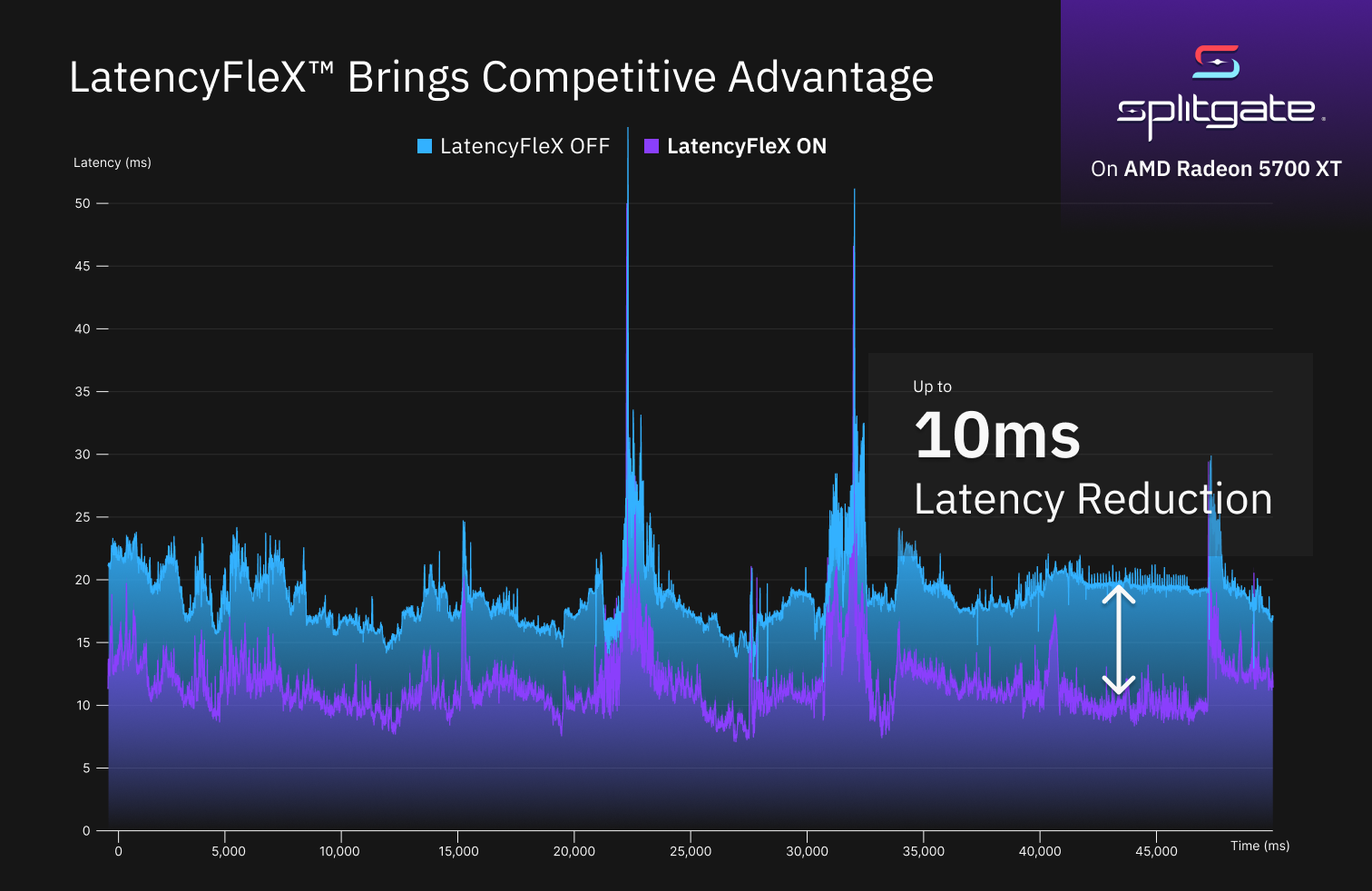
To get an idea why queuing happens in video games and why it causes increased latency, watch this video.
To learn more about LatencyFleX's internals, check out the blog post.
Minor stutters might happen.
Tip: If you are using AMD GPUs, try modifying the power profile to reduce power management induced stutters: https://gitlab.freedesktop.org/drm/amd/-/issues/1500#note_1228253
GPU utilization will be lower (around 95% when GPU bound).
It might take one second or two to adapt to large frame rate increases (e.g. if the game sets a background frame limit).
See docs/BUILDING.md
For now, LatencyFleX can be used on Linux through one of the following injection method. Game engine integration is planned.
Warning: Be careful when using LatencyFleX with games having anti-cheat:
Please do it at your own risk.
Tested games:
| Game | Support | Method |
|---|---|---|
| Apex Legends 1 | ❌ | Proton NVAPI |
| Titanfall 2 w/ Northstar | ✅ | Proton (Native) |
| Overwatch 2 | ✅ | Proton NVAPI |
| Splitgate 3 | ❌ | N/A |
| Ghostrunner | ✅ | Proton NVAPI |
| God of War | ✅ | Proton NVAPI |
| Spider-Man Remastered | ✅ | Proton NVAPI |
Game supported but not in list? File a PR to update the table.
Install the Vulkan layer, wine extension and DXVK-NVAPI with LFX support.
Put the following in dxvk.conf 2. If you haven't created one, create it next to the game executable.
If there are multiple executables, try copying and putting dxvk.conf next to every executable.
dxgi.nvapiHack = False
dxgi.customVendorId = 10de # If running on non-NVIDIA GPU
Launch with the following environment variables:
PROTON_ENABLE_NVAPI=1 DXVK_NVAPI_DRIVER_VERSION=49729 DXVK_NVAPI_ALLOW_OTHER_DRIVERS=1 LFX=1 %command%
Don't forget to enable Reflex Low-Latency in-game.
Not working? See troubleshooting guide
Supported platforms: Linux (see note)
Note: for now, the UE4 hook only supports Linux UE4 builds with PIE disabled.
Install the Vulkan layer.
Obtain an offset to FEngineLoop::Tick. If the game ships with debug symbols, the
offset can be obtained with the command:
readelf -Ws PortalWars/Binaries/Linux/PortalWars-Linux-Shipping.debug | c++filt | grep FEngineLoop::Tick
Find the line corresponding to the actual function (other entries are for types used in the function and unrelated):
268: 00000000026698e0 9876 FUNC LOCAL HIDDEN 15 FEngineLoop::Tick()
Here 26698e0 is the offset we need. We will call it <OFFSET> below.
Modify the launch command-line as follows.
LFX=1 LFX_UE4_HOOK=0x<OFFSET> %command%
Supported platforms: Proton, Linux
BepInEx/LogOutput.log.unity/<RUNTIME>-<VERSION>/LatencyFleX.dll (from release artifacts)
into BepInEx/plugins. <RUNTIME> is mono or il2cpp. <VERSION> is:
2018.1 for any version higher or equal to 2018.1 (This is currently unsupported for IL2CPP)2019.3 for any version higher or equal to 2019.3LFX=1 %command% -force-vulkan # for native
WINEDLLOVERRIDES="winhttp=n,b" LFX=1 %command% # for Proton
For Debian-like distros, copy the following files from release artifacts to your root filesystem.
/usr/lib/x86_64-linux-gnu/liblatencyflex_layer.so
/usr/share/vulkan/implicit_layer.d/latencyflex.json
For Arch-like distros, you need to copy /usr/lib/x86_64-linux-gnu/liblatencyflex_layer.so -> /usr/lib/liblatencyflex_layer.so
and additionally update the path specified in /usr/share/vulkan/implicit_layer.d/latencyflex.json.
Note: The Wine extensions are migrated to a new Wine API in this version. Wine 7.0 or later is recommended, older versions might be unsupported.
Copy the following files from release artifacts to your Wine installation location.
For Wine 7.x: change /usr/lib/wine to wherever Wine/Proton is installed.
For Proton and certain distros, you also need to change lib to lib64. Copy the following files.
/usr/lib/wine/x86_64-unix/latencyflex_layer.so
/usr/lib/wine/x86_64-windows/latencyflex_layer.dll
/usr/lib/wine/x86_64-windows/latencyflex_wine.dll
For Wine <= 6.x: copy the files as follows.
/usr/lib/wine/x86_64-unix/latencyflex_layer.dll.so -> lib/wine/latencyflex_layer.so
/usr/lib/wine/x86_64-windows/latencyflex_layer.dll -> lib/wine/fakedlls/latencyflex_layer.dll
/usr/lib/wine/x86_64-windows/latencyflex_wine.dll -> lib/wine/fakedlls/latencyflex_wine.dll
Create symbolic links to latencyflex_layer.dll and latencyflex_wine.dll, inside drive_c/windows/system32/ under your prefix.
(Alternatively, copy these files. The drawback is that you need to copy these files on every LFX update.)
Proton prefixes can be found under ~/.local/share/Steam/steamapps/compatdata/<appid>/pfx.
Obtain binaries from GitHub Releases. Minimum version with LatencyFlex integration is 0.5.3.
For Proton, copy nvapi64.dll into dist/lib64/wine/nvapi.
For other Wine installations, see DXVK-NVAPI documentation.
Obtain binaries from GitHub Actions and install it to your system.
Put the following line in MangoHud.conf to have real-time latency metrics:
graphs=custom_Latency
Game was previously supported with manual UE4 Linux hook. This is no longer possible in an easy way as the game does not ship with symbols now. ↩
(top 24 of 32)
1,520 followers · starred May 2022
111 followers · starred Nov 2025
149 followers · starred Jan 2022
4,916 followers · starred Jan 2022
Vendor agnostic latency reduction middleware. An alternative to NVIDIA Reflex.
C++
949
65 commits
updated Nov 10, 2024
Vendor agnostic latency reduction middleware. An alternative to NVIDIA Reflex.
To get an idea why queuing happens in video games and why it causes increased latency, watch this video.
To learn more about LatencyFleX's internals, check out the blog post.
Minor stutters might happen.
Tip: If you are using AMD GPUs, try modifying the power profile to reduce power management induced stutters: https://gitlab.freedesktop.org/drm/amd/-/issues/1500#note_1228253
GPU utilization will be lower (around 95% when GPU bound).
It might take one second or two to adapt to large frame rate increases (e.g. if the game sets a background frame limit).
See docs/BUILDING.md
For now, LatencyFleX can be used on Linux through one of the following injection method. Game engine integration is planned.
Warning: Be careful when using LatencyFleX with games having anti-cheat:
Please do it at your own risk.
Tested games:
| Game | Support | Method |
|---|---|---|
| Apex Legends 1 | ❌ | Proton NVAPI |
| Titanfall 2 w/ Northstar | ✅ | Proton (Native) |
| Overwatch 2 | ✅ | Proton NVAPI |
| Splitgate 3 | ❌ | N/A |
| Ghostrunner | ✅ | Proton NVAPI |
| God of War | ✅ | Proton NVAPI |
| Spider-Man Remastered | ✅ | Proton NVAPI |
Game supported but not in list? File a PR to update the table.
Install the Vulkan layer, wine extension and DXVK-NVAPI with LFX support.
Put the following in dxvk.conf 2. If you haven't created one, create it next to the game executable.
If there are multiple executables, try copying and putting dxvk.conf next to every executable.
dxgi.nvapiHack = False
dxgi.customVendorId = 10de # If running on non-NVIDIA GPU
Launch with the following environment variables:
PROTON_ENABLE_NVAPI=1 DXVK_NVAPI_DRIVER_VERSION=49729 DXVK_NVAPI_ALLOW_OTHER_DRIVERS=1 LFX=1 %command%
Don't forget to enable Reflex Low-Latency in-game.
Not working? See troubleshooting guide
Supported platforms: Linux (see note)
Note: for now, the UE4 hook only supports Linux UE4 builds with PIE disabled.
Install the Vulkan layer.
Obtain an offset to FEngineLoop::Tick. If the game ships with debug symbols, the
offset can be obtained with the command:
readelf -Ws PortalWars/Binaries/Linux/PortalWars-Linux-Shipping.debug | c++filt | grep FEngineLoop::Tick
Find the line corresponding to the actual function (other entries are for types used in the function and unrelated):
268: 00000000026698e0 9876 FUNC LOCAL HIDDEN 15 FEngineLoop::Tick()
Here 26698e0 is the offset we need. We will call it <OFFSET> below.
Modify the launch command-line as follows.
LFX=1 LFX_UE4_HOOK=0x<OFFSET> %command%
Supported platforms: Proton, Linux
BepInEx/LogOutput.log.unity/<RUNTIME>-<VERSION>/LatencyFleX.dll (from release artifacts)
into BepInEx/plugins. <RUNTIME> is mono or il2cpp. <VERSION> is:
2018.1 for any version higher or equal to 2018.1 (This is currently unsupported for IL2CPP)2019.3 for any version higher or equal to 2019.3LFX=1 %command% -force-vulkan # for native
WINEDLLOVERRIDES="winhttp=n,b" LFX=1 %command% # for Proton
For Debian-like distros, copy the following files from release artifacts to your root filesystem.
/usr/lib/x86_64-linux-gnu/liblatencyflex_layer.so
/usr/share/vulkan/implicit_layer.d/latencyflex.json
For Arch-like distros, you need to copy /usr/lib/x86_64-linux-gnu/liblatencyflex_layer.so -> /usr/lib/liblatencyflex_layer.so
and additionally update the path specified in /usr/share/vulkan/implicit_layer.d/latencyflex.json.
Note: The Wine extensions are migrated to a new Wine API in this version. Wine 7.0 or later is recommended, older versions might be unsupported.
Copy the following files from release artifacts to your Wine installation location.
For Wine 7.x: change /usr/lib/wine to wherever Wine/Proton is installed.
For Proton and certain distros, you also need to change lib to lib64. Copy the following files.
/usr/lib/wine/x86_64-unix/latencyflex_layer.so
/usr/lib/wine/x86_64-windows/latencyflex_layer.dll
/usr/lib/wine/x86_64-windows/latencyflex_wine.dll
For Wine <= 6.x: copy the files as follows.
/usr/lib/wine/x86_64-unix/latencyflex_layer.dll.so -> lib/wine/latencyflex_layer.so
/usr/lib/wine/x86_64-windows/latencyflex_layer.dll -> lib/wine/fakedlls/latencyflex_layer.dll
/usr/lib/wine/x86_64-windows/latencyflex_wine.dll -> lib/wine/fakedlls/latencyflex_wine.dll
Create symbolic links to latencyflex_layer.dll and latencyflex_wine.dll, inside drive_c/windows/system32/ under your prefix.
(Alternatively, copy these files. The drawback is that you need to copy these files on every LFX update.)
Proton prefixes can be found under ~/.local/share/Steam/steamapps/compatdata/<appid>/pfx.
Obtain binaries from GitHub Releases. Minimum version with LatencyFlex integration is 0.5.3.
For Proton, copy nvapi64.dll into dist/lib64/wine/nvapi.
For other Wine installations, see DXVK-NVAPI documentation.
Obtain binaries from GitHub Actions and install it to your system.
Put the following line in MangoHud.conf to have real-time latency metrics:
graphs=custom_Latency
Game was previously supported with manual UE4 Linux hook. This is no longer possible in an easy way as the game does not ship with symbols now. ↩
(top 24 of 32)
1,520 followers · starred May 2022
111 followers · starred Nov 2025
149 followers · starred Jan 2022
4,916 followers · starred Jan 2022



