
PCM Tools | Building PCM | Downloading Pre-Compiled PCM | FAQ | API Documentation | Environment Variables | Compilation Options
Intel® Performance Counter Monitor (Intel® PCM) is an application programming interface (API) and a set of tools based on the API to monitor performance and energy metrics of Intel® Core™, Xeon®, Atom™ and Xeon Phi™ processors. PCM works on Linux, Windows, FreeBSD, DragonFlyBSD and ChromeOS operating systems.
Github repository statistics: 

We welcome bug reports and enhancement requests, which can be submitted via the "Issues" section on GitHub. For those interested in contributing to the code, please refer to the guidelines outlined in the CONTRIBUTING.md file.


PCM provides a number of command-line utilities for real-time monitoring:
pcm-sensor-server : pcm collector exposing metrics over http in JSON or Prometheus (exporter text based) format (how-to). Also available as a docker container. More info about Global PCM events is here.
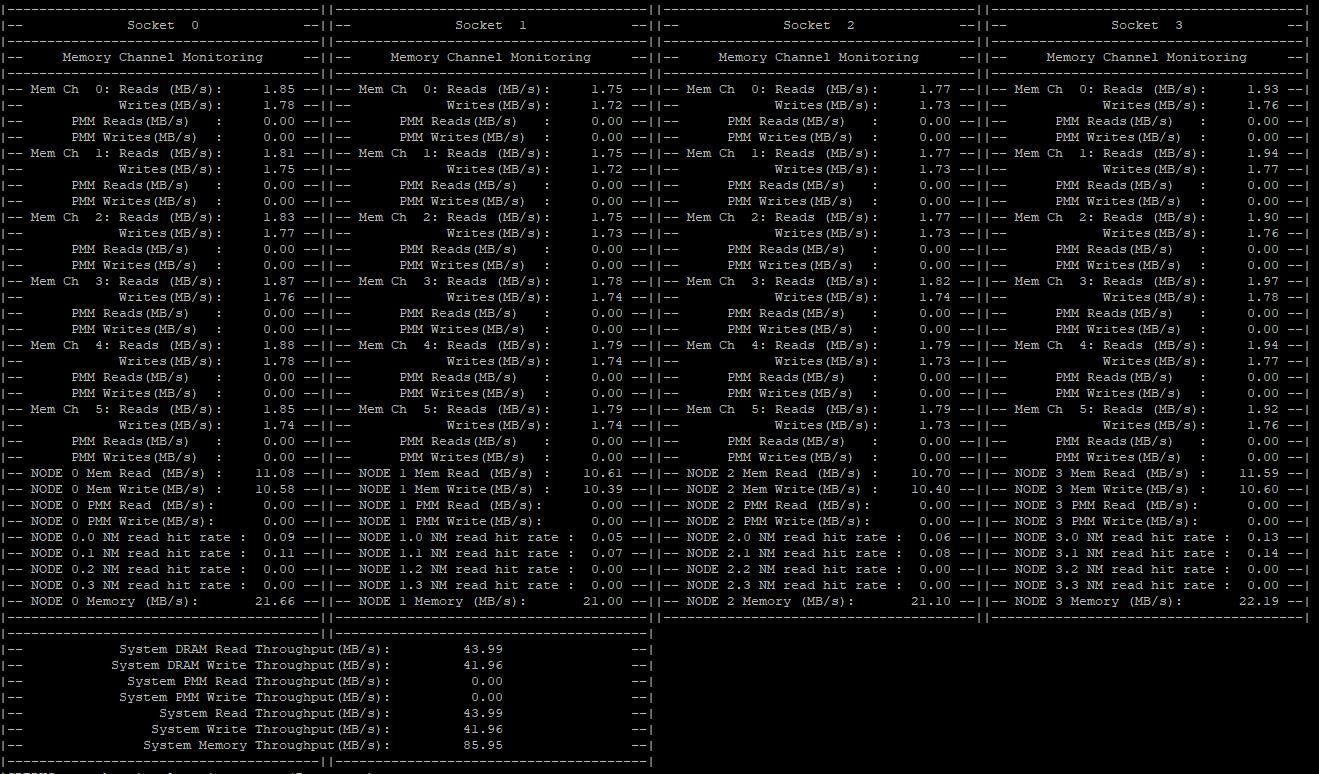
pcm-memory : monitor memory bandwidth (per-channel and per-DRAM DIMM rank)
pcm-latency : monitor L1 cache miss and DDR/PMM memory latency
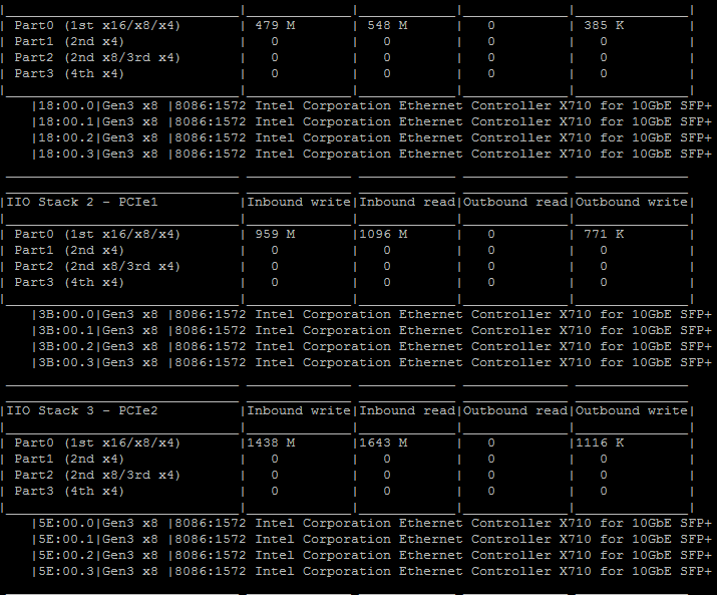
pcm-pcie : monitor PCIe bandwidth per-socket
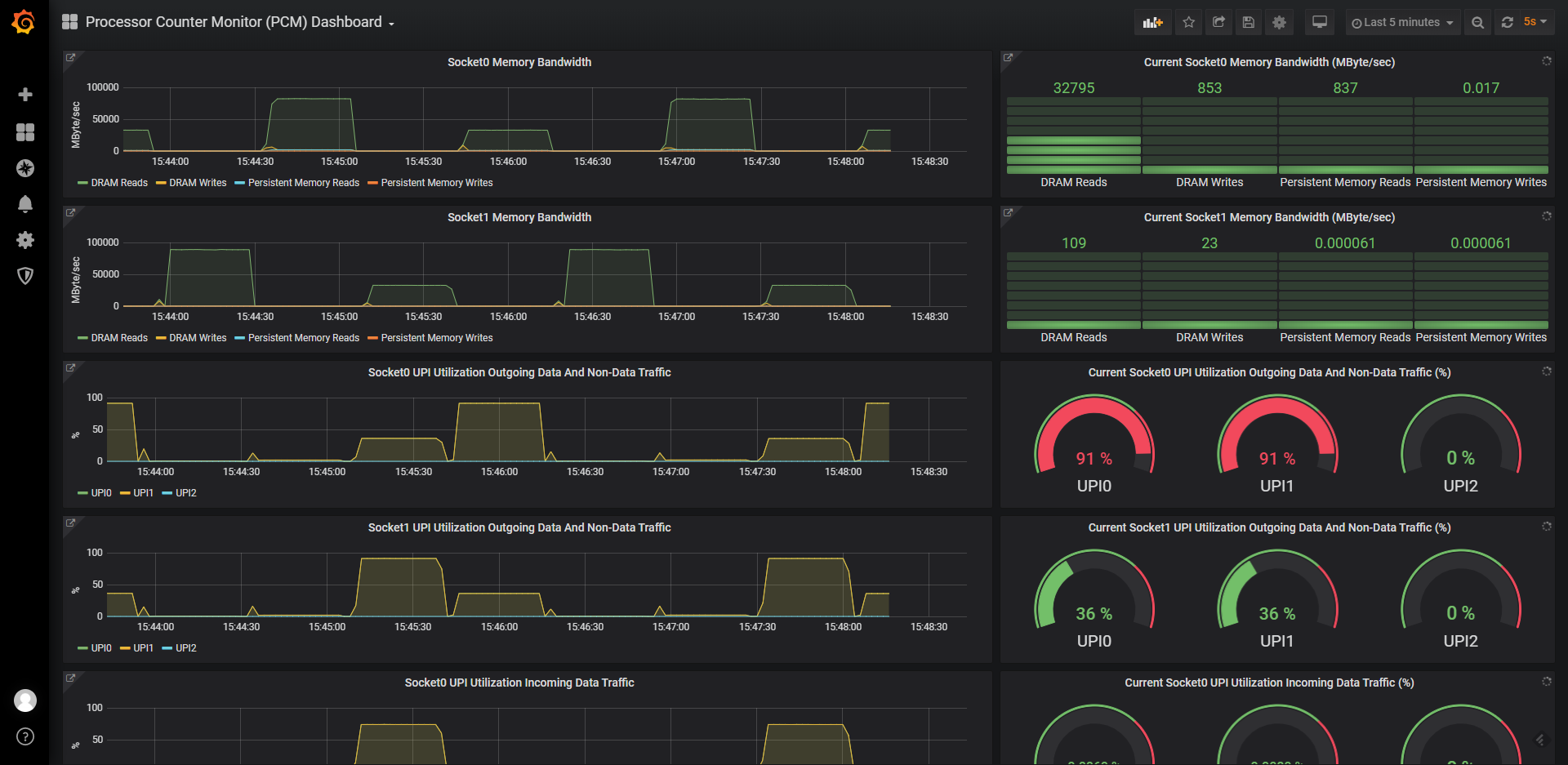
Graphical front ends:
There are also utilities for reading/writing model specific registers (pcm-msr), PCI configuration registers (pcm-pcicfg), memory mapped registers (pcm-mmio) and TPMI registers (pcm-tpmi) supported on Linux, Windows, FreeBSD and DragonFlyBSD.
And finally a daemon that stores core, memory and QPI counters in shared memory that can be be accessed by non-root users.
Clone PCM repository with submodules:
git clone --recursive https://github.com/intel/pcm
cd pcm
or clone the repository first, and then update submodules with:
git submodule update --init --recursive
Install cmake (and libasan on Linux) then compile:
Choose one of the following build methods:
build directory and preserve previous build artifacts, go straight to the cd build step.cmake -E rm -rf build && cmake -E make_directory build for your first build, or for a full rebuild to ensure a "clean state" by deleting all previous build data.cd build
cmake ..
cmake --build .
You will get all the utilities (pcm, pcm-memory, etc) in build/bin directory.
'--parallel' can be used for faster building:
cmake --build . --parallel
Debug is default on Windows. Specify config to build Release:
cmake --build . --config Release
On Windows additional drivers and steps are required. Please find instructions here: WINDOWS_HOWTO.md.
FreeBSD/DragonFlyBSD-specific details can be found in FREEBSD_HOWTO.txt

sudo apt install pcmsudo zypper install pcmsudo dnf install pcmsudo yum install pcmExecuting PCM tools under an unprivileged user on a Linux operating system is feasible. However, there are certain prerequisites that need to be met, such as having Linux perf_event support for your processor in the Linux kernel version you are currently running. To successfully run the PCM tools, you need to set the /proc/sys/kernel/perf_event_paranoid setting to -1 as root once:
echo -1 > /proc/sys/kernel/perf_event_paranoid
and configure two specific environment variables when running the tools under a non-root user:
export PCM_NO_MSR=1
export PCM_KEEP_NMI_WATCHDOG=1
For instance, you can execute the following commands to set the environment variables and run pcm:
export PCM_NO_MSR=1
export PCM_KEEP_NMI_WATCHDOG=1
pcm
or (to run the pcm sensor server as non-root):
PCM_NO_MSR=1 PCM_KEEP_NMI_WATCHDOG=1 pcm-sensor-server
Please keep in mind that when executing PCM tools under an unprivileged user on Linux, certain PCM metrics may be unavailable. This limitation specifically affects metrics that rely solely on direct MSR (Model-Specific Register) register access. Due to the restricted privileges of the user, accessing these registers is not permitted, resulting in the absence of corresponding metrics.
PCM's frequently asked questions (FAQ) are located here.
PCM API documentation is embedded in the source code and can be generated into html format from source using Doxygen (www.doxygen.org).
The list of PCM environment variables is located here
The list of custom compilation options is located here
Packaging with CPack is supported on Debian and Redhat/SUSE system families. To create DEB of RPM package need to call cpack after building in build folder:
cd build
cpack
This creates package:
(top 24 of 62)
9,832 followers · starred Apr 2019
2,135 followers · starred Oct 2024
1,185 followers · starred Jan 2022
1,660 followers · starred Apr 2022
PCM Tools | Building PCM | Downloading Pre-Compiled PCM | FAQ | API Documentation | Environment Variables | Compilation Options
Intel® Performance Counter Monitor (Intel® PCM) is an application programming interface (API) and a set of tools based on the API to monitor performance and energy metrics of Intel® Core™, Xeon®, Atom™ and Xeon Phi™ processors. PCM works on Linux, Windows, FreeBSD, DragonFlyBSD and ChromeOS operating systems.
Github repository statistics:
We welcome bug reports and enhancement requests, which can be submitted via the "Issues" section on GitHub. For those interested in contributing to the code, please refer to the guidelines outlined in the CONTRIBUTING.md file.
PCM provides a number of command-line utilities for real-time monitoring:
pcm-sensor-server : pcm collector exposing metrics over http in JSON or Prometheus (exporter text based) format (how-to). Also available as a docker container. More info about Global PCM events is here.
pcm-memory : monitor memory bandwidth (per-channel and per-DRAM DIMM rank)
pcm-latency : monitor L1 cache miss and DDR/PMM memory latency
pcm-pcie : monitor PCIe bandwidth per-socket
Graphical front ends:
There are also utilities for reading/writing model specific registers (pcm-msr), PCI configuration registers (pcm-pcicfg), memory mapped registers (pcm-mmio) and TPMI registers (pcm-tpmi) supported on Linux, Windows, FreeBSD and DragonFlyBSD.
And finally a daemon that stores core, memory and QPI counters in shared memory that can be be accessed by non-root users.
Clone PCM repository with submodules:
git clone --recursive https://github.com/intel/pcm
cd pcm
or clone the repository first, and then update submodules with:
git submodule update --init --recursive
Install cmake (and libasan on Linux) then compile:
Choose one of the following build methods:
build directory and preserve previous build artifacts, go straight to the cd build step.cmake -E rm -rf build && cmake -E make_directory build for your first build, or for a full rebuild to ensure a "clean state" by deleting all previous build data.cd build
cmake ..
cmake --build .
You will get all the utilities (pcm, pcm-memory, etc) in build/bin directory.
'--parallel' can be used for faster building:
cmake --build . --parallel
Debug is default on Windows. Specify config to build Release:
cmake --build . --config Release
On Windows additional drivers and steps are required. Please find instructions here: WINDOWS_HOWTO.md.
FreeBSD/DragonFlyBSD-specific details can be found in FREEBSD_HOWTO.txt
sudo apt install pcmsudo zypper install pcmsudo dnf install pcmsudo yum install pcmExecuting PCM tools under an unprivileged user on a Linux operating system is feasible. However, there are certain prerequisites that need to be met, such as having Linux perf_event support for your processor in the Linux kernel version you are currently running. To successfully run the PCM tools, you need to set the /proc/sys/kernel/perf_event_paranoid setting to -1 as root once:
echo -1 > /proc/sys/kernel/perf_event_paranoid
and configure two specific environment variables when running the tools under a non-root user:
export PCM_NO_MSR=1
export PCM_KEEP_NMI_WATCHDOG=1
For instance, you can execute the following commands to set the environment variables and run pcm:
export PCM_NO_MSR=1
export PCM_KEEP_NMI_WATCHDOG=1
pcm
or (to run the pcm sensor server as non-root):
PCM_NO_MSR=1 PCM_KEEP_NMI_WATCHDOG=1 pcm-sensor-server
Please keep in mind that when executing PCM tools under an unprivileged user on Linux, certain PCM metrics may be unavailable. This limitation specifically affects metrics that rely solely on direct MSR (Model-Specific Register) register access. Due to the restricted privileges of the user, accessing these registers is not permitted, resulting in the absence of corresponding metrics.
PCM's frequently asked questions (FAQ) are located here.
PCM API documentation is embedded in the source code and can be generated into html format from source using Doxygen (www.doxygen.org).
The list of PCM environment variables is located here
The list of custom compilation options is located here
Packaging with CPack is supported on Debian and Redhat/SUSE system families. To create DEB of RPM package need to call cpack after building in build folder:
cd build
cpack
This creates package:
(top 24 of 62)
9,832 followers · starred Apr 2019
2,135 followers · starred Oct 2024
1,185 followers · starred Jan 2022
1,660 followers · starred Apr 2022





