The simplest CMS you'll ever need. Manage content and media right in your GitHub repository.
See the codePages CMS is an open source CMS for GitHub repositories. It is especially well suited for static sites and content-driven apps built with tools like Jekyll, Hugo, Next.js, Astro, VuePress, and similar stacks.
You can use the hosted version directly at app.pagescms.org, or run your own local development copy from this repository.
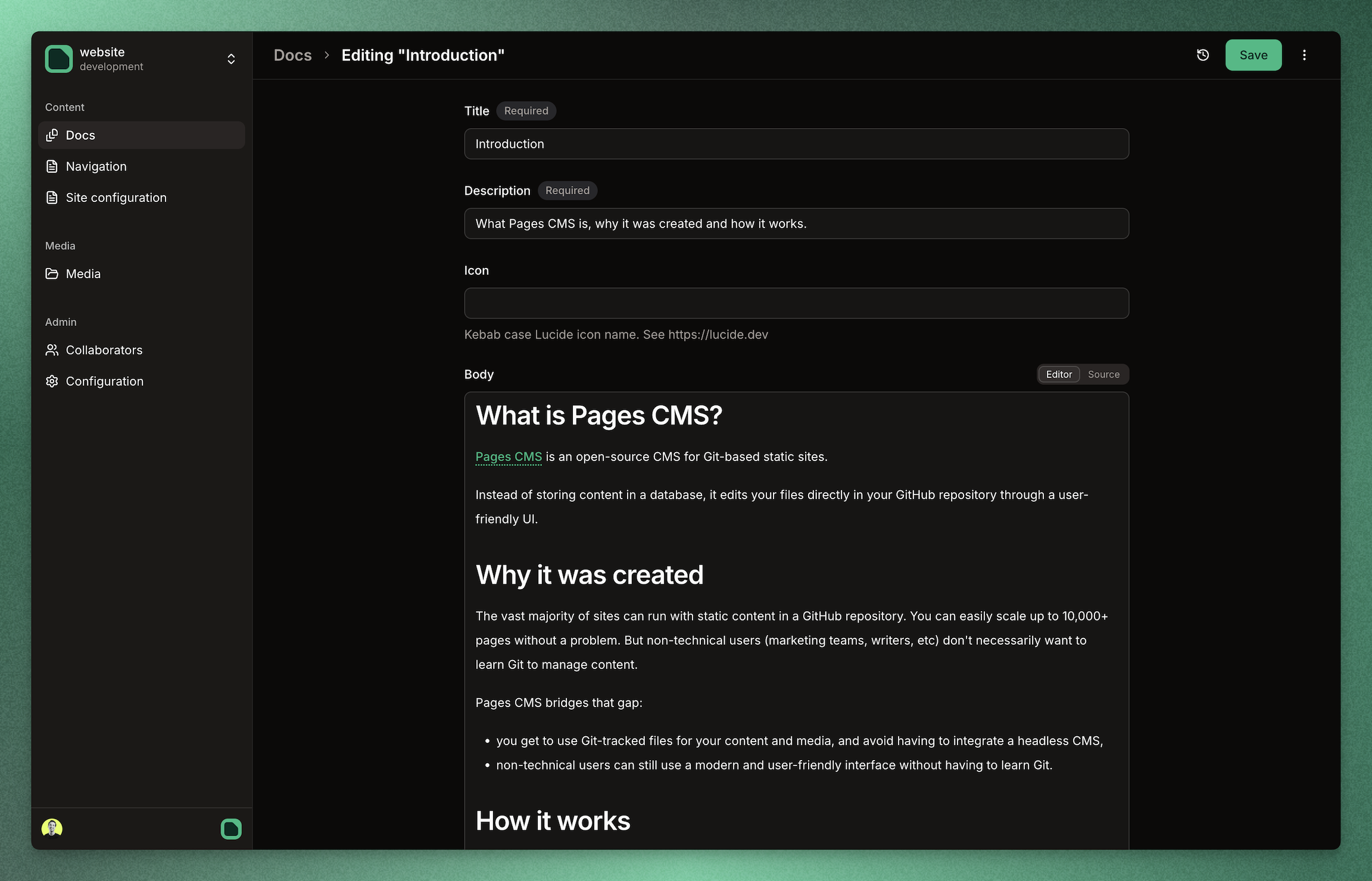
Full documentation lives at pagescms.org/docs.
Useful starting points:
The easiest way to get started is the hosted version at app.pagescms.org.
Use that if you want to:
.env.localgit clone https://github.com/pagescms/pagescms.git
cd pagescms
docker run --name pagescms-db -e POSTGRES_USER=pagescms -e POSTGRES_PASSWORD=pagescms -e POSTGRES_DB=pagescms -p 5432:5432 -d postgres:16
npm install
.env.local with at least:DATABASE_URL=postgresql://pagescms:pagescms@localhost:5432/pagescms
BETTER_AUTH_SECRET=your-random-secret
CRYPTO_KEY=your-random-secret
Optional but useful:
BASE_URL=https://cms.example.com
ADMIN_EMAILS=admin@example.com
Notes:
BASE_URL should be the single canonical URL for the app.*.netlify.app URL for the same install.ADMIN_EMAILS is a comma-separated allowlist for access to the admin panel.Generate secrets with:
openssl rand -base64 32
npm run setup:github-app -- --base-url http://localhost:3000
Useful options:
--owner-type personal|org--org <slug>--app-name "Pages CMS (local)"--env .env.local--no-opennpm run db:migrate
If cache state is known stale or corrupted, clear it with:
npm run db:clear-cache
npm run dev
If you need GitHub webhooks to reach your local app, use a public tunnel URL as the helper --base-url.
For more detail, see:
Everything in this repo is released under the MIT License.
(top 24 of 56)
1,818 followers · starred Feb 2024
3,317 followers · starred Jun 2025
242 followers · starred Mar 2024
112 followers · starred Jan 2025
The simplest CMS you'll ever need. Manage content and media right in your GitHub repository.
See the codePages CMS is an open source CMS for GitHub repositories. It is especially well suited for static sites and content-driven apps built with tools like Jekyll, Hugo, Next.js, Astro, VuePress, and similar stacks.
You can use the hosted version directly at app.pagescms.org, or run your own local development copy from this repository.
Full documentation lives at pagescms.org/docs.
Useful starting points:
The easiest way to get started is the hosted version at app.pagescms.org.
Use that if you want to:
.env.localgit clone https://github.com/pagescms/pagescms.git
cd pagescms
docker run --name pagescms-db -e POSTGRES_USER=pagescms -e POSTGRES_PASSWORD=pagescms -e POSTGRES_DB=pagescms -p 5432:5432 -d postgres:16
npm install
.env.local with at least:DATABASE_URL=postgresql://pagescms:pagescms@localhost:5432/pagescms
BETTER_AUTH_SECRET=your-random-secret
CRYPTO_KEY=your-random-secret
Optional but useful:
BASE_URL=https://cms.example.com
ADMIN_EMAILS=admin@example.com
Notes:
BASE_URL should be the single canonical URL for the app.*.netlify.app URL for the same install.ADMIN_EMAILS is a comma-separated allowlist for access to the admin panel.Generate secrets with:
openssl rand -base64 32
npm run setup:github-app -- --base-url http://localhost:3000
Useful options:
--owner-type personal|org--org <slug>--app-name "Pages CMS (local)"--env .env.local--no-opennpm run db:migrate
If cache state is known stale or corrupted, clear it with:
npm run db:clear-cache
npm run dev
If you need GitHub webhooks to reach your local app, use a public tunnel URL as the helper --base-url.
For more detail, see:
Everything in this repo is released under the MIT License.
(top 24 of 56)
1,818 followers · starred Feb 2024
3,317 followers · starred Jun 2025
242 followers · starred Mar 2024
112 followers · starred Jan 2025