Cheap EMUlator: lightweight multi-architecture assembly playground
Python
1,020
61 commits
updated Aug 13, 2024




Writing assembly is fun. Assembly is the lowest language (humanly understandable) available to communicate with computers, and is crucial to understand the internal mechanisms of any machine. Unfortunately, setting up an environment to write, compile and run assembly for various architectures (x86, ARM, MIPS, SPARC) has always been painful. CEmu is an attempt to fix this by providing GUI, CLI and library that allows to write and test assembly quickly.
CEmu is built upon:
And the GUI is powered by in a Qt6.
It allows to test binary samples, check your shellcodes or even simply learn how to write assembly code, all of this for the following architectures:
CEmu was mostly tested to work on Linux and Windows, but should work on MacOS.
Notes
Since version 0.2.2, cemu is now Python3 only for simplicity and mostly also due to the fact that Python2 is not developed any longer. If your current installation of cemu is <= 0.2.1 and on Python2, please uninstall it and install it using Python3.
In addition, Python >= 3.10 is required, starting 0.6.
Last stable from PyPI:
python3 -m pip install install cemu
Last stable from Github:
python3 -m pip install --user --upgrade git+https://github.com/hugsy/cemu.git@main#egg=cemu
For 99% of cases, that's all you need to do. cemu will be installed in the associated Scripts directory:
/usr/local/bin/cemu if installed as root, ~/.local/bin/cemu for non-root%PYTHON_DIR%\Scripts\cemu.exe if installed with privileges, %APPDATA%\Python\Python310\Scripts\cemu.exe if notAfter installing with pip, simply run the executable, or invoke via Python
python3 -m cemu
This should produce a GUI similar to this:
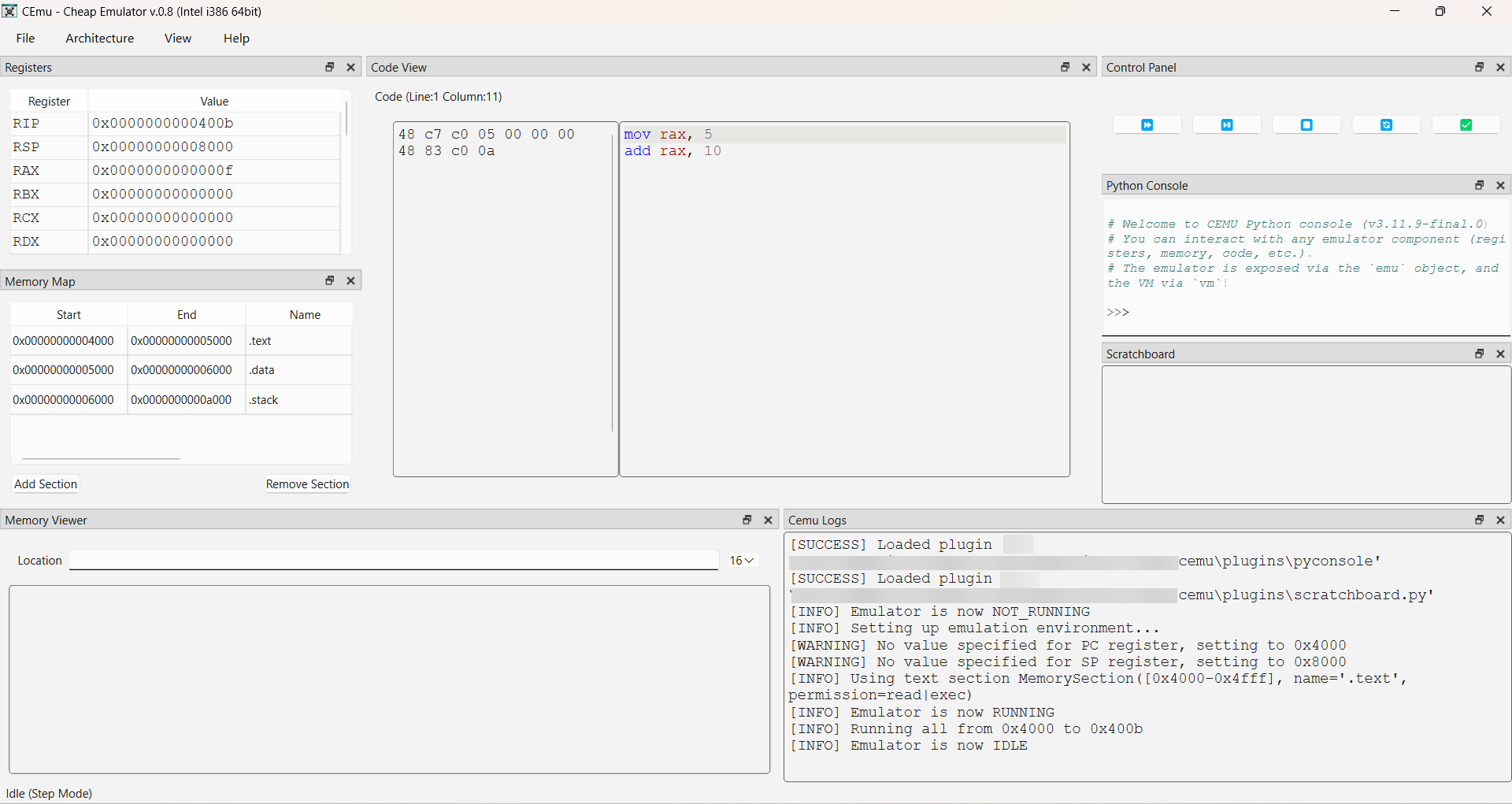
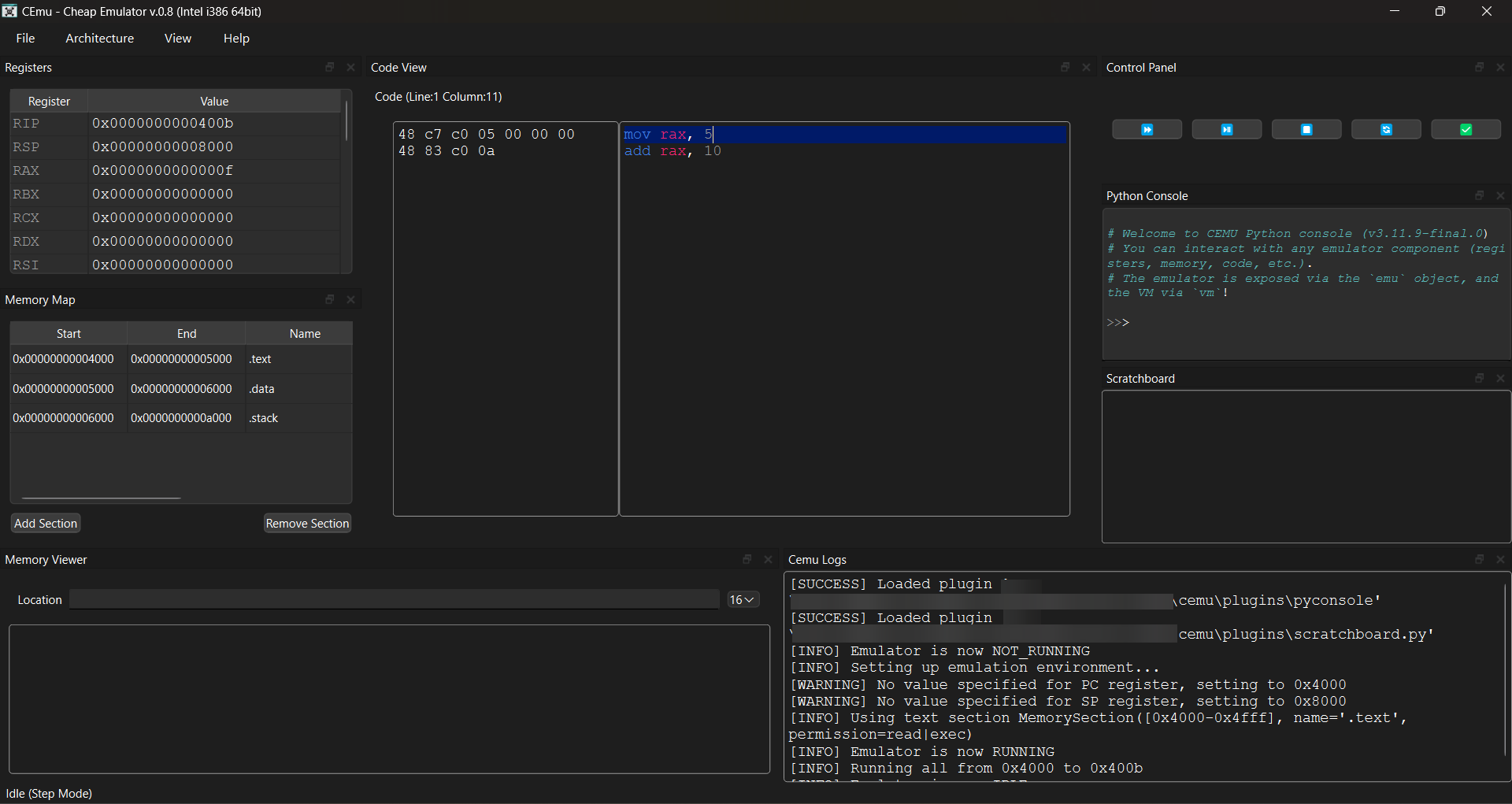
python -m cemu --cli
From where you'll end up in a REPL, allowing you to build and run the emulation environment.

python -i -c "import cemu"
Then use the provided API to build and run your environment.
cemu was created and maintained by myself, @_hugsy_, but kept fresh thanks to all the contributors.
To make contributions, the easiest way to get started is by using rye to get everything setup:
curl -sSf https://rye.astral.sh/get | bash  # opt
rye sync
Before submitting a Pull Request, ensure that both linting and formatting of your new code comply with the project's standards. This can be achieved easily as such:
rye lint
rye fmt
Note that any non-compliance will make CI validation fail, therefore preventing your code being merged.
But if you just like the tool as a user, consider dropping on Discord (or Twitter or other) a simple "thanks", it is always very appreciated. And if you can, consider sponsoring me - it really helps dedicating time and resources to the projects!
Overall
Maintained
Code review
PyPI
Latest release
Releases this year
802 followers · starred Dec 2020
2,389 followers · starred Jul 2016
101 followers · starred Aug 2024
134 followers · starred Jan 2025
Cheap EMUlator: lightweight multi-architecture assembly playground
Python
1,020
61 commits
updated Aug 13, 2024
Writing assembly is fun. Assembly is the lowest language (humanly understandable) available to communicate with computers, and is crucial to understand the internal mechanisms of any machine. Unfortunately, setting up an environment to write, compile and run assembly for various architectures (x86, ARM, MIPS, SPARC) has always been painful. CEmu is an attempt to fix this by providing GUI, CLI and library that allows to write and test assembly quickly.
CEmu is built upon:
And the GUI is powered by in a Qt6.
It allows to test binary samples, check your shellcodes or even simply learn how to write assembly code, all of this for the following architectures:
CEmu was mostly tested to work on Linux and Windows, but should work on MacOS.
Notes
Since version 0.2.2, cemu is now Python3 only for simplicity and mostly also due to the fact that Python2 is not developed any longer. If your current installation of cemu is <= 0.2.1 and on Python2, please uninstall it and install it using Python3.
In addition, Python >= 3.10 is required, starting 0.6.
Last stable from PyPI:
python3 -m pip install install cemu
Last stable from Github:
python3 -m pip install --user --upgrade git+https://github.com/hugsy/cemu.git@main#egg=cemu
For 99% of cases, that's all you need to do. cemu will be installed in the associated Scripts directory:
/usr/local/bin/cemu if installed as root, ~/.local/bin/cemu for non-root%PYTHON_DIR%\Scripts\cemu.exe if installed with privileges, %APPDATA%\Python\Python310\Scripts\cemu.exe if notAfter installing with pip, simply run the executable, or invoke via Python
python3 -m cemu
This should produce a GUI similar to this:
python -m cemu --cli
From where you'll end up in a REPL, allowing you to build and run the emulation environment.
python -i -c "import cemu"
Then use the provided API to build and run your environment.
cemu was created and maintained by myself, @_hugsy_, but kept fresh thanks to all the contributors.
To make contributions, the easiest way to get started is by using rye to get everything setup:
curl -sSf https://rye.astral.sh/get | bash  # opt
rye sync
Before submitting a Pull Request, ensure that both linting and formatting of your new code comply with the project's standards. This can be achieved easily as such:
rye lint
rye fmt
Note that any non-compliance will make CI validation fail, therefore preventing your code being merged.
But if you just like the tool as a user, consider dropping on Discord (or Twitter or other) a simple "thanks", it is always very appreciated. And if you can, consider sponsoring me - it really helps dedicating time and resources to the projects!
Overall
Maintained
Code review
PyPI
Latest release
Releases this year
802 followers · starred Dec 2020
2,389 followers · starred Jul 2016
101 followers · starred Aug 2024
134 followers · starred Jan 2025