A single / multiple, categorizable, customizable, localizable and searchable item picker (drop-down) component for react native which supports both Android & iOS.
JavaScript
1,044
785 commits
updated Jun 28, 2026






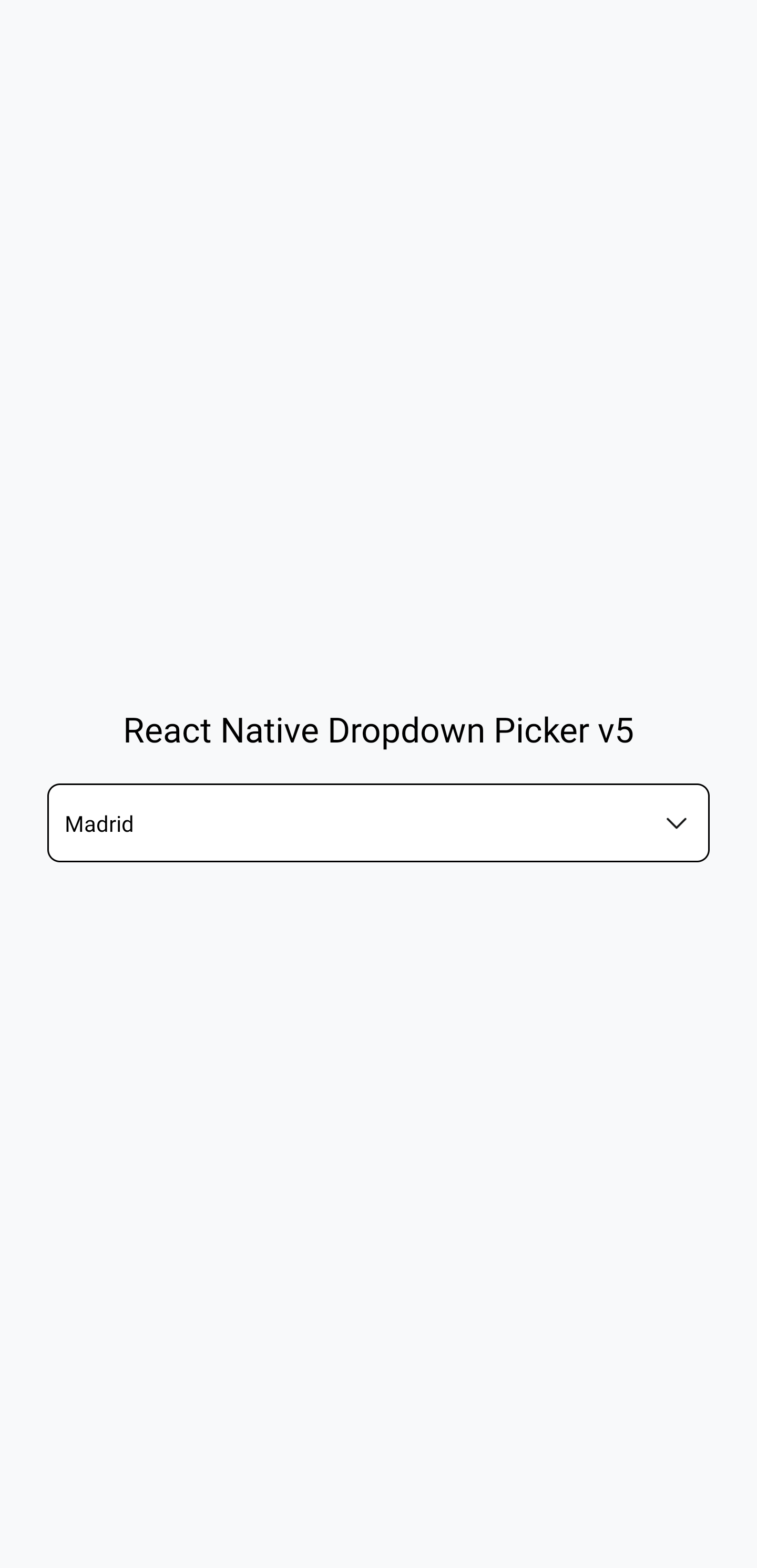
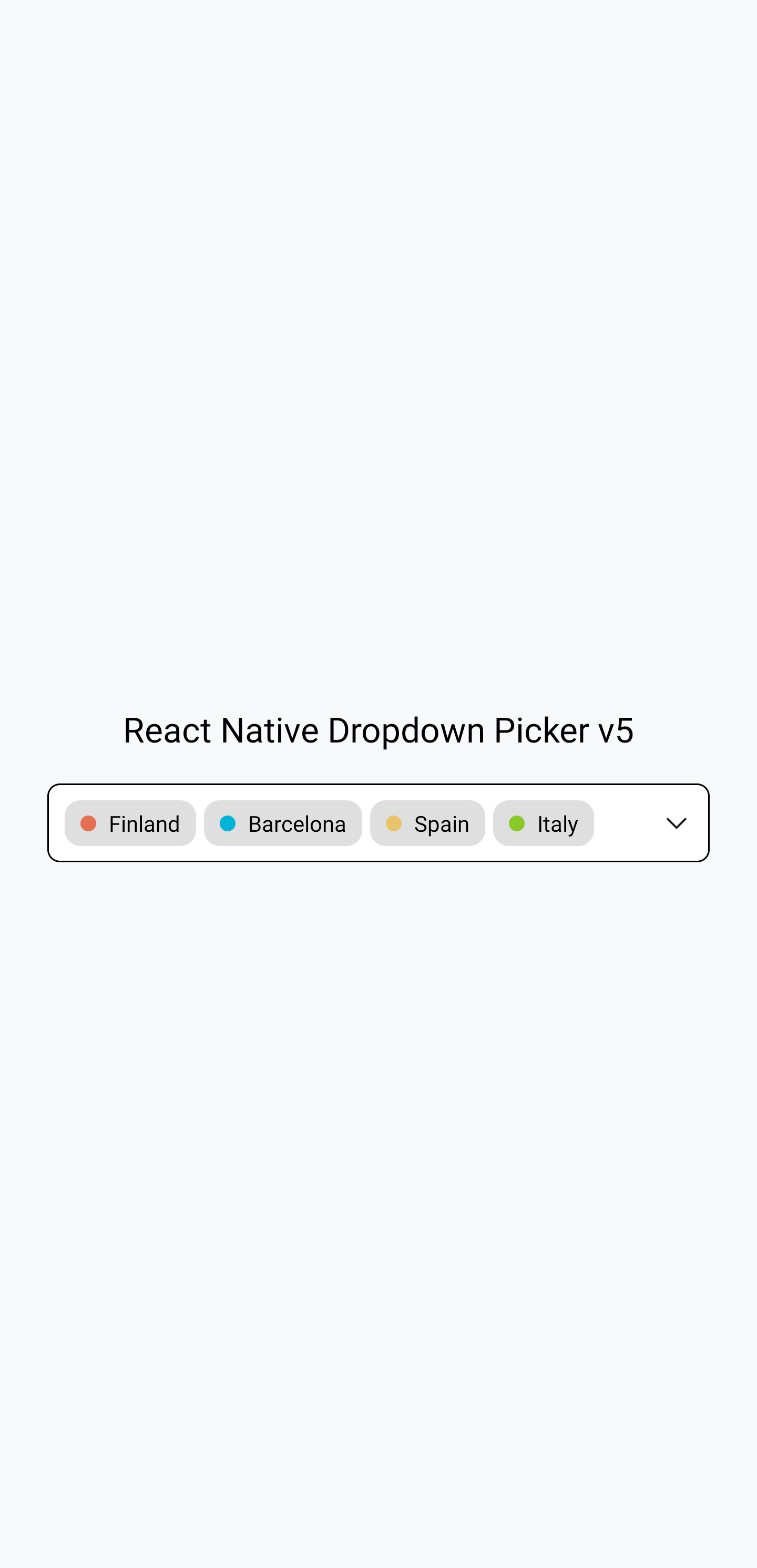
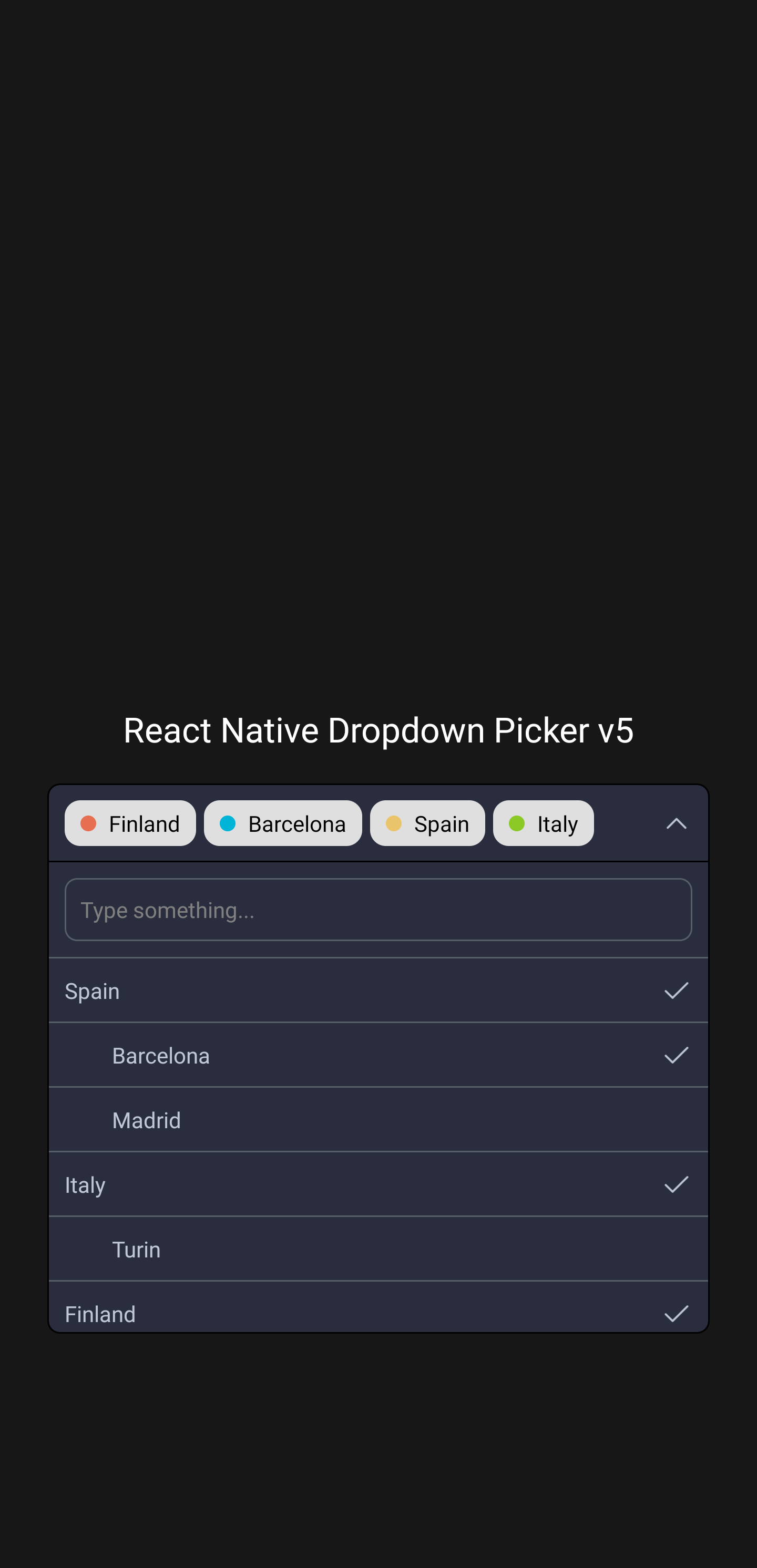
The above screenshots were taken from this example.
The following code shows basic usage of this library:
import React, {useState} from 'react';
import {View, Text} from 'react-native';
import DropDownPicker from 'react-native-dropdown-picker';

export default function App() {
    const [open, setOpen] = useState(false);
    const [value, setValue] = useState(null);
    const [items, setItems] = useState([
        {label: 'Apple', value: 'apple'},
        {label: 'Banana', value: 'banana'},
        {label: 'Pear', value: 'pear'},
    ]);

    return (
        <View style={{flex: 1}}>
            <View
                style={{
                    flex: 1,
                    alignItems: 'center',
                    justifyContent: 'center',
                    paddingHorizontal: 15,
                }}>
                <DropDownPicker
                    open={open}
                    value={value}
                    items={items}
                    setOpen={setOpen}
                    setValue={setValue}
                    setItems={setItems}
                    placeholder={'Choose a fruit.'}
                />
            </View>

            <View style={{
                flex: 1,
                alignItems: 'center',
                justifyContent: 'center'
            }}>
                <Text>Chosen fruit: {value === null ? 'none' : value}</Text>
            </View>
        </View>
    );
}
You can find more examples in the examples subdirectory. This subdirectory is
a working Expo project demonstrating this
library. It shows how to use this library with class components as well as with
function components, and in TypeScript as well as in JavaScript. Navigate into
the examples subdirectory, run npm install, and then run npx expo start to
see the examples working.
For further information on how to use this library, read the usage documentation.
The docs can be read at: https://hossein-zare.github.io/react-native-dropdown-picker-website
The docs can be edited at: https://github.com/hossein-zare/react-native-dropdown-picker-website
If you have questions or need help, you can ask a question on Stack Overflow or make a GitHub issue. You can also make a GitHub issue to report a bug or make a feature request.
See CONTRIBUTING.md.
Overall
Maintained
Code review
Latest release
Releases this year
1,886 followers · starred Sep 2021
147 followers · starred Aug 2021
157 followers · starred Sep 2021
164 followers · starred Jul 2022
A single / multiple, categorizable, customizable, localizable and searchable item picker (drop-down) component for react native which supports both Android & iOS.
JavaScript
1,044
785 commits
updated Jun 28, 2026
The above screenshots were taken from this example.
The following code shows basic usage of this library:
import React, {useState} from 'react';
import {View, Text} from 'react-native';
import DropDownPicker from 'react-native-dropdown-picker';

export default function App() {
    const [open, setOpen] = useState(false);
    const [value, setValue] = useState(null);
    const [items, setItems] = useState([
        {label: 'Apple', value: 'apple'},
        {label: 'Banana', value: 'banana'},
        {label: 'Pear', value: 'pear'},
    ]);

    return (
        <View style={{flex: 1}}>
            <View
                style={{
                    flex: 1,
                    alignItems: 'center',
                    justifyContent: 'center',
                    paddingHorizontal: 15,
                }}>
                <DropDownPicker
                    open={open}
                    value={value}
                    items={items}
                    setOpen={setOpen}
                    setValue={setValue}
                    setItems={setItems}
                    placeholder={'Choose a fruit.'}
                />
            </View>

            <View style={{
                flex: 1,
                alignItems: 'center',
                justifyContent: 'center'
            }}>
                <Text>Chosen fruit: {value === null ? 'none' : value}</Text>
            </View>
        </View>
    );
}
You can find more examples in the examples subdirectory. This subdirectory is
a working Expo project demonstrating this
library. It shows how to use this library with class components as well as with
function components, and in TypeScript as well as in JavaScript. Navigate into
the examples subdirectory, run npm install, and then run npx expo start to
see the examples working.
For further information on how to use this library, read the usage documentation.
The docs can be read at: https://hossein-zare.github.io/react-native-dropdown-picker-website
The docs can be edited at: https://github.com/hossein-zare/react-native-dropdown-picker-website
If you have questions or need help, you can ask a question on Stack Overflow or make a GitHub issue. You can also make a GitHub issue to report a bug or make a feature request.
See CONTRIBUTING.md.
Overall
Maintained
Code review
Latest release
Releases this year
1,886 followers · starred Sep 2021
147 followers · starred Aug 2021
157 followers · starred Sep 2021
164 followers · starred Jul 2022